Part II: Designing the User Experience
4. People are Complicated!
Complexity is your enemy. Any fool can make something complicated. It is hard to make something simple.
– Richard Branson
The key aspect of user experience is its focus on making a system more humane. This means tailoring the system to the user, and not expecting the user to happily conform to the system. We can only achieve this by understanding how humans sense and perceive the outside environment (the system or interface), process and store this knowledge. Making use of it either directly or in the future, and based on past and current knowledge exert control over an external environment (again, in this case, the system or interface).
4.1 UX is Everywhere
User experiences occur in many contexts and over many domains. This variety sometimes makes it difficult to ‘pigeon hole’ UX as one specific thing - as we have discussed - UX is the broad term used to describe the experience of humans with computers both at the interface and system level.
Indeed, the ACM and the IEEE Curriculum ‘Subjects Coverage’ - lists Human Factors as occurring in the following domains:
- AL/Algorithmic Strategies
- NC/Networked Applications
- HC/Foundations
- HC/Building GUI Interfaces
- HC/User Centred Software Evaluation
- HC/User Centred Software Development
- HC/GUI Design
- HC/GUI Programming
- HC/Multimedia And Multimodal Systems
- HC/Collaboration And Communication
- HC/Interaction Design For New Environments
- GV/Virtual Reality
- IM/Hypermedia
- IM/Multimedia Systems
- IS/Fundamental Issues
- NC/Multimedia Technologies
- SE/Software Verification Validation
- CN/Modelling And Simulation
- SP/Social Context
- SP/Analytical Tools
- SP/Professional Ethics
- SP/Philosophical Frameworks
Subject Key: Algorithms and Complexity (AL); Net-Centric Computing (NC); Human–Computer Interaction (HC); Graphics and Visual Computing (GV); Intelligent Systems (IS); Information Management (IM); Software Engineering (SE); Computational Science (CN); Social and Professional Issues (SP).

However, more broadly this is often referred to as human factors that suggest an additional non-computational aspect within the environment; affecting the system or interaction indirectly. This leads on to the discipline of ergonomics, also known as human factors, defined as … ‘the scientific discipline concerned with the understanding of interactions among humans and other elements of a system, and the profession that applies theory, principles, data and methods to design in order to optimise human well-being and overall system performance.’ At an engineering level, the domain may be known as user experience engineering.
However, in all cases, the key aspect of Human Factors and its application as user experience engineering is the focus on making a system more humane (see Figure: Microsoft Active Tiles). There is no better understanding of this than that possessed by ‘Jef Raskin’, creator of the Macintosh GUI for Apple Computer; inventor of SwyftWare via the Canon Cat; and author of ‘The Humane Interface’ 1:
“Humans are variously skilled and part of assuring the accessibility of technology consists of seeing that an individual’s skills match up well with the requirements for operating the technology. There are two components to this; training the human to accommodate the needs of the technology and designing the technology to meet the needs of the human. The better we do the latter, the less we need of the former. One of the non-trivial tasks given to a designer of human–machine interfaces is to minimise the need for training.
Because computer-based technology is relatively new, we have concentrated primarily on the learnability aspects of interface design, but the efficiency of use once learning has occurred and automaticity achieved has not received its due attention. Also, we have focused largely on the ergonomic problems of users, sometimes not asking if the software is causing ‘Cognetic’ problems. In the area of accessibility, efficiency and Cognetics can be of primary concern.
For example, users who must operate a keyboard with a pointer held in their mouths benefit from specially designed keyboards and well-shaped pointers. However well-made the pointer, however, refined the keyboard layout, and, however, comfortable the physical environment we have made for this user, if the software requires more keystrokes than necessary, we are not delivering an optimal interface for that user. When we study interface design, we usually think regarding accommodating higher mental activities, the human capabilities of conscious thought and ratiocination.
Working with these areas of thought bring us to questions of culture and learning and the problems of localising and customising interface designs. These efforts are essential, but it is almost paradoxical that most interface designs fail first to assure that the interfaces are compatible with the universal traits of the human nervous system, in particular, those traits that are sub-cortical and that we share with other animals. These characteristics are independent of culture and learning, and often are unaffected by disabilities.
Most interfaces, whether designed to accommodate accessibility issues or not, fail to satisfy the more general and lower-level needs of the human nervous system. In the future, designers should make sure that an interface satisfies the universal properties of the human brain as a first step to assuring usability at cognitive levels.”
In the real world, this means that the UX specialist can be employed in many different jobs and many different guises; being involved in the collection of data to form an understanding of how the system or interface should work. Regardless of the focus of the individual project, the UX specialist is concerned primarily with people and the way in which they interact with the computational system.
4.2 People & Computers
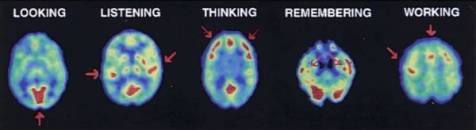
Understanding how humans take in information, understand and learn from this information, and use it to guide their control of the outside world, is key to understanding their experiences 2 (see PET scans in Figure: PET studies of glucose metabolism). Here we are not concerned directly with the anatomical, physiological, or psychological aspects of these processes (there are many in-depth treatise that address these areas), but instead, look at them at the point where user meets software or device. In this case we can think, simplistically, that humans sense and perceive the outside environment (the system or interface), process and store this knowledge making use of it either directly or in the future. Moreover, based on both past and current knowledge exert control over an external environment (again, in this case, the system or interface) 3.
4.2.1 Perceiving Sensory Information
Receiving sensory information can occur along some different channels. These channels relate to the acts of: seeing (visual channel), hearing (auditory channel), smelling (olfactory channel), and touching (somatic/haptic channel). This means that each of these channels could, in effect, be used to transmit information regarding the state of the system or interface. It is important then, to understand a few basic principles of these possible pathways for the transmission of information from the computer to the human.
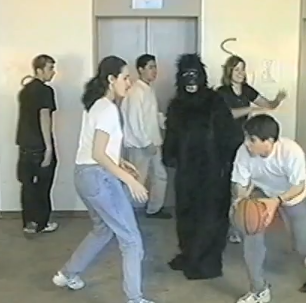
However, before we begin, remember back to our previous discussion – and concerning ‘Figure: Basketball’ – examining Daniel Simons and Christopher Chabris’ experiments which required you to count passes of a Basketball. Well, this phenomenon is just one example of the complexities involved in understanding users, their perception, and their attention. The phenomenon exhibited is known as ‘Inattention blindness’, ‘attention blindness’, or ‘perception blindness’ and relates to our expectations, perception, and locus of attention. Simply, inattention blindness describes our ability to notice something that is in plain view and has been seen. This normally occurs when we are not expecting the stimulus to occur – why would a Gorilla be moonwalking in a basketball match? If we do not think it should be there, our brains compensate for the perceptual input by not cognitively registering that stimuli. However, there are plenty of other tests that also show this phenomenon. Moreover, there are some different explanations for the why it occurs. As you’ve just read, I prefer the ‘Expectation’ explanation, but others suggest: conspicuity, stimuli may be inconspicuous and therefore not seen as important. Mental workload, we may be too busy focused on another task to notice a stimuli, or capacity this is really the locus of attention explanation; as we shall see later in on. In reality, I expect that there is some combination of each explanation at play, but the point is that the phenomenon itself is not what we would expect, and we don’t exactly know why or how it occurs. Keep this level of uncertainty in mind as you read more and as you start you work in the UX domain.
4.2.1.1 Visual Interaction
Visual interaction design is determined by the arrangement of elements or details on the interface that can either facilitate or impede a user through the available resources. This is because the amount of information within the interface that reaches our eyes is far greater than our brain can process, and it is for this reason that the visual channel and, therefore, visual attention is key to good design. Selective visual attention is a complex action composed of conscious and subconscious processes in the brain that are used to find and focus on relevant information quickly and efficiently. There are two general visual attention processes, bottom-up and top-down, which determine where humans next locate their attention. Bottom-up models of visual attention suggest that low-level salient features, such as contrast, size, shape, colour, and brightness correlate well with visual interest. For example, a red apple (a source of nutrition) is more visually salient, and, therefore, attractive, than the green leaves surrounding it. Top-down models, on the other hand, explain visual search driven by semantics, or knowledge about the environment: when asked to describe the emotion of a person in a picture, for instance, people will automatically look to the person’s face.
Both forms of visual attention inevitably play a part in helping people to orientate, navigate and understand the interface. Bottom-up processing allows people to quickly detect items, such as bold text and images, which help to explain how the interface is organised. It also helps people to group the information into ‘sections’, such as blocks of text, headings, and menus. Top-down processing enables people to interpret the information using prior knowledge and heuristics. For example, people may look for menus at the top and sides of the interface, and main interface components in the middle.
It can be seen from eye tracking studies that users focus attention sequentially on different parts of the interface and that computational models have been successfully employed in computer graphics to segment images into regions that the user is most likely to focus upon. These models are based upon a knowledge of human visual behaviour and an understanding of the image in question. Indeed, studies exist which record user’s eye movements during specific interactive tasks, to find out those features within and interface design that were visited, in which order and where ‘gaze hotspots’ were found. In these data, we can see an association between the interface components and eye-gaze, but not one as simple as ‘the user looked at the most visually obvious interface features. Indeed, sometimes large-bold-text next to an attention grabbing feature, such as an image, was fixated upon. However, we can deduce that, for instance, the information in some text may not itself draw a user’s attention but ideally has some feature nearby which do. This idea is supported by other studies that try to create interface design metrics that predict whether an interface is visually complex or not. These studies relate to interface design with complexity explaining that the way an interaction is perceived depends on the way the interface itself is designed and what components are used.
Through an understanding of the visual channel we can see that there are levels of granularity associated with visual design. This granularity allows us to understand a large visual rendering by segmentation into smaller more manageable pieces or components. Our attention moves between these components based on how our visual attention relates to them, and it is this knowledge of how the visual channel works, captured as design best practice, which allows designers to build interfaces that users find interesting and easy to access. The visual narrative the designer builds for the observer is implicitly created by the visual appearance (and, therefore, attraction) of each visual component. It is the observers focus, or as we shall see, the locus of attention, which enables this visual narrative to be told.
4.2.1.2 The Auditory Channel
The Auditory channel is the second most used channel for information input, and as highly interrelated with the visual channel, however, auditory input has some often overlooked advantages. For instance, reactions to auditory stimuli have been shown to be faster, in some cases, than reactions to visual stimuli. Secondly, the use of auditory information can go some way towards reducing the amount of visual information presented on screen. In some regard, this reduces possible information overload from both interface components and aspects of the interaction currently being performed. The reduction in visual requirements means that attention can be freed to stimuli that are best handled visually, and means that auditory stimulation can be tailored to occur within the part of the interaction to which it is best suited. Indeed, the auditory channel is, often, under-used in relation to standard interface components. In some cases, this is due to the need for an absence of noise pollution within the environment. We can see that consistent sound or intermittent sound can often be frustrating and distracting to computer users within the same general environment; this is not the case with visual stimuli that can be specifically targeted to the principal user. Finally, and in some cases most importantly, sound can move the users attention, and focus it to a specific spatial location. Due to the nature of the human auditory processing system, studies have found that using different frequencies similar to white noise are most effective in attracting attention. This is because human speech and communication occur using multiple frequencies whereas single frequencies with transformations such as sirens or audible tones may jar the senses but are more difficult to locate spatially.
Obviously, sound can be used for many different and complementary aspects of the user interface. However, the HCI specialist must consider the nature of the sound and its purpose. In addition, interfaces that rely only on sound, with no additional visual cues, may mean the interface becomes inflexible in environments where the visual display is either obscured or not present at all. Sound can be used to transmit speech and non-speech. Speech would normally be via text to speech synthesis systems. In this way, the spoken word can be flexible, and the language of the text can be changed to facilitate internationalisation. One of the more interesting aspects of non-speech auditory input is that of auditory icons and ‘Earcons’. Many systems currently have some kind of auditory icon, for instance, the deletion of files from a specific directory is often accompanied by sound used to convey the deletion, such as paper being scrunched. Earcons are slightly more complicated as they involve the transmission of non-verbal audio messages to provide information to the user regarding some type of computer object, operation, or interaction. Earcons, use a more traditional musical approach than auditory icons and are often constructed from individual short rhythmic sequences that are combined in different ways. In this case, the auditory component must be learned as there is no intuitive link between the Earcon and what it represents.
4.2.1.3 Somatic
The term ‘Somatic’ covers all types of physical contact experienced in an environment, whether it be feeling the texture of a surface or the impact of a force. Haptics describe how the user experiences force or cutaneous feedback when they touch objects or other users. Haptic interaction can serve as both a means of providing input and receiving output and has been defined as ‘The sensibility of the individual to the world adjacent to his body by use of his body’. Haptics are driven by tactile stimuli created by a diverse sensory system comprising receptors covering the skin, and processing centres in the brain, to produce the sensory modalities such as touch and temperature. When a sensory neuron is triggered by a specific stimulus, a neuron passes to an area in the brain that allows the processed stimulus to be felt at the correct location. It can, therefore, be seen, that the use of the haptic channel for both control and feedback can be important especially as an aid to other sensory input or output. Indeed, haptics and tactility have the advantage of making interaction seem realer, which accounts for the high use of haptic devices in virtual and immersive environments.
4.2.1.4 The Olfactory System
The Olfactory system enables us to perceive smells. It may, therefore, come as a surprise to many studying UX that there has been some work investigating the use smell as a form of sensory input directly related to interaction (notably from 4). While this is a much under-investigated area, certain kinds of interface can use smell to convey an extra supporting component to the general, and better understood, stimuli of sound and vision. One of the major benefits of smell is that it has a close link with memory, in this case, smell can be used to assist the user in finding locations that they have already visited, or indeed recognise a location they have already been to within the interactive environment. Indeed, it seems that smell and taste 5 is particularly effective when associated with image recognition, and can exist in the form of an abstract smell, or a smell that represents a particular cue. It is, however, unlikely, as a UX’er, that smell will be used in any large way in the systems you are designing, although it may be useful to keep smell in mind if you are having particular problems with users forgetting aspects of previously learnt interaction.
4.2.2 Thinking and Learning
The next part of the cycle is how we process, retain, and reuse the information that is being transmitted via the sensory channels 6. In this case, we can see that there are aspects of attention, memory and learning, that support the exploration and navigation of the interface and the components within that interface. In reality, these aspects interrelate and affect each other in more complex ways than we, as yet, understand.
Attention or the locus of attention is simply the place, the site, or the area at which a user is currently focused. This may be in the domain of unconscious or conscious thought, it may be in the auditory domain when listening to speech and conversation, or it may be in the visual domain while studying a painting. However, this single area of attention is the key to understanding how our comprehension is serialised and the effect that interface components and their granularity have when we perceive sensory concepts within a resource; creating a narrative, either consciously or unconsciously.
Cognitive psychologists already understand that the execution of simultaneous tasks is difficult, especially if these are conscious tasks. Repeating tasks at a high-frequency mean that they become automatic, and this automaticity means that they move from a conscious action to an unconscious action. However, the locus of attention for that person is not on the automatic task but the task that is conscious and `running’ in parallel. Despite scattered results suggesting (for example) that, under some circumstances, humans can have two simultaneous loci of spatial attention, the actual measured task performance of human beings on computers suggests that, in the context of interaction, there is one single locus of attention. Therefore, we can understand that for our purposes there is only one single locus of attention, and it is this attention that moves over interactive resources based on the presentation of that resource, the task at hand, and the experience of the user.
While the locus of attention can be applied to conscious and unconscious tasks, it is directed by perception fed from the senses. This is important for interface cognition and the components of the interface under observation. As we shall touch-on later, the locus of attention can be expressed as fixation data from eye tracking work and this locus of attention is serialisable. The main problem with this view is that the locus of attention is specific to the user, the task at hand, as well as the visual resource. In this case, it is difficult to predict how the locus of attention will manifest for every user and every task, and, therefore, the order in which the interface components will be serialised. We can see how the locus of attention is implicitly dealt with by current technologies and techniques and, by comparison to gaze data and fixation times, better understand how the serialisation of visual components can be based on the ‘mean time to fixation’.
It would be comforting to believe that we had a well-defined understanding of how memory and learning work in practice. While we do have some idea, most of our knowledge regarding memory and learning and how these fit into the general neurology of the brain is currently lacking. This said we do have some understanding of the kinds of aspects of memory and learning that affect human-computer interaction (see Figure: Participants with Minimal Online Experience). In general, sensory memories move via attention into short-term or working memory, the more we revisit the short-term memory, the more we are likely to be able to move this working memory into long-term memory.
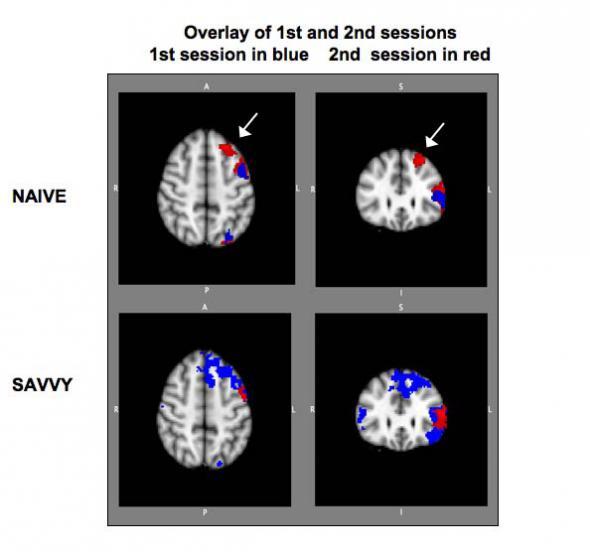
In reality, areas of the brain are associated with the sensory inputs: iconic, for visual stimuli; echoic, for auditory stimuli; and haptic for tactile stimuli. However, visual stimuli prove to be the most supported of the senses, from a neurological perspective with over fifty areas of the brain devoted to processing vision, and only one devoted to hearing. In general, then, the UX specialist should understand that we learn and commit to memory by repetition. This repetition may be via rehearsal, it may be via foreknowledge, or it may be via an understanding of something that we have done before, in all cases however repetition is key. Indeed, this repetition is closely linked to the ability to learn and discover an interface, in the first person, as opposed to second hand via the help system. This makes the ability for users to self-explore the interface and interactive aspects of the system, paramount. Many users whom I talk with often state that they explore incrementally and don’t refer much to the manuals. With this in mind, interfaces and systems should be designed to be as familiar as possible, dovetailing into the processes of the specific user as opposed to some generalised concept of the person, and should support aspects of repeatability and familiarity, specifically for this purpose.
Exploration can be thought of like the whole experience of moving from one interface component to another, regardless of whether the destination is known at the start of navigation or if the traversal is initially aimless. Movement and exploration of the interface also involve orientation, interface design, purpose, and mobility. The latter defined as the ability to move freely, easily and confidently around the interface. In this context, a successful exploration, of the interactive elements, is one in which the desired location is easily reached or discovered. Conventionally, exploration can be separated into two aspects: Those of Navigation and Orientation. Orientation can be thought of as knowledge of the basic spatial relationships between components within the interface. It is used as a term to suggest a comprehension of an interactive environment or components that relate to exploration within the environment. How a person is oriented is crucial to successful interaction. Information about position, direction, desired location, and route are all bound up with the concept of orientation. Navigation, in contrast, suggests an ability of movement within the local environment. This navigation can be either by the use of pre-planning using help or previous knowledge or by navigating ‘on-the-fly’ and as such a knowledge of immediate components and barriers are required. Navigation and orientation are key within the UX domain because they enable the user to easily understand, and interact with, the interface. However, in some ways, more importantly, they enable the interface to be learnt by a self-teaching process. Facilitating exploration through the use of an easily navigable interface means that users will intuitively understand the actions that are required of them and that the need for help documentation is reduced.
4.2.3 Explicit and Implicit Communication
Information can be transmitted in a number of different ways, and these ways may be either implicit (covert) or explicit (overt). In this case let us refer to information transmission as communication; in that information is communicated to the user and the user requirements are then communicated back to the computer via the input and control mechanisms. Explicit communication is often well understood and centres on the visual, or auditory, transmission of both text and images (or sounds) for consumption by the user. Implicit communications are, however, a little more difficult to define. In this case, I refer to those aspects of the visual or auditory user experience that are in some ways intangible. By which I mean aspects such as aesthetic or emotional responses 7 to aspects of the communication.
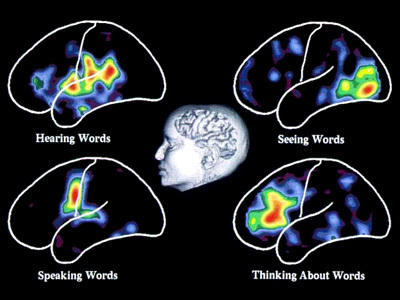
Explicit Communication. Communication and complexity are closely related whereby complexity directly affects the ease of communication between the user and the interface or system. Communication mainly occurs via the visual layout of the interface and the textual labels that must be read by the user to understand the interactive communication with them. People read text by using jerky eye movements (called ‘Saccades’) which then stop and fixate on a keyword for around 250 milliseconds. These fixations vary and last longer for more complex text, and are focussed on forward fixations with regressive (backward) fixations only occurring 10-15 percent of the time when reading becomes more difficult. People, reading at speed by scanning for just appropriate information, tend to fixate less often and for a shorter time. However, they can only remember the gist of the information they have read; and are not able to give a comprehensive discourse on the information encountered (see Figure: Visualising Words). This means that comprehensive descriptions of interfaces for users, when quickly scanning an interactive feature, are not used in the decision-making process of the user. Indeed, cognitive overload is a critical problem when navigating large interactive resources. This overload is increased if the interaction is non-linear and may switch context unexpectedly. Preview through summaries is key to improving the cognition of users within complex interfaces, but complex prompts can also overload the reader with extraneous information.
In addition to the problems of providing too much textual information the complexities of that information must also be assessed. The Flesch/Flesch–Kincaid Readability Tests are designed to indicate comprehension difficulty when reading a passage of contemporary academic English. Invented by Flesch and enhanced by Kincaid, the Flesch–Kincaid Grade Level Test8 analyses and rates text on a U.S. grade–school level based on the average number of syllables per word and words per sentence. For example, a score of 8.0 means that an eighth grader would understand the text. Keeping this in mind, the HCI specialist should try to make the interface labels and prompts as understandable as possible. However this may also mean the use of jargon is acceptable in situations where a specialist tool is required, or when a tool is being developed for a specialist audience.
Implicit Communication. Aesthetics is commonly defined as the appreciation of the beautiful or pleasing, but this terminology is still controversial. Visual aesthetics is ‘the science of how things are known via the senses’ which refers to user perception and cognition. Specifically, the phrase ‘aesthetically pleasing’ interfaces are commonly used to describe interfaces that are perceived by users as clean, clear, organised, beautiful and interesting. These terms are just a sample of the many different terms used to describe aesthetics, which are commonly used in interaction design. Human-computer interaction work mostly emphasises performance criteria, such as time to learn, error rate and time to complete a task, and pays less attention to aesthetics. However, UX work has tried to expand this narrow (‘Reductionist’) view of experience, by trying to understand how aesthetics and emotion can affect a viewer’s perception - but the relationship between the aesthetic presentation of an interface and the user’s interaction is still not well understood.
The latest scientific findings indicate that emotions play an essential role in decision making, perception, learning, and more–that is, they influence the very mechanisms of rational thinking. Not only too much, but too little emotion can impair decision making 9. This is now referred to as ‘Affective Computing’ in which biometric instruments such as Galvanic Skin Response (GSR), Gaze Analysis and Heart Rate Monitoring are used to determine a user’s emotional state via their physiological changes. Further, affective computing also seeks ways to change those states or exhibit control over technology, based upon them10.
4.3 Input and Control
The final piece of the puzzle, when discussing UX, is the ability to enter information for the computer to work with. In general, this is usually accomplished by use of the GUI working in combination with the keyboard and the mouse. However, this is not the entire story, and indeed there are many kinds of entry devices which can be used for information input, selection, and target acquisition 11. In some cases, specialist devices, such as head operated mice have been used, in others gaze and blink detection, however, in most cases, the mouse and keyboard will be the de-facto combination. However, as a UX engineer you should also be aware of the different types of devices that are available and their relationship to each other. In this way, you will be able to make accurate and suitable choices when specifying non-standard systems.
Text Entry via the keyboard is the predominant means of data input for standard computer systems. These keyboards range from the standard QWERTY keyboard, which is inefficient and encourages fatigue, through the Dvorak Simplified Keyboard, ergonomically designed using character frequency, to the Maltron keyboard designed to alleviate carpal tunnel syndrome and repetitive strain injury. There are however other forms of text entry. These range from the T9 keyboard found on most mobile phones and small devices with only nine keys. Through to soft keyboards, found as part of touch screen systems, or as assistive technologies for users with motor impairment, where a physical keyboard cannot be controlled. You may encounter many such methods of text entry, or indeed be required to design some yourself. If the latter is the case, you should make sure that your designs are base on an understanding of the physiological and cognitive systems at work.
The Written Word, cursive script, was seen for a long period as the most natural way of entering text into a computer system; because it relied on the use of a skill already learnt. The main bar to text entry via the written word was that handwriting recognition was computationally intensive and, therefore, underdeveloped. One of the first handwriting recognition systems to gain popularity was that employed by the Apple Newton, which could understand written English characters, however, accuracy was a problem. Alternatives to handwriting recognition arrived in the form of pseudo-handwriting, such as the Graffiti system that was essentially a single stroke shorthand handwriting system. Current increasing computational power and complexity of the algorithms used to understand handwriting have led to a resurgence in its use in the form of systems such as Inkwell. Indeed, with the advent of systems such as the Logitech io2 Digital Writing System, handwriting recognition has become a computer-paper hybrid.
Pointing Devices, for drawing and target acquisition is handled, in most cases, by the ubiquitous mouse. Indeed, this is the most effective way of acquiring a target; with the exclusion of the touch-screen. There are however other systems that may be more suitable in certain environments. These may include the conventional trackpad, the trackball, or the joystick. Indeed, variations on the joystick have been created for mobile devices that behave similarly to their desktop counterparts but have a more limited mobility. Likewise, the trackball also has a miniaturised version present on the Blackberry range of mobile PDAs, but its adoption into widespread mobile use has been limited. Finally, the touch screen is seeing a resurgence in the tablet computing sector where the computational device is conventionally held close enough for easy touch screen activation, either by the operators finger or a stylus.
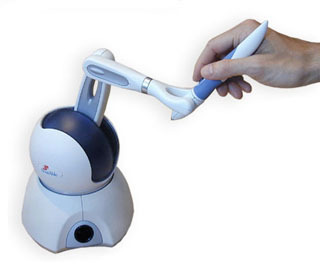
Haptic Interaction is not widely used beyond the realm of immersive or collaborative environments. In order to interact haptically with a virtual world, the user holds the ‘end-effector’ of the device. Currently, haptic devices support only point contact, so touching a virtual object with the end-effector is like touching it using a pen or stick. As the user moves the end-effector around, its co-ordinates are sent to the virtual environment simulator (for example see Figure: Phantom Desktop Haptic Device). If the end-effector collides with a haptically-enabled object, the device will render forces to simulate the object’s surface. Impedance control means that a force is applied only when required: if the end-effector penetrates the surface of an object, for example, forces will be generated to push the end-effector out, to create the impression that it is touching the surface of the object. In admittance control, the displacement of the end-effector is calculated according to the virtual medium through which it is moving, and the forces exerted on it by the user. Moving through air requires a very high control gain from force input to displacement output, whereas touching a hard surface requires a very low control gain. Admittance control requires far more intensive processing than impedance control but makes it much easier to simulate surfaces with low friction, or objects with mass.
Speech Input is increasing in popularity due to its ability to handle naturally spoken phrases with an acceptable level of accuracy. There are however only a very few speech recognition engines that have gained enough maturity to be effectively used. The most popular of these is the Dragon speech engine, used in Dragon NaturallySpeaking and Mac Dictate software applications. Speech input can be very effective when used in constrained environments or devices, or when other forms of input are slow or inappropriate. For instance text input by an unskilled typist can be time-consuming whereas general dictation can be reasonably fast; and with the introduction of applicators such as Apple’s ‘SIRI’, is become increasingly widespread.
Touch Interfaces have become more prevalent in recent times. These interfaces originally began with single touch graphic pads (such as those built commercially by Wacom) as well as standard touch-screens that removed the need for a conventional pointing device. The touch interface has become progressively more accepted especially for handheld and mobile devices where the distance from the user to the screen is much smaller than for desktop systems. Further, touch-pads that mimic a standard pointing device, but within a smaller footprint, became commonplace in laptop computer systems; but up until the late 2008’s all these systems were only substitutes for a standard mouse pointing device. The real advance came with the introduction of gestural touch and multi-touch systems that enabled the control of mobile devices to become much more intuitive/familiar; with the use of swipes and stretches of the document or application within the viewport. These multi-touch gestural systems have now become standard in most smartphones and tablet computing devices, and their use normalised by providing easy APIs within operating systems; such as iOS. These gestural touch systems are markedly different from gesture recognition whereby a device is moved within a three-dimensional space. In reality, touchscreen gestures are about the two-dimensional movement of the user’s fingers, whereas gesture recognition is about the position and orientation of a device within three-dimensional space (often using accelerometers, optical sensing, gyroscopic systems, and/or Hall effect cells).
Gesture Recognition was originally seen as an area mostly for research and academic investigation. However, two products have changed this view in recent times. The first of these is the popular games console, the Nintendo Wii, which uses a game controller as a handheld pointing device and detects movement in three dimensions. This movement detection enables the system to understand certain gestures, thereby making game-play more interactive and intuitive. Because it can recognise naturalistic, familiar, real world gestures and motions it has become popular with people who would not normally consider themselves to be games console users. The second major commercial success of gesture recognition is the Apple iOS. The iOS12 can also detect movement in three-dimensions and uses similar recognition as the Nintendo games console to interact with the user. The main difference is that the iOS uses gesture and movement recognition to more effectively support general computational and communication-based tasks.
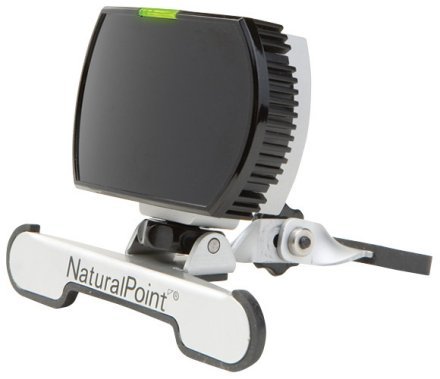
There are a number of specialist input devices that have not gained general popularity but nevertheless may enable the UX specialist to overcome problems not solvable using other input devices. These include such technologies as the Head Operated Mouse (see Figure: Head Operated Mouse), which enables users without full body movement to control a screen pointer, and can be coupled with blink detection to enable target acquisition. Simple binary switches are also used for selecting text entry from scanning soft keypads using deliberate key-presses or, in the case of systems such as the Hands-free Mouse COntrol System (HaMCoS), via the monitoring of any muscle contraction. Gaze detection is also popular in some cases, certainly concerning in-flight control of military aircraft. Indeed, force feedback has also been used as part of military control systems but has taken on a wider use when some haptic awareness is required; such as remote surgical procedures. In this case, force feedback mice and force feedback joysticks have been utilised to make the remote sensory experience more real to the user. Light pens have given rise to pen-computing but have now themselves become less used especially with the advent of the touch-screen. Finally, immersive systems, or parts of those immersive systems, have enjoyed some limited popularity. These systems originally included body suits, immersive helmets, and gloves. However, the most popular aspect used singularly has been the interactive glove, which provides tactile feedback coupled with pointing and target acquisition.
4.4 Summary
Understanding how we use our senses: seeing (visual channel), hearing (auditory channel), smelling (olfactory channel), and touching (haptic channel) enables us to understand how to communicate information regarding the state of the system via the interface. Knowledge of the natural processes of the mind: attention, memory and learning, exploration and navigation, affective communication and complexity, and aesthetics, enables an understanding of how the information we transmit can better fit the users mental processes. Finally, understanding how input and control are enacted can enable us to choose from the many kinds of entry devices which can be used for information input, selection, and for target acquisition. However, we must remember that there are many different kinds of people, and these people have many different types of sensory or physical requirements which must be taken into account at all stages of the construction process.
4.4.1 Optional Further Reading / Resources
- [M. H. Ashcraft.] Fundamentals of cognition. Longman, New York, 1998.
- [S. Brand.] The Media Lab: inventing the future at MIT. Penguin Books, New York, N.Y., U.S.A., 1988.
- [A. Huberman] Andrew Huberman. YouTube. (2013, April 21). Retrieved August 10, 2022, from https://www.youtube.com/channel/UC2D2CMWXMOVWx7giW1n3LIg
- [C. Pelachaud.] Emotion-oriented systems. ISTE, London, 2012.
- [R. W. Picard.] Affective computing. MIT Press, Cambridge, Mass., 1997.
- [J. Raskin.] The humane interface: new directions for designing interactive systems. Addison-Wesley, Reading, Mass., 2000.
- [S. Weinschenk.] 100 things every designer needs to know about people. Voices that matter. New Riders, Berkeley, CA, 2011.
5. Practical Ethics
A man without ethics is a wild beast loosed upon this world.
– Albert Camus
The primary purpose of evaluations involving human subjects is to improve our knowledge and understanding of the human environment including medical, clinical, social, and technological aspects. Even the best proven examples, theories, principles, and statements of relationships must continuously be challenged through evaluation for their effectiveness, efficiency, affectiveness, engagement and quality. In current evaluation and experimental practice some procedures, will by nature, involve a number of risks and burdens. UX specialists should be aware of the ethical, legal and regulatory requirements for evaluation on human subjects in their own countries as well as applicable international requirements. No national ethical, legal or regulatory requirement should be allowed to reduce or eliminate any of the protections for human participants which you as a professional UX practitioner are bound to follow, as part of your personal code of conduct.
Evaluation in the human science, of which UX is one example, is subject to ethical standards that promote respect for all human beings and protect their health and rights. Some evaluation populations are vulnerable and need special protection. The particular needs of the economically and medically disadvantaged must be recognised. Special attention is also required for those who cannot give, or refuse, consent for themselves, for those who may be subject to giving consent under duress, for those who will not benefit personally from the evaluation, and for those for whom the evaluation is combined with care.
Unethical human experimentation is human experimentation that violates the principles of medical ethics. Such practices have included denying patients the right to informed consent, using pseudoscientific frameworks such as race science, and torturing people under the guise of research.
However, the question for many UX specialists is, why do these standards, codes of conduct or practice, and duties of care exist. What is their point, why were they formulated, and what is the intended effect of their use?
5.1 The Need for Ethical Approaches
Rigourously structured hierarchical societies, as were common up until the 1960s, and indeed some may say are still common today, are often not noted for their inclusion or respect for all citizens. Indeed, one sided power dynamics have been rife in most societies. This power differential led to increasing abuse of those with less power by those with more power. This was no different within the scientific, medical, or empirical communities. Indeed, as the main proponents of scientific evaluation were, in most cases, economically established, educated, and therefore from the upper levels of society, abuses of human ‘subjects’13 became rife. Even when this abuse was conducted by proxy and there was no direct intervention of the scientist in the evaluation.
Indeed, these kinds of societies are often driven by persons who are in a position of power (at the upper levels) imposing their will on communities of people (at the lower levels). Further, these levels are often defined by both economic structure or some kind of inherited status or honour, which often means that citizens at the upper level have no concept of what it is to be a member of one of the lower levels. While it would be comforting to think that this only occurred in old European societies it would be ridiculous to suggest that this kind of stratified society did not occur in just about every civilisation, even if their formulation was based on a very specific and unique set of societal values.
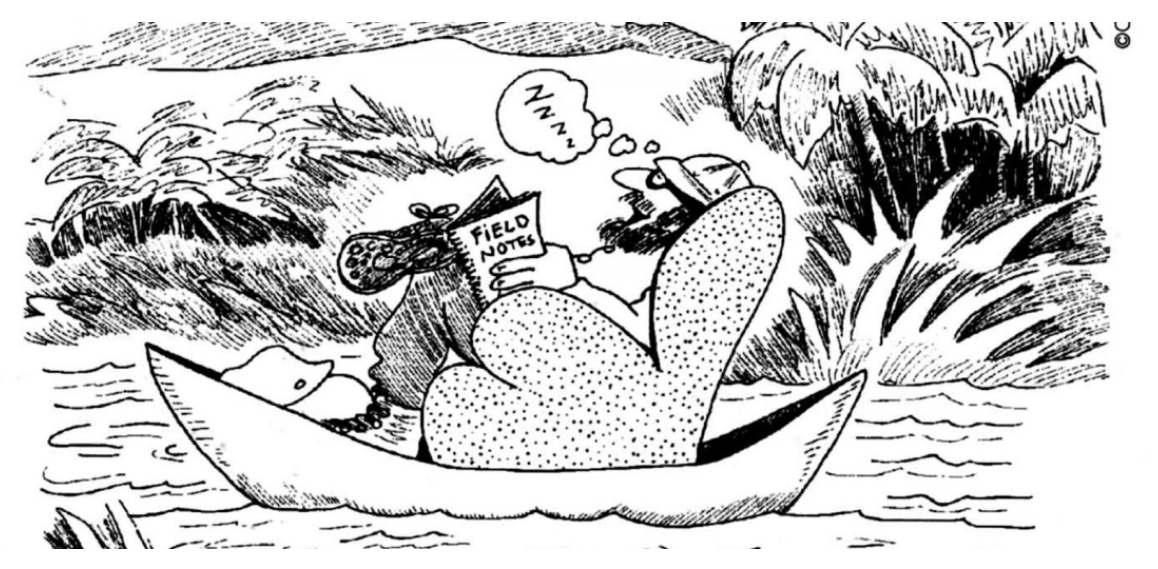
In most cases, academic achievement provided a route into the upper levels of society, but also limited entry into those levels; as education was not widely available to an economically deprived population characteristic of the lower levels. In this case, societies worked by having a large population employed in menial tasks, moving to unskilled labour, to more skilled labour, through craftsmanship and professional levels, into the gentry, aristocracy, and higher levels of the demographic. In most cases, the lack of a meritocracy, and the absence of any understanding of the ethical principles at work, meant that the upper levels of society often regard the lower levels as a resource to be used.
Many cases of abuse have been recorded in experimentation and investigations from the late 17th and early 18th centuries onwards. These abuses took place under the guise of furthering our knowledge of humankind and were often perpetrated against dominated populations. There are many recorded abuses of Australian aboriginal peoples, African peoples, and indigenous south American peoples, in the name of the advancement of our understanding of the world and the peoples within it. These abuses were not purely limited to the European colonies, but also occurred within the lower classes of European society; in some cases involving the murder (see Burke and Hare) and sale of subjects to complicit surgeons for anatomical investigation. Experimenters contented themselves with the rationale of John Stuart Mill, which suggests that experimental evaluation should do more good than harm, or that more people should benefit than suffer. However, there was no concept of justice in this initial rationale as the people who usually ended up suffering were the underprivileged and those who benefited were often the privileged minority.
The ethical rules that grew up in the late 1950s and 60s came about due to the widespread abuse of human subjects in 1940s Germany:
Once these abuses came to light, including the inhumane treatment meted out to adults and children alike, organisations such as the American Psychological Association and the American Medical Association began to examine their own evaluation practices. This investigation did not prove to be a pleasant experience, and while there were no abuses on the scale of the German Human Experiments it was found that subjects were still being badly treated even as late as the 1960s.
This growing criticism led to the need for ethical policies which would enable evaluation to be undertaken (there is clearly a benefit to society in scientific, medical, and clinical evaluation) but with a certain set of principles which ensured the well-being of the subjects. Obviously, a comprehensive ethical structure, to include all possible cases, is difficult to formulate at the first attempt. It is for this reason that there have been continual iterative revisions to many evaluation ethics guidelines. However, revisions have slowed and the key principles that have now become firm, should enable the UX specialist to design ethical studies taking into account the inherent human rights of all who participate in them.
5.2 Subjects or Participants?
You may be wondering why this overview matters to you as an UX specialist. In reality, ethics is a form of ‘right thinking’ which encourages us to moderate our implicit power over the people, and concepts, we wish to understand or investigate. You’ll notice that in all but the most recent ethical evaluation standards the term ‘subject’ is used to denote the human taking part in the experimental investigation. Indeed, I have deliberately used the term subject in all of my discussions up to this point, to make a very implicit way of thinking, explicit. The Oxford English Dictionary14 (OED) defines the term ‘subject’ variously as:
Of course the OED also describes a subject in a less pejorative manner as a person towards whom or which action, thought, or feeling is directed, or a person upon whom an experiment is made. Yet they also define the term ‘participant’, again variously, as:
Even taking the most neutral meaning of the term subject (in the context of human experimentation), and comparing it with that of the participant, a subject has an experiment made upon them, where as a participant shares in the experimental process. These definitions make it obvious that, even until quite recently, specialists considered the people partaking in their evaluation to be subjects of either the scientist or the experimentation. In reality, most specialists now use of the term participant to enable them to understand that, one-time subjects, are freely and informatively participating in their evaluation and should not be subjugated by that evaluation or the specialists undertaking it. Indeed, as we have seen in ‘evaluation methodologies’ (see Ethics), the more a human participant feels like a subject, the more they tend to agree with the evaluator. This means that bias is introduced into the experimental framework.
So then, by understanding that we have either evaluation participants, or respondents (a term often used, within sociology and the social sciences, to denote people participating in quantitative survey methods), we implicitly convey a level of respect and, in some ways, gratitude for the participation of the users. Understanding this key factor enables us to make better decisions with regard to participant recruitment and selection, assignment and control, and the definition and measurement of the variables. By understanding the worth of our participants we can emphasise the humane and sensitive treatment of our users who are often put at varying degrees of risk or threat during the experiment procedure. Obviously, within the UX domain these risks and threats are usually minimal or non-existent but by understanding that they may occur, and that a risk assessment is required, we are better able to see our participants as equals, as opposed to dominated subjects.
5.3 Keeping Us Honest
Good ethics makes good science and bad ethics makes bad science because the ethical process keeps us honest with regard to the kind of methodologies we are using and the kind of analysis that will be applied.
Ethics is not just about the participant but it is also about the outcomes of the evaluation being performed. Understanding the correct and appropriate methodology and having that methodology doubled checked by a evaluation ethics committee enables the UX practitioner to better account for all aspects of the evaluation design. As well as including that of the analysis it also encourages the understanding of how the data will be used and stored. As we have seen (see ‘Bedrock’), good science is based on the principle that any assertion made must have the possibility of being falsified (or refuted). This does not mean that the assertion is false, but just that it is possible to refute the statement. This refutability is an important concept in science, indeed, the term `testability’ is related, and means that an assertion can be falsified through experimentation alone. However, this possibility of testability can only occur if the collected data is available and the method is explicit enough to be understandable by a third party. Therefore, presenting your work to an ethics committee enables you to gain an understanding of the aspects of the methodology which are not repeatable without your presence. In addition, it also enables you to identify any weaknesses within the methodology or aspects, which are not covered within the write-up, but which are implicitly understood by yourself or the team conducting the evaluation.
In addition, ethical approval can help us in demonstrating to other scientists or UX specialists, that our methods for data gathering and analysis are well found. Indeed, presentation to an ethical committee is in some ways similar to the peer review process, in that any inadequacies within the methodology can be found before the experimental work commences, or sources of funding are approached. Indeed, the more ethical applications undertaken, the more likely it is that the methodological aspects of the work will become second nature and the evaluation design will in turn become easier.
It is therefore, very difficult to create a evaluation methodology which is inconsistent with the aims of the evaluation or inappropriate with regard to the human participants; and still have it pass the ethical vetting as applied by a standard ethics committee. Indeed, many ethical committees require that a technical report is submitted after the ethical procedures are undertaken so that an analysis of how the methodology was applied in real-life can be understood; and if there are any possible adverse consequences from this application. These kinds of technical reports often require data analysis and deviations from the agreed methodology to be accounted for. If not there may be legal consequences, or at the very least, problems with regard to the obligatory insurance of ethically approved procedures; for both the specific work and for future applications.
5.4 Practical Ethical Procedures
Before commencing any discussion regarding ethics and the human participant it may be useful to understand exactly what we mean by ethics. Here we understand that ethics relates to morals; a term used to describe the behaviour or aspects of the human character that is either good or bad, right or wrong, good or evil. Ethics then is a formulated way of understanding and applying the characteristics and traits that are either good or bad; in reality, the moral principles by which people are guided. In the case of human-computer interaction, ethics is the rules of conduct, recognised by certain organisations, which can be applied to aspects of UX evaluation. In the wider sense ethics and morals are sub-domains of civil, political, or international law 15.
Ethical procedures then are often seen as a superfluous waste of time, or at best an activity in form filling, by most UX specialists. The ethical procedures that are required seem to be obtuse and unwieldy especially when there is little likelihood of danger, or negative outcomes, for the participants. The most practitioners reason that this is not, after all, a medical study or a clinical trial, there will be no invasive procedures or possibility of harm coming to a participant, so why do we need to undergo an ethical control?
This is entirely true for most cases within the user experience domain. However, the ethical process is a critical component of good evaluation design because it encourages the UX specialist to focus on the methodology and the analysis techniques to be used within that methodology. It is not the aim of the organisational ethical body to place unreasonable constraints on the UXer, but more properly, to make sure that the study designers possess a good understanding of what methodological procedures will be carried out, how they will be analysed, and how these two aspects may impact the human participants.
Ethics are critical component of good evaluation design because it encourages the UX specialist to focus on the methodology and the analysis techniques to be used within that methodology.
In reality then, ethical applications are focussed on ensuring due diligence, a form of standard of care relating to the degree of prudence and caution required of an individual who is under a duty of care. To breach this standard may end in a successful action for negligence, however, in some cases it may be that ethical approval is not required at all:
“Interventions that are designed solely to enhance the well-being of an individual patient or client and that have a reasonable expectation of success. The purpose of medical or behavioural practice is to provide diagnosis, preventative treatment, or therapy to particular individuals. By contrast, the term research designates and activities designed to develop or contribute generalizable knowledge (expressed, for example, in theories, principles, and statements of relationships).”
In the case of UX then, the ethical procedure is far more about good evaluation methodology than it is about ticking procedural boxes.
As you already know, UX is an interdisciplinary subject and a relatively new one at that. This means that there are no ethical guidelines specifically to address the user experience domain. In this case, ethical principles and the ethical lead is taken from related disciplines such as psychology, medicine, and biomedical research. This means that, from the perspective of the UX specialist, the ethical aspects of the evaluation can sometimes seem like an incoherent ‘rule soup’.
To try and clarify the UX ethical situation I’ll be using principles guidelines and best practice taken from a range of sources, including:
- The American Psychological Association’s (APA), ‘Ethical Principles of Psychologists and Code of Conduct’;
- The United States Public Health Service Act (Title 45, Part 46, Appendix B), ‘Protection of Human Subjects’;
- The Belmont Report, ‘Ethical Principles and Guidelines for the Protection of Human Subjects of Research’;
- The Council of International Organisations of Medical Sciences, ‘International Ethical Guidelines for Epidemiological Studies’; and finally
- The World Medical Association’s, ‘Declaration of Helsinki – Ethical Principles for Medical Research Involving Human Subjects’.
5.5 Potted Principles of Practical Ethical Procedures
As a responsible UX’er, you are required to conduct your evaluations following the highest scientific and ethical standards 16. In particular, you must protect the rights, interests and dignity of the human participants of the evaluation, and your fellow researchers themselves, from harm. The role of your Ethics body or committee is to ensure that any relevant experimentation or testing meets these high ethical standards, by seeking all information appropriate for ethical assessment, interviewing you as an applicant where possible, and coming to a judgement as to whether the proposed work should be: given ethical approval, refused ethical approval, or given approval subject specified conditions.
5.5.1 In brief…
We can see that the following list of key principles should be taken into account in any evaluation design be it in the field or within the user laboratory.
- Competence Keep up to date, know your limitations, ask for advice;
- Integrity Have no axe to grind or desired outcome;
- Science Follow the Scientific Method;
- Respect Assess your participant’s autonomy and capability of self-determination, treat participants as equals, ensure their welfare;
- Benefits Maximising benefits and minimising possible harms according to your best judgement, seek advice from your organisations ethics committee;
- Justice Research should be undertaken with participants who will benefit from the results of that research;
- Trust Maintain trust, anonymity, confidentiality and privacy, ensure participants fully understand their roles and responsibilities and those of the experimenter; and finally
- Responsibility You have a duty of care, not only to your participants, but also to the community from which they are drawn, and your community of practice.
Some practical considerations must be undergone when an application for ethical approval is being created. The questions are often similar over most ethical applications which involve UX. When creating any ethical procedure, you need to ask yourself some leading ethical questions to understand the various requirements of the ethical application. In some cases understanding these questions before you write your methodology is preferable, in this way you cannot be led down unethically valid path by understanding what changes you need to make to your evaluation work while you are designing it, and before it becomes too difficult to revise. Here I arrange aspects of the ethical procedure by ethical principles. These aspects describe the kinds of issues which should be considered when creating a methodology and cover the project: overview, participants, risks, safeguards, data protection and confidentiality, reporting arrangements, funding and sponsorship, and finally, conflicts of interest.
5.5.2 You Must Be Competent
- Other Staff: Assess, and suitable train, the other staff involved; and
- Fellow Researchers: Assess the potential for adverse effects, risks or hazards, pain, discomfort, distress, or inconvenience to the researchers themselves.
5.5.3 You Must Have Integrity
- Previous Participation: Will any research participants be recruited who are involved in existing evaluations or have recently been involved in any evaluation before recruitment? Assess the steps you will take to find out;
- Reimbursement: Will individual evaluation participants receive reimbursement of expenses or any other incentives or benefits for taking part in this evaluation? Assess if the UXers may change their attitudes towards participants, knowing this;
- Conflict of interest; Will individual evaluators receive any personal payment over and above normal salary and reimbursement of expenses for undertaking this evaluation? Further, will the host organisation or the researcher’s department(s) or institution(s) receive any payment of benefits more than the costs of undertaking the research? Assess the possibility of these factors creating a conflict of interest;
- Personal Involvement: Does the Chief UX Specialist or any other UXer/collaborator have any direct personal involvement (e.g. financial, share-holding, personal relationship, etc.) in the organisation sponsoring or funding the evaluation that may give rise to a possible conflict of interest? Again, assess the possibility of these factors creating a conflict of interest; and
- Funding and Sponsorship: Has external funding for the evaluation been secured? Has the external funder of the evaluation agreed to act as a sponsor, as set out in any evaluation governance frameworks? Has the employer of the Chief UX Specialist agreed to act as sponsor of the evaluation? Again, assess the possibility of these factors creating a conflict of interest.
5.5.4 Conform to Scientific Principles
- Objective: What is the principal evaluation question/objective? Understanding this objective enables the evaluation to be focused;
- Justification: What is the scientific justification for the evaluation? Give a background to assess if any similar evaluations have been done, and state why this is an area of importance;
- Assessment: How has the scientific quality of the evaluation been assessed? This could include independent external review; review within a company; review within a multi-centre research group; internal review (e.g. involving colleagues, academic supervisor); none external to the investigator; other, e.g. methodological guidelines;
- Demographics: Assess the total number of participants required along with their, sex, and the target age range. These should all be indicative of the target evaluation population;
- Purpose: State the design and methodology of the planned evaluation, including a brief explanation of the theoretical framework that informs it. It should be clear exactly what will happen to the evaluation participant, how many times and in what order. Assess any involvement of evaluation participants or communities in the design of the evaluation;
- Duration: Describe the expected total duration of participation in the study for each participant;
- Analysis: Describe the methods of analysis. These may be by statistical, in which case specify the specific statistical experimental design and justify why it was chosen, or using other appropriate methods by which the data will be evaluated to meet the study objectives;
- Independent Review: Has the protocol submitted with this application been the subject of review by an independent evaluator, or UX team? This may not be appropriate but it is advisable if you are worried about any aspects; and
- Dissemination: How is it intended the results of the study will be reported and disseminated? Internal report; Board presentation; written feedback to research participants; presentation to participants or relevant community groups; or by other means.
5.5.5 Respect Your Participants
- Issues: What do you consider to be the main ethical issues that may arise with the proposed study and what steps will be taken to address these? Will any intervention or procedure, which would normally be considered a part of routine care, be withheld from the evaluation participants. Also, consider where the evaluation will take place to ensure privacy and safety;
- Termination: Assess the criteria and process for electively stopping the trial or other evaluations prematurely;
- Consent: Will informed consent be obtained from the evaluation participants? Create procedures to define who will take consent and how it will be done. Give details of how the signed record of consent will be obtained and list your experience in taking consent and of any particular steps to provide information (in addition to a written information sheet) e.g. videos, interactive material. If participants are to be recruited from any of the potentially vulnerable groups, assess the extra steps that will be taken to assure their protection. Consider any arrangements to be made for obtaining consent from a legal representative. If consent is not to be obtained, think about why this is not the case;
- Decision: How long will the participant have to decide whether to take part in the evaluation? You should allow an adequate time;
- Understanding: Implement arrangements for participants who might not adequately understand verbal explanations or written information given in English, or who have special communication needs (e.g. translation, use of interpreters, etc.);
- Activities: Quantify any samples or measurements to be taken. Include any questionnaires, psychological tests, etc. Assess the experience of those administering the procedures and list the activities to be undertaken by participants and the likely duration of each; and
- Distress: Minimise, the need for individual or group interviews/questionnaires to discuss any topics or issues that might be sensitive, embarrassing or upsetting; is it possible that criminal or other disclosures requiring action could take place during the study (e.g. during interviews/group discussions).
5.5.6 Maximise Benefits
- Participants: How many participants will be recruited? If there is more than one group, state how many participants will be recruited in each group. For international studies, say how many participants will be recruited in the UK and total. How was the number of participants decided upon? If a formal sample size calculation was used, indicate how this was done, giving sufficient information to justify and reproduce the calculation;
- Duration: Describe the expected total duration of participation in the study for each participant;
- Vulnerable Groups: Justify their inclusion and consider how you will minimise the risks to groups such as: children under 16; adults with learning difficulties; adults who are unconscious or very severely ill; adults who have a terminal illness; adults in emergency situations; adults with mental illness (particularly if detained under mental health legislation); adults with dementia; prisoners; young offenders; adults in Scotland who are unable to consent for themselves; those who could be considered to have a particularly dependent relationship with the investigator, e.g. those in care homes, students; or other vulnerable groups;
- Benefit: Discuss the potential benefit to evaluation participants;
- Harm: Assess the potential adverse effects, risks or hazards for evaluation participants, including potential for pain, discomfort, distress, inconvenience or changes to lifestyle for research participants;
- Distress: Minimise, the need for individual or group interviews/questionnaires to discuss any topics or issues that might be sensitive, embarrassing or upsetting; is it possible that criminal or other disclosures requiring action could take place during the study (e.g. during interviews/group discussions).
- Termination: Assess the criteria and process for electively stopping the trial or other evaluation prematurely;
- Precautions: Consider the precautions that have been taken to minimise or mitigate any risks;
- Reporting: instigate procedures to facilitate the reporting of adverse events to the organisational authorities; and
- Compensation: What arrangements have been made to provide indemnity and compensation in the event of a claim by, or on behalf of, participants for negligent harm and non-negligent harm;
5.5.7 Ensure Justice
- Demographics: Assess the total number of participants required along with their, sex, and the target age range. These should all be indicative of the population the evaluation will benefit;
- Inclusion: Justify the principal inclusion and exclusion criteria;
- Recruitment: How will potential participants in the study be (i) identified, (ii) approached and (iii) recruited;
- Benefits: Discuss the potential benefit to evaluation participants;
- Reimbursement: Assess whether individual evaluation participants will receive reimbursement of expenses or any other incentives or benefits for taking part in this evaluation; and
- Feedback: Consider making the results of evaluation available to the evaluation participants and the communities from which they are drawn.
5.5.8 Maintain Trust
- Monitoring: Assess arrangements for monitoring and auditing the conduct of the evaluation (will a data monitoring committee be convened?);
- Confidentiality: What measures have been put in place to ensure confidentiality of personal data? Will encryption or other anonymising procedures be used and at what stage? Carefully consider the implications involving any of the following activities (including identification of potential research participants): examination of medical records by those outside the medical facility, such as UX specialists working in bio-informatics or pharmacology; electronic transfer by magnetic or optical media, e-mail or computer networks; sharing of data with other organisations; export of data outside the European Union; use of personal addresses, postcodes, faxes, e-mails or telephone numbers; publication of direct quotations from respondents; publication of data that might allow identification of individuals; use of audio/visual recording devices; storage of personal data as manual files including, home or other personal computers, university computers, private company computers, laptop computers
- Access: Designate someone to have control of and act as the custodian for the data generated by the study and define who will have access to the data generated by the study.
- Analysis: Where will the analysis of the data from the study take place and by whom will it be undertaken?
- Storage: How long will the data from the study be stored, and where will this storage be; and
- Disclosure: Create arrangements to ensure participants receive any information that becomes available during the research that may be relevant to their continued participation.
5.5.9 Social Responsibility
- Monitoring: Assess arrangements for monitoring and auditing the conduct of the evaluation (will a data monitoring committee be convened?);
- Due Diligence: Investigate if a similar application been previously considered by an Ethics Committee in the UK, the European Union or the European Economic Area?
- Disclosure: State if a similar application been previously considered by an Ethics Committee in the UK, the European Union or the European Economic Area. What was the result of the application, how does this one differ and state why you are (re)submitting it;
- Feedback: Consider making the results of evaluation available to the evaluation participants and the communities from which they are drawn.
5.6 Summary
Remember, Ethical applications are focussed on ensuring due diligence. Simply this is a standard of care relating to the degree of prudence and caution required of UX specialist who is under a duty-of-care. As a responsible UX’er, you are required to conduct your evaluation by the highest ethical standards. In particular, you must protect the rights, interests and dignity of the human participants of the evaluation, and your fellow UX’ers, from harm.
To help you accomplish this duty-of-care, you should ask yourself the following questions at all stages of your evaluation design and experimentation: (1) Is the proposed evaluation sufficiently well designed to be of informational value? (2) Does the evaluation pose any risk to participants by such means as the use of deception, of taking sensitive or personal information or using participants who cannot readily give consent? (3) If the risks are placed on participants, does the evaluation adequately control those risks by including procedures for debriefing or the removal or reduction of harm, guaranteeing through the procedures that all information will be obtained anonymously or if that is not possible, guaranteeing that it will remain confidential and providing special safeguards for participants who cannot readily give consent? (4) Have you included a provision for obtaining informed consent from every participant or, if participants cannot give it, from responsible people acting for the benefit of the participant? Will sufficient information be provided to potential participants so that they will be able to give their informed consent? Is there a clear agreement in writing between the evaluation and potential participants? The informed consent should also make it clear that the participant is free to withdraw from an experiment at any time. (5) Have you included adequate feedback information, and debriefing if deception was included, to be given to the participants at the completion of the evaluation? (6) Do you accept full responsibility for safety? (7) Has the proposal been reviewed and approved by the appropriate review board? As we can see these checks cover the range of the principles informing the most practical aspects of human participation in ethically created evaluation projects. By applying them, you will be thinking more holistically about the ethical processes at work within your evaluations, especially if you quickly re-scan them at every stage of the evaluation design. Finally, this is just an abbreviated discussion of ethics; there are plenty more aspects to consider, and some of the most salient points are expanded upon in the Appendix.
5.6.1 Optional Further Reading
- [Barry G. Blundell]. Ethics in Computing, Science, and Engineering: A Student’s Guide to Doing Things Right. N.p.: Springer International Publishing, 2021.
- [Nina Brown], Thomas McIlwraith, Laura Tubelle de González. Perspectives: An Open Introduction to Cultural Anthropology 2nd edition 2020
- [Rebecca Dresser]. Silent Partners: Human Subjects and Research Ethics. United Kingdom: Oxford University Press, 2017.
- [Joseph Migga Kizza]. Ethics in Computing: A Concise Module. Germany: Springer International Publishing, 2016.
- [Bronislaw Malinowski]. Argonauts of the Western Pacific (London: Routledge & Keegan Paul, 1922), 290.
- [Perry Morrison] and Tom Forester. Computer Ethics: Cautionary Tales and Ethical Dilemmas in Computing. United Kingdom: MIT Press, 1994.
- [David B. Resnik]. The Ethics of Research with Human Subjects: Protecting People, Advancing Science, Promoting Trust. Germany: Springer International Publishing, 2018.
- [B. D. Sales] and S. Folkman. Ethics in research with human participants. American Psychological Association, Washington, D.C., 2000.
5.6.2 International Standards
- [APA] Ethical principles of psychologists and code of conduct. American Psychological Association, 2003.
- [BELMONT] The Belmont Report, ‘Ethical Principles and Guidelines for the Protection of Human Subjects of Research’.
- [CIOMS] The Council of International Organisations of Medical Sciences, ‘International Ethical Guidelines for Epidemiological Studies’.
- [HS-ACT] The United States Public Health Service Act (Title 45, Part 46, Appendix B), ‘Protection of Human Subjects’.
- [HELSINKI] The World Medical Association’s, ‘Declaration of Helsinki – Ethical Principles for Medical Research Involving Human Subjects’.
6. Gathering User Requirements
I’ll sit down to work on an assignment, start sketching screens or composing an outline, then suddenly stop and say to myself, these are all ‘hows!’ What is the ‘what?’ What am I really trying to deliver?
– Marc Rettig
In his 1992 article, Marc Rettig, defines the methods we use for understanding requirements as ‘Hat Racks for Understanding’ 17 -
“There is an implicit ‘what’ underlying most software projects ‘understanding.’ The users of your software are trying to learn something from the, data they are seeing. They need to understand the process of working with the software, and how it relates to the rest of their job.
They need to understand how to use the software itself. When understanding is made an explicit part of the requirements, the ‘how’ that is, the design will change. How can we help our users gain understanding? … As the collection grows, a few common themes are emerging. Some of the themes are often discussed in computing circles, such as user centred design, iterative development, user testing, and concern for human factors. These are all ‘big ideas.’ However, what I really need for my day-to-day work are a few easy-to-handle tools – ways, of thinking that will help me to do well at all those small decisions whose cumulative effect is so large…
When writers and designers want to explain something, they use visual ‘hat racks’ (maps, diagrams, charts, lists, timelines) that help us understand how our world is organised. Information hats may be hung on these racks to reveal patterns, connections, and relationships. As the scientific visualisation community has found out, one of the exciting things about computers is the way they let you dynamically change the racks on which your information hats are hanging – you can see the same information in many different ways… Although there seems to be an infinity of ways to organise information, [Wurman] notes there are really only five general ways: time; location; continuum or magnitude; and category.”
6.1 What is Requirements Analysis?
Requirements engineering is a systematic and critical process in software and system development that focuses on identifying, documenting, and managing the needs and expectations of stakeholders for a particular system or product. It plays a crucial role in ensuring that the final product meets its intended purpose and satisfies user needs. Requirements engineering (also know as ‘elicitation’) is a crucial phase in the software development or system engineering process, focused on gathering, documenting, and understanding the needs and expectations of stakeholders. The primary goal of requirements elicitation is to collect information about what the system or software should do and how it should behave. This information serves as the foundation for the project and helps ensure that the final product meets stakeholder requirements.
“Requirements analysis, also called requirements engineering, is the process of determining user expectations for a new or modified product. These features, called requirements, must be quantifiable, relevant and detailed. In software engineering, such requirements are often called functional specifications. Requirements analysis is an important aspect of project management.”
– TechTarget Network 2020
Further, requirements analysis is a phase within the broader process of requirements engineering. It involves a detailed examination and evaluation of the gathered requirements to ensure that they are complete, accurate, and well-understood. The primary goal of requirements analysis is to refine the initial set of requirements, identify potential issues or conflicts, and establish a solid foundation for the subsequent phases of the software or system development process. There are many types of requirements:Customer requirements; Structural requirements; Behavioural requirements; Functional requirements; Non-functional requirements; Performance requirements; Design requirements; Derived requirements; and Allocated requirements. Indeed, how we gather requirements can also affect the outcomes we will discuss Laboratory settings later, but briefly Laboratory settings controlled but not ecologically valid. ‘Free living’ or ‘in the field’ are ecologically valid but not controlled. Simply, ecological validity is a critical consideration in UX work, as it assesses the extent to which our findings accurately represent and can be applied to real-world situations. UX specialists strive to design studies, experiments, interfaces, interactions that balance the need for control and rigour (Laboratory) with the goal of mimicking the complexities and nuances of everyday life (free-living). This ensures that the knowledge generated from UX work has relevance and practical implications when the work is actually deployed and used.
6.1.1 Observation, Analysis, Discussion, Interpretation (OADI)
There are many different takes and methods on the steps required to gather and make sense of user requirements which will cover over the next two or three chapters. However, we can summarise these as: ‘Observation’ (Observe / Monitor / Collect) Look at what people do, and note it down; ‘Analysis’ (Analyse / Correlate) Analysis the ‘stuff’ they produce; ‘Discussion’ (Discuss / Reflect-Back) Try to find out what these observations and analysis means; and, ‘Interpretation’ adds your knowledge to the analysed data. These are not necessarily disjoint steps but can be conjoined and (or) iterative.
6.2 Digital Phenotyping
Digital Phenotyping is the “moment-by-moment quantification of the individual-level human phenotype in situ using data from personal digital devices”, in particular smartphones.
The data can be divided into two subgroups, called active data and passive data, where the former refers to data that requires active input from the users to be generated, whereas passive data, such as sensor data and phone usage patterns, are collected without requiring any active participation from the user.
The term was coined by Jukka-Pekka Onnela in 2015 but it has been undertaken for over a decade before it was named.
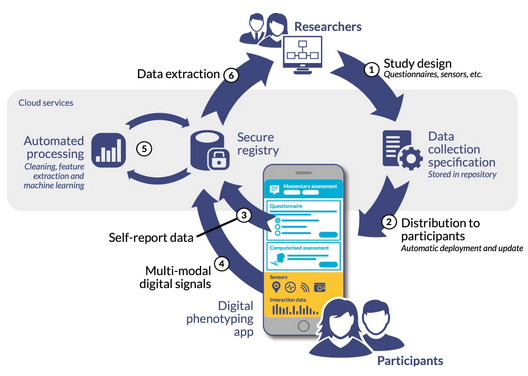
As can bee seen in Fig: How Digital Phenotyping Works the cycle of of data collect and then analysis is highly conjoined in digital phenotyping, and so for this reason we will cover it in more detail later. You can skip forward to a more in-depth discussion if you’d like to understand this earlier.
6.3 User Centred Design
Old-style software engineering often forgot, or ignored, the ‘what’ and, therefore, the user. As a remedy to this failing a design method – variously called user centred design, human centred design, co-operative evaluation, participatory design, or user experience design – was created which would place a user at the centre of the system. In reality, this means that there is a long user consultation period before any software is developed such that the designers can more accurately represent the requirements – the ‘what’ – of those users. It would be fair to say that there are many different sub-styles of, what I will now call, User Centred Design (UCD) and the texts and standards that are listed in this section are good first steps 18. However, there are many overriding questions and principles that are appropriate to them all and in some regard can be used without strict reference to a specific UCD methodology. As a trained UX’er, you should not be following any particular method by rote, but you should rather understand the strengths and weaknesses of each and select the tools that are most appropriate to your specific requirements within you current design process19.
The term “user-centred design” was popularized and coined by Donald A. Norman, a cognitive scientist and usability engineer. In the 1980’s, Norman played a key role in advocating for a shift in design philosophy that prioritized the needs, goals, and experiences of users in the design process. Norman’s book “The Design of Everyday Things,” originally published in 1988 under the title “The Psychology of Everyday Things,” explored the principles and concepts of user-centred design. In the book, he emphasized the importance of designing products and systems that align with users’ mental models, cognitive abilities, and behavioural patterns. Norman’s work highlighted the significance of considering the users’ perspectives, abilities, and context when designing interfaces, products, and environments. He advocated for intuitive, understandable designs that minimize the user’s cognitive load and facilitate ease of use. Since the publication of “The Design of Everyday Things,” user-centered design has gained widespread recognition and acceptance as a fundamental approach in various fields, including product design, software development, and user experience design. The principles and methodologies derived from user-centred design have shaped the development of intuitive, user-friendly, and effective products and systems that meet the needs and expectations of users.
Springing from UCD came “universal usability”, a concept created by Ben Shneiderman, an American computer scientist and professor. Shneiderman is known for his significant contributions to the field of human-computer interaction (HCI) and user interface design. Shneiderman introduced the concept of universal usability in the late 1990’s as an extension of the principle of UCD. While universal design primarily focuses on physical and environmental accessibility, universal usability expands the concept to encompass digital interfaces and technologies. Universal usability emphasizes designing interactive systems and interfaces that are accessible, usable, and effective for a wide range of users, including individuals with diverse abilities, backgrounds, and levels of expertise. It aims to make technology inclusive and user-friendly for everyone, regardless of their physical, cognitive, or sensory characteristics. Shneiderman’s work on universal usability highlighted the importance of designing interfaces that are intuitive, learnable, and efficient, enabling users to accomplish their tasks effectively and efficiently. He advocated for the consideration of users’ needs, preferences, and capabilities in the design process to create interfaces that are accessible and enjoyable for all users.
Universal usability and user-centred design share common goals and principles, although they approach them from slightly different perspectives. UCD focuses on designing products, systems, or interfaces that meet the needs, goals, and preferences of the target users. It emphasizes understanding the users’ requirements, behaviours, and contexts through user research and involving users in the design process. UCD aims to create intuitive, usable, and satisfying experiences for specific user groups. On the other hand, universal usability expands the concept of user-centred design to consider a broader range of users with diverse abilities, backgrounds, and characteristics. It emphasizes designing interfaces and systems that are accessible and usable by the widest possible audience, regardless of individual differences. Universal usability seeks to remove barriers and accommodate the needs of individuals with disabilities, ensuring equal access and usability for all.
In essence, while user-centred design focuses on meeting the needs of a specific target user group, universal usability takes a more inclusive approach by considering the needs of a broader range of users. Both approaches recognize the importance of understanding users, involving them in the design process, and creating interfaces that are intuitive, effective, and satisfying to use.
Universal usability can be seen as an extension of user-centred design, incorporating accessibility and inclusivity as essential components. By considering the principles of universal usability, user-centred design can ensure that the products and systems being developed are accessible and usable by as many people as possible, regardless of their abilities or characteristics. In practice, user-centred design and universal usability can be complementary approaches, with user research and usability testing helping to uncover and address the diverse needs and abilities of users, including those with disabilities. By integrating the principles of universal usability into user-centred design processes, designers can create more inclusive and user-friendly experiences for a broader range of individuals.
UCD represents a set techniques that enable participants to take some form of ownership within the evaluation and design process. It is often thought that these participants will be in some way knowledgeable about the system and process under investigation, and will, therefore, have an insight into the systems and interfaces that are required by the whole organisation. UCD methods are closely linked to the think aloud protocol, but instead of entirely focusing on evaluation the users are encouraged to expand their views with suggestions of improvements based on their knowledge of the system or interfaces that are required. Indeed, the participants are encouraged to criticise the proposed system in an attempt to get to the real requirements. This means that – in some cases – a system design is created before the UCD have begun so that the participants have a starting point.
The UX specialist must understand that a UCD process is not a fast solution; UCD often runs as a focus group based activity and, therefore, active management of this scenario is also required. Enabling each individual to fully interact within the discussion process while the UX’er remains outside of the discussion; acting as a facilitator for the participants views and thoughts is a key factor in the UCD process. Indeed, another major difference between UCD and conventional Requirements Capture is that UCD becomes far more of a conversation between the software engineer and the user/customer.
In terms of requirements analysis20, we can think of the functional aspects to be those which are uncovered within the UCD process, while it may be convenient to think of the remaining sections of this text as more general-purpose non-functional requirements. In this case, we can see that functional requirements are those which are specific to the development in question. While non-functional requirements might be aspects such as a development should be usable; certain functionality should be reachable within a certain time frame; the system should be accessible to disabled users all users of mobile devices etc.
Of course, this is a very rigid delineation, and there is obviously some exchange between functional and non-functional requirements as defined here; but for our purposes it is simpler to suggest that functional requirements relate to a specific system while non-functional requirements relate to good user experience practise in-general. For instance, in the case of software engineering, usability is an example of a non-functional requirement. As with other non-functional requirements, usability cannot be directly measured but must be quantified using indirect measures or attributes such as, for example, the number of reported problems with the ease-of-use of a system.
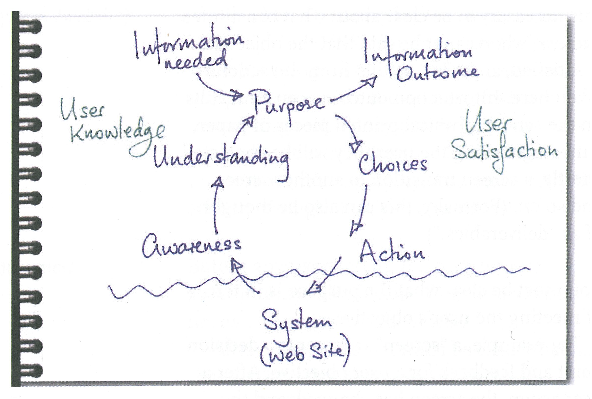
For most practical purposes, the user centred design uses an iterative looping methodology (for example 21 see Figure: Awareness, Understanding, Action) not dissimilar to the common software engineering iterative methodology. In this case, a requirements elicitation and analysis process, traditionally called systems requirements engineering, is undergone. This process should enable the UX’er to understand the requirements of the user and to understand how to service the tasks required by those users. It also serves to highlight aspects of the interaction or task that are important or required and gives an indication of how the user design should proceed. However at this stage, the design often does not include any decision about the user experience. Indeed, systems requirements analysis is far more about understanding the user and their place within the wider context of the system as opposed to the specifics of how the interface looks and feels.
The major difference between the traditional engineering methods and UCD is that the users participate far more in UCD and that the cycles are not so rigid. Further, requirements engineering is often more concerned that all functionality is present and that this functionality works correctly – important, to be sure. However, UCD is interested in making sure the functionality elicited in the requirements capture is the ‘right’ functionality for the users – it is ‘What People Want!’.
Once the capture has occurred it is time to communicate that information to the software engineers. This is always tricky because words and specifications tend to reduce the information to a manageable amount to communicate, but the richness of the requirements capture can easily be lost in this reduction. UCD was created exactly to address this failing – traditional methods reducing requirements to functional specifications of programmatic functionality – by adding new informal (agile) people first modelling techniques to the mix.
A modelling phase is also included when the concrete requirements for the human facing parts of the system are captured as part of a formal definition using a well-known modelling methodology such as user task analysis, Unified Modelling Language (UML) Use Case Diagrams, or general use case diagrams, etc. These modelling formalisms enable the information that has been captured in the requirements analysis phase to be transmitted to the software engineers for development and inclusion within the system22. They also enable the software engineers to tell if their system meets the UX’ers specification as defined within these models; and, therefore, enables a separation of concerns between the UX engineer and the software engineer. As is implicit in the discussion of modelling, the final stage is the development of the human aspects of the system as well as the design of the interface. In this case, a sub-iteration is often undertaken in an agile manner, often with the user being directly present. At a minimum, the user should have a high input into both the interface artefacts and should include views on how they work based on their direct knowledge of the job at hand. Once these phases have been undertaken the iterative cycle begins again until no further changes are required in any of the requirements elicitation, analysis, system design, and development.
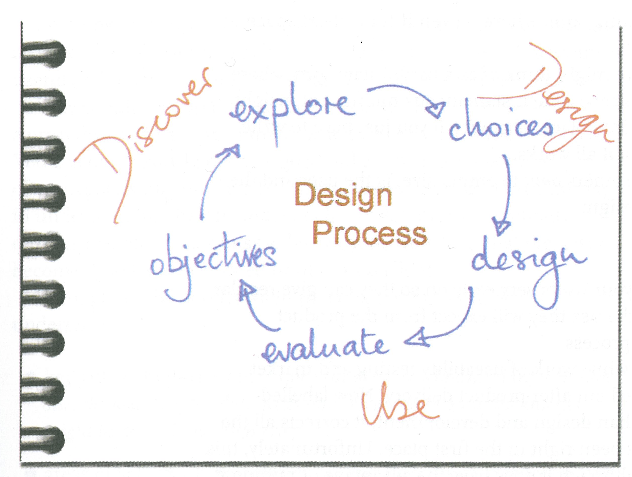
In all cases, you must think: what information do I need to build a system, how can I get this information, and how can I disseminate this information into the software engineering process, once acquired? Cato simply summarises this as Discover, Design, and Use (see Figure: Discover, Design, Use), but understanding the ‘what’ is the most important part of the equation in the requirements analysis.
One final, but important, thought before we move on; Fred Brooks in his definitive book ‘The Mythical Man Month’ states that ‘When designing a new kind of system, a team will design a throw-away system (whether it intends to or not). This system acts as a ‘pilot plant’ that reveals techniques that will subsequently cause a complete redesign of the system.’, focus on the phrase ‘whether it intends to or not’, which really means plan for a pilot - because you will, without question, be building one23.
6.4 What Information Do I Need?
Requirements elicitation is the first step within the requirements engineering process. This engineering process is often separated into three aspects that of elicitation, specification, and validation. Requirements engineering can also be known as requirements analysis that is, by coincidence, the term sometimes used to describe data analysis after the elicitation phase and before the specification phase commences. Requirements engineering encompasses all parts of the system design however here we will focus on UCD aspects and the kinds of methods that are often used early within the development cycle to elicit understanding of the users and their requirements.
The main concern for the UX’er is that the elicitation process is all-encompassing and that the specification is an accurate representation of those elicited requirements. Here we will be concerned with the elicitation; we will not be focusing on validating these requirements for one simple reason – the validation of models within the software engineering domain is neither rigorous or well understood. Most validation processes suggest that the user is involved at each stage. However, validation techniques are often more in keeping with a formal validation of the functional requirements (via Test Driven Development for instance) by the developer, as opposed to expecting high user participation. The exception to this rule is the use of prototyping techniques for understanding the correctness of the tasks and the human facing aspects of the system. If an agile method is used the validation processes is no longer required in this context. However, we can see that the UX’er must use some kind of research methodology for a final evaluation of the system.
There are many terms that are common and run through many different kinds of requirements elicitation processes, often these are used interchangeably between the different processes, and while some methods strictly refer to specific terminology, developers seem to be less pedantic than methodology designers. The basic format when trying to elicit a user’s requirements – the what – is often regarding the role of the user, the action a user (a role) wishes to enact, and the information or object on which that action should be elected. There are different names for this kind of model: roles, actions, and objects; and users, actions, and information are but two.
Further, there is a common vocabulary to describe a user role. These user roles are often described using terms such as actor, stakeholder, role, or proxy, and all users have the desired goal, thus:
- ‘Actor’ refers to a specific instance of the users such as a customer, manager, or sales clerk and indeed in some cases the term actor is prefixed by their priority within the specific methods such as a ‘primary’ or ‘secondary’ actor. However, in all cases the actor is someone who actually initiates an action within the system;
- ‘Stakeholder’ is similar to an actor in that they are a class of user but, in this case, they are less involved within the actual initiation of the action, instead having an interest in the outcome;
- ‘Role’ is also closely related to an actor or a stakeholder in that it describes the persona the user will be taking, such as a purchaser or a seller. Moreover, in some cases may also be used to refer to the similar class of users as in the actor, such as a customer, manager, or sales clerk for instance; finally, the term
- ‘Proxy’ is used to describe a person who is not a specific user but is playing that role. In this case a proxy sales clerk may actually be a manager who is relating the requirements of the sales clerk to the developer based on their knowledge of the job but actually who do not perform the job directly; mostly this is because the actual user is not available.
Finally, the term ‘Goal’ is used to describe the outcome that is required by the actors or stakeholders and these may vary based on the role that each of the users is playing.
The next term to consider is the ‘action’, and, in this case, it is often listed as a plain English phrase such as ‘track my order’, or ‘buy the book’, or ‘compare functionality’. We can see that these terms make a very good descriptors for function or method statements within the main code, and so are often used as such by the software engineers. Finally, an ‘object’ is required for these actions to work upon. In this case, we can derive objects by looking at the nouns within these action phrases such as ‘order’ or ‘book’. In other cases, we must create the object-name if this is not explicitly described – such as ‘functionality’ – in which we might want to create a ‘specification’ object of each item.
So then we can see that in most cases these kinds of terms – and the way you should be thinking – applies to most UCD methodologies; it turns out that thinking about the ‘what’ is not as complicated as we may have imagined.
6.4.1 The Humble Post-It!
There are many tools to use in the user-centred requirements elicitation process, but strangely one of the most effective is the humble post-it note. Through the 70s 80s and 90s, a vast amount of effort was directed into creating computerised design tools specifically for the purpose of conveying design information to the software engineer24. The thought was that by computerising the elicitation process we could capture and easily link user requirements that would then serve as the basis of the generated software model; thereby removing the possibility of introducing errors into the mapping from design to software. However, along with this logic for computerisation was introduced a certain inflexibility into the design. Once the text was entered into the system it was very rarely changed or updated, once typed, once printed, it was seen in some way as immutable.
Then in the late 1990s and early 2000 came the use of the post-it note. The post-it note offers the flexibility that anything can be written on it, anything can be designed upon it, and it can be placed and moved in many and varied different ways, and on many different surfaces; mostly walls and whiteboards. People could scrawl something and decide later to throw it away, people could write something place it in a certain position – clustered with a post-it notes – and at a later point easily change it to a different position.
The post-it note facilitates the evolutionary design process, and in my opinion, this is without a doubt one of the most important tools to arise in the requirements capture space for a long time.
Now the post-it note is used in many different scenarios: from creating a conference grid (see Figure: Conference Grid – in this case at the WebArtScience Unconference in London 2010), to building an agile development, through to mapping the emergent requirements of a user centred design (see Figure: Post-Its in Development).
The first tool you should reach for when starting any design elicitation and mapping process is the post-it note. It will enable a design25 to emerge from the users, using a tool that they consider unthreatening, obvious, and familiar. Further, post-it notes have the advantage over other mediums, such as the whiteboard, in that with post-it notes everyone can have his or her say. Everybody has a pen/marker, and everybody has a means of conveying his or her ideas. Remember, once the text is removed from the whiteboard information is lost, a post-it note can be moved to one side such that the idea is not lost. Moreover, the evolution of the design is still recreate-able – but maybe does not stay within the focus of the discussion.
Once you have completed this elicitation phase you’ll be left with clusters of post-its on a wall or whiteboard, in some cases these will be reasonably neat and orderly, in other cases they will be in informal ‘scrappy’ clouds. You should now photograph those clusters, possibly after you have numbered each post-it note such that you can recreate the clouds at any point in the future, if necessary. Both information on a post-it note and their arrangement on the wall have to mean, and you should consider this meaning when trying to formalise these designs for the software process.
6.5 How Do I Get ‘The Information That I Need’?
Most methods for collecting data come from a combination of anthropology and sociology26 mushed-together with some minor alterations to make them more amenable to the UX’er. This ‘modified-mush’ owes much to social anthropologists following the theoretical tradition of ‘interactionism’; interactionists place emphasis on understanding the actions of participants by their active experience of the world and the ways in which their actions arise and are reflected back on the experience. This is useful for the UX’er as the interactionists component of the method makes it quite suitable for requirements capture focused on tasks and systems.
To support these methods and strategies, many suggest the simultaneous collection and analysis of data. This implies the keeping of substantive notes consisting of a continuous record of the situations events and conversations in which the UX’er participates; along with methodological notes consisting of personal reflections on the activities of the UX’er as opposed to the users –‘Memoing’. These notes should be preliminary analysed within the field and be indexed and categorised using the standard method of ‘Coding’ different sections of the notes to preliminary categories which can be further refined once the requirements capture has concluded.
The most used methods for requirements capture are participant observation, interviewing, archival and unobtrusive methods. I suggest that these methods are mainly used for building a body of understanding that is both deep and narrow in extent and scope. This knowledge can then be used to help guide our development. You can expect a better outcome if a variety of methods is used in combination – however, in reality you will mostly be limited by time.
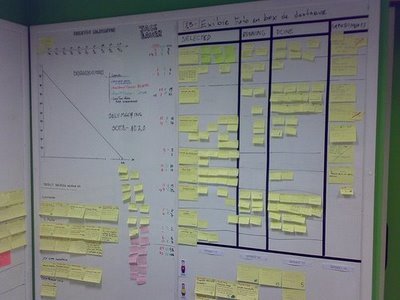
6.5.1 Got Six Months?
Imagine you are UX’er employed within a company that has just acquired a different organisation. Your company needs to know the processes that are followed within this newly purchased company. You need to understand what kind of jobs their employees do, the systems that they follow, and the level of computerisation, you then need to build an assessment of how their systems and business processes will fit into yours. Even if you only have a small amount of time (six months, say) you will be able to gain a high level of detailed understanding, and scope out the problems of integration, by utilising the ethnographic methodology of observation or participant observation.
Participant observation, is the process by which data is gathered by participating in the daily life of the group or organisation under study. The UX’er watches the people in the study to see what situations they normally meet and how they behave in them and then enters into discussion with some or all of the participants in the situations to discover their interpretations of the events that have been observed. These discussions are often called ‘conversations with a purpose’ and are very (very) informal interviews – in that you want clarification of certain points without being too prescriptive so as not to bias the users answer. Special classes of participants, called ‘informants’, may also be called upon, informants are usually ‘people-in-the-know’. The person or persons selected to be informants, therefore, have a broad knowledge of the organisation, its services, and its people and can provide clarifications and corroboration for data collected while in-situ. The ‘key informant’ has an additional significance to the UX’er, which may be because they have extensive knowledge of the user roles, the actions they perform, or the objects on which they perform those actions. They may also host the UX’er in their team, or sometimes because they were the initial contact for the UX’er and served to introduce them into the department or team. Key informants are an excellent way to recover information about past events or organisational culture and memory that are no longer observable. Once in the team the observations of the UX’er should be methodical and verbose in their note taking and thoughts. Eventually, you will begin to take fewer notes, witness less novel situations, and start to have fewer novel insights; this is an indicator that your observations are coming to an end.
You should remember that you sampling must be representative and that you should remain in the team/organisation until all requirements are captured. Behaviour should be sampled in natural settings and whenever possible be comparative; with the samples and sampling procedure made public. Sampling strategies include probability sampling, in which every unit of the universe under study has the same calculable and nonzero probability of being selected; and non-probability sampling, where there are no means of estimating the probability of units being included in the sample. Non-probabilistic techniques include judgement and opportunistic sampling, in which samples selected are based on opportunity or the need for a certain kind of sample. Snowball sampling, in which an initial set of key informants provide access to their friends and colleagues, thereby forming a larger set. Finally, theoretical sampling, often used in natural settings, is the process of data collection for generating theory whereby the analyst jointly collects, codes, and analyses, the data and decides what to investigate next to develop the theory as it emerges.
While there may be some roles the UX’er may take, these are constantly negotiated and re-negotiated with different informants throughout the requirements capture. Therefore, it can be seen that the interpretive nature of the work means that your role is also important including the influence of your specialism, experience, age and gender, and ethnicity, concerning that of the user group. Remember, as a UX’er you need to observe events by causing as little affect as possible and develop trust and establish relationships often by learning a shared vocabulary that is appropriate to various organisational settings.
You may wish to be more prescriptive than observation if time is limited and focus on ‘Task Analysis’. Task analysis is used to refer to a set of methods and techniques that analyse and describe the way users do their job regarding the activities they perform, including how such activities are structured, and the knowledge that is required for the performance of those activities. The most common and simplistic form is hierarchical task analysis in which a hierarchy of subtasks are built to describe the order and applicable conditions for each primary task.
The reality is that these look like very simple procedures for accomplishing tasks. However, there is a large amount of implicit information captured within these constructs. For example, if a user wishes to borrow a book from the library then part of the task analysis may be that a new checkout card is required, and subtasks may be that the current date needs to be entered on that card as does the borrower’s name and catalogue number of the book. In this case, we can see that any automated system must make provision for a pseudo-checkout code to be created and that there must be the fields available for capturing the date, name, and catalogue number within that pseudo-checkout card.
In reality, you can use task analysis to analyse the notes you have collected in your more free-form observations, or if time is limited, focus only on tasks. In this case, you sacrifice completeness, richness, and nuance of time savings (there may not be a cost saving if the requirements capture is incomplete).
In summary then, we can see that the time-scale for observation work is quite long; between six and twelve months in some cases. This means that when conducting requirements capture in an industrial setting cost constraints often conspire to remove observation from the battery of available techniques. Even so, the use of the key informant as the principal means of soliciting information concerning organisational jargon, culture, and memory can be useful to enhanced other types of research method.
6.5.2 Got Six Weeks?
Imagine working for a company that is trying to specify the functionality for a new computer system. This computer system will move the individual paper-based systems of the sales department and those of the dispatch department into one streamlined computerised sales and dispatch system. In this case you know some of the pieces, you know some of the systems that already exist, you know your own company’s business processes and have an understanding of the organisational knowledge. However, you do not know the detailed processes of the sales and dispatch departments separately; and there is no documentation to describe them. Also, you do not know the interface that currently exists between these two departments and so you cannot understand the flow of information and process that will be required in a unified system. In this case, it is useful to employ focus group techniques followed up by structure or semi-structured interviews.
Group interviews – Focus Groups – are used to enable informants to participate and discuss situations with each other while the UX’er steers the conversation and notes the resultant discussions. In the role of moderator (and scribe) the UX’er needs to think of the most practical considerations of working with an organisation. For instance, logistics, piggybacking on existing meetings, heightened influence of the key informers, group dynamics, adhering to the research agenda and spontaneity, and the difficulty in ensuring confidentiality.
A variation on the focus group is the respondent, or member, validation. This is the process whereby a UX’er provides the people on whom the requirements capture is conducted, with an account of the findings; with the aim of seeking corroboration, or otherwise, through the various interview methods. Leading on from these validatory discussions, is the concept of action research which is related to participatory design, participatory research and the practitioner ethnographer. Here, a UX’er along with the users collaborate on the diagnosis of a problem and the development of a solution based on that diagnosis. In reality, this means that the trained UX’er guides the un-trained users in an attempt to evolve a knowledge of the problem and the possible solutions to that problem.
Interviewing is a useful method in requirements capture, However, you can deliver these in both a structured or a semi-structured interview style. These often take place as friendly exchanges between the user and the UX’er to find out more about the organisation or the users job. Interviewing techniques are best applied when the issues under investigation are resistant to observation. When there is a need for the reconstruction of events. When ethical considerations bar observation. When the presence of a UX’er would result in reactive effects. Because it is less intrusive into the user’s day, because there is also a greater breadth of coverage; and finally, because there can be a specific focus applied.
Both single participant interviews or focus group discussions are rarely conducted in isolation and are often part of a broader requirements capture drawing on the knowledge of the UX’er in their application. It is sometimes normal for an aide memoir to be used concerning the interview often. However, all topics are not covered. Three main types of questions are used; ‘descriptive questions’ that enable users to provide statements about their activities; ‘structural questions’ which tend to find out how users organised their knowledge; and finally, ‘contrast questions’ which allow users to discuss the meanings of situations and provide an opportunity for comparison to take place between situations and events in the users world.
In this way, both structured and unstructured interviews are useful to the UX’er because they enable a direct confirmation of partial information and ideas that are being formed as the requirements capture continues. These interviews are often conducted as part of focus group discussions – or afterwards for clarification purposes – because in some cases the communal discussion enables joint confirmation of difficult or implicit aspects of the area under investigation.
Social Processes The social processes that go along with the requirements elicitation phase are often overlooked. For the UX analysts, this is one of the most important aspects of the work, and it should be understood that implicit information mentioned as part of social interactions in an informal work environment may have a high degree of impact upon the requirements engineering phase. Aspects of the work that is not self-evident, errors that often occur, and annoyances and gripes with a system that is not working correctly often come out in an informal social setting; as opposed to the most formal setting of a systems design interview.
In this case, it should be abundantly clear that spending social time with prospective users of the system is useful for catching these small implicit but important pieces of information which are often ignored in the formal process. A full understanding of the system requirements is often not possible in a formal setting because there may be political expediency in not bringing negative aspects of the system to the attention of the requirements engineer; especially if these aspects of the system were designed by management. Further, users may also consider aspects of their job, or the system, too obvious to be explicitly expressed.
In summary, then, we can see that the time-scale for interviewing, focus group discussions, and participatory work can be short to medium term; between one and three months in some cases. This short timescale in data gathering is the main factor attributed to the popularity of these techniques. The data returned is not as rich as that gathered by observation because the UX’er already has some idea of the domain, and enacts some control over it; for instance, in the choice of questions asked. However, interview methods and variants often provide an acceptable balance between cost, time, and quality of the data.
6.5.3 Lack of Users?
How do you understand the organisational processes that need to be computerised if the people with the most experience have retired or been made redundant? Further, if a computer system does not already exist, how do you also know what the look and feel of the system should be like? If there is no electronic reference point, or reference point for the processes that need to be undertaken, how can you derive this information? Simply, by an investigation of the archival materials of the organisation, paying specific attention to the processes that you are trying to replicate, you should be able to rapidly prototype an initial system that can then be refined by real world user interaction.
An archive is a collection of historical records that have accumulated over the course of an individual or organisation’s lifetime. The archives of an individual may include letters, papers, photographs, computer files, scrapbooks, financial records or diaries created or collected by the individual - regardless of media or format. This means that other computational resources can also be used, such as online photos, avatars, WebCams, and video recording, as well as discussion forums, email archives, mailing-lists or electronic distribution lists. Administrative files, business records, memos, official correspondence and meeting minutes can also be used. There are two different kinds of archival records, being, the running record and including material such as wills, births, marriages, deaths, and congressional records, etc. In contrast to this there are episodic or private records such as sales records, diaries, journals, private letters, and the like. Archival records are normally unpublished and almost always unique, unlike books or magazines, in which many identical copies exist. Archives are sometimes described as information generated as the ‘by-product’ of normal human activities.
The importance of historical records is precisely because of their by-product nature. These records can be classified as either primary sources or secondary sources based on whether they are summarised or edited; touched by someone after their creation. Primary sources are direct records such as minutes, contracts, letters, memoranda, notes, memoirs, diaries, autobiographies, and reports; and secondary sources include transcripts, summaries, and edited materials. The second distinction is between public documents and private documents and solicited and unsolicited responses. Life histories, autobiographies from an insiders point of view are also very useful as well as diaries and diary interviews. Letters are considered to be an important source as they are primary, often private, and mostly unsolicited, therefore they are written for an audience and captured, within the writing, is an indicator of the different kinds of social relationships within the letter style. However, a degree of circumspection is required when evaluating personal documents as to the authenticity, the authors possible distortion and deception.
Once selected, an archival material can be subjected to analysis as part of the process of understanding the work and placing it in context; you could think of this as being similar to data-mining. Content analysis is an approach to the analysis of archival material that seeks to quantify content regarding predetermined categories; a process called ‘coding’. Aspects that may be sampled are significant actors, words, subjects and themes, and dispositions. Also, secondary sources may be subject to a secondary analysis, in that data, which has been pre-collected, undergoes a second analysis possibly having completely different research questions applied than the original creator of the secondary source had in mind.
Organisations run on forms, order forms, summary sheets, time-sheets, work rosters, invoices, and purchase orders, in fact, any written systemised approach to fit data into a well understood homogenised format. In this way, forms provide an implicit understanding of the kinds of work that prospective users will carry out, the terms that will be familiar to them, and information requirements that are not used as well as those that are overused. Therefore, it is easy to see that forms are a structured collection of system requirements. The positive aspect of understanding forms is that their interpretation is often very straightforward. Whereby users neglected to make certain obvious aspects of the work they do forms do not, further, the acquisition of forms and their processing is easy because forms are commonly available within the organisation. Indeed, in many cases forms can be used to reverse engineer a database schema including attributes entities and relationships that go to make up that schema. This means that the results of this kind of analysis are far more amenable to formal modelling than other kinds found in the elicitation processes.
As with all good computer science, data reuse is a primary concern, and this is also the case with requirements capture. The UX analyst should look out for requirements that have already been captured for some other application. These may be reusable in specifying a similar application or can be reanalysed to add extra depth to the requirements elicitation process already underway. Indeed, even though previous requirements documents may be out-dated, some aspects may serve as a useful starting point to begin interview discussions or focus group activities. Here questions about the old system, in comparison to the new system, can be posed, and the responses of the users gauged to inform the creation of the new system. In addition to standard requirements reuse, aspects of the specification can be reverse engineered such that some of the analytical information can be identified and indeed parts of the current software or systems processes can also be reverse engineered to identify their constituent parts enabling the creation of models that form a higher level of abstraction.
In summary, then, grabbing and analysing archival; material – old forms, reports, past memos, and the like – all help the UX’er without users to create a picture the needs of the organisation and users they are working with. It is rare that archival material will be your only source for requirements capture, but it may be a good initial starting point if your users do not have the time, initially, to spend bringing you up to speed.
6.5.4 Relationship to the Digital Twin
A digital twin is a virtual representation of a real-world physical object, system, or process. It’s a digital counterpart that mirrors the physical entity in a digital environment, often in real-time or near-real-time. This concept emerged from the convergence of technologies like the Internet of Things (IoT), data analytics, and simulation.
Digital twins are used across various industries, including manufacturing, healthcare, energy, aerospace, and more, to provide insights, analysis, and predictions about the real-world counterpart. They can range from simple models representing individual objects to complex models representing entire systems or environments.
Digital twins provide a visual representation of the physical entity, making it easier to monitor and understand its status and behaviour. They incorporate data from sensors, IoT devices, and other sources to reflect the real-time conditions and performance of the physical counterpart. Digital twins enable simulations and “what-if” scenarios, allowing businesses to test changes, optimizations, and potential outcomes before implementing them in the physical world. By analysing historical and real-time data, digital twins can provide predictive insights into potential issues, failures, or performance improvements. Digital twins allow remote monitoring and management of physical entities, facilitating maintenance, troubleshooting, and adjustments from a distance. As more data is collected and analysed, digital twins can be refined and improved, leading to a better understanding of the physical entity’s behaviour.
The concept of digital twins continues to evolve, driven by advancements in technology and the increasing need for efficient data-driven decision-making in various industries. So in reality when you are gathering requirements you are often intent on being able to build a digital twin of the real world process or system. You may of course wish to improve things but in the first place you need to understand and at least digitally model the current system be that digital or analogue. You can skip forward to understand how digital twins and digital phenotyping relate if you’d like to understand this earlier.
6.6 Summary
Once the elicitation and analysis phase has been complete it maybe time to move this knowledge into a more formalised description of the user, which can be understood by the software engineers and, therefore, used to develop the user-facing aspects of the system. In this case, we can see that requirements elicitation is not dissimilar to knowledge acquisition. The major problem within the knowledge acquisition and requirements elicitation domain are that analysts have difficulty acquiring knowledge from the user. This can often lead both domains into what has become known as analysis paralysis. This phenomenon typically manifests itself through long phases of project planning, requirements gathering, program design and data modelling, with little or no extra value created by those steps. When extended over a long timeframe, such processes tend to emphasise the organisational and bureaucratic aspects of the software development, while detracting from its functional, value-creating and human facing portion.
6.6.1 Optional Further Reading
- [A. D. Abbott] Methods of discovery: Heuristics for the social sciences (contemporary societies). WW Norton & Company, 2004.
- [S. W. Ambler.] The elements of UML 2.0 style. Cambridge University Press, Cambridge, 2005.
- [R. G. Burgess] In the field: An introduction to field research. Routledge, 2002.
- [J. Cato]. User Centered Web Design. Addison Wesley, 2001.
- [P. Loucopoulos] and V. Karakostas. System requirements engineering. International Software Engineering Series. McGraw-Hill, 1995.
7. Modelling Requirements
In all cases you must think: what information do I need to build a system, how can I get this information, and how can I disseminate this information into the software engineering process, once acquired?
– Anon
There are some kinds of requirements documentation techniques that can be applied to the software development task. While the following is not a complete list, it does outline the kind of techniques that are often used and which normally provide adequate feedback from users. The conscientious UX analysts, however, should not rely only on these methods but should also include ones from the research literature such that a greater depth of understanding can be derived. In any case, the following list gives a subset of common techniques that both the UX analysts and the software engineer should know and understand.
7.1 Informal Methods
The most common representation medium for informal systems is natural language; this is the case across organisations and across representational contexts. Forms are represented in natural language as are letters, memos, procedural documentation, and the like. Further, scenarios are often represented in natural language, and interviews with users and participants within the system’s creation process are also conducted using natural language. Therefore, an analysis of the language used within these kinds of artefacts is eminently useful for requirements elicitation purposes. Practical methods of understanding requirements from a natural language analysis are by the use of nouns and verbs to represent actions and functionality. We can see that from an analysis of natural language, constraints, targets, owners, and actors can also be identified. Additional aspects of the functionality, which may be missed in general question-and-answer sessions with users, become self-evident when natural language analysis is applied to transcripts. In this case, the UX’er should think about understand the types of actions that are required and the interrelationships between those actions in a way that does not require the user to make changes in how they are discussing the requirements - and informal methods are very useful for this.
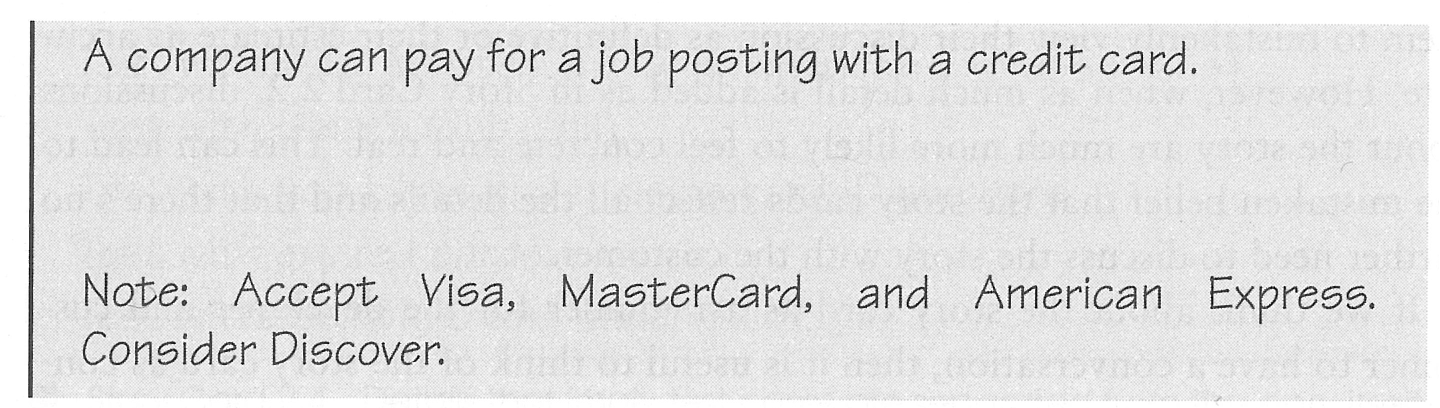
7.1.1 User Stories
User stories simply describe functionality that will be available to the users of the system 27. They are comprised of a written description, conversations about the story, details of the story, and a series of tests that enable us to understand if the document is complete and, therefore, the story is an accurate representation of the desired user experiences. User stories can be varying lengths, and these are determined by the way in which the story is created and summarised and also based on the purpose for which it is intended. In some cases, it can be the size of a full A4 sheet and for others it can fit onto two sides of a standard index filing card (see Figure: Story Card with Notes).
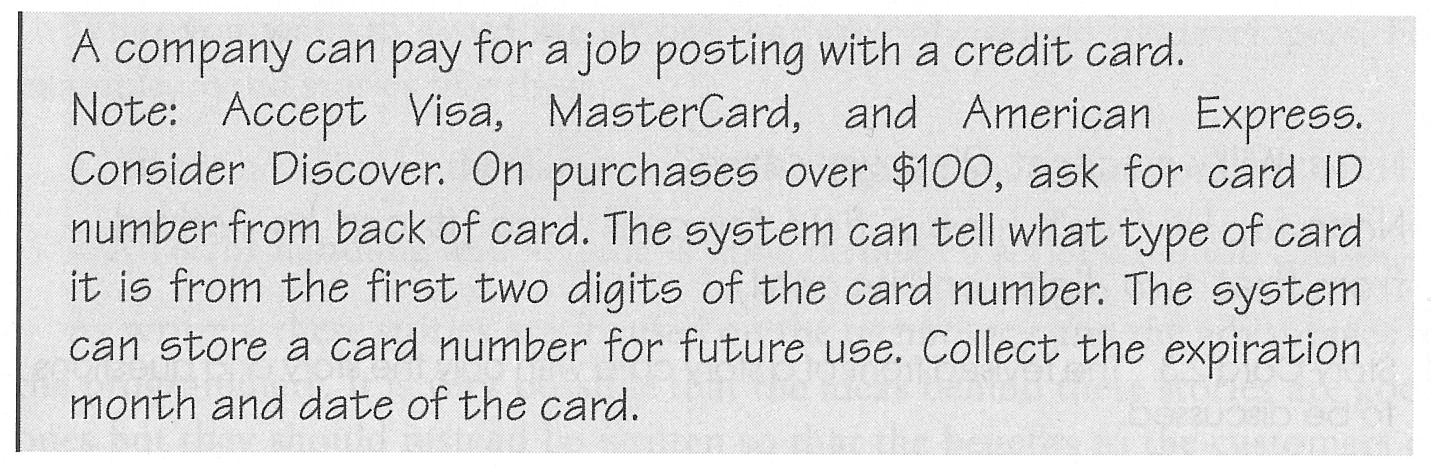
The story is the visible part with the background information, which relates to the conversation between the customer and the developer of the story, being one of the most important aspects. The stories are often prioritised based on the value to both the organisation and the needs of the users.
Stories should be independent in that references to other stories of the other examples should be removed. In this way, the simplicity of the work can be embraced, and the story becomes easily understandable, in this way, developers are not required to investigate complex cross-referencing to understand the primary message of a story. Stories should also be negotiable in that they should not be thought of as fixed contracts but can be altered or modified based on new information or a negotiation with other stakeholders of the story. Obviously the story should be valued by both the user and the customer, and, besides, the story should be estimate-able. This means that the amount of time required to create the functionality to enact the story can be easily gauged by the developer even based on the developers lack of domain or technical knowledge. This really suggests that the story should be small enough for its development to be easily quantified (see Figure: Story Card with Too Much Detail). Removing complexity also aids the estimate-ability of the work required to enact the story and so it may be useful to split stories into different parts to maintain their brevity (see Figure: Revised Story Card).
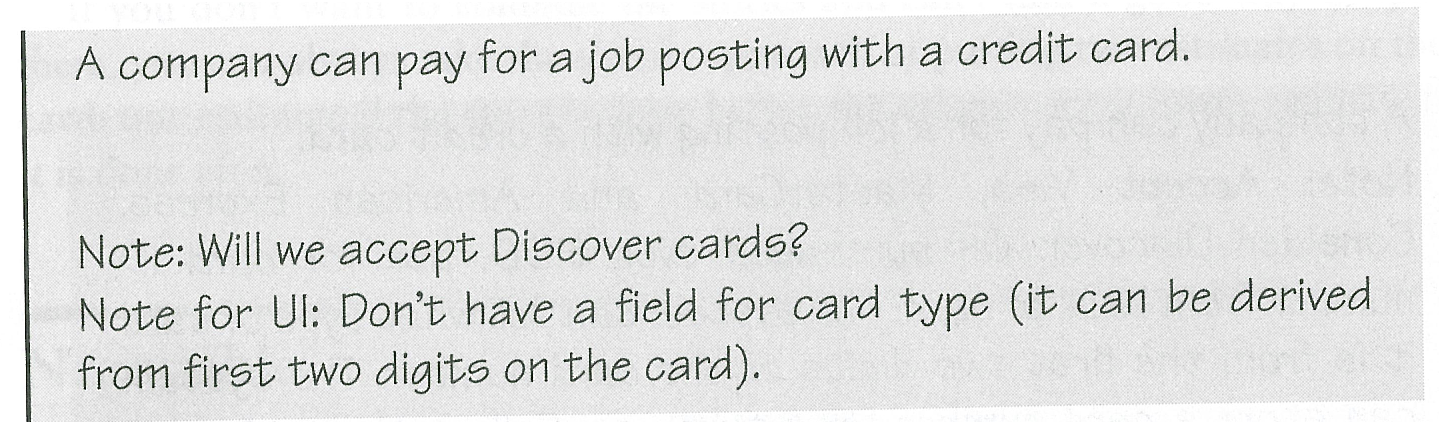
Finally, the story should be testable; some developers suggest that successfully passing these tests prove that the story has been successfully developed, however for the UX analyst this is nowhere near the level of support that is required to suggest that success has been achieved, and comprehensive summative post-testing should also be carried out.
7.1.2 Use Cases
A use case differs from a user story because the user story is far less complex, shorter, and with an estimate-able outcome 28. A use case describes a system under various conditions and forms an implicit contract between the developers of the system and the commissioners of that system about the behaviour it will exhibit. Within the context of human-computer interaction, we can see that use cases can be effective when focused on human behaviour and the interactive environment. Indeed, use cases can also be applied to non-user facing parts of the system that makes them more effective. In this case, a unified language is built up such that the software engineers understand the use cases regardless of whether they are created by the UX’er, business manager, organisation analyst, information analyst, knowledge analyst, or any other of the number of specialisms that are required to develop the system. Use cases can be created to fill many different purposes and may take many different forms. As long as the form is well understood and all use case creators are consistent then there should not be any problem regarding the uniformity of understanding which is transmitted via these cases. Mostly, however, use case will consist of: the primary initiator, for example, the purchaser, claimant, or user; the use cases scope; its level of importance; and a list of stakeholders who may also be interested. Often success scenarios are also listed, and possible extensions to the system can be discussed (see Figure: Tabular Use-Case). The thing to remember about use cases is that they really are a requirement and should not require translation into a secondary format. However, be warned, they do not account for all requirements such as business rules, data formats, etc. However in the case of the UX analyst they serve a perfectly adequate purpose for the necessity of specifying user-facing aspects of the system.
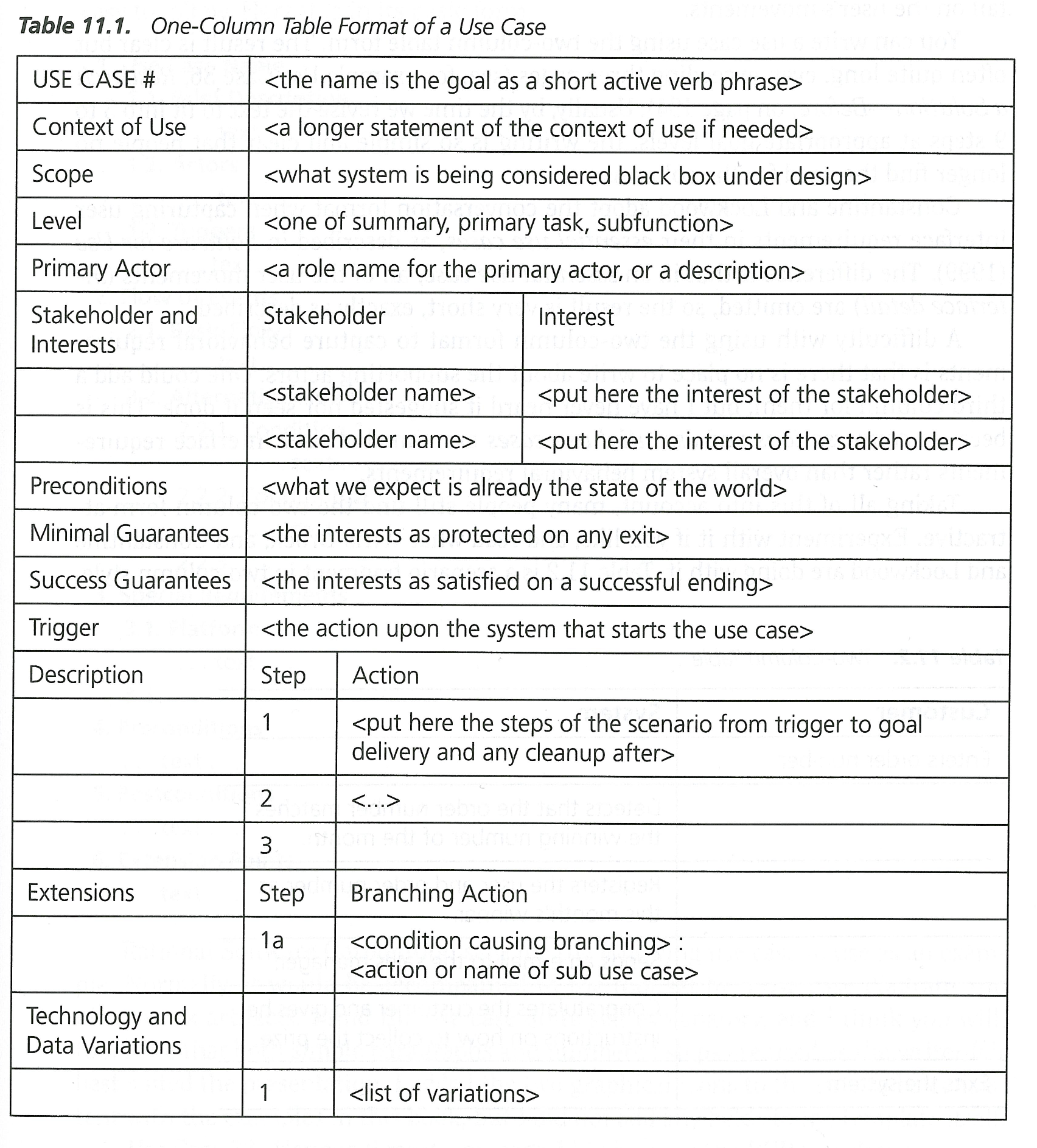
In addition to the standard aspects of the use case, other information can be added such as preconditions that describe how the system should be before a use case commences; triggers that will initiate that use case; and guarantees that the use case will actually have being enacted correctly at the end. Use cases make use of the common software engineering scenario. However, it is normally created as a series of steps or bullet points as opposed to the standard scenario that is often more conversational. There are many different styles of use case ranging from formal, through casual, through to different styles created for different software engineering methodologies such as the Rational Unified process. Use cases may also take the form of if-statements and include extensions to common diagrammatic methods such as the Unified Modelling Language. The advantage of using this kind of modelling is that a software engineer will be familiar with UML. Therefore, there is less chance of misinterpretation than if the engineer were required to learn a new formalism.
7.1.3 Personas and Scenarios
According to Lene Nielsen, “the persona method has developed from being a method for IT system development to being used in many other contexts, including the development of products, marketing, planning of communication, and service design. Despite the fact that the method has existed since the late 1990s, there is still no clear definition of what the method encompasses. A common understanding is that the persona is a description of a fictitious person, but whether this description is based on assumptions or data is not clear, and opinions also differ on what the persona description should cover.” 29
7.1.3.1 Personas
A Persona Is a fictional character created to convey a certain set of user properties and behaviours to a technical recipient, such as a software engineer (for example http://elderlypersonas.cure.at/). These personas are often created to flesh out the roles of actors, stakeholders, or proxies as we have discussed previously. In reality, personas are highly related to scenarios and user stories, however for a persona a set of user characteristics are created to describe the needs and requirements of that person30. In this case, a persona can be quite short, or very deep (see Figure: Expanded Persona) – and there is much discussion as to how best to create them and what properties they should have (Yahoo! have some nice approaches to Persona development31). Personas are often created by user experts, the users themselves, or key informants to place the technical expert into the role of the user, allow them to understand the user better, and to convey information that may be lost in the reduction often applied to other approaches.

7.1.3.2 Scenarios
A Scenario is a detailed description of the user’s interaction with the computer; these scenarios are not the same as those found in a use case because they are often larger and more encompassing than a use case, and are written in plain English as opposed to a bullet point. Within a standard scenario, there may be many actors within the system and many interrelated stories often criss-crossing throughout the scenario. This means that they do not conform to either the user story that requires there be a level of independence within the story or to the use cases because they do not separate out the stories into well-defined task requirements. In reality, a scenario represents a detailed definition of a specific instance of interactivity. Scenarios are very flexible and narrative in nature which means that they are easier to create than the more formalised user story or use case. Indeed, most scenarios are created from direct conversations with users and stakeholders of the system, and they are then transmitted for modelling without much additional modification. Often scenarios can be used to clarify issues and implications of system development when there is no other way to do so.
7.2 Semi-Formal Methods
Methods don’t neatly fit into informal and formal categories - there are of course semi-formal methods - and in reality most methods set on a spectrum. You can, however, decide where you think a method fits based on its reproducibility - and in the case of very formal methods their ability to generate code. The following methods sit on this border, but could of course fit into either; to a greater or lesser extent.
7.2.1 Wireframes
Wireframes are simple, often hand drawn, sketches of the proposed user interface (see Figure: Calendar Wireframe). In this case, wireframes can be created with the user at the time a requirements capture discussion is taking place so that the UX’er can make fast and direct corrections and developments to that interface – based on immediate feedback from the user. By drawing these wireframes freehand the technology barrier between the user and the UX’er are reduced, and there is a greater immediacy to the capturing of these requirements. Wireframes may also be annotated using bubbles and arrows that may normally point to interface components such they can be explained better.
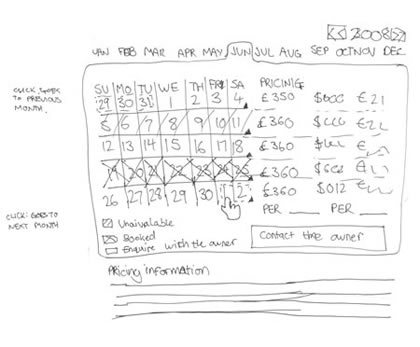
As well as the immediacy of the hand drawn wireframe it is sometimes appropriate to create a computerised wireframe if this is being related to a different set of stakeholders, such as those responsible for the business requirements of an organisation – as opposed to the users directly – in reality this means for presentation to higher management.
7.2.2 Mock-ups & Storyboards
Mock-ups & Storyboards are just extensions of wireframes, but with more flesh on the bones. Again both mock-ups and storyboards may occur as hand drawn sketches, or as computer-generated interface elements. These mostly don’t have the ability to run real code – being presented mainly for their visual look and feel – indeed, both mainly sit between the wireframe and the ‘prototype’. As with wireframes, mockups are mostly a singular interface screen or component (or loosely-related series of screens) which can then be discussed (see Figure: iPhone Application Mock-up).
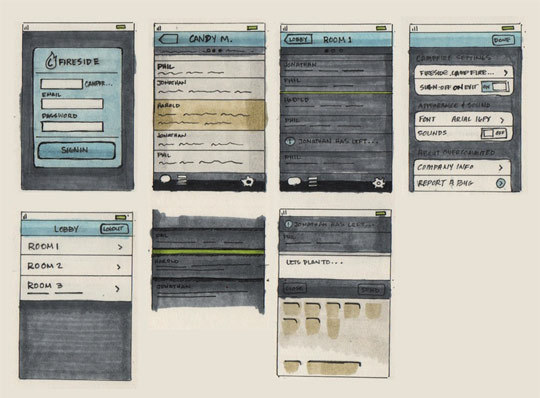
A storyboard (see Figure: Post-It Storyboard), on the other hand, adds interactive elements and interaction design to wireframes or mockups – showing the outcomes of certain user selections. These are mainly very simplistic interactions – being all that can be modelled with pen and paper – and do not run an interactive code. You often see a storyboard running top left to bottom right in a cartoon style, or in a flowchart-style whereby following different arrows has different effects.
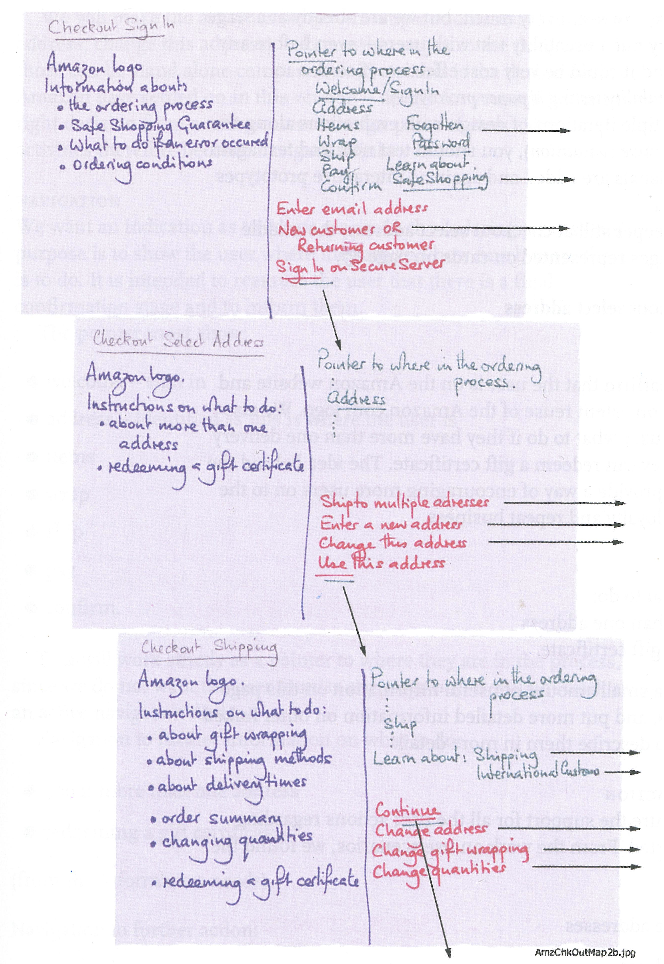
7.2.3 Priority Poker
Priority (Planning/Scrum Poker) Poker is a design game for collaboratively prioritising interface / UX specific items. Simply select the items that you think need to be prioritised and using a UX card deck (see Figure: Priority UX Poker Card Deck) for each person place your cards face down for each. Once there are no cards left, upturn and add them up, order the results gives the priority for development; highest first. You can then use these in an agile style MoSCoW prioritisation or MoSCoW32 analysis:
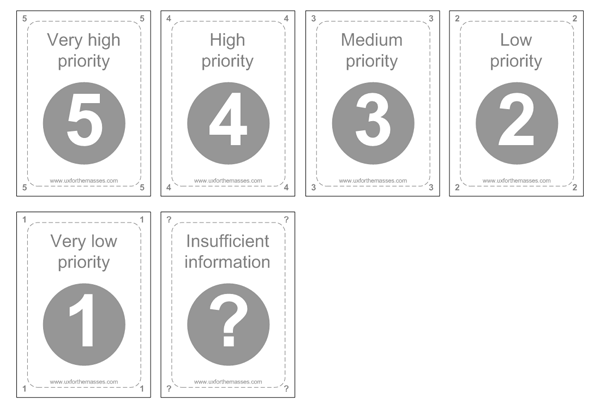
- M - MUST: Describes a requirement that must be satisfied in the final solution for the solution to be considered a success.
- S - SHOULD: Represents a high-priority item that should be included in the solution if it is possible. This is often a critical requirement but one that can be satisfied in other ways if strictly necessary.
- C - COULD: Describes a requirement that is considered desirable but not necessary. This will be included if time and resources permit.
- W - WON’T: Represents a requirement that stakeholders have agreed will not be implemented in a given release, but may be considered for the future. (note: occasionally the word “Would” is substituted for “Won’t” to give a clearer understanding of this choice)
UX priority poker, is a variant of planning poker (see Figure: Priority UX Poker Card Deck), also called Scrum poker, and this is why it fit nicely into the MoSCoW, analysis model. Again, this is a consensus-based technique for estimating software development effort in user stories. As in priority poker, members of the group make estimates by playing numbered cards face-down to the table, instead of speaking them aloud. The cards are revealed, and the estimates are then discussed. By hiding the figures in this way, the group can avoid the cognitive bias of anchoring33. Neil Turner describes priority poker’s benefits in use as:
- During requirements gathering and analysis to prioritise goals and objects; functional and non-functional requirements; and to prioritise features.
- During design to prioritise personas, scenarios and user journeys.
- Following usability testing and expert reviews to priorities usability issues and recommended changes.
- During testing to prioritise bugs, defects and fixes.
- Within Agile projects to prioritise user stories and the product backlog.
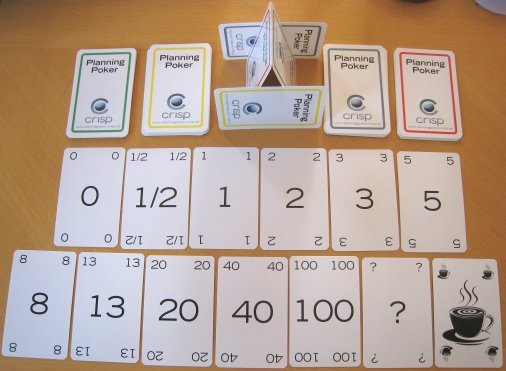
7.3 Formal Methods
Software requirements are described in the standard IEEE 830-1998 as “A software requirements specification (SRS) is a complete description of the behaviour of the system to be developed. It includes a set of use cases that describe all of the interactions that the users will have with the software. Use cases are also known as functional requirements. In addition to using cases, the SRS also contains nonfunctional (or supplementary) requirements. Non-functional requirements are requirements that impose constraints on the design or implementation (such as performance requirements, quality standards, or design constraints).”
Within the context of modelling user requirements (requirement specification), our choices of methodology become limited. Some elicitation practices such as user stories and use cases have an endpoint that includes the specification of requirements and the modelling of the user-facing aspects of the system. However, this is not the case for all requirements elicitation processes and indeed, even for those who include their own specification, it may be necessary to translate from these to a format that is more readily understandable by a software engineer. In this case we will study modelling languages based on well-understood engineering techniques and focusing on the universal modelling language, state transition diagrams, and flow diagrams: flow charts, data flow diagrams and control flow diagrams.
7.3.1 Flowcharts
Flowcharts, and diagrams that describe the flow of actions, control, and information are an old, tried, and trusted form of conveying information about the way the system should behave concerning its users and the processes that those users enact 34. While the flowchart has some detractors and is seen by some as an old form of modelling, you can guarantee that an examination of any whiteboard in any software engineering company will most likely have flow charting components written upon it. A flowchart is a common type of diagram and represents the system behaviour as a series of boxes with inter-connecting arrows indicating transitions between steps. These boxes have a specific order, and each one has a specific shape such that a certain action can be described; for example a diamond-shaped box represents a choice to be made, a cylinder represents a data storage device, etc. Each box has text written within it which describes either the process, choice, or artefact. Flow is represented by the adjoining arrows, and there may be return flows as well as standard waterfall type cascades. Flowcharts are used in analysing, designing, documenting or managing a process or program in various fields (see Figure: Data Flow Model). In addition to the standard flowchart, there are two types of diagrams which the HCI analyst or software engineer should be familiar with and these are the data flow diagram and the control flow diagram.
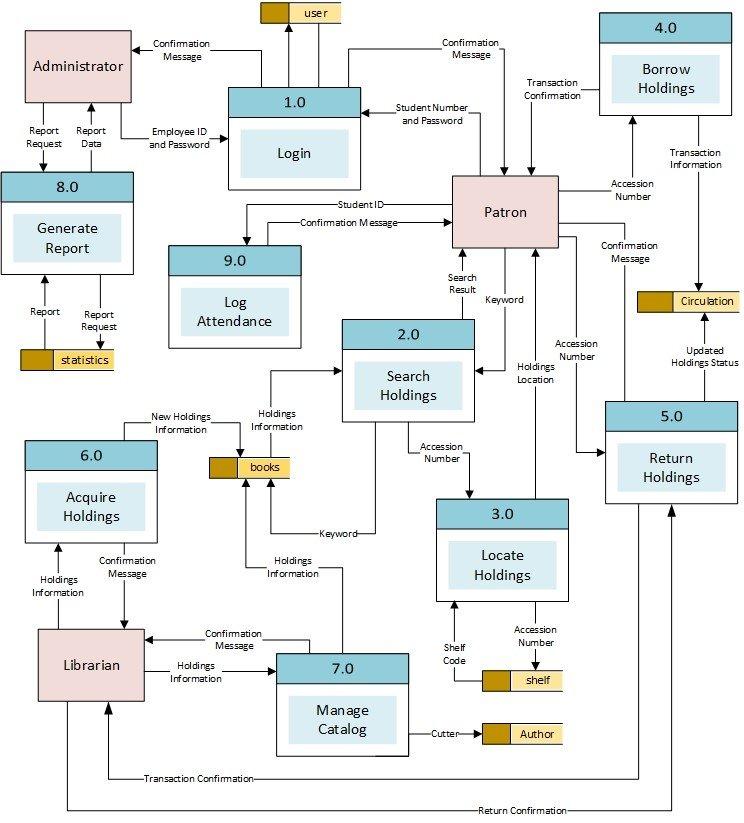
The data flow diagram (or model) is instrumental in the waterfall-based SSADM methodology and represents the flow of data through an information system in a graphical format. In this way, the data processing aspects of the system can be better understood, and a detailed analysis of the way information moves around the system, including its storage, can be derived. This is important for the UX’er because an understanding of how information moves, along with the kind of information that will be required by the system, indicates the type of inputs that will be required from the interface and thereby implies a certain interaction and behaviour that will be exhibited by the user. The data flow diagram provides no information about the timing or ordering of processors, or whether processes will operate in sequential or parallel, this differentiates it from a standard flowchart.
The control flow diagram represents a sequence of subdivided steps often representing well-known programming concepts such as if-then-else conditions, repetition, and/or case conditions. Annotated boxes and shapes are used to represent operations, data, or equipment, and as with the standard flowchart, arrows are used to indicate the sequential flow from one to another. There are several types of control flow diagrams used: configuration decision control flow diagram are used in configuration management; quality control flow diagram are used in quality control; change control flow diagram are used in project management; and process control flow diagrams are used in the software engineering practice. Obviously the last two types of flow chart diagram, change and process, can be used and adapted in the UCD process and are useful tools for understanding behavioural aspects of the software engineering system in the large. In software and systems development control flow diagrams can be used in control flow analysis, data flow analysis, algorithm analysis, and simulation. Control and data flow analysis are most applicable for real time and data driven systems. In reality these flow analyses, transform logic and data requirements text into graphical flows that are easier to analyse, and convey to the software engineer, than the text itself.
Each of these different flow diagramming techniques are useful in-and-of themselves, however, in combination the flowchart, data flow diagram, and control flow diagram of very effective in conveying human facing aspects of the system in the context of the input and output requirements of that system.
7.3.2 State Transition Diagram
A state transition diagram, also known as a state diagram, is different from flowcharting because each node of the diagram represents a specific system state, not a fact within that system, and is used to describe the behaviour of a system. This behaviour is analysed and represented as a series of events that could occur in one or more possible states. State transition diagrams require that the system be composed of a finite number of states which in some cases are true and tangible states and at other times are more abstract. Diagrams are made up of nodes and arcs (circles with connecting arrows). Each node is divided in half with the state being written in bold within the top half, and the entry action written with in the bottom half. This entry action specifies the state that must currently exist for this new state to be entered. The directed arrows represent transitions between states, and these are all labelled with the transition condition. There are many forms of state diagrams which differ slightly and have different semantics. One such possible representation is the state transition table.
State transition tables are normally two-dimensional, most commonly with a series of events denoted as the columns and a series of states denoted as the rows. At the intersection of the state and event, a specific action is denoted along with the new state that will be reached if that action is undergone. A second, but a less common way of denoting the table, is that the next state is denoted within the column and the current state is denoted within the row. The intersection of these two states has the action, and the event placed within it.
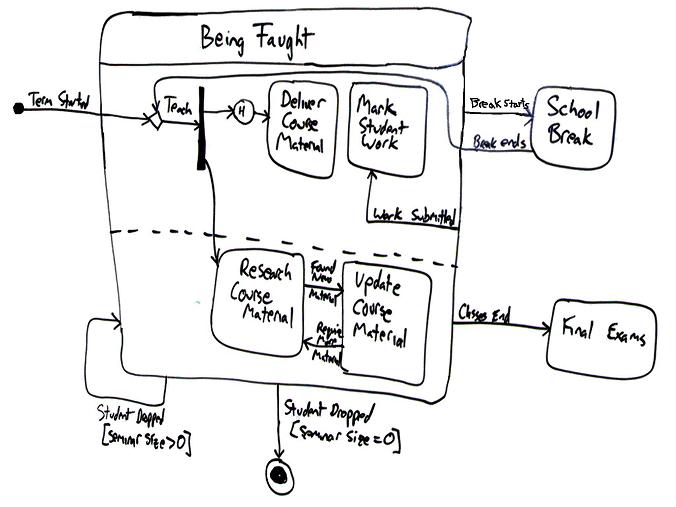
State transition diagrams and tables are used to specify any behaviour a system may exhibit (see Figure: State Transition Diagram). This may be changed within the program logic or within the actual user interface itself. Within the context of the UCD, state transition diagrams and tables can be used to specify the user-facing aspects of the system and the states that the interface should move between as the user’s interactive behaviour involves. It is therefore very easy to understand how the system should be left after specific events have occurred and, therefore, it is easy to test if those events and conditions have been met in a rigorous and specific way. This kind of technique also dovetails into the natural engineering processes that will be familiar to most software engineers and means that it is a powerful technique for conveying interactive behaviours between the UX domain and the software engineering domain.
7.3.3 The Unified Modelling Language (UML)
UML was developed in the mid-1990s to overcome the problems with other diagrammatic representations of object-oriented software 35. Since then it has to evolved and has become the most popular modelling language within the software engineering process and has been extended from its initial object-oriented focus to enable an entire system to be modelled. It includes primitives to represent use case diagrams, class and package diagrams, sequence and state machine diagrams, communication, components, and deployment diagrams along with activity diagrams and diagrammatic conventions associated with database creation and relational modelling. In this case, it is highly likely that any software engineer creating modern applications will understand the modelling language, and what is more there are many tools for describing UML models and some tools that generate software from these descriptions. In this case, UML models may be automatically transformed to other representations (e.g. Java) using Query/View/Transformation QVT-like transformation languages. UML is a de facto industry standard and is evolving under the auspices of the Object Management Group with many industry leaders helping create the standard. Finally, UML is extensible, offering profiles and stereotypes as the main mechanisms for customisation.
Many books have been written describing UML (and there are many different diagrammatic notations, see Figure: UML Diagram Collage), all running into hundreds of pages, and so attempting a complete description here would be ineffectual. However, a brief overview of the diagrammatic conventions specifically focused to the user-facing aspects may be worth considering; in this way you will be able to read at least these diagrams and have a certain level of understanding as to their meaning. The most common UML modelling element is called the class diagram and looks like a rectangular box divided into three separate sections, at the top the name of the class is given, in the central part each variable is listed, and in the bottom part the methods that work on those variables are described. Next to each definition you may see a plus symbol (+) describe public access, a hash symbol (#) describes protected access, a minus symbol (-) to describe private access, and a tilde (~) to describe a package. A diagram resembles many these rectangular boxes linked together via directed arrows with additional diagrammatic primitives of a stick man representing an actor. A circle with an arrow at the top representing a process/controller class, a circle resting upon a horizontal line representing a domain class, a circle with the letter T placed at the ‘nine o’clock position’ representing and interface class, and finally a horizontal line representing an association. Notes can be added to diagrams in the form of a rectangular box with the top right corner folded over, and a UML frame, which is a bounding box, can be used to logically group aspects of the diagrammatic components together. Finally, the diagramming primitive called a stereotype is signified by its name being written in lowercase between double greater than and less than symbols (< >). The stereotype primitive is used to denote a variation on an existing modelling element, with the same form, but with a modified intent; in object-oriented languages these can often be used to signify inheritance classes.
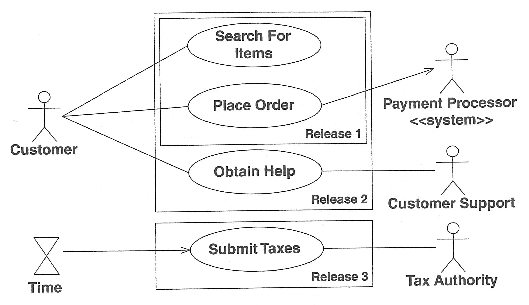
The most important aspect for the UX’er is the UML use case diagram (see Figure: UML Use Case Example). Use case diagrams show relationships among actors and use cases within a system. They provide an overview of usage requirements, communicate the scope of a development project, and model the analysis of usage requirements in the form of a system use case model. Use case names often begin with a strong verb such as ‘open’, ‘close’, ‘save’, ‘deposit’, or ‘withdraw’, etc. Moreover, are normally represented by an actor being linked to a series of oval ‘boxes’ containing the use cases. Use cases that are stacked in a vertical manner imply a sequenced top to bottom. Use cases can be enclosed in rectangles to imply a logical grouping; an actor should be drawn outside of these use case grouping elements. An actor can be associated with one or more use cases, and a single use case can be associated with more than one actor. Associations may exist between an actor and a use case and two use cases, and a generalisation can likewise exist between two actors, or between two use cases. Stereotypes are represented using broken lines to make these connections, with the standard stereotype convention being written next to that line. Also, conditions can be placed upon the associations, and these are denoted by joining that association with a standard note. There are very many more aspects of the mapping of use case diagrams in UML than can be described here. However, this brief synopsis should help you get started and enable you to derive some understanding from informal diagrams you may come across.
As we have seen, more formal modelling can be an important part of the UCD/software creation process, particularly when trying to convey rigorous information regarding user-facing aspects of the system. This is mainly because this kind of information is difficult to quantify especially because users are notoriously flexible and inconsistent in their approaches to applications and systems use.
7.4 Summary
This chapter has highlighted the methods of communication to enable a formal dialogue to be entered into between users, UX’er, and the software engineer. In this way, the needs of the users can be accurately communicated between both parties.
Interestingly, interaction design is at the forefront of Web development because there is no common interface or set of interface tools applicable to the many different needs of the Web user. In this case, it can be seen that the Web provides a blank canvas for the interaction designer and enables many different design and interaction modalities or schemas to be applied. This is in stark contrast to a standard desktop applications that force the user into certain standardised practices as discussed above.
Designing the interaction is usually accomplished in combination with user experience specialists as well as graphic designers and interface engineers. Because this is an interdisciplinary process, there are very few fixed modelling techniques for designing these interactions. Often the most basic methods are used which would apply to all, and in many cases whiteboards and chalkboards are used to discuss possible layouts with post-it notes used to order functionality and design and events within the framework. Storyboarding techniques may also be used to relate better the intended interactions, and the graphic designer may flesh out these models with some initial ideas about how the interface should look or be skinned.
Remember, “In all cases you must think: what information do I need to build a system, how can I get this information, and how can I disseminate this information into the software engineering process, once acquired?”
7.4.1 Optional Further Reading
- [B. Buxton] Sketching user experiences: getting the design right and the right design. Morgan kaufmann, 2010.
- [A. Cockburn.] Writing effective use cases. Addison-Wesley, Boston, 2001.
- [M. Cohn.] User stories applied: for agile software development. Addison-Wesley, Boston, 2004.
- [R. Krum] Cool infographics: Effective communication with data visualization and design. John Wiley & Sons, 2013.
- [B. Shneiderman] Designing the user interface: strategies for effective human- computer interaction. Addison-Wesley, Reading, Mass. 1987 (this is a famous book now in its fourth edition)
7.4.2 International Standards
- [ISO 9241-210:2010.] Ergonomics of human-system interaction – part 210: Human-centred design for interactive systems. TC/SC: TC 159/SC 4 ICS: 35.180; 13.180 / Stage: 60.60 (2010-03-03), International Organisation for Standardisation (ISO), Geneva, Switzerland, 2010.