
The Leanpub 60 Day 100% Happiness Guarantee
Within 60 days of purchase you can get a 100% refund on any Leanpub purchase, in two clicks.
See full terms...
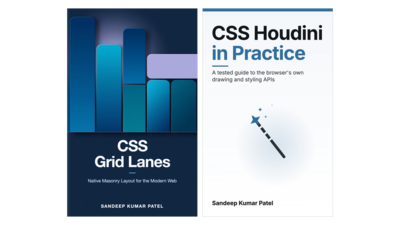
Learn advance CSS feature like Grid Lanes, Houdini API.
1. Native Masonry Layout for the Modern Web.
2. CSS Houdini promised to let developers extend the browser's own styling engine. Ten years on, its five APIs have had five very different fates. @property works in every browser and is one of the most useful additions to CSS in years. The Typed OM works everywhere except Firefox. The Paint API runs only in Chrome and Edge. The Layout API and Animation Worklet never shipped, and native CSS now covers most of what people wanted them for.
Bought separately
$21.00
$13.00
About the Bundle
Learn advance CSS feature like Grid Lanes, Houdini API.
1. Native Masonry Layout for the Modern Web.
2. CSS Houdini promised to let developers extend the browser's own styling engine. Ten years on, its five APIs have had five very different fates. @property works in every browser and is one of the most useful additions to CSS in years. The Typed OM works everywhere except Firefox. The Paint API runs only in Chrome and Edge. The Layout API and Animation Worklet never shipped, and native CSS now covers most of what people wanted them for.
About the Books

Cards of different heights that fit together without gaps, like a photo wall, used to need a JavaScript library or CSS tricks. With CSS Grid Lanes you build them in a few lines of CSS, starting with display: grid-lanes.
This book teaches it by building one project, a photo gallery. You start with a plain grid that leaves gaps, and you finish with a responsive gallery that works for keyboard and screen-reader users and still looks right in browsers without support.
Grid Lanes is new, and browsers do not agree on everything yet. Where they differ, the book shows the measurement instead of guessing.
Key Features
display: grid-lanes, and test it with a short scriptflow-tolerance to settle ties between lanes@supports and ship a fallback for every browsercontent-visibility without breaking the layoutWho this book is for
Front-end developers who are comfortable with HTML and CSS and have used Flexbox and CSS Grid. You do not need to have used a masonry library or to know anything about Grid Lanes. If your Grid is rusty, Chapter 2 covers what the rest of the book relies on. Two chapters include short JavaScript, for a fallback and for testing, and both are explained line by line.

CSS Houdini promised to let developers extend the browser's own styling engine. Ten years on, its five APIs have had five very different fates. @property works in every browser and is one of the most useful additions to CSS in years. The Typed OM works everywhere except Firefox. The Paint API runs only in Chrome and Edge. The Layout API and Animation Worklet never shipped, and native CSS now covers most of what people wanted them for.
In this practical book, Sandeep Kumar Patel shows you which parts of Houdini to build on today, which to use with care, and what to use instead. You learn by building: every chapter hands you a copy of the same small app, Gauge, an analytics panel with stat cards, sparklines, ring meters and a theme switch, exactly as the previous chapter left it, and you add that chapter's feature a few lines at a time, checking each step in the browser. Where the obvious code goes wrong, you write it, watch it fail, and fix it.
With this book, you'll:
@propertydisplay: grid-lanes and animation-timeline: scroll()
Every step of every chapter is a real file, run automatically in Chrome, Firefox and Safari's engine to confirm it does what the page says, and every browser-support claim is dated and traced to its source. You need only the basics of HTML, CSS and JavaScript. The complete code, including a starting copy of the app for every chapter, is a free download.
Within 60 days of purchase you can get a 100% refund on any Leanpub purchase, in two clicks.
See full terms...
We pay 80% royalties on purchases of $7.99 or more, and 80% royalties minus a 50 cent flat fee on purchases between $0.99 and $7.98. You earn $8 on a $10 sale, and $16 on a $20 sale. So, if we sell 5000 non-refunded copies of your book for $20, you'll earn $80,000.
(Yes, some authors have already earned much more than that on Leanpub.)
Learn more about writing on Leanpub
If you buy a Leanpub book, you get free updates for as long as the author updates the book! Many authors use Leanpub to publish their books in-progress, while they are writing them. All readers get free updates, regardless of when they bought the book or how much they paid (including free).
Most Leanpub books are available in PDF (for computers) and EPUB (for phones, tablets and Kindle). The formats that a book includes are shown at the top right corner of this page.
Finally, Leanpub books don't have any DRM copy-protection nonsense, so you can easily read them on any supported device.
Learn more about Leanpub's ebook formats and where to read them
You can use Leanpub to easily write, publish and sell in-progress and completed ebooks and online courses!
Leanpub is a powerful platform for serious authors, combining a simple, elegant writing and publishing workflow with a store focused on selling in-progress ebooks.
Leanpub is a magical typewriter for authors: just write in plain text, and to publish your ebook, just click a button. (Or, if you are producing your ebook your own way, you can even upload your own PDF and/or EPUB files and then publish with one click!) It really is that easy.