
- Preface
- Chapter 1: The Masonry Problem
- 1.1 What masonry layout is
- 1.2 Why CSS Grid cannot do it
- 1.3 How the web worked around it
- 1.4 Enter Grid Lanes
- 1.5 Where things stand today
- 1.6 Meet the Lanes Gallery
- 1.7 Summary
- Chapter 2: A Grid Refresher
- 2.1 Tracks, lines, and cells
- 2.2 Sizing tracks
- 2.3 Letting the browser count the tracks
- 2.4 Placing items
- 2.5 Implicit tracks and alignment
- 2.6 Subgrid
- 2.7 Summary
- Chapter 3: Your First Lanes Layout
- 3.1 One display value, two spellings
- 3.2 A grid lane with no lanes
- 3.3 Defining the lanes
- 3.4 The grid axis and the stacking axis
- 3.5 Adding gaps
- 3.6 Inline grid lanes
- 3.7 Project checkpoint: the Lanes Gallery
- 3.8 Summary
- Chapter 4: How Items Get Packed
- 4.1 The placement rule, step by step
- 4.2 Ties and the cursor
- 4.3 Spanning lanes
- 4.4 Pinning an item to a lane
- 4.5 Source order and the
orderproperty - 4.6 A model you can test
- 4.7 Project checkpoint: featured cards
- 4.8 Summary
- Chapter 5: Taming the Flow
- 5.1 What
flow-tolerancemeasures - 5.2 Why ties need a tolerance
- 5.3 Choosing a value
- 5.4 Large values and the trade-off
- 5.5 A property with a changing name
- 5.6 Project checkpoint: tuning the gallery
- 5.7 Summary
- 5.1 What
- Chapter 6: Choosing an Axis: Rows vs. Columns
- 6.1 Building row lanes
- 6.2 Everything is symmetrical
- 6.3 Choosing between rows and columns
- 6.4 The orientation properties and why to avoid them
- 6.5 Reading direction
- 6.6 Switching axes with a media query
- 6.7 Project checkpoint: the filmstrip
- 6.8 Summary
- Chapter 7: Sharing Lanes with Subgrid
- 7.1 Subgrid in the grid axis
- 7.2 What subgrid does to padding and gaps
- 7.3 Nesting a grid lane inside a grid lane
- 7.4 Subgrid in the stacking axis
- 7.5 Where subgrid works, at a glance
- 7.6 Project checkpoint: aligned captions
- 7.7 Summary
- Chapter 8: Building Responsive Masonry
- 8.1 How many lanes?
- 8.2 Controlling lane width
- 8.3 Container queries instead of media queries
- 8.4 Queries inside cards
- 8.5 What to change at which size
- 8.6 Project checkpoint: the responsive gallery
- 8.7 Summary
- Chapter 9: The Reading Order Problem
- 9.1 Why masonry has a reading order problem
- 9.2 Seeing the problem
- 9.3 Mitigation 1: write the HTML in the order that matters
- 9.4 Mitigation 2: tune the tolerance
- 9.5 Mitigation 3:
reading-flow - 9.6 Mitigation 4: switch layout on keyboard focus
- 9.7 Testing: keyboard, screen reader, and a script
- 9.8 Project checkpoint: auditing the gallery
- 9.9 Summary
- Chapter 10: Falling Back Gracefully
- 10.1 Who gets Grid Lanes today
- 10.2 What an unsupported browser does
- 10.3 Detecting support with
@supports - 10.4 Choosing a fallback
- 10.5 A JavaScript fallback
- 10.6 Testing the fallback in real browsers
- 10.7 Project checkpoint: the gallery everywhere
- 10.8 Summary
- Chapter 11: Gallery Patterns in Practice
- 11.1 Photographs that do not jump
- 11.2 Mixing text and images
- 11.3 Items that span every lane
- 11.4 Putting it all together
- 11.5 Project checkpoint: the finished gallery
- 11.6 Summary
- Chapter 12: Shipping the Gallery
- 12.1 Performance: measure, do not assume
- 12.2
content-visibility: when it helps and when it breaks - 12.3 A cross-browser test matrix
- 12.4 Before and after
- 12.5 Where the specification goes next
- 12.6 Shipping checklist
- 12.7 Summary
- Assessments
- About the Author
CSS Grid Lanes
Native Masonry Layout for the Modern Web

This book is 100% completeLast updated on 2026-10-11
Cards of different heights, packed into columns with no gaps, are one of the oldest layouts on the web, and until now they needed a JavaScript library. Safari 26.4 builds them in CSS with display: grid-lanes. This book teaches the feature by building one photo gallery, from a broken start to a layout you can ship.
Minimum price
$7.00
$9.00
You pay
Author earns
Buying multiple copies for your team? See below for a discount!
PDF
EPUB
About
About the Book
Book Description
What you will learn
Cards of different heights that fit together without gaps, like a photo wall, used to need a JavaScript library or CSS tricks. With CSS Grid Lanes you build them in a few lines of CSS, starting with display: grid-lanes.
This book teaches it by building one project, a photo gallery. You start with a plain grid that leaves gaps, and you finish with a responsive gallery that works for keyboard and screen-reader users and still looks right in browsers without support.
Grid Lanes is new, and browsers do not agree on everything yet. Where they differ, the book shows the measurement instead of guessing.
Key Features
- Build one project, a photo gallery, from a plain CSS Grid that leaves gaps to a finished masonry layout
- Learn the exact placement rule behind
display: grid-lanes, and test it with a short script - Handle what masonry does to keyboard and screen-reader order, and fall back cleanly in browsers without support
- Every number and claim in the book is checked by a script in WebKit, Chromium and Firefox, and every screenshot is captured from the running project
What you will learn
- Explain why CSS Grid cannot produce masonry and what the web did instead
- Build grid lanes in columns and in rows, and switch between them with a media query
- Predict where every item lands using the placement rule, spanning and pinning
- Tune
flow-toleranceto settle ties between lanes - Align captions across a layout with subgrid, and know where subgrid stops working
- Count lanes, prevent overflow, and use container queries for responsive masonry
- Reduce the keyboard and screen-reader order problem, and test for it with a script
- Detect support with
@supportsand ship a fallback for every browser - Measure performance and use
content-visibilitywithout breaking the layout
Who this book is for
Front-end developers who are comfortable with HTML and CSS and have used Flexbox and CSS Grid. You do not need to have used a masonry library or to know anything about Grid Lanes. If your Grid is rusty, Chapter 2 covers what the rest of the book relies on. Two chapters include short JavaScript, for a fallback and for testing, and both are explained line by line.
Team Discounts
Team Discounts
Get a team discount on this book!
Up to 3 members
- Minimum price
- $17.00
- Suggested price
- $22.00
Up to 5 members
- Minimum price
- $28.00
- Suggested price
- $36.00
Up to 10 members
- Minimum price
- $49.00
- Suggested price
- $63.00
Up to 15 members
- Minimum price
- $70.00
- Suggested price
- $90.00
Up to 25 members
- Minimum price
- $105
- Suggested price
- $135
Bundles
Bundles that include this book
Advance CSS
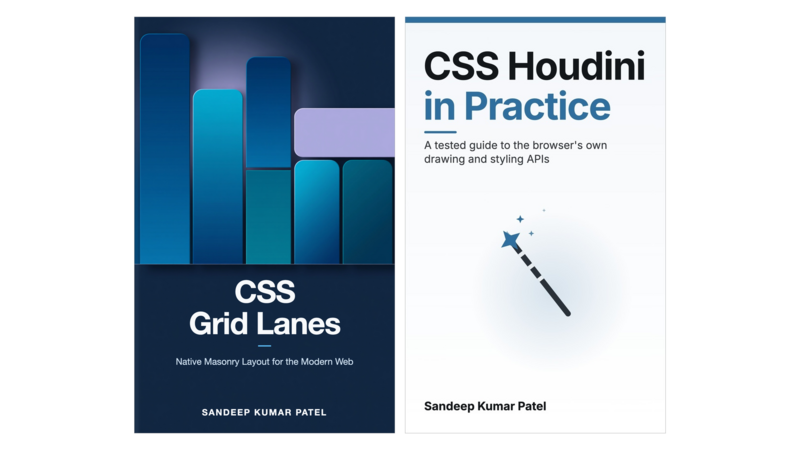
2 Books
- Pricing
$13.00
Minimum priceBought separately$21.00Suggested price$13.00
Master Frontend bundle
23 Books
- Pricing
$250
Minimum priceBought separately$299Suggested price$300
Author
About the Author

Sandeep Kumar Patel
Sandeep Kumar Patel is a senior web developer with more than 17 years of experience building web applications in object-oriented JavaScript and JSON. In 2012 he founded tutorialsavvy, a programming blog that developers have been reading ever since.
He is GATE-2005 Information Technology (IT) qualified and holds a Master's degree from VIT University, Vellore.
Contents
Table of Contents
Get the free sample chapters
Click the buttons to get the free sample in PDF or EPUB, or read the sample online here
The Leanpub 60 Day 100% Happiness Guarantee
Within 60 days of purchase you can get a 100% refund on any Leanpub purchase, in two clicks.
See full terms...
Earn $8 on a $10 Purchase, and $16 on a $20 Purchase
We pay 80% royalties on purchases of $7.99 or more, and 80% royalties minus a 50 cent flat fee on purchases between $0.99 and $7.98. You earn $8 on a $10 sale, and $16 on a $20 sale. So, if we sell 5000 non-refunded copies of your book for $20, you'll earn $80,000.
(Yes, some authors have already earned much more than that on Leanpub.)
Learn more about writing on Leanpub
Free Updates. DRM Free.
If you buy a Leanpub book, you get free updates for as long as the author updates the book! Many authors use Leanpub to publish their books in-progress, while they are writing them. All readers get free updates, regardless of when they bought the book or how much they paid (including free).
Most Leanpub books are available in PDF (for computers) and EPUB (for phones, tablets and Kindle). The formats that a book includes are shown at the top right corner of this page.
Finally, Leanpub books don't have any DRM copy-protection nonsense, so you can easily read them on any supported device.
Learn more about Leanpub's ebook formats and where to read them
Write and Publish on Leanpub
You can use Leanpub to easily write, publish and sell in-progress and completed ebooks and online courses!
Leanpub is a powerful platform for serious authors, combining a simple, elegant writing and publishing workflow with a store focused on selling in-progress ebooks.
Leanpub is a magical typewriter for authors: just write in plain text, and to publish your ebook, just click a button. (Or, if you are producing your ebook your own way, you can even upload your own PDF and/or EPUB files and then publish with one click!) It really is that easy.