

- Chapter 1: Meet JavaScript
- Three languages, three jobs
- Where JavaScript runs
- Your first JavaScript: the console
- Printing messages with console.log()
- Adding JavaScript to a web page
- Running a local server
- The rules of the language
- Reading error messages
- A first taste of superpowers
- Chapter 2: Values and Variables
- Values and types
- Variables: giving values a name
- Strings: working with text
- Numbers: working with maths
- Strings and numbers don’t always mix
- Nothing: undefined and null
- Chapter 3: Making Decisions
- Comparing values
- if: doing something only sometimes
- Getting the real time
- Combining conditions
- Truthy and falsy
- The conditional operator
- switch: matching one value
- Chapter 4: Functions
- What is a function?
- Parameters: giving a function information
- return: getting an answer back
- Arrow functions
- Scope: where variables live
- Functions are values
- Chapter 5: Arrays and Loops
- What is an array?
- Adding and removing items
- Loops: doing something for every item
- Searching arrays
- Array methods that take a function
- Between strings and arrays: split and join
- Chapter 6: Objects
- What is an object?
- Methods: objects that do things
- Arrays of objects
- Destructuring: unpacking values
- Spread: copying and combining
- Missing values: ?. and ??
- JSON: data you can save and send
- Chapter 7: The DOM: JavaScript Meets the Page
- What is the DOM?
- Finding elements
- Changing text
- Changing attributes
- Changing classes and styles
- Nova’s first DOM features
- Creating new elements
- Chapter 8: Events: Reacting to Visitors
- What is an event?
- Common events
- The event object
- Buttons for actions, links for navigation
- Nova’s theme button
- Event delegation
- Nova’s project filters
- Chapter 9: Smarter Forms
- Start with HTML
- Reading form fields
- A live character counter
- The submit event
- Friendly error messages
- Thanking the visitor
- Chapter 10: Saving and Loading Data
- Remembering things with localStorage
- Things that take time
- Loading data with fetch
- Handling errors: try and catch
- Copying to the clipboard
- Sending a form with fetch
- Chapter 11: Modules and Pro Habits
- Why modules?
- Debugging like a professional
- Pro habits
- Publishing the finished site
- Where to go next
Super Script
A Beginner's Guide to JavaScript

This book is 100% completeLast updated on 2026-11-05
Make your website do things: buttons that react, forms that help, and pages that remember. No programming experience needed.
Minimum price
$14.00
$14.00
You pay
Author earns
PDF
About
About the Book
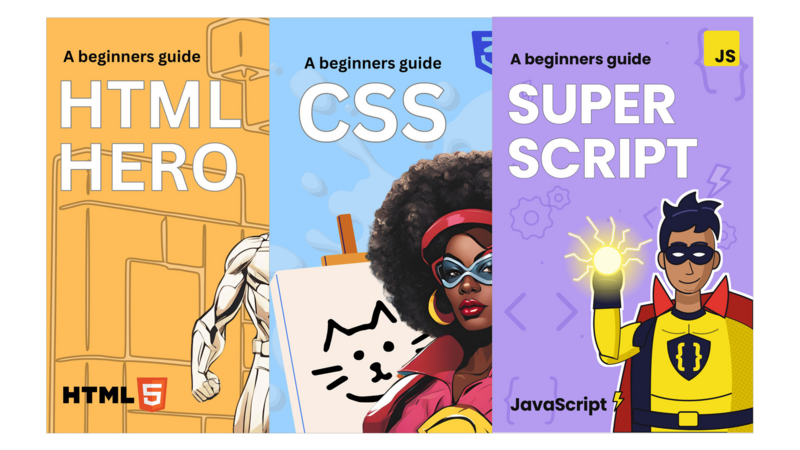
HTML gives a website structure and CSS gives it style. JavaScript gives it behavior: the button that switches on dark mode, the form that tells you kindly what you missed, the list that filters itself as you click. Super Script teaches modern JavaScript from the very beginning, one idea at a time. You try each idea straight away and use it to add a real feature to a real website.
Who it's for- Beginners who know some HTML and CSS. (New to both? Start with HTML Hero and Captain CSS.)
- Designers who want to make their designs interactive
- Self-taught coders who copied JavaScript snippets and want to finally understand them
- Anyone curious about programming. JavaScript is a friendly first language, and what you learn carries over to others.
- 156 pages, 11 chapters in two halves. Chapters 1 to 6 teach the language in the browser console: values, variables, decisions, functions, arrays, loops and objects. Chapters 7 to 11 connect it to the page: the DOM, events, smarter forms, saving and loading data, and modules.
- A hands-on mission, a recap and a quick quiz in every chapter, with all the answers
- Debugging habits, plus how to read error messages without panicking
- A JavaScript cheat sheet and a glossary
- The finished project files (ZIP), with every JavaScript file commented and linked to the chapter that explains it
You bring the website from the first two books to life, one feature per chapter:
- a greeting that changes with the time of day
- a light and dark theme button that remembers each visitor's choice
- filter buttons that show only the projects for one skill
- extra project cards loaded from a data file
- a contact form with friendly error messages, a live character counter and a thank-you note
- a one-click "Copy email address" button
Then you publish the finished site online.
FAQ- Do I need the first two books? Not if you can already build and style a basic page. The styled starter site is in the project files.
- What do I need? A computer, an up-to-date browser and Visual Studio Code, which is free. Chapter 1 shows you how to run a simple local server.
- Is this modern JavaScript? Yes. It was written in 2026 and teaches today's JavaScript: const and let, arrow functions, modules, fetch, and the ?. and ?? operators.
- What format is it? A PDF you can read on any device, plus a ZIP of project files.
- Questions? Email support.olliecode@gmail.com.
Bundle
Bundles that include this book
- Pricing
$34.00
Minimum priceBought separately$42.00Suggested price$34.00
Author
About the Author
Contents
Table of Contents
The Leanpub 60 Day 100% Happiness Guarantee
Within 60 days of purchase you can get a 100% refund on any Leanpub purchase, in two clicks.
See full terms...
Earn $8 on a $10 Purchase, and $16 on a $20 Purchase
We pay 80% royalties on purchases of $7.99 or more, and 80% royalties minus a 50 cent flat fee on purchases between $0.99 and $7.98. You earn $8 on a $10 sale, and $16 on a $20 sale. So, if we sell 5000 non-refunded copies of your book for $20, you'll earn $80,000.
(Yes, some authors have already earned much more than that on Leanpub.)
Learn more about writing on Leanpub
Free Updates. DRM Free.
If you buy a Leanpub book, you get free updates for as long as the author updates the book! Many authors use Leanpub to publish their books in-progress, while they are writing them. All readers get free updates, regardless of when they bought the book or how much they paid (including free).
Most Leanpub books are available in PDF (for computers) and EPUB (for phones, tablets and Kindle). The formats that a book includes are shown at the top right corner of this page.
Finally, Leanpub books don't have any DRM copy-protection nonsense, so you can easily read them on any supported device.
Learn more about Leanpub's ebook formats and where to read them
Write and Publish on Leanpub
You can use Leanpub to easily write, publish and sell in-progress and completed ebooks and online courses!
Leanpub is a powerful platform for serious authors, combining a simple, elegant writing and publishing workflow with a store focused on selling in-progress ebooks.
Leanpub is a magical typewriter for authors: just write in plain text, and to publish your ebook, just click a button. (Or, if you are producing your ebook your own way, you can even upload your own PDF and/or EPUB files and then publish with one click!) It really is that easy.