Introduction
Welcome!
Hi there. Congratulations on being interested enough in the process of measuring and learning about the world around you to have gotten your hands on this book.
If you haven’t guessed already, this will be a journey of discovery for both of us. I have grand plans to ‘play’ with computers and use them to know a bit more about what is happening in the physical environment. I know that this sort of effort has been done already by others, but I want to go a little farther and provide the ability to capture data, to store it in a flexible way and to interact with it as well.
Ambitious? Perhaps :-). But I’d like to think that if you’re reading this, perhaps I managed to make some headway. I dare say that like other books I have written (or are in the process of writing) they will remain a work in progress. They are living documents, open to feedback, comment, expansion, change and improvement. Please feel free to provide your thoughts on ways that I can improve things. Your input would be much appreciated.
You will find that I have typically eschewed a simple “Do this approach” for more of a story telling exercise. This means that some explanations are longer and more flowery than might be to everyone’s liking, but there you go, try to be brave :-)
I’m sure most authors try to be as accessible as possible. I’d like to do the same, but be warned… There’s a good chance that if you ask me a technical question I may not know the answer. So please be gentle with your emails :-).
Email: d3noobmail+rpi@gmail.com
What are we trying to do?
Put simply, we are going to measure some aspect of the physical world, store the measured values in a database and then make them available to explore. We will refer to the steps as ‘Measure’, ‘Record’ and ‘Explore’ or M.R.E.
Measure
The measurement process will involve using a means of sensing some aspect of the physical world (such as temperature, pressure, movement, levels) and working out how we can use a minimalist computing element to carry out this task. For the most part, we’ll use a Raspberry Pi as the measurement, recording and presentation device (although we will look at other options). The Raspberry Pi is an exceptionally small single board computer that has become almost the defacto standard for smaller computing projects and learning.
Record
Once we have measured something it seems a shame to lose that information. So instead we will store it in a database. We’ll use a MySQL database and configure it so that the measurement process can store the information directly to it.
Explore
Once we have all this data it would be a shame not to be able to do something with it, so we will build a simple system for recalling and visualising the data via a web page. With this in place you will be able to browse to your data on your home network.
Who is this book for?
You!
Just by virtue of taking an interest and getting hold of a copy of this book you have demonstrated a desire to learn, to explore and to challenge yourself. That’s the most important criteria you will want to have when trying something new. Your experience level will come second place to a desire to learn.
Having said that, it may be useful to be comfortable using the Windows operating system (I’ll be using Windows 7 for the set-up of the devices since that would probably classify as (currently) the world’s most ubiquitous operating system), you should be aware of Linux as an alternative operating system, but you needn’t have tried it before. If you know anything about electronics it will help, but we’ll break anything tricky down into bite sized chunks. If you’ve done any programming before that will be useful, but again, we’ll make it easy and spell out what’s going on as it comes up. The best thing to remember is that before you learn anything new, it pretty much always appears indistinguishable from magic, but once you start having a play, the mystery quickly falls away.
What tools / equipment will we use?
To accomplish our goals we are going to use a range of tools and pieces of equipment. They will all be low cost or free. The idea is that the price of the equipment should not be a major impediment to learning how all this goes together. Hopefully this book should also shorten the selection process for working out which parts you will need.
Raspberry Pi
In the words of the totally awesome Raspberry Pi foundation;
The Raspberry Pi is a low cost, credit-card sized computer that plugs into a computer monitor or TV, and uses a standard keyboard and mouse. It is a capable little device that enables people of all ages to explore computing, and to learn how to program in languages like Scratch and Python. It’s capable of doing everything you’d expect a desktop computer to do, from browsing the internet and playing high-definition video, to making spreadsheets, word-processing, and playing games.
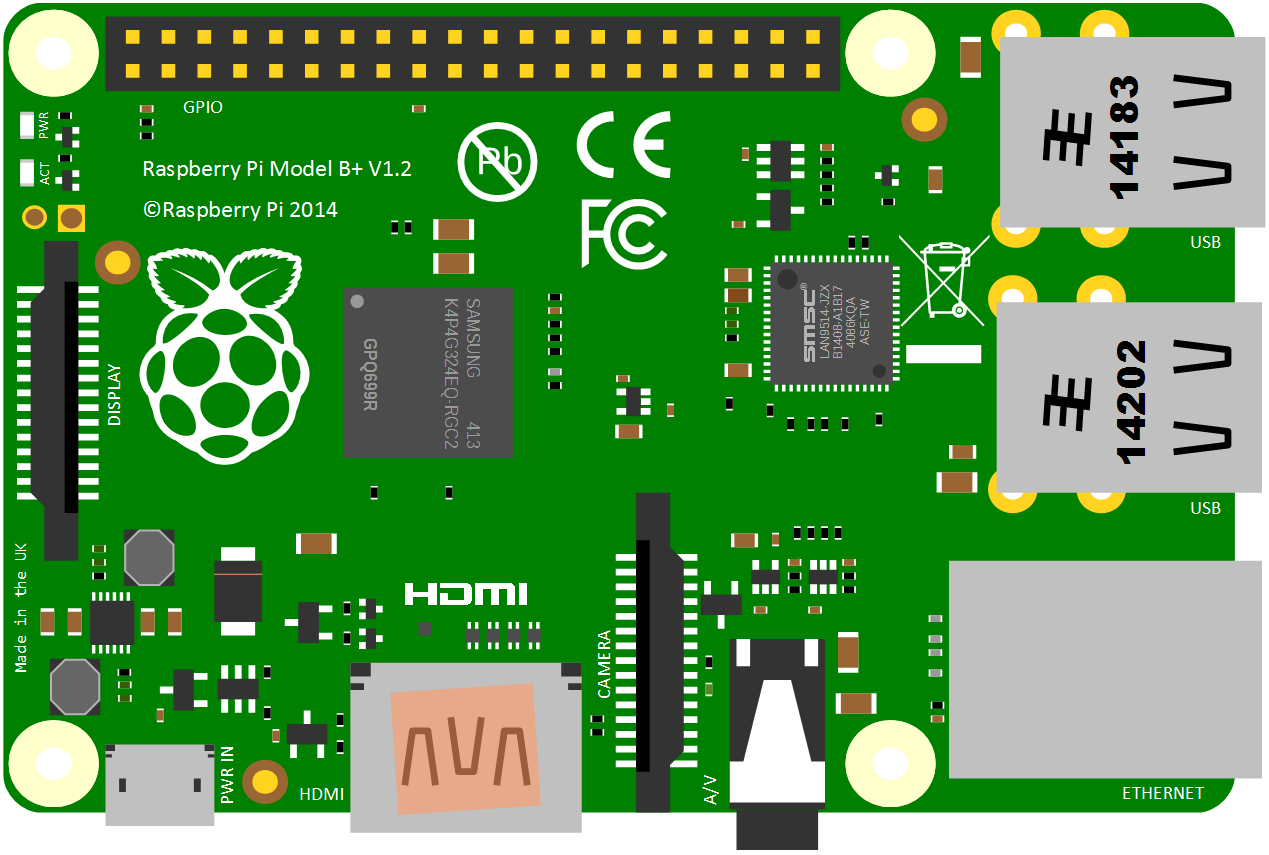
It really is an extraordinary device that is all the more extraordinary for the altruistic effort that brought it into being.
There are (at time of writing) five different models on the market. The A, B, A+, B+ and the ‘2 model B’ (which I’m just going to call the B2). The projects that we’ll follow will typically use either the the B+ or the B2 for no reason other than they offer a good range of USB ports (4), 512 or 1024 MB of RAM, an HMDI video connection, an Ethernet connection and 17 General Purpose Input / Output (GPIO) pins. For all intents and purposes either the B+ or B2 can be used interchangeably for the projects so long as the latest version of the Raspbian operating system is used (or at least one released on or after the 31st of January 2015).
There is a more detailed description in a later chapter where we can examine the specifications more closely, but for the purposes of each project we will describe what is required to know on a case by case basis.
MySQL
MySQL is an Open Source database supported by Oracle.
It would arguably be the world’s most popular database and while it has gone through some ‘interesting’ recent times following it’s acquisition by Oracle, it remains the standard by which other databases are measured.
Apache Web Server
The Apache HTTP Server project has been responsible for the development and maintenance of the most widely used web server on the internet. It is the standard for serving web content.
PHP
PHP is a scripting language for the web. That is to say that it is a programming language which is executed when you load web pages and it helps web pages do dynamic things.
PHP is executed remotely on the server that supplies the web page. This might sound a bit redundant, but it’s a big deal. This means that the PHP which is executed doesn’t form part of the web page, but it can form the web page. The implication here is that the web page you are viewing can be altered by the PHP code that runs on a remote server. This is the dynamic aspect of it.
Python
Python is a widely used general-purpose programming language. Its design philosophy supports code readability, and its syntax aims to allow programmers to express concepts in fewer lines of code than would be possible in many other languages. The language provides constructs intended to enable clear programs on both a small and large scale.
This has been the most popular language for users of the Raspberry Pi to interface with sensors, so we will use it as a matter of course.
JavaScript
JavaScript is what’s called a ‘scripting language’. It is the code that will be contained inside our web page that will allow us to do some neat graphical representations with our measured data.
d3.js

d3.js (hereafter abridged as D3) is “a JavaScript library for manipulating documents based on data”.
D3 stands for Data Driven Documents, which seems appropriate for the projects that we will undertake.
It’s an Open Source JavaScript library that is very popular as the framework for displaying information in a web browser. I might be slightly biased in using it here as I am also the author of the book D3 Tips and Tricks, which you can download for free from Leanpub.
Sensors
The act of measuring some physical aspect of the world around us with a computer requires us to find a way of converting a physical change in the environment into an electrical signal of some kind. These signals can take many forms and are supplied by sensors which act as the interface between the thing being measured and the computer. As we work through different things we want to measure we will describe each sensor and how it works.
Where can I get more information?
The Raspberry Pi as a concept has provided an extensible and practical framework for introducing people to the wonders of computing in the real world. At the same time there has been a boom of information available for people to use them. The following is a far from exhaustive list of sources, but from my own experience it represents a useful subset of knowledge.