
- Part I. Why
- 1. From chat to interfaces
- What you need
- What a text answer cannot do
- Three ways a model can produce an interface
- What the description has to look like
- Where OpenUI fits
- When not to use it
- A note on the name
- What we build
- Try it
- Pitfalls
- Summary
- Where to read more
- 2. How OpenUI works
- What you need
- The loop
- One request, traced
- The component library
- The system prompt
- Streaming and hoisting
- Errors are data
- Packages
- What happens after the first screen
- What the format costs
- Try it
- Pitfalls
- Summary
- Where to read more
- 1. From chat to interfaces
- Part II. The language and the library
- 3. OpenUI Lang
- What you need
- Statements
- Component calls
- References, hoisting and the root
- What else is in the language
- Streaming
- What the parser does with wrong input
- Token economics
- Try it
- Pitfalls
- Summary
- Where to read more
- 4. Designing a component library
- What you need
- What the model reads
- The demo's library
- Rules for a library the model can use
- What catalog size costs
- One library, two renderers
- Using the built-in library, and others
- Try it
- Pitfalls
- Summary
- Where to read more
- 5. Prompts the model can follow
- What you need
- What is in a generated prompt
- The experiment
- Examples matter most
- Rules did not show an effect on structure
- Whether examples get copied
- The same prompt on a smaller model
- A taxonomy of failures
- Sending the errors back
- A procedure
- Try it
- Pitfalls
- Summary
- Where to read more
- 3. OpenUI Lang
- Part III. Build it
- 6. Rendering and streaming
- What you need
- What the renderer takes
- What the user sees, and when
- What re-parsing costs
- Loading, errors and what stays on screen
- Chat surfaces
- Stored messages
- Try it
- Pitfalls
- Summary
- Where to read more
- 7. Interactivity and data
- What you need
- Four constructs
- Actions
- The data lab
- A model writing data-bound screens
- Choosing between a binding and a model turn
- Try it
- Pitfalls
- Summary
- Where to read more
- 8. Backends and agents
- What you need
- The route
- What the route adds
- When the client leaves
- When the model server fails
- What the client may send
- Where the prompt is built
- Two meanings of "tool"
- Frameworks and agents
- Try it
- Pitfalls
- Summary
- Where to read more
- 9. Beyond React
- What you need
- The runtimes and their versions
- A script tag
- Vue
- Choosing
- Try it
- Pitfalls
- Summary
- Where to read more
- 6. Rendering and streaming
- Part IV. Production
- 10. Safety and reliability
- What you need
- Where the risk is
- What the allow-list stops
- What it does not stop
- What a model writes when asked
- What a sandbox adds
- Reliability fixes
- A checklist
- Try it
- Pitfalls
- Summary
- Where to read more
- 11. Observability, testing and evals
- What you need
- What to record
- What the records said, and what went wrong
- Tests
- Evals
- Budgets and alerts
- Try it
- Pitfalls
- Summary
- Where to read more
- 12. Patterns and case studies
- What you need
- Patterns
- What the project shows
- When not to use it
- A sequence for a new project
- What this book does not show
- Try it
- Pitfalls
- Summary
- Where to read more
- 10. Safety and reliability
- Appendices
- Appendix A. OpenUI Lang quick reference
- Program shape
- Values
- Component calls
- State and expressions
- Data
- Built-in functions
- Actions
- What the parser reports
- Appendix B. Packages, the CLI and the companion code
- Packages
- The CLI
- The companion code
- Scripts
- Environment variables
- Running a local model
- Appendix C. Troubleshooting and glossary
- Troubleshooting
- Glossary
- Appendix A. OpenUI Lang quick reference
Generative UI with OpenUI
Let Language Models Design the Screen

This book is 100% completeLast updated on 2026-10-27
A model can answer with a paragraph. It can also answer with a screen. This book shows how to build the second kind with OpenUI, and it says how each number was measured. Code and results included.
Minimum price
$6.00
$8.00
You pay
Author earns
Buying multiple copies for your team? See below for a discount!
PDF
EPUB
About
About the Book
A model can answer with a paragraph. It can also answer with a screen.
This book shows how to build the second kind with OpenUI: a compact language the model writes, a component library you control, and a renderer that draws the screen while the answer is still streaming.
It is written for engineers who have built a React app and called an LLM API. It does not assume you have built a generative interface before.
What you will learn
- How a component library becomes a prompt, and a stream of text becomes a live screen
- Reading and writing OpenUI Lang, and what the parser does with wrong input
- Designing a library a model can use, and what a large catalog costs
- What examples and rules in a prompt change, measured over 180 runs on two local models
- Streaming, state, queries and actions, and what runs without calling the model again
- A backend that streams, aborts and reports upstream errors correctly
- OpenUI in React, from a script tag, in email and in Vue
- Hostile output, sandboxing, monitoring, tests, and evals sized to the effect you care about
- When not to use generated screens
Team Discounts
Team Discounts
Get a team discount on this book!
Up to 3 members
- Minimum price
- $15.00
- Suggested price
- $20.00
Up to 5 members
- Minimum price
- $24.00
- Suggested price
- $32.00
Up to 10 members
- Minimum price
- $42.00
- Suggested price
- $56.00
Up to 15 members
- Minimum price
- $60.00
- Suggested price
- $80.00
Up to 25 members
- Minimum price
- $90.00
- Suggested price
- $120
Bundle
Bundles that include this book
Master Frontend bundle
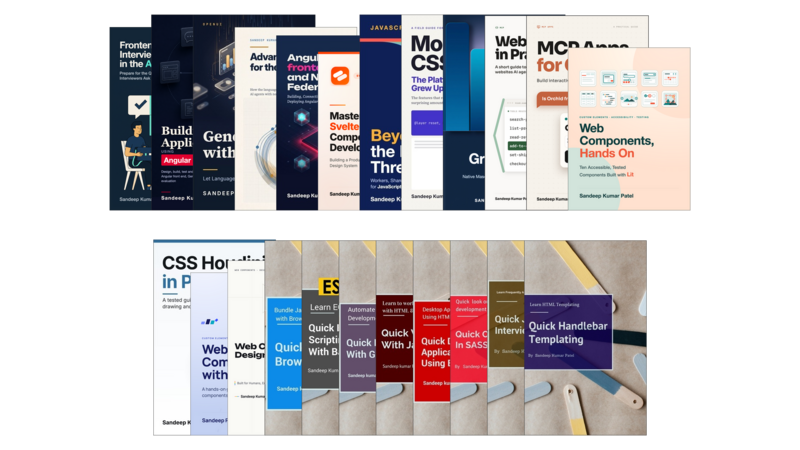
23 Books
- Pricing
$250
Minimum priceBought separately$299Suggested price$300
Author
About the Author

Sandeep Kumar Patel
Sandeep Kumar Patel is a senior web developer with more than 17 years of experience building web applications in object-oriented JavaScript and JSON. In 2012 he founded tutorialsavvy, a programming blog that developers have been reading ever since.
He is GATE-2005 Information Technology (IT) qualified and holds a Master's degree from VIT University, Vellore.
Contents
Table of Contents
Get the free sample chapters
Click the buttons to get the free sample in PDF or EPUB, or read the sample online here
The Leanpub 60 Day 100% Happiness Guarantee
Within 60 days of purchase you can get a 100% refund on any Leanpub purchase, in two clicks.
See full terms...
Earn $8 on a $10 Purchase, and $16 on a $20 Purchase
We pay 80% royalties on purchases of $7.99 or more, and 80% royalties minus a 50 cent flat fee on purchases between $0.99 and $7.98. You earn $8 on a $10 sale, and $16 on a $20 sale. So, if we sell 5000 non-refunded copies of your book for $20, you'll earn $80,000.
(Yes, some authors have already earned much more than that on Leanpub.)
Learn more about writing on Leanpub
Free Updates. DRM Free.
If you buy a Leanpub book, you get free updates for as long as the author updates the book! Many authors use Leanpub to publish their books in-progress, while they are writing them. All readers get free updates, regardless of when they bought the book or how much they paid (including free).
Most Leanpub books are available in PDF (for computers) and EPUB (for phones, tablets and Kindle). The formats that a book includes are shown at the top right corner of this page.
Finally, Leanpub books don't have any DRM copy-protection nonsense, so you can easily read them on any supported device.
Learn more about Leanpub's ebook formats and where to read them
Write and Publish on Leanpub
You can use Leanpub to easily write, publish and sell in-progress and completed ebooks and online courses!
Leanpub is a powerful platform for serious authors, combining a simple, elegant writing and publishing workflow with a store focused on selling in-progress ebooks.
Leanpub is a magical typewriter for authors: just write in plain text, and to publish your ebook, just click a button. (Or, if you are producing your ebook your own way, you can even upload your own PDF and/or EPUB files and then publish with one click!) It really is that easy.