
- Foreword
- Preface
- Conventions Used in This Book
- Chapter 1: Why WebMCP
- 1.1 How agents use websites today
- 1.2 Three ways to connect an agent to a site
- 1.3 What a tool is
- 1.4 The agent uses the user's session
- 1.5 The Kiosk app
- 1.6 Where the spec stands today
- Chapter 2: Your First Tool with HTML
- 2.1 Turning a form into a tool
- 2.2 Setting up Chrome
- 2.3 Seeing the tool in DevTools
- 2.4 How HTML becomes a schema
- 2.5 What the HTML approach cannot do
- Chapter 3: Registering Tools with JavaScript
- 3.1 registerTool
- 3.2 Input schemas
- 3.3 What execute returns
- 3.4 document.modelContext, not navigator.modelContext
- 3.5 Three tools for Kiosk
- 3.6 Older code you will find online
- Chapter 4: Writing Good Tool Descriptions
- 4.1 Descriptions are prompt text, not documentation
- 4.2 Naming tools
- 4.3 Saying when not to use a tool
- 4.4 Schemas that limit choices
- 4.5 Return values the agent can read
- 4.6 Errors that tell the agent what to do next
- 4.7 How many tools to register
- 4.8 Before and after
- Chapter 5: Changing Tools as the Page Changes
- 5.1 Why the tool list should change
- 5.2 Removing a tool with AbortSignal
- 5.3 The toolchange event
- 5.4 Reading the current list with getTools
- 5.5 Cart tools that come and go
- 5.6 UI state and tool state are the same state
- Chapter 6: Prompt Injection
- 6.1 The attack
- 6.2 Running it against Kiosk
- 6.3 Why it works
- 6.4 What the spec authors say
- 6.5 Tools you should not register at all
- Chapter 7: Tool Annotations and Limits
- 7.1 readOnlyHint
- 7.2 untrustedContentHint
- 7.3 consequentialHint
- 7.4 exposedTo and origins
- 7.5 Tools inside iframes
- 7.6 Asking the user to confirm
- 7.7 What hints do not do
- Chapter 8: Testing Tools
- 8.1 Why mocks hide failures
- 8.2 Checking what actually registered
- 8.3 Calling your own tool with executeTool
- 8.4 Testing with a real model
- 8.5 Testing tools that appear and disappear
- 8.6 Logging tool calls in production
- 8.7 Running the same checks in a real browser
- Chapter 9: Shipping to Production
- 9.1 Feature detection
- 9.2 Origin trial tokens
- 9.3 Using the polyfill
- 9.4 Reaching desktop agents
- 9.5 Keeping the site working without tools
- 9.6 Checking versions yourself
- 9.7 What production adds
- Chapter 10: What's Next
- 10.1 What is settled
- 10.2 What is not settled
- 10.3 WebMCP and server MCP together
- 10.4 What to do now
- 10.5 What survives the spec
- Appendix A: API Reference (as of September 2026)
- Appendix B: The Kiosk App
- Appendix C: Exercise Solutions
- Glossary
- Further Reading
- About the Author
WebMCP in Practice
A short guide to building websites AI agents can use

This book is 100% completeLast updated on 2026-10-10
+100% in the last 30 days
An AI agent on your site today guesses which button to click. WebMCP lets your page hand it a list of things it can do instead. Build one small shop, run the code as you go, and learn where the API is solid, where it isn't, and how to ship it anyway.
Minimum price
$10.00
$15.00
You pay
Author earns
Buying multiple copies for your team? See below for a discount!
PDF
EPUB
About
About the Book
An AI agent on your website works the way a screen reader does: it reads the page and guesses which button to press. WebMCP is the alternative. Your page hands the agent a list of things it can do (search this catalog, add this to the cart, set this address), described in your words and running your code, in the tab the visitor already has open.
WebMCP in Practice is a short, hands-on guide for web developers. You build one small shop, Kiosk, and every runnable listing was run before it was written about. You start with a working tool from a few HTML attributes on a form you already have. Then you register tools in JavaScript, write descriptions and errors an agent can act on, make tools appear and disappear as the page changes, and test them.
The part that matters most: a tool runs as the logged-in user, with no API key and no sandbox in between. Chapter 6 shows a prompt-injection attack on the book's own shop, step by step. Chapter 7 covers the annotations the platform offers, what they do not enforce, and how your page can ask the shopper before a consequential tool runs.
WebMCP is a W3C Community Group draft with one implementation, behind an origin trial in Chrome (149 through 156) and a matching trial in Edge. This book is for someone who wants to build on it anyway, with their eyes open. Every claim that depends on a version carries the version and the date it was checked. The places where the shipping code disagrees with the spec are listed in an appendix. Where a number matters, the book gives you the command to check it yourself.
What you'll learn
- Turn an ordinary HTML form into a WebMCP tool with a few attributes, and see it in Chrome DevTools.
- Register tools in JavaScript, and write descriptions, schemas, return values and errors an agent can act on.
- Make tools appear and disappear as the page changes, so an agent is only offered what makes sense right now.
- See how a poisoned product review can steer an agent, and how to narrow a tool so it cannot.
- Use the three annotations, and ask the shopper before a consequential tool runs.
- Test tools against the real platform, in jsdom and in a real Chrome, instead of a mock that hides failures.
- Ship it: feature detection, origin-trial tokens, the polyfill, keeping the site working with every tool off, and what production adds.
- Tell what is settled in this API from what is still open.
Who this book is for
A web developer who knows the DOM and can read JavaScript. You do not need to have used the Model Context Protocol or built an agent. You do not need an AI account or an API key, and no chapter calls a model. A skeptical reader is welcome: the book argues its case and shows the costs.
Team Discounts
Team Discounts
Get a team discount on this book!
Up to 3 members
- Minimum price
- $30.00
- Suggested price
- $37.00
Up to 5 members
- Minimum price
- $48.00
- Suggested price
- $60.00
Up to 10 members
- Minimum price
- $84.00
- Suggested price
- $105
Up to 15 members
- Minimum price
- $120
- Suggested price
- $150
Up to 25 members
- Minimum price
- $180
- Suggested price
- $225
Bundles
Bundles that include this book
Agentic Web Development

3 Books
- Pricing
$22.00
Minimum priceBought separately$46.00Suggested price$24.00
Agentic Application

2 Books
- Pricing
$14.00
Minimum priceBought separately$24.00Suggested price$16.00
Master Frontend bundle
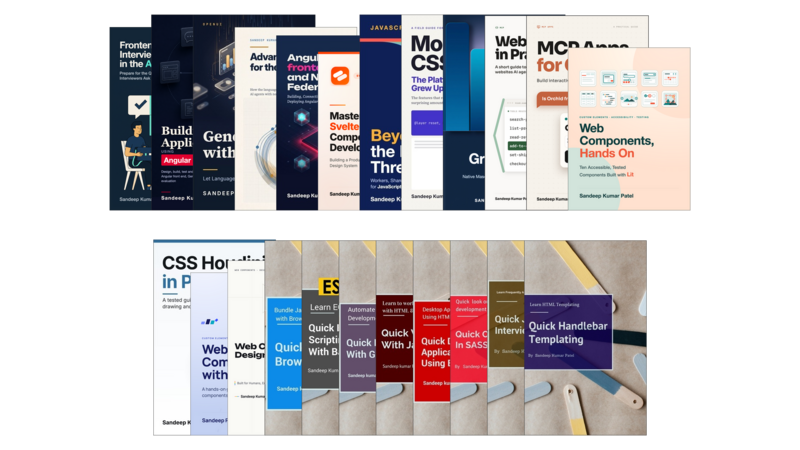
23 Books
- Pricing
$250
Minimum priceBought separately$299Suggested price$300
Author
About the Author

Sandeep Kumar Patel
Sandeep Kumar Patel is a senior web developer with more than 17 years of experience building web applications in object-oriented JavaScript and JSON. In 2012 he founded tutorialsavvy, a programming blog that developers have been reading ever since.
He is GATE-2005 Information Technology (IT) qualified and holds a Master's degree from VIT University, Vellore.
Contents
Table of Contents
Get the free sample chapters
Click the buttons to get the free sample in PDF or EPUB, or read the sample online here
The Leanpub 60 Day 100% Happiness Guarantee
Within 60 days of purchase you can get a 100% refund on any Leanpub purchase, in two clicks.
See full terms...
Earn $8 on a $10 Purchase, and $16 on a $20 Purchase
We pay 80% royalties on purchases of $7.99 or more, and 80% royalties minus a 50 cent flat fee on purchases between $0.99 and $7.98. You earn $8 on a $10 sale, and $16 on a $20 sale. So, if we sell 5000 non-refunded copies of your book for $20, you'll earn $80,000.
(Yes, some authors have already earned much more than that on Leanpub.)
Learn more about writing on Leanpub
Free Updates. DRM Free.
If you buy a Leanpub book, you get free updates for as long as the author updates the book! Many authors use Leanpub to publish their books in-progress, while they are writing them. All readers get free updates, regardless of when they bought the book or how much they paid (including free).
Most Leanpub books are available in PDF (for computers) and EPUB (for phones, tablets and Kindle). The formats that a book includes are shown at the top right corner of this page.
Finally, Leanpub books don't have any DRM copy-protection nonsense, so you can easily read them on any supported device.
Learn more about Leanpub's ebook formats and where to read them
Write and Publish on Leanpub
You can use Leanpub to easily write, publish and sell in-progress and completed ebooks and online courses!
Leanpub is a powerful platform for serious authors, combining a simple, elegant writing and publishing workflow with a store focused on selling in-progress ebooks.
Leanpub is a magical typewriter for authors: just write in plain text, and to publish your ebook, just click a button. (Or, if you are producing your ebook your own way, you can even upload your own PDF and/or EPUB files and then publish with one click!) It really is that easy.