Practical Wireshark


A capture that's too big, a complaint that's too vague: this book teaches you to get from there to the packets that explain it. Twenty chapters and 80 exercises on real captures take you from your first capture to TLS decryption, scan detection and your own Lua dissector, with the output of commands run in the lab cited on the page so you can check it yourself.
Minimum price
$19.00
$29.00
You pay
Author earns
About
About the Book
Most Wireshark books teach the interface. This one teaches you to answer questions with it.
Practical Wireshark starts where every investigation starts, with a capture that's too big and a complaint that's too vague, and works toward the packets that explain it. You'll learn where to put the sniffer so it actually sees the traffic, how to capture without drowning, and how to write display filters that find the one conversation that matters. From there the book moves through the protocols you meet every day (ARP, DHCP, DNS, TCP, HTTP/2 and HTTP/3, SIP and RTP), then into harder ground: decrypting TLS and QUIC with session keys, following a Wi-Fi join in monitor mode, and pinning a slow page load to a specific stage of the path.
The security chapters cover what an analyst actually looks for: port scans and how to tell their types apart, malware beacons and their timing, suspicious DNS, and credentials leaking in cleartext. The last part turns everything into automation with tshark one-liners, scheduled reports, Python with pyshark, and a Lua dissector for a protocol Wireshark has never seen.
The book is built on real captures. It works from a set of public sample captures, and where a chapter shows a tool's output from those files, the run is cited like any other source, so you can reproduce it on your own machine. Each of the 20 chapters ends with exercises, and an appendix gives a worked answer to every one, with the command to run.
What's inside
- 20 chapters in six parts, from first capture to traffic forensics
- 80 hands-on exercises with fully worked answers
- Display filter and capture filter quick reference
- Command-line toolkit reference for tshark, dumpcap, capinfos, editcap and mergecap
- Written for Wireshark 4.6, including its current filter semantics
Watch the 4-minute version: Is it the network or the server?
Bundle
Bundles that include this book
Practical Hacking
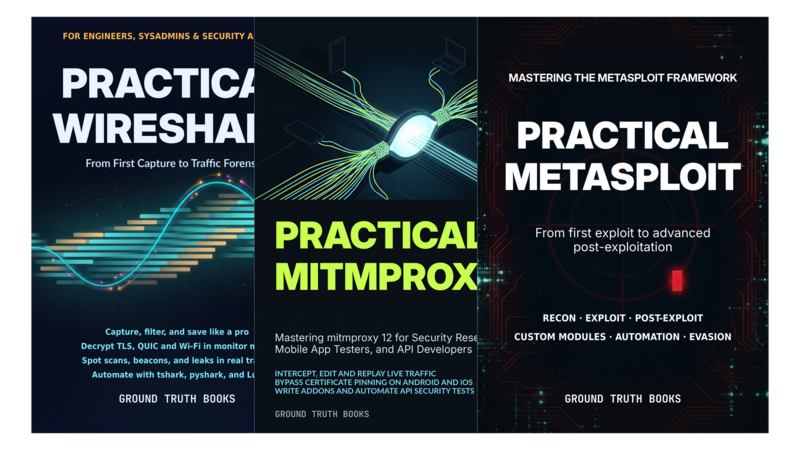
3 Books
- Pricing
$29.00
Minimum priceBought separately$87.00Suggested price$29.00
Author
About the Author

Ground Truth Books publishes practical technical books on computer science, IT tools, data science, machine learning, software engineering and AI.
The name comes from machine learning, where "ground truth" means the real, verified answers you check a model against. That's how these books are made. They're researched and drafted with AI assistance, and then checked against reality. Examples are run against real captures and data in a lab, and those runs are cited like any other source, so you can see which output came straight from the tool. Every claim is cited to its source, with official documentation, specifications and source code preferred over blog posts.
Each book is built around doing the work. Chapters end with exercises, and an appendix gives worked answers you can reproduce on your own machine, using the same freely available data and captures.
Books are updated when the tools change. If you find an error, please report it: a corrected edition is free for every reader, which is one of the best things about Leanpub.
Contents
Table of Contents
Part I: Foundations of Capture
Chapter 1: Your First Capture: Installing Wireshark and Building Your Workspace
- Installing Wireshark on Windows, macOS, and Linux
- Choosing a capture interface
- The three panes
- Columns that show what matters
- Filtering your first capture
- Saving and reopening captures
- Configuration profiles
- Exercises
Chapter 2: Where to Put the Sniffer: Hubs, SPAN, TAPs, Virtual Switches, and Remote Capture
- The capture point decides what you see
- Why a laptop on a switch port sees only its own traffic
- SPAN and port mirroring
- Network TAPs
- TAP versus SPAN
- Capturing in virtualized and cloud environments
- Remote capture over SSH with sshdump
- Remote capture with rpcapd
- Permission, privacy, and the ethics of passive capture
- Exercises
Chapter 3: Capturing the Right Traffic and Saving It Well: Capture Filters, pcapng, dumpcap, and Ring Buffers
- A Collection Plan Before a Single Frame
- Capture filters vs. display filters
- Berkeley Packet Filter syntax
- Recipes and where to type them
- What pcapng adds
- dumpcap for headless capture
- Ring buffers and file-size limits
- Performance and very large captures
- Exercises
Chapter 4: Managing Capture Files at Scale: capinfos, editcap, and mergecap
- capinfos
- editcap: extracting packet ranges and dropping packets
- editcap: deduplication and timestamp adjustment
- mergecap: combining captures and controlling the output order
- A triage workflow: from a messy capture folder to a single clean file
- Verifying that edits did what you intended
- Exercises
- Part II: The Filter Language and the Command Line
Chapter 5: The Display Filter Language: Syntax, Operators, and the Field Reference
- Fields, protocols, and the reference
- Comparison operators
- Logical operators and parentheses
- contains and matches
- Values: addresses, ports, flags, strings
- The GUI path and saved filters
- Idioms: host, conversation, failures
- Exercises
Chapter 6: Making Traffic Stand Out: Coloring Rules, Following Streams, and Time References
- Reading the default coloring rules
- Writing your own coloring rules and ordering their priority
- Following streams to rebuild conversations
- Using follow-stream views to spot and extract payloads
- Time references
- Bookmarks and navigation for long captures
- Exercises
Chapter 7: tshark: The Terminal Wireshark
- tshark basics
- Capture and display filters
- Printing fields with
-T fieldsand-e - Reading only a range of packets
- GUI features on the command line
- Stream reconstruction and export from the command line
- Real-world tshark one-liners for fast triage
- Performance on very large captures
- One pipeline, end to end
- Exercises
- Part III: Everyday Protocols
Chapter 8: Getting Online: ARP, DHCP, and DNS
- The boot packet story
- ARP request/reply and variants
- The DORA exchange and lease failures
- DNS anatomy and correlation
- Filters for ARP, DHCP, and DNS
- Triage: “I can’t reach the website”
- Exercises
Chapter 9: TCP Under the Microscope: Handshakes, Retransmissions, and Sequence Analysis
- The Three-Way Handshake as Captured
- Sequence and Acknowledgment Numbers
- Retransmissions: What They Mean and How to Count Them
- Duplicate ACKs and Fast Retransmit
- Zero Window and Window Updates
- The Expert-Info View
- Attributing the Cause: Client, Network, or Server
- Exercises
Chapter 10: Modern Web Protocols: HTTP/2 and HTTP/3
- From HTTP/1.1 to HTTP/2
- Reading the HTTP/2 dissection
- Isolating a single stream
- HTTP/3 on QUIC
- QUIC dissection with and without keys
- When you need a key log
- Exercises
Chapter 11: Voice and Video: SIP, RTP, and VoIP Analysis
- SIP call setup
- Signaling and media in one capture
- RTP basics
- The RTP stream analysis window
- VoIP Calls
- A trace walk-through
- Exercises
- Part IV: Encrypted, Wireless, and Slow Traffic
Chapter 12: Decrypting TLS and QUIC with Session Keys
- What TLS 1.2 and 1.3 hide
- How SSLKEYLOGFILE works
- Generating a key log and pointing Wireshark at it
- Decrypting TLS captures
- Decrypting QUIC and HTTP/3
- Verifying decryption
- Exercises
Chapter 13: Capturing Wi-Fi in Monitor Mode
- Adapters, drivers, and monitor mode
- Channel hopping
- 802.11 frame types
- Beacons, probes, and association
- Columns, filters, and expert info
- Practice: Reading a join
- Legal and privacy reality
- Exercises
Chapter 14: Finding the Bottleneck: Expert Info, I/O Graphs, and TCP Stream Graphs
- The expert info window
- From symptom to hypothesis
- I/O graphs
- TCP stream graphs
- Network delay or application delay
- Complete case: ‘the app is slow’, start to finish
- Exercises
- Part V: Security Use Cases
Chapter 15: Detecting Reconnaissance and Port Scans
- SYN scan anatomy
- Incomplete SYN handshake
- The conversations view
- Recognizing nmap probes
- False positives
- From scan to attribution
- Exercises
Chapter 16: Malware Beacons and Call-Home Patterns
- What a Beacon Is
- Finding Beacon Candidates with tshark Summaries and Flow Statistics
- Measuring Beacon Interval and Interval Jitter
- DNS and HTTP Beacons versus HTTPS Beacons
- Beacon False Positives
- Practice: Hunting a Beacon in a Malware-Traffic-Analysis Capture
- Exercises
Chapter 17: Suspicious DNS and Credential Leaks in Real Traces
- DNS as a channel: how tunneling works and what it looks like in queries
- Measuring query entropy and spotting long, suspicious labels in captures
- Finding plaintext credentials: follow-stream across HTTP, FTP, Telnet, and SMTP
- Exporting objects to pull exfiltrated files out of a pcap
- A forensics-style walkthrough: from odd DNS traffic to a remote shell
- Reporting what you found and what it means
- Exercises
- Part VI: Automation and Extension
Chapter 18: Extracting Fields and Automating Analysis with tshark
- The one-liner
-T fields,-e, and-E: building exactly the rows you need- Summarizing traffic with shell pipelines
- Pulling fields from HTTP, DNS, and TLS conversations
- Looping over many files and scheduling jobs
- Why tshark fails in cron
- A canned daily traffic report you can ship today
- Exercises
Chapter 19: Driving Captures and Analysis with Python: pyshark
- Installing pyshark
- Reading pcap and pcapng files
- Layers and fields
- Live capture
- Scheduling pyshark captures with cron
- Working example: flag suspicious DNS queries
- Exercises
Chapter 20: Writing Lua Dissectors for Custom Protocols
- When you need a dissector
- Dissector anatomy
- Parsing the header
- Subtrees, columns, and expert annotations
- Port-based registration versus heuristic dissection
- Testing against a real capture
- Exercises
Appendix A: Display Filter and Capture Filter Quick Reference
- The Two Filter Families
- Display Filter Language
- Ready-Made Display Filters
- Capture Filters (BPF)
- Converting Between Families
Appendix B: Command-Line Toolkit Reference
- The Tools and Their Jobs
- Common Behaviors
- tshark: Capture and Read
- dumpcap
- capinfos
- editcap
- mergecap
- Companion Tools
- File Locations and Automation Notes
Appendix C: Where to Find Practice Captures
- Generate Your Own Traffic
- Official Wireshark Sample Captures
- Training Collections with Answer Keys
- Malware and Intrusion Traffic
- CTF and Competition Captures
- Broad and Benchmark Captures
- Finding Captures by Search
- Verify Before You Analyze
Appendix D: Lab Captures and Answers to the Exercises
- Chapter 1: Your First Capture: Installing Wireshark and Building Your Workspace
- Chapter 2: Where to Put the Sniffer: Hubs, SPAN, TAPs, Virtual Switches, and Remote Capture
- Chapter 3: Capturing the Right Traffic and Saving It Well: Capture Filters, pcapng, dumpcap, and Ring Buffers
- Chapter 4: Managing Capture Files at Scale: capinfos, editcap, and mergecap
- Chapter 5: The Display Filter Language: Syntax, Operators, and the Field Reference
- Chapter 6: Making Traffic Stand Out: Coloring Rules, Following Streams, and Time References
- Chapter 7: tshark: The Terminal Wireshark
- Chapter 8: Getting Online: ARP, DHCP, and DNS
- Chapter 9: TCP Under the Microscope: Handshakes, Retransmissions, and Sequence Analysis
- Chapter 10: Modern Web Protocols: HTTP/2 and HTTP/3
- Chapter 11: Voice and Video: SIP, RTP, and VoIP Analysis
- Chapter 12: Decrypting TLS and QUIC with Session Keys
- Chapter 13: Capturing Wi-Fi in Monitor Mode
- Chapter 14: Finding the Bottleneck: Expert Info, I/O Graphs, and TCP Stream Graphs
- Chapter 15: Detecting Reconnaissance and Port Scans
- Chapter 16: Malware Beacons and Call-Home Patterns
- Chapter 17: Suspicious DNS and Credential Leaks in Real Traces
- Chapter 18: Extracting Fields and Automating Analysis with tshark
- Chapter 19: Driving Captures and Analysis with Python: pyshark
- Chapter 20: Writing Lua Dissectors for Custom Protocols
Glossary
References
Get the free sample chapters
Click the buttons to get the free sample in PDF or EPUB, or read the sample online here
The Leanpub 60 Day 100% Happiness Guarantee
Within 60 days of purchase you can get a 100% refund on any Leanpub purchase, in two clicks.
See full terms...
Earn $8 on a $10 Purchase, and $16 on a $20 Purchase
We pay 80% royalties on purchases of $7.99 or more, and 80% royalties minus a 50 cent flat fee on purchases between $0.99 and $7.98. You earn $8 on a $10 sale, and $16 on a $20 sale. So, if we sell 5000 non-refunded copies of your book for $20, you'll earn $80,000.
(Yes, some authors have already earned much more than that on Leanpub.)
Learn more about writing on Leanpub
Free Updates. DRM Free.
If you buy a Leanpub book, you get free updates for as long as the author updates the book! Many authors use Leanpub to publish their books in-progress, while they are writing them. All readers get free updates, regardless of when they bought the book or how much they paid (including free).
Most Leanpub books are available in PDF (for computers) and EPUB (for phones, tablets and Kindle). The formats that a book includes are shown at the top right corner of this page.
Finally, Leanpub books don't have any DRM copy-protection nonsense, so you can easily read them on any supported device.
Learn more about Leanpub's ebook formats and where to read them
Write and Publish on Leanpub
You can use Leanpub to easily write, publish and sell in-progress and completed ebooks and online courses!
Leanpub is a powerful platform for serious authors, combining a simple, elegant writing and publishing workflow with a store focused on selling in-progress ebooks.
Leanpub is a magical typewriter for authors: just write in plain text, and to publish your ebook, just click a button. (Or, if you are producing your ebook your own way, you can even upload your own PDF and/or EPUB files and then publish with one click!) It really is that easy.