Leanpub Header

Skip to main content

MCP Apps for Claude

Build interactive UI inside the conversation

MCP Apps for Claude
This book is 100% completeLast updated on 2026-10-05

Build interactive apps inside Claude's conversations, from your first MCP tool to Claude's connector directory.

Minimum price

$8.00

$9.00

You pay

Author earns

$

Also available for 1 book credit with a Reader Membership

Buying multiple copies for your team? See below for a discount!

PDF
EPUB
About

About

About the Book

Build interactive apps that live inside Claude's conversations.

Ask an AI assistant whether a meeting room is free and you usually get a sentence. With an MCP App, you get a card instead: the room, the next free half hour, and a Book button that works right there in the chat. MCP Apps for Claude shows you how to build that kind of interface, from the first tool to a listing in Claude's connector directory.

The book follows one real app, Snug, a meeting-room booking connector, from a text-only MCP server to a polished, tested app that runs in claude.ai, in Claude Desktop and in the Claude Android app. Every code example is cut from a real, tested file, and every screenshot was taken in Claude.

What you'll learn

  • How MCP Apps work: tools, ui:// resources, and the sandboxed card Claude shows in the conversation
  • How to build inline cards, carousels and fullscreen views that follow Claude's design guidelines
  • How to take Claude's theme, fonts and colors, in light and dark mode, and design for phones
  • How a card talks back to Claude: updateModelContext, sendMessage, app-only tools and links
  • How to handle many copies of one card, large results and live data
  • How the sandbox and content security policy work, and how to add sign-in with a threat model
  • How to test a card without a browser, debug it inside Claude, and prepare it for the directory

Who this book is for

Web developers who know JavaScript or TypeScript and want to build interactive connectors for Claude. You don't need to know MCP already: Chapter 2 teaches the parts you need.

What you get

  • 14 chapters, with diagrams, screenshots and exercises
  • Runnable solutions to every exercise
  • The complete companion code under the MIT License, with a copy of the app at the end of every chapter and a full test suite

Share this book

Team Discounts

Team Discounts

Get a team discount on this book!

  • Up to 3 members

    Minimum price
    $20.00
    Suggested price
    $22.00
  • Up to 5 members

    Minimum price
    $32.00
    Suggested price
    $36.00
  • Up to 10 members

    Minimum price
    $56.00
    Suggested price
    $63.00
  • Up to 15 members

    Minimum price
    $80.00
    Suggested price
    $90.00
  • Up to 25 members

    Minimum price
    $120
    Suggested price
    $135

Bundle

Bundles that include this book

Author

About the Author

Sandeep Kumar Patel

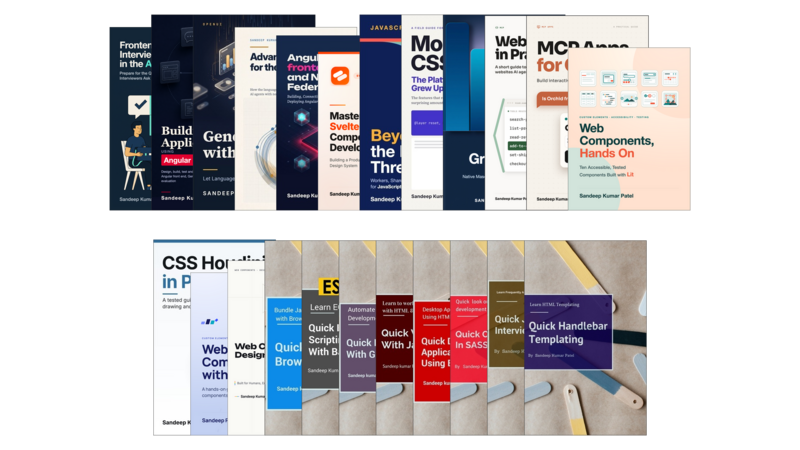
Sandeep Kumar Patel is a senior web developer and founder of www.tutorialsavvy.com, a widely- read programming blog since 2012. He has more than six years of experience in object-oriented JavaScript and JSON-based web applications development. He is GATE-2005 Information Technology (IT) qualified and has a Masters degree from VIT University, Vellore

Contents

Table of Contents

  • Preface
  • Conventions Used in This Book
Part I: Getting Started
  • Chapter 1: What Are MCP Apps?
    • 1.1 From Text to Interfaces
    • 1.2 One Feature, Two Names
    • 1.3 When an App Is Worth It
    • 1.4 Where Apps Run
    • 1.5 Claude Stays in Control
  • Chapter 2: MCP Basics
    • 2.1 Getting Started with Snug
    • 2.2 Tools and Their Results
    • 2.3 Annotations and Permissions
    • 2.4 Connecting over HTTP or stdio
    • 2.5 Choosing the Right SDK Setup
    • 2.6 Always Return Useful Text
  • Chapter 3: Building Your First App
    • 3.1 How an App Fits Together
    • 3.2 The Server Side
    • 3.3 The Client Side
    • 3.4 Testing Locally with basic-host
    • 3.5 Running Your App in claude.ai
    • 3.6 Running Your App in Claude Desktop
    • 3.7 Four Common Mistakes
Part II: Design and Layout
  • Chapter 4: Layouts: Inline, Carousel, and Fullscreen
    • 4.1 Rules for Inline Cards
    • 4.2 Building a Carousel
    • 4.3 Building a Fullscreen View
    • 4.4 Switching Display Modes in Code
    • 4.5 App or Chat?
  • Chapter 5: Theming Your App
    • 5.1 Start with a Transparent Background
    • 5.2 Applying Claude's Styles
    • 5.3 Using Claude's Style Variables
    • 5.4 Loading Claude's Font
    • 5.5 Borders and Safe Areas
    • 5.6 Dark Mode and Accessibility
  • Chapter 6: Designing for Mobile
    • 6.1 How Phones Are Different
    • 6.2 What Phones Can't Do
    • 6.3 Let the Conversation Scroll
    • 6.4 Tap Targets
    • 6.5 Handling Safe Areas on Phones
    • 6.6 What to Check on a Phone
    • 6.7 Snug on an Android Phone
Part III: How Your App Behaves
  • Chapter 7: The App Lifecycle
    • 7.1 The Lifecycle, Step by Step
    • 7.2 What Claude Actually Sends
    • 7.3 Loading and Error States
    • 7.4 The Invisible App
    • 7.5 When a Card Is Removed
  • Chapter 8: Talking to Claude
    • 8.1 Three Ways to Talk
    • 8.2 Suggested Messages Wait for the Person
    • 8.3 Keeping Claude Up to Date
    • 8.4 Tools Only the Card Can Call
    • 8.5 Opening Links
    • 8.6 File Downloads
  • Chapter 9: Handling Multiple Copies of a Card
    • 9.1 Every Call Creates a New Card
    • 9.2 Deciding Which Card Is Newest
    • 9.3 The Election
    • 9.4 What an Older Card Does
    • 9.5 Where Your Cards Live
  • Chapter 10: Large and Live Data
    • 10.1 How Big Can a Result Be?
    • 10.2 Splitting Data into Pages
    • 10.3 Keeping Data Up to Date
    • 10.4 Moving Large Files
Part IV: Security
  • Chapter 11: Sandboxing and Content Security
    • 11.1 How the Sandbox Works
    • 11.2 Declaring What Your Card Needs
    • 11.3 The Policy the Host Builds
    • 11.4 Checking What Your App Actually Loads
    • 11.5 Two Kinds of Request
    • 11.6 Frames and Device Permissions
  • Chapter 12: Authentication and Security
    • 12.1 How Claude Asks for Permission
    • 12.2 Sign-In Only When Needed
    • 12.3 Knowing Who's Calling
    • 12.4 Asking for More Permissions
    • 12.5 Handling Other People's Text
    • 12.6 A Threat Model for Snug
Part V: Testing and Publishing
  • Chapter 13: Testing and Debugging
    • 13.1 Six Ways to Test
    • 13.2 Testing the Server
    • 13.3 Make Sure Your Tests Can Fail
    • 13.4 Testing the Card Without a Browser
    • 13.5 Testing in basic-host
    • 13.6 Debugging in Claude
    • 13.7 Screenshots as Tests
    • 13.8 Checking the Submission Rules Automatically
    • 13.9 Before Every Release
  • Chapter 14: Publishing to the Directory
    • 14.1 Three Ways to Share Your App
    • 14.2 What the Reviewers Check
    • 14.3 Is Booking Destructive?
    • 14.4 Allowed Links
    • 14.5 The Listing and Screenshots
    • 14.6 After Publishing
    • 14.7 Getting Snug Ready for Production
Back matter
  • Appendix A: MCP Apps Message Reference
  • Appendix B: Snug Checklist
  • Appendix C: Beyond Claude
  • Appendix D: Exercise Solutions
  • Appendix E: Troubleshooting
  • Appendix F: MCP Apps at a Glance
  • Glossary
  • About the Author

Get the free sample chapters

Click the buttons to get the free sample in PDF or EPUB, or read the sample online here

The Leanpub 60 Day 100% Happiness Guarantee

Within 60 days of purchase you can get a 100% refund on any Leanpub purchase, in two clicks.

See full terms...

Earn $8 on a $10 Purchase, and $16 on a $20 Purchase

We pay 80% royalties on purchases of $7.99 or more, and 80% royalties minus a 50 cent flat fee on purchases between $0.99 and $7.98. You earn $8 on a $10 sale, and $16 on a $20 sale. So, if we sell 5000 non-refunded copies of your book for $20, you'll earn $80,000.

(Yes, some authors have already earned much more than that on Leanpub.)

In fact, authors have earned over $15 million writing, publishing and selling on Leanpub.

Learn more about writing on Leanpub

Free Updates. DRM Free.

If you buy a Leanpub book, you get free updates for as long as the author updates the book! Many authors use Leanpub to publish their books in-progress, while they are writing them. All readers get free updates, regardless of when they bought the book or how much they paid (including free).

Most Leanpub books are available in PDF (for computers) and EPUB (for phones, tablets and Kindle). The formats that a book includes are shown at the top right corner of this page.

Finally, Leanpub books don't have any DRM copy-protection nonsense, so you can easily read them on any supported device.

Learn more about Leanpub's ebook formats and where to read them

Write and Publish on Leanpub

You can use Leanpub to easily write, publish and sell in-progress and completed ebooks and online courses!

Leanpub is a powerful platform for serious authors, combining a simple, elegant writing and publishing workflow with a store focused on selling in-progress ebooks.

Leanpub is a magical typewriter for authors: just write in plain text, and to publish your ebook, just click a button. (Or, if you are producing your ebook your own way, you can even upload your own PDF and/or EPUB files and then publish with one click!) It really is that easy.

Learn more about writing on Leanpub