

- Chapter 1: Meet CSS
- What is CSS?
- Your first CSS rule
- Three ways to add CSS
- Setting up the project
- Your first styles
- How browsers apply CSS
- Your CSS command center: DevTools
- Chapter 2: Selectors: Choosing Your Targets
- The basic selectors
- Grouping selectors
- Combinators: selecting by relationship
- Pseudo-classes: styling by state
- Pseudo-elements: styling parts of elements
- Modern power selectors
- Choosing good class names
- Chapter 3: The Cascade, Specificity and Inheritance
- When rules collide
- The cascade, in order
- Specificity
- Inheritance
- Cascade layers (a quick look)
- A modern CSS reset
- Chapter 4: Colors, Units and Custom Properties
- Ways to write colors
- Transparency
- Units: how big is big?
- Custom properties (CSS variables)
- Dark mode
- Is it readable? Color contrast
- Chapter 5: Typography
- Font families and font stacks
- Web fonts
- Font size
- Weight, style and other font properties
- Line height and line length
- Balanced headings
- Styling links
- The Nova Park type system
- Chapter 6: The Box Model
- Every element is a box
- Padding and margin
- box-sizing: the fix everyone uses
- Width, height and overflow
- Display: block, inline and inline-block
- Borders and rounded corners
- Shadows
- Backgrounds and gradients
- Putting it together: the hero banner
- Chapter 7: Positioning and Layers
- Normal flow
- The five position values
- Stacking with z-index
- The skip link
- Chapter 8: Flexbox
- What is Flexbox?
- The two axes
- gap: space between items
- Wrapping
- Aligning along the main axis: justify-content
- Aligning along the cross axis: align-items
- The site header
- Controlling item size: the flex property
- Centering anything
- Other useful flex properties
- Chapter 9: CSS Grid
- What is Grid?
- Defining tracks
- The responsive grid in one line
- Styling the project cards
- Placing items
- Page layouts with grid-template-areas
- Aligning in Grid
- Chapter 10: Responsive Design
- The responsive mindset
- Mobile-first
- Media queries
- Nova Park’s responsive tweaks
- Flexible media
- Container queries
- Preference queries
- Testing responsive designs
- Chapter 11: Transitions, Transforms and Animations
- Transitions
- Transforms
- Keyframe animations
- Respecting reduced motion
- Chapter 12: Finishing Touches and Pro Habits
- Styling forms
- Styling tables
- CSS nesting
- Organizing your stylesheet
- CSS habits that keep sites accessible
- Performance habits
- Debugging CSS: a checklist
- What about CSS frameworks?
- The finished site
- Where to go next
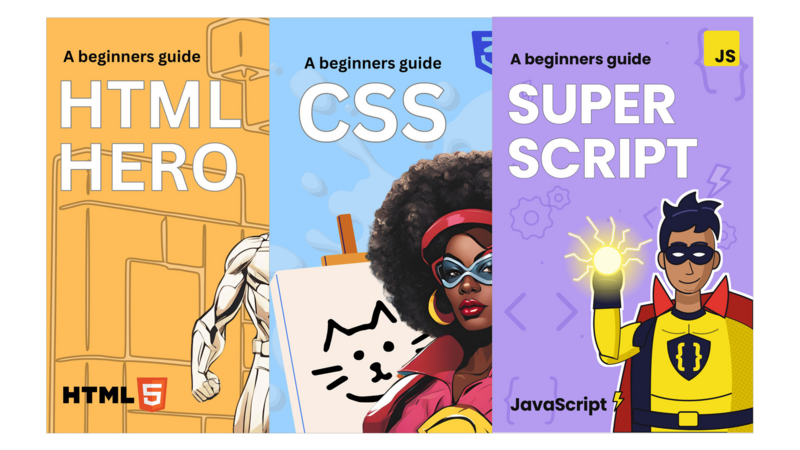
Captain CSS
A Beginner's Guide to Modern CSS (2nd Edition)

This book is 100% completeLast updated on 2026-11-05
Turn a plain web page into a beautiful, modern, responsive website, with the clean CSS professionals write today.
Minimum price
$14.00
$14.00
You pay
Author earns
PDF
About
About the Book
HTML gives a website its structure. CSS gives it style: the colors, the fonts, the layout, and the way it reshapes itself for a phone. Captain CSS teaches modern CSS from the ground up. It skips the hacks and workarounds of ten years ago and teaches Flexbox, Grid, custom properties and container queries.
Who it's for- Beginners who know a little HTML: headings, paragraphs, links, images and lists. (New to HTML? Start with HTML Hero.)
- Designers who want to bring their designs to life in the browser
- Self-taught coders who learned CSS from scattered tutorials and want to fill the gaps
- Creators and small business owners who want to customize their own websites
- 152 pages, 12 chapters: selectors, the cascade and specificity, colors and custom properties, typography, the box model, positioning, Flexbox, Grid, responsive design, transitions and animations, and styling forms and tables
- A hands-on mission, a recap and a quick quiz in every chapter, with all the answers
- Rendered browser previews, so you see exactly what each property does
- A CSS cheat sheet, including a starter stylesheet, and a glossary
- The starter and finished project files (ZIP)
You take the three-page site from HTML Hero and transform it, one chapter at a time. It gets a sticky navigation bar, a gradient hero banner, project cards in a responsive grid, a styled contact form, hover effects, a dark mode, and a layout that adapts to phones.
FAQ- Do I need HTML Hero first? Not if you know basic HTML. The starter site is in the project files, so you can begin right away.
- What do I need? A computer, an up-to-date browser and Visual Studio Code, which is free.
- What's new in the 2nd edition? It was fully revised in November 2026 and covers modern CSS: native nesting, container queries, cascade layers, dark mode, color contrast and reduced-motion support.
- What comes next? Super Script adds JavaScript to the same site.
- What format is it? A PDF you can read on any device, plus a ZIP of project files.
- Questions? Email support.olliecode@gmail.com.
Bundle
Bundles that include this book
- Pricing
$34.00
Minimum priceBought separately$42.00Suggested price$34.00
Author
About the Author
Contents
Table of Contents
The Leanpub 60 Day 100% Happiness Guarantee
Within 60 days of purchase you can get a 100% refund on any Leanpub purchase, in two clicks.
See full terms...
Earn $8 on a $10 Purchase, and $16 on a $20 Purchase
We pay 80% royalties on purchases of $7.99 or more, and 80% royalties minus a 50 cent flat fee on purchases between $0.99 and $7.98. You earn $8 on a $10 sale, and $16 on a $20 sale. So, if we sell 5000 non-refunded copies of your book for $20, you'll earn $80,000.
(Yes, some authors have already earned much more than that on Leanpub.)
Learn more about writing on Leanpub
Free Updates. DRM Free.
If you buy a Leanpub book, you get free updates for as long as the author updates the book! Many authors use Leanpub to publish their books in-progress, while they are writing them. All readers get free updates, regardless of when they bought the book or how much they paid (including free).
Most Leanpub books are available in PDF (for computers) and EPUB (for phones, tablets and Kindle). The formats that a book includes are shown at the top right corner of this page.
Finally, Leanpub books don't have any DRM copy-protection nonsense, so you can easily read them on any supported device.
Learn more about Leanpub's ebook formats and where to read them
Write and Publish on Leanpub
You can use Leanpub to easily write, publish and sell in-progress and completed ebooks and online courses!
Leanpub is a powerful platform for serious authors, combining a simple, elegant writing and publishing workflow with a store focused on selling in-progress ebooks.
Leanpub is a magical typewriter for authors: just write in plain text, and to publish your ebook, just click a button. (Or, if you are producing your ebook your own way, you can even upload your own PDF and/or EPUB files and then publish with one click!) It really is that easy.