
Lesson 01 — Welcome to WLCOR: Exam Map, Study Plan and Your Wireless Toolkit
Why this matters on the exam
What the WLCOR 350-101 exam is
The seven domains and their weights
How this course is built
What every lesson contains
How to use quizzes, exercises and the mock exam
Building your study plan
Worked example — a 60-hour plan
Adjusting the plan to your background
Your wireless practice toolkit
Setting up the 9800-CL
Checking Python
The core vocabulary you will use everywhere
Worked example — one SSID, many BSSIDs
Summary
Key Takeaways
Exercise
Exercise 01 — Map the blueprint and plan your hours
Exercise 01 — Solutions
Quiz
Quiz 01 — Exam map, study plan and vocabulary
3 attempts allowed
Quiz 01 — Answer key and explanations
Lesson 02 — How Radio Waves Travel: Frequency, Wavelength and Propagation
Why this matters on the exam
What a radio wave is
The four properties of a wave
Wavelength from frequency
Worked example — three Wi-Fi channels
Free space path loss: why signals fade with distance
Worked example — FSPL at 2.4 GHz and 5 GHz
How a signal meets the real world
Typical building materials
Multipath: friend and enemy
The Fresnel zone
Worked example — a 1 km bridge between two warehouses
Putting it together: predicting coverage in a real building
Summary
Key Takeaways
Exercise
Exercise 02 — Wavelength, path loss and propagation behaviours
Exercise 02 — Solutions
Quiz
Quiz 02 — Radio wave propagation
3 attempts allowed
Quiz 02 — Answer key and explanations
Lesson 03 — Measuring a Wi-Fi Signal: RSSI, Transmit Power, Receive Sensitivity and SNR
Why this matters on the exam
Four numbers that describe a signal
Transmit power
Worked example — reading AP power on a Catalyst 9800
RSSI: how strong the signal is when it arrives
Design targets
Why RSSI differs between vendors and devices
Receive sensitivity: the hearing threshold
Worked example — which rates still work?
Noise floor and SNR
Reading RSSI and SNR on the Catalyst 9800
Client view
AP radio view
Use case: the warehouse scanner that drops at the far aisle
Summary
Key Takeaways
Exercise
Exercise 03 — SNR, design checks and client output
Exercise 03 — Solutions
Quiz
Quiz 03 — Signal strength and SNR
3 attempts allowed
Quiz 03 — Answer key and explanations
Lesson 04 — Noise, Interference, Rogue APs and Client Device Capabilities
Why this matters on the exam
Noise and interference: four different problems
Why CCI is “contention” and ACI is “corruption”
Worked example — classifying a 2.4 GHz channel plan
Finding non-Wi-Fi interferers: CleanAir and spectrum analysis
Worked example — CleanAir on a Catalyst 9800
Rogue access points
The rogue lifecycle
Worked example — reading the rogue summary
Containment and the law
Use case — the school and the teacher’s hotspot
Client device capabilities
Why the weakest client drives design
Worked example — capability mismatch in numbers
Summary
Key Takeaways
Exercise
Exercise 04 — Interference, rogues and the limiting device
Exercise 04 — Solutions
Quiz
Quiz 04 — Interference, rogues and client capabilities
3 attempts allowed
Quiz 04 — Answer key and explanations
Lesson 05 — RF Math Without a Calculator: dB, dBm, dBi, EIRP and Link Budget
Why this matters on the exam
Why RF uses logarithms
dB: a ratio, not an amount
dBm: an absolute power level
The laws of 0, 3 and 10
Worked example — dBm to mW with the laws
Worked example — mW to dBm with the laws
Antenna gain: dBi and dBd
Worked example — converting dBd to dBi
EIRP: the power regulators actually limit
Worked example — three EIRP calculations
Checking against a legal limit
The link budget
Worked example — a bridge between two warehouse buildings
Fade margin: why “just enough” is never enough
Summary
Key Takeaways
Exercise
Exercise 05 — Conversions, EIRP and a link budget
Exercise 05 — Solutions
Quiz
Quiz 05 — RF mathematics
3 attempts allowed
Quiz 05 — Answer key and explanations
Lesson 06 — Wi-Fi Antennas: Gain, Radiation Patterns, Beamwidth and Polarization
Why this matters on the exam
What an antenna does
Passive gain: focusing, not amplifying
Radiation patterns: azimuth and elevation
Beamwidth
Worked example — reading beamwidth from a pattern description
Polarization
Antenna types and when to use them
Worked example — EIRP with a 14 dBi Yagi
Antenna diversity and MIMO
Internal and external antennas on Cisco APs
Choosing an antenna for the space
Use case — the high-ceiling warehouse
Summary
Key Takeaways
Exercise
Exercise 06 — Matching antennas, reading beamwidth, calculating EIRP
Exercise 06 — Solutions
Quiz
Quiz 06 — Antenna characteristics
3 attempts allowed
Quiz 06 — Answer key and explanations
Lesson 07 — Who Makes the Rules: Regulators, IEEE 802.11 and the Wi-Fi Alliance
Why this matters on the exam
Three authorities, three jobs
Regional regulators
The global layer: ITU-R
The regional and national regulators
Country codes and regulatory domains on Cisco equipment
Worked example — setting and checking the country on a Catalyst 9800
Use case — shipping APs from the EU to a branch in Japan
IEEE 802.11: the technical standard
How the standard grows: amendments
The PHY amendments — the Wi-Fi generations
The feature amendments you must recognise
The Wi-Fi Alliance
Putting it together: one AP, three rule books
Summary
Key Takeaways
Exercise
Exercise 07 — Generations, responsibilities and country configuration
Exercise 07 — Solutions
Quiz
Quiz 07 — Wi-Fi governance
3 attempts allowed
Quiz 07 — Answer key and explanations
Lesson 08 — Bands, Channels and Power: 2.4, 5 and 6 GHz with Regional EIRP Limits
Why this matters on the exam
Three bands with three personalities
2.4 GHz: thirteen numbers, three channels
5 GHz: U-NII sub-bands, DFS and TPC
Two protective rules: DFS and TPC
What happens during a radar event
Worked example — controlling DCA channels on a Catalyst 9800
6 GHz: clean spectrum with new rules
Preferred Scanning Channels (PSC)
Power classes and AFC
Regional EIRP limits: the same AP, different maximum power
Representative examples (indoor use)
Worked example — is this EIRP legal?
Planning channel reuse
Worked example — one office floor
Summary
Key Takeaways
Exercise
Exercise 08 — Channels, DFS and legal EIRP
Exercise 08 — Solutions
Quiz
Quiz 08 — Bands, channels and EIRP
3 attempts allowed
Quiz 08 — Answer key and explanations
Lesson 09 — Radio Resource Management (RRM) Fundamentals: DCA, TPC, CHD and FRA
Why this matters on the exam
What RRM does and why we need it
How APs measure: off-channel scanning and NDP
RF groups and the RF group leader
Worked example — RF grouping on WLC-HQ
Dynamic Channel Assignment (DCA)
DCA timing and sensitivity
Worked example — a new floor that starts on channel 1
Transmit Power Control (TPC)
How TPC decides
Power levels on Cisco APs
Worked example — tuning the TPC threshold
Coverage Hole Detection and Mitigation (CHDM)
Worked example — the far aisle
Flexible Radio Assignment (FRA) and XOR radios
Worked example — enabling FRA
RF profiles and RF tags on the Catalyst 9800
Worked example — RF profile for a lecture hall
Summary
Key Takeaways
Exercise
Exercise 09 — RF profiles and RRM symptoms
Exercise 09 — Solutions
Quiz
Quiz 09 — RRM fundamentals
3 attempts allowed
Quiz 09 — Answer key and explanations
Lesson 10 — Modulation and Channel Width: From BPSK to 4096-QAM
Why this matters on the exam
Carrying data on a radio wave
The modulation ladder
Worked example — bits per symbol
DSSS, OFDM and OFDMA: how the channel is used
The 2.4 GHz legacy problem
MCS, coding rate, guard interval and spatial streams
Coding rate
MCS table (802.11ax / 802.11be)
Guard interval
Worked example — reading a data rate
Dynamic rate shifting
Worked example — a slow laptop
Channel width: a wider pipe or more pipes?
Choosing a width
Worked example — a lecture hall forced to 20 MHz
Summary
Key Takeaways
Exercise
Exercise 10 — Bits, channels and widths
Exercise 10 — Solutions
Quiz
Quiz 10 — Modulation and channel width
3 attempts allowed
Quiz 10 — Answer key and explanations
Lesson 11 — MIMO, MU-MIMO, OFDMA and Multi-Link Operation (MLO)
Why this matters on the exam
Multiple antennas: from SISO to MIMO
Reading MIMO notation: TxR:S
Negotiated spatial streams
Worked example — streams and rates
Transmit beamforming and maximal-ratio combining
Transmit beamforming (TxBF)
Maximal-ratio combining (MRC)
SU-MIMO, MU-MIMO and OFDMA
MU-MIMO
OFDMA
Comparing the three
Worked example — controlling 802.11ax features on a WLAN
Wi-Fi 7 Multi-Link Operation (MLO)
Multi-link devices
MLO modes
Benefits
Requirements and limits
Worked example — a hospital Wi-Fi 7 floor
Summary
Key Takeaways
Exercise
Exercise 11 — Streams and generations
Exercise 11 — Solutions
Quiz
Quiz 11 — MIMO, MU-MIMO, OFDMA and MLO
3 attempts allowed
Quiz 11 — Answer key and explanations
Lesson 12 — Wireless Topologies and 802.11 Frame Types
Why this matters on the exam
The building blocks: STA, AP, DS and the service sets
SSID vs BSSID — one more time
Wireless topologies
The DS bits and address fields
The three frame families
Useful subtypes and Wireshark filters
Management frames in detail
Beacons
Scanning: passive and active
Authentication and association
The full join sequence
Worked example — reading a café capture
Control frames: who may talk, and did it arrive?
RTS/CTS and the hidden node
Data frames, including frames without data
Protected Management Frames (802.11w)
Worked example — PMF on a 9800 WLAN
Summary
Key Takeaways
Exercise
Exercise 12 — Frames, order and topologies
Exercise 12 — Solutions
Quiz
Quiz 12 — Topologies and frame types
3 attempts allowed
Quiz 12 — Answer key and explanations
Lesson 13 — Cisco Wireless Architectures I: Local (Centralized), FlexConnect and Fabric
Why this matters on the exam
From autonomous APs to lightweight APs
The split-MAC model and CAPWAP
CAPWAP
Worked example — opening CAPWAP through a firewall ACL
Local mode: the centralized architecture
Worked example — local-mode client path
FlexConnect: local switching at the branch
Connected and standalone modes
FlexConnect groups
Worked example — FlexConnect on a Catalyst 9800
Fabric wireless (SD-Access)
Who does what in a fabric
The packet walk
Choosing the architecture
Use case — a bank with HQ and 80 branches
Summary
Key Takeaways
Exercise
Exercise 13 — Paths, functions and architectures
Exercise 13 — Solutions
Quiz
Quiz 13 — Local, FlexConnect and fabric
3 attempts allowed
Quiz 13 — Answer key and explanations
Lesson 14 — Cisco Wireless Architectures II: Mesh and Cloud
Why this matters on the exam
Mesh: when you cannot run a cable
Mesh roles
AWPP: choosing the path
The cost of hops
Bridge group name (BGN)
Authorising mesh APs
Flex+Bridge
Worked example — a port container yard
Cloud architectures
Option 1 — Meraki cloud-managed APs
Option 2 — Catalyst 9800-CL in a private or public cloud
Option 3 — Embedded Wireless Controller (EWC)
Comparing the three
Worked example — a retail chain with 500 small shops
Selecting mesh or cloud
Summary
Key Takeaways
Exercise
Exercise 14 — Mesh roles and cloud choices
Exercise 14 — Solutions
Quiz
Quiz 14 — Mesh and cloud
3 attempts allowed
Quiz 14 — Answer key and explanations
Lesson 15 — Building the Physical Infrastructure: PoE, mGig, Switch Ports and Controller Uplinks
Why this matters on the exam
Power over Ethernet (PoE)
PoE standards
How power is negotiated
What happens when an AP is under-powered
Calculating a switch power budget
Worked example — a 48-port switch
Verifying PoE
Multigigabit Ethernet (mGig)
Worked example — checking the negotiated speed
Use case — a school floor upgraded to Wi-Fi 6E without re-cabling
Switch ports for APs
Worked example — access and trunk ports
Catalyst 9800 controller uplinks
Worked example — WLC-HQ uplinks
Summary
Key Takeaways
Exercise
Exercise 15 — Ports, power and classes
Exercise 15 — Solutions
Quiz
Quiz 15 — Physical infrastructure
3 attempts allowed
Quiz 15 — Answer key and explanations
Lesson 16 — Management Access to APs, Controllers and Dashboards
Why this matters on the exam
The five ways in
Console access
The wireless management interface and the service port
Wireless management interface
Service port (out-of-band)
SSH and HTTPS access with AAA
Worked example — SSH, HTTPS and TACACS+ on WLC-HQ
Privilege levels on the 9800
Use case — an outsourced NOC with read-only access
HTTPS certificates
Managing access points directly
AP console
AP join profile: management credentials and SSH
Dashboards: managing at scale
Catalyst Center
Meraki Dashboard
Troubleshooting unreachable management
Worked example — “the GUI works from the server room, not from my desk”
Summary
Key Takeaways
Exercise
Exercise 16 — Admin access, AP access and access paths
Exercise 16 — Solutions
Quiz
Quiz 16 — Management access
3 attempts allowed
Quiz 16 — Answer key and explanations
Lesson 17 — Day-Zero Setup of a Catalyst 9800 Controller
Why this matters on the exam
Two paths in: the web wizard and the CLI
The day-zero essentials, in order
Worked example — the CLI day-zero core on WLC-HQ
Certificates and the AP join trust model
Worked example — creating the SSC on a 9800-CL
AP authorisation
Onboarding with Catalyst Center and Meraki
Verifying the bring-up
Worked example — reading a fresh controller
Summary
Key Takeaways
Exercise
Exercise 17 — Day-zero CLI, order and verification
Exercise 17 — Solutions
Quiz
Quiz 17 — Day-zero setup
3 attempts allowed
Quiz 17 — Answer key and explanations
Lesson 18 — The Catalyst 9800 Configuration Model: Profiles and Tags
Why this matters on the exam
Profiles and tags: the big picture
Why separate WLAN and policy profiles?
The default tags
Building a complete tag set
Worked example — the hospital ward tag set (CLI)
The same in the GUI
Assigning tags to APs
Worked example — a filter for 40 ward APs
What a tag change does to an AP
Verifying the tag hierarchy
Summary
Key Takeaways
Exercise
Exercise 18 — Tags, profiles and filters
Exercise 18 — Solutions
Quiz
Quiz 18 — Profiles and tags
3 attempts allowed
Quiz 18 — Answer key and explanations
Lesson 19 — AP Discovery and the CAPWAP Join Process
Why this matters on the exam
The journey of a new AP
Step one: the AP gets an address
Step two: discovery methods
Primed controllers on the AP console
DNS discovery
Layer 3 broadcast forwarding
Building DHCP option 43
Worked example — converting the addresses
Configuring option 43 on common DHCP servers
Step three: choosing the controller
AP join priority
Steps four to six: DTLS, join, image and configuration
Troubleshooting a join
On the controller
On the AP console
Worked example — 40 APs stay in discovery after a weekend install
Summary
Key Takeaways
Exercise
Exercise 19 — Option 43, DNS and join symptoms
Exercise 19 — Solutions
Quiz
Quiz 19 — Discovery and join
3 attempts allowed
Quiz 19 — Answer key and explanations
Lesson 20 — Controller Redundancy: Primed Controllers, HA SSO and N+1
Why this matters on the exam
Two redundancy families
Primed controllers: primary, secondary, tertiary
Per-AP configuration
Global backup controllers in the AP join profile
Detecting a failed controller: heartbeat timers
Worked example — failure detection time
N+1 redundancy and AP fallback
HA SSO: stateful switchover
The two links
Requirements
Worked example — building an SSO pair (RP + RMI)
Verification
Choosing the design
Summary
Key Takeaways
Exercise
Exercise 20 — Controllers, timers and redundancy output
Exercise 20 — Solutions
Quiz
Quiz 20 — Controller redundancy
3 attempts allowed
Quiz 20 — Answer key and explanations
Lesson 21 — AP Modes: Local, FlexConnect, Monitor, Sniffer, Bridge, SE-Connect and Sensor
Why this matters on the exam
Every mode at a glance
The everyday modes
Local mode
FlexConnect
The specialist modes
Monitor mode
Sniffer mode
SE-Connect mode
Sensor mode
Bridge and Flex+Bridge
Changing an AP’s mode
Worked example — a sniffer AP feeding Wireshark
Off-channel scanning versus dedicated monitoring
Choosing the mode — scenarios
Summary
Key Takeaways
Exercise
Exercise 21 — Modes and the sniffer configuration
Exercise 21 — Solutions
Quiz
Quiz 21 — AP modes
3 attempts allowed
Quiz 21 — Answer key and explanations
Lesson 22 — Configuring WLANs and Policy Profiles for Client Access
Why this matters on the exam
Two objects behind every SSID
Building the WLAN profile
Worked example — the CORP, IOT and GUEST SSIDs
Building the policy profile
Steering clients: band select and load balancing
6 GHz requirements
QoS basics for voice and video
Verifying the WLAN
Worked example — why is the SSID off the air?
Summary
Key Takeaways
Exercise
Exercise 22 — WLAN, policy profile and 6 GHz
Exercise 22 — Solutions
Quiz
Quiz 22 — WLANs and policy profiles
3 attempts allowed
Quiz 22 — Answer key and explanations
Lesson 23 — Client Management Policies Across Platforms: WLC, ISE, Catalyst Center, Dashboard, Spaces and MDM
Why this matters on the exam
The principle: upstream decides, WLC enforces, CoA changes
The RADIUS attributes that carry policy
Enforcing on the WLC
AAA override, CoA and ACLs
Local policies on the controller
ISE: identity, authorisation, profiling, posture and CoA
Worked example — three devices on the same SSID
Catalyst Center: intent and group-based policy
Meraki Dashboard: group policies and firewall rules
Cisco Spaces: location-based policy
MDM: device compliance
Summary
Key Takeaways
Exercise
Exercise 23 — Attributes, AAA override and platforms
Exercise 23 — Solutions
Quiz
Quiz 23 — Client policy across platforms
3 attempts allowed
Quiz 23 — Answer key and explanations
Lesson 24 — 802.1X, EAP and RADIUS: Authentication Outside the Controller
Why this matters on the exam
The 802.1X triad
EAP methods
Why server certificate validation matters
The RADIUS protocol
Configuring the Catalyst 9800
Worked example — RADIUS to ISE-01 and ISE-02
Configuring ISE for the WLC
Identity stores and redundancy
Verifying and troubleshooting
Summary
Key Takeaways
Exercise
Exercise 24 — RADIUS configuration, EAP methods and a broken key
Exercise 24 — Solutions
Quiz
Quiz 24 — 802.1X, EAP and RADIUS
3 attempts allowed
Quiz 24 — Answer key and explanations
Lesson 25 — WLAN Security on the Controller: Open, OWE, PSK, iPSK, WPA2/WPA3, SAE and Local EAP
Why this matters on the exam
The security ladder
Keys: from PMK to PTK and GTK
Configuring the security modes on the Catalyst 9800
WPA2-Personal (PSK)
WPA3-Personal (SAE), 6 GHz-ready
Enhanced Open (OWE)
WPA3-Enterprise
PMF settings
Identity PSK (iPSK)
MAC filtering and MAB
Local EAP and the local user database
Verifying the security state
Summary
Key Takeaways
Exercise
Exercise 25 — AKMs, the handshake and PMF
Exercise 25 — Solutions
Quiz
Quiz 25 — WLAN security on the controller
3 attempts allowed
Quiz 25 — Answer key and explanations
Lesson 26 — Connecting Clients Across Operating Systems: Windows, macOS, iOS, Android and ChromeOS
Why this matters on the exam
One network, many supplicants
Windows: the native supplicant, XML profiles and Group Policy
macOS and iOS: configuration profiles
Android and ChromeOS
Server certificate validation: the hologram check
MAC address randomisation
Checking the connection on each OS
Deployment at scale: MDM and ISE onboarding
Use case: rolling out EAP-TLS to a mixed Windows/iPhone fleet
Summary
Key Takeaways
Exercise
Exercise 26 — Reading clients, deploying profiles, fixing trust
Exercise 26 — Solutions
Quiz
Quiz 26 — Client connectivity across operating systems
3 attempts allowed
Quiz 26 — Answer key and explanations
Lesson 27 — Roaming: Intra-Controller, Inter-Controller, Layer 3 and Fast Roaming (802.11r/k/v)
Why this matters on the exam
The client decides
The sticky-client problem
Roaming scope: where the two APs live
Intra-controller roaming
Inter-controller Layer 2 roaming
Inter-controller Layer 3 roaming: anchor and foreign
Mobility groups, domains and tunnels
Worked example — peering WLC-A and WLC-B
Verifying mobility
Why roaming can be slow: the re-authentication problem
802.11r over-the-air vs over-the-DS
Configuring 802.11r on the 9800
Helping the client choose: 802.11k and 802.11v
Configuring 802.11k and 802.11v on the 9800
Use case — VoWLAN handsets in a hospital corridor
Summary
Key Takeaways
Exercise
Exercise 27 — Roam types, mobility peers and voice settings
Exercise 27 — Solutions
Quiz
Quiz 27 — Roaming
3 attempts allowed
Quiz 27 — Answer key and explanations
Lesson 28 — Wireless Guest Networking: Captive Portals, LWA, CWA and Guest Anchors
Why this matters on the exam
The shape of a guest network
Two portal models: LWA and CWA
LWA flavours — the type of a parameter map
Configuring Local Web Authentication
Step 1 — the global parameter map
Step 2 — a custom parameter map
Step 3 — the WLAN
Configuring Central Web Authentication with ISE
WLC configuration for CWA
The ISE side
The guest anchor: isolation by design
Configuring the anchor pair
Guest options on Meraki and Cisco Spaces
Verifying guest clients
Summary
Key Takeaways
Exercise
Exercise 28 — Portal, CWA order and anchor
Exercise 28 — Solutions
Quiz
Quiz 28 — Wireless guest networking
3 attempts allowed
Quiz 28 — Answer key and explanations
Lesson 29 — Maintaining the Wireless Network: Upgrades, Backups, Certificates and Licensing
Why this matters on the exam
Install mode: how the 9800 runs its software
AP images and predownload
Upgrades without an outage: rolling AP upgrade, N+1 and ISSU
Rolling AP upgrade
N+1 hitless upgrade
ISSU on an HA SSO pair
Configuration backups
Certificate lifecycle
Licensing: Smart Licensing Using Policy
Ongoing RF and health maintenance
Planning a maintenance window
Summary
Key Takeaways
Exercise
Exercise 29 — Upgrade order, backups and expired certificates
Exercise 29 — Solutions
Quiz
Quiz 29 — Wireless network maintenance
3 attempts allowed
Quiz 29 — Answer key and explanations
Lesson 30 — Client Monitoring: Client 360, Assurance, Telemetry and Location
Why this matters on the exam
The per-client view
show wireless client mac-address … detail
Client 360 in the 9800 GUI
Configuring client monitoring features
Application visibility: AVC and NetFlow
Events: syslog and SNMP traps
Assurance platforms: Catalyst Center and Meraki
Catalyst Center Assurance
Meraki Dashboard
Model-driven telemetry for client data
Client location with Cisco Spaces
Use case — tracking infusion pumps in a hospital
Summary
Key Takeaways
Exercise
Exercise 30 — Reading a client and configuring telemetry
Exercise 30 — Solutions
Quiz
Quiz 30 — Client monitoring
3 attempts allowed
Quiz 30 — Answer key and explanations
Lesson 31 — Troubleshooting Client Connectivity: The Onboarding Funnel
Why this matters on the exam
Step zero: scope the problem
The onboarding funnel
The tools that pinpoint each stage
Radioactive trace (RA trace)
Conditional debugging and client states
Client deletion reasons
Exclusion list
Embedded Packet Capture (EPC)
ISE live logs
AP-side client debugs
Diagnosing common failures
Use case — the CEO’s laptop
Summary
Key Takeaways
Exercise
Exercise 31 — Stages, traces and captures
Exercise 31 — Solutions
Quiz
Quiz 31 — Troubleshooting client connectivity
3 attempts allowed
Quiz 31 — Answer key and explanations
Lesson 32 — Device and Platform Integrations: Catalyst Center, ISE, Spaces, Meraki and Third-Party Tools
Why this matters on the exam
The platforms around the controller
How data moves: polling, events, flows and streaming
Model-driven telemetry: dial-out and dial-in
Configuring the classic integrations on the 9800
Catalyst Center and the 9800
Cisco Spaces and the 9800
ISE, pxGrid and Catalyst Center
Meraki Dashboard, Prime Infrastructure and ThousandEyes
Choosing the right integration
Use case — a retailer’s footfall analytics
Summary
Key Takeaways
Exercise
Exercise 32 — Protocols, platforms and configuration
Exercise 32 — Solutions
Quiz
Quiz 32 — Device and platform integrations
3 attempts allowed
Quiz 32 — Answer key and explanations
Lesson 33 — Reading Python for Wireless Engineers
Why this matters on the exam
Python building blocks
Lists and dictionaries — the two you will see everywhere
Loops and conditions
Functions and imports
Reading a REST API script with requests
From JSON to Python
Reading CLI scripts: Netmiko and ncclient
Predicting output and spotting bugs
Worked example — find the bug
Use case — the busy-AP report
Summary
Key Takeaways
Exercise
Exercise 33 — Keys, loops, output and a bug
Exercise 33 — Solutions
Quiz
Quiz 33 — Reading Python
3 attempts allowed
Quiz 33 — Answer key and explanations
Lesson 34 — NETCONF, RESTCONF and YANG on the Catalyst 9800
Why this matters on the exam
YANG: the data model
Native and OpenConfig models
NETCONF: the protocol
Datastores
Operations you must recognise
The NETCONF session
Worked example — reading WLANs with
Worked example — creating a WLAN with
RESTCONF: the HTTP cousin
URL structure
Enabling NETCONF and RESTCONF on the 9800
Model-driven telemetry: YANG as a stream
Use case — one request for the state of all APs
Summary
Key Takeaways
Exercise
Exercise 34 — Enable, edit and map verbs
Exercise 34 — Solutions
Quiz
Quiz 34 — NETCONF, RESTCONF and YANG
3 attempts allowed
Quiz 34 — Answer key and explanations
Lesson 35 — Interpreting Wireless Infrastructure APIs: Catalyst Center, Meraki Dashboard and 9800 RESTCONF
Why this matters on the exam
The shape of a REST call
Status codes
Catalyst Center Intent API
Reading a client health response
Meraki Dashboard API
Rate limiting and pagination
Use case — changing the guest SSID in 200 stores
9800 RESTCONF
Webhooks and event notifications
Summary
Key Takeaways
Exercise
Exercise 35 — Methods, headers, codes and JSON values
Exercise 35 — Solutions
Quiz
Quiz 35 — Interpreting wireless APIs
3 attempts allowed
Quiz 35 — Answer key and explanations
Lesson 36 — AI Analytics and AI Operations in Catalyst Center
Why this matters on the exam
From static thresholds to learned baselines
What AI Analytics needs
The analytics toolbox
AI Operations: from insight to action
How an MRE workflow feels in practice
Intelligent Capture and AI-enhanced assurance
Analytics vs operations: telling them apart
Use case — onboarding failures every Monday at 09:00
Summary
Key Takeaways
Exercise
Exercise 36 — Analytics or operations?
Exercise 36 — Solutions
Quiz
Quiz 36 — AI Analytics and AI Operations
3 attempts allowed
Quiz 36 — Answer key and explanations
Lesson 37 — AI-RRM: Cloud-Assisted Radio Resource Management
Why this matters on the exam
Classic RRM: smart, but only in the present
AI-RRM: learning the building’s rhythm
What AI-RRM does
Prerequisites and enablement
Enablement steps
Reading the AI-RRM dashboards
Use case — an office whose RF changes daily
When manual RF tuning is still needed
Summary
Key Takeaways
Exercise
Exercise 37 — Classic vs AI-RRM and enablement
Exercise 37 — Solutions
Quiz
Quiz 37 — AI-RRM
3 attempts allowed
Quiz 37 — Answer key and explanations
Lesson 38 — Integrated Scenarios: Thinking Like a Wireless Engineer
Why this matters on the exam
A method for every scenario
Project 1 — Greenfield campus bring-up
Build order and the domains it uses
What went wrong on Friday evening
Project 2 — Branch with FlexConnect and a guest anchor
Design decisions
What went wrong in store 17
Project 3 — High-density hall with fast-roaming voice
Two problems, two domains
The lab routine: build, break, diagnose, document
Cross-topic distractors to recognise
Choosing the first step
Summary
Key Takeaways
Exercise
Exercise 38 — A staged store rollout
Exercise 38 — Solutions
Quiz
Quiz 38 — Integrated scenarios
3 attempts allowed
Quiz 38 — Answer key and explanations
Lesson 39 — Exam Strategy: Method, Time Management and Question Types
Why this matters on the exam
A method for every question
Time management for 120 minutes
Use case — the candidate who ran out of time at question 70
Question types
Worked example — reading an exhibit efficiently
Elimination rules for wireless distractors
The one-page brain dump
The last 48 hours
Summary
Key Takeaways
Exercise
Exercise 39 — Checkpoints, elimination and the brain dump
Exercise 39 — Solutions
Quiz
Quiz 39 — Exam strategy
3 attempts allowed
Quiz 39 — Answer key and explanations
Lesson 40 — Final Review and Full Mock Exam
Why this matters on the exam
Domain 1 — RF Fundamentals (15 %)
Domain 2 — 802.11 Technology Fundamentals (10 %)
Domain 3 — Wireless Network Implementation (10 %)
Domain 4 — Wireless Network Operation (20 %)
Domain 5 — Client Connectivity Configuration (20 %)
Domain 6 — Wireless Monitoring and Management (15 %)
Domain 7 — Automation and AI (10 %)
The mnemonic pack
Exam-morning checklist
How to take and score the mock exam
Use case — turning a 72 % mock score into a 5-day plan
Quiz
Quiz 40 — WLCOR mock exam (40 questions)
3 attempts allowed
Quiz 40 — Answer key and explanations
Summary
Key Takeaways
Prepare for WLCOR 350-101: Complete exam course
From radio waves to AI-RRM: a beginner-friendly path through every WLCOR 350-101 exam domain

Learn Cisco wireless from zero to exam level: 40 lessons, 426 graded quiz questions, 39 hands-on exercises, 80+ diagrams and a 40-question mock exam covering all of WLCOR 350-101.
Minimum price
$25.00
$35.00
You pay
Author earns
About
About the Course
WLCOR 350-101 does not just ask what Wi-Fi is. It asks you to do the work of a wireless engineer.
You must convert milliwatts to dBm in your head, calculate EIRP and SNR, pick the right antenna, read Catalyst 9800 configuration and show output, build a DHCP option 43 value, choose between local mode, FlexConnect and fabric, fix a client that is stuck in authentication, and interpret Python, YANG and REST API snippets. Many candidates know parts of this from the field — few have seen it all, in order, explained from the ground up.
This course takes you there step by step. It starts with what a radio wave is and ends with a full mock exam. Every topic is explained in plain language for beginners, with everyday analogies (a link budget is a bank account, an RF group leader is an orchestra conductor, 802.11r is the fast-track lane at airport security), real use cases (a hospital, a warehouse, a stadium, a bank with 80 branches) and original diagrams that show how things actually work.
How the course trains you
Each lesson follows the same rhythm, so you always know where you are: why the topic matters on the exam → concepts with analogies, tables and worked examples → exam tips, common pitfalls and field notes → an exam-trap box → a summary and key takeaways → a fill-in exercise with solutions → a graded quiz with explanations for the right answer and the most tempting wrong one.
About two thirds of the quiz questions are applied: you calculate, read CLI configuration and output, complete DHCP and RADIUS settings, decode MIMO notation or predict what a script prints. That is how the real exam feels.
What you get:
- 40 lessons mapped one-to-one to the official WLCOR 350-101 v1.0 exam topics
- 426 graded quiz questions with detailed explanations, including "choose two" items
- 39 hands-on fill-in exercises: complete the config, calculate the value, find the error
- 80+ original diagrams: wave anatomy, EIRP chains, U-NII band plans, CAPWAP join, tag model, 802.1X, guest anchors, AI-RRM architecture
- Catalyst 9800 (IOS XE) configuration for every operational topic, with consistent example names across the whole course
- Integrated scenarios, an exam-strategy lesson and a 40-question mock exam weighted like the real exam, with a score-to-revision-plan table
What the course covers:
- Orientation — exam format, the seven domains and their weights, a study plan and a free lab toolkit (9800-CL, Wireshark, Python).
- RF Fundamentals (15 %) — propagation, RSSI, receive sensitivity, SNR, noise and interference, rogue APs, client device capabilities, dB/dBm/dBi, EIRP, link budget, antennas.
- 802.11 Technology Fundamentals (10 %) — regulators, IEEE and the Wi-Fi Alliance, 2.4/5/6 GHz channels and regional EIRP limits, RRM (DCA, TPC, CHDM, FRA), modulation and channel width, MIMO, MU-MIMO, OFDMA, MLO, topologies and frame types.
- Wireless Network Implementation (10 %) — local, FlexConnect, fabric, mesh and cloud architectures, PoE and mGig, switch ports and controller uplinks, management access.
- Wireless Network Operation (20 %) — day-zero controller setup, profiles and tags, AP discovery and join, controller redundancy and HA SSO, AP modes, WLAN and policy configuration, client policy across WLC, ISE, Catalyst Center, Dashboard, Spaces and MDM.
- Client Connectivity Configuration (20 %) — 802.1X, EAP and RADIUS, WPA2/WPA3, SAE, OWE, iPSK, client OS connectivity and MAC randomisation, roaming with 802.11r/k/v, guest access with LWA, CWA and anchors.
- Wireless Monitoring and Management (15 %) — upgrades, backups, certificates and licensing, client monitoring and location, a structured troubleshooting funnel, platform integrations and telemetry.
- Automation and AI (10 %) — reading Python, NETCONF/RESTCONF and YANG, Catalyst Center, Meraki Dashboard and 9800 APIs, AI Analytics, AI Operations and AI-RRM.
- Exam Readiness — integrated end-to-end scenarios, time management and elimination techniques, final review and the full mock exam.
Who this course is for
- Network engineers preparing for their first wireless certification exam
- Wi-Fi engineers who want to turn field experience into structured, exam-ready knowledge
- Networking beginners who want to start their career with wireless
What you need
Basic networking knowledge — IP addressing, VLANs and what a switch and a router do. CCNA-level knowledge helps but is not required. No prior RF or wireless experience is assumed. A free virtual controller lab is recommended but optional.
This course is independent study material. It is not affiliated with, endorsed by or sponsored by Cisco Systems, Inc. Cisco, Catalyst, Meraki, CCNP, CCIE and WLCOR are trademarks or registered trademarks of Cisco Systems, Inc. The course contains no real exam questions.
Categories
Instructor
About the Instructor
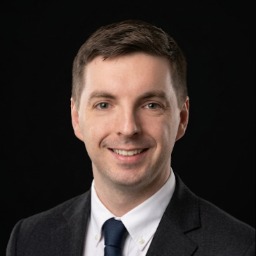
Jozef Baros is a Senior Network Architect, Teamleader, cybersecurity and technology automation specialist with over a decade of hands-on experience designing, securing, building, and operating large-scale enterprise networks for one of Europe's leading telecommunications providers. Working daily with Cisco and AI infrastructure across global enterprise environments, Jozef brings a rare combination of deep technical expertise and a practical, results-driven approach to complex technology challenges. His professional work spans network architecture, infrastructure automation, cybersecurity and cross-functional project management — giving him a uniquely grounded perspective on how technology actually performs under real-world conditions, not just in theory. He is 4x CCNP Certfied (CCNP Automation, Enterprise, Security and DataCenter), ITIL Foundation certified, Azure Network Engineer certified and Fortinet NSE4.
Material
Course Material
The Leanpub 60 Day 100% Happiness Guarantee
Within 60 days of purchase you can get a 100% refund on any Leanpub purchase, in two clicks.
See full terms...
Earn $8 on a $10 Purchase, and $16 on a $20 Purchase
We pay 80% royalties on purchases of $7.99 or more, and 80% royalties minus a 50 cent flat fee on purchases between $0.99 and $7.98. You earn $8 on a $10 sale, and $16 on a $20 sale. So, if we sell 5000 non-refunded copies of your book for $20, you'll earn $80,000.
(Yes, some authors have already earned much more than that on Leanpub.)
Learn more about writing on Leanpub
Free Updates. DRM Free.
If you buy a Leanpub book, you get free updates for as long as the author updates the book! Many authors use Leanpub to publish their books in-progress, while they are writing them. All readers get free updates, regardless of when they bought the book or how much they paid (including free).
Most Leanpub books are available in PDF (for computers) and EPUB (for phones, tablets and Kindle). The formats that a book includes are shown at the top right corner of this page.
Finally, Leanpub books don't have any DRM copy-protection nonsense, so you can easily read them on any supported device.
Learn more about Leanpub's ebook formats and where to read them
Write and Publish on Leanpub
You can use Leanpub to easily write, publish and sell in-progress and completed ebooks and online courses!
Leanpub is a powerful platform for serious authors, combining a simple, elegant writing and publishing workflow with a store focused on selling in-progress ebooks.
Leanpub is a magical typewriter for authors: just write in plain text, and to publish your ebook, just click a button. (Or, if you are producing your ebook your own way, you can even upload your own PDF and/or EPUB files and then publish with one click!) It really is that easy.