
The Leanpub 60 Day 100% Happiness Guarantee
Within 60 days of purchase you can get a 100% refund on any Leanpub purchase, in two clicks.
See full terms...
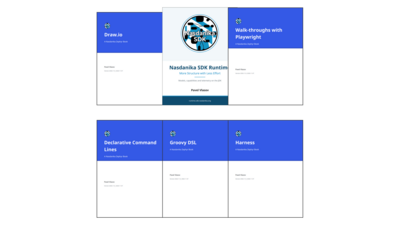
A modular Java runtime that makes structure cheap enough to keep, in one overview and five in-depth manuals: Draw.io, Groovy DSL, command lines, test traces and Playwright.
Bought separately
$63.97
Minimum price
Free!
$29.00
About the Bundle
Most enterprise knowledge is glass: it holds its shape and makes sense up close, and nothing connects it. People skip structure because it costs more to keep than it pays. This bundle is about a Java runtime built on the argument that the cost has changed, and about putting it to work.
It is one overview and five in-depth manuals. The overview is the menu: the why, the what and a high-level how. The Nasdanika Zephyr Books are the recipes, each one an in-depth manual for one part of the runtime that stands on its own, so you can start with whichever book matches your problem.
Nasdanika SDK Runtime: More Structure with Less Effort. Models written as text and generated by a Maven build, capabilities found by type, telemetry kept as a model, volumes, and a command line assembled from contributions, on the JDK, EMF core and the OpenTelemetry API.
Every listing in every book is included from code that is built and tested before the book is rendered, so a listing that no longer compiles stops the build. Status labels say what is AVAILABLE, what is a SKETCH and what is PLANNED. The books follow the runtime's quarterly releases.
All six books are also free on the runtime's site, runtime.sdk.nasdanika.org; buying them here supports the project. The text is licensed under CC BY 4.0 and the code under EPL-2.0. The code needs Java 25.
About the Books

Most diagrams are drawn once, looked at a few times and then left to drift away from what they describe. They don't have to be. A diagram drawn in Draw.io is a structured document, and with a little discipline it can be documentation, configuration, a program's wiring or the source of a model, while it stays a picture anyone can open and change.
The why: the visual communication continuum
The first part needs no code. It places every diagram on a continuum: a picture, an interactive diagram with tooltips, links and layers, a documented diagram, a diagram as data that a program checks and reports from, an executable diagram, and a diagram as a model. It gives rules for choosing a point: start on the left, move right when readers ask the same question twice or when a program needs the answer, and never redraw to move, because each point keeps the file of the point before it.
The how: Draw.io documents from Java
The second part is for Java developers who are handed diagrams and asked to do something with them. It covers the Draw.io module of the Nasdanika SDK Runtime, a small Java library with few dependencies:
The last part shows where the runtime goes next: diagrams as models, generated and laid out diagrams, and diagrams for AI assistants.
Every listing is included from the module's tests and runs when the book is built. Every figure is a PNG with the Draw.io diagram embedded: open it in Draw.io and edit it, or load it with the API and get the document the next listing works on. Status labels mark what is PLANNED and what is a SKETCH.
This is a Nasdanika Zephyr Book, an in-depth manual for one part of the Nasdanika SDK Runtime, and it stands on its own: you don't need to know the runtime to start and finish here. The code needs Java 25. The text is licensed under CC BY 4.0 and the code under EPL-2.0.

Most enterprise knowledge is glass. It holds its shape and makes sense up close, and nothing connects it. The definition of a customer lives in a database schema, a Java class, a wiki table and three spreadsheets, and each one is a projection of a model nobody ever wrote down. Ask who owns the definition and you get silence. An AI assistant can't be fed it either.
People don't skip structure because it is useless. They skip it because it costs more to keep than it pays, and a spreadsheet never asks anyone to adopt anything.
This book argues that the cost has changed, and shows a runtime built on that argument. The Nasdanika SDK Runtime is a set of modules on three foundations: the JDK, EMF core and the OpenTelemetry API.
A solution built on it runs in one JVM, on a laptop or a single virtual machine, with no cluster, database server or message broker to ask permission for.
It is not an introduction to modeling or to Java. My sister, who knows modeling a bit, says of this material that someone walking in from the cold will not get it. She is right. If the problems are not yet yours, the book will keep until they are.
Every listing is included from example modules that are built and tested before the book is rendered, so a listing that no longer compiles stops the build. Status labels say what is AVAILABLE, what is a SKETCH and what is PLANNED.
This book is the menu: the why, the what and a high-level how. The recipes are the Nasdanika Zephyr Books, in-depth manuals for the modules that need more than a chapter. Draw.io and Groovy DSL are on Leanpub in a bundle with this book, and all of them are free on the runtime site and Maven Central.
The book follows the runtime's quarterly releases. The text is licensed under CC BY 4.0 and the examples under EPL-2.0.

A browser test does what a user does: it opens a page, types, clicks and checks what appears. When it fails, the question is always the same: what did the page look like, and what happened behind it? A screenshot answers the first half. The second half is on the server.
This book shows how to keep both. It describes the Playwright module of the Nasdanika SDK Runtime, which drives a browser with Playwright from Java against a server started for the test, and records the whole session in one OpenTelemetry trace:
The first part needs no code: why a browser test should leave a picture book and a trace, and the decisions behind the module. The second part walks through a small catalog application and a React application generated from Java models, then covers what a walk-through records and how the browser joins the trace across origins. The last part looks ahead to user guides, slide decks and narrated demo videos generated from recorded walk-throughs, which are planned.
Every listing is included from the module's sources or tests and runs when the book is built. The figures are screenshots the tests took. Status labels mark what is PLANNED.
This is a Nasdanika Zephyr Book, an in-depth manual for one module of the Nasdanika SDK Runtime, and it stands on its own. The code needs Java 25 and Chrome, Edge or Playwright's Chromium. The text is licensed under CC BY 4.0 and the code under EPL-2.0.

A command line tool usually knows all of its commands. The main class lists them, and adding a command means changing the tool. That is right for a tool with one purpose and one team. A platform is different: its capabilities come from modules written by different people and released at different times, and its command line should be the sum of the modules it runs with.
This book describes the cli module of the Nasdanika SDK Runtime, which builds a picocli command tree from whatever modules are on the module path. Nothing lists all the commands. Add a module and its commands appear; remove it and they are gone, with no other change.
The harder question is where each command goes. A command that saves a model needs a parent that can give it model objects; it does not care whether they come from a file, a Draw.io diagram or a database. So it says so, with generic types, and the runtime places it under every parent that can provide what it needs, before anything runs. Supplier<String> and Supplier<EObject> are one class at run time, but here they are two different contracts, matched the way the Java compiler matches them.
Commands placed by what they need form pipelines that read as sentences: load a diagram, turn it into a model, generate a site, each word from a module that knows nothing of the others. The last part shows the pipelines being rebuilt on this foundation.
picocli does argument parsing, help and completion superbly, and the runtime does not redo any of it. Commands are written with picocli's annotations; what this module adds is assembly by type.
Every listing is included from the module's sources or tests and runs when the book is built. Status labels mark what is PLANNED and what is a SKETCH.
This is a Nasdanika Zephyr Book, an in-depth manual for one module of the Nasdanika SDK Runtime, and it stands on its own. The code needs Java 25, and some familiarity with picocli helps. The text is licensed under CC BY 4.0 and the code under EPL-2.0.

A model has to be written down somewhere, and every way of writing it down has a cost. XMI is exact and written for machines. YAML and JSON are friendlier, but they are data: no variables, no loops, no computation. Diagrams suit some models and not a model of four hundred rules. Generated editors are good for changing one element and poor for seeing the whole or reviewing a change.
A Groovy script that builds a model reads like a structured document, braces for containment and a call for each feature, and it is also a program. It can name things and refer to them with variables, repeat and compute, derive a model from a diagram, a spreadsheet or another model, and decide what saving the model means. It is text, so it is diffed, reviewed and merged like code.
This book describes the Groovy module of the Nasdanika SDK Runtime, which loads a file such as library.ecore.groovy as an EMF resource. The language is derived from the metamodel by reflection when the script loads: every concrete class is a keyword, every feature is a call, and containment is nesting. Bind it to Ecore and you write metamodels; bind it to a rules or architecture metamodel and you write rule sets or architectures. Change the metamodel and the language follows on the next load, with no grammar, parser or code generator.
Every listing is included from the module's sources, tests or test scripts and runs when the book is built. The book says plainly that a script model is a program that runs when it loads, so load scripts only from sources you trust. Status labels mark what is PLANNED.
This is a Nasdanika Zephyr Book, an in-depth manual for one module of the Nasdanika SDK Runtime, and it stands on its own. The code needs Java 25 and brings Apache Groovy 5; some familiarity with EMF helps. The text is licensed under CC BY 4.0 and the code under EPL-2.0.

An integration test of a web application sends requests and checks responses. When it passes, it leaves nothing behind but a green mark. When it fails, it leaves an assertion message on one side and the server's logs somewhere else, and someone has to put the two together.
The thread that ties them together already exists. OpenTelemetry carries a trace from client to server in a request header, so the server's work becomes a child of the client's request. Production systems use it across dozens of services; tests rarely do, because of the setup: a collector, a backend, agents on both sides, and a way to find one test's trace among everything else.
A test that starts the server it tests, in the same JVM, needs none of that. This book describes the harness module of the Nasdanika SDK Runtime, with one method at its heart: Harness.inServer starts a server whose every handler is instrumented, runs your code in a span, gives it a client whose requests carry the trace, and stops the server when your code is done. Every request of the test and everything the server did for it are in the test's trace, and nothing else is.
The last part shows what is built on it: browser walk-throughs with screenshots in the same trace, which are available in the Zephyr Book Walk-throughs with Playwright, and documents, slide decks, sequence diagrams and narrated videos generated from recorded traces, which are planned.
Every listing is included from the module's sources or tests and runs when the book is built. Status labels mark what is PLANNED.
This is a short Nasdanika Zephyr Book, an in-depth manual for one small module of the Nasdanika SDK Runtime, and it stands on its own. The code needs Java 25; recording traces as models adds the runtime's telemetry model exporters. The text is licensed under CC BY 4.0 and the code under EPL-2.0.
Within 60 days of purchase you can get a 100% refund on any Leanpub purchase, in two clicks.
See full terms...
We pay 80% royalties on purchases of $7.99 or more, and 80% royalties minus a 50 cent flat fee on purchases between $0.99 and $7.98. You earn $8 on a $10 sale, and $16 on a $20 sale. So, if we sell 5000 non-refunded copies of your book for $20, you'll earn $80,000.
(Yes, some authors have already earned much more than that on Leanpub.)
Learn more about writing on Leanpub
If you buy a Leanpub book, you get free updates for as long as the author updates the book! Many authors use Leanpub to publish their books in-progress, while they are writing them. All readers get free updates, regardless of when they bought the book or how much they paid (including free).
Most Leanpub books are available in PDF (for computers) and EPUB (for phones, tablets and Kindle). The formats that a book includes are shown at the top right corner of this page.
Finally, Leanpub books don't have any DRM copy-protection nonsense, so you can easily read them on any supported device.
Learn more about Leanpub's ebook formats and where to read them
You can use Leanpub to easily write, publish and sell in-progress and completed ebooks and online courses!
Leanpub is a powerful platform for serious authors, combining a simple, elegant writing and publishing workflow with a store focused on selling in-progress ebooks.
Leanpub is a magical typewriter for authors: just write in plain text, and to publish your ebook, just click a button. (Or, if you are producing your ebook your own way, you can even upload your own PDF and/or EPUB files and then publish with one click!) It really is that easy.