

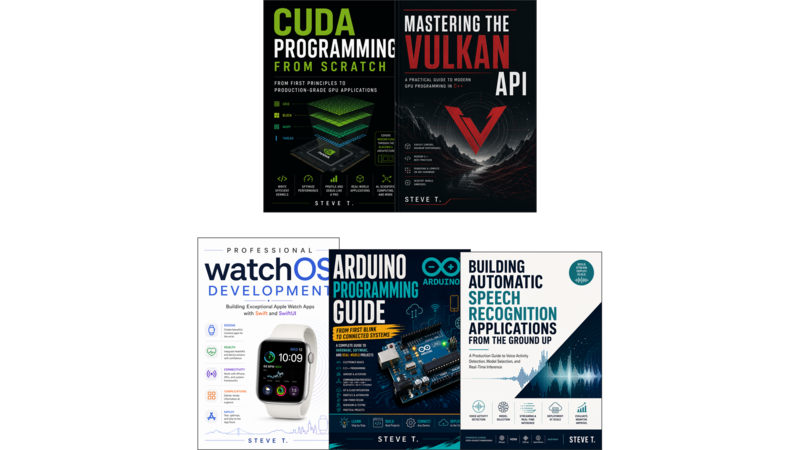

From First Blink to Connected Systems
- A Complete Guide to Hardware, Software, and Real-World Projects
Introduction: Why Arduino, Why Now?
Chapter 1: The Arduino Story and Ecosystem
- Learning Objectives
- The Birth of Arduino: From Ivrea to the World
- The Open-Source Philosophy
- The Arduino Family of Boards
- The Ecosystem: Shields, Modules, and Add-Ons
- Choosing Your Board: A Decision Guide
- Chapter Summary
- Key Takeaways
- Exercises
- Troubleshooting Guide
Chapter 2: Electronics Fundamentals for Makers
- Learning Objectives
- Voltage, Current, and Resistance
- Ohm’s Law in Practice
- Reading and Drawing Schematics
- Components You Will Use Every Day
- Breadboarding and Prototyping Best Practices
- Safety First
- Chapter Summary
- Key Takeaways
- Exercises
- Troubleshooting Guide
Chapter 3: Hardware Architecture Deep Dive
- Learning Objectives
- Microcontrollers: The Brain of the Board
- Clock Speeds and Memory Hierarchy
- Digital vs. Analog Pins
- Power Systems and Regulators
- Bootloaders and Flashing
- Comparing Popular Boards
- Chapter Summary
- Key Takeaways
- Exercises
- Troubleshooting Guide
Chapter 4: Installing the Arduino IDE and Setting Up Your Environment
- Learning Objectives
- Installing the Arduino IDE (Classic and 2.x)
- The IDE Interface Tour
- Configuring Boards and Serial Ports
- Understanding the Sketch Structure
- Using Alternative IDEs and Tools
- First Upload and Troubleshooting
- Chapter Summary
- Key Takeaways
- Exercises
- Troubleshooting Guide
Chapter 5: C/C++ for Embedded Systems
- Learning Objectives
- Variables, Types, and Constants
- Control Structures
- Functions and Scope
- Pointers and References in Embedded Contexts
- Structs and Data Organization
- C++ Classes for Arduino Components
- Preprocessor Directives and Macros
- Chapter Summary
- Key Takeaways
- Exercises
- Troubleshooting Guide
Chapter 6: Digital I/O: Reading and Writing Pins
- Learning Objectives
- pinMode, digitalWrite, digitalRead
- Pull-up and Pull-down Resistors
- Button Debouncing
- LED Control Patterns
- Driving Multiple Outputs
- Exercise: Traffic Light Controller
- Chapter Summary
- Key Takeaways
- Exercises
- Troubleshooting Guide
Chapter 7: Analog I/O and PWM
- Learning Objectives
- Analog Input with the ADC
- Analog Output with PWM
- Reading Sensors: Potentiometers, LDRs
- Motor Speed Control with PWM
- Timer-based PWM on Different Boards
- Exercise: Dimmable Lamp with Sensor
- Chapter Summary
- Key Takeaways
- Exercises
- Troubleshooting Guide
Chapter 8: Interrupts and Timers
- Learning Objectives
- What Are Interrupts and Why Use Them
- External Interrupts (attachInterrupt)
- Pin Change Interrupts
- Hardware Timer Registers
- millis() and micros() vs. Blocking Delays
- Exercise: Precision Clock with Alarm
- Chapter Summary
- Key Takeaways
- Exercises
- Troubleshooting Guide
Chapter 9: Serial Communication: UART, I2C, and SPI
- Learning Objectives
- UART/Serial: The Basics
- SoftwareSerial and Multi-port Serial
- I2C Protocol: Addressing, Pull-ups, Libraries
- SPI: Master/Slave, Clock Polarity, Speeds
- CAN Bus for Automotive and Industrial Use
- Exercise: Multi-Board Sensor Network
- Chapter Summary
- Key Takeaways
- Exercises
- Troubleshooting Guide
Chapter 10: Wireless Communication: Bluetooth, Wi-Fi, and Ethernet
- Learning Objectives
- Classic Bluetooth (HC-05/HC-06)
- BLE (Bluetooth Low Energy)
- ESP8266 and ESP32 Wi-Fi Boards
- WiFiNINA on MKR1010 and Nano 33 IoT
- Ethernet: W5100, W5500, ENC28J60
- MQTT for IoT Messaging
- Exercise: Web Server with Sensor Readings
- Chapter Summary
- Key Takeaways
- Exercises
- Troubleshooting Guide
Chapter 11: Sensors: Reading the Physical World
- Learning Objectives
- Temperature and Humidity (DHT, BME280)
- Accelerometers and Gyroscopes (MPU6050)
- Ultrasonic Distance (HC-SR04)
- Light, Gas, and Chemical Sensors
- IR Sensors and Remote Controls
- Sensor Calibration and Filtering
- Exercise: Weather Station
- Chapter Summary
- Key Takeaways
- Exercises
- Troubleshooting Guide
Chapter 12: Actuators: Making Things Move and Respond
- Learning Objectives
- DC Motors and Motor Drivers
- Stepper Motors and Drivers
- Servo Motors
- Relays and High-Power Switching
- Piezo Buzzer and Audio Output
- Solenoids and Electromechanical Devices
- Exercise: Robotic Arm or Car
- Chapter Summary
- Key Takeaways
- Exercises
- Troubleshooting Guide
Chapter 13: Memory Management, Optimization, and Low-Power Design
- Learning Objectives
- SRAM Usage and String Management
- PROGMEM and Flash Memory
- Free Fragmentation and Heap Management
- Compiler Optimization Flags
- Power Modes: Sleep, Idle, Stop
- Energy Monitoring and Battery Life
- Exercise: Year-Long Sensor Node
- Chapter Summary
- Key Takeaways
- Exercises
- Troubleshooting Guide
Chapter 14: Libraries, Debugging, and Real-Time Systems
- Learning Objectives
- Using Third-Party Libraries
- Writing Your Own Library
- Debugging Techniques and Tools
- Real-Time Considerations
- Code Organization and Testing
- Exercise: Refactor a Project with Best Practices
- Chapter Summary
- Key Takeaways
- Exercises
- Troubleshooting Guide
Chapter 15: IoT Platforms, Cloud Services, and Data Visualization
- Learning Objectives
- MQTT Brokers and Message Queuing
- Building Web Dashboards
- Cloud Platforms: ThingSpeak, Adafruit IO, Blynk
- REST APIs and HTTP Clients
- Firebase and Database Integration
- Security: Authentication, Encryption
- Exercise: Complete Home Monitoring System
- Chapter Summary
- Key Takeaways
- Exercises
- Troubleshooting Guide
Chapter 16: Robotics and Autonomous Systems
- Learning Objectives
- Robot Chassis and Motor Control
- Sensor Fusion for Navigation
- Line Following and Obstacle Avoidance
- PID Control for Smooth Motion
- Computer Vision with Arduino-Compatible Cameras
- Project: Autonomous Rover
- Chapter Summary
- Key Takeaways
- Exercises
- Troubleshooting Guide
Chapter 17: Production-Ready Projects and Next Steps
- Learning Objectives
- PCB Design and Manufacturing
- Firmware Updates (OTA)
- Testing and Validation
- Career Paths in Embedded Systems
- Beyond Arduino: Alternative Platforms
- Chapter Summary
- Key Takeaways
- Exercises
- Troubleshooting Guide