

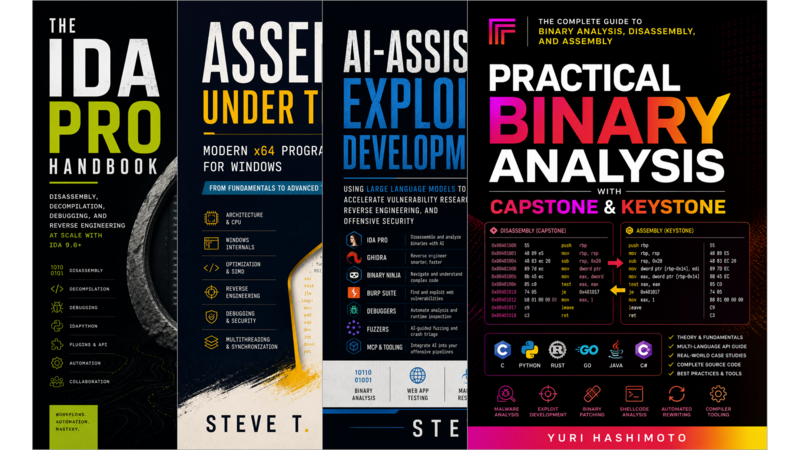

Mastering IDA Pro 9.x
- A Practical Guide to Modern Binary Analysis
Introduction
- What You Will Learn
- Who This Book Is For
- How to Read This Book
- What Is IDA Pro?
- What This Book Covers
Chapter 1: What Is IDA Pro, Exactly?
- The IDA Pro 9.x Architecture
- IDA Pro vs. Alternatives
Chapter 2: Installation and Environment Setup
- System Requirements
- Downloading IDA Pro
- Installing on Windows
- Installing on Linux
- Installing on macOS
- License Activation
- License Server for Floating Licenses
- Configuring Python Environment
- Troubleshooting Common Installation Issues
- Unattended Installation
Chapter 3: The IDA Interface
- The Main Window Layout
- The Disassembly View
- The Functions Window
- The Hexadecimal View
- Keyboard Shortcuts That Matter
- Customizing the Interface
- Building a Productive Workflow
Chapter 4: Disassembly Fundamentals
- x86/x64 Instruction Decoding
- ARM64/AArch64 Instruction Sets
- Control Flow Graphs and Basic Blocks
- Function Prologues and Epilogues
- Recognizing Common Code Patterns
- Handling Obfuscation Techniques
Chapter 5: The Hex-Rays Decompiler
- How the Decompiler Works
- Interpreting Pseudocode Output
- Fixing Decompiler Errors
- The Decompiler Window Layout
- Advanced Decompiler Features
- When the Decompiler Fails
Chapter 6: IDA Python - Automation and Scripting
- IDA Python Basics
- Writing Your First Script
- Iterating Over Addresses, Functions and Segments
- Modifying the Database
- Using IDAPython with External Tools
- Debugging IDA Python Scripts
- Headless Processing with idalib
- Best Practices for Production-Quality Scripts
Chapter 7: IDC - The Legacy Scripting Language
- IDC Syntax and Semantics
- Porting IDC Scripts to IDA Python
- When You Still Need IDC
- Limitations of IDC That IDA Python Solves
Chapter 8: Debugging in IDA Pro
- Setting Up the Local Debugger
- Attaching to Running Processes
- Breakpoints
- Stepping Through Code
- Watching Variables, Registers and Memory
- Remote Debugging with GDB Server
- Symbol Resolution
Chapter 9: Analysis Techniques - Methodologies for Real-World Reverse Engineering
- Top-Down vs. Bottom-Up Analysis Strategies
- Static Analysis Workflow
- Identifying Malicious Behavior Patterns
- API Hooking Detection and Shellcode Identification
- String and Constant Analysis
- Control Flow Flattening and Deobfuscation Techniques
Chapter 10: Malware Analysis with IDA Pro
- Analyzing PE Files, ELF Binaries and Mach-O Binaries
- Identifying Common Malware Techniques
- Extracting and Analyzing Embedded Resources
- Dynamic Analysis Integration
- Case Study: Dissecting a Real-World Ransomware Sample
- Case Study: Unpacking a VMP-Protected Binary
Chapter 11: Binary Patching - Modifying Binaries at the Byte Level
- Understanding Patches: NOP Insertion, Instruction Replacement, Jump Redirection
- Using IDA’s Patch Editor and Hex View for Manual Changes
- Automating Patches with IDA Python Scripts
- Handling Position-Independent Code and Relocations During Patching
- Creating Delta Patches and Binary Diffing Workflows
- Preserving Function Signatures and Types After Patching
Chapter 12: Plugin Development - Extending IDA Pro
- The Plugin API:
plugin_tStructure,RUNTIME,PLUGIN_ARGand Entry Points - Writing Your First Plugin in C++ and Python
- Creating Menu Items, Toolbar Buttons and Keyboard Shortcuts
- Accessing and Modifying the IDA Database from Plugins
- Building GUI Dialogs with Qt or Native Widgets
- Distributing Plugins: Packaging, Installation and Version Management
- Debugging Plugin Issues and Common Pitfalls
Chapter 13: Collaborative Workflows - Team-Based Reverse Engineering
- Database Sharing Formats: IDC, IDB vs. I64 and Compatibility
- Version Control for Binary Analysis Databases
- Comment and Naming Conventions for Team Coordination
- Using IDA’s Built-in Collaboration Features (When Available)
- Integrating with Git, Perforce and Other VCS Systems
- Managing Large-Scale Projects Across Multiple Analysts
Chapter 14: Performance Optimization - Working with Large Binaries Efficiently
- Understanding IDA’s Memory Usage and Optimization Settings
- Handling Huge Files: Chunk Loading, Lazy Analysis and Selective Processing
- Optimizing Decompiler Performance for Large Functions
- Managing Plugin Load Times and Startup Performance
- Troubleshooting Slow Analysis and Unresponsive UI
- Hardware Requirements and When to Invest in Better Machines
Chapter 15: Real-World Case Studies
- Case Study 1: Dissecting a Closed-Source Windows Driver
- Case Study 2: Reverse Engineering a Linux Kernel Module
- Case Study 3: Analyzing an Embedded ARM Firmware Image
- Case Study 4: Deobfuscating a Heavily Obfuscated CTF Challenge
- Case Study 5: Extracting Data from a Proprietary Protocol Binary