Kick off your book project in 2 hours! Live workshop on Zoom. You’ll leave with a real book project, progress on your first chapter, and a clear plan to keep going. Tuesday, June 16, 2026. Learn more…

Leanpub Header

Skip to main content

Switching to Linux

A Practical Guide for Windows and Mac Users

This book is 100% completeLast updated on 2026-06-14

Linux is one of the best decisions you can make for your computer — but knowing where to start is the hard part. This guide walks you through everything: choosing a distribution, installing it, and using it confidently every day. It was written by Jay LaCroix of Learn Linux TV, for complete beginners. No prior experience required.

Minimum price

$30.00

$35.00

You pay

Author earns

$

Also available for 2 book credits with a Reader Membership

PDF
EPUB
WEB
About

About

About the Book

Switching to Linux is the start of an extremely fun journey - but knowing where to start is another matter entirely! This book is your guide through that transition. It was written by Jay LaCroix (creator of the Learn Linux TV YouTube channel) with over 20 years of experience helping people make Linux approachable.

Whether you're fed up with Windows nudging you toward Microsoft Edge or Apple prompting you to sign in to yet another account, Linux offers a computing experience designed to work for you, not against you. But making the jump can feel overwhelming if you don't know what to expect. "Switching to Linux" removes that uncertainty by walking you through every stage of the process - from understanding what Linux actually is, to choosing a distribution, installing it, and using it confidently day to day.

Along the way, you'll learn how to find and install software, connect hardware like printers, Bluetooth devices, and external displays, manage your files, enjoy multimedia and gaming, use the command line, and keep your system secure. Each chapter is written for real beginners - no prior Linux experience required. By the end, you won't just have Linux running on your computer. You'll understand it!

Author

About the Author

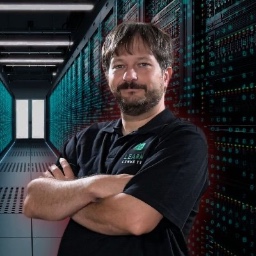
Jay LaCroix

Jay is a passionate technologist and enjoys working on just about any form of technology he can get his hands on, and spends his free time tinkering with network/server hardware, virtualization, Raspberry Pi’s, writing scripts, and more. Of all the technology he works with, Jay is the most passionate about Linux and its community. With over two decades of experience supporting Linux professionally, Jay started Learn Linux TV – an education company that focuses on teaching concepts that surround Linux and related technologies. As part of this company, Jay writes Linux-related books and produces training content that teaches important concepts from an experienced and hands-on perspective. The YouTube channel of the same name now has over 1 million subscribers and well over 60 million views. Outside of Linux, Jay enjoys collecting classic video games.

Contents

Table of Contents

There’s More Where This Came From

About the Author

Technical Reviewers

Conventions Used in This Book

  1. Commands and Code
  2. Key Terms
  3. File Paths and Package Names
  4. UI Labels and Button Text
  5. Tips
  6. Notes
  7. Relevant Videos
  8. Feedback and Support

Dedication

Preface: Migrating to Linux (Making Your Computer Work for You)

Chapter 1 - Welcome to the World of Linux!

  1. What Exactly Is “Linux”?
  2. Why Use Linux?
  3. Common Linux Components
  4. Chapter Summary

Chapter 2 - Evaluating Linux

  1. Will Linux Run on Your Computer?
  2. Testing Distributions in “Live Mode”
  3. Taking Linux for a Test-Drive
  4. Other Types of Linux Installations
  5. Raspberry Pi
  6. Dual-Booting Linux with Windows
  7. Chapter Summary
  8. Relevant Videos

Chapter 3 - Linux Compared to Other Platforms

  1. Is Linux Hard to Learn?
  2. Having Reasonable Expectations
  3. Adjusting Your Workflow
  4. How Does Linux Compare to Windows?
  5. How Does Linux Compare to macOS?
  6. Chapter Summary

Chapter 4 - Popular Desktop Environments

  1. Desktop Environments Explained
  2. What Is a Desktop Environment?
  3. GNOME
  4. KDE Plasma
  5. Xfce
  6. MATE
  7. Cinnamon
  8. Ubuntu Desktop
  9. COSMIC
  10. Power Management
  11. Chapter Summary
  12. Relevant Videos

Chapter 5 - Choosing a Distro

  1. Popular Distributions
  2. Using “Live Media” To Test Linux Distros
  3. Important Considerations
  4. Chapter Summary
  5. Relevant Videos

Chapter 6 - Installing Linux

  1. Creating Bootable Media
  2. Booting Linux Installation Media
  3. Installing a Linux Distribution
  4. Other Notable Linux Installers
  5. Chapter Summary
  6. Relevant Videos

Chapter 7 - Installing Applications

  1. Checking Out Default Applications
  2. Mozilla Firefox
  3. Mozilla Thunderbird
  4. GNU Image Manipulation Program (GIMP)
  5. GNOME Software
  6. LibreOffice
  7. System Utilities
  8. What Is a “Package” in Linux?
  9. Understanding “Universal Packages”
  10. Flatpak vs Snap vs AppImage: Which Should You Use?
  11. Software Repositories
  12. Using GNOME Software
  13. Side-Loading Applications
  14. Chapter Summary
  15. Relevant Videos

Chapter 8 - Connecting Peripherals

  1. Plug and Play Devices
  2. Accessing Data from Removable Storage Devices
  3. Viewing Your Webcam
  4. Audio Input and Output
  5. Printing and Scanning Documents
  6. Wi-Fi Cards
  7. Bluetooth
  8. Connecting Thunderbolt Devices
  9. Display and Monitor Configuration
  10. Chapter Summary

Chapter 9 - Managing Files

  1. Using a File Manager
  2. Understanding the Linux Filesystem
  3. Common Linux Directories
  4. Attaching Additional Storage Volumes
  5. Chapter Summary
  6. Relevant Videos

Chapter 10 - Enjoying Multimedia Files

  1. Playing Audio and Video Files in Linux
  2. Watching Content from Streaming Sources
  3. Installing Codecs
  4. Popular Linux Multimedia Apps
  5. Chapter Summary

Chapter 11 - Gaming on Linux

  1. Native vs Non-Native Games
  2. Why Games Made for Windows Can Be Problematic
  3. Choosing a GPU
  4. Connecting an External GPU (eGPU)
  5. Steam
  6. Good Old Games (GOG)
  7. Chapter Summary

Chapter 12 - Monitoring Performance

  1. Resource Types
  2. Understanding “Bottlenecks”
  3. Viewing System Resources
  4. Unused RAM Is Wasted RAM
  5. Viewing Disk Usage
  6. Chapter Summary

Chapter 13 - Working with the Command Line

  1. Is the Command Line Necessary?
  2. Accessing a Linux Terminal
  3. Understanding Your Bash Prompt
  4. Understanding Basic Linux Commands
  5. Pinpointing Disk Usage with Your Terminal
  6. Chapter Summary
  7. Relevant Videos

Chapter 14 - Securing Your Computer

  1. Should You Run Anti-Virus Software?
  2. Creating Good Passwords
  3. Implementing a Firewall
  4. Effective Firewall Implementation
  5. Staying Up to Date
  6. Major Version Upgrades
  7. Backing Up Important Files
  8. Chapter Summary
  9. Relevant Videos

Chapter 15 - Troubleshooting

  1. Using Live Mode to Diagnose Issues
  2. Unsupported Hardware
  3. Testing for Defective RAM
  4. Troubleshooting Network Issues
  5. Troubleshooting Performance Issues
  6. Viewing Log Files
  7. Chapter Summary
  8. Relevant Videos

Chapter 16 - Additional Resources and Next Steps

  1. Join Your Distribution’s Community
  2. Consider a Linux User Group
  3. Learn Linux TV’s YouTube Channel
  4. Set Up a “Sandbox” PC
  5. Visit the Learn Linux TV Website
  6. Thank You, and Enjoy Your Journey!
  7. More from Learn Linux TV

The Leanpub 60 Day 100% Happiness Guarantee

Within 60 days of purchase you can get a 100% refund on any Leanpub purchase, in two clicks.

See full terms...

Earn $8 on a $10 Purchase, and $16 on a $20 Purchase

We pay 80% royalties on purchases of $7.99 or more, and 80% royalties minus a 50 cent flat fee on purchases between $0.99 and $7.98. You earn $8 on a $10 sale, and $16 on a $20 sale. So, if we sell 5000 non-refunded copies of your book for $20, you'll earn $80,000.

(Yes, some authors have already earned much more than that on Leanpub.)

In fact, authors have earned over $15 million writing, publishing and selling on Leanpub.

Learn more about writing on Leanpub

Free Updates. DRM Free.

If you buy a Leanpub book, you get free updates for as long as the author updates the book! Many authors use Leanpub to publish their books in-progress, while they are writing them. All readers get free updates, regardless of when they bought the book or how much they paid (including free).

Most Leanpub books are available in PDF (for computers) and EPUB (for phones, tablets and Kindle). The formats that a book includes are shown at the top right corner of this page.

Finally, Leanpub books don't have any DRM copy-protection nonsense, so you can easily read them on any supported device.

Learn more about Leanpub's ebook formats and where to read them

Write and Publish on Leanpub

You can use Leanpub to easily write, publish and sell in-progress and completed ebooks and online courses!

Leanpub is a powerful platform for serious authors, combining a simple, elegant writing and publishing workflow with a store focused on selling in-progress ebooks.

Leanpub is a magical typewriter for authors: just write in plain text, and to publish your ebook, just click a button. (Or, if you are producing your ebook your own way, you can even upload your own PDF and/or EPUB files and then publish with one click!) It really is that easy.

Learn more about writing on Leanpub