


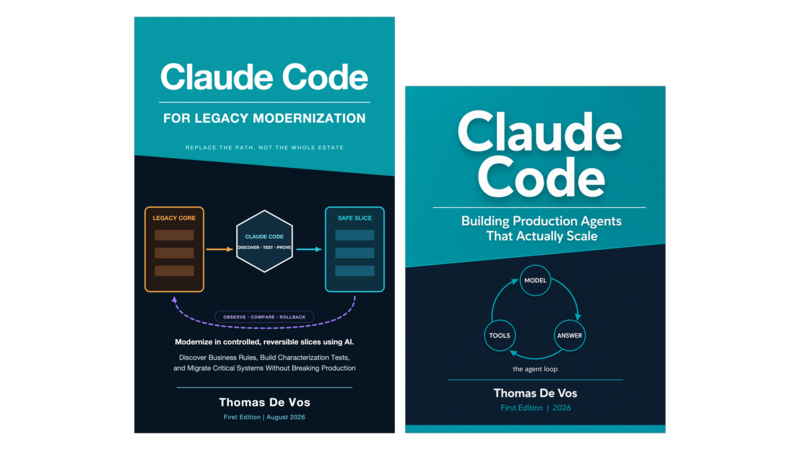


8 October 2026 edition
Preface
- Why This Book
- Who This Book Is For
- How to Read This Book
- Acknowledgements
Chapter 1. The agent loop, seriously
- Learning objectives
- 1.1 The minimal loop
- 1.2 What Claude Code adds on top
- 1.3 Where state actually lives
- 1.4 Worked example: an adverse media screening agent
- 1.5 The ten-minute whiteboard version
- 1.6 A note on vocabulary
- Summary
- Exercises
- Notes
Chapter 2. What Claude Code is on 7 September 2026
- 2.1 One loop, several operating environments
- 2.2 The current CLI contract
- 2.3 Parallel and isolated work
- 2.4 Desktop, web, Remote Control, and agent view
- 2.5 IDE surfaces
- 2.6 CI as an execution boundary
- 2.7 The Agent SDK
- 2.8 Version and provenance discipline
- 2.9 Choosing a surface
- Summary
- Exercises
- Notes and sources
Chapter 3. The model family and why it matters for the loop
- 3.1 The October 2026 family
- 3.2 Aliases are convenient, not immutable
- 3.3 Requested model is not always resolved model
- 3.4 Context windows are capacity, not comprehension
- 3.5 Cost per task
- 3.6 Prompt caching
- 3.7 A practical selection matrix
- 3.8 Routing and escalation patterns
- 3.9 What I do not infer from benchmarks
- 3.10 The October migration gate
- Summary
- Exercises
- Notes and sources
Chapter 4. Context as a first-class resource
- 4.1 The anatomy of a turn
- 4.2 CLAUDE.md as the system of truth
- 4.3 Auto-memory and when it lies
- 4.4 The session transcript and context accumulation
- 4.4a Configuring auto-memory and compaction
- 4.4b Context that lives outside the window
- 4.5 Context budgeting worksheet
- 4.6 Worked example: A compliance monitoring agent
- Summary
- Exercises
- Notes
Chapter 5. The production definition
- 5.1 Five properties of a production agent
- 5.2 Observable: Audit trails and reasoning
- 5.3 Reversible: Undo and correction
- 5.4 Evaluable: Metrics and measurement
- 5.5 Governable: Change control and accountability
- 5.6 The readiness rubric
- 5.7 Worked example: The adverse media screening agent
- 5.8 What this book will and will not help with
- Summary
- Exercises
- Notes
Part II: The Primitive Stack
Chapter 6. Tools as an API surface
- Learning objectives
- 6.1 What a tool actually is
- 6.2 The three categories of tools
- 6.3 Error handling and what the model learns on failure
- 6.4 Versioning tools without breaking agents
- 6.5 Rate limiting and cost attribution
- 6.6 Worked example: the screening toolkit
- 6.7 Design principles that compound
- 6.8 Tool schemas as governance
- Summary
- Exercises
- Notes
Chapter 7. Subagents and the delegation model
- Learning objectives
- 7.1 What a subagent is and is not
- 7.2 The parent-child contract
- 7.3 When to spawn vs. when to inline
- 7.4 Context isolation and why it matters
- 7.5 The fan-out pattern
- 7.6 Four approaches to parallel work
- 7.7 Subagent configuration
- 7.8 Common misuses
- 7.9 When to use what: a decision guide across the primitive stack
- 7.10 Worked example: a compliance inquiry agent with subagents
- Summary
- Exercises
- Notes
Chapter 8. Hooks as a policy layer
- Learning objectives
- 8.1 What a hook is and what it is not
- 8.2 The lifecycle in three cadences
- 8.3 Handler types
- 8.4 Matching and scope
- 8.5 A current command-hook pattern
- 8.6 PreToolUse, permissions, and approval
- 8.7 Post-tool validation and batches
- 8.8 Compaction, model switches, and configuration drift
- 8.9 Where hooks live
- 8.10 Hooks as evidence, not just blockers
- 8.11 Worked example: controlled case creation
- Summary
- Exercises
- Notes and sources
Chapter 9. Slash commands and skills
- Learning objectives
- Learning objectives (continued)
- 9.1 What a skill is
- 9.2 The skill file anatomy
- 9.3 Writing instructions that agents can follow
- 9.4 Auto-invoke versus manual invoke
- 9.5 Skill versioning and audit trails
- 9.6 Worked example: a screening skill
- 9.7 Skills, tools, and hooks
- Summary
- Exercises
- Notes
Chapter 10. MCP and the integration plane
- Learning objectives
- 10.1 What MCP actually is
- 10.2 How MCP works
- 10.3 Transport mechanisms: stdio and HTTP
- 10.4 Writing an MCP server
- 10.5 MCP security: authentication, rate limiting, and PII
- 10.6 When MCP is the right choice
- 10.7 Worked example: an MCP server for adverse media
- Summary
- Exercises
- Notes
Chapter 11. Plugins and marketplaces
- Learning objectives
- 11.1 What a plugin contains
- 11.2 Installation and lifecycle
- 11.3 Trust and provenance
- 11.4 The marketplace model
- 11.5 Building a plugin for your team
- 11.6 The FS compliance plugin: a worked example
- 11.7 Summary
- Exercises
- Footnotes
Chapter 12. Putting the stack together: a compliance monitoring agent end to end
- Learning objectives
- 12.1 The workload in detail
- 12.2 The agent architecture
- 12.3 Session walk-through: screening a customer
- 12.4 The governance stack in action
- 12.5 Multi-entity orchestration
- 12.6 Cost attribution and budget management
- 12.7 Audit trail example
- 12.8 From custom build to packaged agent
- 12.9 What this chapter does not cover (and where to find it)
- Summary
- Exercises
- Notes
Chapter 13. When to leave the CLI, and how to embed it when you do
- Learning objectives
- 13.1 The five good reasons
- 13.2 The fifteen false positives
- 13.2.2 Performance and latency (two variations)
- 13.2.3 Integration (four variations)
- 13.2.4 Governance (two variations)
- 13.2.5 Multi-tenancy, queuing, and workflows (two final ones)
- 13.3 The subprocess pattern: CLI from the SDK
- 13.4 Decision flowchart as prose
- 13.5 Worked example: a screening inquiry handler with audit
- 13.6 Enterprise deployment: from CLI to Kubernetes
- 13.7 Managed Agents: Anthropic hosts the loop
- 13.8 New operating surfaces do not remove production duties
- Summary
- Exercises
- Footnotes
Chapter 14. The two SDK layers in one sitting
- Learning objectives
- 14.1 The query function
- 14.2 Options and configuration
- 14.3 Message types
- 14.4 Tool registration and schemas
- 14.5 The minimal working agent in fifty lines (Python)
- 14.6 The same agent in TypeScript
- 14.7 What each layer makes you own
- Summary
- Exercises
- Footnotes
Chapter 15. Tools, hooks, and subagents in a custom orchestrator
- Learning objectives
- 15.1 Registering tools with schemas
- 15.2 PreToolUse and PostToolUse semantics
- 15.3 Hook matching in the application orchestrator
- 15.4 Spawning subagents
- 15.5 Worked example: compliance inquiry handler
- Summary
- Exercises
- Footnotes
Chapter 16. Sessions, state, and durability
- Learning objectives
- 16.1 The session model
- 16.2 Storage options and tradeoffs
- 16.3 Durability patterns
- 16.4 Session replay for debugging
- 16.5 Worked example: inquiry handling across analyst shifts
- 16.6 Managed Agents and the session event log
- Summary
- Exercises
- Footnotes
Chapter 17. The permissions model, read it twice
- Learning objectives
- The current permission modes
- Per-tool permissions
- Permissions at scale: containerized deployments
- File path restrictions
- The permission escalation problem
- Default-deny as the only sane starting point
- Permission auditing
- Worked Financial Services example: the sanctions list incident
- Summary
- Exercises
- Footnotes
Chapter 18. Sandboxing and the blast radius question
- Learning objectives
- OS-level sandboxing: filesystem, process, and network boundaries
- Container-based isolation
- The blast radius framework
- Sandbox configuration across environments
- Reducing blast radius: practical design patterns
- Measuring blast radius
- Worked Financial Services example: blast radius analysis for a compliance agent with customer PII access
- 18.5 Current Claude Code permission modes
- Summary
- Exercises
- Footnotes
Chapter 19. Network egress, secrets, and data boundaries
- Learning objectives
- Network allowlisting
- Secret injection patterns: where and how to manage API keys, tokens, and credentials
- Environment variable hygiene
- Data classification and the agent
- PII in context windows
- The screening workload stress test
- Worked Financial Services example: a screening agent that logs PII to an observability endpoint
- Summary
- Exercises
- Footnotes
Chapter 20. Policy as code: native settings, application policy, audit, and lineage
- Learning objectives
- The agent-policy.json anatomy
- Deploying settings at scale
- Versioning policy: the policy repo
- Audit logging: what to capture, where to send it
- Lineage: tracing a decision back through the agent’s tool calls
- The forensic question: reconstructing what the agent did
- Worked Financial Services example: responding to a compliance audit with lineage
- Summary
- Exercises
- Footnotes
Chapter 21. The supply chain: plugins, skills, MCP servers
- Learning objectives
- The trust problem
- Provenance and signing
- Version pinning
- The audit before you install
- Dependency sprawl
- Building an internal registry
- The vendor plugin problem in regulated industries
- Worked financial services example: a hypothetical disclosure
- Summary
- Exercises
- Footnotes
Chapter 22. The eval mindset
- Learning objectives
- Why evals are non-negotiable
- The three eval types
- What to eval in an agent system versus a completion system
- The eval-first development loop
- Building eval into CI
- Continuous evals and the AgentOps connection
- When evals fail: kill switches, canary rollouts, and automated responses
- The eval debt trap
- FS example: Screening agents and outcome drift
- Objective checks inside the work loop
- Summary
- Exercises
Chapter 23. Designing evals for agentic workloads
- Learning objectives
- Trajectory versus answer grading
- Building golden datasets for agents
- The label leakage problem
- Eval harness architecture
- How Claude Code fits into the eval workflow
- Tracing agent trajectories and decision points
- Determinism traps
- Statistical validity for small eval sets
- FS example: Evaluating adverse media screening without label leakage
- Summary
- Exercises
Chapter 24. LLM-as-judge, done seriously
- Learning objectives
- What a judge model is
- Writing judge prompts that actually discriminate
- Calibrating judges against human ratings
- Judge drift and how to detect it
- Multi-judge panels
- The circularity question
- The cost of judging
- Packaging a judge rubric as a skill
- FS example: Calibrating a judge on inquiry triage
- Summary
- Exercises
Chapter 25. Observability: traces, spans, and the agent timeline
- Learning objectives
- What to instrument
- The trace model for agents: turns, tool calls, subagents
- The observability stack and where Claude Code fits
- OpenTelemetry integration
- MLflow for experiment tracking
- Opik for agent-specific traces
- Datadog for production monitoring
- Building dashboards that matter
- Agent cards and KPI-driven responses
- Alert design for agents
- FS example: Instrumentation for a KYC agent
- Summary
- Exercises
Chapter 26. Failure modes and reliability engineering
- Learning objectives
- The failure taxonomy
- Detecting failure modes
- SLOs for agents
- Error budgets
- Rollback strategies for agents
- Where the SRE playbook breaks for agents
- Circuit breakers and fallback patterns
- Incident response for agent failures
- FS example: Recency bias in a screening agent
- Cross-agent injection: controls to verify
- Auto mode, fan-out, and bounded trust
- Summary
- Exercises
Chapter 27. Cost engineering
- Learning objectives
- 27.1 The four cost types
- 27.2 Token cost mechanics and optimisation levers
- 27.3 Time cost: why wall-clock matters more than tokens
- 27.4 Review cost: the hidden tax on every agent output
- 27.5 Context-switch cost: what it costs the human to re-engage
- 27.6 Infrastructure cost: the line item everyone forgets
- 27.7 Building a cost model
- 27.8 Cost monitoring and alerts
- 27.9 The cost-quality tradeoff curve
- 27.10 Worked example: cost model for a screening workload
- Summary
- Exercises
- Notes
Chapter 28. Team workflows and the agent factory
- Learning objectives
- 28.1 The pair: one developer, one agent
- 28.2 The pool: shared agents, team governance
- 28.3 The platform: agents as infrastructure
- 28.4 When each pattern fits
- 28.5 The agent factory: provisioning, monitoring, and lifecycle
- 28.6 Scaling architecture: brains, hands, and burst patterns
- 28.7 The golden path for new agent workloads
- 28.8 Responsibilities: the platform team vs the developer
- 28.9 Worked example: scaling from pair to platform
- Summary
- Exercises
- Notes
Chapter 29. Anti-patterns from the field, and how to migrate legacy automation without regret
- Learning objectives
- 29.1 Anti-pattern 1: The decision loop
- 29.2 Anti-pattern 2: The inference loop
- 29.3 Anti-pattern 3: Prompt brittleness
- 29.4 Anti-pattern 4: The tool trap
- 29.5 Anti-pattern 5: The model cult
- 29.6 Anti-pattern 6: Context overload
- 29.7 Anti-pattern 7: The approval bottleneck
- 29.8 Anti-pattern 8: Runaway cost
- 29.9 The judgment test: deciding what should be an agent
- 29.10 Migrating legacy automation without regret
- 29.11 Worked example: the compliance team that regretted converting their entire pipeline
- 29.12 Things that should never be agents
- 29.13 Community plugins and supply chain risk
- Summary
- Exercises
- Notes
Chapter 30. The road ahead, with minimum hype
- Learning objectives
- 30.1 What had landed by 7 September 2026
- 30.2 What remains uncertain
- 30.3 Durable truths behind the hype
- 30.4 Three things to build now that will pay off regardless
- 30.5 Three bets to avoid
- 30.6 An architect’s preparation checklist
- 30.7 The next conversations
- Summary
- An architect’s preparation checklist
- Exercises
- Notes
Chapter 31. Anthropic’s financial services reference agents
- Learning objectives
- 31.1 What is in the repository
- 31.2 The dual-deployment model
- 31.3 Skills: authored once, propagated everywhere
- 31.4 MCP connectors: centralised data access
- 31.5 Cross-agent orchestration
- 31.6 Partner integrations
- 31.7 What this means for your team
- 31.8 Build versus configure
- Summary
- Exercises
- Notes
Appendix A. The Ninety-Day Production-Readiness Checklist
- Phase 1: Foundations (Days 1-30)
- Phase 2: Governance (Days 31-60)
- Phase 3: Evals and Operationalisation (Days 61-90)
- Metrics to track
Appendix B. The Eval Starter Kit
- Canonical Evals (All Agents)
- Financial Services Evals
- How to Run These Evals
- Recording Results
Appendix C. Application Policy Example with Annotations
- Field-by-Field Explanation
- How to Use This Config
Appendix D. MCP Server Audit Template
- MCP Server Audit Checklist
- Scoring
- After Audit: Ongoing Monitoring
Appendix E. Glossary
- Patterns and Anti-Patterns
- Governance and Compliance
- Common Abbreviations
- When This Glossary Gets Out of Sync