

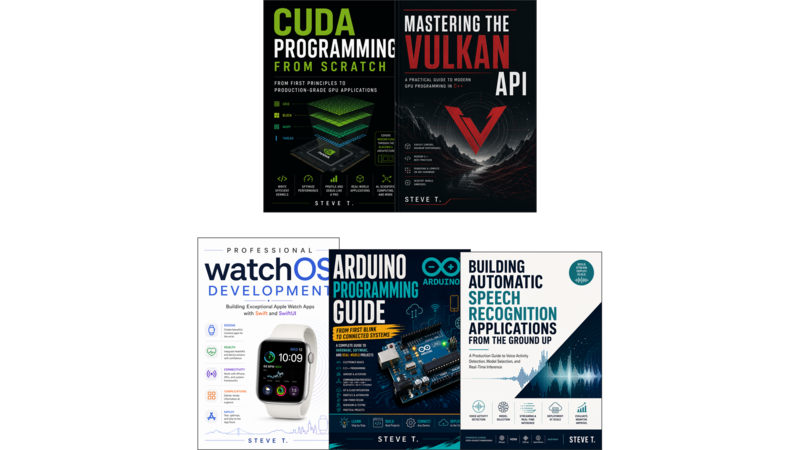

Building Exceptional Apple Watch Apps with Swift and SwiftUI
Introduction: Why the Wrist Matters
Chapter 1: Setting Up Your Development Environment
- Hardware and Software Prerequisites
- Installing Xcode and the watchOS SDK
- Creating Your First watchOS SwiftUI Project
- Understanding the Generated Code
- Running on the Simulator
- Running on a Physical Device
- The Standalone WatchKit App Scheme
- Adding watchOS Support to an Existing iOS Project
- What Comes Next
Chapter 2: Swift and SwiftUI Fundamentals for the Wrist
- Swift Concurrency on watchOS
- SwiftUI Views Optimized for Small Screens
- SF Symbols and Iconography on the Wrist
- Dynamic Type and Scalable Layouts
- Environment Values Unique to watchOS
- Structured Concurrency and Task Management
- Putting It All Together
Chapter 3: Designing for the Apple Watch
- The Glanceable Interface Principle
- Screen Sizes and Safe Areas
- Navigation Patterns for watchOS
- The Digital Crown and Side Button Interactions
- Liquid Glass Design Language in watchOS 26
- When NOT to Build a watchOS App
- Designing for Always-On Display
- Summary
Chapter 4: SwiftUI vs. WatchKit: Choosing Your Framework
- A Brief History
- SwiftUI: The Modern Default
- WatchKit: Still Relevant in Specific Scenarios
- Project Structure Differences
- When to Use Each Framework
- Mixed-Framework Strategies
- Migration from WatchKit to SwiftUI
- Code Comparison: Same Feature, Two Frameworks
- Performance Considerations
- Accessibility and Dynamic Type
- Summary
Chapter 5: Architecture Patterns for watchOS Apps
- Why watchOS Demands Different Architecture
- Model-View-ViewModel on the Wrist
- Shared Code Between iOS and watchOS Targets
- Dependency Injection in a Sandboxed Environment
- Data Flow Design for watchOS Apps
- Sample Project: Fitness Tracker with Clean Architecture
- Summary
Chapter 6: Persistence and Local Storage
- SwiftData on watchOS: Setup and Models
- UserDefaults for Simple Preferences
- Keychain for Sensitive Data
- File System Access and the App Sandbox
- Storage Limits and Memory Constraints
- Sample Project: Persisting Workout History Locally
- Summary
Chapter 7: HealthKit and Core Motion
- HealthKit Overview and Authorization
- Starting a Workout Session
- Recording Workout Data in Real Time
- Core Motion: Accelerometer and Gyroscope Access
- Heart Rate Monitoring with HealthKit
- Sample Project: Custom Running Workout App
- Summary
Chapter 8: Apple Intelligence and On-Device Machine Learning
- Apple Intelligence: Requirements and Capabilities
- The Foundation Models Framework
- Building Glanceable Summaries with On-Device LLMs
- Workout Buddy: How It Works and What Developers Can Learn From It
- Vision Framework for Image Understanding on watchOS
- Privacy Architecture: Data Stays on Device
- Summary
Chapter 9: WatchConnectivity and iPhone Communication
- WatchConnectivity Framework Overview
- Sending Messages: Real-Time Communication
- Application Context: Key-Value Synchronization
- Transfer User Info: Background Data Delivery
- Transfer File: Large Data and Binary Assets
- Handling Reachability and Background Transfers
- Sample Project: Syncing a Todo List Between iPhone and Watch
- Summary
Chapter 10: Complications and Widgets
- Complications vs. Widgets: Understanding the Difference
- WidgetKit on watchOS: The TimelineProvider Pattern
- Building a Simple Timeline Provider
- IntentTimelineProvider for Configurable Widgets
- Complication Families and Template Types
- Adding Complications to Your watchOS App
- Sample Project: Weather Complication with Multiple Families
- Migrating from ClockKit to WidgetKit
- Summary
Chapter 11: Notifications and Haptics
- Notification Types on watchOS
- Setting Up UNUserNotificationCenter
- Creating Actionable Notifications
- Remote Push Notifications to the Watch
- CoreHaptics and Haptic Feedback
- Designing Haptic Patterns for Different Contexts
- Haptics as an Accessibility Feature
- Sample Project: Meditation App with Guided Haptic Breathing
- Summary
Chapter 12: Accessibility on Apple Watch
- VoiceOver on watchOS
- Dynamic Type and Larger Text
- AssistiveTouch and Switch Control
- Testing with the Accessibility Inspector
- Haptic Feedback as an Accessibility Feature
- App Store Accessibility Requirements
- Summary
Chapter 13: Performance and Battery Optimization
- The Battery Budget Problem on watchOS
- Background Execution Limits and Best Practices
- Optimizing Network Requests
- Reducing CPU Usage During Workouts
- The Energy Log and Instruments Profiling
- Low Power Mode Considerations
- Sample Project: Optimizing a Heart Rate Monitor App
- Summary
Chapter 14: Testing Strategies
- XCTest on watchOS: Capabilities and Limitations
- Testing with the Simulator
- Running iOS + watchOS Apps Together in Xcode Simulator
- TestFlight for Beta Distribution
- Accessibility Testing Automation
- Performance Testing on Real Hardware
- Sample Project: Test Suite for a Workout Tracking App
- Summary
Chapter 15: Deployment and App Store Publishing
- Preparing Your App for Submission
- Signing, Provisioning, and Entitlements
- Using Xcode Archive and Transporter
- App Store Connect: Metadata, Screenshots, and Ratings
- The App Review Process for watchOS
- Common Rejection Reasons and How to Avoid Them
- Updating Your App: Versioning and Rollout Strategies
- Summary