Implementing Heads Up Display
In order to know what’s happening, we need some sort of HUD. We already have crosshair and radar, but they are scattered around in code. Now we want to display active powerup modifiers, so you would know what is your fire rate and speed, and if it’s worth getting one more powerup before going into the next fight.
Design Considerations
While creating our HUD class, we will have to start building game stats, because we want to display
number of kills our tank made. Stats topic will be covered in depth later, but for now let’s assume
that @tank.input.stats.kills gives us the kill count, which we want to draw in top-left corner of
the screen, along with player health and modifier values.
HUD will also be responsible for drawing crosshair and radar.
Rendering Text With Custom Font
Previously, all text were rendered with Gosu.default_font_name, and we want something more fancy
and more thematic, probably a dirty stencil based font like this
one:
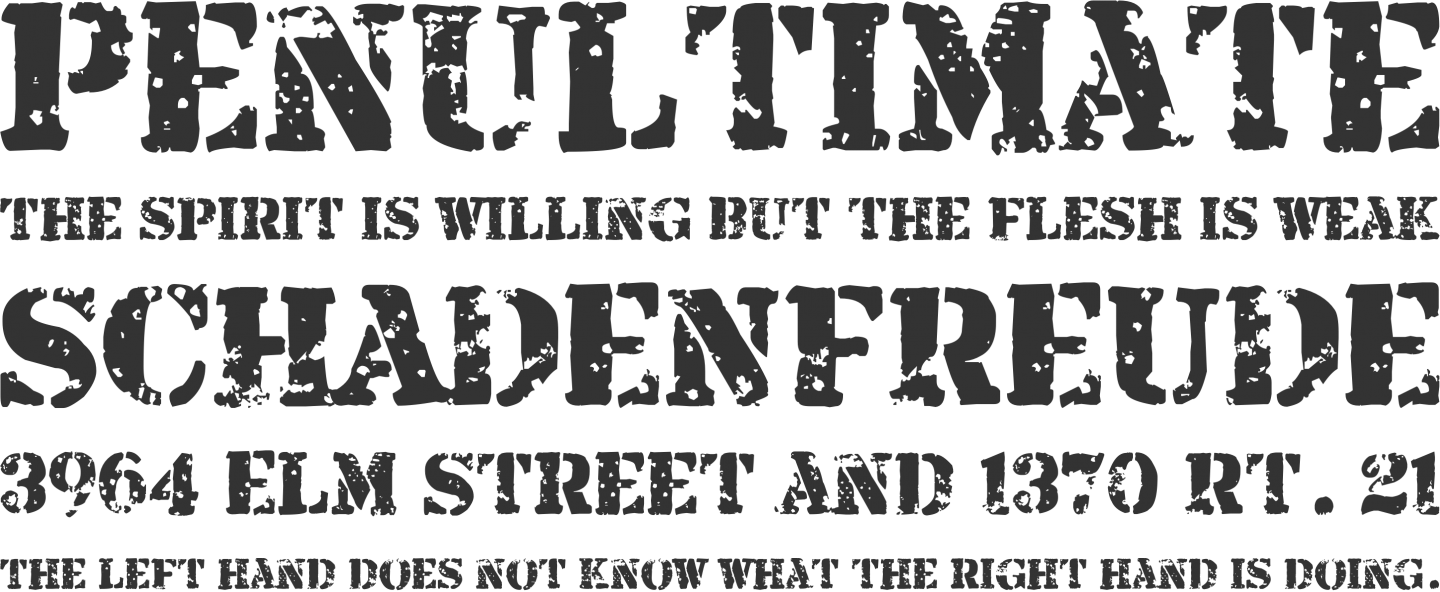
Armalite Rifle font
And one more fancy font will make our game title look good. Too bad we don’t have a title yet, but “Tanks Prototype” writen in a thematic way still looks pretty good.
To have convenient access to these fonts, we will add a helper methods in Utils:
module Utils
  # ...
  def self.title_font
    media_path('top_secret.ttf')
  end

  def self.main_font
    media_path('armalite_rifle.ttf')
  end
  # ...
end
Use it instead of Gosu.default_font_name:
size = 20
Gosu::Image.from_text($window, "Your text", Utils.main_font, size)
Implementing HUD Class
After we have put everything together, we will get HUD class:
12-stats/entities/hud.rb
 1 class HUD
 2   attr_accessor :active
 3   def initialize(object_pool, tank)
 4     @object_pool = object_pool
 5     @tank = tank
 6     @radar = Radar.new(@object_pool, tank)
 7   end
 8
 9   def player=(tank)
10     @tank = tank
11     @radar.target = tank
12   end
13
14   def update
15     @radar.update
16   end
17
18   def health_image
19     if @health.nil? || @tank.health.health != @health
20       @health = @tank.health.health
21       @health_image = Gosu::Image.from_text(
22         $window, "Health: #{@health}", Utils.main_font, 20)
23     end
24     @health_image
25   end
26
27   def stats_image
28     stats = @tank.input.stats
29     if @stats_image.nil? || stats.changed_at <= Gosu.milliseconds
30       @stats_image = Gosu::Image.from_text(
31         $window, "Kills: #{stats.kills}", Utils.main_font, 20)
32     end
33     @stats_image
34   end
35
36   def fire_rate_image
37     if @tank.fire_rate_modifier > 1
38       if @fire_rate != @tank.fire_rate_modifier
39         @fire_rate = @tank.fire_rate_modifier
40         @fire_rate_image = Gosu::Image.from_text(
41           $window, "Fire rate: #{@fire_rate.round(2)}X",
42           Utils.main_font, 20)
43       end
44     else
45       @fire_rate_image = nil
46     end
47     @fire_rate_image
48   end
49
50   def speed_image
51     if @tank.speed_modifier > 1
52       if @speed != @tank.speed_modifier
53         @speed = @tank.speed_modifier
54         @speed_image = Gosu::Image.from_text(
55           $window, "Speed: #{@speed.round(2)}X",
56           Utils.main_font, 20)
57       end
58     else
59       @speed_image = nil
60     end
61     @speed_image
62   end
63
64   def draw
65     if @active
66       @object_pool.camera.draw_crosshair
67     end
68     @radar.draw
69     offset = 20
70     health_image.draw(20, offset, 1000)
71     stats_image.draw(20, offset += 30, 1000)
72     if fire_rate_image
73       fire_rate_image.draw(20, offset += 30, 1000)
74     end
75     if speed_image
76       speed_image.draw(20, offset += 30, 1000)
77     end
78   end
79 end
To use it, we need to hook into PlayState:
class PlayState < GameState
  # ...
  def initialize
    # ...
    @hud = HUD.new(@object_pool, @tank)
  end

  def update
    # ...
    @hud.update
  end

  def draw
    # ...
    @hud.draw
  end
  # ...
end
Assuming you have mocked @tank.input.stats.kills in HUD, you should get a neat view showing
interesting things in top-left corner of the screen:
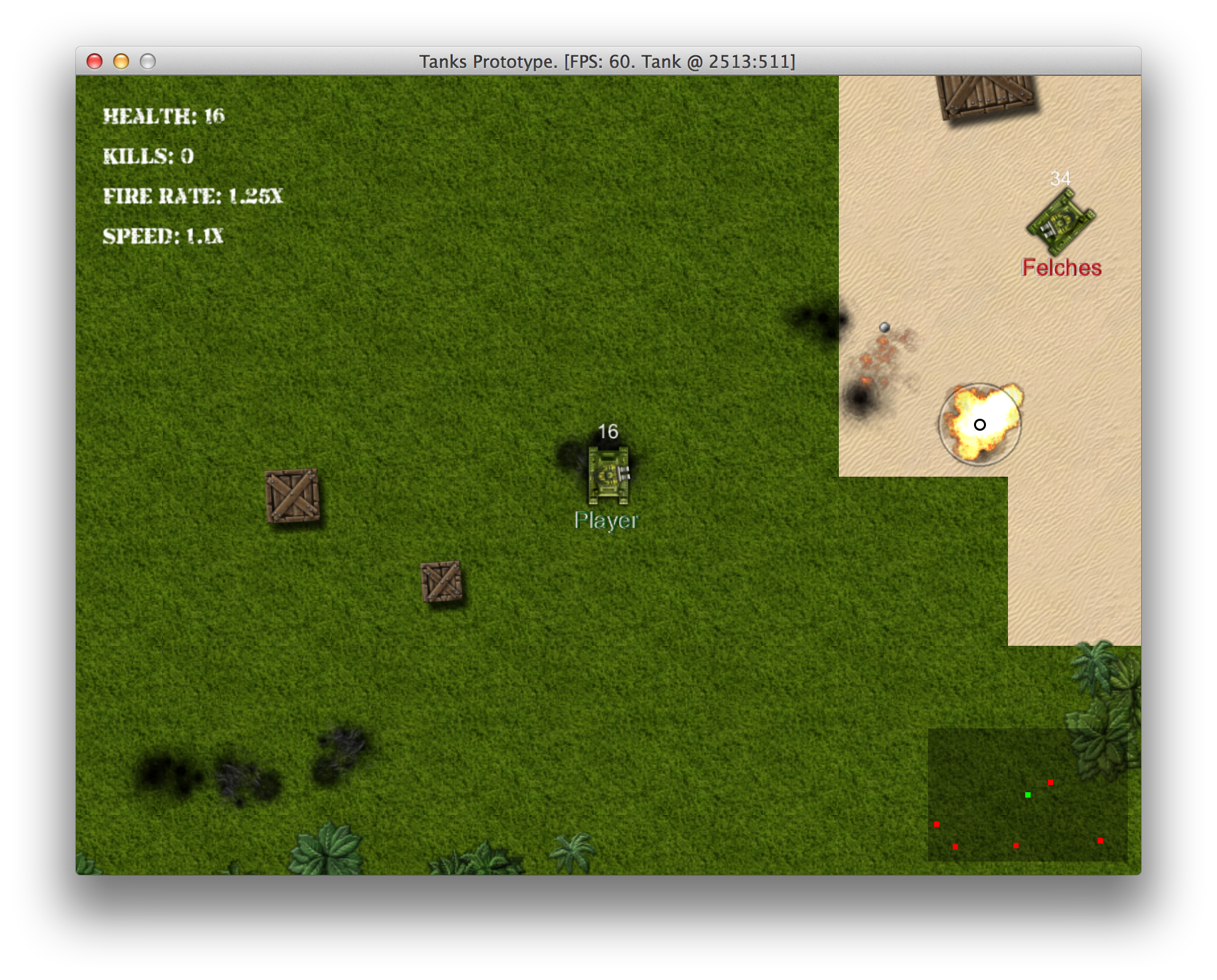
Shiny new HUD