13 Structure of the Files
13.1 File attached to records
for each module record, the application for a folder and list the records e.g. repository/N/23/ and sandbox/N/23. The metadata of these files ought to be clean from the record’s metadata.
Images attached to records
You can put anything you like in them. e.g. photos of an event.
Audiovisual support
You can see pictures, play audio and video files from it. And you can download or open any file.
HTML5
Comments
You can add comments, called notes, to any module record. The note can have files attached to it. A note has all the common fields of modules (summary, description, priority, tags, status etc), in addition to special fields such as source link.
If there is no information to add with the file, you can just attach the file to the record’s folder directly, without creating a note.
File Organization
document all your computing env. file locations, workflows, input and output. a good exe.
Sandbox and repository file organization model
keep new files aside, review and organize them. import them. they become ready to be copied to their final location in the repository. the repository should not contain at any time files that were not well reviewed and with good metadata. /new can be chaotic but repository should not.
weekly copying imported data to repository. backup before import natural way to make incremental backups. and review what is new. for super safe mind, have the rps acccessed read only for all the time excpet when copying the new and processing sandbox files to it.
PKM read from both the sandbox and repository when you see the details e.g. of a resource. Even when its files are still in the sandbox, you can access them from PKM (sns, location of file - green for files in the sandbox)
model: folder with unchanging names, best with just IDs. what it contains is left for PKM to handle via a record e.g. documentary “asdfasdf” has ID 153. In the file system you will have a folder name 153 under the documenatries folder. This way you will not change the name, have the same folder in another place with a different name, even worse, have it with different contents. very good for backups. help you avoid renaming folder ad hoc. But force you to add metadata in PKM instead.
When you decompose your data into various types as described here you will be more able to come up with adaptive solution, balanced solutions… e.g. data duplication… one grand solution vs different policy for each file type… book are not to be modified. doc… a specific solution to each type… source code -> svn. resources -> checkout… writing updates -> note taken code…
Import and Export
Three ways to import files to Pomegranate
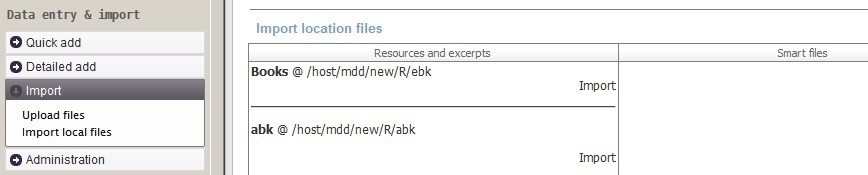
import resources, from the folders of new resource files import smart files from the folder of new smart files online (multiple) file import. need when you don’t have access to the folders on the computer running Pomegranate PKM. attach documents to a record, online.
- ISBN 2 BibTex entry 2 reference
- Publish a course or a writing. Prepare presentation.
out of writing summaries in multipe formats e.g. html, text, wiki beamer, …
where is my data + count of files _folders report to see how many files per folder if all exitst, combined in where is my data
status bar, green if all folders exists
export to R dataset for data analysis and visualization there
export all records to plain text, PKm notation or list format. Put them under a version control e.g. subversion and you ‘ll have a visual way to see exactly what changes, when and how much (in size).
Export to GoodReads. Flag a book for sharing. Get a list of isbn to be imported in GoodReads # Import, export
Importing of video and audio excerpts of resources such as documentaries, movies, audiobook, audio courses, training. Todo
13.2 Bulk Import
Better not to import all your existing files
Plan to import only those that you have read, planning to read or you consider important. And so decluttering your files and putting effort only for the files that deserve the effort of import.
You may choose to start with those that you have already read, watched to listened to, and those you plan to read and those that are important for the future. You keep the rest in a separate folder as a “library” to take file from when need be.
The advantage is that you will know very well your imported file and you will justify the time spent organizing them as they are important. So the first import will be an opportunity to declutter and focus your resources and document files.
import-menu.jpg