II Features of Pomegranate
9 Installation and Configuration
Balance between online remote installation and betwen desktop application. Web-based running on your network, or even your own computer, or in a virtual machine
9.1 H2 database
bundled JRE vs your system JRE…
9.2 MySQL database
9.3 Backup and restore
By default, data files and the database are stored in the main folder of PKM in “data” and “database” folders. To back them up, simply stop the application by executing the stop script and make a copy of them, preferably in a compressed folder so they are stored as one file.
To restore them, ensure that the application is not running, and then copy the files from the backed up file to their original locations.
Web Browser
- Firefox is the supported and recommended browser. It should work look fine on Chrome too. Internet Explorer is neither recommended nor supported.
Lots of settings to choose from. 55 now.
PKM comes with over 60 saved searches, waiting to filter your records.
9.4 First steps
The application comes with basic set of parameters, and sample records in each module. You can then edit the parameters, add new ones and start adding records.
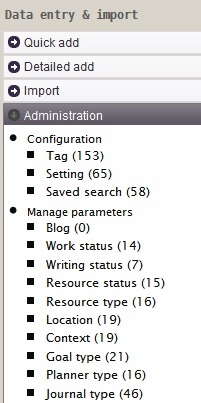
administration-menu.jpg
9.5 Pomegranate Profiles
10 Features and Interface
List of key features…
10.1 Modules menu
module code is often the first character of the default module name. You can change the name from the settings.
G Goals T Tasks …
S Contacts, people, or society
- Saved search. Wide and narrow box presentation.
- Kanban
in planning work or study
w kanban refreshes every 120 seconds. config.
in studying kanban too
- Calendar
- Dashboard
The main pages are the main page, publish, kanban, cal, kpi, the rest is shown in the central region.
b1 kanban, important to know the next step, else we will become lazy after the first achievement and think that we have done it all. In fact, most of the cases laziness follows an ahcievement is when we had not have have clearly the next steps to make. This is especially true for long term and long projects.
getings things entered framework, vs my focus and sequence driven kanban.
Shortcut keyboards. Post 33.
Revising writing through printing and appending new changes. Effective cycle of priting a book draft. making lots of editing and amendments. Updating the writings. Priting again. A book is split into writings and or notes.
Screen components
The main interface is composed of three regions: left, top and central regions.
The left region contains the calendar, the search form, the modules menu and the parameters list.
Command bar: add, update, find ad hoc/HQL, search full text,
Main search form
Quick add
Top right: import and export, calendars, update indicators?, help, batch add
Menu and saved searches e.g. countdown and countups, tables for export
_summary, details for TGRE, add J or P with optional summary text and a date
book covers link to files
Reports
status bar:
check folders…
heartbeat
where is my data?
todo
task creation and completion
todo
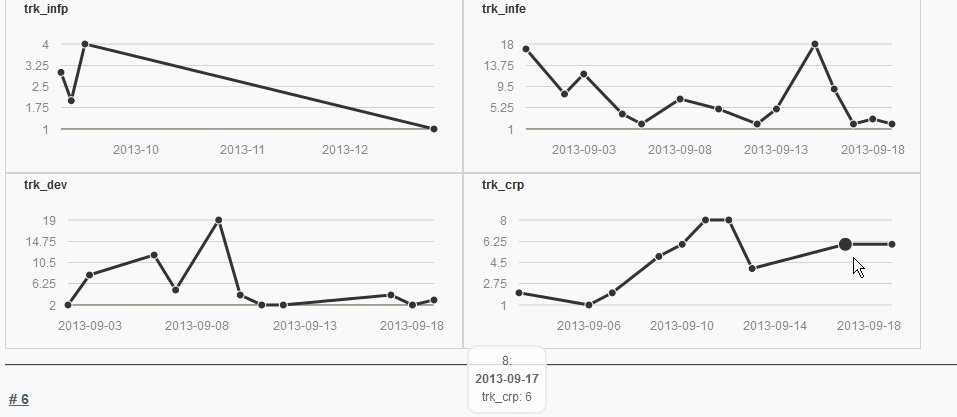
indicators
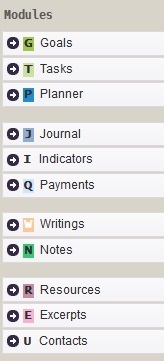
modules-menu

kanban
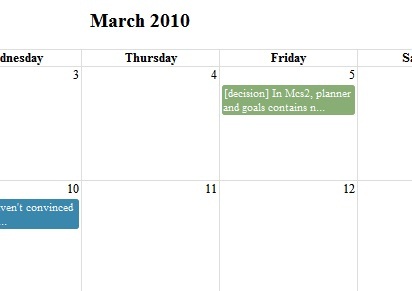
monthly-calendar
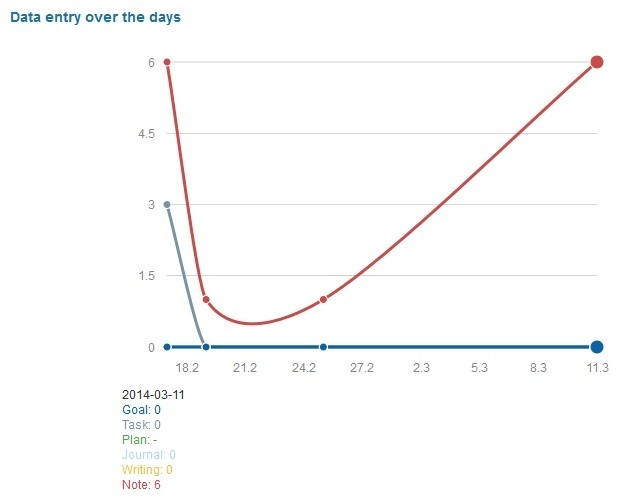
heartbeat
11 Basic Adding and Searching Records
11.1 Basic data entry
3 ways to enter data, from basic to advanced,
quick add form: zero thinking, just paste or type and hit save.
detailed add command bar smart file import, great for importing data from other systems. easy to produce using simple scripts or file rename tools
11.2 Basic search options
Quick search
Quick search field in the top right corner: it does full text seach over all the module records
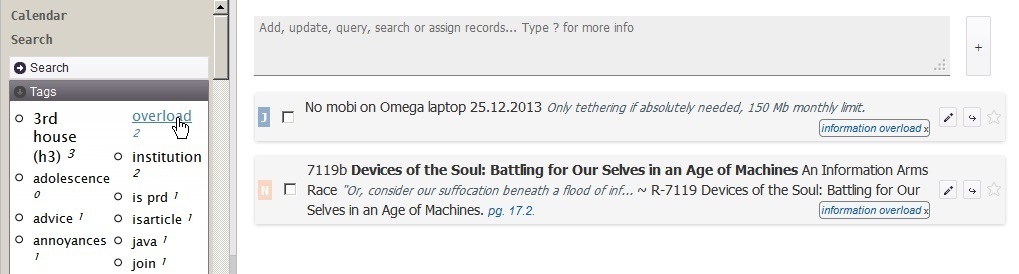
’'’Form-based search’’’, available on left-hand side of the screen, gives the user the most straightforward way to query the main information types (all except the parameters). It translated the input criteria to HQL query.
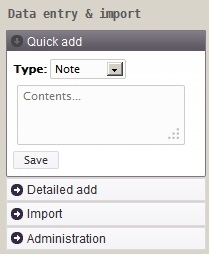
quick-add
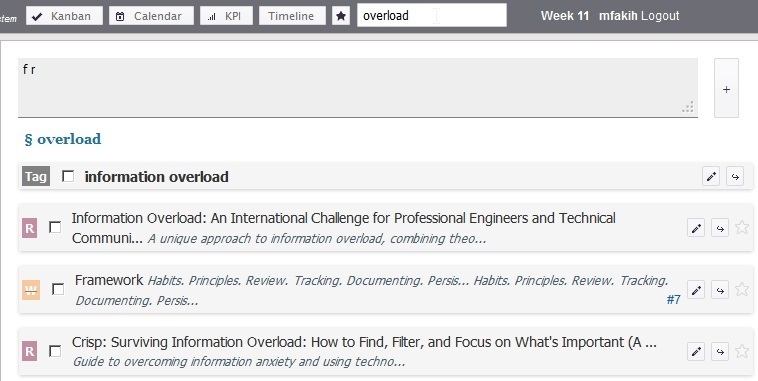
quick-search
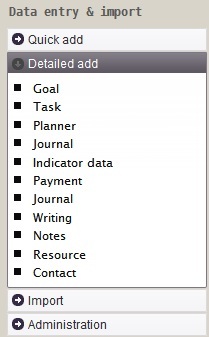
detailed-add
tag-results
12 Advanced Adding and Searching Records
12.1 Advanced data entry
12.2 Smart files to add records
Local installation
Remote installation
12.3 Smart files to update records
Local installation
Remote installation
12.4 Advanced search options
Pomegranate gives the user 4 options to query or search the records:
What is HQL query.
Visit the gallery of saved searches on this link.
Most databases in use today are relational. The standard language to query them is SQL. When tables are mapped to class objects in certain frameworks as in Grails, you can use a language that is more powerful than SQL. You can write shorter code in it, over SQL.
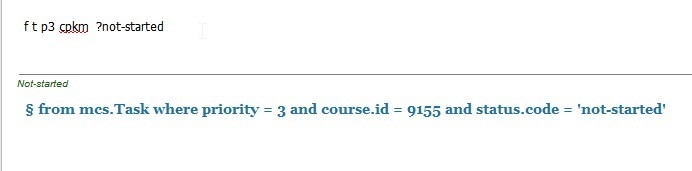
’'’Pomegrante query’’’: available from the command bar, it uses Pomegranate syntax and it is internally translated to HQL query. It is a shorthand notation used for fast queries. The translated HQL query is shown on the screen and can then be stored permanently as saved search. Example ‘f t p3 ?pending #bug’, will find all tasks that are of priority 3, of status ‘pending’ and type ‘bug’. More about this syntax in a later section.
’'’Full text search’’’: backed by Lucene library, it gives full text seach of the text fields of the main information types. It is available from the command line and can be stored as saved search. Lucene syntax is presented on ?. Example ‘s b information overload’ to search all resources (books, articles etc) about the occurrance of the terms information overload
’'’Direct HQL query’’’: available from the command bar and can be stored as saved search. Example ‘q from Task where priority # 3’
’'’Ad hoc query’’’: Similar to direct HQL query but here the user specific what fields he/she wants to be. The results are display in table instead of the long card representation of direct HQL query. Example ‘h select id, summary, status from Task’, to display a table with 3 columns id, summary and status of all tasks. Ad hoc query can be stored as saved search.
12.5 Pomegranate Commands
b1 There are computer languages to do all sorts of things: to write programs, to draw graphics, to analyse data, to play games… Why there is no (or few?) languages to manage our information?! PKM developed simple command for this purpose.
PKM command syntax can change from version to another. There is no need for backward compatibility as commands written in it are short-lived. You can written to be executed immediatly or for short period e.g. when prepared by Pomegranate Offline Data Entry program.
Saved search uses only HQL query, not PKM query. However when you exeucte a PKM query, the equivalent HQL query is shown. You can then use it in a saved search.
export records to text files, for version control, uses flat listing and the field names. So to keep the same structure across PKM updates.
12.6 PKM command format
command type: a (single-line add), A (add with multiline support), f (find, filter), u (update),
[command type] [module code] [field_symbol][parameter_value] ; summary ;; description
s (full text search): Lucene syntax U (import): [blogCode] [post_id]
todo
12.7 Saved searches
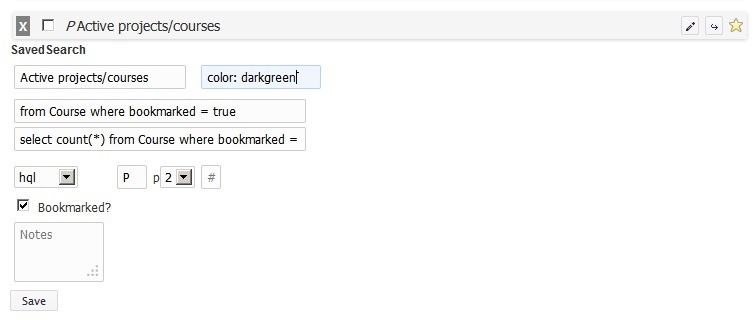
Saved searches are one of the main features of Pomegranate PKM system. They are used heavily to build the navigation menu and reports.
A saved search contains a query and a title, with optionally the query to count the total number.
You can use saved query to:
- Get a list of results e.g. all high priority takss
- Get a table where columns maps to recrod fields e.g. get all dates and summary of journal records of type ‘external event’
- Get a random record or records from the list
- Display the results in a table grouped by a certain field e.g. course
- Display the results in a calendar or timeline
pkm2hql-query
saved-search-record
13 Structure of the Files
13.1 File attached to records
for each module record, the application for a folder and list the records e.g. repository/N/23/ and sandbox/N/23. The metadata of these files ought to be clean from the record’s metadata.
Images attached to records
You can put anything you like in them. e.g. photos of an event.
Audiovisual support
You can see pictures, play audio and video files from it. And you can download or open any file.
HTML5
Comments
You can add comments, called notes, to any module record. The note can have files attached to it. A note has all the common fields of modules (summary, description, priority, tags, status etc), in addition to special fields such as source link.
If there is no information to add with the file, you can just attach the file to the record’s folder directly, without creating a note.
File Organization
document all your computing env. file locations, workflows, input and output. a good exe.
Sandbox and repository file organization model
keep new files aside, review and organize them. import them. they become ready to be copied to their final location in the repository. the repository should not contain at any time files that were not well reviewed and with good metadata. /new can be chaotic but repository should not.
weekly copying imported data to repository. backup before import natural way to make incremental backups. and review what is new. for super safe mind, have the rps acccessed read only for all the time excpet when copying the new and processing sandbox files to it.
PKM read from both the sandbox and repository when you see the details e.g. of a resource. Even when its files are still in the sandbox, you can access them from PKM (sns, location of file - green for files in the sandbox)
model: folder with unchanging names, best with just IDs. what it contains is left for PKM to handle via a record e.g. documentary “asdfasdf” has ID 153. In the file system you will have a folder name 153 under the documenatries folder. This way you will not change the name, have the same folder in another place with a different name, even worse, have it with different contents. very good for backups. help you avoid renaming folder ad hoc. But force you to add metadata in PKM instead.
When you decompose your data into various types as described here you will be more able to come up with adaptive solution, balanced solutions… e.g. data duplication… one grand solution vs different policy for each file type… book are not to be modified. doc… a specific solution to each type… source code -> svn. resources -> checkout… writing updates -> note taken code…
Import and Export
Three ways to import files to Pomegranate
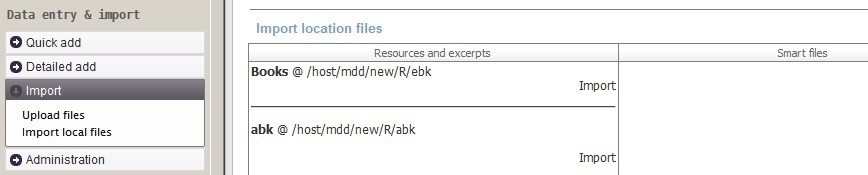
import resources, from the folders of new resource files import smart files from the folder of new smart files online (multiple) file import. need when you don’t have access to the folders on the computer running Pomegranate PKM. attach documents to a record, online.
- ISBN 2 BibTex entry 2 reference
- Publish a course or a writing. Prepare presentation.
out of writing summaries in multipe formats e.g. html, text, wiki beamer, …
where is my data + count of files _folders report to see how many files per folder if all exitst, combined in where is my data
status bar, green if all folders exists
export to R dataset for data analysis and visualization there
export all records to plain text, PKm notation or list format. Put them under a version control e.g. subversion and you ‘ll have a visual way to see exactly what changes, when and how much (in size).
Export to GoodReads. Flag a book for sharing. Get a list of isbn to be imported in GoodReads # Import, export
Importing of video and audio excerpts of resources such as documentaries, movies, audiobook, audio courses, training. Todo
13.2 Bulk Import
Better not to import all your existing files
Plan to import only those that you have read, planning to read or you consider important. And so decluttering your files and putting effort only for the files that deserve the effort of import.
You may choose to start with those that you have already read, watched to listened to, and those you plan to read and those that are important for the future. You keep the rest in a separate folder as a “library” to take file from when need be.
The advantage is that you will know very well your imported file and you will justify the time spent organizing them as they are important. So the first import will be an opportunity to declutter and focus your resources and document files.
import-menu.jpg
14 Pomegranate with Other Applications
14.1 Integration with Text Editors
Text editors are great at editing text. It sounds obvious, but it has an important implication. A good knowledge management system should allow you to use your favorite editor to edit your writing and notes. PKM offers you the possiblity to do so.
The process to edit writing or notes using your editor
- Bookmark the records that you want to work on e.g. all chapters of your current book or the blog posts that you need to update
- (Case of local installation) Click on the “Edit box”, and click “Checkout the records”. A text file will be created for each bookmarked record (sns)
- Edit your files
- When completed (that can be after few days), click on “Edit box” again to see a report of the changes. When all is fine, click “Commit changes” to save the changes
- (Case of remote installation) Download the smart file of each record you want to edit, and save it on your computer
- Edit the file, possibly rename its filename e.g. to update the summary, priority, status fields
- Upload the file from “Upload smart file to update records”
14.2 Integration with WordPress
A writing or note record can be posted with one click to a WordPress blog (or any blog that support XMLRPC protocol). The post will contains its categories and tags.
Future changes to the writing or note record can be posted. They update the same post of in the first posting.
An existing post online can be imported as a note record in Pomegranate with the command i blogCode postId,
especially if you have multiple blogs and you make constant updating to them, with the text editor integration, you can edit your posts as if they are locally-stored text files.
Book citation, when the note is linked to a book, appears at the end the post body. if you use a refenrece [[book id, page]], this notation will be replaced by a refenrece to a footnote or endnote containing the book citation.
14.3 Integration with LeanPub
LeanPub is a self-publishing company that follows the Lean Publishing process. Lean Publishing is “the act of publishing an in-progress ebook using lightweight tools and many iterations to get reader feedback, pivot until you have the right book and build traction once you do.”
In addition to online editing of the book contents, LeanPub supports DropBox integration, where the author put his manuscript in a special format and in a special folder in his DropBox account. The manuscript has to be in Markdown format.
Pomegranate job ends where LeanPub’s starts. Pomegranate helps you in capture and organizing your notes, cited works and chapters, sorting the chapters, compiling the book contents out of all the writings and notes that make up the book, and finally previewing the resulting HTML book before putting it in DropBox folder.
The book writings and notes can be selected dynamically according to certain criteria such as status, type, tag… For example you want to publish all the chapter and sections that do not have status ‘Draft’ or that do not have type ‘Technical’, or that have a tag ‘Intro’ etc.
14.4 Integration with Excel
14.5 With Pomegranate Note taker
produce smart files
line 1 is what goes to the filename
c p4 #snp ; java opts in .sh
body of notes
line 2 of body
results in …
illegal characters
to ensure uniqueness of file name, the first word in the filename will be the datetime. Words that starts with numerals at the start of the filename are ignored.
gte, no spell checker to distract you. no styling, just plain text. although it supported rich text if you entered rich text in it. but it is going to be saved as unicode plain text.
ntk can automatically write the jrm entries whily you are working on other stuff. ntk prompts you every 15 min to write, optionally, a bried description of what you are doing and it takes a shot of the desktop as well.
14.6 With desktop applications
Digikam
First scan short keys, Ctrl + module code to make quick selection. next, or later on, you scan the module that is important or urgent to work on e.g. tasks or notes. Here you do a more detailed processing.
appliance X will have all these integration already in place. It runs Mint 16 x64 bit with KDE on it. The super fast way to have all this ecosystem, including PKE running in few minutes. Just downlaod. Install virtualbox, start the VM. See post 231.
VLC

rss.jpg