10 Features and Interface
List of key features…
10.1 Modules menu
module code is often the first character of the default module name. You can change the name from the settings.
G Goals T Tasks …
S Contacts, people, or society
- Saved search. Wide and narrow box presentation.
- Kanban
in planning work or study
w kanban refreshes every 120 seconds. config.
in studying kanban too
- Calendar
- Dashboard
The main pages are the main page, publish, kanban, cal, kpi, the rest is shown in the central region.
b1 kanban, important to know the next step, else we will become lazy after the first achievement and think that we have done it all. In fact, most of the cases laziness follows an ahcievement is when we had not have have clearly the next steps to make. This is especially true for long term and long projects.
getings things entered framework, vs my focus and sequence driven kanban.
Shortcut keyboards. Post 33.
Revising writing through printing and appending new changes. Effective cycle of priting a book draft. making lots of editing and amendments. Updating the writings. Priting again. A book is split into writings and or notes.
Screen components
The main interface is composed of three regions: left, top and central regions.
The left region contains the calendar, the search form, the modules menu and the parameters list.
Command bar: add, update, find ad hoc/HQL, search full text,
Main search form
Quick add
Top right: import and export, calendars, update indicators?, help, batch add
Menu and saved searches e.g. countdown and countups, tables for export
_summary, details for TGRE, add J or P with optional summary text and a date
book covers link to files
Reports
status bar:
check folders…
heartbeat
where is my data?
todo
task creation and completion
todo
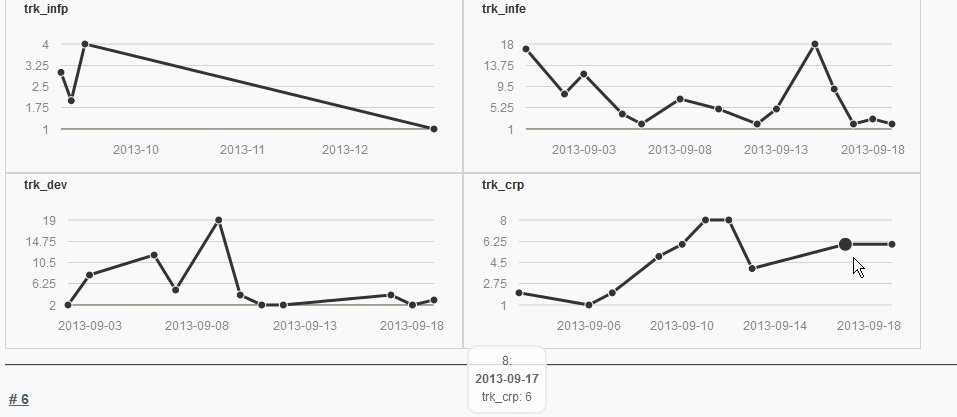
indicators
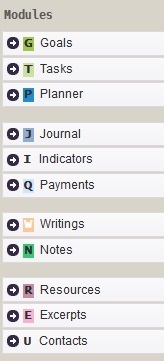
modules-menu

kanban
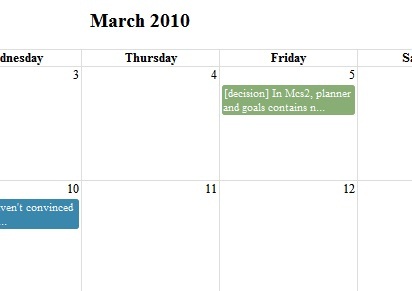
monthly-calendar
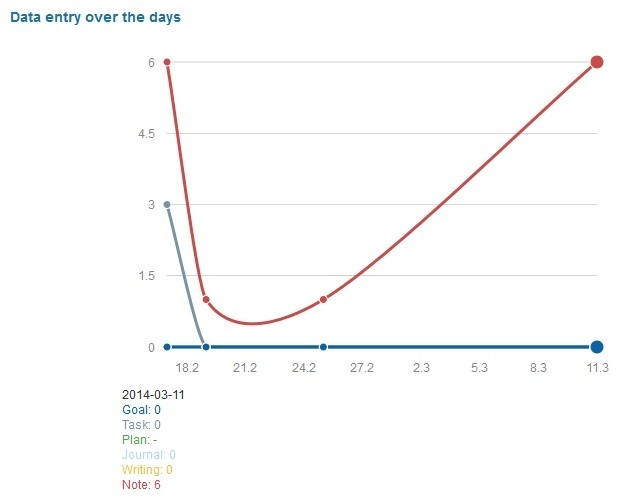
heartbeat