Afternoon 3: Object Groups
Instead of creating objects on the fly, we can create Groups where we can use and re-use sprites over and over again.
Convert Bullets to Sprite Group
Bullets are best use case for groups in our game; they’re constantly being generated and removed from play. Having a pool of available bullets will save our game time and memory.
Let’s begin by switching out our array with a sprite group. The comments below explain our new code.
  create: function () {
    ...
    this.bullets = [];
    // Add an empty sprite group into our game
    this.bulletPool = this.add.group();

    // Enable physics to the whole sprite group
    this.bulletPool.enableBody = true;
    this.bulletPool.physicsBodyType = Phaser.Physics.ARCADE;

    // Add 100 'bullet' sprites in the group.
    // By default this uses the first frame of the sprite sheet and
    //   sets the initial state as non-existing (i.e. killed/dead)
    this.bulletPool.createMultiple(100, 'bullet');

    // Sets anchors of all sprites
    this.bulletPool.setAll('anchor.x', 0.5);
    this.bulletPool.setAll('anchor.y', 0.5);

    // Automatically kill the bullet sprites when they go out of bounds
    this.bulletPool.setAll('outOfBoundsKill', true);
    this.bulletPool.setAll('checkWorldBounds', true);

    this.nextShotAt = 0;
Let’s move on to the fire() function:
  fire: function() {
    if (this.nextShotAt > this.time.now) {
      return;
    }

    if (this.bulletPool.countDead() === 0) {
      return;
    }

    this.nextShotAt = this.time.now + this.shotDelay;

    var bullet = this.add.sprite(this.player.x, this.player.y - 20, 'bullet');
    bullet.anchor.setTo(0.5, 0.5);
    this.physics.enable(bullet, Phaser.Physics.ARCADE);
    bullet.body.velocity.y = -500;
    this.bullets.push(bullet);

    // Find the first dead bullet in the pool
    var bullet = this.bulletPool.getFirstExists(false);

    // Reset (revive) the sprite and place it in a new location
    bullet.reset(this.player.x, this.player.y - 20);

    bullet.body.velocity.y = -500;
  },
Here we replaced creating bullets on the fly with reviving dead bullets in our pool.
Update collision detection
Switching from array to group means we need to modify our collision checking code. Good news is that overlap() supports Group to Sprite collision checking.
  update: function () {
    this.sea.tilePosition.y += 0.2;
    for (var i = 0; i < this.bullets.length; i++) {
      this.physics.arcade.overlap(
        this.bullets[i], this.enemy, this.enemyHit, null, this
      );
    }
    this.physics.arcade.overlap(
      this.bulletPool, this.enemy, this.enemyHit, null, this
    );
There is a minor quirk when comparing “Groups to Sprites” (see if you can notice it) that is not present in “Sprite to Groups” or “Group to Groups”. This shouldn’t be a problem since we’re only doing the latter two after this section.
Enemy Sprite Group
Our game would be boring if we only had one enemy. Let’s make a sprite group so that we can generate a bunch more enemies so that they can start giving us a challenge:
    this.enemy = this.add.sprite(400, 200, 'greenEnemy');
    this.enemy.anchor.setTo(0.5, 0.5);
    this.enemy.animations.add('fly', [ 0, 1, 2 ], 20, true);
    this.enemy.play('fly');
    this.physics.enable(this.enemy, Phaser.Physics.ARCADE);
    this.enemyPool = this.add.group();
    this.enemyPool.enableBody = true;
    this.enemyPool.physicsBodyType = Phaser.Physics.ARCADE;
    this.enemyPool.createMultiple(50, 'greenEnemy');
    this.enemyPool.setAll('anchor.x', 0.5);
    this.enemyPool.setAll('anchor.y', 0.5);
    this.enemyPool.setAll('outOfBoundsKill', true);
    this.enemyPool.setAll('checkWorldBounds', true);

    // Set the animation for each sprite
    this.enemyPool.forEach(function (enemy) {
      enemy.animations.add('fly', [ 0, 1, 2 ], 20, true);
    });

    this.nextEnemyAt = 0;
    this.enemyDelay = 1000;
And again, modifying the collision code become Group to Group:
    this.physics.arcade.overlap(
      this.bulletPool, this.enemy, this.enemyHit, null, this
      this.bulletPool, this.enemyPool, this.enemyHit, null, this
    );
Randomize Enemy Spawn
Many games have enemies show up at scripted positions. We don’t have time for that so we’ll just randomize the spawning locations.
Add this to the update() function:
  update: function () {
    this.sea.tilePosition.y += 0.2;
    this.physics.arcade.overlap(
      this.bulletPool, this.enemyPool, this.enemyHit, null, this
    );

    if (this.nextEnemyAt < this.time.now && this.enemyPool.countDead() > 0) {
      this.nextEnemyAt = this.time.now + this.enemyDelay;
      var enemy = this.enemyPool.getFirstExists(false);
      // spawn at a random location top of the screen
      enemy.reset(this.rnd.integerInRange(20, 780), 0);
      // also randomize the speed
      enemy.body.velocity.y = this.rnd.integerInRange(30, 60);
      enemy.play('fly');
    }

    this.player.body.velocity.x = 0;
    this.player.body.velocity.y = 0;
Like our bulletPool, we also store the next time an enemy should spawn.
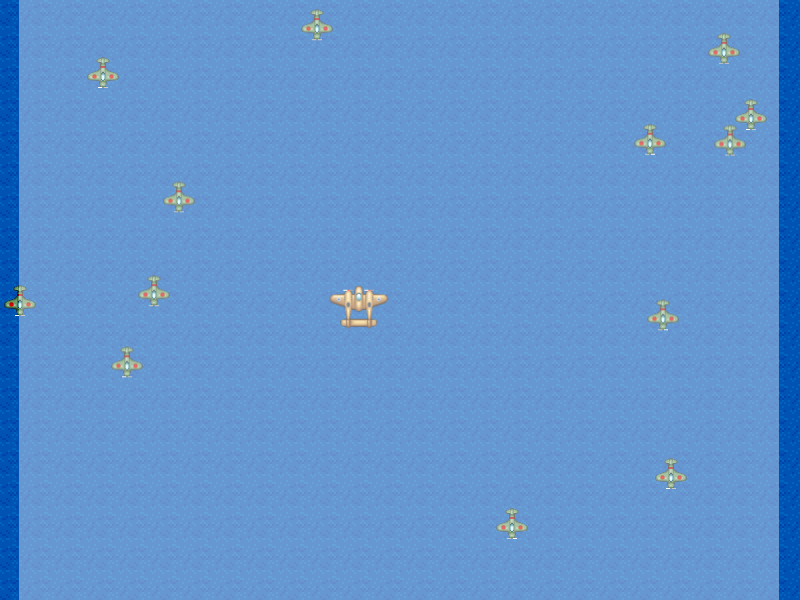
Note that we did not use Math.random() to set the random enemy spawn location and speed but instead used the built-in randomizing functions. Either way is fine, but we chose the built in random number generator because it has some additional features that may be useful later (e.g. seeds).
Player Death
Let’s further increase the challenge by allowing our plane to blow up.
Let’s first add the collision detection code:
  update: function () {
    this.sea.tilePosition.y += 0.2;
    this.physics.arcade.overlap(
      this.bulletPool, this.enemyPool, this.enemyHit, null, this
    );

    this.physics.arcade.overlap(
      this.player, this.enemyPool, this.playerHit, null, this
    );

    if (this.nextEnemyAt < this.time.now && this.enemyPool.countDead() > 0) {
Then the callback:
140   playerHit: function (player, enemy) {
141     enemy.kill();
142     var explosion = this.add.sprite(player.x, player.y, 'explosion');
143     explosion.anchor.setTo(0.5, 0.5);
144     explosion.animations.add('boom');
145     explosion.play('boom', 15, false, true);
146     player.kill();
147   },
You might notice that even though the plane blows up when we crash to another plane, we can still fire our guns. Let’s fix that by checking the alive flag:
  fire: function() {
    if (this.nextShotAt > this.time.now) {
    if (!this.player.alive || this.nextShotAt > this.time.now) {
      return;
    }

    if (this.bulletPool.countDead() === 0) {
      return;
    }
Another possible issue is that our hitbox is too big because of our sprite. Let’s lower our hitbox accordingly:
    this.physics.enable(this.player, Phaser.Physics.ARCADE);
    this.player.speed = 300;
    this.player.body.collideWorldBounds = true;
    // 20 x 20 pixel hitbox, centered a little bit higher than the center
    this.player.body.setSize(20, 20, 0, -5);
This hitbox is pretty small, but it’s still on par with other shoot em ups (some “bullet hell” type games even have a 1 pixel hitbox). Feel free to increase this if you want a challenge.
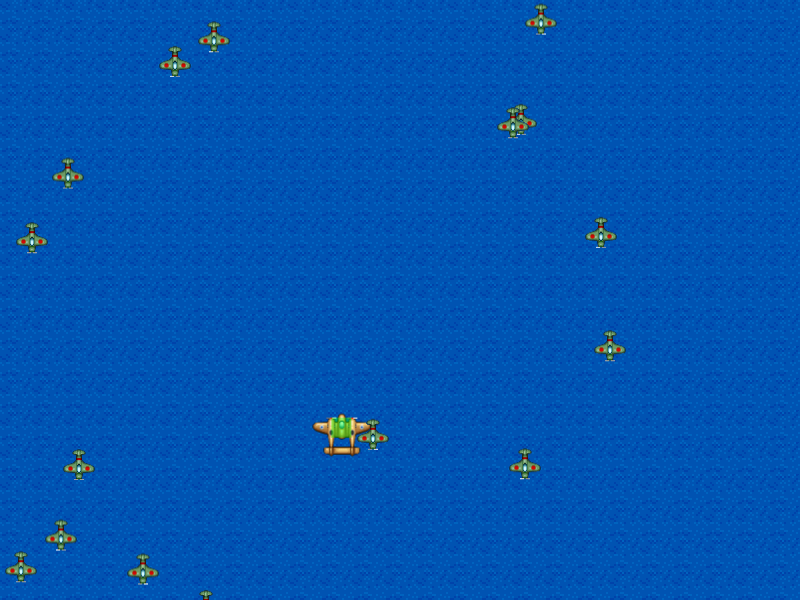
Use the debug body function if you need to see your sprite’s actual hitbox size. Don’t forget to remove it afterwards.
  render: function() {
    this.game.debug.body(this.player);
  }
Convert Explosions to Sprite Group
Our explosions are also a possible memory leak. Let’s fix that and also do a bit of refactoring in the process.
Put this on the create() after all of the other sprites:
    this.shotDelay = 100;

    this.explosionPool = this.add.group();
    this.explosionPool.enableBody = true;
    this.explosionPool.physicsBodyType = Phaser.Physics.ARCADE;
    this.explosionPool.createMultiple(100, 'explosion');
    this.explosionPool.setAll('anchor.x', 0.5);
    this.explosionPool.setAll('anchor.y', 0.5);
    this.explosionPool.forEach(function (explosion) {
      explosion.animations.add('boom');
    });

    this.cursors = this.input.keyboard.createCursorKeys();
Then create a new function:
161   explode: function (sprite) {
162     if (this.explosionPool.countDead() === 0) {
163       return;
164     }
165     var explosion = this.explosionPool.getFirstExists(false);
166     explosion.reset(sprite.x, sprite.y);
167     explosion.play('boom', 15, false, true);
168     // add the original sprite's velocity to the explosion
169     explosion.body.velocity.x = sprite.body.velocity.x;
170     explosion.body.velocity.y = sprite.body.velocity.y;
171   },
And refactor the collision callbacks:
  enemyHit: function (bullet, enemy) {
    bullet.kill();
    this.explode(enemy);
    enemy.kill();
    var explosion = this.add.sprite(enemy.x, enemy.y, 'explosion');
    explosion.anchor.setTo(0.5, 0.5);
    explosion.animations.add('boom');
    explosion.play('boom', 15, false, true);
  },

  playerHit: function (player, enemy) {
    this.explode(enemy);
    enemy.kill();
    var explosion = this.add.sprite(player.x, player.y, 'explosion');
    explosion.anchor.setTo(0.5, 0.5);
    explosion.animations.add('boom');
    explosion.play('boom', 15, false, true);
    this.explode(player);
    player.kill();
  },