1 Java and J2EE
This section has the following chapters:
- O2_tools_to_view_and_script_J2EE,_Struts_and_Tiles_xml_config_files.md
- Tool-_O2_Cmd_SpringMVC_v1.0.exe-_as_standalone_exe.md
- Util-_Java_Decompiler(JAD_based)_v1.0.exe.md
- Util-_Jni4Net-_Java_BeanShell_REPL_v1.0.exe.md
- Util-_O2_Java_Tools(IKVM_Based)_v1.0.md
1.1 O2 tools to view and script J2EE, Struts and Tiles xml config files
If you are reviewing Java/J2EE applications, here are a number of mini O2 tools that will help you to understand what is going on:
- Util - View Struts Mappings v.1.0.exe (4.7Mb)
- Util - View struts-config.xml mappings v1.0.exe (817kb)
- Util - View tiles-def.xml mappings v1.0.exe (816kb)
- Util - View validation.xml mappings v1.0.exe (817kb)
- Util - View Web.Xml mappings v1.0.exe (817kb)
Bellow are these Tools in action (using the demo apps from struts-1.3.10-all.zip )
Util - View Struts Mappings v.1.0
**
**Drop in the TreeView (white space) the WEB-INF folder
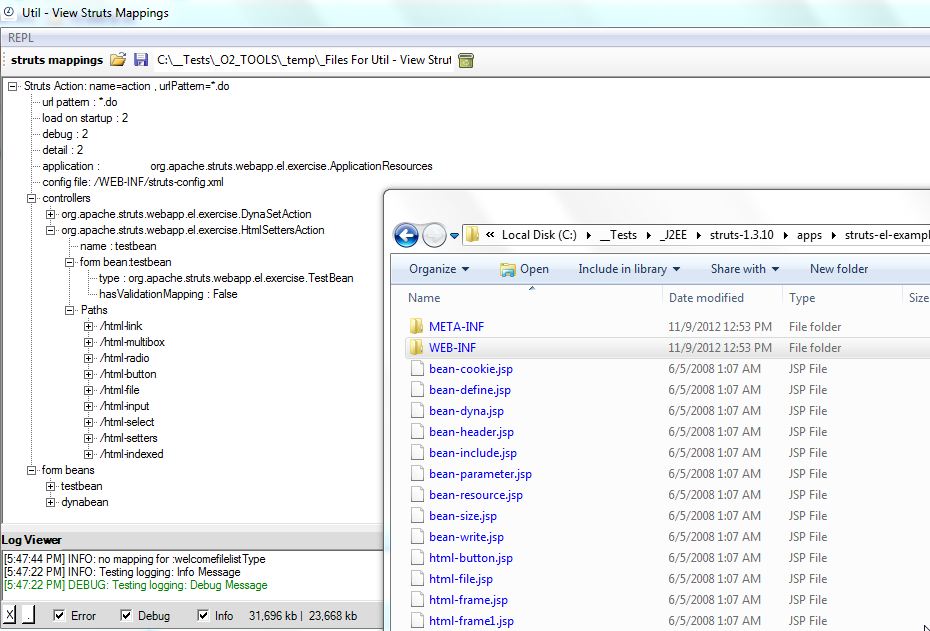
This control will load up the web.xml, struts-config.xml, tiles-def.xml and validation.xml config files, and create a mapping view of that data
The reason this exe is 4Mbs is because it includes the C# REPL script environment

Which can be used to access/script the StrutsMappings object created (and visualized in the TreeView shown above)

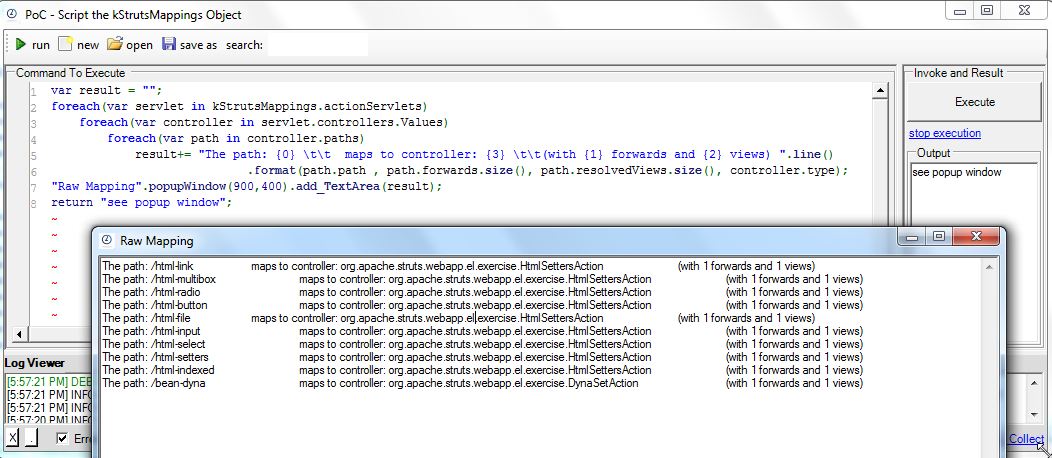
The code sample menu item, shows how to easily access the the mapped Struts data:
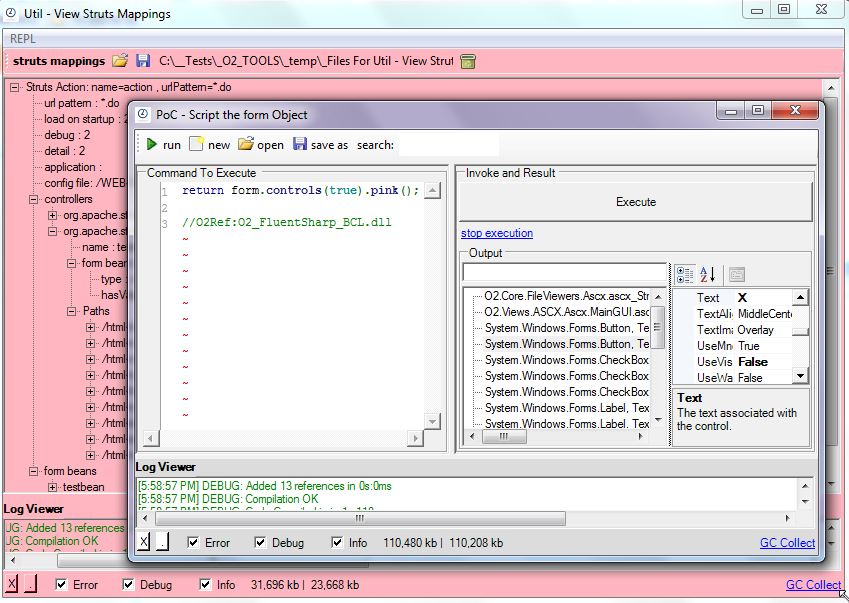
The REPL Form menu item, provides access the _Form _object which (for example) can be used to make all child controls pink :)
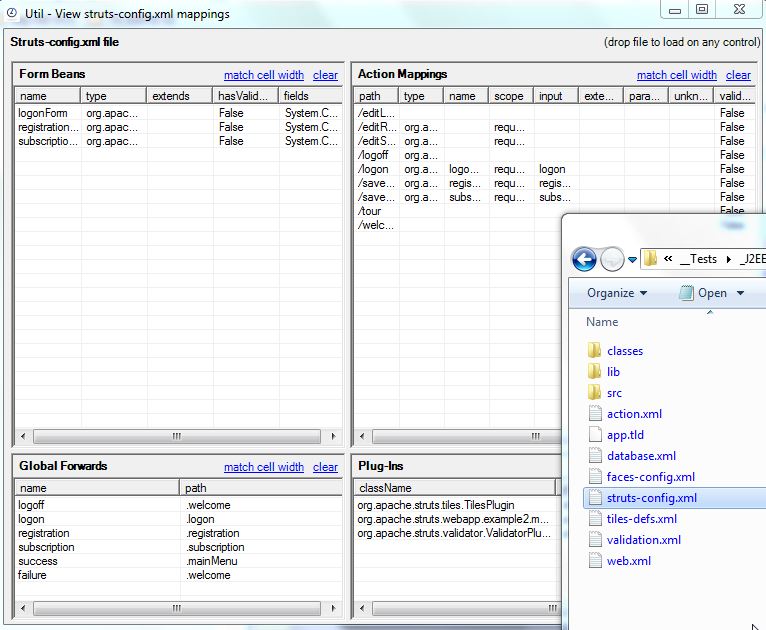
Util - View struts-config.xml mappings v1.0.exe
Drop the struts-config.xml file to see its mappings:
**
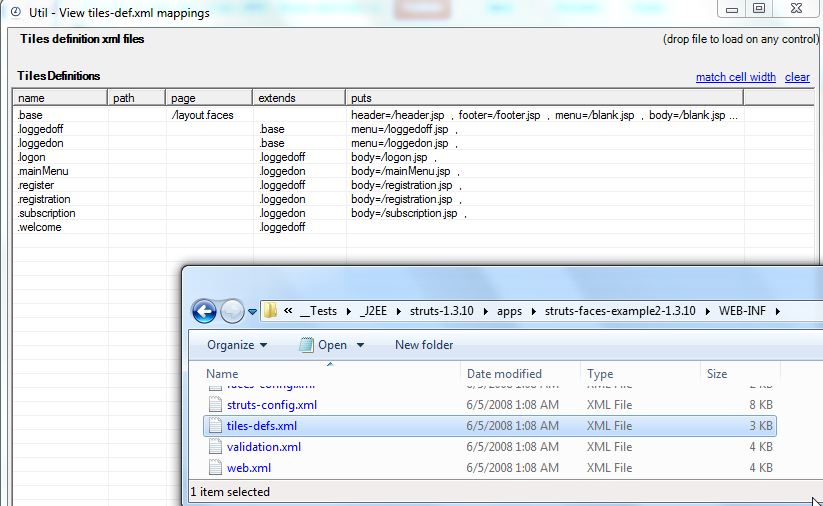
****Util - View tiles-def.xml mappings v1.0.exe**
Drop the tiles-defs.xml file to see its mappings:
**
****Util - View validation.xml mappings v1.0.exe**
Drop the validation.xml file to see its mappings:
**
**

**
****
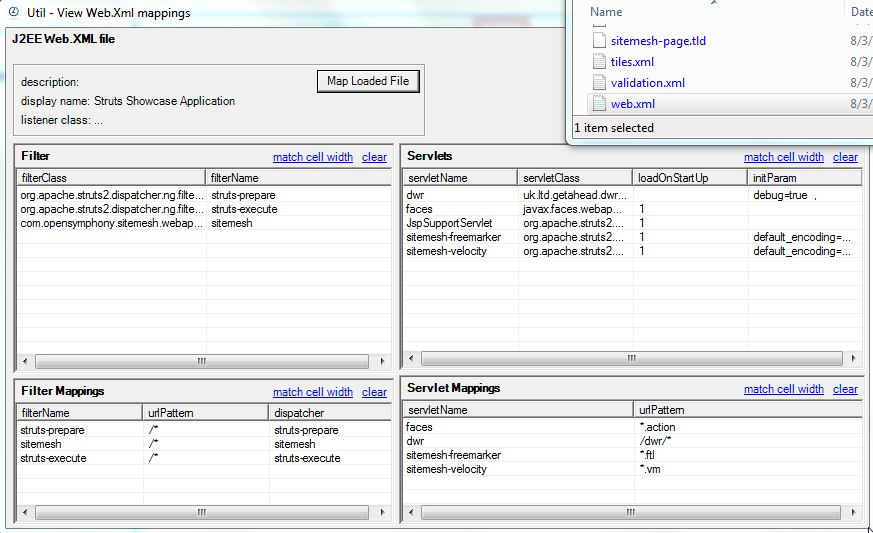
****Util - View Web.Xml mappings v1.0**
**
**Drop the web.xml file to see its mappings:
If you like this (and are reviewing Java Apps with lots of interfaces) you should also check out the Util - O2 Java Tools (IKVM Based) v1.0
1.2 Tool - O2 Cmd SpringMVC v1.0.exe - as standalone exe
I just had a request for the O2’s Spring MVC module (developed ages ago), and It was was a good opportunity to test the latest version of the ‘_O2 Standalone tool builde_r’, since it now supports the embedding of the tools installed via an O2 Script (usually stored in the _ToolsOrApis folder).
You can download the Tool - O2 Cmd SpringMVC v1.0.exe (or build it using O2) which is the stand alone exe of the old O2_Cmd_SpringMvc.msi tool (See at the end of this post for details on how this exe was created)

When you open this tool, you will get a GUI that looks like this:
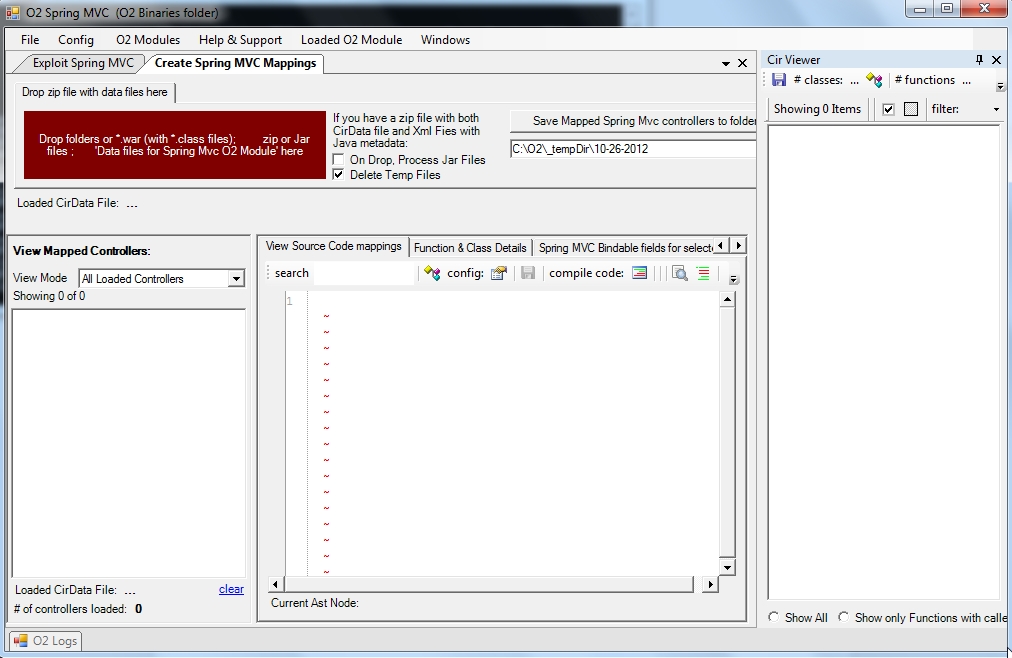
Then if you drop a jar (or the zip of *.classes like the one you will find in the jPetClinic – O2 Demo Pack.zip that you get from the Packaged Spring MVC Security Test Apps: JPetStore and PetClinc ), a series of conversions will occur (Jython is used to parse the java byte code) :
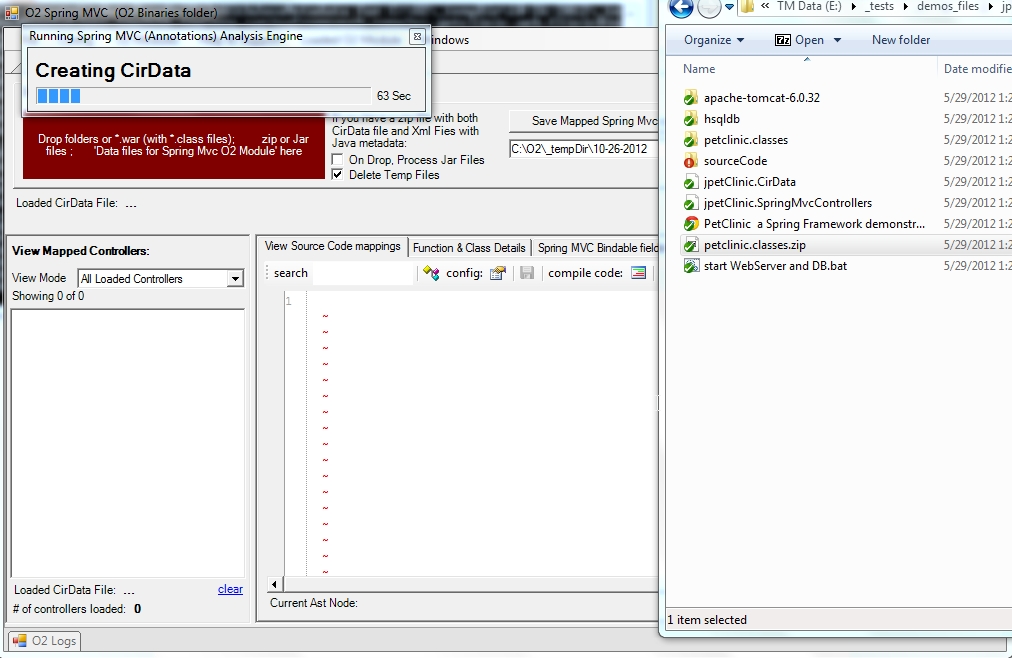
Which when finished will look like this:
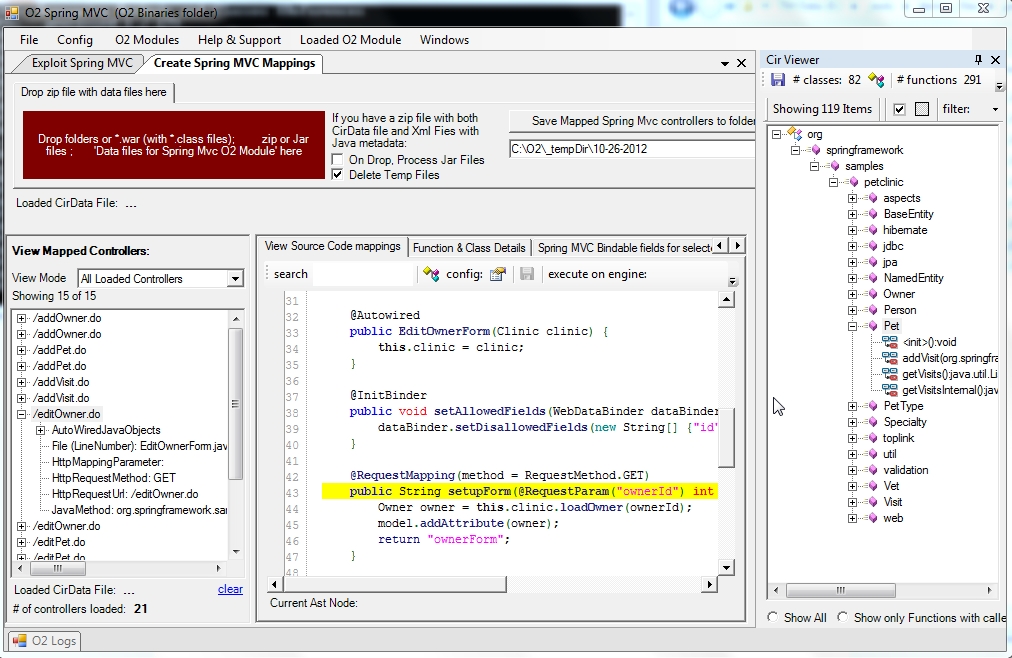
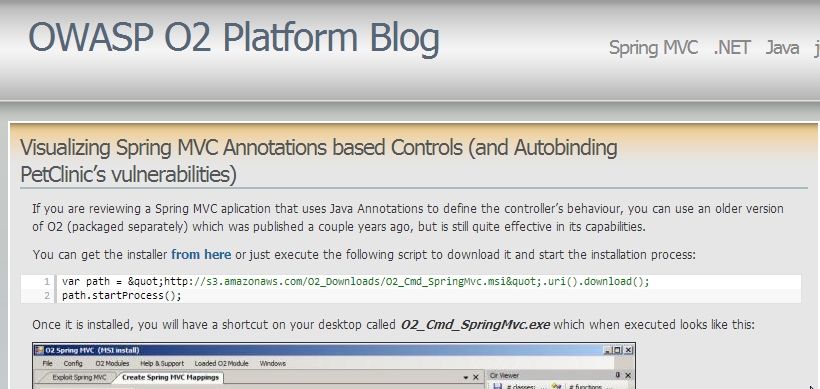
For a detailed explanation of how this module works (including the VERY important /*O2Helper:MVCAutoBindListObject: hack) take a look at this blog post:
Visualizing Spring MVC Annotations based Controls (and Autobinding PetClinic’s vulnerabilities)
1.3 How the Tool - O2 Cmd SpringMVC v1.0.exe was created
It was quite easy to package the O2_Cmd_SpringMvc.msi tool (note-to-self: do this for the other really powerful old O2 tools that are gathering dust in the O2 archives)
Step 1: Create an installer that downloads and extracts the msi:
**
**
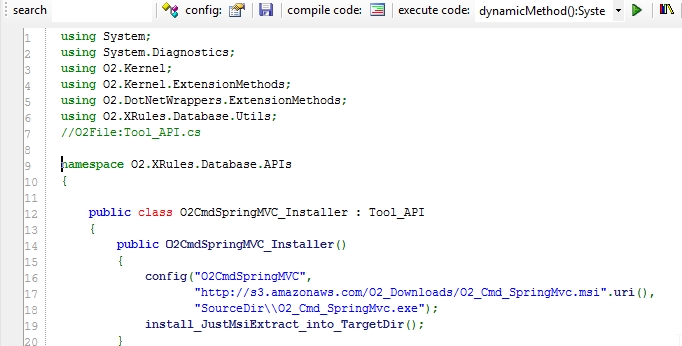
Step 2: In an O2 C# REPL script create the_ Tool - O2 Cmd SpringMVC.h2_ file
Which will consume the installers (shown above) and will trigger the extraction (when executed for the first time as a standalone exe)
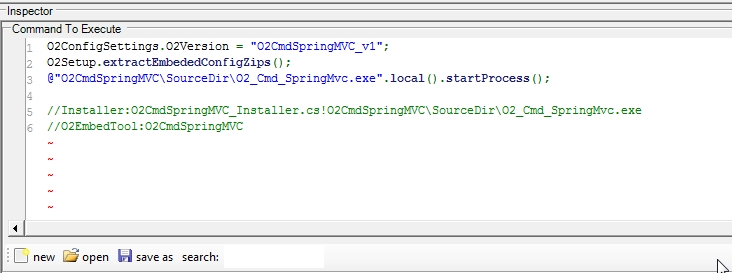
Step 3: Open the context menu and chose the item to package the current script

And that’s it!
The package tool (which is a script it self) should be open with the created exe:

It’s quite powerful the fact that it took me longer to write this blog post than to package that old O2 tool :)
1.4 Util - Java Decompiler (JAD based) v1.0.exe
If you want to take a quick look at the Java code inside a Jar file, here is a simple Java/Jar Decompiler (based on the JAD tool)
You can download the tool from: Util - Java Decompiler (JAD based) v1.0.exe (stand-alone O2 Platform script)
This is what it looks like when you open it:

And this is what happens after a *.jar file is dropped in the left-hand-side TreeView:

You can drop multiple jar files:

Apart the initial delay (caused by the unziping of the dropped jar file into a temp folder), the decompilation should be quite quick.
Other O2 Platform Java-based tools:
- O2 tools to view and script J2EE, Struts and Tiles xml config files
- Util - O2 Java Tools (IKVM Based) v1.0
More details on how this tool was created:
1.5 Util - Jni4Net - Java BeanShell REPL v1.0.exe
Using the technique shown in the Invoking Java BeanShell from .Net CLR post, here is REPL that allows the quick execution of Java BeanShell command in a C# GUI
You can download this stand-alone O2 tool from: Util - Jni4Net - Java BeanShell REPL v1.0.exe
And this is what the default GUI looks like:

If you expand the Console Out panel, you can see the Jni4Net initialization messages:

There are a number of code samples included:

Which will be auto executed on selection:

This one for example:

will create a Java button:

which of course can be modified and executed:

Also included is a REPL menu

That allows the scripting of the current Form:

like for example: changing its title and making all controls pink

or inject a WebBrowser (on the left) with the Jni4Net website:
The other REPL menu item:

Allows the scripting and visualization of the Jni4Net object:
For reference here is the script (also available at O2.Platform.Scripts\3rdPartyJni4NetUtil - Jni4Net - Java BeanShell REPL.h2) that created this GUI (a bit messy and in need for a good dose of refactoring)):
1 O2Setup.extractEmbededConfigZips();
//Set value of Bridge.homeDir
var jni4NetDir = PublicDI.config.ToolsOrApis.pathCombine(@”Jni4Net\lib”);
var fieldInfo = (FieldInfo)typeof(Bridge).field(“homeDir”);
PublicDI.reflection.setField(fieldInfo, jni4NetDir);
//return typeof(Bridge).fieldValue(“homeDir”);
“jni4net.j-0.8.6.0.jar location: {0}”.info(Bridge.FindJar());
//stand-alone tool not working (not finding the “jni4net.j-0.8.6.0.jar”);
//”jni4net.n-0.8.6.0.dll is at: {0}”.info(“jni4net.n-0.8.6.0.dll”.assembly_Location());
var topPanel = “Util - JavaBean REPL - {0}”.format(clr.details()).popupWindow(800,400)
.insert_LogViewer();
//var topPanel = panel.clear().add_Panel();
Action execute =null;
var replGui = topPanel.add_REPL_Gui();
replGui.On_ExecuteCode = ()⇒ execute();
replGui.Output_Panel.insert_Below(“Console Out”).add_ConsoleOut();
“test console out”.console_WriteLine();
var codeText = replGui.Code_Panel.add_SourceCodeViewer();
var toolStrip = topPanel.insert_Above_ToolStrip()
.add_Button(“Run”, “btExecuteSelectedMethod_Image”.formImage(),()⇒ execute())
.toolStrip();
var samplesMenu = toolStrip.add_DropDown(“Java BeanShell Code Samples”, “help_browser”.formImage());
var beanShellJar = “http://www.beanshell.org/bsh-2.0b4.jar”.uri().download(false);
//configure Jni4Net bridge and BeanShell
“Configuring Jnu4Net”.info();
var jni4Net = new API_Jni4Net();
jni4Net.setUpBride();
“Default Jni4Net bridge setup “.info();
var interpreterClass = beanShellJar.java_Jar_Class(“bsh.Interpreter”);
if(interpreterClass.isNull() && clr.x86()) // most likely means it couldn’t find a compatible
{
var javaHomeLocation = @”C:Program Files (x86)Java\jre7”;
“interpretreClass was null, and this is a 32bit process, so to set-up bridge with JavaHome: {0}”.error(javaHomeLocation);
var bridgeSetup = new BridgeSetup() { JavaHome = javaHomeLocation};
jni4Net.setUpBride(bridgeSetup);
interpreterClass = beanShellJar.java_Jar_Class(“bsh.Interpreter”);
}
var interpreter = interpreterClass.ctor();
if (interpreter.isNull())
{
“Failed to create interpreter instance”.error();
}
java.lang.System.@out.println(“Hello Java world!”);
//set execute method
execute =
()⇒{
var code = codeText.get_Text().java_String();
try
{
var result = interpreter.java_Invoke_UsingSignature(“eval”,”(Ljava/lang/String;)Ljava/lang/Object;”,code);
replGui.showOutput(result.str());
}
catch(System.Exception ex)
{
ex.log(“Execution error”);
replGui.showErrorMessage(ex.Message);
}
};
Action<string,string> addCodeSample =
(title, codeSample)⇒ samplesMenu.add_Button(title,
()⇒{
codeText.set_Text(codeSample);
execute();
});
Func<string> getJni4NetReplCode =
()=>{
return "return jni4Net.bridgeSetup;".line().line() +
"//O2Ref:jni4net.n-0.8.6.0.dll".line() +
"//O2Ref:{0}".format(jni4Net.type().Assembly.ManifestModule.str());
};</string>
toolStrip.add_DropDown(“REPL”, “text_x_script”.formImage())
.add_Button(“REPL Form” , ()⇒topPanel.parentForm().script_Me(“form”))
.add_Button(“REPL Jni4Net” , ()⇒jni4Net.script_Me(“jni4Net”).set_Code(getJni4NetReplCode()))
.add_Button(“REPL Jni4Net Assembly” , ()⇒jni4Net.type().Assembly.script_Me(“assembly”));
toolStrip.add_Button(“Open BeanSheel website”, “internet_web_browser”.formImage(), ()⇒“http://www.beanshell.org/”.startProcess())
.add_Button(“View Jni4Net O2 Blog posts”, “internet_web_browser”.formImage(), ()⇒“http://blog.diniscruz.com/search/label/Jni4Net”.startProcess());
//Code samples
addCodeSample(“Hello World”, “return "Hello World (from java bean)";”);
addCodeSample(“Java Properties”, “return java.lang.System.getProperties();”);
addCodeSample(“Int sums”,
@”int a = 12;
return a + 30;”);
addCodeSample(“Hashtable and date”,
@”Hashtable hashtable = new Hashtable();
Date date = new Date();
hashtable.put( ““today””, date );
return hashtable.get(““today””);”);
addCodeSample(“Create java button”,
@”button = new JButton( ““My Button”” );
frame = new JFrame( ““My Frame”” );
frame.getContentPane().add( button, ““Center”” );
frame.pack();
frame.setVisible(true);
return ““You should have a Java button”” +
““somewhere on your screen””;”);
addCodeSample(“System.out.println (not working)”,
@”java.lang.System.out.println(““Hello Java world!””);
return ““done””;”);
samplesMenu.items().first()
.PerformClick();
replGui.Execute_Button.click();
replGui.Output_Panel.splitterDistance(50);
return “done”;
//using System.Reflection
//using net.sf.jni4net
//using net.sf.jni4net.jni;
//using java.lang;
//using java.net;
//O2File:API_Jni4Net.cs
//O2Ref:Jni4Net\lib\jni4net.n-0.8.6.0.dll
//O2Embed:java.ico
//O2EmbedTool:Jni4Net
1.6 Util - O2 Java Tools (IKVM Based) v1.0
For the Java users, here are a couple O2 Tools that expose GUIs to view java class files and programatically analyze them.
These tools leverage the amazing IKVM project to parse the Java class files into C# classes.
You can download the exe from Util - O2 Java Tools - IKVM Based v1.0.exe (its 20Mb since it includes the latest version of IKVM)
When you start this exe, you will see this menu:
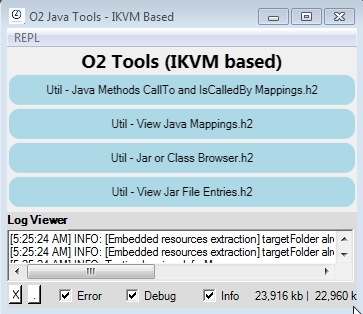
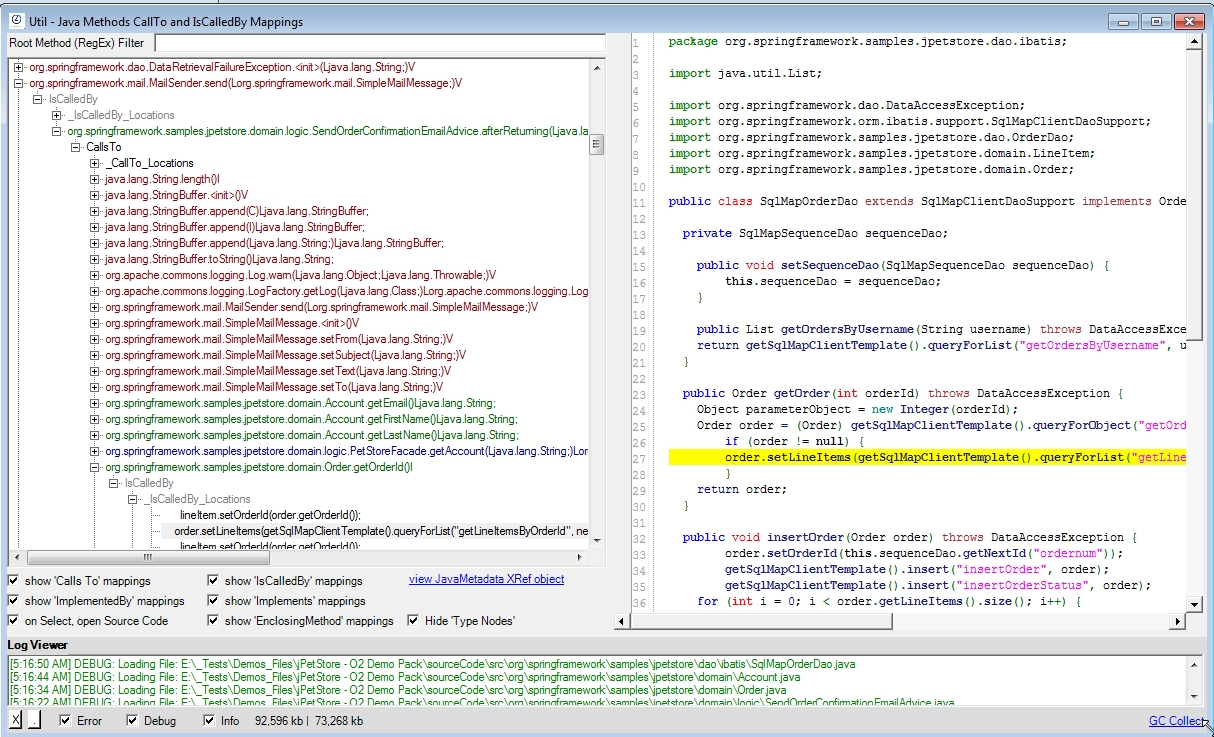
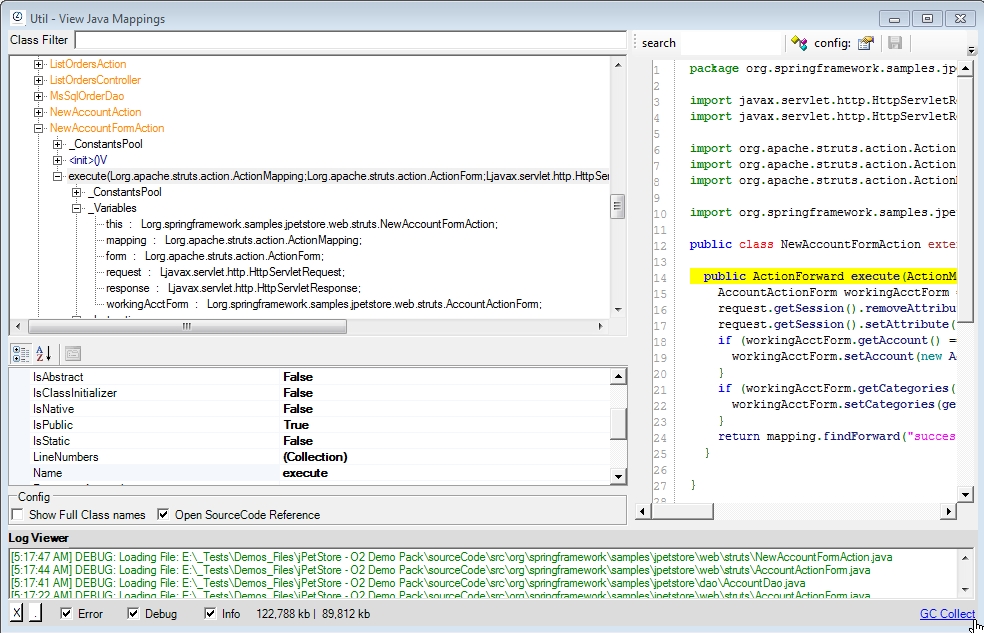
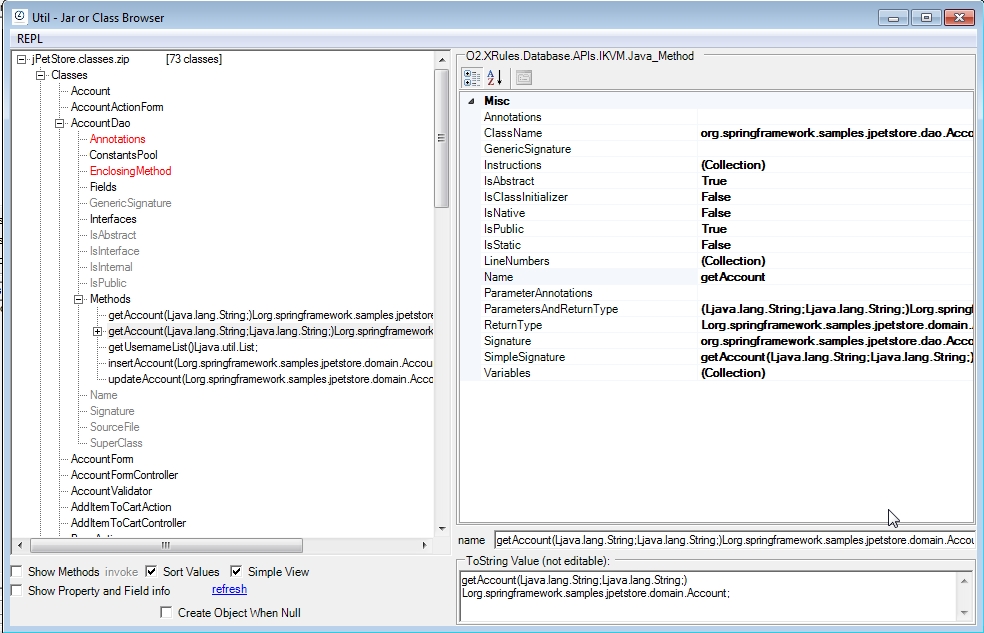
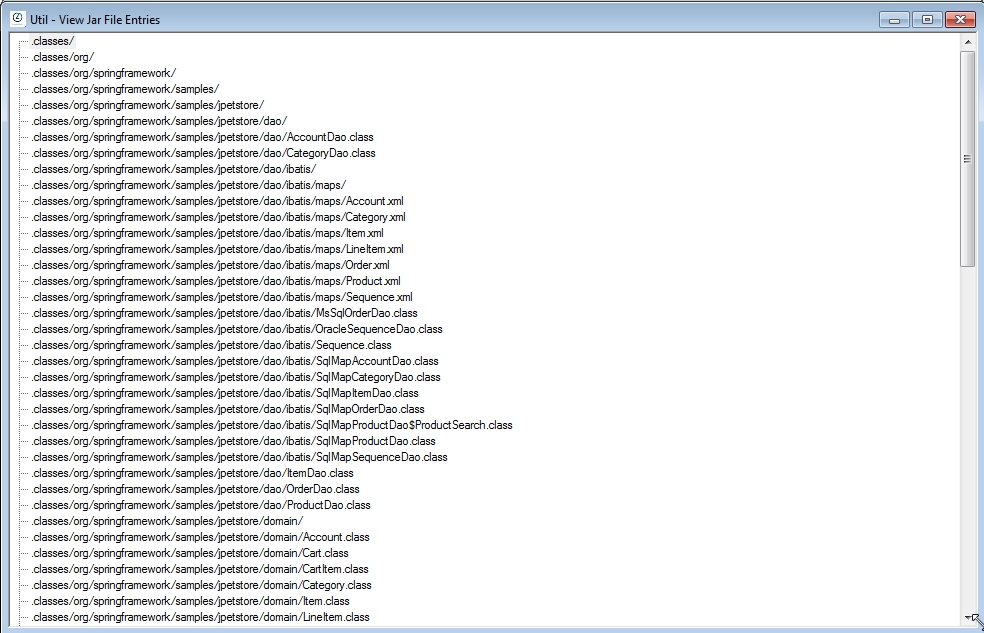
Which is a launcher for the following 4 tools (included as *.h2 scripts which will be compiled on first run):
Util - Java Methods CallTo and IsCalledBy Mappings.h2
Util - View Java Mappings.h2
**
**
Util - Jar or Class Browser.h2
**
**
**
**
**
**
Util - View Jar File Entries.h2
Included REPL Script environment
And as with most O2 tools, what is really powerful is the fact that these APIs and GUIs are all easily scripted using the provided REPL C# Script environment (via REPL menu):