Appendix C: Just Enough Git
Register with GitHub
- Git is one of MANY in a series of programs called Version Control Systems. Version control software (in the simplest terms) is a program to help one keep track of and organize writing program(s).
- Since this is a JUST ENOUGH approach, I will go over enough so that you can start working and learning git on YOUR own account.
C.1 - Get Git
NOTE: If you previously loaded Anaconda Python then you already have Git installed.
Check to see if you have git.
- Go to: Terminal shell
- Enter:
git --versiongit version 2.7.4
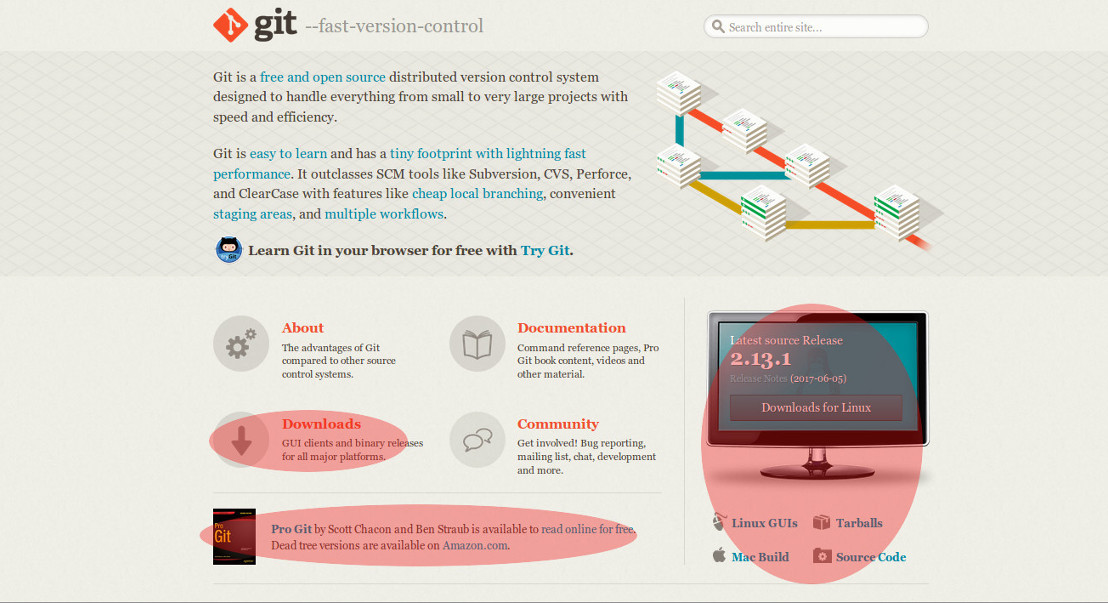
Otherwise, download Git
- Obtaining Git is easy.
C.2 - Set up your first Project / Repository
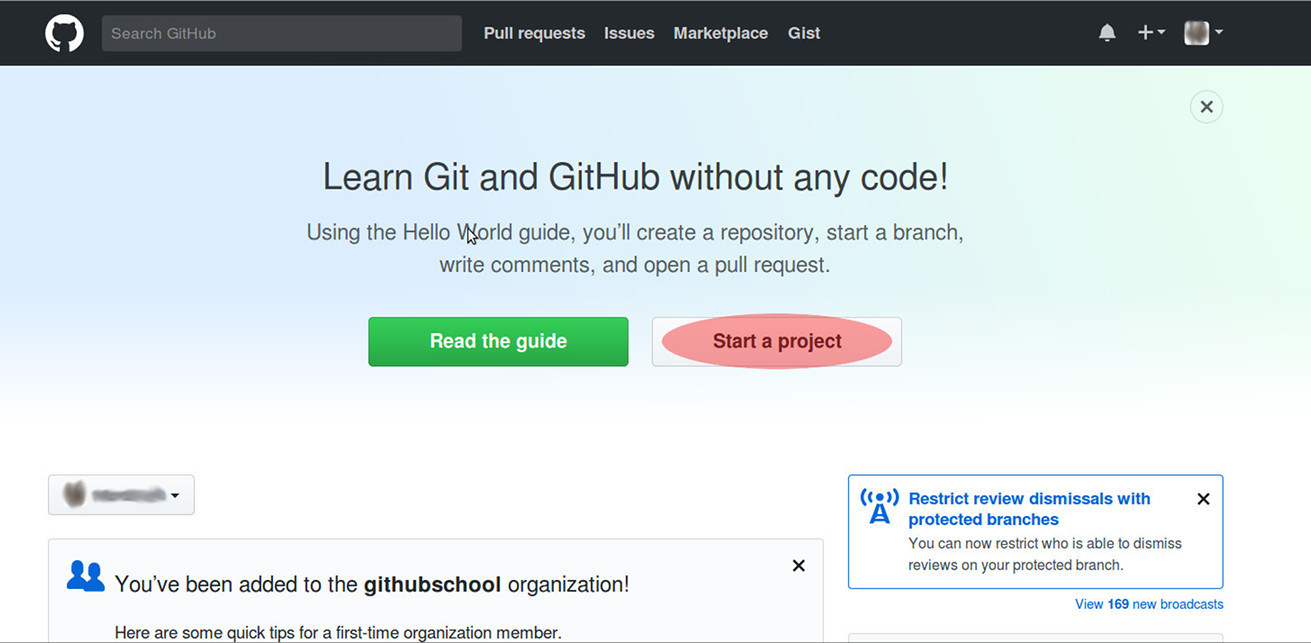
- Sign into your GitHub account.
- Press: Start a project
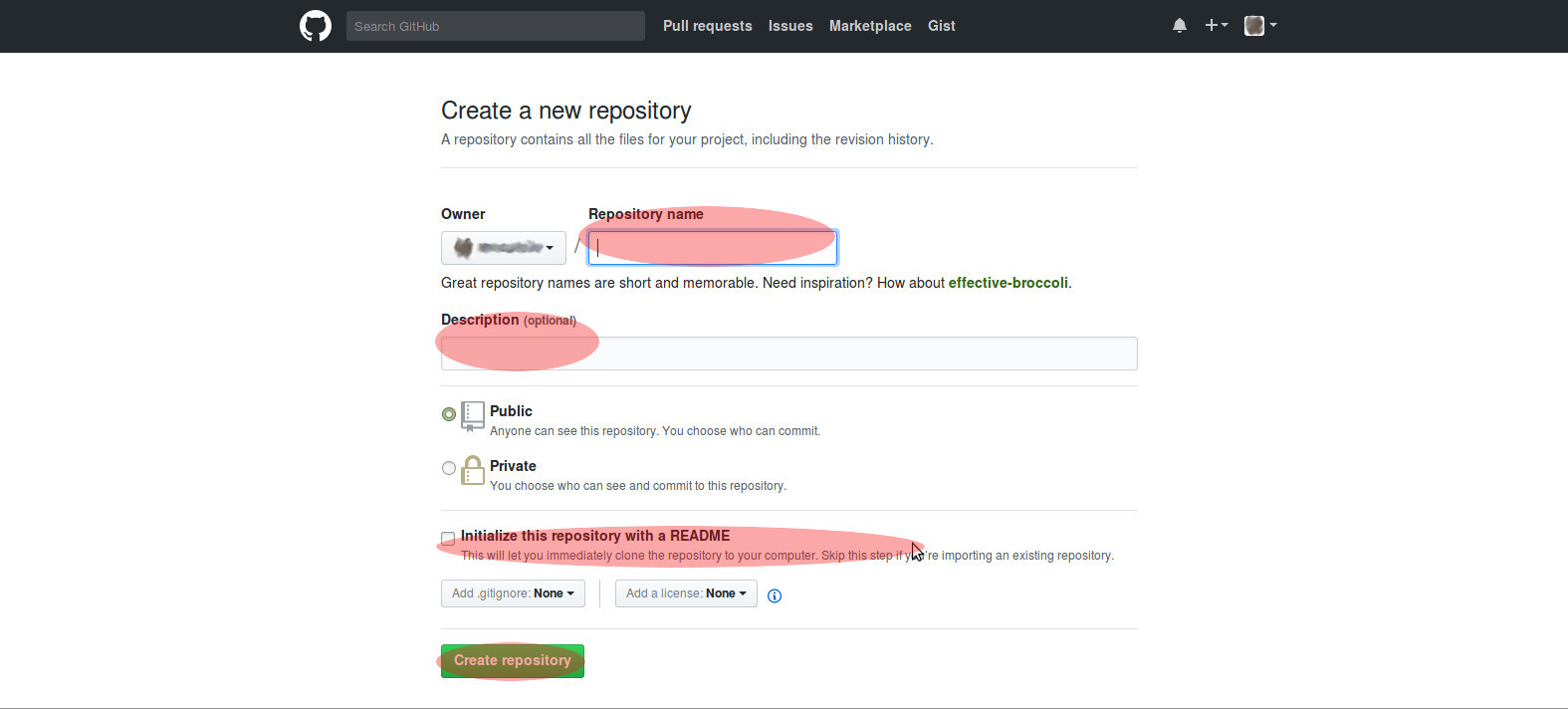
- On the “Create a new repository” page: Fill in…
- Repository name: First project
- Description: Add you keyowrds here,
- For example: test repository
- Initialize this repository with a README:
- This can be any length you need to fully describe your work to anyone “walking off the street”.
- Press: Create repository
C.3 - Cloning a repository
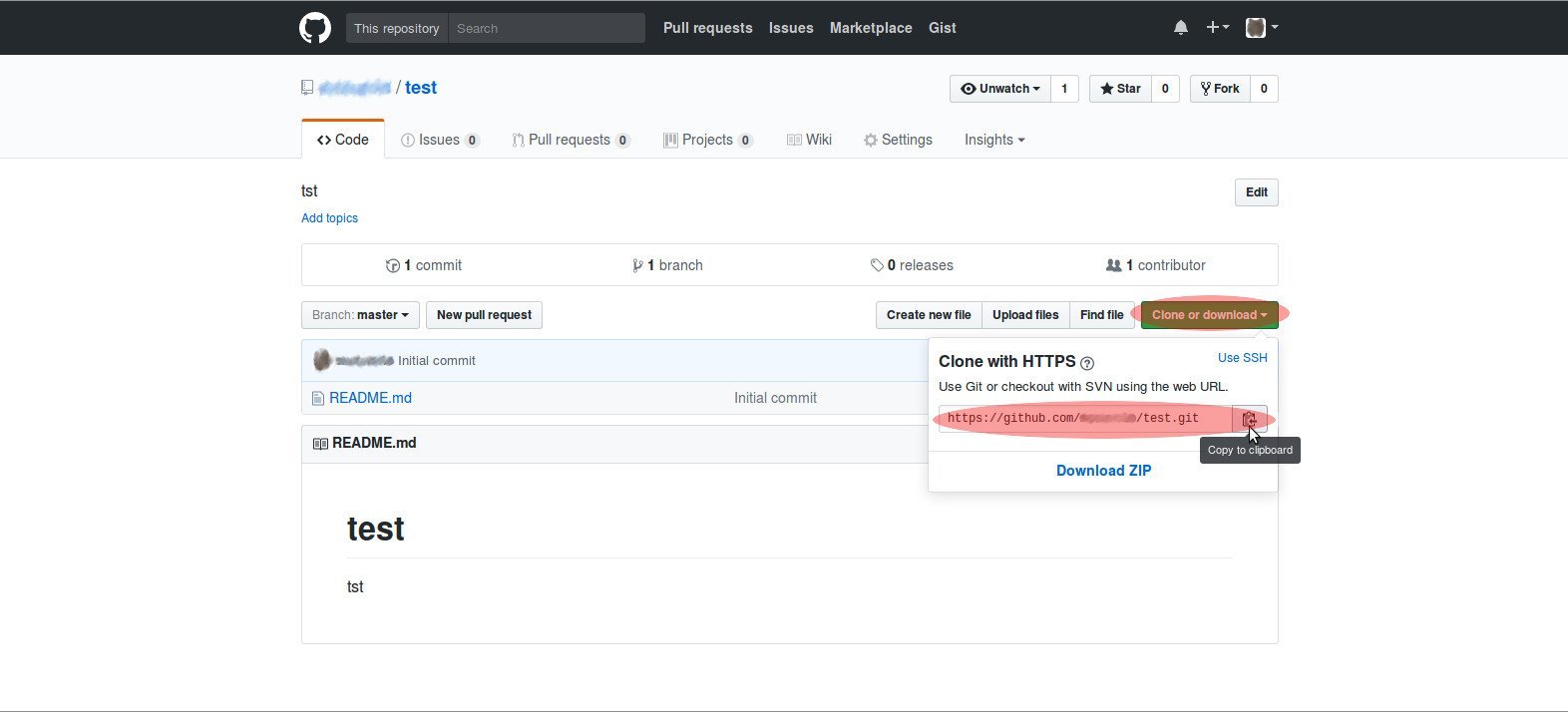
- Copy the web address of new repository,
- See: Red Highlighted: Clone with HTTPS
- Go to your Working Directory, AND
- Open your Linux/Mac/Windows terminal window or shell:
- Type: git clone https://github.com/YOUR-USERNAME/YOUR-REPOSITORY
- Enter
C.4 - The 5 most useful git commands
- Add files to your working directory as needed.
- When you are ready to save your work to Github…
- THEN use the commands below.
Adding new material to you GitHub account
- git status # You will see any files the need to added or removed here.
- git add * # if you have added or made changes to your files simply use * (the asterick for all files)
- git rm /dir/file_name.ext # to delete files use rm (remove)
-
git commit -m “describe change” # Use QUOTES when describing your change(s).
- At this point, you will be prompted for your Username and Password
- git push # This pushes your changes from your local directory (Your Computer) to GitHub.
- This completes the addition of a file(s) to your GitHub account.
NOTE: This is the absolute minimum to get you started. As you need to use more functionality you can search for it via Google or the GitHub help site.