Appendix A: Installing Ubuntu Linux
- Computer scientists over the past decades have created Unix, and its relative Linux, which are free operating systems (OS). Both are widely used as servers and in scientific computing. They come with free software and are very dependable.
‘Ubuntu’ is about Community
We will focus on the Ubuntu distribution (OS), its installation and start-up. Ubuntu is a good place to start because there are so many resources.
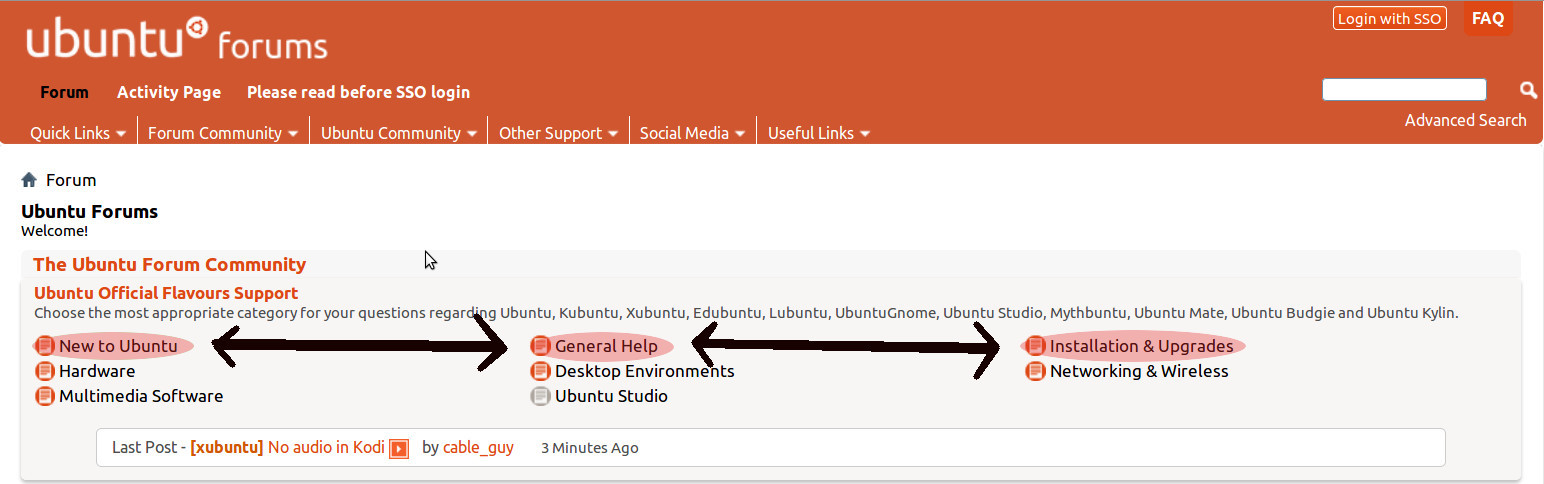
- ANY QUSESTIONS or need HELP, Go to the Ubuntu Forums.
- First, Search the Forums, because it is likely your question may have been answered already.
IMPORTANT: If you plan to run RNA-Seq or other pipelines with the command line you will need Linux. A large proportion of the commands for Bioinformatics pipelines do not run on Windows.
A1. Install Ubuntu on a USB drive.
The link below describes how to create a USB stick with Ubuntu for Windows. After which you will create a “bootable” USB drive with Ubuntu on it. This means that YOU can take this USB drive and use Ubuntu anywhere you have a computer that can boot from a USB port.
These directions are specific for Windows machines.
You need:
- a USB drive (>= 4 gigabytes, 8-16 GB is preferable)
- a Windows machine where you can install programs.
You will download:
- Ubuntu image, Ubuntu Desktop - FOR CONTINUITY, USE ONLY UBUNTU 16.04 LTS
- Rufus USB Installer - takes the Ubuntu image and your USB drive then makes a ‘bootable’ (running) version on your USB drive.
A2. Goto Ubuntu’s ‘Getting Started’ page;
- https://www.ubuntu.com/download/desktop/create-a-usb-stick-on-windows
- Follow the the Ubuntu web-page directions.
A3. Then try Ubuntu:
- Now let’s check that it all works well.
- Keep your USB drive in the port.
- Restart your Windows computer.
- As your computer starts its boot process, you will need to enter into the BIOS.
- Commonly, many computers will enter BIOS if you press F12 repeatedly when the machine starts up.
- READ your computer screen for information on how to enter the BIOS!
- When you enter your computers BIOS, it must be set to boot from the USB stick first.
- Once you enter the BIOS change the order such that USB drives start first you may need to save changes and restart.
A4. If you want Ubuntu on your computer…
There are two possible ways to have a permanent version of Ubuntu.
- Install Ubuntu, on your personal computer. This is called a “dual-boot” with Windows
- You can also make customize your USB drive by changing partitions, see Persistent live USB version.