Chapter 6 - Testing
In this chapter we’ll create a project to use throughout the rest of the book and explore various options for testing. We’ll create a class to convert Markdown formatted files to HTML. This class will be created using TDD principles.
Chapter Contents
- Creating the l5beauty Project
- Running PHPUnit
- Using Gulp for TDD
- Creating a Markdown Service
- Other Ways Test
- Recap
Creating the l5beauty Project
Follow the Six Steps to Starting a New Laravel 5.1 Project below to create the l5beauty project.
First, from your Host OS, install the app skeleton.
~/Code % laravel new l5beauty
Crafting application...
Generating optimized class loader
Compiling common classes
Application key [rzUhyDksVxzTXFjzFYiOWToqpunI2m6X] set successfully.
Application ready! Build something amazing.
Next, from within the Homestead VM, set up l5beauty.app as the virtual host.
~/Code$ serve l5beauty.app ~/Code/l5beauty/public
dos2unix: converting file /vagrant/scripts/serve.sh to Unix format ...
 * Restarting nginx nginx                                                [ OK ]
php5-fpm stop/waiting
php5-fpm start/running, process 2169
Back in your Host OS, add the following line to your hosts file.
192.168.10.10 l5beauty.app
From your Host OS, do the step to install the NPM packages locally.
~% cd Code/l5beauty
~/Code/l5beauty% npm install
|
> node-sass@2.0.1 install /Users/chuck/Code/l5beauty/node_modules/laravel-\
	elixir/node_modules/gulp-sass/node_modules/node-sass
> node scripts/install.js

> node-sass@2.0.1 postinstall /Users/chuck/Code/l5beauty/node_modules/\
	laravel-elixir/node_modules/gulp-sass/node_modules/node-sass
> node scripts/build.js

`darwin-x64-node-0.10` exists; testing
Binary is fine; exiting
gulp@3.8.11 node_modules/gulp
├── v8flags@2.0.2
├── pretty-hrtime@0.2.2

[snip]
Go back within the Homestead VM and create the database for this project.
$ mysql --user=homestead --password=secret
mysql> create database l5beauty;
Query OK, 1 row affected (0.00 sec)

mysql> exit;
Bye
Then edit the .env file, changing the database to l5beauty.
// Change the following line
DB_DATABASE=homestead

// To the correct value
DB_DATABASE=l5beauty
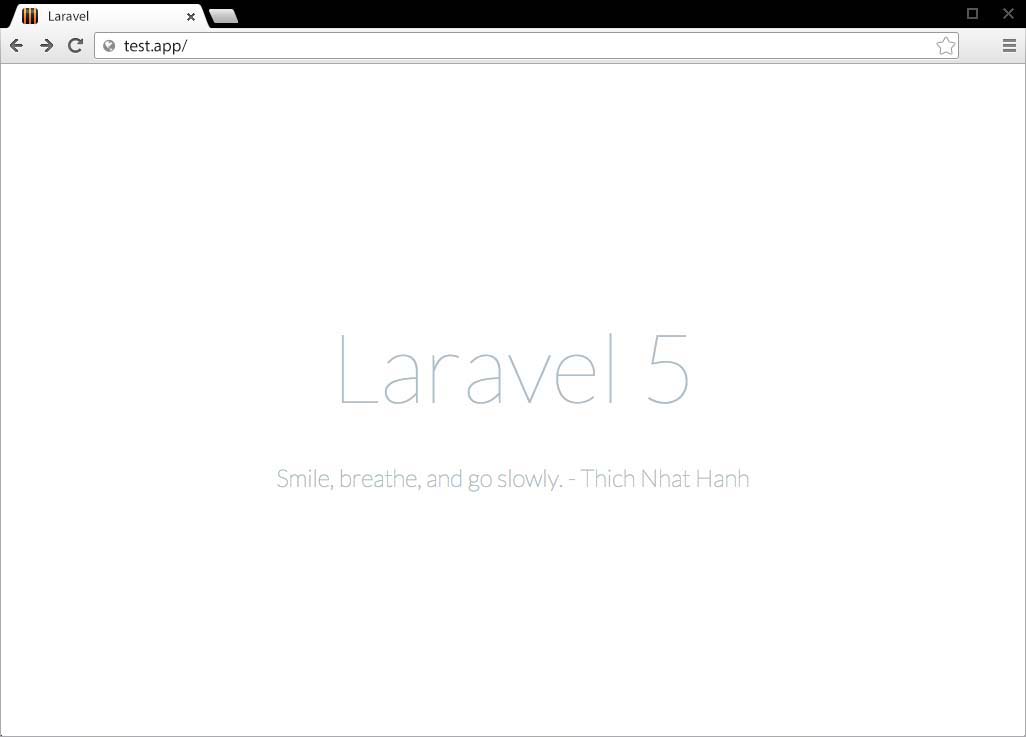
Finally, bring up http://l5beauty.app in your browser to make sure everything is working correctly.
Running PHPUnit
Laravel 5.1 comes out of the box ready for testing. There’s even a very simple unit test supplied to make sure a web request to the application returns the expected 200 HTTP response.
To run PHPUnit, execute the phpunit command from the project’s root directory.
~% cd Code/l5beauty
~/Code/l5beauty% phpunit
PHPUnit 4.7.4 by Sebastian Bergmann and contributors.

.

Time: 544 ms, Memory: 10.25Mb

OK (1 test, 2 assertions)
Laravel 5.1’s PHPUnit Configuration
In the root of each Laravel 5.1 project is the file phpunit.xml. This contains the configuration PHPUnit uses when phpunit is executed from the project’s root directory.
Examination of the phpunit.xml will show the tests reside within the tests directory. There are two files located there.
-
ExampleTest.php- Contains one testtestBasicExample(). TheExampleTestclass is derived from theTestCaseparent provided in the other file. -
TestCase.php- The base class from which to derive Laravel tests.
Take a look at the testBasicExample() method in ExampleTest.php.
1   public function testBasicExample()
2   {
3     $this->visit('/')
4          ->see('Laravel 5');
5   }
This test says “Visit the home page and we should see the words ‘Laravel 5’.” Can tests get any simpler than this?
The TestCase class provides additional Laravel 5.1 specific application methods and properties to your unit tests. TestCase also provides a long list of additional assertion methods and crawler type tests.
Laravel 5.1 Crawler Methods and Properties
The Crawler tests allow you to test pages in your web application. The nice thing is that many of these tests are fluent and return $this, allowing you to build the ->visit()->see() type test in the above example.
Here are some of the available properties and methods.
$response- The last response returned by the web application.
$currentUri- The current URL being viewed.
visit($uri)- (Fluent) Visit the given URI with a GET request.
get($uri, array $headers = [])- (Fluent) Fetch the given URI with a GET request, optionally passing headers.
post($uri, array $data = [], array $headers = [])- (Fluent) Make a POST request to the specified URI.
put($uri, array $data = [], array $headers = [])- (Fluent) Make a PUT request to the specified URI.
patch($uri, array $data = [], array $headers = [])- (Fluent) Make a PATCH request to the specified URI.
delete($uri, array $data = [], array $headers = [])- (Fluent) Make a DELETE request to the specified URI.
followRedirects()- (Fluent) Follow any redirects from latest response.
see($text, $negate = false)- (Fluent) Assert the given text appears (or doesn’t appear) on the page.
seeJson(array $data = null)- (Fluent) Assert the response contains JSON. If
$datapassed, also asserts the JSON value exactly matches. seeStatusCode($status)- (Fluent) Assert the response has the expected status code.
seePageIs($uri)- (Fluent) Assert current page matches given URI.
-
seeOnPage($uri)andlandOn($uri) - (Fluent) Aliases to
seePageIs() click($name)- (Fluent) Click on a link with the given body, name or id.
type($text, $element)- (Fluent) Fill an input field with the given text.
check($element)- (Fluent) Check a checkbox on the page.
select($option, $element)- (Fluent) Select an option from a dropdown.
attach($absolutePath, $element)- (Fluent) Attach a file to a form field.
press($buttonText)- (Fluent) Submit a form using the button with the given text.
withoutMiddleware()- (Fluent) Disable middleware for the test.
dump()- Dump the content of the latest response.
Laravel 5.1 PHPUnit Application methods and properties
Here’s a brief rundown of some of the additional application methods and properties Laravel 5.1 provides to PHPUnit.
$app- The instance of the Laravel 5.1 application.
$code- The latest code returned by artisan
refreshApplication()- Refreshes the application. Automatically called by the TestCase’s
setup()method. call($method, $uri, $parameters = [], $cookies = [], $files = [], $server = [], $content = null)- Calls the given URI and returns the response.
callSecure($method, $uri, $parameters = [], $cookies = [], $files = [], $server = [], $content = null)- Calls the given HTTPS URI and returns the response.
action($method, $action, $wildcards = [], $parameters = [], $cookies = [], $files = [], $server = [], $content = null)- Calls a controller action and returns the response.
route($method, $name, $routeParameters = [], $parameters = [], $cookies = [], $files = [], $server = [], $content = null)- Calls a named route and returns the response.
instance($abstract, $object)- Register an instance of an object in the container.
expectsEvents($events)- Specify a list of events that should be fired for the given operation.
withoutEvents()- Mock the event dispatcher so all events are silenced.
expectsJobs($jobs)- Specify a list of jobs that should be dispatched for the given operation.
withSession(array $data)- Set the session to the given array.
session(array $data)- Starts session and sets the session values from the array.
flushSession()- Flushes the contents of the current session.
startSession()- Starts the application’s session.
actingAs($user)- (Fluent) Sets the currently logged in user for the application.
be($user)- Sets the currently logged in user for the application.
seeInDatabase($table, array $data, $connection = null)- (Fluent) Asserts a given where condition exists in the database.
notSeeInDatabase($table, $array $data, $connection = null)- (Fluent) Asserts a given where condition does not exist in the database.
missingFromDatabase($table, array $data, $connection = null)- (Fluent) Alias to
notSeeInDatabase(). seed()- Seeds the database.
artisan($command, $parameters = [])- Executes the artisan command and returns the code.
Any of these methods or properties can be accessed within your test classes. The provided ExampleTest.php file contains a line using $this->call(...) inside the testBasicExample() method.
Laravel 5.1 PHPUnit Assertions
In addition to the standard PHPUnit assertions (such as assertEquals(), assertContains(), assertInstanceOf(), …), Laravel 5.1 provides many additional assertions to help write tests dealing with the web application.
assertPageLoaded($uri, $message = null)- Assert the latest page loaded; throw exception with $uri/$message if not.
assertResponseOk()- Assert that the client response has an OK status code.
assertReponseStatus($code)- Assert that the client response has a given code.
assertViewHas($key, $value = null)- Assert that the response view has a given piece of bound data.
assertViewHasAll($bindings)- Assert that the view has a given list of bound data.
assertViewMissing($key)- Assert that the response view is missing a piece of bound data.
assertRedirectedTo($uri, $with = [])- Assert whether the client was redirected to a given URI.
assertRedirectedToRoute($name, $parameters = [], $with = [])- Assert whether the client was redirected to a given route.
assertRedirectedToAction($name, $parameters = [], $with = [])- Assert whether the client was redirected to a given action.
assertSessionHas($key, $value = null)- Assert that the session has given key(s)/value(s).
assertSessionHasAll($bindings)- Assert that the session has a given list of values.
assertSessionHasErrors($bindings = [])- Assert that the session has errors bound.
assertHasOldInput()- Assert that the session has old input.
Using Gulp for TDD
Gulp is a build and automation system written in JavaScript. It allows common tasks such as minification of source files to be automated. Gulp can even watch your source code for changes and automatically run tasks when this occurs.
Laravel 5.1 includes Laravel Elixir which allows Gulp tasks to be built in easy ways. Elixir adds an elegant syntax to gulp. Think of it this way … what Laravel is to PHP, Elixir is to Gulp.
One of the most common uses of Gulp is to automate unit tests. We’ll follow the TDD (Test Driven Development) process here and let Gulp automatically run our tests.
First, edit the gulpfile.js file in the l5beauty project’s root directory to match what’s below.
var elixir = require('laravel-elixir');

elixir(function(mix) {
    mix.phpUnit();
});
Here we call the elixir() function, passing a function. The mix object this function receives is a stream on which multiple things can occur. You might want to build LESS files into CSS files here, then concatenate those CSS files together, and then provide versioning on the resulting concatenated files. All of those things can be specified by using a fluent interface on the mix object.
But for now, we’re only running PHPUnit tests.
Next, from the project root on your Host OS, run gulp to see what happens.
~% cd Code/l5beauty
~/Code/l5beauty% gulp
[15:26:23] Using gulpfile ~/Code/l5beauty/gulpfile.js
[15:26:23] Starting 'default'...
[15:26:23] Starting 'phpunit'...
[15:26:25] Finished 'default' after 2.15 s
[15:26:25]

       *** Debug Cmd: ./vendor/bin/phpunit --colors --debug ***

[15:26:28] PHPUnit 4.7.4 by Sebastian Bergmann and contributors.

Configuration read from /Users/chuck/Code/l5beauty/phpunit.xml

Starting test 'ExampleTest::testBasicExample'.
.

Time: 2.07 seconds, Memory: 10.25Mb

OK (1 test, 2 assertions)
[15:26:28] gulp-notify: [Green!]
[15:26:28] Finished 'phpunit' after 4.96 s
You should have received a notification, a popup alert of some sort, on your Host OS. The notification should be green which indicates everything tested successfully.

To have gulp go into automatic mode for unit tests, use the gulp tdd command in your Host OS.
~% cd Code/l5beauty
~/Code/l5beauty% gulp tdd
[15:29:49] Using gulpfile ~/Code/l5beauty/gulpfile.js
[15:29:49] Starting 'tdd'...
[15:29:49] Finished 'tdd' after 21 ms
The command will just hang there, watching for source file changes and running unit tests when needed.
To see how this works, let’s break the existing unit test.
Change the see() line in tests/ExampleTest.php to what’s below.
1 ->see('Laravel 5x');
When you save this file, gulp will notice and run PHPUnit again. The will fail and you will see a notice on your computer similar to the one below.

Change the line back to what it was before, save it, and again gulp will run PHPUnit. This time you should receive a notice indicating you are “back to green”.
Creating a Markdown Service
The blogging application we’ll be building will allow editing posts in Markdown format. Markdown is an easy-to-read and easy-to-write format that transforms easily to HTML.
To illustrate testing, we’ll build a service to convert markdown text to HTML text using TDD.
Pulling in Markdown Packages
There are many PHP packages out there for converting Markdown to HTML. If you go to http://packagist.org and search for markdown, there are twenty pages of packages.
We’ll use the package created by Michel Fortin because there’s another package called SmartyPants by the same author that converts quotation marks to the nice looking curly quotes.
From your Host OS’s console do the following to pull in the packages.
~/Code/l5beauty% composer require michelf/php-markdown
Using version ^1.5 for michelf/php-markdown
./composer.json has been updated
Loading composer repositories with package information
Updating dependencies (including require-dev)
  - Installing michelf/php-markdown (1.5.0)
    Downloading: 100%

Writing lock file
Generating autoload files
Generating optimized class loader

~/Code/l5beauty% composer require "michelf/php-smartypants=1.6.0-beta1"
./composer.json has been updated
Loading composer repositories with package information
Updating dependencies (including require-dev)
  - Installing michelf/php-smartypants (1.6.0-beta1)
    Loading from cache

Writing lock file
Generating autoload files
Generating optimized class loader
Did you notice that the specific version of the package was specified when requiring SmartyPants? This is because at the time of this writing there isn’t a stable package that can be pulled in automatically.
Creating the Markdown Test Class
The first thing to do when starting a TDD session is to fire up Gulp in TDD mode.
~/Code/l5beauty% gulp tdd
[19:41:38] Using gulpfile ~/Code/l5beauty/gulpfile.js
[19:41:38] Starting 'tdd'...
[19:41:38] Finished 'tdd' after 23 ms
Now that Gulp is watching for changes and ready to run PHPUnit as soon as it detects any, let’s create the test class.
In the tests directory, create a new folder named Services and a file called MarkdownerTest.php.
 1 <?php
 2
 3 class MarkdownerTest extends TestCase
 4 {
 5
 6   protected $markdown;
 7
 8   public function setup()
 9   {
10     $this->markdown = new \App\Services\Markdowner();
11   }
12
13   public function testSimpleParagraph()
14   {
15     $this->assertEquals(
16       "<p>test</p>\n",
17       $this->markdown->toHTML('test')
18     );
19   }
20 }
- Line 6
- Store an instance of the markdown object
- Line 8
- Have the
setup()method create a new instance of theMarkdownerclass. (Yes, this doesn’t exist yet.) - Line 13
- A simple test we know should work.
You should have received a failure notice. (If you didn’t Ctrl+C out of Gulp and restart it.)
Even though a notice appeared saying the test failed, sometimes it’s useful to look at the console to determine what the failure was. In this case, it’s pretty obvious. The App\Services\Markdowner class doesn’t exist.
Creating the Markdowner Service
What we’ll do here is create a simple service that wraps the php-markdown and php-smartypants packages we imported earlier.
In the app\Services directory create a Markdowner.php file with the following contents.
 1 <?php
 2
 3 namespace App\Services;
 4
 5 use Michelf\MarkdownExtra;
 6 use Michelf\SmartyPants;
 7
 8 class Markdowner
 9 {
10
11   public function toHTML($text)
12   {
13     $text = $this->preTransformText($text);
14     $text = MarkdownExtra::defaultTransform($text);
15     $text = SmartyPants::defaultTransform($text);
16     $text = $this->postTransformText($text);
17     return $text;
18   }
19
20   protected function preTransformText($text)
21   {
22     return $text;
23   }
24
25   protected function postTransformText($text)
26   {
27     return $text;
28   }
29 }
- Line 3
- Don’t forget the namespace.
- Lines 5 and 6
- The classes we’ll be using.
- Line 11
- The toHTML() method which runs the text through the transformations.
- Line 14
- Notice we’re using the Markdown Extra version of the library.
- Line 20
- In case we want to later do our own transformations before anything else.
- Line 25
- Like
preTransformText(), but this time if we later want to add our own final transformations.
When you save this file, Gulp should notice and you will receive a “GREEN” alert telling you everything worked as expected.
If you don’t receive the green alert, go back and check for typos in both the App\Services\Markdowner and MarkdownerTest classes.
A Few More Tests
Admittedly, this isn’t a great example of TDD because it’s simple a test and a complete class created to fix the test. In actual practice TDD would have many more iterations, resulting in a flow like the one below:
- Create MarkdownerTest w/ testSimpleParagraph()
- Tests Fail
- Create Markdowner class, hard-coding toHTML() to pass the test
- Tests Succeed
- Update Markdowner class to use MarkdownExtra
- Tests Succeed
- Add a testQuotes() to MarkdownerTest class
- Tests Fail
- Update Markdowner class to use SmartyPants
- Tests Succeed
And so forth. Even the structure of our Markdowner class is flawed when it comes to testing. To do pure unit testing on this class it should be structured such that instances of both the MarkdownExtra and SmartyPants classes are injected into the constructor. This way our unit test could inject mock objects and only verify the behavior of MarkdownExtra and not the subordinate classes it calls.
But this isn’t a book on testing. In fact, this is the only chapter where testing occurs.
For now, we’ll leave the structure as is but add a few more tests.
Update MarkdownerTest to match what’s below.
1 <?php
2
3 class MarkdownerTest extends TestCase
4 {
5
6 protected $markdown;
7
8 public function setup()
9 {
10 $this->markdown = new \App\Services\Markdowner();
11 }
12
13 /**
14 * @dataProvider conversionsProvider
15 */
16 public function testConversions($value, $expected)
17 {
18 $this->assertEquals($expected, $this->markdown->toHTML($value));
19 }
20
21 public function conversionsProvider()
22 {
23 return [
24 ["test", "<p>test</p>\n"],
25 ["# title", "<h1>title</h1>\n"],
26 ["Here's Johnny!", "<p>Here’s Johnny!</p>\n"],
27 ];
28 }
29 }
Here we changed the test class to test multiple conversions at once and added three tests in conversionsProvider(). Your tests should be green before moving forward.
Once the tests are green hit Ctrl+C in your Host OS console to stop Gulp.
Other Ways to Test
It’s not the intent here to provide a definitive list of all the ways to test with Laravel 5.1 because there’s really no single way to do testing in PHP. Therefore, there’s no single way to test in Laravel 5.
But, we’ll explore some alternatives.
phpspec
Besides PHPUnit, Laravel 5.1 also provides phpspec out of the box. This is another popular PHP test suit with more of a focus on Behavior Driven Development.
Here’s a few notes on phpspec.
- The binary is in
vendor/bin, thus you can callphpspecfrom your project’s root directory. - The configuration file is in the project root. It’s named
phpspec.yml. - To run phpspec from Gulp, Laravel Elixir provides the
phpSpec()function you can call on themixobject. - If you change your application’s namespace from
Appto something else, be sure to updatephpspec.ymlaccordingly.
Unit Testing
Although PHPUnit is the standard when it comes to PHP unit testing, there are other packages you can use.
- Enhance PHP - A unit testing framework with support for mocks and stubs.
- SimpleTest - Another unit testing framework with mock objects.
Integration and Acceptance Testing
These tests actually use your application instead of just verifying that units of code within your application work as expected. When using the fluent test methods Laravel 5.1 provides you can do some integration tests using PHPUnit. ExampleTest.php shows a simple example. But there are other testing frameworks that focus on integration and acceptance testing.
- Codeception - Problem the most popular framework for acceptance testing.
- Selenium - Browser automation.
- Mink - Brower automation.
Behavior Driven Development
BDD comes in two flavors: SpecBDD and StoryBDD.
SpecDD focuses on the technical aspects of your code. Laravel 5.1 includes phpspec which is the standard for SpecDD.
StoryBDD emphasizes business or feature testing. Behat is the most popular StoryBDD framework. Although, Codeception can also be used for StoryBDD.
Recap
The first thing we did in this chapter was creating a project named l5beauty. Then we explored unit testing using PHPUnit within this project. Finally, we created a Markdowner service class for the dual purposes of having something to test and to use later to convert markdown text to HTML.
This was a pretty long chapter because testing is a large topic and a single chapter cannot give it justice. But, as I’ve mentioned, testing is not the focus of this book. There will be no more testing in subsequent chapters.
How about something quicker? In the next chapter we’ll create a blog in 10 minutes.