Part I — Concept & Design
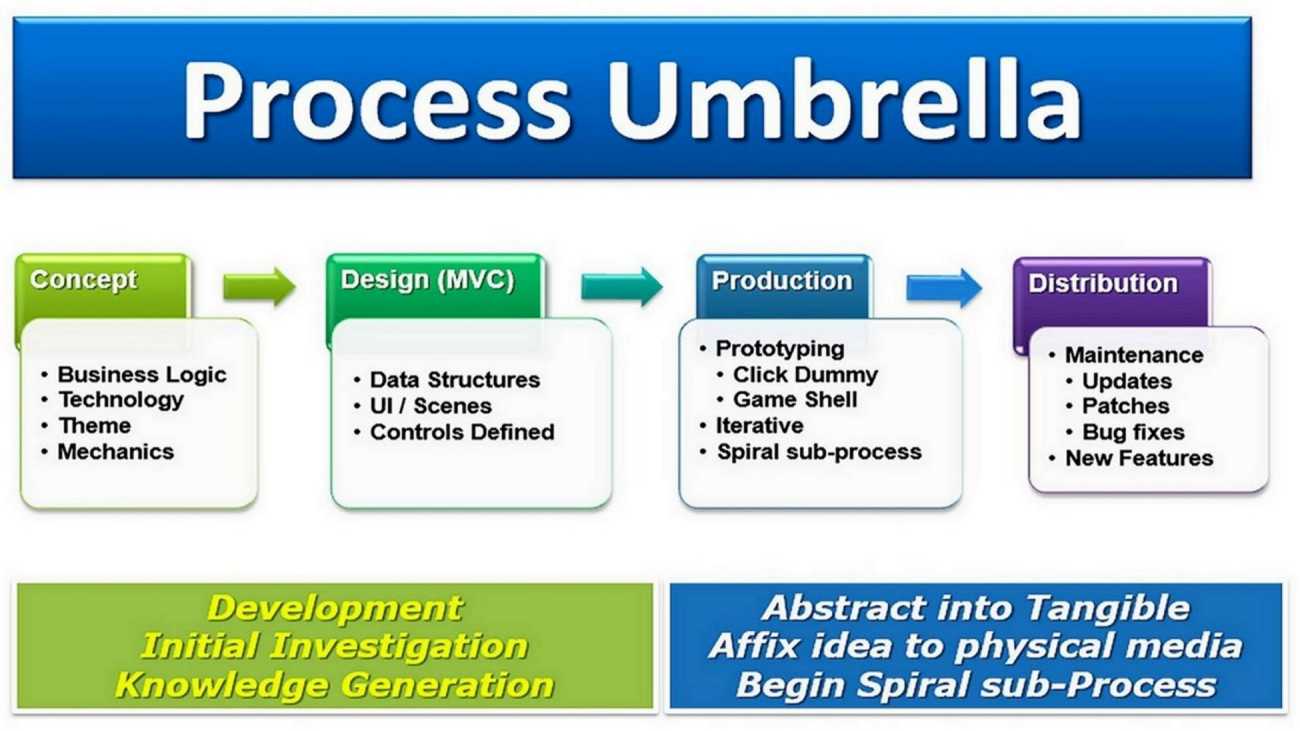
Part I is an introduction to my Game Design System™ and building Game Recipes™. By starting either “Part II” or “Part III”, and ending with Part IV we’ll have created everything our game prototype needs.
Introduction
“Why should I study a “systems-based” design?”, you say? Answer: Yes! Why indeed! The earliest decisions about what kind of game(s) a studio builds will impact all the development and production activities of that project’s management. It affects how Construct “encodes” your game’s features, how you will construct scenes, layouts, layers, and optimize Game Mechanics’ Events, and how those “time-consuming animations” and “cut-scenes” are handled — just to mention a few. There’s also a heavy cost associated with how much creative freedom is permitted. Historically, games with “open-ended” possibilities tend to be much more difficult to accurately schedule. The Game Design System™ addresses those shortcomings in this project management approach.
Creating your own bespoke game is an exciting adventure in creativity using the Construct Game Framework (or with any Gaming Framework for that matter); and, at the same time, it’s fun! However, dealing with all those “full-stack” technical details — such as web pages, artwork production, collisions, sprites, “game phases” (and there’s a lot more!) — can be quite intimidating; especially, if this is your first experience with such game components.
In general Construct, — and any other Code-less Gaming Framework — generates all the JavaScript resources and libraries for us that run inside our Internet device. Any of these “code-less frameworks” simplifies and abstracts those gaming programming patterns and algorithms into easy-to-use, high-level “worksheets” for those JavaScript functions. Using these “worksheets”, we can quickly build various two-dimensional ( aka “2D” or 2.5D ) and even 3D games are possible inside a simple HTML5 “<canvas>” tag. Construct does 95% of all that “work” for us; and beyond that, all you need is your imagination and some basic logic. If you’d like to create “complex game interactions” then JavaScript knowledge becomes handy; and with only a few hours spent, you can gain that knowledge for FREE from W3Schools. So, let’s begin by creating a simple “Bump or Jump” to capture Game Mechanics.
In Part II (for Construct2) or Part III (for Construct3) our goal is to “construct” a fully functional “Jump-To-Capture” and “Bump-to-Capture” Game Prototypes. There are simple step-by-step “Game Recipe™ instructions” for each task. We’ll catalog and create various Game Mechanism Components — those “visual elements” that are separate from the core Game Mechanics rules, logic, and data. From this simple foundation, we can combine them as easily as a child would use Lego™ blocks to construct a toy castle. Furthermore, you can review this construction process and many other Game Mechanics in the Construct Game Starter Kit Collection workshop books — a growing collection of other classical and popular game mechanics and their sub-genres.
So then, “What’s a game prototype”, you asked?
Answer: It is an operational gaming foundation that can:
- accepts inputs (Game Framework Mechanism (GFM) component);
- moves game elements and components (Game Framework Mechanism (GFM) component);
- transitions between game phases, and translates “game actions” (Game Mechanics (GM) component which dictates changes to the “visual elements” in the displayed Game Framework Mechanisms (GFM).)
- reacts to internal game object collisions, visual animations, and “Heads-Up Display” (HUD) feedback — those interactions between both Game Mechanics (GM) and Game Framework Mechanisms (GFM) Components.
What are the benefits of creating a game prototype first?
Answer: See the latest comments from various gaming experts here and here; and other software engineers’ opinions about prototyping in general — here.
My Game Design System™ is clearly echoed in the Construct Framework, GDevelop, Apple’s Game-Play Kit, and Play Canvas as “Entities and Components”. Apple’s Game-Play Kit plainly states, “The Entity-Component design pattern is an architecture that favors composition over inheritance. To illustrate the difference between inheritance-based and composition-based architectures, consider how you might design, for example, a “tower defense” style game, with the following features … (Continue reading their comparisons in “Designing with Entities and Components”.
It’s a wonderful feeling to discover after several decades that other prominent game developers are thinking along the same patterns of “game prototype development”.