1. November 2012
- C# REPL a java process (ZAP Proxy)
- Controlling OWASP ZAP remotely (via Java BeanShell REPL in .Net)
- Writing and Invoking O2 Methods from Java and Eclipse
C# REPL a java process (ZAP Proxy)
After I discovered the Jni4Net FOSS project which provides the foundation blocks to create a Java bridge to .Net (and vice-versa).
To try Jni4Net, and see if it was really possible to have .Net and Java code running on the same process (with the CLR and JVM being able to invoke each other’s methods), I decided to see if I could connect the O2 Platform with the OWASP ZAP project (with both running on the same process)
My first step was to use the Injecting C# DLLs into Managed (C#) and Unmanaged (C++) processes O2 capabilities to inject an C# REPL into the ZAP process.
And here they are in action:
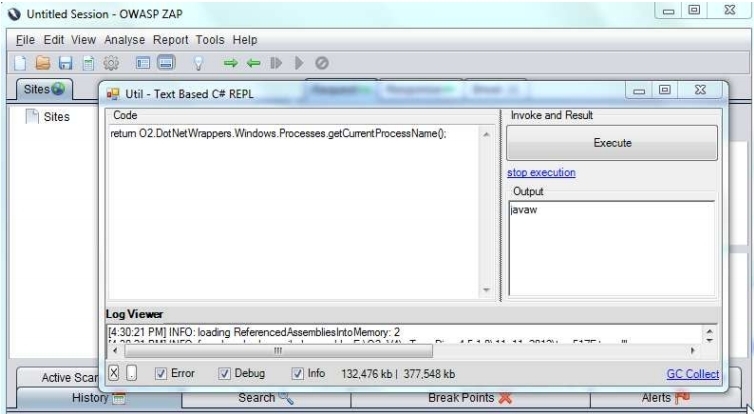
- the foreground window is the (CLR based) C# REPL
- the background window is the (JVM based) ZAP process.
After some experiments, I was able to use Jni4Net to create an mini .Net tool (based on the the Util - Java Decompiler (JAD based) v1.0.exe ) that used Jni4Net’s direct access to the JVM to show (and browse) the the currently loaded *.jar files (based on data retrieved from the JVMs ClassLoader).
For example here are some ZAP classes, and the decompiled main method:
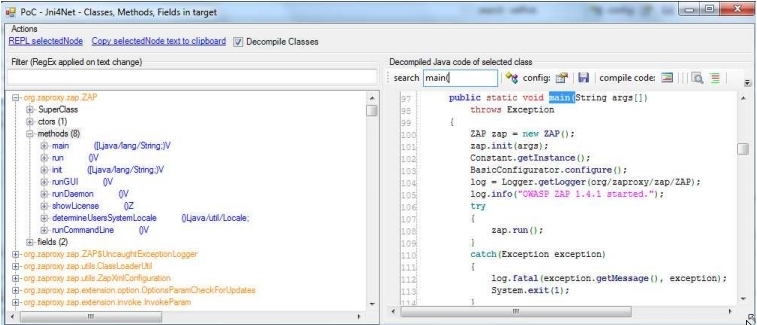
For more details on how these PoCs were created, take a look at https://bintray.com/artifact/download/dinis-cruz/Books/Using-Jni4Net-Part-1.pdf
Controlling OWASP ZAP remotely (via Java BeanShell REPL in .Net)
Once I was able to use C# REPL in java process I was able to use the ZAP BeanShell support to start controlling and manipulating ZAP’s GUI from the .Net C# REPL.
Here is an example of adding a new ‘Site’ (i.e. a TreeNode) to the main ZAP ‘Site’s window (i.e. TreeView)
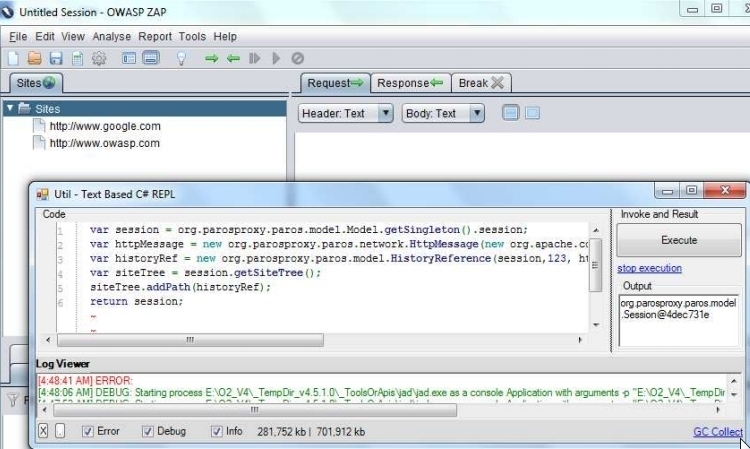
For more details on how this PoC was created, take a look at https://bintray.com/artifact/download/dinis-cruz/Books/Using-Jni4Net-Part-2.pdf
Writing and Invoking O2 Methods from Java and Eclipse
After using C# REPL in java process and controlling OWASP ZAP remotely, the next step was to see if we could consume (and code) the .NET APIs from Java.
And again Jni4Net really worked!
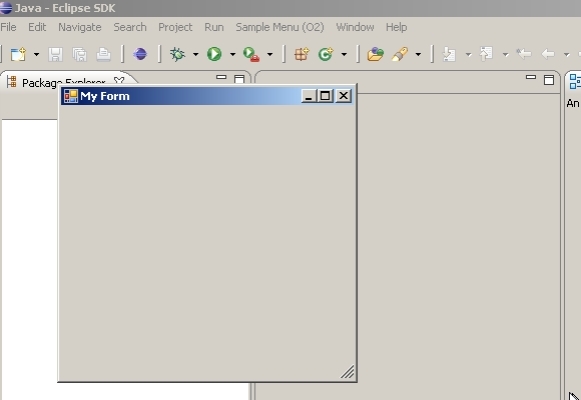
Here is a .NET WinForms control, coded and executed from the (Eclipse written) Java code:
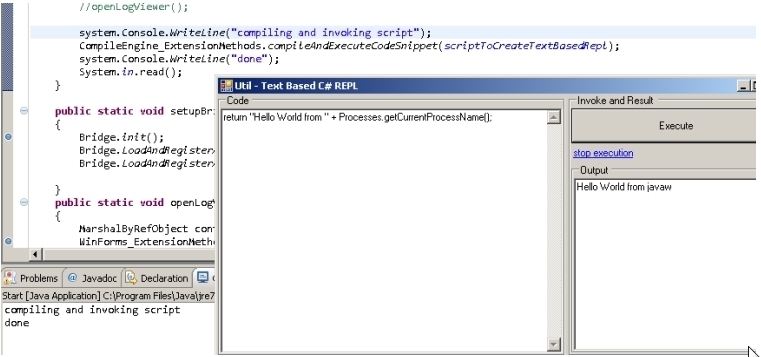
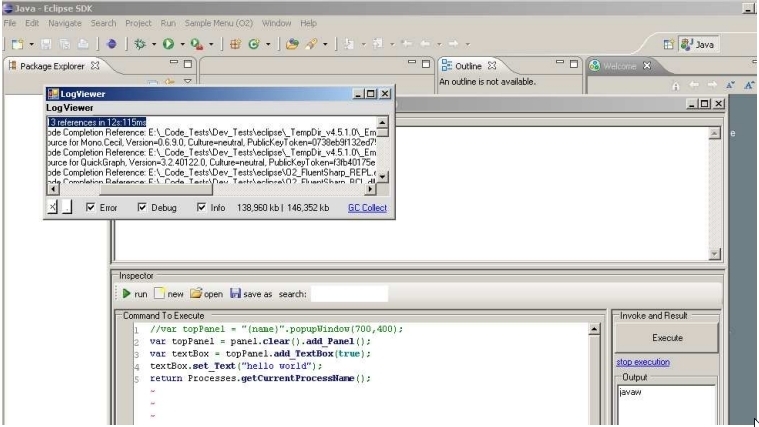
Once we could create *.jar files, it was a small step to create an Eclipse plugin that would load up a CLR and popup a C# based Form.
Or more interestingly an C# REPL editor (running in the same process as Eclipse):
For more details on how these PoCs were created, take a look at https://bintray.com/artifact/download/dinis-cruz/Books/Using-Jni4Net-Part-3.pdf