Appendix
There are some things which don’t naturally fit into the other chapters of this little book. And some which would fit, but detract from the chapter’s message. I collected relevant but optional information here, so you can focus on the core licensing functionality and store setup in the main chapters of the book, then pick whatever feature you’re interested in afterwards.
Self-Hosted License Generator
If you participate in a bundle sale that you don’t host yourself, you cannot rely on the fulfillment actions offered by FastSpring. That means you need to generate licenses for bundle customers using your own license generator script. Here’s how.
With all the work you have to go through to implement a license generator on your server, why not switch your FastSpring setup over to your self-hosted service, too? Granted, there’s no upside to doing so if you’re doing offline license activation and the CocoaFob algorithm works well for you. That’s why I’ll treat this as a guided exercise to better grasp what’s involved in deploying your own licensing server. In the next sections, we’ll have a look at in-app purchases and come back to the topic of customizing license generators, so having the background knowledge will come in handy.
This step is not mandatory at all, but I encourage you to experiment with FastSpring’s license generator requests to understand what’s going on. This way, you can eventually replace CocoaFob with your own license generator scheme, one that’s shorter or encodes more information.
You can host the CocoaFob license generator on any server that runs PHP. The GitHub repository sports license verification and generator scripts. Upload these to your server so you can access them from your generator script. You can find the PHP scripts here: https://github.com/glebd/cocoafob/tree/master/php
Let’s say your license generator will be available at https://api.example.com/license/generator/. For the sake of this section, I’ll assume we’ll be looking at a file in /license/generator/index.php as the implementation of the endpoint to accept requests.
Upload and configure CocoaFob’s PHP implementation
Most of CocoaFob’s PHP files are example endpoints or dependencies. We will need these:
-
License/base32.php, a Base32 encoding implementation; -
License/license_generator.php, a template for the license generator.
You can put those two PHP files in the same sub-directory as your endpoint, at /license/generator, and then create .htaccess rules to prevent direct access to them from the web. Or you put the CocoaFob files into a directory outside your htdocs and include them from there. The latter is recommended, but not possible on all hosting services.
You will need to upload the same private key you used for FastSpring to your web server, too. Before you do anything else, make sure you’ll prevent access to this file. You don’t want to have it surface on the web at all. Put it outside your public htdocs and restrict access. If your hosting provider does not allow this, ask them to make an exception. If everything else fails, chmod the file permissions and put it next to the PHP scripts.
A comment in the CocoaFob PHP file actually suggests to use a database instead to store and fetch the keys. If your web hosting service provides database access, this is actually a very good idea. You can encrypt databases easily and you cannot screw access up like you can screw up file read permissions.
Provided you have a way to obtain the private key as a string, by reading it from disk or database or from wherever, we can now tweak the license generator.
Have a look at license_generator.php: the private and public keys are used there in the constructor. We will not need the public key, so you can delete the statement that loads the public key, the field on the License_Generator class, and the verify_license method. You’ll be left with the make_license method implementation and the private key field. Change make_license to suit your license template. The default encodes product name, license name, and email. I usually drop the email parameter here, and if you followed along with the FastSpring setup, you’ll only be needing the product name and license name, too.
The license template is represented in the $stringData variable that is constructed at the top of make_license’s method body. Adjust that statement to read $stringData = $product_code.",".$name;, or whatever template you are using.
If you were to remove all the unnecessary parts, the whole license generator can be represented in a simple function:
 1 include('base32.php');
 2
 3 function generate_license(
 4     $private_key,
 5     $product_code,
 6     $name)
 7 {
 8     ## ADJUST TEMPLATE ###################
 9     $stringData = $product_code.",".$name;
10     ######################################
11
12     $binary_signature = "";
13     openssl_sign(
14         $stringData,
15         $binary_signature,
16         $private_key,
17         OPENSSL_ALGO_DSS1);
18     $encoded = base32_encode($binary_signature);
19
20     // Replace O with 8 and I with 9
21     $replacement = str_replace("I", "9", $encoded);
22     $replacement = str_replace("O", "8", $replacement);
23
24     // Remove padding
25     $padding = trim(str_replace("=", "", $replacement));
26     $dashed = rtrim(chunk_split($padding, 5, "-"));
27     $theKey = substr($dashed, 0 , strlen($dashed) -1);
28
29     return $theKey;
30 }
That’s all there is to generating CocoaFob license codes! You might use this function instead, if you want.
Use the license generator in your endpoint
This is the data you have access to from the license generator request performed by FastSpring, represented as a PHP variable dump:
Array
(
    [company] => Licensee's Company
    [email] => licensee.email@example.com
    [internalProductName] => mynewapp_featureXYZ
    [name] => LICENSEE NAME
    [quantity] => 1
    [reference] => FASTSPRING_ORDER_REFERENCE_NO
    [subscriptionReference] => FASTSPRING_SUBSCRIPTION_REFERENCE_NO
    [security_request_hash] => xxxxxxxxxxxxxxxxxxxxxxxxxxxxxxxx
)
You could use internalProductName to customize the license generator setup if needed. So far, I have only hard-coded the product name as a parameter for CocoaFob’s license generator and never used that request parameter.
If you want to keep a record of your customers, for example for subscriptions, online license activation, or other shenanigans, you’ll want to create a database record with the email plus the order reference or subscriptionReference request parameters.
To set up the license generator for offline activation in the app, we are going to use the name parameter for the license name, and quantity to compute enough codes for the order.
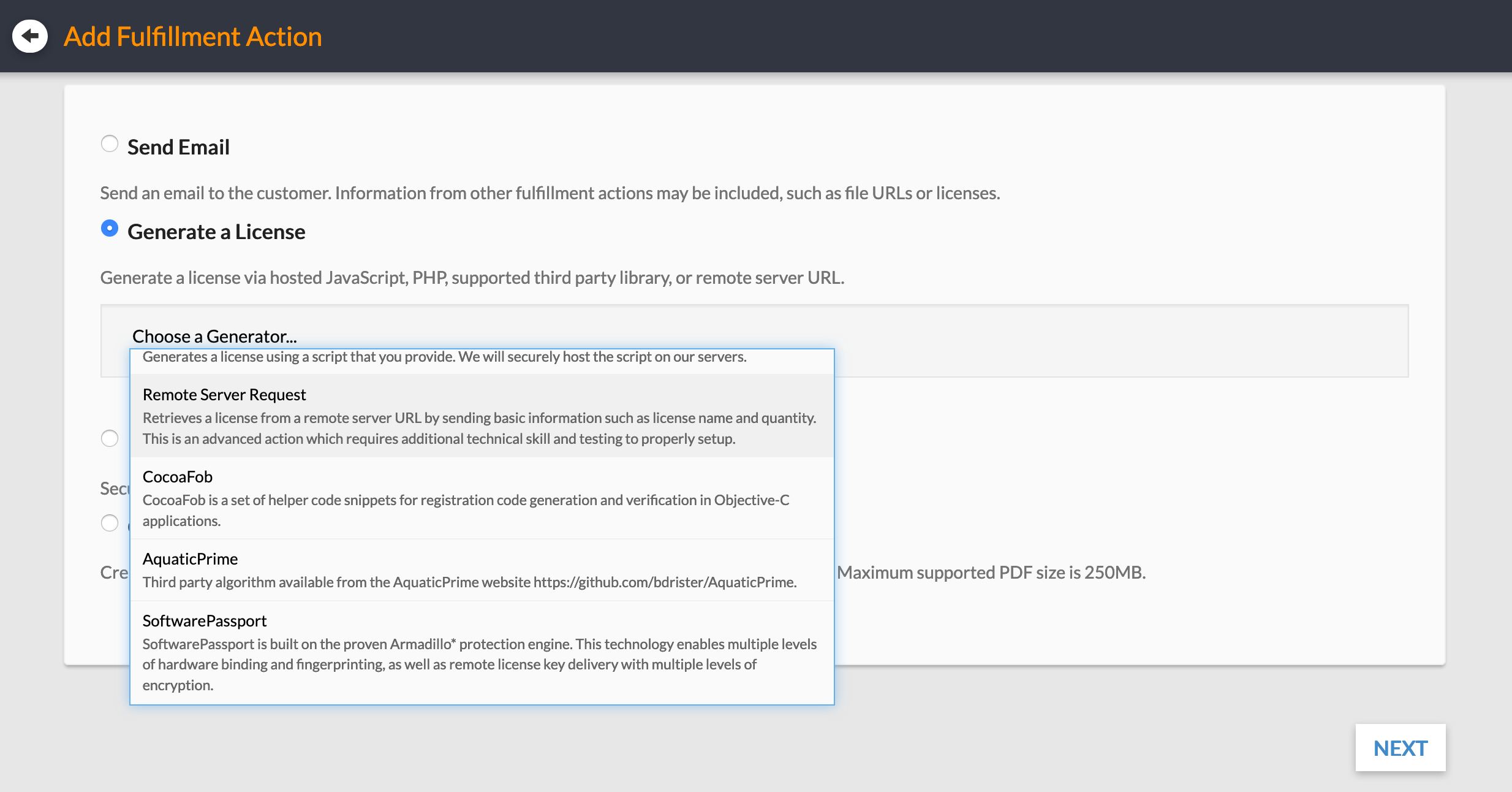
When you switch to a self-hosted license generator in FastSprings product fulfillments, they provide a template with these instructions:
Sort all parameters passed from our system to your system by parameter name (ordinal value sorting). Concatenate the value of each parameter into a single string. Ignore the parameter named “security_request_hash” when generating this string. Append the private key value to the end of the string and generate an MD5 hex digest on the final combined string. The resulting MD5 digest should be identical to the value passed in the parameter named “security_request_hash”.
security_request_hash is passed in as a request parameter to your license generator to verify the integrity of the data. Computing this parameter is simple and can be done by malicious parties, too. But to pass the check, they would also need to know a private key. FastSpring shows the expected private key on the generator setup page. The private key is not part of the request. It’s used by FastSpring and you to compute the hash only. That is enough to secure a request.
Here’s the template sans instructions:
 1 <?php
 2 ksort($_REQUEST);
 3 $hashparam = 'security_request_hash';
 4 $data = '';
 5 $privatekey = 'PASTE FASTSPRING SECURITY TAB PRIVATE KEY HERE';
 6
 7 /* USE urldecode($val) IF YOUR SERVER DOES NOT AUTOMATICALLY */
 8 foreach ($_REQUEST as $key => $val) {
 9   if ($key != $hashparam) { $data .= stripslashes($val); }
10 }
11
12 if (md5($data . $privatekey) != $_REQUEST[$hashparam]){
13   return;  /* FAILED CHECK */
14 }
15
16 /* SUCCESS - YOUR SCRIPT GOES HERE */
The success case should result in passing one license code per line in the HTTP response body, via echoing or printing the codes.
You can add this code to the top of your endpoint implementation at /license/generator/index.php already.
With the request integrity validated, what else goes into the index.php file to use the generator? A modified version of an actual PHP script I used during a bundle sale a couple of years ago looks like the following:
 1 <?php
 2 // ... request integrity check here ...
 3
 4 include_once('path/to/cocoafob/license_generator.php');
 5 $name = $_REQUEST["name"];
 6 $product = "mynewapp"; // Replace with your CocoaFob app name
 7 $generator = new License_Generator;
 8
 9 $quantity = intval($_REQUEST["quantity"]);
10 if ($quantity == 0) {
11     $quantity = 1;
12 }
13
14 for ($i = 0; $i < $quantity; $i++) {
15     $code = $generator->make_license($product, $name);
16     echo $code."\n";
17 }
This calls the license generator multiple times if the customer orders multiple licenses.
When you have uploaded and customized the index.php properly, you can run interactive test requests from the configuration page of the self-hosted license generator of FastSpring’s product fulfillments. This is pretty simple, yet super useful to verify your setup is working without having to place test orders all the time.
Using a license generator for bundle sales
In the previous section, we’ve looked at our options to host product bundle sales on our own. Chances are you want to participate in bundle sales organized by other parties, like BundleHunt, MacHeist, HumbleBundle, and what have you. To work with these, you might need to change your generator setup a fair bit.
For example, in one bundle sale, I didn’t have access to the customer’s full name. The bundle organizers didn’t collect user information apart from email and credit card, so I had not much choice: either use email instead of full name, or drop personalized licenses in favor of non-personalized license codes altogether. I didn’t want to support both personalized and non-personalized license information at the time, so I rephrased the registration label in my app from reading “Name” to “Registered to” and went with the email-based approach. So far, nobody complained about this, so I like to think it worked out well.
Also, FastSpring’s hash-and-key-based request verification could be too complicated. For another bundle sale, we set up HTTP BASIC AUTH instead, so the script didn’t check the request again. For another sale, I shared a random string as the authentication token which they needed to pass as a request parameter. This doesn’t provide much in terms of protecting integrity of the request, but it does prevent HTTP requests from the browser to end up dishing out license codes. You could guess the endpoint’s URL, and maybe the email parameter, too, but the actual random string? Not very likely. Ask for your options, and prefer HTTP BASIC AUTH over shared secret strings that are part of the request. FastSpring’s approach above is pretty clever, so you might want to pitch that, too.
Here, I want to share a customized endpoint implementation with you that I used in one of the bundle sales, and that relies on a secret authentication token.
 1 <?php
 2 function isEmpty($var) {
 3   return !isset($var) || strlen(trim($var)) == 0;
 4 }
 5
 6 $expected_password = 'top secret passphrase';
 7 if (isEmpty($_GET["auth"]) || $_GET["auth"] !== $expected_password) {
 8   http_response_code(401);
 9   exit();
10 }
11
12 $name = $_GET["email"]; // Not license name but email
13 if (isEmpty($name)) {
14   http_response_code(400);
15   exit();
16 }
17
18 include_once('path/to/cocoafob/license_generator.php');
19 $generator = new License_Generator;
20 $product = "mynewapp";
21 $code = $generator->make_license($product, $name);
22
23 echo $code;
Lines 5–9 implement the very simple authentication check with a shared secret string. Lines 11–15 check if the required request parameter for the personalization is provided.
And that’s all you need to do already. If you’re paranoid, you can remove the string literal to define $expected_password and read the passphrase from a file outside your public htdocs. I don’t see much benefit in that since this approach is comparatively weak, though.