Getting Started
How to get up and running with Results in no time
The best way to think of Results is as a super-powered version of Java’s Optionals.
Result builds upon the familiar concept of Optional, enhancing it with the ability to represent both success and failure states.
Result API
Results provide the same methods as Optionals, plus additional ones to handle failure states effectively.
Optional |
Result |
|---|---|
isPresent |
hasSuccess |
isEmpty |
hasFailure |
get |
getSuccess |
getFailure |
|
orElse |
orElse |
orElseGet |
orElseMap |
stream |
streamSuccess |
streamFailure |
|
ifPresent |
ifSuccess |
ifFailure |
|
ifPresentOrElse |
ifSuccessOrElse |
filter |
filter |
recover |
|
map |
mapSuccess |
mapFailure |
|
map |
|
flatMap |
flatMapSuccess |
or |
flatMapFailure |
flatMap |
Why Results over Optionals?
Optional class is useful for representing values that might be present or absent, eliminating the need for null checks. However, Optionals fall short when it comes to error handling because they do not convey why a value is lacking. Result addresses this limitation by encapsulating both successful values and failure reasons, offering a more expressive way to reason about what went wrong.
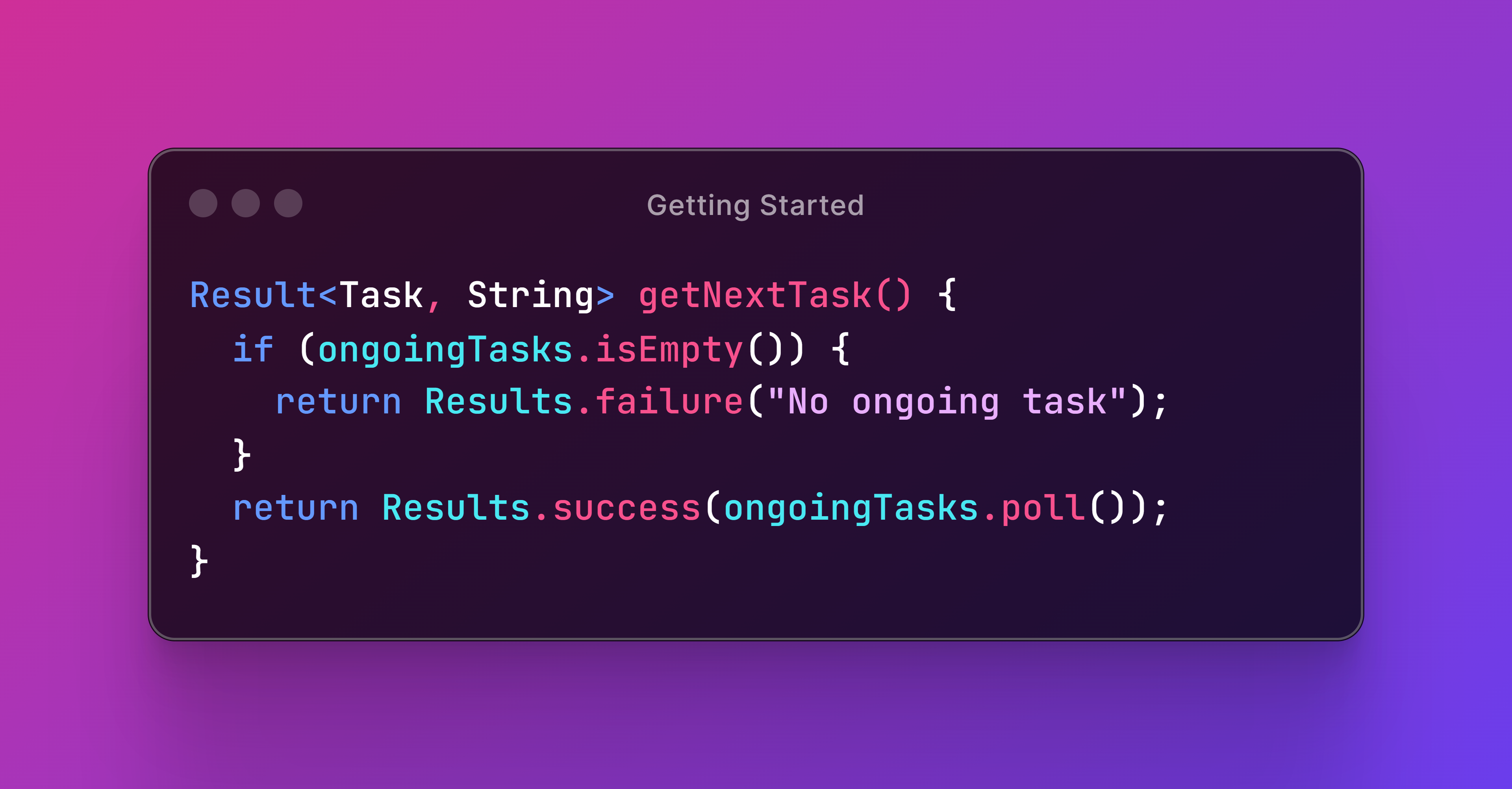
By leveraging Results, you can unleash a powerful tool for error handling that goes beyond the capabilities of traditional Optionals, leading to more robust and maintainable Java code.
Adding Result to Your Build
How to add Result as a dependency to your build
This library adheres to Pragmatic Versioning to communicate the backwards compatibility of each version.
The latest releases are available in Maven Central.
Artifact Coordinates
Add this Maven dependency to your build:
| Group ID | Artifact ID | Version |
|---|---|---|
com.leakyabstractions |
result |
1.0.0.0 |
Maven Central provides snippets for different build tools to declare this dependency.
Maven
To use Result, we can add a Maven dependency to our project.
<dependencies>
    <dependency>
        <groupId>com.leakyabstractions</groupId>
        <artifactId>result</artifactId>
        <version>1.0.0.0</version>
    </dependency>
</dependencies>
Gradle
We can also add Result as a Gradle dependency.
dependencies {
    implementation("com.leakyabstractions:result:1.0.0.0")
}
This is the most common configuration for projects using Result internally. If we were building a library that exposed Result in its public API, we should use api instead of implementation.
Conclusion
We learned how to add the library to your project using either Maven or Gradle. By including the correct dependencies, you’re now ready to start leveraging the power of Results in your applications.
Creating Results
How to instantiate new Result objects
There are several ways to create result objects.
Successful Results
A successful result contains a non-null value produced by an operation when everything works as intended. We can use Results.success to create a new instance.
1 @Test
2 void testSuccess() {
3   // When
4   Result<Integer, ?> result = Results.success(200);
5   // Then
6   assertTrue(result::hasSuccess);
7   assertFalse(result::hasFailure);
8 }
Note that we can invoke hasSuccess or hasFailure to check whether a result is successful or failed (more on this in the next chapter).
Failed Results
On the other hand, a failed result holds a value representing the problem that prevented the operation from completing. We can use Results.failure to create a new one.
1 @Test
2 void testFailure() {
3   // When
4   Result<?, String> result = Results.failure("The operation failed");
5   // Then
6   assertTrue(result::hasFailure);
7   assertFalse(result::hasSuccess);
8 }
Failure values cannot be null either.
Results Based on Nullable Values
When we need to create results that depend on a possibly null value, we can use Results.ofNullable. If the first argument is null then the second one will be used to create a failed result.
 1 @Test
 2 void testOfNullable() {
 3   // Given
 4   String string1 = "The operation succeeded";
 5   String string2 = null;
 6   // When
 7   Result<String, Integer> result1 = Results.ofNullable(string1, 404);
 8   Result<String, Integer> result2 = Results.ofNullable(string2, 404);
 9   // Then
10   assertTrue(result1::hasSuccess);
11   assertTrue(result2::hasFailure);
12 }
The second argument can be either a failure value or a function that produces a failure value.
Results Based on Optionals
We can also use Results.ofOptional to create results that depend on an Optional value. If the first argument is an empty optional, then the second one will be used to create a failed result.
 1 @Test
 2 void testOfOptional() {
 3   // Given
 4   Optional<BigDecimal> optional1 = Optional.of(BigDecimal.ONE);
 5   Optional<BigDecimal> optional2 = Optional.empty();
 6   // When
 7   Result<BigDecimal, Integer> result1 = Results.ofOptional(optional1, -1);
 8   Result<BigDecimal, Integer> result2 = Results.ofOptional(optional2, -1);
 9   // Then
10   assertTrue(result1::hasSuccess);
11   assertTrue(result2::hasFailure);
12 }
The second argument can be a Supplier too.
Results Based on Callables
Finally, if we have a task that may either return a success value or throw an exception, we can encapsulate it as a result using Results.ofCallable so we don’t need to use a try-catch block.
 1 String task1() {
 2   return "OK";
 3 }
 4
 5 String task2() throws Exception {
 6   throw new Exception("Whoops!");
 7 }
 8
 9 @Test
10 void testOfCallable() {
11   // When
12   Result<String, Exception> result1 = Results.ofCallable(this::task1);
13   Result<String, Exception> result2 = Results.ofCallable(this::task2);
14   // Then
15   assertTrue(result1::hasSuccess);
16   assertTrue(result2::hasFailure);
17 }
This method enables compatibility with legacy or third-party code that uses exceptions to indicate operation failure.
Conclusion
We’ve covered how to create new instances of Result using various factory methods provided by the Results class. Each method serves a specific purpose, allowing you to select the most suitable one based on the situation.