Basic Usage
How to solve simple use-case scenarios
In this section, we’ll cover foundational use cases, including checking the status of a result, unwrapping the value inside a result, and taking different actions based on success or failure.
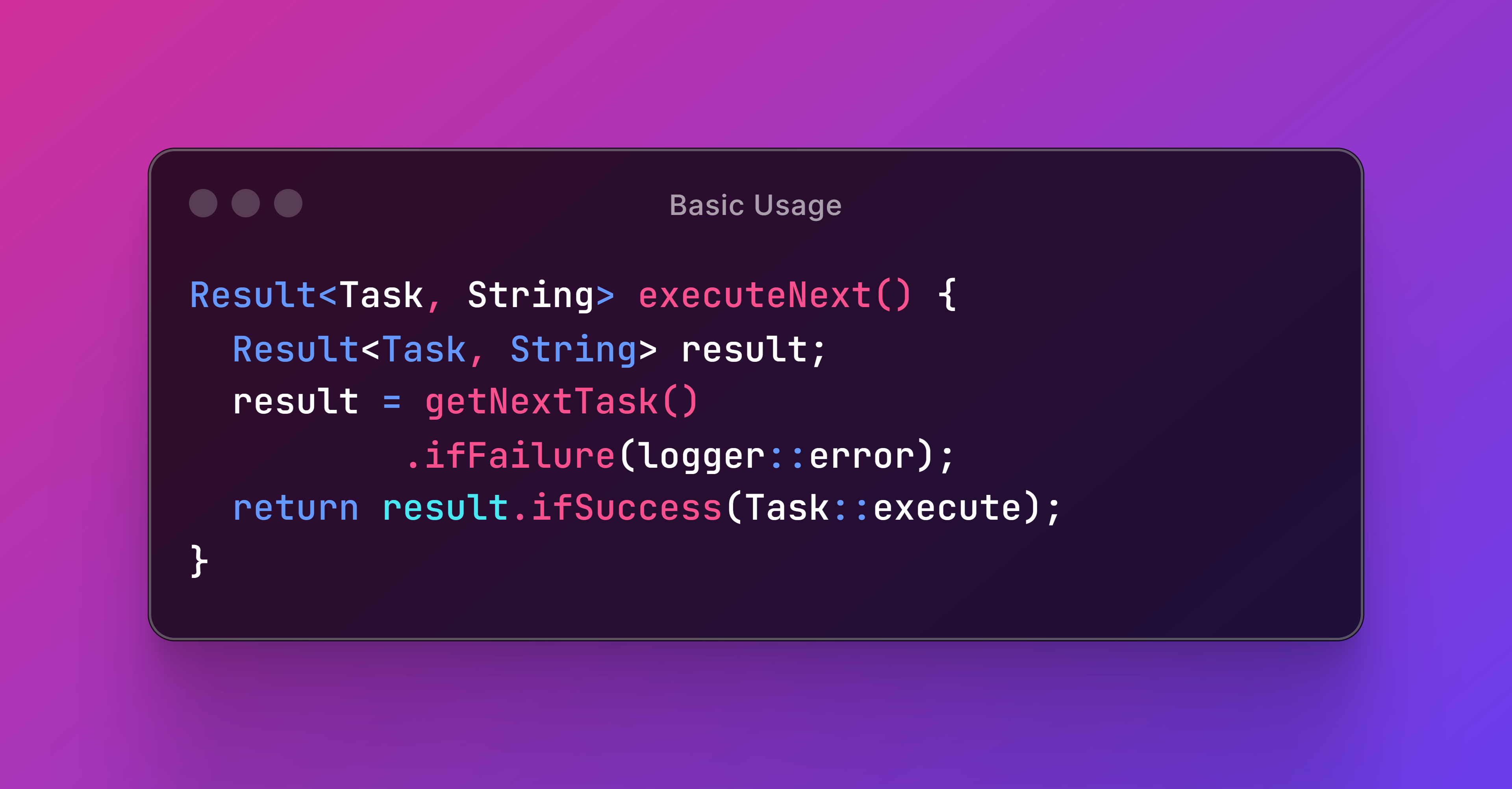
These basics will help you handle errors more cleanly and efficiently without cluttering your code with try-catch blocks.
Checking Success or Failure
How to find out if the operation succeded or failed
As we discovered earlier, we can easily determine if a given Result instance is successful or not.
Checking Success
We can use hasSuccess to obtain a boolean value that represents whether a result is successful.
1 @Test
2 void testHasSuccess() {
3   // When
4   boolean result1HasSuccess = success(1024).hasSuccess();
5   boolean result2HasSuccess = failure(1024).hasSuccess();
6   // Then
7   assertTrue(result1HasSuccess);
8   assertFalse(result2HasSuccess);
9 }
Checking Failure
We can also use hasFailure to find out if a result contains a failure value.
1 @Test
2 void testHasFailure() {
3   // When
4   boolean result1HasFailure = success(512).hasFailure();
5   boolean result2HasFailure = failure(512).hasFailure();
6   // Then
7   assertFalse(result1HasFailure);
8   assertTrue(result2HasFailure);
9 }
Conclusion
We discussed how to determine the state of a Result object using hasSuccess and hasFailure. These methods provide a straightforward way to identify the outcome of an operation, helping you make decisions based on the outcome.
Unwrapping Values
How to get values out of Result objects
In essence, a Result object is just a container that wraps a success or a failure value for us. Therefore, sometimes you are going to want to get that value out of the container.
As useful as this may seem, we will soon realize that we won’t be doing it very often.
Unwrapping Success
The most basic way to retrieve the success value wrapped inside a result is by using getSuccess. This method will return an optional success value, depending on whether the result was actually successful or not.
 1 @Test
 2 void testGetSuccess() {
 3   // Given
 4   Result<?, ?> result1 = success("SUCCESS");
 5   Result<?, ?> result2 = failure("FAILURE");
 6   // Then
 7   Optional<?> success1 = result1.getSuccess();
 8   Optional<?> success2 = result2.getSuccess();
 9   // Then
10   assertEquals("SUCCESS", success1.get());
11   assertTrue(success2::isEmpty);
12 }
Unwrapping Failure
Similarly, we can use getFailure to obtain the failure value held by a Result object.
 1 @Test
 2 void testGetFailure() {
 3   // Given
 4   Result<?, ?> result1 = success("SUCCESS");
 5   Result<?, ?> result2 = failure("FAILURE");
 6   // Then
 7   Optional<?> failure1 = result1.getFailure();
 8   Optional<?> failure2 = result2.getFailure();
 9   // Then
10   assertTrue(failure1::isEmpty);
11   assertEquals("FAILURE", failure2.get());
12 }
Unlike Optional’s get, these methods are null-safe. However, in practice, we will not be using them frequently. Especially, since there are more convenient ways to get the success value out of a result.
Using Alternative Success
We can use orElse to provide an alternative success value that must be returned when the result is unsuccessful.
 1 @Test
 2 void testGetOrElse() {
 3   // Given
 4   Result<String, String> result1 = success("IDEAL");
 5   Result<String, String> result2 = failure("ERROR");
 6   String alternative = "OTHER";
 7   // When
 8   String value1 = result1.orElse(alternative);
 9   String value2 = result2.orElse(alternative);
10   // Then
11   assertEquals("IDEAL", value1);
12   assertEquals("OTHER", value2);
13 }
Note that alternative success values can be null.
Mapping Failure
The orElseMap method is similar to Optional’s orElseGet, but it takes a mapping Function instead of a Supplier. The function will receive the failure value to produce the alternative success value.
 1 @Test
 2 void testGetOrElseMap() {
 3   // Given
 4   Result<String, Integer> result1 = success("OK");
 5   Result<String, Integer> result2 = failure(1024);
 6   Result<String, Integer> result3 = failure(-256);
 7   Function<Integer, String> mapper = x -> x > 0 ? "HI" : "LO";
 8   // When
 9   String value1 = result1.orElseMap(mapper);
10   String value2 = result2.orElseMap(mapper);
11   String value3 = result3.orElseMap(mapper);
12   // Then
13   assertEquals("OK", value1);
14   assertEquals("HI", value2);
15   assertEquals("LO", value3);
16 }
Although probably not the best practice, the mapping function may return null.
Streaming Success or Failure
Finally, we can use streamSuccess and streamFailure to wrap the value held by an instance of Result into a possibly-empty Stream object.
 1 @Test
 2 void testStreamSuccess() {
 3   // Given
 4   Result<?, ?> result1 = success("Yes");
 5   Result<?, ?> result2 = failure("No");
 6   // When
 7   Stream<?> stream1 = result1.streamSuccess();
 8   Stream<?> stream2 = result2.streamSuccess();
 9   // Then
10   assertEquals("Yes", stream1.findFirst().orElse(null));
11   assertNull(stream2.findFirst().orElse(null));
12 }
13
14 @Test
15 void testStreamFailure() {
16   // Given
17   Result<?, ?> result1 = success("Yes");
18   Result<?, ?> result2 = failure("No");
19   // When
20   Stream<?> stream1 = result1.streamFailure();
21   Stream<?> stream2 = result2.streamFailure();
22   // Then
23   assertNull(stream1.findFirst().orElse(null));
24   assertEquals("No", stream2.findFirst().orElse(null));
25 }
Conclusion
We explored various ways to retrieve values from results. Using these methods you can efficiently access the underlying data within a Result object, whether it’s a success or a failure.
Conditional Actions
How to handle success and failure scenarios
We’ll now delve into a set of methods that allow you to take conditional actions based on the state of a result. They provide a cleaner and more expressive way to handle success and failure scenarios, eliminating the need for lengthy if/else blocks.
Handling Success
We can use ifSuccess to specify an action that must be executed if the result represents a successful outcome. This method takes a consumer function that will be applied to the success value wrapped by the result.
 1 @Test
 2 void testIfSuccess() {
 3   // Given
 4   List<Object> list = new ArrayList<>();
 5   Result<Integer, String> result = success(100);
 6   // When
 7   result.ifSuccess(list::add);
 8   // Then
 9   assertEquals(100, list.getFirst());
10 }
In this example, ifSuccess ensures that the provided action (adding the success value to the list) is only executed if the parsing operation is successful.
Handling Failure
On the other hand, we can use ifFailure method to define an action that must be taken when the result represents a failure. This method also takes a Consumer that will be applied to the failure value inside the result.
 1 @Test
 2 void testIfFailure() {
 3   // Given
 4   List<Object> list = new ArrayList<>();
 5   Result<Integer, String> result = failure("ERROR");
 6   // When
 7   result.ifFailure(list::add);
 8   // Then
 9   assertEquals("ERROR", list.getFirst());
10 }
Here, ifFailure ensures that the provided action (adding the failure value to the list) is only executed if the parsing operation fails.
Handling Both Scenarios
Finally, ifSuccessOrElse allows you to specify two separate actions: one for when the operation succeeded and another for when it failed. This method takes two consumer functions: the first for handling the success case and the second for handling the failure case.
 1 @Test
 2 void testIfSuccessOrElse() {
 3   // Given
 4   List<Object> list1 = new ArrayList<>();
 5   List<Object> list2 = new ArrayList<>();
 6   Result<Long, String> result1 = success(100L);
 7   Result<Long, String> result2 = failure("ERROR");
 8   // When
 9   result1.ifSuccessOrElse(list1::add, list1::add);
10   result2.ifSuccessOrElse(list2::add, list2::add);
11   // Then
12   assertEquals(100L, list1.getFirst());
13   assertEquals("ERROR", list2.getFirst());
14 }
In this example, ifSuccessOrElse simplifies conditional logic by providing a single method to handle both success and failure scenarios, making the code more concise and readable.
Conclusion
We explained how to handle success and failure scenarios using these three methods. They provide a powerful way to perform conditional actions based on the state of a Result, streamlining your error handling and making your code more readable and maintainable.