Advanced Usage
How to take Result objects to the next level
While understanding the basics provides a solid foundation, the true potential of result objects is unlocked through their functional capabilities. Mastering these techniques enables concise and readable error handling by leveraging the power of monadic composition.
 |
The most idiomatic approach to handling results involves screening them and applying various mapping and flat-mapping methods to transform and compose behavior. |
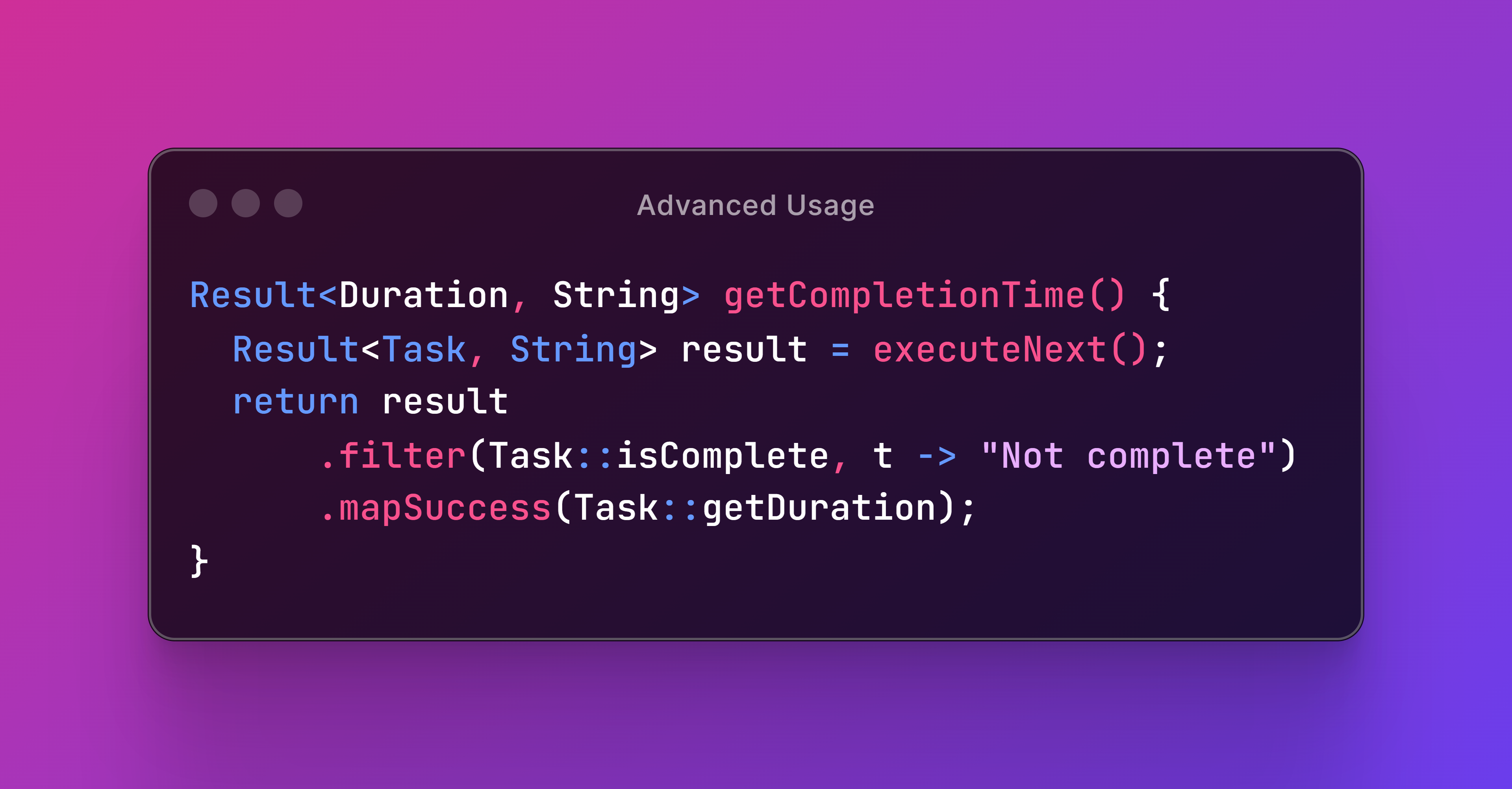
This section will guide you through these powerful tools, demonstrating how to manipulate results effectively so you can craft more robust and maintainable Java applications.
Screening Results
How to reject success values and accept failure values
Screening mechanisms provide greater flexibility in handling edge cases and enable more robust error recovery strategies.
The following methods allow you to run inline tests on the wrapped value of a result to dynamically transform a success into a failure or a failure into a success.
Validating Success
The filter method allows you to transform a success into a failure based on certain conditions. It takes two parameters:
This can be used to enforce additional validation constraints on success values.
1 @Test
2 void testFilter() {
3   // Given
4   Result<Integer, String> result = success(1);
5   // When
6   Result<Integer, String> filtered = result.filter(x -> x % 2 == 0, x -> "It's odd");
7   // Then
8   assertTrue(filtered.hasFailure());
9 }
In this example, we use a lambda expression to validate that the success value inside result is even. Since the number is odd, it transforms the result into a failure.
 |
Note that it is illegal for the mapping function to return |
Recovering From Failure
The recover method allows you to transform a failure into a success based on certain conditions. It also receives two parameters:
- A
Predicateto determine if the failure value is recoverable. - A mapping
Functionthat will produce a success value from the acceptable failure value.
This method is useful for implementing fallback mechanisms or recovery strategies, ensuring the application logic remains resilient and adaptable.
1 @Test
2 void testRecover() {
3   // Given
4   Result<Integer, String> result = failure("OK");
5   // When
6   Result<Integer, String> filtered = result.recover("OK"::equals, String::length);
7   // Then
8   assertTrue(filtered.hasSuccess());
9 }
In this example, we use method references to check if the failure value equals OK and then transform the result into a success.
Conclusion
We covered how to filter out unwanted success values and accept failure values using filter and recover. These methods enable you to refine results based on specific criteria, ensuring that only the relevant values are processed down the line.
Transforming Results
How to transform values wrapped inside Results
Transforming result objects is a key feature that enables you to compose complex operations in a clean and functional style. There are two primary techniques used for these transformations.
Mapping Results
Mapping involves applying a function to the value inside a result to produce a new result object.
Mapping Success Values
We can use mapSuccess to apply a function to the success value of a result, transforming it into a new success value. If the result is a failure, it remains unchanged.
1 @Test
2 void testMapSuccess() {
3   // Given
4   Result<String, ?> result = success("HELLO");
5   // When
6   Result<Integer, ?> mapped = result.mapSuccess(String::length);
7   // Then
8   assertEquals(5, mapped.orElse(null));
9 }
In this example, we wrap a String inside a Result object and invoke mapSuccess to calculate its length and wrap it inside a new Result object.
Mapping Failure Values
Next up, we can use mapFailure to apply a function to the failure value, transforming it into a new one. If the result is a success, it remains unchanged.
1 @Test
2 void testMapFailure() {
3   // Given
4   Result<?, BigDecimal> result = failure(ONE);
5   // When
6   Result<?, Boolean> mapped = result.mapFailure(TWO::equals);
7   // Then
8   assertFalse(mapped.getFailure().orElse(null));
9 }
Here, we invoke mapFailure to transform the failure type of the result from String to Boolean for demonstration purposes.
Mapping Both Success and Failure
The map method simultaneously handles both success and failure cases by applying two separate functions: one for transforming the success value and one for transforming the failure value.
 1 @Test
 2 void testMap() {
 3   // Given
 4   Result<String, BigDecimal> result1 = success("HELLO");
 5   Result<String, BigDecimal> result2 = failure(ONE);
 6   // When
 7   Result<Integer, Boolean> mapped1 = result1.map(String::length, TWO::equals);
 8   Result<Integer, Boolean> mapped2 = result2.map(String::length, TWO::equals);
 9   // Then
10   assertEquals(5, mapped1.orElse(null));
11   assertFalse(mapped2.getFailure().orElse(null));
12 }
Flat-Mapping Results
Flat-mapping is used to chain operations that return results themselves, flattening the nested structures into a single result object. This allows you to transform a success into a failure, or a failure into a success.
To illustrate flat-mapping concepts, the next examples will follow a familiar “pet store” theme. This involves three Java types: Pet, PetError, and PetStore. These types will help us demonstrate the effective use of flat-mapping methods.
 1 enum PetError {NOT_FOUND, NO_CONFIG}
 2
 3 record Pet(long id, String name) {
 4
 5   static final Pet DEFAULT = new Pet(0, "Default pet");
 6   static final Pet ROCKY = new Pet(1, "Rocky");
 7   static final Pet GARFIELD = new Pet(2, "Garfield");
 8 }
 9
10 record PetStore(Pet... pets) {
11
12   PetStore() {
13     this(Pet.ROCKY, Pet.GARFIELD);
14   }
15
16   Result<Pet, PetError> find(long id) {
17     Optional<Pet> found = stream(pets).filter(pet -> pet.id() == id).findAny();
18     return Results.ofOptional(found, NOT_FOUND);
19   }
20
21   Result<Pet, PetError> getDefaultPet(PetError error) {
22     return error == NO_CONFIG ? success(Pet.DEFAULT) : failure(error);
23   }
24
25   Result<Long, PetError> getDefaultPetId(PetError error) {
26     return getDefaultPet(error).mapSuccess(Pet::id);
27   }
28 }
With these types defined, we’ll explore how to use various flat-mapping methods to transform result objects and manage pet-related operations in our imaginary pet store.
Flat-Mapping Successful Results
Use flatMapSuccess to chain an operation that returns a result object. This method applies a mapping function to the success value, replacing the original result with the new one returned by the function. If the result is a failure, it remains unchanged.
 1 @Test
 2 void testFlatMapSuccess() {
 3   // Given
 4   PetStore store = new PetStore();
 5   Result<Long, PetError> result = success(100L);
 6   // When
 7   Result<Pet, PetError> mapped = result.flatMapSuccess(store::find);
 8   // Then
 9   assertEquals(NOT_FOUND, mapped.getFailure().orElse(null));
10 }
This example starts with a successful result containing a wrong pet ID (not found in the pet store). When we flat-map it with the store’s find method reference, the final result contains a pet error.
Flat-Mapping Failed Results
Use flatMapFailure to chain a result-bearing operation. This method also replaces the original result with the new one returned by the mapping function. If the result is a success, it remains unchanged.
 1 @Test
 2 void testFlatMapFailure() {
 3   // Given
 4   PetStore store = new PetStore();
 5   Result<Long, PetError> result = failure(NO_CONFIG);
 6   // When
 7   Result<Long, PetError> mapped = result.flatMapFailure(store::getDefaultPetId);
 8   // Then
 9   assertEquals(Pet.DEFAULT.id(), mapped.orElse(null));
10 }
Here we start with a failed result containing a pet error. When we flat-map it with the store’s getDefaultPetId method reference, the final result contains the ID of the default pet in the store.
Flat-Mapping Both Success and Failure
The flatMap method handles both success and failure cases by applying the appropriate function based on the status of the original result.
 1 @Test
 2 void testFlatMap() {
 3   // Given
 4   PetStore store = new PetStore();
 5   Result<Long, PetError> result1 = success(100L);
 6   Result<Long, PetError> result2 = failure(NO_CONFIG);
 7   // When
 8   Result<Pet, PetError> mapped1 = result1.flatMap(store::find, store::getDefaultPet);
 9   Result<Pet, PetError> mapped2 = result2.flatMap(store::find, store::getDefaultPet);
10   // Then
11   assertEquals(NOT_FOUND, mapped1.getFailure().orElse(null));
12   assertEquals(Pet.DEFAULT, mapped2.orElse(null));
13 }
This example starts with a successful result containing a wrong pet ID (not found in the pet store). When we flat-map it with the store’s find method reference, the final result contains a pet error.
Here we start with a failed result containing a pet error. When we flat-map it with the store’s getDefaultPetId method reference, the final result contains the ID of the default pet in the store.
Conclusion
We demonstrated how to transform results in a concise and functional manner, enhancing the clarity and flexibility of your error-handling and data-processing logic.