Introduction
Welcome!
Hi there. Congratulations on being interested enough in Nagios and the Raspberry Pi to have gotten your hands on this book.
If you haven’t guessed already, I’m hoping that this will be a journey of discovery for both of us. Experimenting with computers and using them to make our lives better in some way is an inherently fun thing to do if approached in the right way. I hope that this book can assist you in enjoying the process of learning and provide a useful outcome at the same time. I know that there is plenty of information about how to approach this sort of effort on the Internet, but I want to go a little farther and provide some background and rationale behind the process of setting up an infrastructure monitoring system. Hopefully this will demonstrate that the knowledge required isn’t rocket science and that there is a world of computing opportunities available for discerning users :-).
Ambitious? Perhaps :-). But I’d like to think that if you’re reading this, perhaps I managed to make some headway. I dare say that like other books I have written (or are in the process of writing) they will remain a work in progress. They are living documents, open to feedback, comment, expansion, change and improvement. Please feel free to provide your thoughts on ways that I can improve things. Your input would be much appreciated.
You will find that I have typically eschewed a simple “Do this approach” for more of a story telling exercise. This means that some explanations are longer and more flowery than might be to everyone’s liking, but there you go, try to be brave :-)
I’m sure most authors try to be as accessible as possible. I’d like to do the same, but be warned… There’s a good chance that if you ask me a technical question I may not know the answer. So please be gentle with your emails :-).
Email: d3noobmail+nagios@gmail.com
What are we trying to do?
Put simply, we are going to work through the process of setting up a Raspberry Pi with Nagios to support an infrastructure monitoring service.
The intention of what I describe in this book is not to duplicate the functionality of using a Nagios based service in a setting like a data centre, but to use the service on an internal network similar to a home or shared residence. The implications of providing a service to a large centre is a non-trivial exercise and one which would need to be considered in a far more thorough way than will be presented here. While in theory, the instructions here will allow you to consider it, I really don’t recommend it because of the scale and security implications.
Who is this book for?
You!
Just by virtue of taking an interest and getting hold of a copy of this book you have demonstrated a desire to learn, to explore and to challenge yourself. That’s the most important criteria you will want to have when trying something new. Your experience level will come second place to a desire to learn.
Having said that, it may be useful to be comfortable using the Windows operating system (I’ll be using Windows 7 for the set-up of the devices since that would probably classify as (currently) the world’s most ubiquitous operating system), you should be aware of Linux as an alternative operating system, but you needn’t have tried it before. If you’ve ever set up a computer before, you’re already a good way down the track for setting up a Raspberry Pi, but we’ll break anything tricky down into bite sized chunks. In short, we’ll make it easy and spell out what’s going on as it comes up. The best thing to remember is that before you learn anything new, it pretty much always appears indistinguishable from magic, but once you start experimenting, the mystery quickly falls away.
Other Useful Resources
howtovmlinux.com
This is a great site run by Farooq Mohammed Ahmed. It was the trigger point to get this book underway and includes information on;
nagios.org
The main Nagios site should be the default starting place to ensure that you are as up to date as possible on the most recent developments and options available in the Nagios World.
The Linux Information Project (linfo.org)
The Linux Information Project has a great range of information including an excellent ‘Linux for Absolute Beginners’ section and a range of command descriptions.
raspberrypi.org
The raspberry Pi ‘mothership’ of raspberrypi.org has tons of good information on the Pi and which includes guides to using Linux with everyone’s favourite small computer.
What stuff will we need?
To accomplish our goals we are going to use a fairly small amount of hardware and software. They will all be low cost or free. The idea is that the price of the equipment should not be a major impediment to learning how all this goes together. Hopefully this book should also shorten the selection process for working out which parts we will need.
Raspberry Pi
In the words of the totally awesome Raspberry Pi foundation;
The Raspberry Pi is a low cost, credit-card sized computer that plugs into a computer monitor or TV, and uses a standard keyboard and mouse. It is a capable little device that enables people of all ages to explore computing, and to learn how to program in languages like Scratch and Python. It’s capable of doing everything you’d expect a desktop computer to do, from browsing the internet and playing high-definition video, to making spreadsheets, word-processing, and playing games.
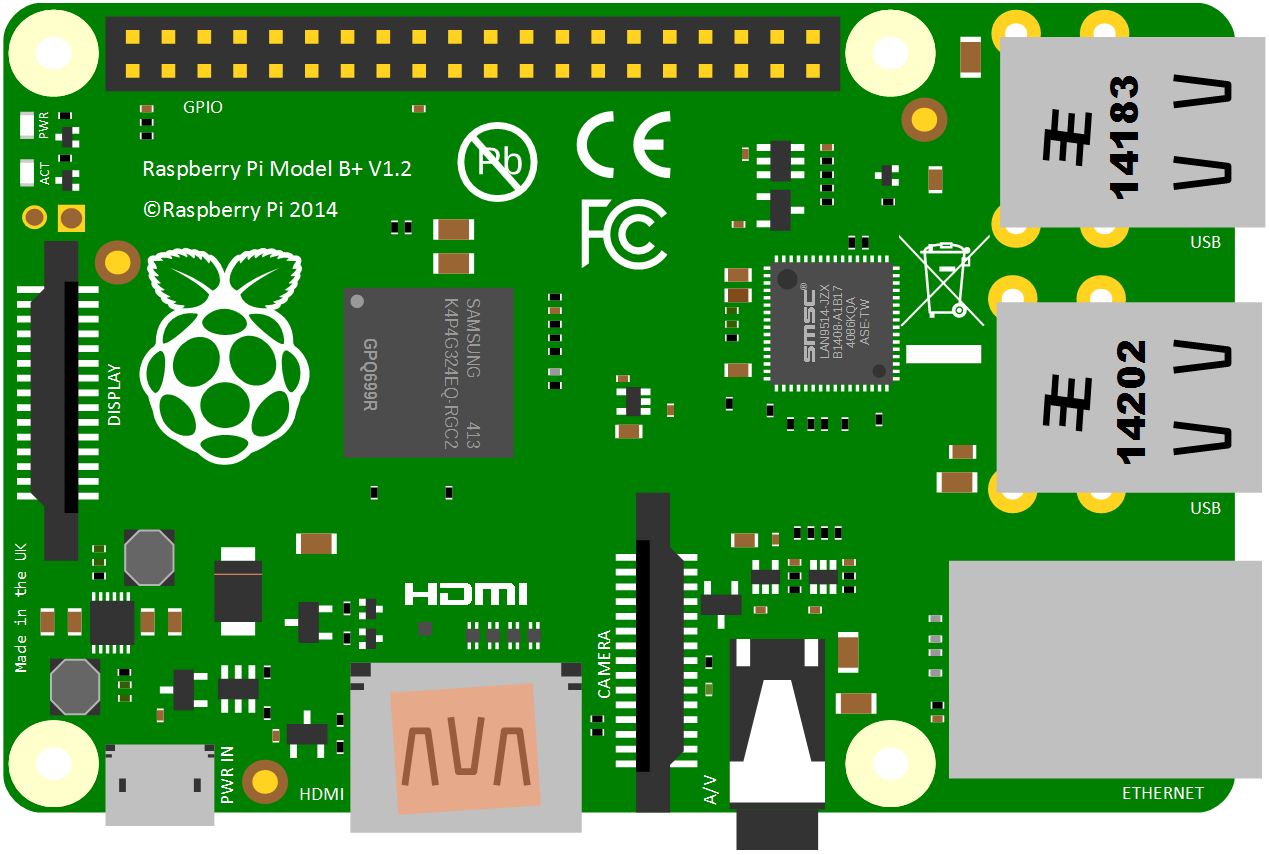
It really is an extraordinary device that is all the more extraordinary for the altruistic effort that brought it into being.
There are (at time of writing) seven different models on the market. The A, B, A+, B+, B3, B3 and Zero. I recommend that we use the B+, B2 or B3 for no reason other than they offer a good range of USB ports (4), 512 or 1024 MB of RAM, an HMDI video connection, an Ethernet connection and 17 General Purpose Input / Output (GPIO) pins. For all intents and purposes the B+, B2 or B3 can be used interchangeably for the project so long as the latest version of the Raspbian operating system (the ‘Jessie’ edition) is used.
Nagios

Nagios is a widely used, free, open source monitoring system that enables identification and resolution of IT infrastructure problems.
By using Nagios, you can:
- Monitor network services (SMTP, POP3, HTTP, NNTP, ICMP, SNMP, FTP, SSH).
- Monitor of host resources (processor load, disk usage, system logs).
- Monitor things like probes (temperature, alarms,etc.) which have the ability to send collected data via a network to specifically written plugins.
- Provide contact notifications when service or host problems occur and get resolved (via e-mail, pager or SMS).
- Provide a web-interface for viewing current network status, notifications, problem history, log files, etc.
- Provide a historical record of outages, events, notifications, and alert response for later review.
To install at home it’s relatively easy to set up, doesn’t require a high powered computer to operate (we’re going to use a $35 Raspberry Pi) and provides us with an incredible capacity to monitor any connected infrastructure.