3. Your first lines of Groovy
The Groovy Console provides a handy environment for preparing and testing basic Groovy scripts. In order to open the console you need to start a command line (or terminal) session and enter the following command:
&
The Groovy Console should look something like the following screen grab:
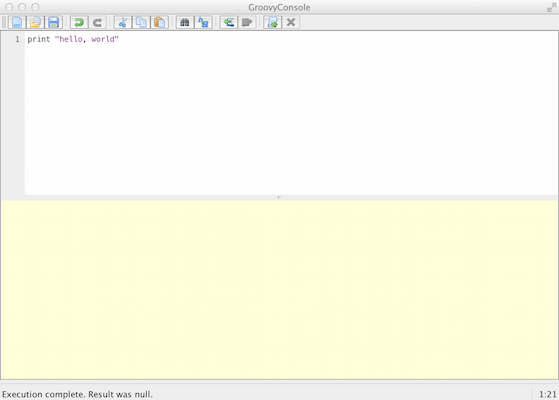
The main parts of the console are:
- The top half is the editor area for adding your Groovy script
- The bottom half is the output area that displays the results of your script
- The menu provides the standard tools for opening and saving files (
File) and cut/copy/paste (Edit) - The
Scriptmenu gives you a number of functions you’ll use as you work through this book:-
Runwill run the script -
Run Selectionallows you to select (highlight) part of your script and run only that section
-
- The
Viewmenu lets you reset the output area (Clear Output)- I’d suggest that you select
Auto Clear Output on Runas this helps reduce confusion
- I’d suggest that you select
Once you have the Groovy Console open, enter the following line in the editor area:
print 'hello, world'
Once that’s ready, go to the menu and select Script -> Run and you should see your output in the bottom half of the window something like the image below:
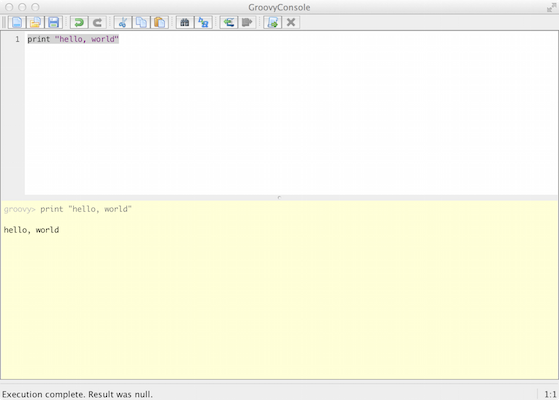
If you see the output hello, world then congratulations - you’ve taken your first step into a larger world.
Examining the script
Our first Groovy script is very simple: it uses the print method (function) to output the string hello world to the console.
For those that have come from languages such as C++ and Java the script print "hello, world" probably appears to be missing items such as imported libraries for output and “container” or “boilerplate” code that sets up the context of the code. In fact, if we were to write this code in Java it would look something like:
class Hello {
    public static void main(String[] args) {
        System.out.print("hello, world");
    }
}
When I look at the code above I see why Groovy is so appealing to me:
- Groovy lets me focus on solving the problem and not working through so much decoration code.
- Groovy doesn’t need semi-colons at the end of each statement
- Groovy essentially builds the
Helloclass around the script
- The Groovy code is much more readable and this should help reduce bugs (or at least make finding them easier)
- Most Java code is valid Groovy code - you can copy that Java code into the Groovy Console and run it - it will work
- Groovy lets you use the comprehensive standard Java libraries and the extensive third-party libraries written by the Java developer community.
- But also extends these standard libraries with some great timesavers.
Groovy gives us the brevity and flexibility of a scripting language (such as Python, Ruby and Perl) whilst letting us tap into the galaxy of existing Java libraries.