2 Todo App
In our Todo app, we’ll intentionally not use Backbone.js or Angular to demonstrate how to build traditional websites with the use of forms and redirects. We’ll also explain how to plug in CSRF and LESS.

|
ExampleAll the source code is in github.com/azat-co/todo-express for your convenience. |
Here are some screenshots of the Todo app in which we start from a home page:
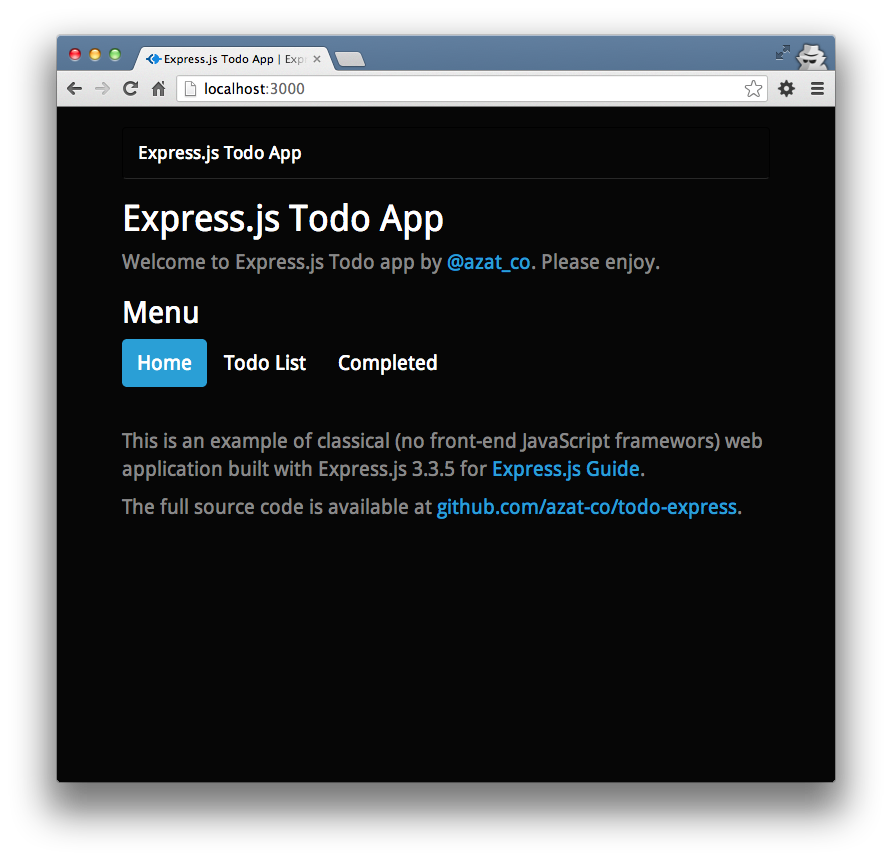
The Todo app home page.
There’s an empty list (unless you played with this app before):
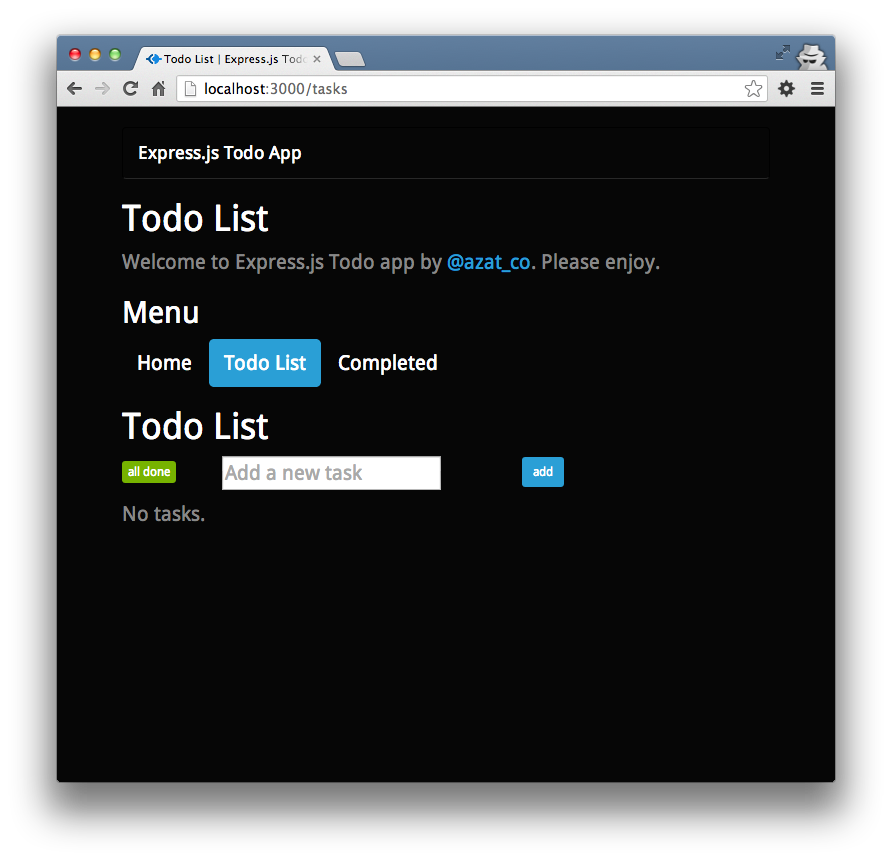
The empty Todo List page.
Now we can add four items to the Todo List:
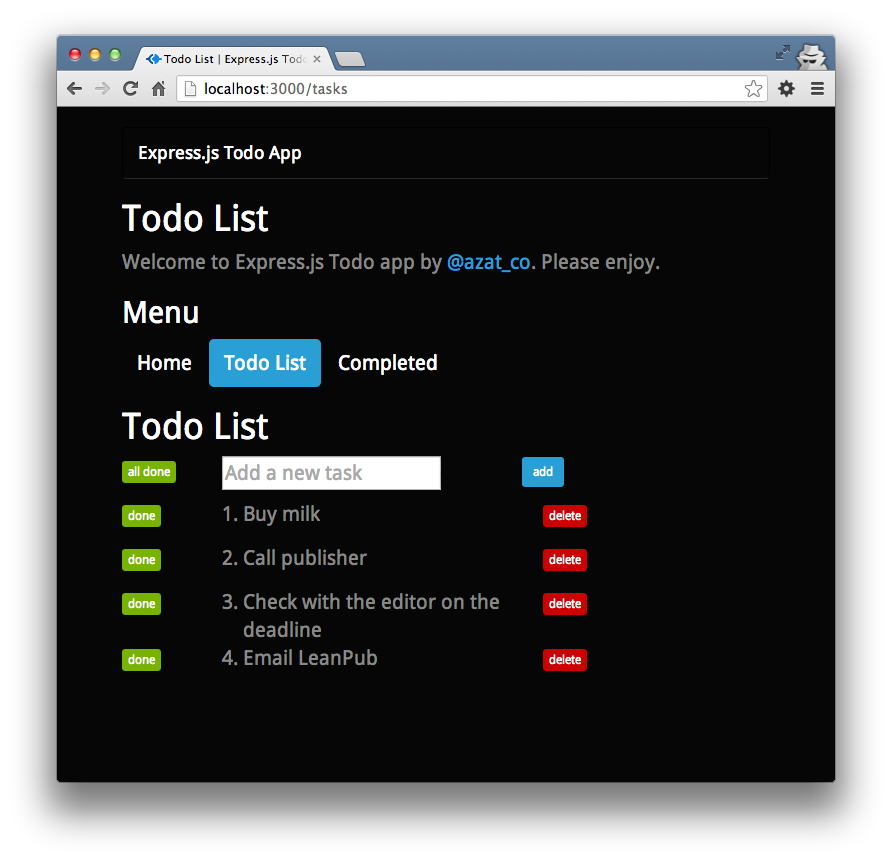
The Todo List page with added items.
Mark one of the tasks as “done”, e.g.. “Buy milk”:
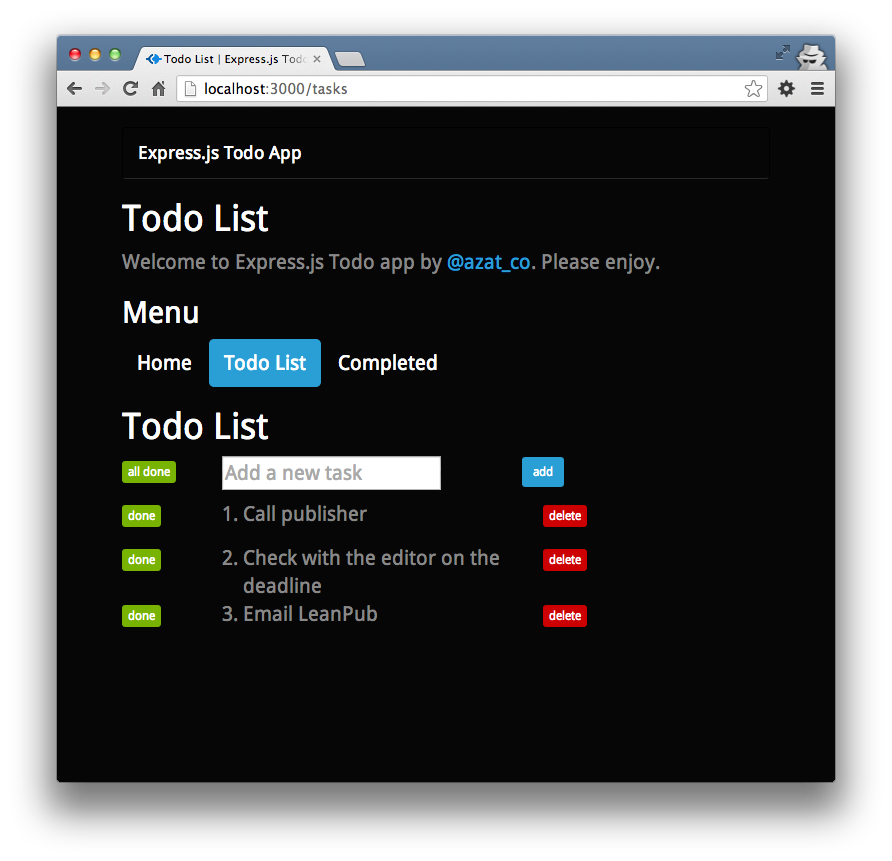
The Todo List page with one item marked done.
Going to the Complete page reveals this done item:
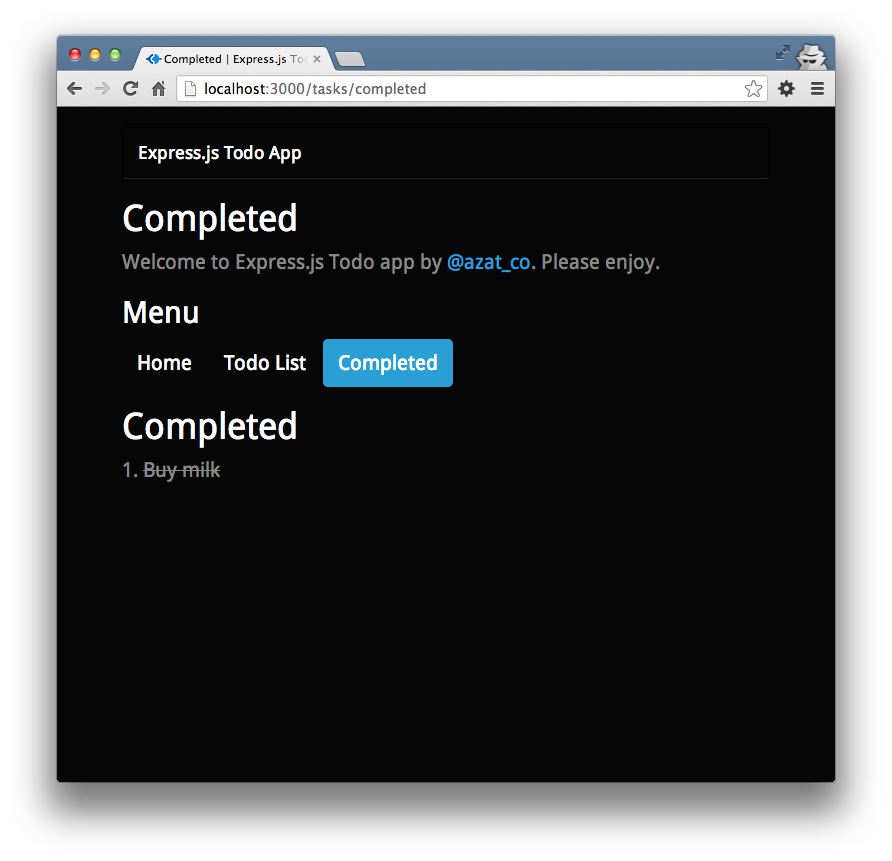
The Todo app Completed page.
Deletion of an item from the Todo list is the only action performed via AJAX/XHR request. The rest of the logic is done via GETs and POSTs (by forms).
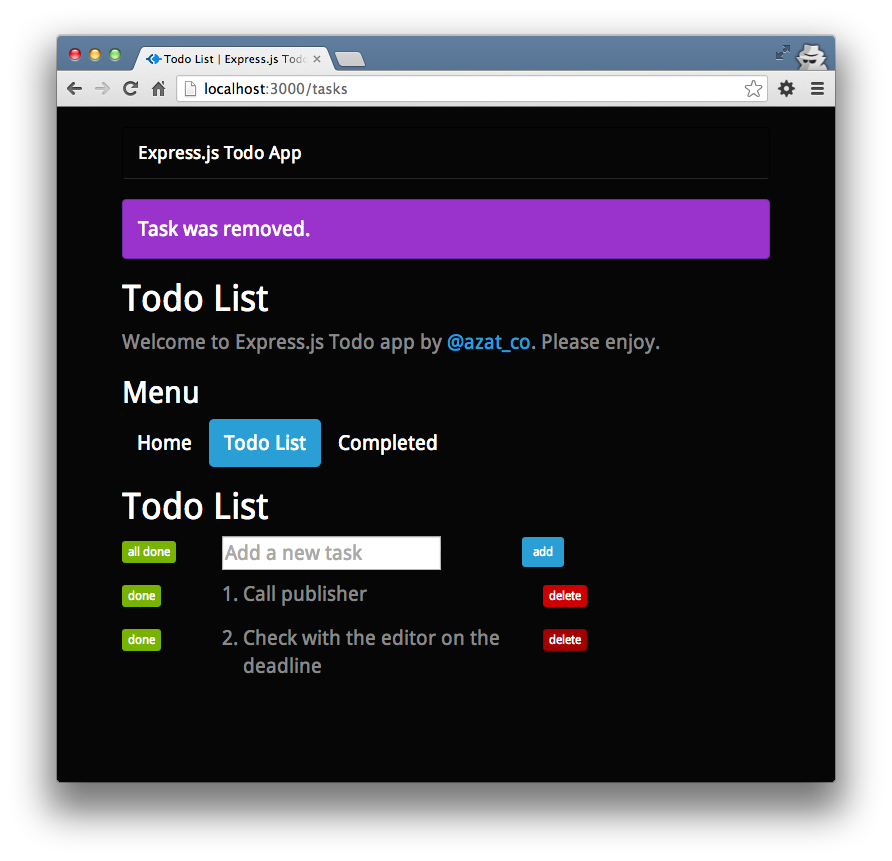
The Todo List page with removed tasks.
2.1 Scaffolding
As usual, we start by running
1 $ express todo-express
2 $ cd todo-express
3 $ npm install
This will give us the basic Express.js application.
We’ll need to add two extra dependencies to package.json, the less-middleware and Mongoskin libraries:
1 $ npm install less-middleware --save
2 $ npm install mongoskin --save
Changing the name to todo-express is optional:
 1 {
 2   "name": "todo-express",
 3   "version": "0.0.1",
 4   "private": true,
 5   "scripts": {
 6     "start": "node app.js"
 7   },
 8   "dependencies": {
 9     "express": "3.3.5",
10     "jade": "*",
11     "mongoskin": "~0.6.0",
12     "less-middleware": "~0.1.12"
13   }
14 }
2.2 MongoDB
Install MongoDB if you don’t have it already.
1 $ brew update
2 $ brew install mongodb
3 $ mongo --version
For more flavors of MongoDB installation, check out the official docs.
2.3 Structure
The final version of the app has the following folder/file structure (GitHub):
 1 /todo-express
 2   /public
 3     /bootstrap
 4       *.less
 5     /images
 6     /javascripts
 7       main.js
 8       jquery.js
 9     /stylesheets
10       style.css
11       main.less
12   /routes
13     tasks.js
14     index.js
15   /views
16     tasks_completed.jade
17     layout.jade
18     index.jade
19     tasks.jade
20   app.js
21   readme.md
22   package.json
The *.less in the bootstrap folder means there are a bunch of Twitter Bootstrap (the CSS framework) source files. They’re available at GitHub.
2.4 app.js
This is a breakdown of the Express.js-generated app.js file with the addition of routes, database, session, LESS and param middlewares.
Firstly, we import dependencies with the Node.js global require() function:
1 var express = require('express');
Similarly, we get access to our own modules, which are the app’s routes:
1 var routes = require('./routes');
2 var tasks = require('./routes/tasks');
The core http and path modules will be needed as well:
1 var http = require('http');
2 var path = require('path');
Mongoskin is a better alternative to the native MongoDB driver:
1 var mongoskin = require('mongoskin');
One line is all we need to get the database connection object. The first param follows the standard URI convention of protocol://username:password@host:port/database:
1 var db = mongoskin.db('mongodb://localhost:27017/todo?auto_reconnect', {safe:true\
2 });
The app itself:
1 var app = express();
In this middleware, we export the database object to all middlewares. By doing so, we’ll be able to perform database operations in the routes modules:
1 app.use(function(req, res, next) {
2   req.db = {};
We simply store the tasks collection in every request:
1   req.db.tasks = db.collection('tasks');
2   next();
3 })
This line allows us to access appname from within every Jade template:
1 app.locals.appname = 'Express.js Todo App'
We set the server port to either the environment variable, or if that’s undefined, to 3000:
1 app.set('port', process.env.PORT || 3000);
These statements tell Express.js where templates live and what file extension to prepend in case the extension is omitted during the render calls:
1 app.set('views', __dirname + '/views');
2 app.set('view engine', 'jade');
Display the Express.js favicon (the graphic in the URL address bar of browsers):
1 app.use(express.favicon());
The out-of-the-box logger will print requests in the terminal window:
1 app.use(express.logger('dev'));
The bodyParser() middleware is needed to painlessly access incoming data:
1 app.use(express.bodyParser());
The methodOverride() middleware is a workaround for HTTP methods that involve headers. It’s not essential for this example, but we’ll leave it here:
1 app.use(express.methodOverride());
To use CSRF, we need cookieParser() and session():
1 app.use(express.cookieParser());
2 app.use(express.session({
3   secret: '59B93087-78BC-4EB9-993A-A61FC844F6C9'
4 }));
The csrf() middleware itself. The order is important; in other words, csrf() must be preceded by cookieParser() and session():
1 app.use(express.csrf());
To process LESS stylesheets into CSS ones, we utilize less-middleware in this manner:
1 app.use(require('less-middleware')({
2   src: __dirname + '/public',
3   compress: true
4 }));
The other static files are also in the public folder:
1 app.use(express.static(path.join(__dirname, 'public')));
Remember CSRF? This is how we expose it to templates:
1 app.use(function(req, res, next) {
2   res.locals._csrf = req.session._csrf;
3   return next();
4 })
The router plug-in is enabled by this statement. It’s important to have this line after the less-middleware and csrf() lines above:
1 app.use(app.router);
It’s possible to configure different behavior based on environments:
1 if ('development' == app.get('env')) {
2   app.use(express.errorHandler());
3 }
When there’s a request that matches route/RegExp with :task_id in it, this block is executed:
1 app.param('task_id', function(req, res, next, taskId) {
The value of task ID is in taskId and we query the database to find that object:
1 req.db.tasks.findById(taskId, function(error, task){
It’s tremendously important to check for errors and empty results:
1     if (error) return next(error);
2     if (!task) return next(new Error('Task is not found.'));
If there’s data, store it in the request and proceed to the next middleware:
1     req.task = task;
2     return next();
3   });
4 });
Now it’s time to define our routes. We start with the home page:
1 app.get('/', routes.index);
The Todo List page:
1 app.get('/tasks', tasks.list);
This route will mark all tasks in the Todo List as completed if the user presses the all done button. In a RESP API, the HTTP method would be PUT but because we’re building classical web apps with forms, we have to use POST:
1 app.post('/tasks', tasks.markAllCompleted)
The same URL for adding new tasks is used for marking all tasks completed, but in the previous methods itself (markAllCompleted) you’ll see how we handle flow control:
1 app.post('/tasks', tasks.add);
To mark a single task completed, we use the aforementioned :task_id string in our URL pattern. (In REST API, this should have been a PUT request):
1 app.post('/tasks/:task_id', tasks.markCompleted);
Unlike with the POST route above, we utilize Express.js param middleware with a :task_id token:
1 app.del('/tasks/:task_id', tasks.del);
For our Completed page, we define this route:
1 app.get('/tasks/completed', tasks.completed);
In case of malicious attacks or mistyped URLs, it’s a user-friendly thing to catch all requests with *. Keep in mind that if we had a match previously, the Node.js won’t come to execute this block:
1 app.all('*', function(req, res){
2   res.send(404);
3 })
Finally, we spin up our application with the good ‘ol http method:
1 http.createServer(app).listen(app.get('port'),
2   function(){
3     console.log('Express server listening on port '
4       + app.get('port'));
5   }
6 );
The full content of the app.js file:
 1 /**
 2  * Module dependencies.
 3  */
 4
 5 var express = require('express');
 6 var routes = require('./routes');
 7 var tasks = require('./routes/tasks');
 8 var http = require('http');
 9 var path = require('path');
10 var mongoskin = require('mongoskin');
11 var db = mongoskin.db('mongodb://localhost:27017/todo?auto_reconnect', {safe:true\
12 });
13 var app = express();
14 app.use(function(req, res, next) {
15   req.db = {};
16   req.db.tasks = db.collection('tasks');
17   next();
18 })
19 app.locals.appname = 'Express.js Todo App'
20 // all environments
21
22
23 app.set('port', process.env.PORT || 3000);
24 app.set('views', __dirname + '/views');
25 app.set('view engine', 'jade');
26 app.use(express.favicon());
27 app.use(express.logger('dev'));
28 app.use(express.bodyParser());
29 app.use(express.methodOverride());
30 app.use(express.cookieParser());
31 app.use(express.session({secret: '59B93087-78BC-4EB9-993A-A61FC844F6C9'}));
32 app.use(express.csrf());
33
34 app.use(require('less-middleware')({ src: __dirname + '/public', compress: true }\
35 ));
36 app.use(express.static(path.join(__dirname, 'public')));
37 app.use(function(req, res, next) {
38   res.locals._csrf = req.session._csrf;
39   return next();
40 })
41 app.use(app.router);
42
43 // development only
44 if ('development' == app.get('env')) {
45   app.use(express.errorHandler());
46 }
47 app.param('task_id', function(req, res, next, taskId) {
48   req.db.tasks.findById(taskId, function(error, task){
49     if (error) return next(error);
50     if (!task) return next(new Error('Task is not found.'));
51     req.task = task;
52     return next();
53   });
54 });
55
56 app.get('/', routes.index);
57 app.get('/tasks', tasks.list);
58 app.post('/tasks', tasks.markAllCompleted)
59 app.post('/tasks', tasks.add);
60 app.post('/tasks/:task_id', tasks.markCompleted);
61 app.del('/tasks/:task_id', tasks.del);
62 app.get('/tasks/completed', tasks.completed);
63
64 app.all('*', function(req, res){
65   res.send(404);
66 })
67 http.createServer(app).listen(app.get('port'), function(){
68   console.log('Express server listening on port ' + app.get('port'));
69 });
2.5 Routes
There are only two files in the routes folder. One of them serves the home page (e.g., http://localhost:3000/) and is straightforward:
1 /*
2  * GET home page.
3  */
4
5 exports.index = function(req, res){
6   res.render('index', { title: 'Express.js Todo App' });
7 };
The remaining logic that deals with tasks itself has been placed in todo-express/routes/tasks.js. Let’s break it down a bit.
We start by exporting a list() request handler that gives us a list of incomplete tasks:
1 exports.list = function(req, res, next){
To do so, we perform a database search with completed=false query:
1   req.db.tasks.find({
2     completed: false
3   }).toArray(function(error, tasks){
In the callback, we need to check for any errors:
javascript
    if (error) return next(error);
Since we use toArray(), we can send the date directly to the template:
1     res.render('tasks', {
2       title: 'Todo List',
3       tasks: tasks || []
4     });
5   });
6 };
Adding a new task requires us to check for the name parameter:
1 exports.add = function(req, res, next){
2   if (!req.body || !req.body.name)
3     return next(new Error('No data provided.'));
Thanks to our middleware, we already have a database collection in the req object, and the default value for the task is incomplete (completed: false):
1   req.db.tasks.save({
2     name: req.body.name,
3     completed: false
4   }, function(error, task){
Again, it’s important to check for errors and propagate them with the Express.js next() function:
1     if (error) return next(error);
2     if (!task) return next(new Error('Failed to save.'));
Logging is optional; however, it’s useful for learning and debugging:
1 console.info('Added %s with id=%s', task.name, task._id);
Lastly, we redirect back to the Todo List page when the saving operation has finished successfully:
1     res.redirect('/tasks');
2   })
3 };
This method marks all incomplete tasks as complete:
1 exports.markAllCompleted = function(req, res, next) {
Because we had to reuse the POST route and since it’s a good illustration of flow control, we check for the all_done parameter to decide if this request comes from the all done button or the add button:
1   if (!req.body.all_done
2     || req.body.all_done !== 'true')
3     return next();
If the execution has come this far, we perform a db query with multi: true:
javascript
  req.db.tasks.update({
    completed: false
  }, {$set: {
    completed: true
  }}, {multi: true}, function(error, count){
Significant error handling, logging and redirection back to Todo List page:
1     if (error) return next(error);
2     console.info('Marked %s task(s) completed.', count);
3     res.redirect('/tasks');
4   })
5 };
The Completed route is similar to the Todo List, except for the completed flag value (true in this case):
 1 exports.completed = function(req, res, next) {
 2   req.db.tasks.find({
 3     completed: true
 4   }).toArray(function(error, tasks) {
 5     res.render('tasks_completed', {
 6       title: 'Completed',
 7       tasks: tasks || []
 8     });
 9   });
10 };
This is the route that takes care of marking a single task as done. We use updateById but the same thing can be accomplished with a plain update method from Mongoskin/MongoDB API. The trick with completed: req.body.completed === 'true is needed because the incoming value is a string and not a boolean.
1 exports.markCompleted = function(req, res, next) {
2   if (!req.body.completed)
3     return next(new Error('Param is missing'));
4   req.db.tasks.updateById(req.task._id, {
5     $set: {completed: req.body.completed === 'true'}},
6     function(error, count) {
Once more, we perform error and results checks; (update() and updateById() don’t return object, but the count of the affected documents instead):
 1       if (error) return next(error);
 2       if (count !==1)
 3         return next(new Error('Something went wrong.'));
 4       console.info('Marked task %s with id=%s completed.',
 5         req.task.name,
 6         req.task._id);
 7       res.redirect('/tasks');
 8     }
 9   )
10 }
Delete is the single route called by an AJAX request. However, there’s nothing special about its implementation. The only difference is that we don’t redirect, but send status 200 back.
Just for your information, the remove() method can be used instead of removeById().
 1 exports.del = function(req, res, next) {
 2   req.db.tasks.removeById(req.task._id, function(error, count) {
 3     if (error) return next(error);
 4     if (count !==1) return next(new Error('Something went wrong.'));
 5     console.info('Deleted task %s with id=%s completed.',
 6       req.task.name,
 7       req.task._id);
 8     res.send(200);
 9   });
10 }
For your convenience, here’s the full content of the todo-express/routes/tasks.js file:
 1 /*
 2  * GET users listing.
 3  */
 4
 5 exports.list = function(req, res, next){
 6   req.db.tasks.find({completed: false}).toArray(function(error, tasks){
 7     if (error) return next(error);
 8     res.render('tasks', {
 9       title: 'Todo List',
10       tasks: tasks || []
11     });
12   });
13 };
14
15 exports.add = function(req, res, next){
16   if (!req.body || !req.body.name) return next(new Error('No data provided.'));
17   req.db.tasks.save({
18     name: req.body.name,
19     completed: false
20   }, function(error, task){
21     if (error) return next(error);
22     if (!task) return next(new Error('Failed to save.'));
23     console.info('Added %s with id=%s', task.name, task._id);
24     res.redirect('/tasks');
25   })
26 };
27
28 exports.markAllCompleted = function(req, res, next) {
29   if (!req.body.all_done || req.body.all_done !== 'true') return next();
30   req.db.tasks.update({
31     completed: false
32   }, {$set: {
33     completed: true
34   }}, {multi: true}, function(error, count){
35     if (error) return next(error);
36     console.info('Marked %s task(s) completed.', count);
37     res.redirect('/tasks');
38   })
39 };
40
41 exports.completed = function(req, res, next) {
42   req.db.tasks.find({completed: true}).toArray(function(error, tasks) {
43     res.render('tasks_completed', {
44       title: 'Completed',
45       tasks: tasks || []
46     });
47   });
48 };
49
50 exports.markCompleted = function(req, res, next) {
51   if (!req.body.completed) return next(new Error('Param is missing'));
52   req.db.tasks.updateById(req.task._id, {$set: {completed: req.body.completed ===\
53  'true'}}, function(error, count) {
54     if (error) return next(error);
55     if (count !==1) return next(new Error('Something went wrong.'));
56     console.info('Marked task %s with id=%s completed.', req.task.name, req.task.\
57 _id);
58     res.redirect('/tasks');
59   })
60 };
61
62 exports.del = function(req, res, next) {
63   req.db.tasks.removeById(req.task._id, function(error, count) {
64     if (error) return next(error);
65     if (count !==1) return next(new Error('Something went wrong.'));
66     console.info('Deleted task %s with id=%s completed.', req.task.name, req.task\
67 ._id);
68     res.send(200);
69   });
70 };
2.6 Jades
In the Todo app, we use four templates:
-
layout.jade: the skeleton of HTML pages that is used on all pages -
index.jade: home page -
tasks.jade: Todo List page -
tasks_completed.jade: Completed page
Let’s go through each file starting with layout.jade. It starts with doctype, html and head types:
1 doctype 5
2 html
3   head
We should have the appname variable set:
1 title= title + ' | ' + appname
Next, we include *.css files but underneath, and Express.js will serve its contents from LESS files:
1     link(rel="stylesheet", href="/stylesheets/style.css")
2     link(rel="stylesheet", href="/bootstrap/bootstrap.css")
3     link(rel="stylesheet", href="/stylesheets/main.css")
The body with Twitter Bootstrap structure consist of .container and .navbar. To read more about those and other classes, go to getbootstrap.com/css/:
 1   body
 2     .container
 3       .navbar.navbar-default
 4         .container
 5           .navbar-header
 6             a.navbar-brand(href='/')= appname
 7       .alert.alert-dismissable
 8       h1= title
 9       p Welcome to Express.js Todo app by
10         a(href='http://twitter.com/azat_co') @azat_co
11         |. Please enjoy.
This is the place where other jades (like tasks.jade) will be imported:
1 block content
The last lines include front-end JavaScript files:
1   script(src='/javascripts/jquery.js', type="text/javascript")
2   script(src='/javascripts/main.js', type="text/javascript")
The full layout.jade file:
 1 doctype html
 2 html
 3   head
 4     title= title + ' | ' + appname
 5     link(rel="stylesheet", href="/stylesheets/style.css")
 6     link(rel="stylesheet", href="/bootstrap/bootstrap.css")
 7     link(rel="stylesheet", href="/stylesheets/main.css")
 8
 9   body
10     .container
11       .navbar.navbar-default
12         .container
13           .navbar-header
14             a.navbar-brand(href='/')= appname
15       .alert.alert-dismissable
16       h1= title
17       p Welcome to Express.js Todo app by
18         a(href='http://twitter.com/azat_co') @azat_co
19         |. Please enjoy.
20       block content
21   script(src='/javascripts/jquery.js', type="text/javascript")
22   script(src='/javascripts/main.js', type="text/javascript")
The index.jade file is our home page and it’s quite vanilla. The most interesting thing it has is the nav-pills menu:
 1 extends layout
 2
 3 block content
 4   .menu
 5     h2 Menu
 6     ul.nav.nav-pills
 7       li.active
 8         a(href="/tasks") Home
 9       li
10         a(href="/tasks") Todo List
11       li
12         a(href="/tasks") Completed
13   .home
14     p This is an example of classical (no front-end JavaScript frameworks) web ap\
15 plication built with Express.js 3.3.5 for
16       a(href="http://expressjsguide.com") Express.js Guide
17       |.
18     p The full source code is available at
19       a(href='http://github.com/azat-co/todo-express') github.com/azat-co/todo-ex\
20 press
21       |.
The tasks.jade uses extends layout:
1 extends layout
2
3 block content
Then goes our main page of specific content:
 1   .menu
 2     h2 Menu
 3     ul.nav.nav-pills
 4       li
 5         a(href='/') Home
 6       li.active
 7         a(href='/tasks') Todo List
 8       li
 9         a(href="/tasks/completed") Completed
10   h1= title
The div with list class will hold the Todo List:
1   .list
2     .item.add-task
The form to mark all items as done has a CSRF token in a hidden field and uses the POST method pointed to /tasks:
1       div.action
2         form(action='/tasks', method='post')
3           input(type='hidden', value='true', name='all_done')
4           input(type='hidden', value=locals._csrf, name='_csrf')
5           input(type='submit', class='btn btn-success btn-xs', value='all done')
A similar CSRF-enabled form is used for new task creation:
1       form(action="/tasks", method='post')
2         input(type='hidden', value=locals._csrf, name='_csrf')
3         div.name
4           input(type="text", name="name", placeholder='Add a new task')
5         div.delete
6           input.btn.btn-primary.btn-sm(type="submit", value='add')
When we start the app for the first time (or clean the database), there are no tasks:
1     if (tasks.length === 0)
2       | No tasks.
Jade supports iterations with the each command:
1     each task, index in tasks
2       .item
3         div.action
This form submits data to its individual task route:
1           form(action='/tasks/#{task._id}', method='post')
2             input(type='hidden', value=task._id.toString(), name='id')
3             input(type='hidden', value='true', name='completed')
4             input(type='hidden', value=locals._csrf, name='_csrf')
5             input(type='submit', class='btn btn-success btn-xs task-done', value=\
6 'done')
The index variable is used to display order in the list of tasks:
1         div.num
2           span=index+1
3             |.
4         div.name
5           span.name=task.name
6           //- no support for DELETE method in forms
7           //- http://amundsen.com/examples/put-delete-forms/
8           //- so do XHR request instead from public/javascripts/main.js
The delete button doesn’t have anything fancy attached to it, because events are attached to these buttons from the main.js front-end JavaScript file:
1         div.delete
2           a(class='btn btn-danger btn-xs task-delete', data-task-id=task._id.toSt\
3 ring(), data-csrf=locals._csrf) delete
The full source code of tasks.jade:
 1 extends layout
 2
 3 block content
 4
 5   .menu
 6     h2 Menu
 7     ul.nav.nav-pills
 8       li
 9         a(href='/') Home
10       li.active
11         a(href='/tasks') Todo List
12       li
13         a(href="/tasks/completed") Completed
14   h1= title
15
16   .list
17     .item.add-task
18       div.action
19         form(action='/tasks', method='post')
20           input(type='hidden', value='true', name='all_done')
21           input(type='hidden', value=locals._csrf, name='_csrf')
22           input(type='submit', class='btn btn-success btn-xs', value='all done')
23       form(action="/tasks", method='post')
24         input(type='hidden', value=locals._csrf, name='_csrf')
25         div.name
26           input(type="text", name="name", placeholder='Add a new task')
27         div.delete
28           input.btn.btn-primary.btn-sm(type="submit", value='add')
29     if (tasks.length === 0)
30       | No tasks.
31     each task, index in tasks
32       .item
33         div.action
34           form(action='/tasks/#{task._id}', method='post')
35             input(type='hidden', value=task._id.toString(), name='id')
36             input(type='hidden', value='true', name='completed')
37             input(type='hidden', value=locals._csrf, name='_csrf')
38             input(type='submit', class='btn btn-success btn-xs task-done', value=\
39 'done')
40         div.num
41           span=index+1
42             |.
43         div.name
44           span.name=task.name
45           //- no support for DELETE method in forms
46           //- http://amundsen.com/examples/put-delete-forms/
47           //- so do XHR request instead from public/javascripts/main.js
48         div.delete
49           a(class='btn btn-danger btn-xs task-delete', data-task-id=task._id.toSt\
50 ring(), data-csrf=locals._csrf) delete
Last but not least comes tasks_completed.jade, which is just a stripped down version of the tasks.jade file:
 1 extends layout
 2
 3 block content
 4
 5   .menu
 6     h2 Menu
 7     ul.nav.nav-pills
 8       li
 9         a(href='/') Home
10       li
11         a(href='/tasks') Todo List
12       li.active
13         a(href="/tasks/completed") Completed
14
15   h1= title
16
17   .list
18     if (tasks.length === 0)
19       | No tasks.
20     each task, index in tasks
21       .item
22         div.num
23           span=index+1
24             |.
25         div.name.completed-task
26           span.name=task.name
2.7 LESS
As we’ve mentioned before, after applying proper middleware in app.js files, we can put *.less files anywhere under the public folder. Express.js works by accepting a request for some .css file and tries to match the corresponding file by name. Therefore, we include *.css files in our jades.
Here is the content of the todo-express/public/stylesheets/main.less file:
 1 * {
 2   font-size:20px;
 3 }
 4 .btn {
 5   // margin-left: 20px;
 6   // margin-right: 20px;
 7 }
 8 .num {
 9   // margin-right: 3px;
10 }
11 .item {
12   height: 44px;
13   width: 100%;
14   clear: both;
15   .name {
16     width: 300px;
17   }
18   .action {
19     width: 100px;
20   }
21   .delete {
22     width: 100px
23   }
24   div {
25     float:left;
26   }
27 }
28 .home {
29   margin-top: 40px;
30 }
31 .name.completed-task {
32   text-decoration: line-through;
33 }
2.8 Conclusion
The Todo app is considered classic because it doesn’t rely on any front-end framework. This was done intentionally to show how easy it is to use Express.js for such tasks. In modern-day development, people often leverage some sort of REST API server architecture with a front-end client built with Backbone.js, Angular, Ember or something else. Our next examples dive into the details about how to write such servers.