Glorified Calculator
Math is the most basic operation a computer can do. In fact, in the early days of computers, it was the only thing they could do. A computer was basically a glorified calculator. So it makes sense then that one of the first things a programmer learns is math.
However, unlike most books, this book is going to use interesting concepts to teach. Instead of abstract or boring concepts, we’re going to talk about zombies, vampires, and various other life-threatening monsters.
Dragon
4. Math
(or “Maths” if you prefer)
4.1 Adding, subtracting, etc.
Your friend Bob was just bitten by a zombie, but escaped alive. Unfortunately there is now one more zombie to worry about:
1 zombies = zombies + 1;
There’s a shorter way to write the same thing (and we are pressed for time here; the zombies are coming):
1 zombies += 1;
Actually, there’s an even shorter way to write this, and it’s call the increment operator:
1 zombies++;
Luckily, there’s also a decrement operator (to use when we kill a zombie):
1 zombie--;
Adding and subtracting are easy enough, but what about their cousins, multiply and divide?
Luckily these symbols are the same in virtually every programming language: * and /
1 int legs = zombies * 2;
2 int halfZomies = zombies / 2;
Numbers written in Java are of type int by default.
But what if we want to deal with fractions (like one third)?
1 float oneThirdZombies = zombies / 3.0f;
No, 3.0f is not a typo.
The “f” makes 3 a float.
You can use lower or upper-case letters (D means double, F means float, and L means long).
This is where math starts to get tricky.
In order to engage float division (remember, float is an imprecise number) we need 3 to be a float.
If we instead wrote “zombies / 3” this would result in integer division and the remainder would be lost.
For example, 33 / 3 is 10.
4.2 More complex Math
If you want to do anything other than add, substract, multiply, divide, and modulo, you will need to use the java.util.Math class.
Let’s say you want to raise a number to the power of 2. For example, if you want to estimate the exponentially increasing number of zombies:
1 double nextYearEstimate = Math.pow(numberOfZombies, 2.0d);
This type of method is called a static method (don’t worry we’ll learn more about these later).
Here’s a summary of the most commonly used methods in java.util.Math:
-
abs: Returns the absolute value of a value. -
min: The minimum of two numbers. -
max: The maximum of two numbers. -
pow: Returns the value of the first argument raised to the power of the second argument. -
sqrt: Returns the correctly rounded positive square root of a double value. -
cos: Returns the trigonometric cosine of an angle. -
sin: Returns the trigonometric sine of an angle. -
tan: Returns the trigonometric tangent of an angle.

|
For a list of all the methods in Math, see the Java docs. |

|
SineIf you’re unfamiliar with sine and cosine, they are very useful whenever you want to draw a circle for example. If you’re on your computer right now, and want to learn more about sine and cosine, please go look at this animation and keep watching it until you understand the sine wave. |

4.3 Random numbers
The easiest way to create a random number is using the Math.random() method.
The random() method returns a double value greater than or equal to zero and less than one.
For example, to simulate a roll of the dice (to determine who gets to deal with the next wave of zombies):
1 int roll = (int) (Math.random() * 6);
This would result in a random number from 0 to 5.
JavaScript also has a Math.random() method.
For example, to get a random integer between min (included) and max (excluded) you would do the following:
1 Math.floor(Math.random() * (max - min)) + min;
However, if you want to create lots of random numbers in Java, it’s better to use the java.util.Random class instead.
It has several different methods for creating random numbers, including:
- nextInt(int n): A random number from 0 to
n(not includingn). - nextInt(): A random number uniformly distributed across all possible
intvalues. - nextLong(): Same as nextInt() but for
long. - nextFloat(): Same as nextInt() but for
float. - nextDouble(): Same as nextInt() but for
double. - nextBoolean(): True or false.
- nextBytes(byte[] bytes): Fills the given byte array with random bytes.
You first need to create a new Random object, then you can use it to create random numbers:
1 Random randy = new Random();
2 int roll6 = randy.nextInt(6) + 1; // 1 to 6
3 int roll12 = randy.nextInt(12) + 1; // 1 to 12
Now you can create random numbers and do math with them. Hurray!
|
|
SeedsIf you create a Random with a seed (eg. |
4.4 Summary
In this chapter we learned how to program math, such as:
- How to add, substract, multiply, divide, and modulo.
- Using the Math library in Java.
- Creating random numbers.
5. Arrays, Lists, Sets, and Maps
So far we’ve only talked about single values, but in programming you often need to work with large collections of values. For this we have many data structures which are built in to the language (these are similar for Java, Groovy, Scala, and even JavaScript).
5.1 Arrays
An array is a fixed size collection of data values. Honestly, you probably won’t use an array very often, but it’s an important concept to learn.
You declare an array-type in Java by appending [] to the type.
For example, an array of int’s is defined as int[].
1 int[] vampireAges = new int[10]; // ten vampires
Accessing the values in an array uses the same square-bracket syntax, such as:
1 vampireAges[0] = 1565; // first vampire
As you can see, the first index of an array is zero. Things tend to start at zero when programming; try to remember this.
|
|
Patient 0Here’s a helpful metaphor: the first person to start an outbreak (a zombie outbreak, for example) is known as patient zero. Not patient one, patient one is the second person infected. |
This also means that the last index of the array is always one less than the size of the array. This is also true for Lists.
1 vampireAges[9] = 442; // last vampire
You can reassign and access array values just like any other variable.
1 int year = 2014; // current year?
2 int firstVampBornYear = year - vampireAges[0];
You can also declare arrays of objects as well. In this case, each element of the array is a reference to an object in memory.
1 Vampire[] vampires = new Vampire[10]; // Vampire array with length 10
You can also populate your array directly; if you’re creating an array of Strings for example:
1 String[] names = {"Dracula", "Edward"};
Unfortunately, arrays are difficult to use in Groovy and the Array object
in JavaScript is more like a Java List.
Java arrays are a somewhat low-level structure only used for performance reasons.
5.2 Lists
Of course, we don’t always know how many elements we need to store in an array. For this reason (and many others), programmers invented the List, a resizable collection of ordered elements.
In Java, you create a List in the following way:
1 List<Vampire> vampires = new ArrayList<>();
The angle-brackets (<>) define the generic type of the list - what can go into the list.
You can now add Vampires to this list all day, and it will expand as necessary in the background.
You add to a List like this:
1 vampires.add(new Vampire("Count Dracula", 1897));
List also contains tons of other useful methods, including:
-
size()- Gets the size of the List. -
get(int index)- Gets the value at that index. -
remove(int index)- Removes the value at that index. -
remove(Object o)- Removes the given object. -
isEmpty()- Returns true only if the List is empty. -
clear()- Removes all values from the List.
|
|
In Java,
The only difference you care about is that, in general, LinkedList grows faster, while ArrayList’s |
You’ll learn how to loop through lists, arrays, and sets (and what “loop” means) in the next chapter.
For now, just know that Lists are a fundamental concept in programming.
Groovy Lists
Groovy has a simpler syntax for creating lists, which is built into the language.
1 def list = []
2 list.add(new Vampire("Count Dracula", 1897))
3 // or
4 list << new Vampire("Count Dracula", 1897)
Scala Lists
In Scala you create a list and add to a List in a slightly different way:
1 var list = List[Vampire]();
2 list :+ new Vampire("Count Dracula", 1897)
Also, this actually creates a new list instead of modifying the existing list. The is because the default List in Scala is immutable meaning it cannot be modified. Although this may seem strange - in conjunction with functional programming - it makes parallel programming (programming for multiple processors) easier.
JavaScript Arrays
As mentioned earlier, JavaScript has the Array instead of a List.
Arrays can be created much like Lists in Groovy.
However, the methods available are somewhat different.
For example, push is used instead of add:
1 def array = []
2 array.push(new Vampire("Count Dracula", 1897))
You can also declare the initial values of the Array. For example the following two lines are equivalent:
1 def years = [1666, 1680, 1722]
2 def years = new Array(1666, 1680, 1722)
To add to the confusion, Arrays in JavaScript can be accessed much like Java arrays. For example:
1 def firstYear = years[0]
2 def size = years.length
5.3 Sets
A Set is much like a List, but each value or object can only have one instance in the Set.
The Set has many of the same methods as List. In particular it is missing the methods that use an index, because a Set is not necessarily in any particular order.
1 Set<String> dragons = new HashSet<>();
2 dragons.add("Lambton");
3 dragons.add("Deerhurst");
4 dragons.size(); // 2
5 dragons.remove("Lambton");
6 dragons.size(); // 1
In Java, there is such a thing as a SortedSet which is implemented by TreeSet. For example, let’s say you wanted a sorted list of names:
1 SortedSet<String> dragons = new TreeSet<>();
2 dragons.add("Lambton");
3 dragons.add("Smaug");
4 dragons.add("Deerhurst");
5 dragons.add("Norbert");
6 System.out.println(dragons);
7 // [Deerhurst, Lambton, Norbert, Smaug]
The TreeSet will magically always be sorted in the proper order.
|
|
Okay, it’s not really magic. The object to be sorted must implement the Comparable interface, but we haven’t learned about interfaces yet. |
JavaScript does not yet have a built-in Set class.
5.4 Maps
A Map is a collection of keys associated with values.
It may be easier to understand with an example:
1 Map<String,String> map = new HashMap<>();
2 map.put("Smaug", "deadly");
3 map.put("Norbert", "cute");
4 map.size(); // 2
5 map.get("Smaug"); // deadly
Map also has the following methods:
- containsKey(Object key) - Returns true if this map contains a mapping for the specified key.
- containsValue(Object value) - Returns true if this map maps one or more keys to the specified value.
- keySet() - Returns a Set view of the keys contained in this map.
- putAll(Map m) - Copies all of the mappings from the specified map to this map.
- remove(Object key) - Removes the mapping for a key from this map if it is present.
Groovy Maps
Just like for Lists, Groovy has a simpler syntax for creating and editing Maps:
1 def map = ["Smaug": "deadly"]
2 map.Norbert = "cute"
3 println(map) // [Smaug:deadly, Norbert:cute]
Scala Maps
Scala’s Map syntax is also somewhat shorter:
1 var map = Map("Smaug" -> "deadly")
2 var map2 = map + ("Norbert" -> "cute")
3 println(map2) // Map(Smaug -> deadly, Norbert -> cute)
As with List above, Scala’s default Map is also immutable.
JavaScript Maps
JavaScript does not yet have a built-in Map class, but it can be approximated by using the built-in Object syntax. For example:
1 def map = {"Smaug": "deadly", "Norbert": "cute"}
You could then use either of the following to access map values: map.Smaug or map["Smaug"].
5.5 Summary
This chapter introduced you to the following concepts:
- Arrays: primitive collections of data.
- Lists: An expandable collection of objects or values.
- Sets: A collection of unique objects or values.
- Maps: A dictionary-like collection.
6. Conditionals and Loops
To rise above the label of calculator, a programming language needs to have conditional statements and loops.
A conditional statement is a statement that may or may not execute depending on the circumstances.
A loop is a statement that gets repeated multiple times.
6.1 If, Then, Else
The most basic conditional statement is the if statement. It is the same in all languages covered in this book. For example:
1 if (vampire) { // vampire is a boolean
2 	useWoodenStake();
3 }
The curly brackets ({}) define a block of code (in Java, Scala, Groovy, and JavaScript).
To define what should happen if your condition is false, you use the else keyword:
1 if (vampire) {
2 	useWoodenStake();
3 } else {
4 	useAxe();
5 }
Actually this can be shortened since we only have one statement per condition to:
1 if (vampire) useWoodenStake();
2 else useAxe();
But it’s generally better to use the curly-bracket style in Java.
If you have multiple conditions you need to test for, you can use the else if style, such as:
1 if (vampire) useWoodenStake();
2 else if (zombie) useBat();
3 else useAxe();
6.2 Switch Statements
Sometimes you have so many conditions that your “else if” statements span several pages. In this case, you might consider using the switch keyword. It allows you to test for several different values of the same variable. For example:
1 switch (monsterType) {
2 case "Vampire": useWoodenStake(); break;
3 case "Zombie": useBat(); break;
4 case "Orc": shoutInsult();
5 default: useAxe();
6 }
The case keyword denotes the value to be matched.
The break keyword always causes the program to exit the current code block.
This is necessary in a switch statement, otherwise every statement after the case will be executed.
For example, when monsterType is “Orc”, shoutInsult and useAxe are executed.
The default keyword denotes the code to execute if none of the cases are matched.
It is much like the final else block of an if/else block.
|
|
There is more to switch statements, but they involve concepts we’ll cover later on so we’ll come back to this topic. |
6.3 Boolean logic
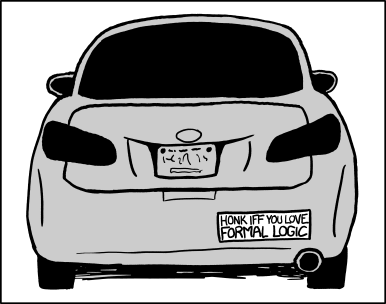
Formal Logic - XKCD 1033 (http://xkcd.com/1033/)
Computers use a special kind of math called boolean logic (it’s also called boolean alegebra).
All you really need to know are the following three boolean operators and six comparators:
&&- AND: True only if left and right values are true.
||- OR: True if either left or right value is true.
!- NOT: Negates a boolean (true becomes false; false becomes true).
-
== - Equals
!=- Does Not Equal
<- Less than.
-
> - Greater than.
-
<= - Less than or equal.
-
>= - Greater than or equal.
Conditions (like if) operate on boolean values (true/false) - the same boolean type that we learned about in Chapter 3.
When used properly, all of the above operators result in a boolean value.
For example:
1 if (age > 120 && skin == Pale && !winkled) {
2 	probablyVampire();
3 }
6.4 Looping
The two simplest ways to loop are the while loop and do/while loop.
The while loop simply repeats until the loop condition becomes false.
1 boolean repeat = true;
2 while (repeat) {
3 	doSomething();
4 	repeat = false;
5 }
The above would call the doSomething() method once.
The loop condition above is repeat.
This is a simple example. Usually the loop condition would be something more complex.
The do loop is like the while loop except that it always goes through at least one time.
For example:
1 boolean repeat = false;
2 do {
3 	doSomething();
4 } while(repeat);
It’s often helpful to increment a number in your loop, for example:
1 int i = 0;
2 while (i < 10) {
3 	doSomething(i);
4 	i++;
5 }
The above loop can be condensed using the for loop:
1 for (int i = 0; i < 10; i++) {
2 	doSomething(i);
3 }
The for loop has an initiation clause, a loop condition, and an increment clause. This style of loop is useful for looping through an array with an index. For example:
1 String[] strArray = {"a", "b", "c"};
2 for (int i = 0; i < strArray.length; i++)
3 	System.out.print(strArray[i]);
This would print “abc”. The above loop is equivalent to:
1 int i = 0;
2 while (i < strArray.length) {
3     String str = strArray[i];
4 	System.out.print(str);
5 	i++;
6 }
In Java, you can write for loops in a more concise way for an array or Collection (List or Set). For example:
1 String[] strArray = {"a", "b", "c"};
2 for (String str : strArray)
3 	System.out.print(str);
This is called a “for each” loop. Note that it uses a colon instead of a semi-colon.
6.5 Summary
In this chapter we learned about the following:
- Using the if statement.
- How to use boolean logic.
- Switch statements.
- Using for, do, and while loops.
7. Methods
A method is series of statements combined into one block inside a class and given a name. In the Cold War days, these were called “sub-routines” and many other languages call them functions. However, the main difference between a method and a function is that a method needs to be associated with a class whereas a function does not.
7.1 Call me
Methods exist to be called. You can think of a method as a message that is sent or a command given.
To call a method (also called invoking a method), you simply write the name of the object, a dot, then the method name. For example:
1 Dragon dragon = new Dragon();
2 dragon.fly(); // dragon is the object, and fly is the method
The fly method would be defined within the Dragon class.
1 public void fly() {
2 	// flying code
3 }
|
|
VoidIn Java, |
Methods can also have parameters. A parameter is a value (or reference value) that is part of a method call. Together, the method’s name and parameters are called the method signature. For example, the following method has two parameters:
1 public void fly(int x, int y) {
2 	// fly to that x, y coordinate.
3 }
Non-Java
Other languages define methods (or functions) differently.
For example, in Groovy you can use the def keyword to define a method (in addition to Java’s normal syntax):
1 def fly() { println("flying") }
Scala also uses the def keyword to define a method, but you also need an equals (=) sign.
1 def fly() = { println("flying") }
JavaScript uses the function keyword to define a function:
1 function fly() { alert("flying") }
7.2 Break it down
Methods also exist to organize your code. One rule of thumb is to never have a method that is longer than one screen. It makes no difference to the computer, but it makes all the difference to humans (including you).
It’s also very important to name your method well. For example, a method that fires an arrow should be called “fireArrow”, and not “fire”, “arrow”, or “arrowFartBigNow”.
This may seem like a simple concept, but you might be surprised how many people fail to grasp it.
7.3 Return to sender
Many times you will want a method to return a result.
In Java, you use the return keyword to do this.
For example:
1 public Dragon makeDragonNamed(String name) {
2 	return new Dragon(name);
3 }
Once the return statement is reached, the method is over. Whatever code called the method will resume execution.
In some languages, like Groovy and Scala, the return keyword is optional.
Whatever value is put on the last line will get returned.
For example (groovy):
1 def makeDragonNamed(name) {
2 	new Dragon(name)
3 }
7.4 Static
In Java, a static method is a method which is not linked to an object instance. However, it must be part of a class.
For example, the random() method in the java.util.Math class we learned about earlier is a static method.
To declare a static method, you simply add the word static, as in:
1 public static String makeThemFight(Dragon d, Vampire v) {
2 	// a bunch of code goes here.
3 }
Since Java is an Object-Oriented programming language, in theory, static methods should be used sparingly (since they are not linked to any “object”). However, in real-life you will see them a lot.
7.5 Varargs
Varargs or “Variable Arguments.”
You can declare a method’s last parameter with an ellipsis (...) and it will be interpreted to accept any number of parameters (including zero) and convert them into an array in your method.
For example, see the following code:
1 void printSpaced(Object... objects) {
2 	for (Object o : objects) System.out.print(o + " ");
3 }
Putting it all together, you can have the following code (with output in comments):
1 printSpaced("A", "B", "C"); // A B C
2 printSpaced(1, 2, 3); // 1 2 3
7.6 Main method
Now that you know about static methods, you can finally run a Java program (sorry it took so long).
Here’s how you create an executable main method in Java:
1 import static java.lang.System.out;
2 /** Main class. */
3 public class Main {
4     public static void main(String ... args) {
5         out.println("Hello World!");
6     }
7 }
Then to compile it, open your “command prompt” or “terminal” and type:
1 javac Main.java
2 java Main
Or from NetBeans:
- Right-click on the Main class.
- Choose “Run File”
7.7 Exercises

|
Try out methodsAfter you’ve created the |
|
|
Lists, Sets, and MapsIn Java, all of these data structures are under the Then, go back the chapter on Lists, Sets, and Maps, and try out some the code there. |
7.8 Summary
This chapter explained the concept of methods and how they should be used.
We also put together everything you’ve learned up to this point and made a small Java application.