6. Conditionals and Loops
To rise above the label of calculator, a programming language needs to have conditional statements and loops.
A conditional statement is a statement that may or may not execute depending on the circumstances.
A loop is a statement that gets repeated multiple times.
6.1 If, Then, Else
The most basic conditional statement is the if statement. It is the same in all languages covered in this book. For example:
1 if (vampire) { // vampire is a boolean
2 	useWoodenStake();
3 }
The curly brackets ({}) define a block of code (in Java, Scala, Groovy, and JavaScript).
To define what should happen if your condition is false, you use the else keyword:
1 if (vampire) {
2 	useWoodenStake();
3 } else {
4 	useAxe();
5 }
Actually this can be shortened since we only have one statement per condition to:
1 if (vampire) useWoodenStake();
2 else useAxe();
But it’s generally better to use the curly-bracket style in Java.
If you have multiple conditions you need to test for, you can use the else if style, such as:
1 if (vampire) useWoodenStake();
2 else if (zombie) useBat();
3 else useAxe();
6.2 Switch Statements
Sometimes you have so many conditions that your “else if” statements span several pages. In this case, you might consider using the switch keyword. It allows you to test for several different values of the same variable. For example:
1 switch (monsterType) {
2 case "Vampire": useWoodenStake(); break;
3 case "Zombie": useBat(); break;
4 case "Orc": shoutInsult();
5 default: useAxe();
6 }
The case keyword denotes the value to be matched.
The break keyword always causes the program to exit the current code block.
This is necessary in a switch statement, otherwise every statement after the case will be executed.
For example, when monsterType is “Orc”, shoutInsult and useAxe are executed.
The default keyword denotes the code to execute if none of the cases are matched.
It is much like the final else block of an if/else block.

|
There is more to switch statements, but they involve concepts we’ll cover later on so we’ll come back to this topic. |
6.3 Boolean logic
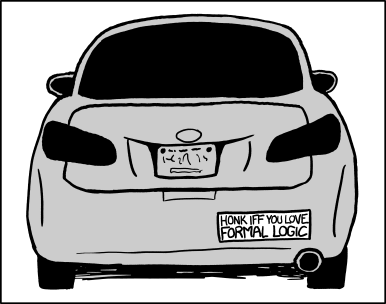
Formal Logic - XKCD 1033 (http://xkcd.com/1033/)
Computers use a special kind of math called boolean logic (it’s also called boolean alegebra).
All you really need to know are the following three boolean operators and six comparators:
&&- AND: True only if left and right values are true.
||- OR: True if either left or right value is true.
!- NOT: Negates a boolean (true becomes false; false becomes true).
-
== - Equals
!=- Does Not Equal
<- Less than.
-
> - Greater than.
-
<= - Less than or equal.
-
>= - Greater than or equal.
Conditions (like if) operate on boolean values (true/false) - the same boolean type that we learned about in Chapter 3.
When used properly, all of the above operators result in a boolean value.
For example:
1 if (age > 120 && skin == Pale && !winkled) {
2 	probablyVampire();
3 }
6.4 Looping
The two simplest ways to loop are the while loop and do/while loop.
The while loop simply repeats until the loop condition becomes false.
1 boolean repeat = true;
2 while (repeat) {
3 	doSomething();
4 	repeat = false;
5 }
The above would call the doSomething() method once.
The loop condition above is repeat.
This is a simple example. Usually the loop condition would be something more complex.
The do loop is like the while loop except that it always goes through at least one time.
For example:
1 boolean repeat = false;
2 do {
3 	doSomething();
4 } while(repeat);
It’s often helpful to increment a number in your loop, for example:
1 int i = 0;
2 while (i < 10) {
3 	doSomething(i);
4 	i++;
5 }
The above loop can be condensed using the for loop:
1 for (int i = 0; i < 10; i++) {
2 	doSomething(i);
3 }
The for loop has an initiation clause, a loop condition, and an increment clause. This style of loop is useful for looping through an array with an index. For example:
1 String[] strArray = {"a", "b", "c"};
2 for (int i = 0; i < strArray.length; i++)
3 	System.out.print(strArray[i]);
This would print “abc”. The above loop is equivalent to:
1 int i = 0;
2 while (i < strArray.length) {
3     String str = strArray[i];
4 	System.out.print(str);
5 	i++;
6 }
In Java, you can write for loops in a more concise way for an array or Collection (List or Set). For example:
1 String[] strArray = {"a", "b", "c"};
2 for (String str : strArray)
3 	System.out.print(str);
This is called a “for each” loop. Note that it uses a colon instead of a semi-colon.
6.5 Summary
In this chapter we learned about the following:
- Using the if statement.
- How to use boolean logic.
- Switch statements.
- Using for, do, and while loops.