13. GUI References
This section contains snapshots of various property windows. Many properties are highlighted with a red rectangle. For those a reference into the according table if given below the snapshot. In most cases the name of the property and the column name are identical. Some have just an additional blank for user readability. However, some properties differ from the column name. In that case the according user readable label is specified in parentheses right after the column name.
13.1 Element
Element related property windows also apply to packages due to the dualism of packages being also elements.
13.1.1 Dockable Properties Window
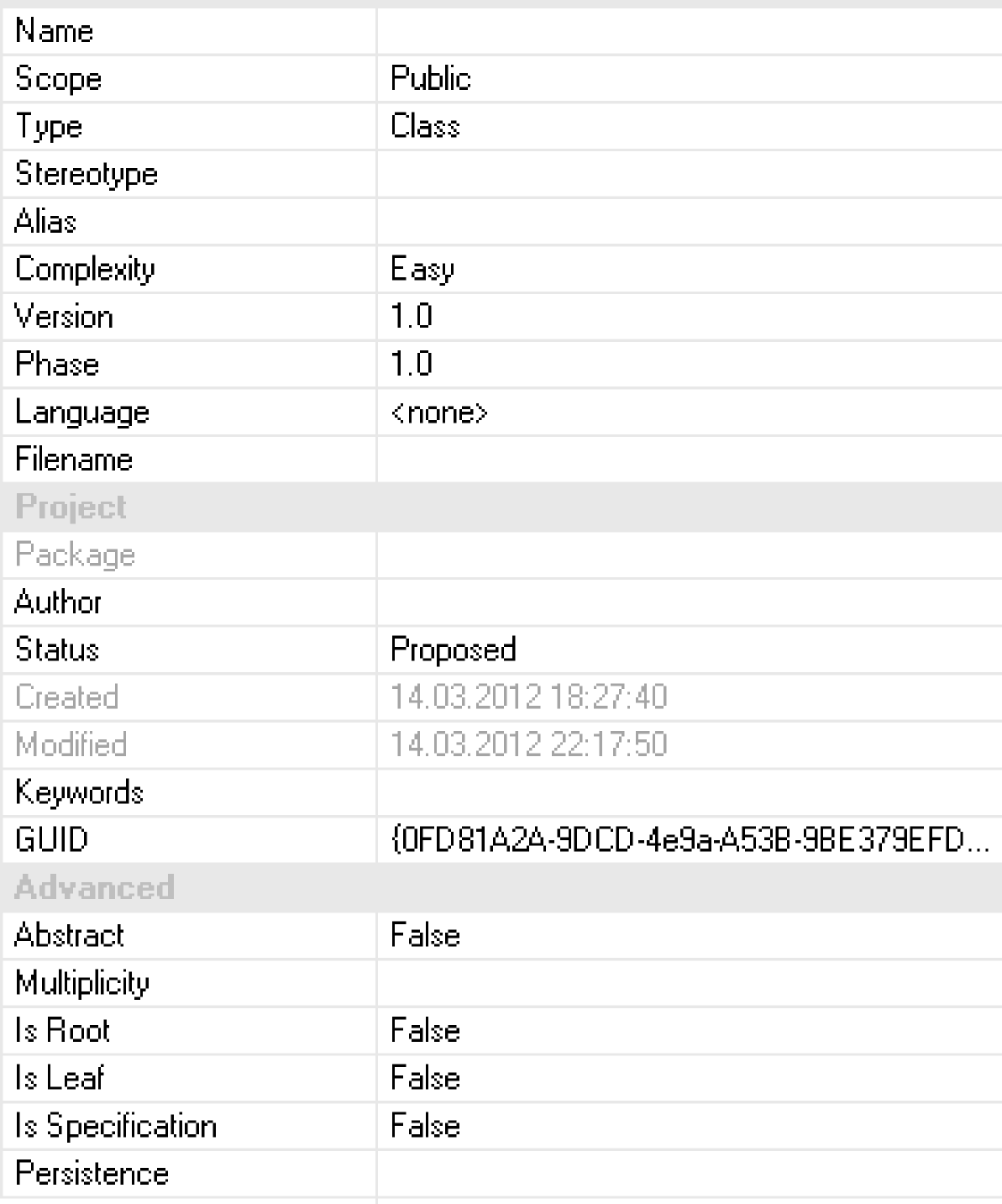
References:
| Label | Column | Label | Column |
|---|---|---|---|
Name |
t_object.Name | Status |
t_object.Status |
| t_package.Name | Created |
t_object.CreatedDate | |
Scope |
t_object.Scope | t_package.CreatedDate | |
Type |
t_object.Object_Type | Modified |
t_object.ModifiedDate |
Stereotype |
t_object.Stereotype | t_package.ModifiedDate | |
Alias |
t_object.Alias | Keywords |
t_object.PDATA5 |
Complexity |
t_object.Complexity | GUID |
t_object.ea_guid |
Version |
t_object.Version | t_package.ea_guid | |
Phase |
t_object.Phase | Abstract |
t_object.Abstract |
Language |
t_object.GenType | Multiplicity |
t_object.Multiplicity |
Filename |
t_object.GenFile |
Is* |
t_object.Is* |
Author |
t_object.Author | Persistence |
t_object.Persistence |
Package |
t_object.Name (Name of parent package) |
13.1.2 General/Main Properties Window
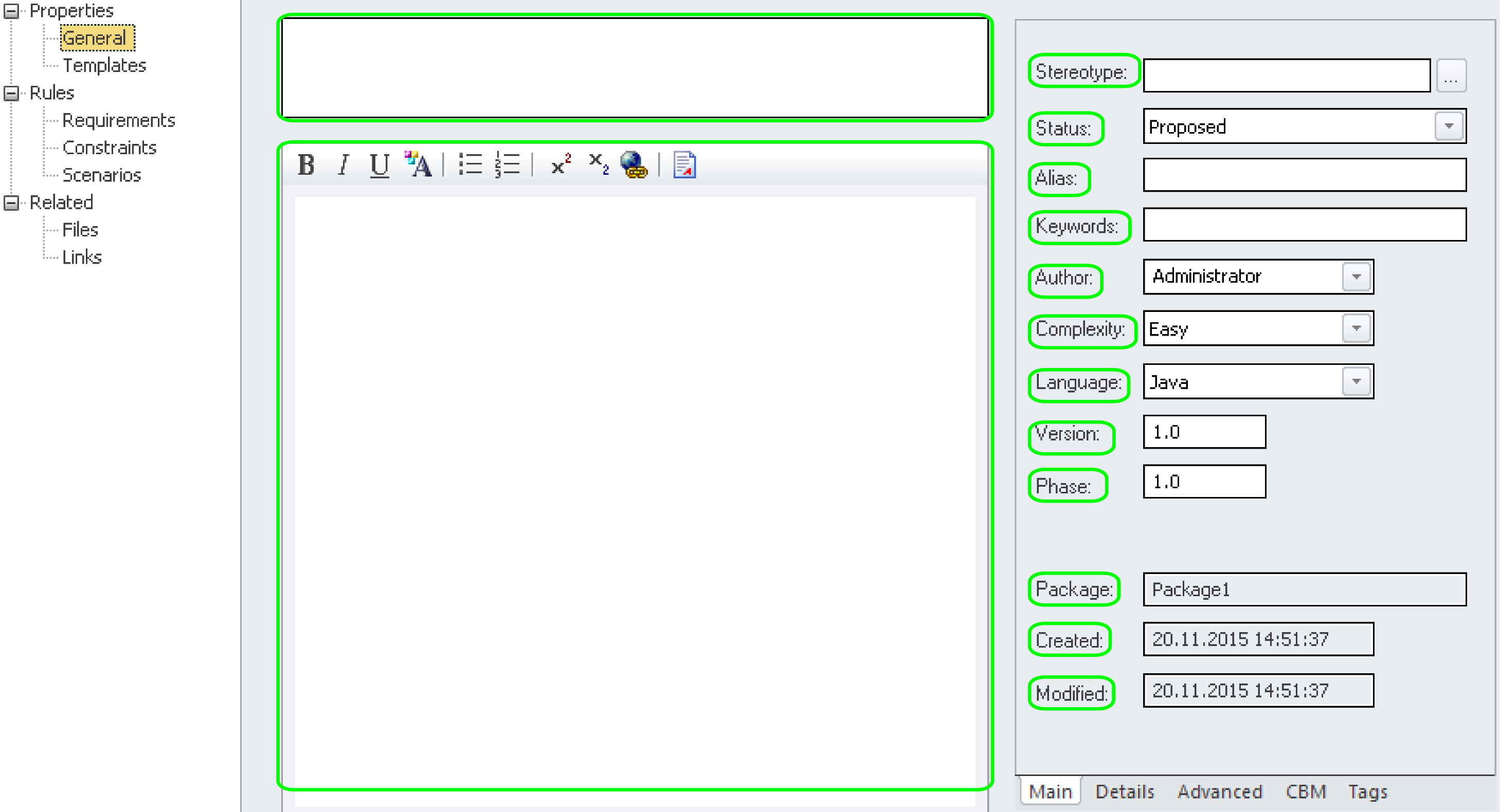
References:
| Label | Column |
|---|---|
Name |
t_object.Name / t_package.Name |
Notes |
t_object.Notes / t_package.Notes |
Version |
t_object.Version / t_package.Version |
Alias |
t_object.Alias |
Author |
t_object.Author |
Version |
t_object.Version |
Stereotype |
t_object.Stereotype |
Keywords |
t_object.PDATA5 |
Complexity |
t_object.Complexity |
Status |
t_object.Status |
GenType |
t_object.GenType |
Phase |
t_object.Phase |
Package |
t_object.Package_ID -> t_package.Name |
Created |
t_object.CreatedDate |
Modified |
t_object.ModifiedDate |
Note that some properties are ambiguous as they appear in both t_object and t_package for package elements.
… omitted …