Running Spock
Ignore Specifications Based On Conditions
We can use the @Ignore and @IgnoreRest annotation in our Spock specifications to not run the annotated specifications or features. With the @IgnoreIf annotation we can specify a condition that needs to evaluate to true to not run the feature or specification. The argument of the annotation is a closure. Inside the closure we can access three extra variables: properties (Java system properties), env (environment variables) and javaVersion.
In the following Spock specification we have a couple of features. Each feature has the @IgnoreIf annotation with different checks. We can use the extra variables, but we can also invoke our own methods in the closure argument for the annotation:
When we run our specification with Java 1.8 and do not set the Java system property spock.ignore.longRunning or we set the value to false and we do not set the environment variable SPOCK_IGNORE_LONG_RUNNING or give it the value false we can see that some features are ignored:

Now we run on Java 1.7, Windows operating system and set the Java system property spock.ignore.longRunning with the value true and the environment variable SPOCK_IGNORE_LONG_RUNNING with the value true. The resulting report shows the specifications that are ignored and those that are executed:

Code written with Spock 0.7-groovy-2.
Original post written on June 20, 2014
Ignoring Other Feature Methods Using @IgnoreRest
To ignore feature methods in our Spock specification we can use the annotation @Ignore. Any feature method or specification with this annotation is not invoked when we run a specification. With the annotation @IgnoreRest we indicate that feature methods that do not have this annotation must be ignored. So any method with the annotation is invoked, but the ones without aren't. This annotation can only be applied to methods and not to a specification class.
In the next example we have a specification with two feature methods that will be executed and one that is ignored:
We can run this specification directly from the command line:
Written with Spock 1.0 and Groovy 2.4.10.
Original post written on April 10, 2017
Only Run Specs Based On Conditions
In a previous blog post we have seen the IgnoreIf extension. There is also a counterpart: the Requires extension. If we apply this extension to a feature method or specification class than the method or whole class is executed when the condition for the @Requires annotation is true. If the condition is false the method or specification is not executed. As a value for the @Requires annotation we must specify a closure. In the closure Spock adds some properties we can use for our conditions:
-
jvmcan be used to check a Java version or compatibility. -
sysreturns the Java system properties. -
envused to access environment variables. -
oscan be used to check for operating system names. -
javaVersionhas the Java version asBigDecimal, eg. 1.8.
In the following example we use the @Requires annotation with different conditions:
If we have the same condition to be applied for all feature methods in a specification we can use the @Requires annotation at the class level:
Written with Spock 1.0-groovy-2.4.
Original post written on September 4, 2015
Including or Excluding Specifications Based On Annotations
One of the lesser known and documented features of Spock if the external Spock configuration file. In this file we can for example specify which specifications to include or exclude from a test run. We can specify a class name (for example a base specification class, like DatabaseSpec) or an annotation. In this post we see how to use annotations to have some specifications run and others not.
The external Spock configuration file is actually a Groovy script file. We must specify a runner method with a closure argument where we configure basically the test runner. To include specification classes or methods with a certain annotation applied to them we configure the include property of the test runner. To exclude a class or method we use the exclude property. Because the configuration file is a Groovy script we can use everything Groovy has to offer, like conditional statements, println statements and more.
Spock looks for a file named SpockConfig.groovy in the classpath of the test execution and in in the USER_HOME/.spock directory. We can also use the Java system property spock.configuration with a file name for the configuration file.
In the following example we first define a simple annotation Remote. This annotation can be applied to a class or method:
We write a simple Spock specification where we apply the Remote annotation to one of the methods:
Next we create a Spock configuration file:
When we run the WordRepositorySpec and our configuration file is on the classpath only the specifications with the @Remote annotation are executed. Let's apply this in a simple Gradle build file. In this case we save the configuration file as src/test/resources/RemoteSpockConfig.groovy, we create a new test task remoteTest and set the Java system property spock.configuration:
Now when we execute the Gradle test task all specifications are executed:
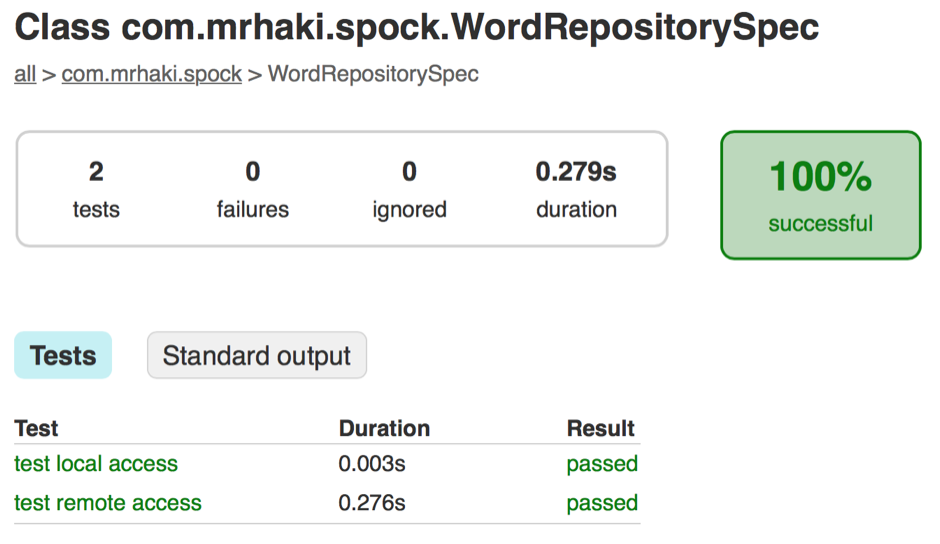
And when we run remoteTest only the specification with the @Remote annotation are executed:
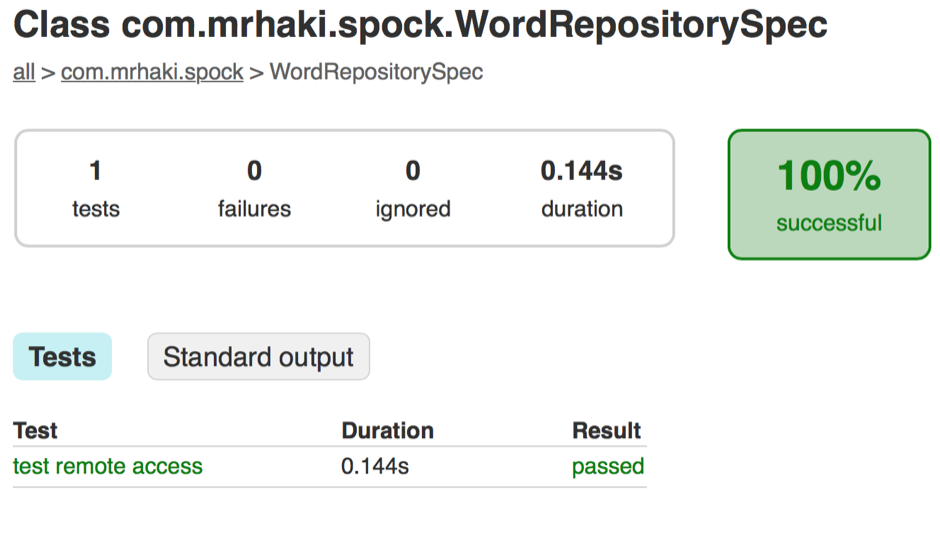
Written with Gradle 2.6 and Spock 1.0-groovy-2.4.
The code is available on Github
Original post written on August 27, 2015
Optimize Run Order Test Methods
Spock is able to change the execution order of test methods in a specification. We can tell Spock to re-run failing methods before successful methods. And if we have multiple failing or successful tests, than first run the fastest methods, followed by the slower methods. This way when we re-run the specification we immediately see the failing methods and could stop the execution and fix the errors. We must set the property optimizeRunOrder in the runner configuration of the Spock configuration file. A Spock configuration file with the name SpockConfig.groovy can be placed in the classpath of our test execution or in our USER_HOME/.spock directory. We can also use the Java system property spock.configuration and assign the filename of our Spock configuration file.
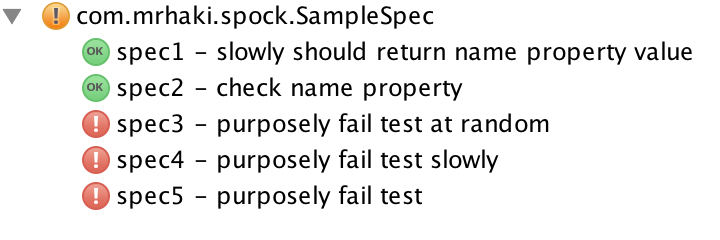
In the following example we have a specification with different methods that can be successful or fail and have different durations when executed:
Let's run our test where there is no optimised run order. We see the methods are executed as defined in the specification:
Next we create a Spock configuration file with the following contents:
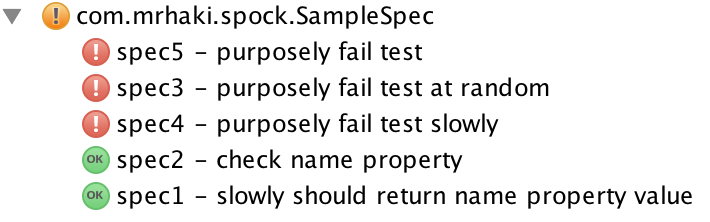
If we re-run our specification and have this file in the classpath we already see the order of the methods has changed. The failing tests are at the top and the successful tests are at the bottom. The slowest test method is last:
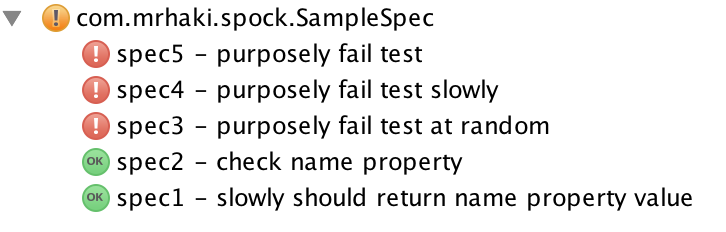
Another re-run has optimised the order by running the slowest failing test after the other failing tests.
Spock keeps track of the failing and successful methods and their execution time in a file with the specification name in the USER_HOME/.spock/RunHistory directory. To reset the information we must delete the file from this directory.
Written with Spock 1.0-groovy-2.4.
Original post written on August 28, 2015