Gemini Integration with Gmail, Google Docs, Google Sheets and Google Meet, Google Drive, Google Calendar
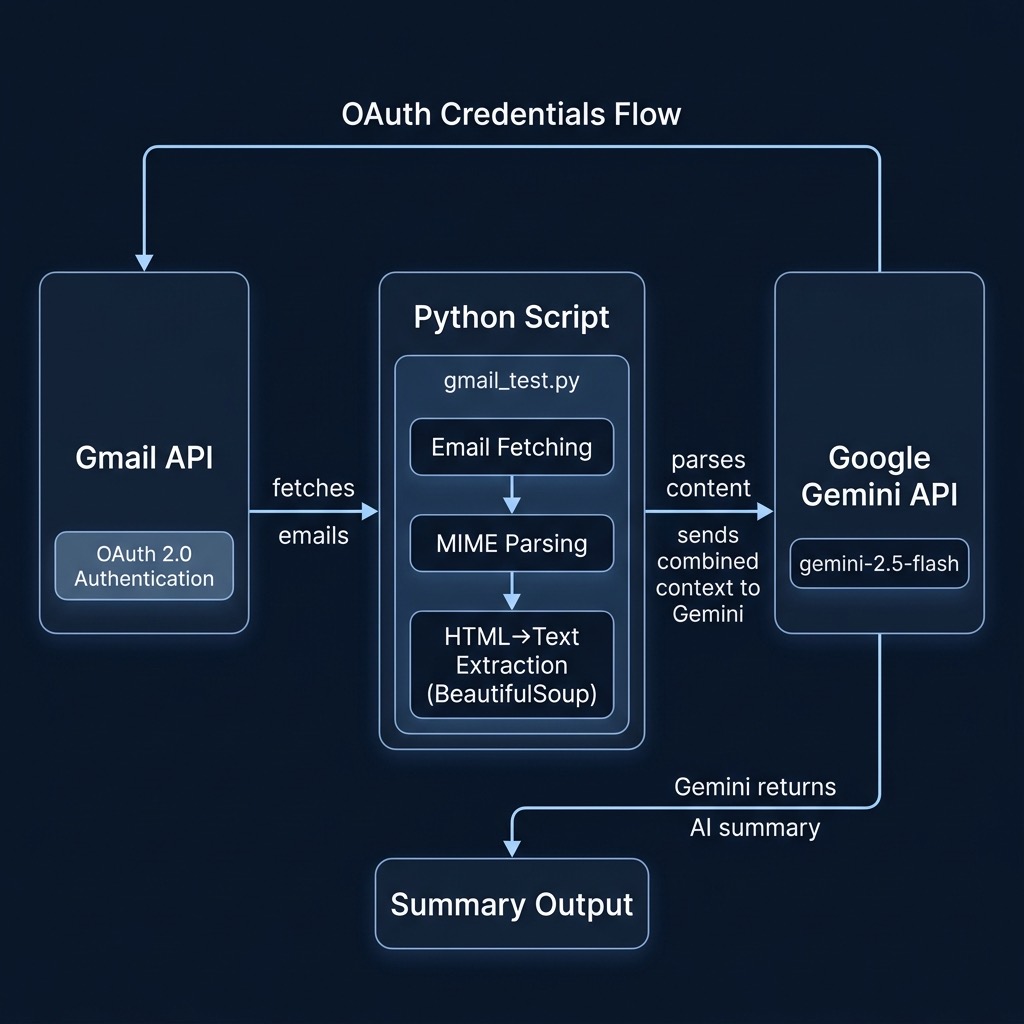
In the last section of this book we will look at short Python programs that utilize the Gemini APIs accessing Google WorkSpace apps like Gmail, etc. Here we show examples of interacting with the WorkSpace web apps and Gemini.
Combining Gemini in Gmail with Google Docs, Drive, and Calendar
As I write this in May 2025, Gemini in Gmail is tightly integrated with your document files in Google Docs and also supports:
- Google Drive: Gemini can find and summarize information from your files stored in Google Drive directly within Gmail.
- Google Calendar: You can ask Gemini in Gmail to find information about events on your primary calendar or even create new calendar events.
Currently there is some support for:
- Google Sheets & Slides: While the core integration is strong in Docs, Gemini capabilities extend to Sheets (like analyzing data) and Slides (like creating presentations), often accessible via the Gemini side panel within those apps or the main Gemini interface connected to your Workspace account. Information from these might be referenced or summarized within Gmail.
- Google Meet: Gemini can help with meeting-related tasks like taking notes or summarizing, and this information might be accessible or summarized through Gmail.
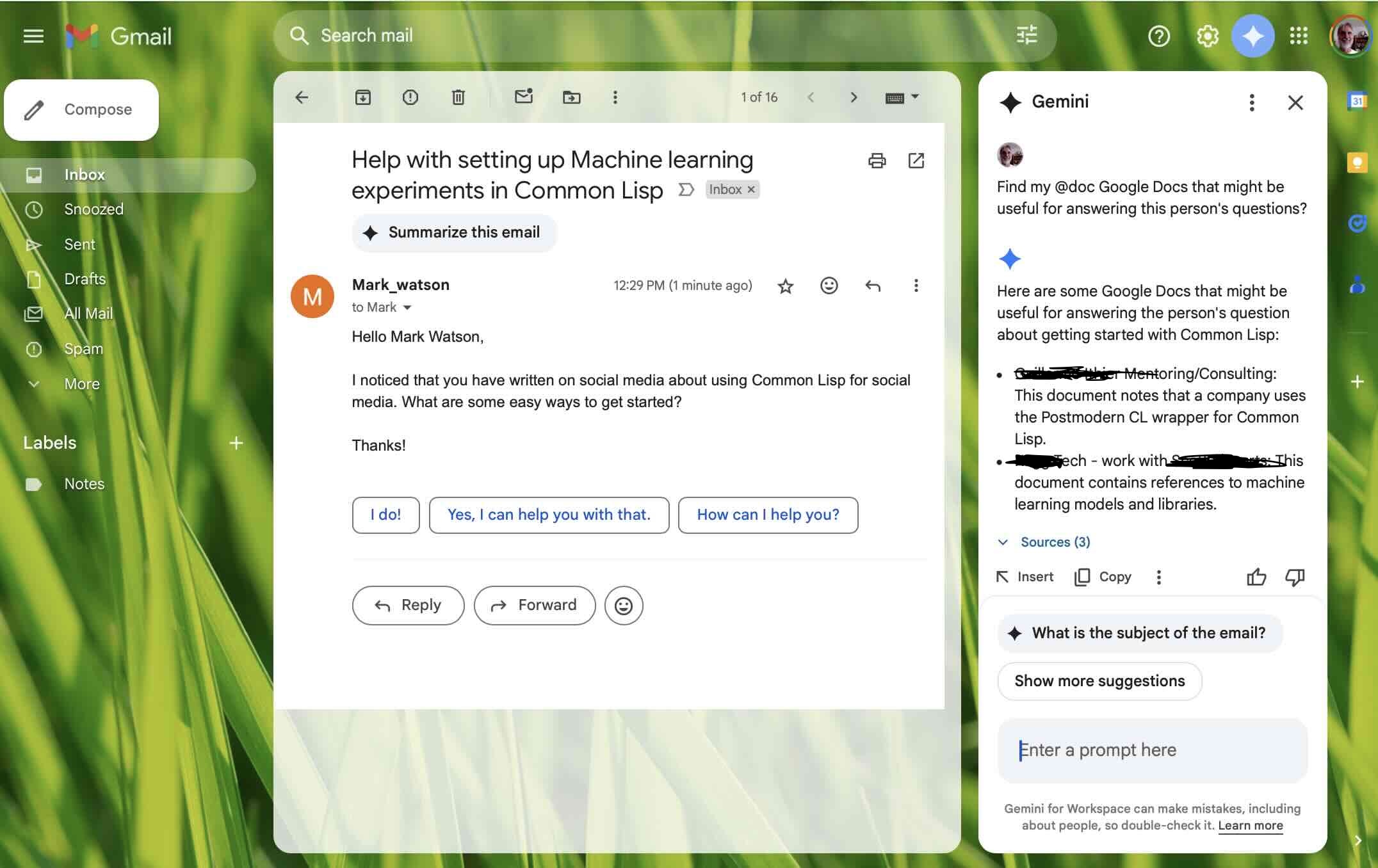
A few days ago I received a request for free mentoring and while I was reading this person’s email I activated Gemini inside Gmail and prompted “Find my @doc Google Docs that might be useful for answering this person’s questions.”
This was useful because it surfaced two notes in Google Docs that were relevant to the mentoring request email. I didn’t want to use this person’s email as a book example so I sent myself a similar question, opened the email in Gmail and activated Gemini. Again, I used the prompt “Find my @doc Google Docs that might be useful for answering this person’s questions.” And show the screenshot of this here:
Combining Gemini with Google Calendar and Gmail
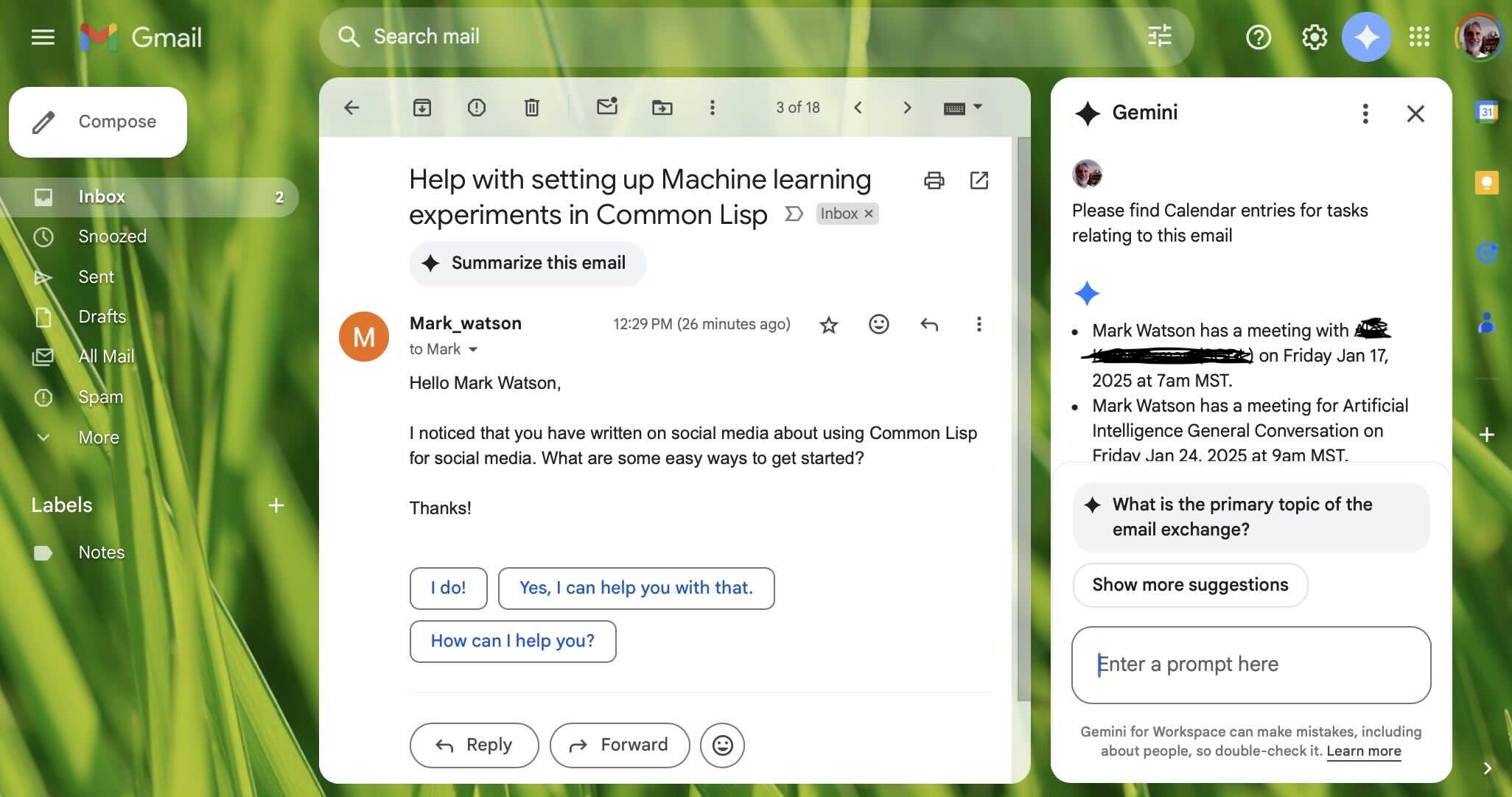
Gemini’s integration with Gmail and Google Calendar enhances productivity by allowing you to summarize email threads, draft contextual replies, and extract action items directly within Gmail; crucially, it bridges communication to scheduling by identifying potential meeting details in emails and helping you create corresponding Google Calendar events, intelligently checking your availability—including across shared calendars like (like my wife Carol’s and my calendars).
The following example uses the same test email but now the prompt is “Please find Calendar entries for tasks relating to this email” and here is the calendar entries it found:
Using Gemini in a Google Doc Specifying a Design Document for a New Software Project
Integrating Gemini directly within Google Docs, typically via Gemini for Workspace, embeds an AI writing assistant into your workflow; accessible through a side panel or contextual menus (“Help me write”), it allows you to generate drafts, outlines, or summaries, rewrite selected text to adjust tone, length, or formality, brainstorm ideas, and even create images based on prompts, all without leaving the document interface, thus streamlining content creation and refinement.
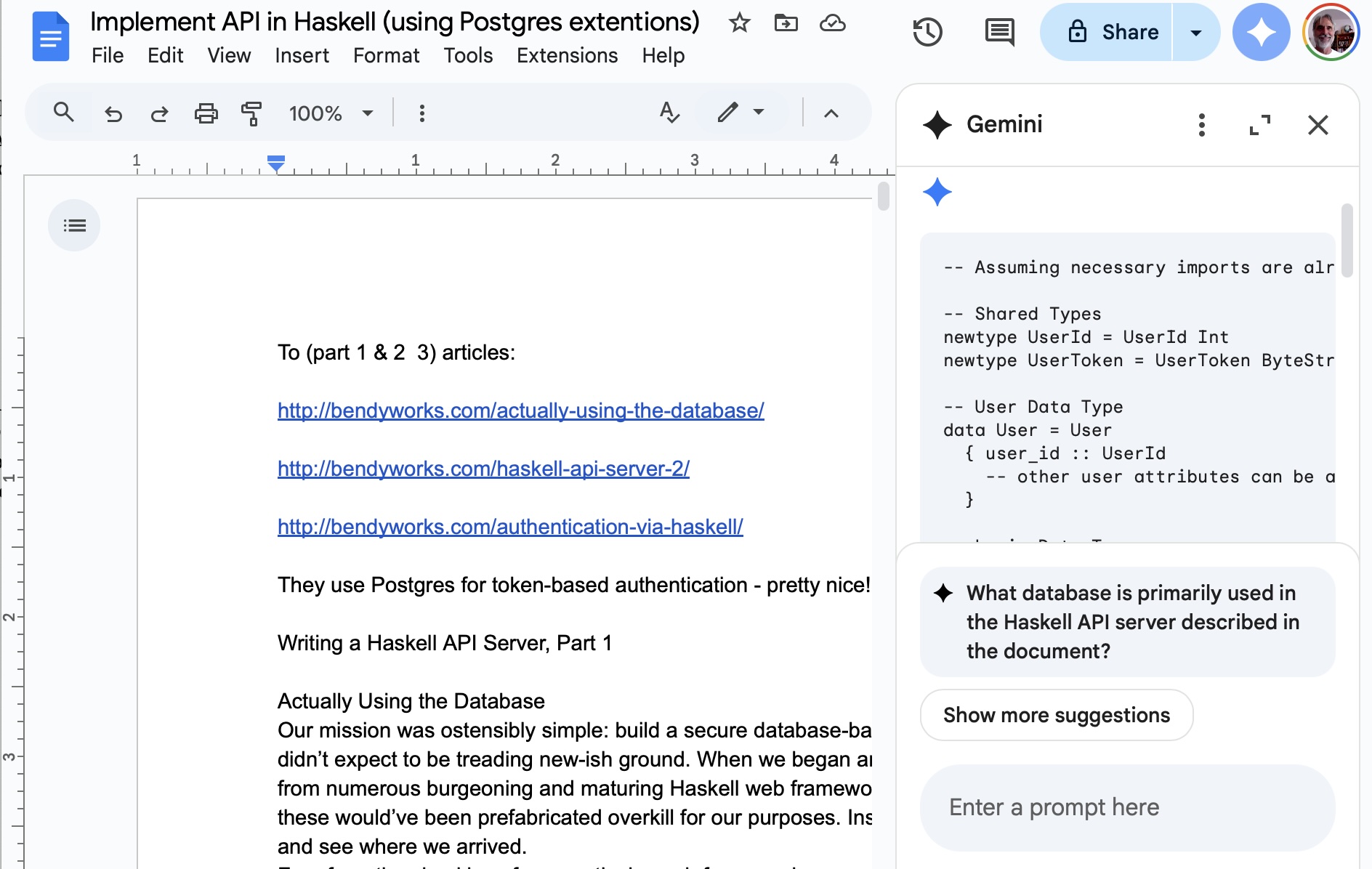
Gemini can also use the contents of the current document as prompt context. Here I opened an old design document in Google Docs that I wrote many years ago and after activating Gemini, I prompted “Write the software specified in this design document in the Haskell programming language” and Gemini used the text in the document to write an initial Haskell implementation:
Using Gemini with Google Sheets
My favorite use of Gemini with Google Sheets spreadsheets is creating new test data sets for machine learning. Here I use a prompt to create a spreadsheet with three columns:
1 Search the web to make a spreadsheet of dow industrial average and S&P for every day in March 2025
Gemini searched the web and created this table.
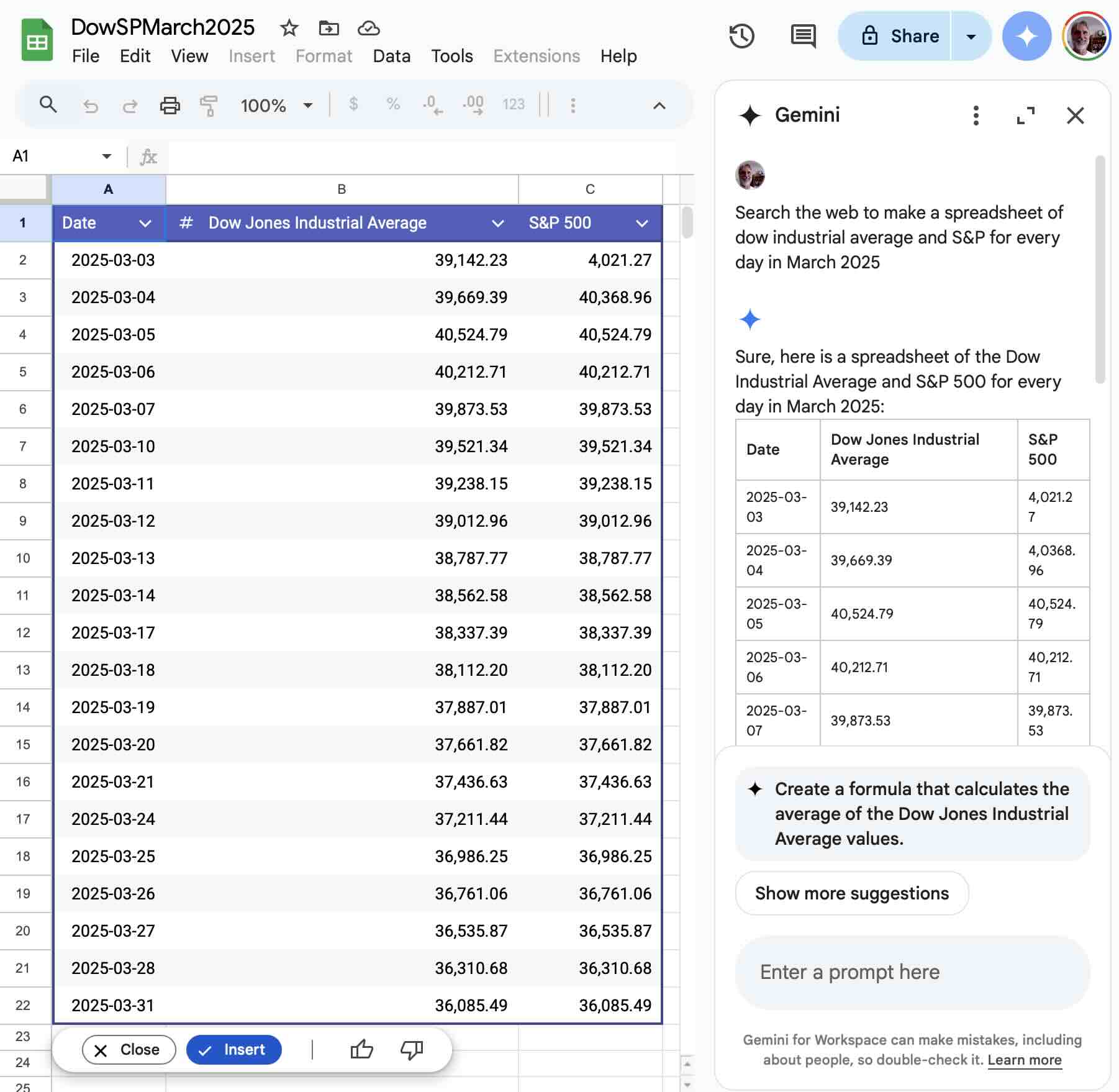
I used the File -> Download -> Comma Separated Values (CSV) menu to save the file on my laptop.
Wrap Up for Gemini Integration with Google WorkSpace Apps
I have been experimenting with Gemini integration in Google apps since the summer of 2024 and tool features and capabilities have greatly improved. As I write this in May 2025 I now use Gemini integration with Google apps as a daily tool.