3 Exploring the Core Data Stack
Earlier in this book, we learned what Core Data is and isn’t. In this chapter, we zoom in on the building blocks of the Core Data framework.
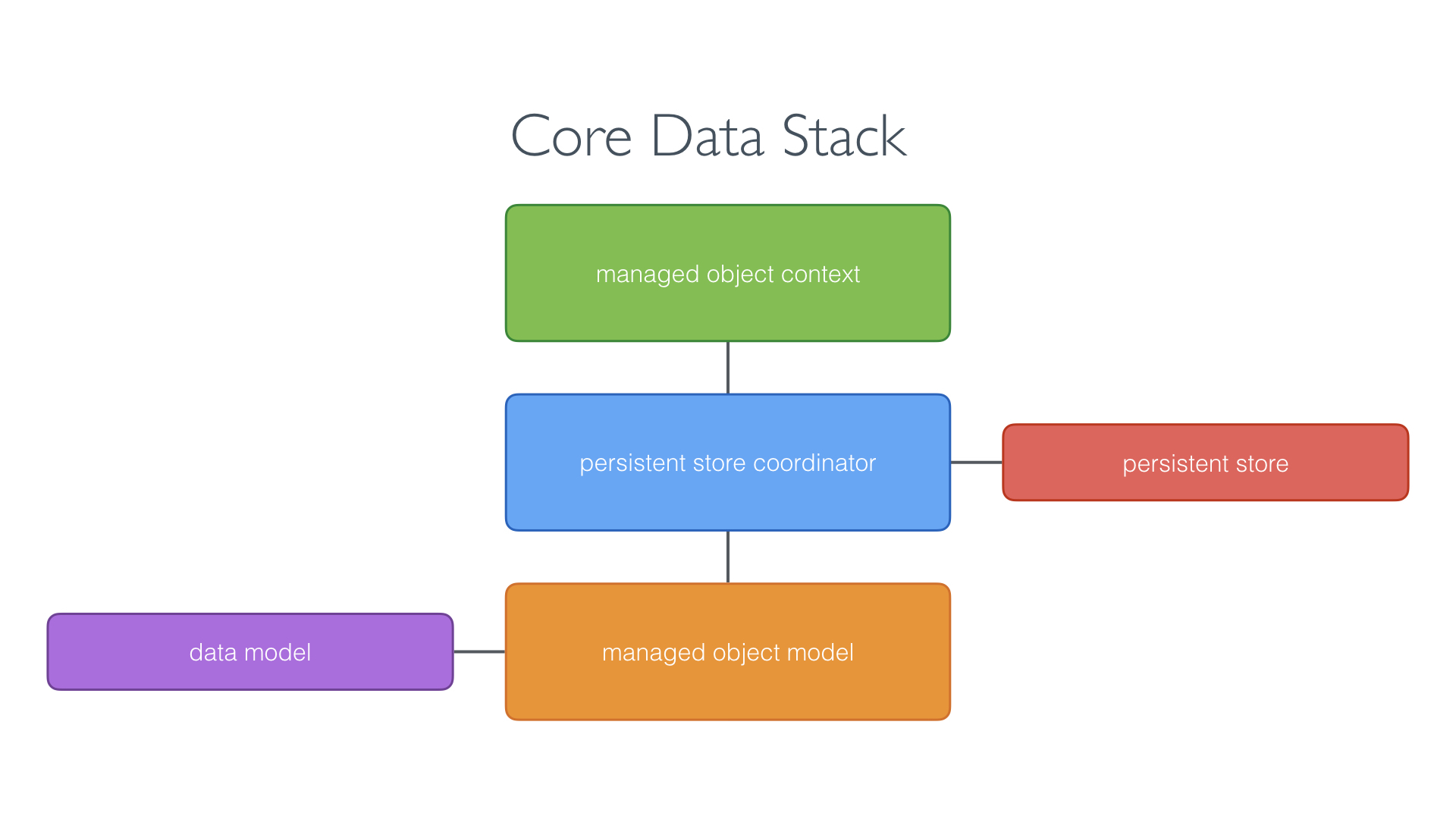
As I mentioned earlier, it’s key that you understand how the various classes that make Core Data tick play together. The star players of the Core Data framework are:
- the managed object model
- the managed object context
- the persistent store coordinator
This diagram shows how these classes relate to one another. We’ll use this diagram as a guideline in this chapter.
Managed Object Model
The managed object model is an instance of the NSManagedObjectModel class. A typical Core Data application has one instance of the NSManagedObjectModel class, but it’s possible to have multiple. The NSManagedObjectModel instance represents the data model of the Core Data application.
This diagram shows that the managed object model is connected to the data model. The data model is represented by a file in the application bundle that contains the data schema of the application. This is something we revisit later in this book when we start working with Core Data.
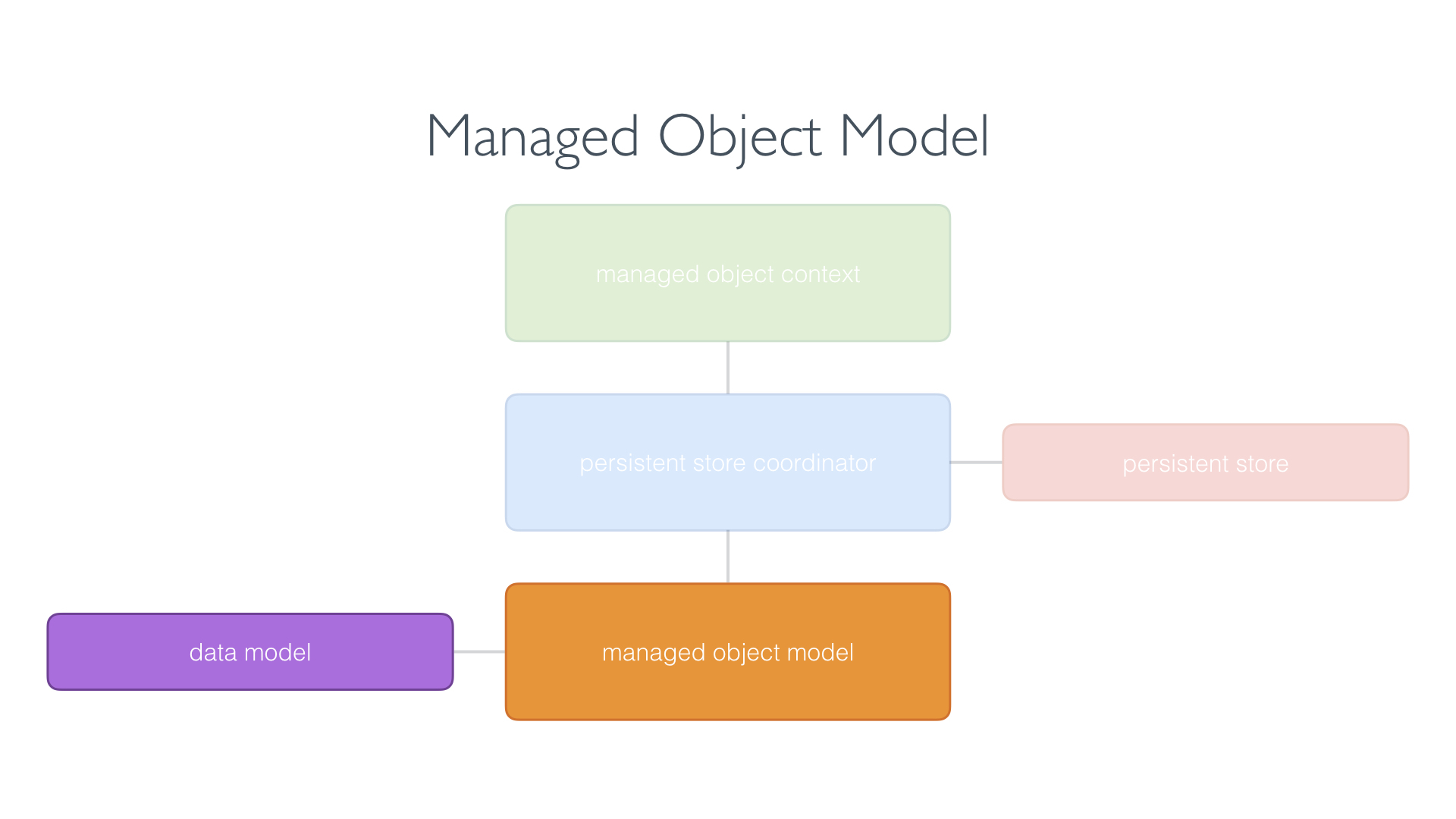
The data model is represented by a file in the application bundle that contains the data schema of the application. The data schema is nothing more than a collection of entities. An entity can have attributes and relationships, which make up the data model of the application.
We explore the data model in more detail later. For now, remember that the managed object model is an instance of the NSManagedObjectModel class and represents the data model of the Core Data application.
Managed Object Context
A managed object context is represented by an instance of the NSManagedObjectContext class. A Core Data application has one or more managed object contexts. Each managed object context manages a collection of model objects, instances of the NSManagedObject class.
The managed object context receives the model objects through a persistent store coordinator as you can see in this diagram. A managed object context keeps a reference to the persistent store coordinator of the application.
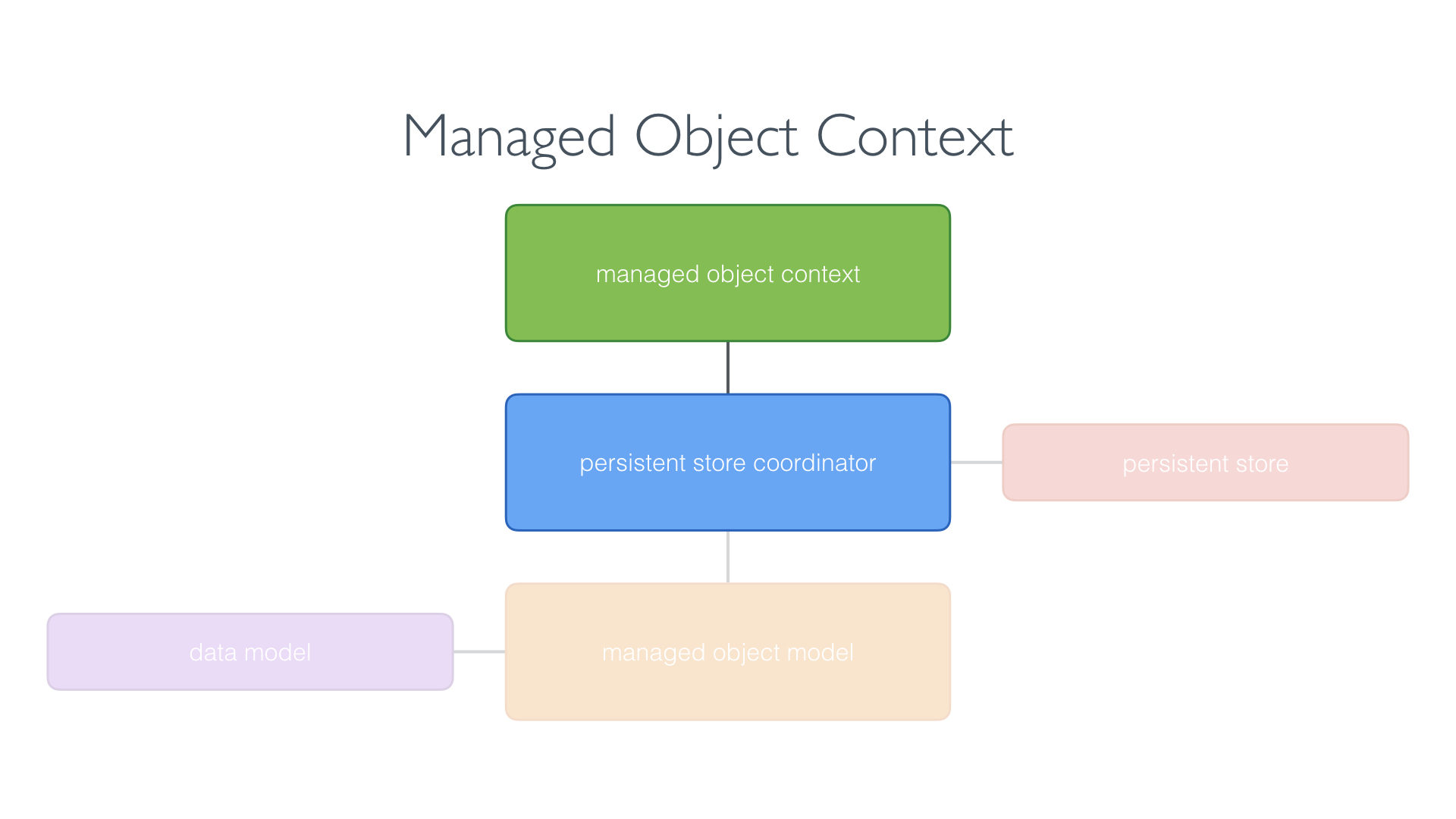
The managed object context is the object you interact with most. It creates, reads, updates, and deletes model objects. From a developer’s perspective, the NSManagedObjectContext class is the workhorse of the Core Data framework.
Persistent Store Coordinator
The persistent store coordinator is represented by an instance of the NSPersistentStoreCoordinator class and it plays a key role in every Core Data application.
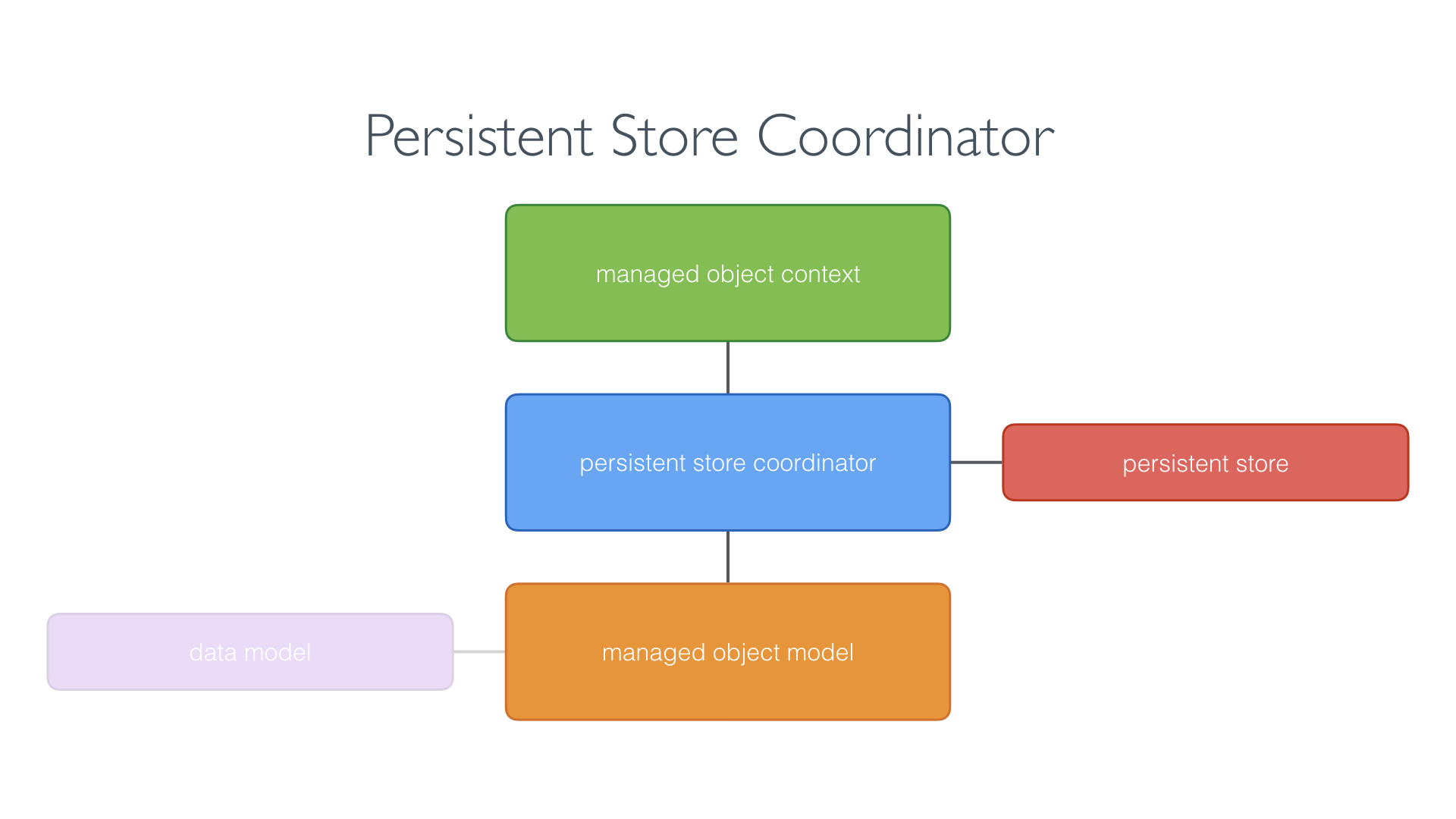
While it’s possible to have multiple persistent store coordinators, most applications have only one. Very, very rarely is there a need to have multiple persistent store coordinators in an application.
The persistent store coordinator keeps a reference to the managed object model and every parent managed object context keeps a reference to the persistent store coordinator.
But wait … what’s a parent managed object context? Later in this book, we take a closer look at parent and child managed object contexts. Don’t worry about this for now.
The above diagram also tells us that the persistent store coordinator is connected to one or more persistent stores. What’s a persistent store?
Remember that Core Data manages an object graph. The framework is only useful if the persistent store coordinator is connected to one or more persistent stores.
Out of the box, Core Data supports three persistent store types:
- a SQLite database
- a binary store
- an in-memory store
Each persistent store type has its pros and cons. Most applications use a SQLite database as their persistent store. As we saw in the previous chapter, SQLite is lightweight and very fast. It’s great for mobile and desktop applications.
Now that we know what the Core Data stack consists of, it’s time to explore how it operates in an application.
How Does Core Data Work
The heart of the Core Data stack is the persistent store coordinator. The persistent store coordinator is instantiated first when the Core Data stack is created.
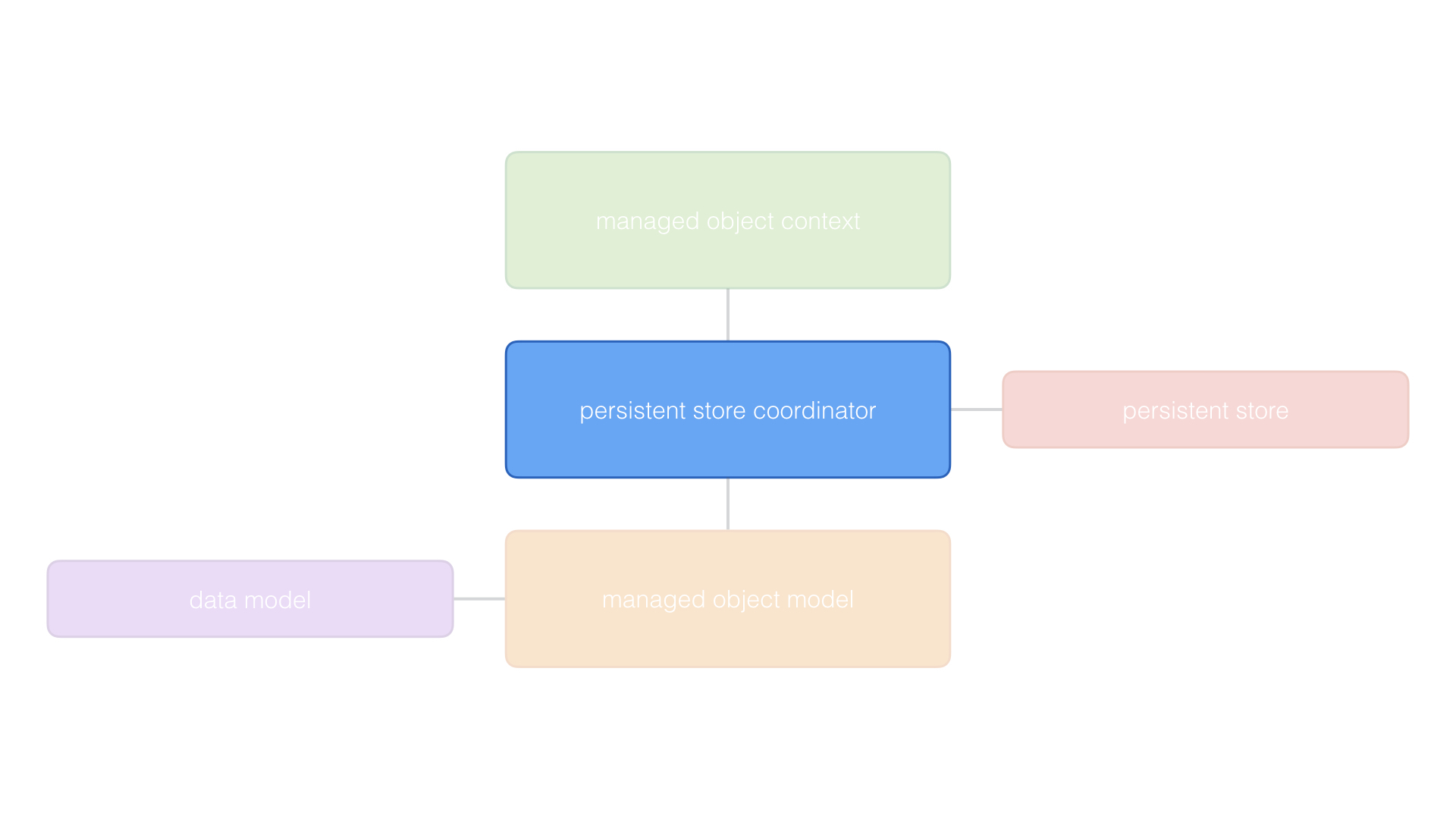
But to create the persistent store coordinator, we need a managed object model. Why is that? The persistent store coordinator needs to know what the data schema of the application looks like.
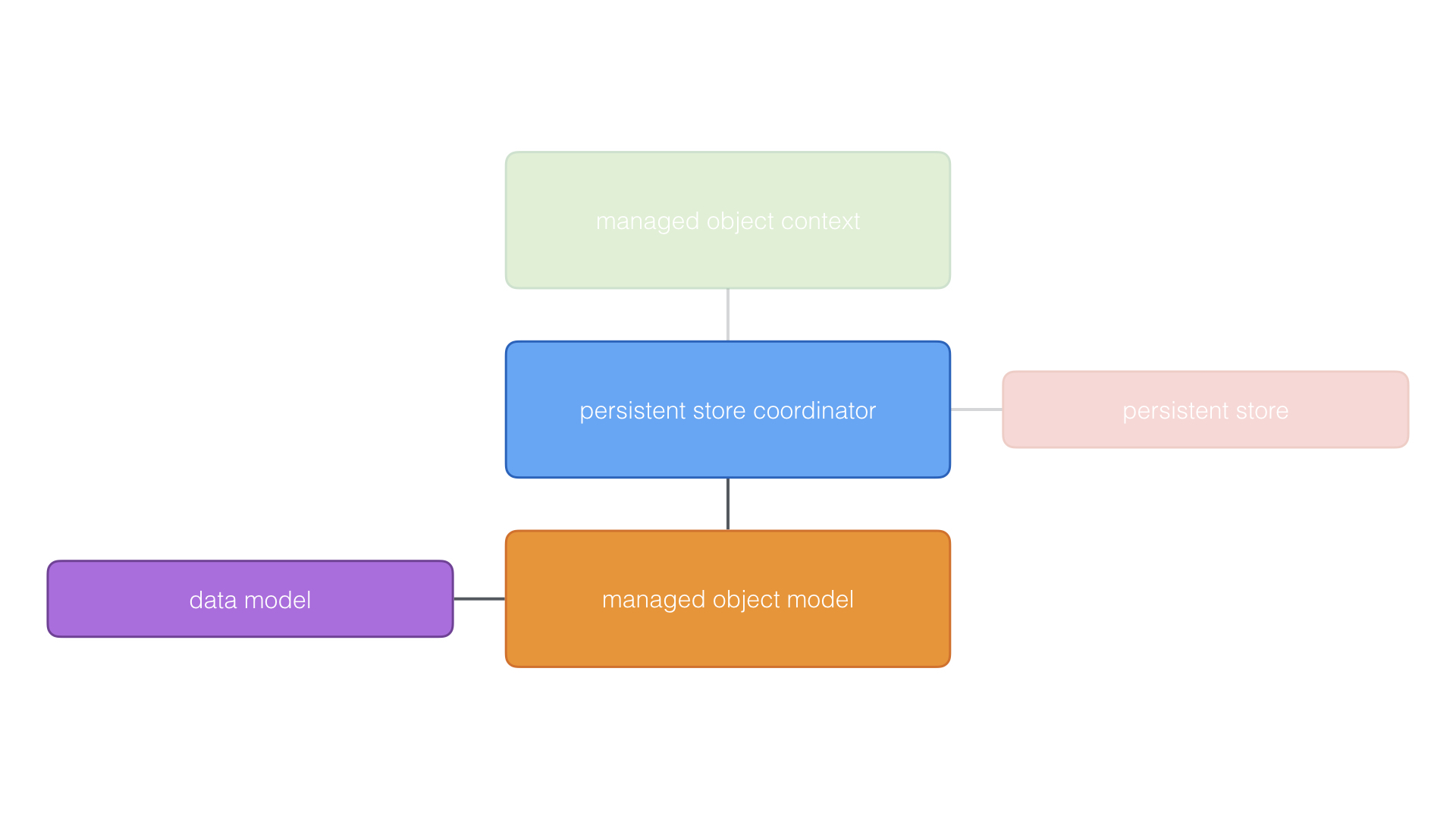
After setting up the persistent store coordinator and the managed object model, the workhorse of the Core Data stack is initialized, the managed object context. Remember that a managed object context keeps a reference to the persistent store coordinator.
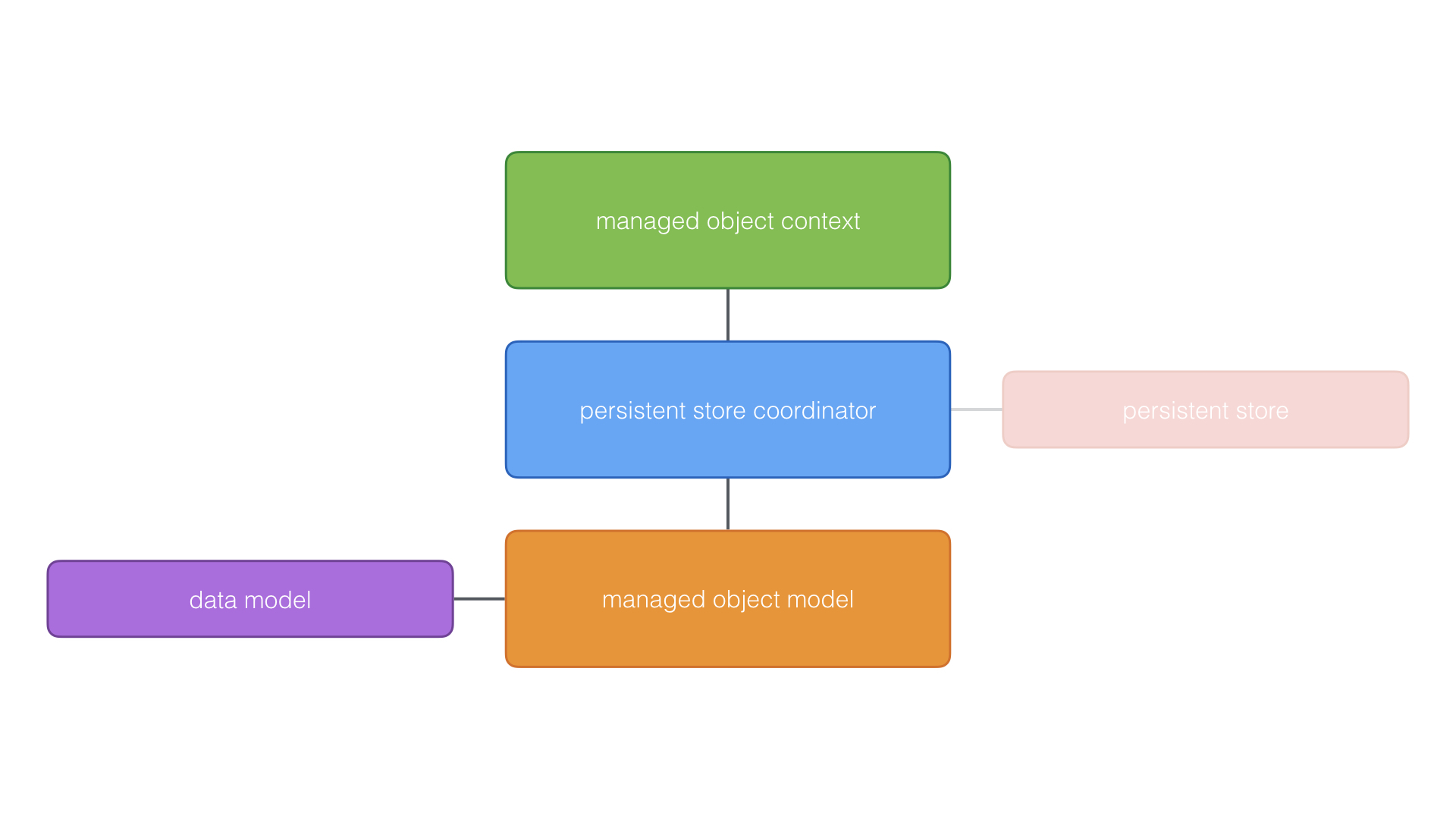
With the Core Data stack set up, the application is ready to use Core Data to interact with the application’s persistent store. In most cases, your application interacts with the persistent store coordinator through the managed object context.
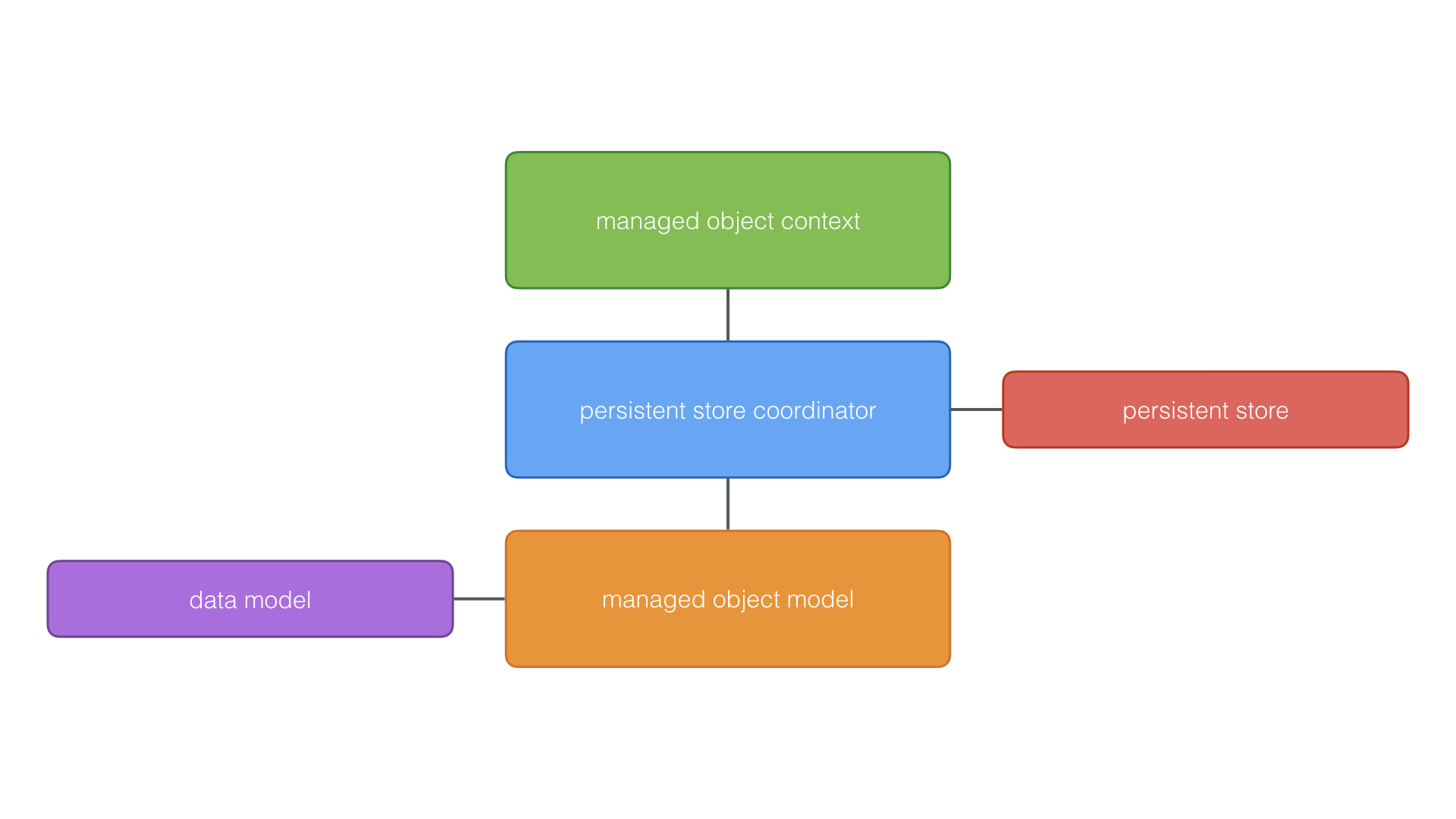
You will rarely, if ever, directly interact with the persistent store coordinator or the managed object model. As I mentioned earlier, the NSManagedObjectContext class is the class you interact with most frequently.
The managed object context is used to create, read, update, and delete records. When the changes made in the managed object context are saved, the managed object context pushes them to the persistent store coordinator, which sends the changes to the corresponding persistent store.
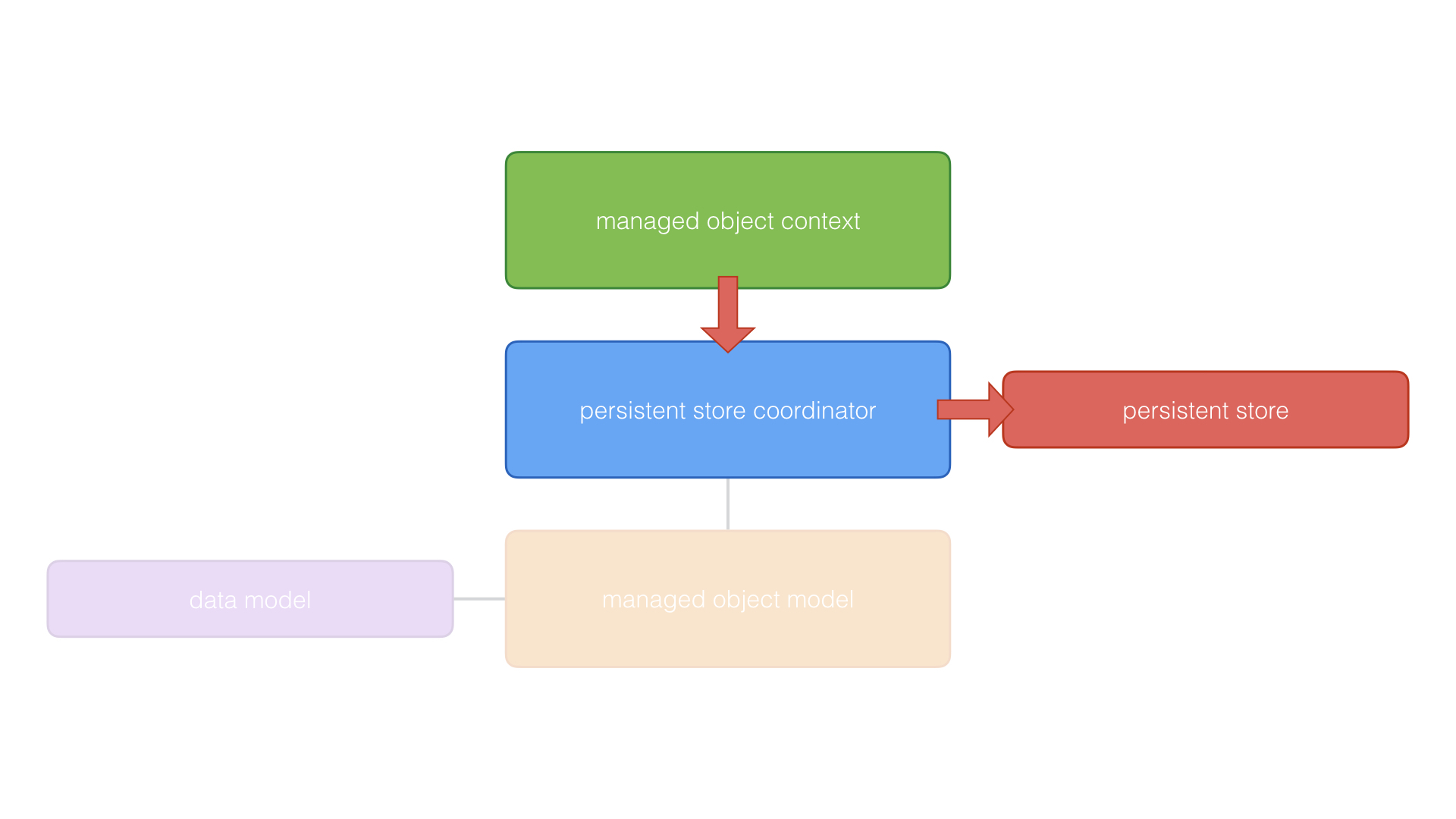
If your application has multiple persistent stores, the persistent store coordinator figures out which persistent store needs to store the changes of the managed object context.
Now that you know what Core Data is and how the Core Data stack is set up, it’s time to write some code. In the next chapters, we create a Core Data stack and explore the classes we discussed in this chapter.