2 Building Notes
Notes is a simple application for iOS that manages a list of notes. You can add notes, update notes, and delete notes.
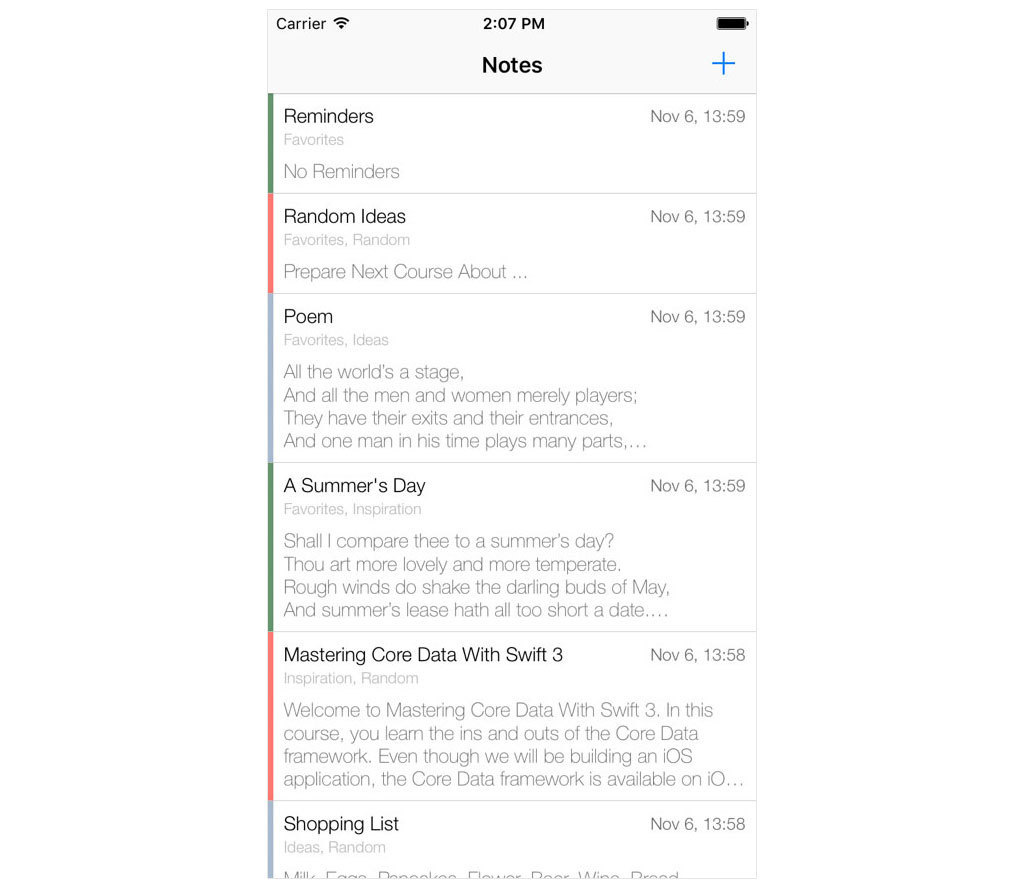
Users can also take advantage of categories to organize their notes. A user can add, update, and delete categories. Each category has a color to make it easier to see what category a note belongs to. A note can belong to one category and a category can have multiple notes.
A note has zero or more tags. The tags of a note are listed below the title of the note. Adding, updating, and removing tags is pretty straightforward.
The user’s notes are sorted by last modified date. The most recently modified note appears at the top of the table view.
Even though Notes is a simple application, it’s ideal for learning the ropes of the Core Data framework. The data model contains the ingredients of a typical Core Data application with one-to-many and many-to-many relationships.
In this book, we primarily focus on the aspects that relate to Core Data. We won’t focus on building the user interface unless it’s necessary to explain a concept of the Core Data framework. That is Notes in a nutshell.
In the next chapter, we start our journey by exploring the Core Data stack, the heart of every Core Data application.