Chapter 2: The Scene Graph and Framework Structure
This chapter introduces the core architecture of our game framework: the scene graph, a parent-child structure of nodes that organizes the game world and its transforms. You will implement the Engine, SceneNode, Node, Node2D, and Sprite types, and you will connect them to Ebitengine’s draw pipeline so the scene graph turns into pixels on screen.
In this chapter, we will cover the following topics:
- How a scene graph models parent-child relationships in a 2D game
- How local transforms become world transforms through hierarchy traversal
- How to map our custom transform data to
ebiten.GeoM - How the
EngineandWorldtypes traverse the graph and submit draw calls - How to structure a small but extensible framework in Go packages (including
internal/core) - How to build a rotating sprite example on top of the framework
Technical requirements
To follow this chapter, you need:
- Go
1.24.0 - Ebitengine
v2.9.x - The embedded
golang_icon.pngasset inch02/assets
Why a Scene Graph?
In Chapter 1, we drew a single image directly to the screen. Real games have hundreds of objects: characters, enemies, projectiles, UI elements. Managing each one separately quickly becomes unmanageable. A scene graph solves this by organizing everything as a graph of parent and child nodes: each node has a parent and can have children. Transforms (position, rotation, scale) are relative to the parent. Move a parent, and all its children move with it, just like a skeleton: move the torso, and the arms follow.
This pattern is used by Godot, Unity, and many other engines. Our framework follows the same idea.
Before we build the scene graph, we need a type for positions and directions in 2D space. That leads us to vectors and a bit of 2D math.
Vector2D: 2D Coordinates and a Bit of Vector Math
In 2D games, every object has a position (where it is) and often a direction (where it faces or moves). Both can be represented with a 2D vector: a pair of numbers (x, y). The same structure serves as:
- Point/position: “the sprite is at (100, 200) pixels”
- Direction/offset: “move 3 units right and 2 units up”
- Delta/velocity: “the bullet moves 5 pixels per frame along (1, 0)”
Some 2D Vector Math
| Operation | Formula | Use case |
|---|---|---|
| Addition | (x1,y1) + (x2,y2) = (x1+x2, y1+y2) | Position + movement, translate by offset |
| Scalar mult. | k * (x,y) = (kx, ky) | Scaling, speed, “move N units in direction D” |
| Magnitude | ‖v‖ = sqrt(xx + yy) | Distance, collision radii |
| Normalization | v_unit = v / ‖v‖ (if ‖v‖ > 0) | Unit vector (length 1) in same direction |
| Rotation | x_new = xcos(theta) - ysin(theta) | Rotate vector by angle theta around origin |
| y_new = xsin(theta) + ycos(theta) | (used when combining transforms) |
Addition: move by one vector, then another, the result is the combined displacement.
Scalar multiplication: stretch or shrink a vector. Multiply both components by k.
Magnitude: the distance from the origin. Used for distances, collision radii, and normalization.
Normalization: divide the vector by its length to get a unit vector (length 1) in the same direction.
Rotation: the 2D rotation matrix. Given angle theta (in radians), the new coordinates are computed as in the table. This rotates the vector around the origin; we use it when combining transforms (e.g. parent rotation × child position).
Our framework uses these ideas through a simple Vector2D type. In this project, vectors describe values in world space (and later, screen space once you add a camera), both expressed as float64 so they map cleanly to Ebitengine’s transform API. Even if your sprites are aligned to pixels most of the time, using floating-point vectors keeps rotation, interpolation, and camera movement smooth as the framework grows.
The table above is a reference for the vector operations you will use in almost every 2D game. The Chapter 2 source in vector2d.go is intentionally small: it gives you constructors, component access, and RotateVector, because transform hierarchy already needs rotation of offsets inside Transform.Concat. You can add helpers later (Add, Sub, Mul, length, normalization, dot product) without changing the scene graph design, keep the API consistent and prefer methods that return new values when you want immutable-style call chains.
Where to put framework code (internal and core packages)
The first file you add for this chapter belongs at ch02/internal/core/vector2d.go. Under your module root (ch02/), create the directories internal/ and internal/core/, then add vector2d.go with package core as the first line (after imports). Every other framework type in this chapter lives in that same package path with the same package core declaration.
Why internal/?, In Go, the folder name internal is special. Packages whose import path contains /internal/ can be imported only by code inside the tree rooted at the parent of that internal directory. Here, only packages under ch02 may import book/ch02/internal/.... Another module or a standalone tool cannot import your scene graph by accident. Exported names (Node, World, and so on) remain available to your game package in this module; internal blocks external importers.
Why core/?, All foundational types for this chapter (Vector2D, Node, World, Engine, and the rest) live in one package named core. Files at the module root (game.go, run.go) use package game: they connect Ebitengine, load assets, and build the demo. That split keeps responsibilities clear: open internal/core for reusable engine mechanics; open game.go for the sample’s Update / Draw glue. Later chapters can add sibling packages under internal/ without crowding a single directory.
Tip: The inner folder could be named
scenegraphorengineinstead ofcore. The book usescorefor “shared foundation of the game.” The part that matters most for tooling and readers isinternal.
The concrete code starts with Vector2D; you will use it everywhere for positions, pivots, scales, and movement.
 1 // File: ch02/internal/core/vector2d.go
 2 type Vector2D struct {
 3     x, y float64
 4 }
 5
 6 func NewVector2D(x, y float64) Vector2D       { return Vector2D{x: x, y: y} }
 7 func ZeroVector2D() Vector2D                  { return Vector2D{0, 0} }
 8
 9 func (v Vector2D) X() float64                  { return v.x }
10 func (v Vector2D) Y() float64                  { return v.y }
11 func (v *Vector2D) SetX(x float64)            { v.x = x }
12 func (v *Vector2D) SetY(y float64)             { v.y = y }
13 func (v *Vector2D) SetPosition(other Vector2D) { v.x, v.y = other.x, other.y }
NewVector2D and ZeroVector2D create vectors. The getters and setters read or write the components. SetPosition copies another vector’s coordinates.
1 // File: ch02/internal/core/vector2d.go
2 func (v Vector2D) RotateVector(radians float64) Vector2D {
3     s, c := math.Sin(radians), math.Cos(radians)
4     return Vector2D{v.x*c - v.y*s, v.x*s + v.y*c}
5 }
Rotation returns a new vector rotated by the given angle (in radians). It implements the 2D rotation formula above. We use it when combining transforms, e.g. rotating the child’s position by the parent’s rotation.
With Vector2D in place, we can build the scene graph nodes and their transforms.
The SceneNode Interface
 1 // File: ch02/internal/core/scenenode.go
 2 type SceneNode interface {
 3     GetID() uint64
 4     GetName() string
 5     AddChildren(child SceneNode)
 6     GetChildren() []SceneNode
 7     AttachParent(node SceneNode)
 8     GetParent() SceneNode
 9     DetachChild(node SceneNode) bool
10     MarkDirty()
11 }
The foundation of our scene graph is the SceneNode interface. Every element in the scene graph implements it: the root, layers, sprites, and any custom node type. The interface defines the minimal operations needed to build and traverse a hierarchy.
GetID(): Returns the node’s unique identifier. Useful for lookups, debugging, and serialization.GetName(): Returns the human-readable name (e.g."player","enemy_01"). Helps when debugging.AddChildren(child): Attaches a child to this node. The child becomes part of this node’s subtree.GetChildren(): Returns all direct children. Used when traversing the scene graph (Update, Draw). The slice is the live backing store for that node’s child list: if you add or remove children while iterating over the same slice, you can skip nodes or see inconsistent order. For simple games you mutate the scene graph only fromUpdatebefore traversal, or you copy children to a temporary slice when you need a stable snapshot.AttachParent(node): Sets the parent of this node. Called byAddChildrenon the child; you rarely call it directly.GetParent(): Returns the parent node, ornilif this is the root.DetachChild(node): Removes a specific child from the list. Returnstrueif the child was found and removed.MarkDirty(): Marks this node (and optionally its descendants) as needing transform recalculation.
Why an interface? The engine and the World traverse nodes without knowing their concrete type. They only need to call GetChildren(), GetParent(), etc. This lets us add new node types (cameras, particle emitters, UI panels) without changing the traversal code.
The Node Struct: Base Implementation
1 // File: ch02/internal/core/node.go
2 type Node struct {
3     id       uint64
4     name     string
5     children []SceneNode
6     parent   SceneNode
7 }
Node is the simplest implementation of SceneNode. It holds an ID, a name, a parent reference, and a slice of children. It has no spatial data, no position, no rotation. Use it for logical groupings (e.g. a “Game” node that groups all gameplay nodes) or nodes that do not need to be drawn.
id: Unique identifier for the node. Assigned at creation viaatomic.AddUint64; used for lookups, debugging, and serialization. No two nodes share the same ID.name: Human-readable label (e.g."player","enemy_01","root"). Useful when debugging or inspecting the scene graph.children: Slice ofSceneNode; the direct children of this node. Traversal (Update, Draw) iterates over this slice to visit descendants.parent: Reference to the parentSceneNode.nilfor the root. The child stores the parent; the parent stores the child inchildren. Both links must stay consistent.
NewNode and the ID
1 // File: ch02/internal/core/node.go
2 var globalNodeID uint64
3
4 func NewNode(name string) *Node {
5     id := atomic.AddUint64(&globalNodeID, 1)
6     return &Node{id: id, name: name, children: make([]SceneNode, 0)}
7 }
Each node needs a unique ID. We use atomic.AddUint64 to generate IDs safely from multiple goroutines (or when creating nodes concurrently).
Understanding atomic.AddUint64(&globalNodeID, 1): This is an atomic operation from the sync/atomic package. It does three things in a single, indivisible step: (1) read the current value of globalNodeID; (2) add 1 to it; (3) write the result back and return the new value. No other goroutine can see an intermediate state or interleave between these steps. Without atomicity, two goroutines creating nodes at the same time could read the same value (e.g. 5), both add 1, and both get ID 6, a race condition. With atomic.AddUint64, each call gets a unique, monotonically increasing ID. The first call returns 1, the second 2, and so on. The &globalNodeID is a pointer to the shared variable; the 1 is the delta to add. For a single-threaded game loop, a plain globalNodeID++ would work, but using atomics makes the code safe if you ever create nodes from another goroutine (e.g. during async asset loading).
GetID, GetName, SetName, GetParent
1 // File: ch02/internal/core/node.go
2 func (n *Node) GetID() uint64        { return n.id }
3 func (n *Node) GetName() string      { return n.name }
4 func (n *Node) SetName(name string)  { n.name = name }
5 func (n *Node) GetParent() SceneNode { return n.parent }
These getters and setters read and write the node’s basic fields:
GetID(): Returns the node’s unique numeric ID. Use it for lookups (e.g. find a node by ID), debugging, or serialization. You typically do not change the ID after creation.GetName(): Returns the human-readable name (e.g."player","root"). Useful when inspecting the scene graph or logging.SetName(name string): Changes the node’s name after creation. Call this when you need to rename a node dynamically (e.g. when reusing a node for a different purpose).GetParent(): Returns the parentSceneNode, ornilif this node has no parent (it is the root).Node2D.GetWorldTransform()uses this to walk up the scene graph and combine transforms.
AddChildren and Parent-Child Linking
When you add a child, two links must stay in sync: (1) the child’s parent field must point to its parent; (2) the parent’s children slice must include the child. We factor this into a helper that separates whose children list we append to from who is stored as the parent. To understand why we need that separation, we first need a short primer on Go methods and struct embedding.
Go methods and the receiver
In Go, a method is a function that “belongs” to a type. The receiver is the value the method operates on; it appears in parentheses before the method name:
1 // File: ch02/internal/core/node.go
2 func (n *Node) AddChildren(child SceneNode) {
3     // n is the receiver: the specific Node this method was called on
4 }
When you call someNode.AddChildren(sprite), the receiver n inside the method is someNode. The method sees that exact value. For a plain *Node, there is nothing subtle: n is the node you called the method on.
Struct embedding: Node2D contains a Node
Node2D embeds Node; it has a Node as its first field (without a field name), so the Node lives inside Node2D:
1 // File: ch02/internal/core/node2d.go
2 type Node2D struct {
3     Node              // embedded: Node2D has a Node inside it
4     localTransform Transform
5     // ...
6 }
In memory, a Node2D looks like: [Node fields][localTransform][worldTransform][isDirty]. The Node is a real field; you can access it as logo.Node if needed. Because it is embedded (no field name), its fields and methods are promoted: you can write logo.GetParent() and Go treats it as if Node2D had that method, it forwards to the embedded Node.
Method promotion: which value becomes the receiver?
Here is the subtle part. When you call logo.AddChildren(sprite) on a *Node2D, Go looks for an AddChildren method. Node2D does not define it, so Go uses the promoted method from the embedded Node. The crucial rule: when a promoted method runs, the receiver passed to it is the embedded field, not the outer struct.
So logo.AddChildren(sprite) effectively becomes (&logo.Node).AddChildren(sprite). Inside Node.AddChildren, the receiver n is &logo.Node, the address of the Node inside Node2D, not logo itself. They are different values: logo is the full Node2D; logo.Node is just the embedded Node part.
Why that causes a bug
Inside Node.AddChildren we have n.addChildWithParent(n, child). The receiver n is &logo.Node, so we pass &logo.Node as the logical parent. That means sprite.parent is set to &logo.Node (a *Node), not to logo (a *Node2D).
Later, when the sprite draws, it calls GetWorldTransform(). To combine with its parent’s transform, it does:
1 parent := sprite.GetParent()  // returns &logo.Node (a *Node)
2 if pt, ok := parent.(Transformable); ok {
3     world = pt.GetWorldTransform()
4 }
The type assertion parent.(Transformable) asks: “Does the value in parent implement Transformable?” A *Node does not; it has no position, rotation, or GetWorldTransform. So ok is false, we skip the block, and the sprite ignores its parent’s transform. It draws as if it had no parent, typically at the wrong position.
The fix: separate “whose children” from “who is the parent”
The helper addChildWithParent(logicalParent, child) takes two separate concerns:
logicalParent: Who gets stored inchild.parent? This is the node the child will callGetParent()on and use for world-transform inheritance. It must implementTransformableif we want the child to inherit position and rotation.n(the receiver): Whosechildrenslice do we append to? This is always theNodewe’re modifying, either a standaloneNodeor the embeddedNodeinside aNode2D.
For a plain Node, the receiver is the parent: AddChildren calls addChildWithParent(n, child) and both roles are the same.
For Node2D, we override AddChildren and call n.Node.addChildWithParent(n, child). Here, n is the *Node2D, so we pass the full Node2D as logicalParent. The receiver n.Node tells us which children slice to update (the one inside the embedded Node). Now sprite.parent is *Node2D, which implements Transformable, so the sprite correctly inherits the logo’s transform.
 1 // File: ch02/internal/core/node.go
 2 // addChildWithParent attaches child to logicalParent and appends to n.children.
 3 // logicalParent: the node stored in child.parent (used when computing world transforms).
 4 // n: the Node whose children slice we append to (receiver).
 5 func (n *Node) addChildWithParent(logicalParent SceneNode, child SceneNode) {
 6     child.AttachParent(logicalParent)
 7     n.children = append(n.children, child)
 8 }
 9
10 func (n *Node) AddChildren(child SceneNode) {
11     n.addChildWithParent(n, child)
12 }
DetachChild
 1 // File: ch02/internal/core/node.go
 2 func (n *Node) DetachChild(node SceneNode) bool {
 3     for i, c := range n.children {
 4         if c == node {
 5             // Swap with last and shrink
 6             n.children[i] = n.children[len(n.children)-1]
 7             n.children = n.children[:len(n.children)-1]
 8             node.AttachParent(nil)  // Clear the child's parent
 9             return true
10         }
11     }
12     return false
13 }
We call AttachParent(nil) on the removed child so both links are updated. The parent no longer lists the child; the child no longer points to the parent.
AttachParent and GetChildren
1 // File: ch02/internal/core/node.go
2 func (n *Node) AttachParent(node SceneNode) { n.parent = node }
3 func (n *Node) GetChildren() []SceneNode   { return n.children }
The remaining methods manage the parent link and child list:
AttachParent(node SceneNode): Sets the parent reference. You rarely call this directly;AddChildrenandDetachChildcall it on the child. Both the parent’schildrenslice and the child’sparentfield must stay in sync.GetChildren(): Returns the slice of direct children. The World traverses the scene graph by callingGetChildren()on each node and recursing. The slice is the actual backing storage; modifications to it affect the scene graph structure.
MarkDirty
1 // File: ch02/internal/core/node.go
2 func (n *Node) MarkDirty() {
3     for _, c := range n.children {
4         c.MarkDirty()
5     }
6 }
When a node’s structure or data changes, we may need to signal that cached data (e.g. world transforms) is stale. MarkDirty propagates to all children. For a plain Node, this has no immediate effect (it has no transform cache). For Node2D and Sprite, they override MarkDirty to set isDirty = true and then call the parent implementation, so the dirty flag propagates down the scene graph.
Transform and Transformable
1 // File: ch02/internal/core/transform.go
2 type Transform struct {
3     position Vector2D
4     pivot    Vector2D
5     rotation float64
6     scale    Vector2D
7 }
A Transform holds position, pivot, rotation (radians), and scale. It is the data that Node2D uses for its local and world transforms.
position: Where the node is placed in its parent’s coordinate system. For a sprite at (100, 50), the sprite’s origin (or pivot) will appear 100 pixels right and 50 down from the parent’s origin. This is the translation that moves the node.pivot: The point around which scaling and rotation happen. For a sprite, (0, 0) is typically the top-left corner; if you set the pivot to the centre of the texture, rotating scales around that centre. The transform pipeline moves the pivot to the origin, applies scale and rotation, then moves it back.rotation: The angle in radians (0 = no rotation, π/2 = 90° clockwise in a Y-down coordinate system). The node is rotated around its pivot.scale: Stretch or shrink along X and Y. (1, 1) means no scaling; (2, 2) doubles the size; (0.5, 1) halves the width. Scale is applied around the pivot.
NewTransform
1 // File: ch02/internal/core/transform.go
2 func NewTransform(position, pivot Vector2D, rotation float64) Transform {
3     return Transform{
4         position: position,
5         pivot:    pivot,
6         rotation: rotation,
7         scale:    NewVector2D(1, 1),
8     }
9 }
NewTransform creates a new Transform with the given position, pivot, and rotation. The scale is always initialized to (1, 1), no scaling by default. You pass in the initial position (e.g. ZeroVector2D() for origin), the pivot point (e.g. centre of a sprite), and the rotation in radians (typically 0). Use this when constructing a Node2D’s local or world transform.
Transform getters and setters
 1 // File: ch02/internal/core/transform.go
 2 func (t *Transform) GetPosition() Vector2D      { return t.position }
 3 func (t *Transform) SetPosition(v Vector2D)     { t.position.SetPosition(v) }
 4 func (t *Transform) GetPivot() Vector2D        { return t.pivot }
 5 func (t *Transform) SetPivot(x, y float64)     { t.pivot.SetPosition(NewVector2D(x, y)) }
 6 func (t *Transform) GetRotation() float64      { return t.rotation }
 7 func (t *Transform) SetRotation(r float64)     { t.rotation = r }
 8 func (t *Transform) GetScale() Vector2D        { return t.scale }
 9 func (t *Transform) SetScale(x, y float64)     { t.scale.SetPosition(NewVector2D(x, y)) }
10 func (t *Transform) Translate(x, y float64)   { t.position.x += x; t.position.y += y }
11 func (t *Transform) Rotate(r float64)          { t.rotation += r }
The getters and setters read or write these fields. Translate(x, y) adds to the position; Rotate(r) adds to the rotation.
 1 // File: ch02/internal/core/transform.go
 2 func (t *Transform) Concat(other Transform) {
 3     sx := other.position.X() * t.scale.X()
 4     sy := other.position.Y() * t.scale.Y()
 5     rotated := NewVector2D(sx, sy).RotateVector(t.rotation)
 6     t.Translate(rotated.X(), rotated.Y())
 7     t.scale.SetPosition(NewVector2D(t.scale.X()*other.scale.X(), t.scale.Y()*other.scale.Y()))
 8     t.Rotate(other.rotation)
 9     t.pivot.SetPosition(other.GetPivot())
10 }
Concat combines two transforms: the receiver t (typically the parent’s world transform) and the argument other (the child’s local transform). The result is t × other in the sense used by this codebase: the child’s position is scaled by the parent’s scale, rotated by the parent’s rotation, then added to the parent’s translation; parent and child scales multiply; rotations add; the child’s pivot replaces the combined pivot because pivot lives in the drawable node’s local (texture) space. When you later reason about matrices, remember that each Translate / Scale / Rotate on ebiten.GeoM composes in the engine’s fixed order too, Chapter 1 already showed why order matters.
Transformable
1 // File: ch02/internal/core/transformable.go
2 type Transformable interface {
3     GetTransform() Transform
4     SetTransform(t Transform)
5     GetWorldTransform() Transform
6 }
Transformable is the interface for any node that has a transform. The World and draw logic use it to obtain the world transform. Node2D implements it; a plain Node does not.
Node2D: Nodes with Transforms
Node2D embeds Node and adds spatial transform data: position, rotation, scale, and pivot. It is the base for everything that has a place in 2D space: sprites, cameras, collision shapes, and so on.
The Node2D Struct
1 // File: ch02/internal/core/node2d.go
2 type Node2D struct {
3     Node
4     localTransform  Transform   // Position, rotation, scale relative to parent
5     worldTransform  Transform   // Cached result: combined transform from root to here
6     isDirty         bool        // True when local changed; world must be recomputed
7 }
Node: An embedded struct:Node2Dcontains a fullNodeas its first field. TheNodeholdsid,name,children, andparent, everything needed to participate in the scene graph hierarchy. By embedding it,Node2Dgets the scene graph structure (parent-child links, traversal) without reimplementing it. We explain how embedding works and what promotion means in the subsection below.localTransform: The node’s position, rotation, scale, and pivot relative to its parent. When you callSetPosition(100, 50), you write to this field. It answers: “where am I in my parent’s coordinate system?”worldTransform: The combined transform from the root of the scene graph down to this node. It answers: “where am I on screen?” We compute it by concatenating the parent’s world transform with our local transform. It is cached: we recompute only when the local transform (or any ancestor’s) changes.isDirty: A boolean flag: whentrue, the cachedworldTransformis stale and must be recomputed. Set byMarkDirty()whenever we change position, rotation, scale, or pivot. Also propagated to children, since their world transform depends on ours.
Struct Embedding in Go
Go has no inheritance (no extends or subtyping). Instead, struct embedding provides composition with automatic promotion of fields and methods.
Syntax: Node is written as a field with only the type, no name. This makes it an embedded struct. The type name becomes the implicit field name: you can still access the embedded value as n.Node.
Memory layout: Node2D contains a Node as its first field, followed by localTransform, worldTransform, and isDirty. The embedded struct is a real field, it occupies memory inside Node2D, and it must be initialized when you construct it.
Field promotion: The embedded type’s fields are promoted to the outer type. You can write n.id, n.name, n.children, and n.parent on a *Node2D, the compiler rewrites these to n.Node.id, n.Node.name, etc. If Node2D had its own field named id, that would shadow the embedded one; you would then use n.Node.id to access the embedded field explicitly.
Method promotion: Methods defined on *Node (e.g. GetParent, AddChildren, GetChildren) are promoted to *Node2D. When you call n.GetParent() on a *Node2D, the receiver passed to Node.GetParent is the embedded *Node, i.e. the address of n.Node, not the whole Node2D. So n.GetParent() behaves like (&n.Node).GetParent(). If Node2D defines its own GetParent with receiver *Node2D, that overrides the promoted method; the outer type’s methods take precedence.
Interface satisfaction: Go uses structural typing for interfaces: a type implements an interface if it has the required methods. *Node implements SceneNode. Because *Node2D gets all of Node’s methods through promotion, *Node2D also implements SceneNode, no forwarding code needed. You can pass a *Node2D wherever a SceneNode is expected.
Initialization: When constructing a Node2D, you must initialize the embedded Node explicitly: Node: *NewNode(name). The embedded struct is not created automatically.
NewNode2D
 1 // File: ch02/internal/core/node2d.go
 2 func NewNode2D(name string) *Node2D {
 3     n := &Node2D{
 4         Node:           *NewNode(name),
 5         localTransform:  NewTransform(ZeroVector2D(), ZeroVector2D(), 0),
 6         worldTransform:  NewTransform(ZeroVector2D(), ZeroVector2D(), 0),
 7         isDirty:         true,
 8     }
 9     return n
10 }
Creates a new Node2D with an identity local transform (position 0,0, rotation 0, scale 1) and identity world transform. isDirty starts as true so the first GetWorldTransform() call computes the world from the parent.
AddChildren Override
Node2D overrides AddChildren so that the stored parent is the Node2D (which implements Transformable), not the embedded Node:
1 // File: ch02/internal/core/node2d.go
2 // AddChildren overrides Node.AddChildren so the stored parent is the Node2D (Transformable),
3 // not the embedded Node. Delegates to Node.addChildWithParent to avoid code duplication.
4 func (n *Node2D) AddChildren(child SceneNode) {
5     n.Node.addChildWithParent(n, child)
6 }
Without this override, when you call logo.AddChildren(sprite) on a *Node2D, the promoted Node.AddChildren would pass the embedded *Node as the parent. The sprite’s GetWorldTransform() would then call parent.(Transformable), which fails for *Node, so the sprite would not inherit the logo’s position and rotation. By delegating to addChildWithParent(n, child), we ensure the child’s parent is the full Node2D, and world transform inheritance works correctly.
Transform Accessors
 1 // File: ch02/internal/core/node2d.go
 2 func (n *Node2D) GetTransform() Transform          { return n.localTransform }
 3 func (n *Node2D) SetTransform(t Transform)        { n.localTransform = t; n.MarkDirty() }
 4 func (n *Node2D) SetPosition(x, y float64)        { n.localTransform.SetPosition(NewVector2D(x, y)); n.MarkDirty() }
 5 func (n *Node2D) GetPosition() Vector2D            { return n.localTransform.GetPosition() }
 6 func (n *Node2D) SetRotation(r float64)            { n.localTransform.SetRotation(r); n.MarkDirty() }
 7 func (n *Node2D) GetRotation() float64             { return n.localTransform.GetRotation() }
 8 func (n *Node2D) SetScale(x, y float64)            { n.localTransform.SetScale(x, y); n.MarkDirty() }
 9 func (n *Node2D) GetScale() Vector2D              { return n.localTransform.GetScale() }
10 func (n *Node2D) GetPivot() Vector2D              { return n.localTransform.GetPivot() }
11 func (n *Node2D) SetPivot(x, y float64)            { n.localTransform.SetPivot(x, y); n.MarkDirty() }
All setters call MarkDirty() because changing the local transform invalidates the cached world transform. Getters read from localTransform. These satisfy the Transformable interface required for drawing.
MarkDirty
1 // File: ch02/internal/core/node2d.go
2 func (n *Node2D) MarkDirty() {
3     if n.isDirty {
4         return
5     }
6     n.isDirty = true
7     n.Node.MarkDirty()
8 }
When does a node become dirty?, A node is marked dirty when its cached world transform is no longer valid. This happens when: (1) we change this node’s local data (SetPosition, SetRotation, SetScale, SetPivot, or SetTransform); (2) our parent calls MarkDirty() and propagates to us (via Node.MarkDirty()); (3) at creation, NewNode2D sets isDirty = true because we have no valid cache yet. In short: we are dirty whenever our own transform changed or any ancestor’s did (since our world transform is parent_world × local).
Why the early return?, if n.isDirty { return } avoids redundant work. We can receive MarkDirty() multiple times before the next GetWorldTransform(): e.g. SetPosition(10, 20) then SetRotation(0.5) in the same frame, each calls MarkDirty(). Or a parent may already have propagated: when the root is marked dirty, it recurses to all descendants; if something later marks an intermediate node dirty again, we must not re-walk its subtree. The early return ensures each node sets isDirty = true at most once per “dirty wave” and propagates to children at most once.
Why track isDirty at all?, GetWorldTransform() recomputes only when dirty. If nothing changed, we return the cached worldTransform immediately. Without this flag, every GetWorldTransform() would walk up the parent chain and concatenate transforms, expensive when hundreds of sprites are drawn each frame. The dirty flag is a common pattern for lazy, cached computation.
GetWorldTransform: Combining Parent and Local
 1 // File: ch02/internal/core/node2d.go
 2 func (n *Node2D) GetWorldTransform() Transform {
 3     if !n.isDirty {
 4         return n.worldTransform  // Use cache
 5     }
 6
 7     world := NewTransform(ZeroVector2D(), ZeroVector2D(), 0)
 8     if parent := n.GetParent(); parent != nil {
 9         if pt, ok := parent.(Transformable); ok {
10             world = pt.GetWorldTransform()  // Start from parent's world
11         }
12     }
13     world.Concat(n.localTransform)   // Apply our local on top
14     n.worldTransform = world
15     n.isDirty = false
16     return n.worldTransform
17 }
It returns the world transform, the combined position, rotation, and scale from the root of the scene graph down to this node. If the cache is valid (!n.isDirty), it returns worldTransform immediately. Otherwise it recomputes: it starts from the parent’s world transform (or identity if the parent has no transform, e.g. the root), concatenates our local transform on top, stores the result in worldTransform, clears the dirty flag, and returns it. This is what the World uses when drawing: it needs the final transform on screen, not the local one.
In Go, the two-result form value, ok := x.(SomeType) is a type assertion. It checks whether the concrete value stored in the interface variable x has type SomeType (or implements SomeType, if it is an interface). You obtain two values: (1) value, the same value seen as type SomeType, usable only when the assertion succeeds; (2) ok, a boolean: true if the assertion succeeded, false otherwise. When ok is false, value is the zero value of SomeType and must not be used. This form never panics.
In this specific case: The relevant snippet is:
1 // File: ch02/internal/core/node2d.go
2 world := NewTransform(ZeroVector2D(), ZeroVector2D(), 0)
3 if parent := n.GetParent(); parent != nil {
4     if pt, ok := parent.(Transformable); ok {
5         world = pt.GetWorldTransform()
6     }
7 }
8 world.Concat(n.localTransform)
In the snippet, the receiver n is a *Node2D, the node whose world transform we are computing. We call n.GetParent(), which returns a SceneNode. At this point we only know the parent through the SceneNode interface: it has GetChildren, AddChildren, etc., but we do not know its concrete type. The parent could be a *Node (e.g. the root of the scene graph, a plain container with no position or rotation), a *Node2D, or a *Sprite. Each has a different concrete type, but all implement SceneNode.
Because we work with interfaces, the code does not depend on the concrete type. We never write “if the parent is a Node2D, do X; if it is a Node, do Y”. We write: “if the parent implements Transformable, use its world transform”. Whether the parent is a Node, Node2D, or Sprite is irrelevant; what matters is whether it has a world transform. A Node does not implement Transformable, it has no position, scale, or rotation. A Node2D and a Sprite (which embeds Node2D) do implement it. The type assertion discovers this at runtime.
So: parent holds a concrete value (a *Node, *Node2D, or *Sprite) wrapped in the SceneNode interface. The assertion parent.(Transformable) asks: does that concrete value implement Transformable? We get parentTransformable (the Transformable view) and ok. When ok is true, we call GetWorldTransform() and use it as the starting transform. When ok is false (parent is a plain Node, typically the root), the block is skipped and world stays as the identity transform. We then concatenate this node’s local transform onto world. A Node2D directly under the root ends up with world = local, which is correct.
The call world.Concat(local) in this function is the same Transform.Concat you saw earlier: parent world on the left, child local on the right, with the pivot semantics described in the Transform section.
The Drawable Interface
1 // File: ch02/internal/core/drawable.go
2 type Drawable interface {
3     Transformable
4     GetLayer() int
5     Draw(target *ebiten.Image, op *ebiten.DrawImageOptions)
6 }
Drawable is the interface for any node that can be rendered on screen. It embeds Transformable: anything drawable must also know its world position, rotation, and scale, otherwise the World could not build a GeoM for it. In Go, embedding an interface inside another interface requires implementors to satisfy both: Drawable means “Transformable and GetLayer() int and Draw(...)”. Callers that accept a Drawable can use every promoted method without a second type assertion.
- Transformable: Provides
GetTransform()andGetWorldTransform()so the World can build theGeoMand know where to draw. - GetLayer(): Returns an integer layer id for draw ordering. Lower values mean “further back” when you eventually sort drawables globally; higher values mean closer to the viewer.
- Draw(target, op): Renders the node onto the target image. The
opalready contains the correctGeoMcomputed by the World from the node’s world transform.
Note: In Chapter 2,
World.drawNodesdoes not yet sort byGetLayer(). Draw order follows depth-first traversal: it visits the root, recurses into children inGetChildren()order, and draws eachDrawablewhen that node is visited. Parent nodes are drawn before their own subtree continues, so a parentDrawableappears underneath its descendants if both draw opaque pixels.GetLayer()is part of the interface now soSpriteand future types stay consistent; the next chapter uses layers and the camera to refine ordering and screen space.
The Sprite: A Drawable Node2D
A Sprite is a Node2D that holds a texture and knows how to draw itself. It implements Drawable.
1 // File: ch02/internal/core/sprite.go
2 type Sprite struct {
3     Node2D
4     texture *ebiten.Image
5     layer   int
6     visible bool
7 }
The struct embeds Node2D, so a Sprite has position, rotation, scale, and hierarchy like any Node2D. In addition:
texture: The image to draw (e.g. decoded from embedded PNG bytes or loaded from disk). Can benilfor a placeholder sprite;Drawwill skip drawing.layer: Integer carried on the sprite for future global ordering; see theDrawablenote above for Chapter 2 traversal behavior.visible: Whenfalse,Drawreturns immediately. The node stays in the scene graph, so you can toggle HUD elements or paused actors without rebuilding the scene graph.
NewSprite
 1 // File: ch02/internal/core/sprite.go
 2 func NewSprite(name string, texture *ebiten.Image, layer int, centerPivot bool) *Sprite {
 3     s := &Sprite{
 4         Node2D:  *NewNode2D(name),
 5         texture: texture,
 6         layer:   layer,
 7         visible: true,
 8     }
 9     if texture != nil && centerPivot {
10         s.SetPivotToCenter()
11     }
12     return s
13 }
The constructor builds a Sprite with the given name and layer. The last argument, centerPivot, controls whether to call SetPivotToCenter() when a texture is provided. If true, the sprite rotates around its center instead of the top-left corner; if false, the pivot stays at the default (top-left). When texture is nil, centerPivot has no effect.
Getters and Setters
1 // File: ch02/internal/core/sprite.go
2 func (s *Sprite) GetTexture() *ebiten.Image   { return s.texture }
3 func (s *Sprite) SetTexture(tex *ebiten.Image) {
4     s.texture = tex
5 }
6 func (s *Sprite) GetLayer() int       { return s.layer }
7 func (s *Sprite) SetLayer(l int)     { s.layer = l }
8 func (s *Sprite) GetVisible() bool    { return s.visible }
9 func (s *Sprite) SetVisible(v bool)  { s.visible = v }
GetTexture/SetTexture: Read or replace the source image. Swapping textures does not automatically re-center the pivot; callSetPivotToCenter()again if you rely on centred rotation.GetLayer/SetLayer: Read or change the layer id (implementsDrawable). Sorting by layer arrives in Chapter 3.GetVisible/SetVisible: Read or toggle visibility. A hidden sprite still exists in the scene graph but is not drawn.
SetPivotToCenter
1 // File: ch02/internal/core/sprite.go
2 func (s *Sprite) SetPivotToCenter() {
3     w := float64(s.texture.Bounds().Dx())
4     h := float64(s.texture.Bounds().Dy())
5     s.SetPivot(w/2, h/2)
6 }
Sets the pivot to the center of the texture (half width, half height). Rotation and scaling then use the sprite center as origin instead of the top-left corner. Called by NewSprite when centerPivot is true and a texture is provided.
Draw
Sprite.Draw is small on purpose: the World already folded the node’s world transform into op.GeoM. The sprite only checks visibility and texture, then issues one DrawImage.
1 // File: ch02/internal/core/sprite.go
2 func (s *Sprite) Draw(target *ebiten.Image, op *ebiten.DrawImageOptions) {
3     if s.texture == nil || !s.visible {
4         return
5     }
6     target.DrawImage(s.texture, op)
7 }
Why split responsibilities?, Keeping matrix math in buildGeoMFromTransform and GetWorldTransform() means every Drawable can share the same pipeline. Later, you can add tinting, blend mode, or shader uniforms by extending DrawImageOptions in one place, while individual sprites stay focused on which texture to blit.
The World still owns traversal: World.Draw walks from rootScene, type-asserts each node to Drawable, builds op, and calls Draw (see How the World Traverses the Scene). The parentGeoM parameter on drawNodes exists so a future optimization could multiply matrices while walking down the scene graph; Chapter 2 leaves it unused because every drawable already requests a full world transform.
buildGeoMFromTransform
 1 // File: ch02/internal/core/world.go
 2 func buildGeoMFromTransform(t Transform) ebiten.GeoM {
 3     g := ebiten.GeoM{}
 4     pivot := t.GetPivot()
 5     pos := t.GetPosition()
 6     scale := t.GetScale()
 7     rot := t.GetRotation()
 8
 9     // Move pivot to origin -> Scale -> Rotate -> Place at world position
10     g.Translate(-pivot.X(), -pivot.Y())
11     g.Scale(scale.X(), scale.Y())
12     g.Rotate(rot)
13     g.Translate(pos.X(), pos.Y())
14     return g
15 }
This function converts our engine-level Transform into an ebiten.GeoM, which is Ebitengine’s 2D transform matrix type. The important detail is how this chapter interprets position: it is the world-space location of the pivot, not the top-left corner of the image. So we first move the texture so the pivot sits at the origin, then apply scale and rotation around that origin, and finally place that origin at position. That is why the code does not translate by the pivot again after rotation.
The Engine: Delegating to the World
Engine is the thin object your Game talks to in Update, Draw, and Layout. It owns exactly one World and forwards calls, no scene logic lives here yet. That keeps ebiten.Game wiring stable as the book grows: later you can add timing, profiling, or multiple worlds without rewriting the game struct.
 1 // File: ch02/internal/core/engine.go
 2 type Engine struct {
 3     world *World
 4 }
 5
 6 func NewEngine() *Engine {
 7     return &Engine{world: NewWorld()}
 8 }
 9
10 func (e *Engine) World() *World { return e.world }
11
12 func (e *Engine) Update() error {
13     e.world.Update()
14     return nil
15 }
16
17 func (e *Engine) Draw(target *ebiten.Image) {
18     e.world.Draw(target)
19 }
20
21 func (e *Engine) Layout(outsideWidth, outsideHeight int) (int, int) {
22     return 640, 480
23 }
Layout returns the logical resolution Ebitengine uses for your game canvas (640×480 here, matching Settings in run.go). If you change the window size in settings, update Layout as well, or refactor later so both read from a single exported settings struct on the engine.
How the World Traverses the Scene
NewWorld installs an anonymous root *Node named "root". AddNodeToDefaultLayer calls AddChildren on that root so everything you build hangs under one stable parent. RemoveNode walks up to the parent, calls DetachChild, and clears the child’s parent link, use it when despawning nodes so parent pointers do not dangle.
1 // File: ch02/internal/core/world.go (excerpt)
2 func NewWorld() *World {
3     return &World{rootScene: NewNode("root")}
4 }
5
6 func (w *World) AddNodeToDefaultLayer(node SceneNode) {
7     w.rootScene.AddChildren(node)
8 }
The World holds that root and recursively visits the hierarchy each frame:
 1 // File: ch02/internal/core/world.go
 2 func (w *World) Update() {
 3     w.updateNode(w.rootScene)
 4 }
 5
 6 func (w *World) updateNode(node SceneNode) {
 7     if node == nil {
 8         return
 9     }
10     for _, child := range node.GetChildren() {
11         w.updateNode(child)
12     }
13 }
14
15 func (w *World) Draw(target *ebiten.Image) {
16     w.drawNodes(w.rootScene, ebiten.GeoM{}, target)
17 }
18
19 func (w *World) drawNodes(node SceneNode, parentGeoM ebiten.GeoM, target *ebiten.Image) {
20     if node == nil {
21         return
22     }
23     if drawable, ok := node.(Drawable); ok {
24         op := &ebiten.DrawImageOptions{}
25         op.GeoM = buildGeoMFromTransform(drawable.GetWorldTransform())
26         drawable.Draw(target, op)
27     }
28     for _, child := range node.GetChildren() {
29         w.drawNodes(child, ebiten.GeoM{}, target)
30     }
31 }
- Update:
updateNodewalks depth-first. This chapter leaves a comment placeholder for per-node gameplay hooks; the walk still establishes a predictable visit order if you add timers or components later. - Draw:
drawNodesperforms the same depth-first walk. Whenever a node satisfiesDrawable, the World builds freshDrawImageOptions, fillsGeoMfromGetWorldTransform(), and callsDraw. - Children: recursion uses
GetChildren(). Because each child’s world transform already folded in its ancestors, you do not multiplyparentGeoMin Chapter 2 even though the parameter is reserved.
The key idea is that hierarchy still drives rendering. The World does not pass an accumulated matrix downward in this version; instead, GetWorldTransform() walks upward through the parent chain when needed. From the point of view of the rendered result, the effect is the same: child placement stays relative to the parent.
RemoveNode (not used in the rotating-logo demo, but ready for gameplay) detaches a node from whichever parent currently owns it:
 1 // File: ch02/internal/core/world.go
 2 func (w *World) RemoveNode(node SceneNode) bool {
 3     parent := node.GetParent()
 4     if parent == nil {
 5         return false
 6     }
 7     if !parent.DetachChild(node) {
 8         return false
 9     }
10     node.AttachParent(nil)
11     return true
12 }
Tip: Prefer
RemoveNodeover manually splicing slices soDetachChildandAttachParent(nil)stay paired, otherwise the scene graph can end up with children listed under a parent while the child’sGetParent()still points elsewhere.
Complete Example: Rotating Logo
We put the framework to work by displaying the Go Gopher logo as a Sprite and animating it with a continuous rotation. This example runs through the full flow: loading the image, creating the engine and scene graph, adding the sprite, and updating its rotation each frame.
Setup: Run, main, and the Game Struct
In the current codebase, the executable entrypoint is intentionally small. cmd/main.go only calls game.Run(), while run.go loads the embedded asset, builds the engine and scene, and starts Ebitengine. This separation keeps framework bootstrapping in the chapter package and leaves the binary wrapper minimal.
1 // File: ch02/cmd/main.go
2 func main() {
3     if err := game.Run(); err != nil {
4         log.Fatal(err)
5     }
6 }
 1 // File: ch02/run.go
 2 func Run() error {
 3     decoded, _, err := image.Decode(bytes.NewReader(assets.GopherPNG))
 4     if err != nil {
 5         return fmt.Errorf("failed to decode embedded gopher image: %w", err)
 6     }
 7     img := ebiten.NewImageFromImage(decoded)
 8
 9     engine := NewEngine()
10     world := engine.World()
11
12     logo := NewNode2D("logo")
13     logo.SetPosition(320, 240)
14     sprite := NewSprite("gopher", img, 0, true)
15     sprite.SetPosition(0, 0)
16     logo.AddChildren(sprite)
17     world.AddNodeToDefaultLayer(logo)
18
19     ebiten.SetWindowSize(Settings.ScreenWidth, Settings.ScreenHeight)
20     ebiten.SetWindowTitle("Chapter 2: Scene Graph Framework")
21
22     game := &Game{engine: engine, logo: logo}
23     return ebiten.RunGame(game)
24 }
1 // File: ch02/game.go
2 type Game struct {
3     engine *Engine
4     logo   *Node2D
5 }
- Embedded asset loading: this chapter uses
//go:embedfromch02/assets/embed.go, then decodes the PNG bytes into an*ebiten.Image. This keeps the example self-contained and avoids depending on a relative file path at runtime. - Create the engine and world with
NewEngine()andengine.World(). The engine owns the world and exposes it to the game setup code. - Create a
Node2Dcontainer calledlogoat(320, 240), the center of the default logical screen. This node holds the transform for the whole subtree. - Create the sprite with
NewSprite("gopher", img, 0, true). Layer0is enough for this chapter, andcenterPivot = truemeans rotation happens around the texture centre, not the top-left corner. - Attach the sprite to the logo with
logo.AddChildren(sprite). Because the sprite’s local position is(0, 0), its pivot is placed exactly at the logo node’s position. - Add the logo to the world with
world.AddNodeToDefaultLayer(logo). From that point on, traversal, world-transform calculation, and drawing all flow from the root of the scene graph. - Use
Settingsfor the window size. Even in a tiny example, having a central settings value makes later expansion easier.
Update: Rotating the Logo Each Frame
Each frame, Ebitengine calls Update. We use it to increment the logo’s rotation. Because the sprite is a child of the logo, rotating the logo rotates the entire subtree, the sprite spins with it:
 1 // File: ch02/game.go
 2 const rotationSpeed = 0.02  // Radians per frame at 60 TPS
 3
 4 func (g *Game) Update() error {
 5     g.logo.SetRotation(g.logo.GetRotation() + rotationSpeed)
 6     if g.logo.GetRotation() >= 2*math.Pi {
 7         g.logo.SetRotation(0)
 8     }
 9     return g.engine.Update()
10 }
GetRotation()returns the current local rotation in radians. The logo (Node2D) stores this inlocalTransform.SetRotation(r)sets the new angle and callsMarkDirty(), so the next time the World asks for the world transform of the logo (and its descendants), it will be recomputed with the new rotation.rotationSpeedis 0.02 radians per frame. At 60 TPS, one full rotation (2π ≈ 6.28 radians) takes about 6.28 / 0.02 ≈ 314 frames, i.e. about five seconds.- Angle wrapping: When the angle reaches or exceeds 2π, we reset it to 0. This avoids the angle growing without bound over long sessions, which could cause precision issues. It also keeps the rotation visually seamless.
Order of operations: We update the logo first, then call g.engine.Update(). The engine updates the world (which traverses the scene; for now it does not run per-node logic). When Draw runs, the logo’s world transform includes the new rotation, and the sprite (as a child) inherits it, so the sprite appears rotated on screen.
Draw and Layout
1 // File: ch02/game.go
2 func (g *Game) Draw(screen *ebiten.Image) {
3     g.engine.Draw(screen)
4 }
5
6 func (g *Game) Layout(outsideWidth, outsideHeight int) (int, int) {
7     return g.engine.Layout(outsideWidth, outsideHeight)
8 }
- Draw delegates to the engine. The engine calls
world.Draw(screen). The World traverses the scene graph, finds our sprite (a Drawable), gets its world transform viaGetWorldTransform(), builds theGeoM, and callssprite.Draw(screen, op). The sprite draws its texture with the correct position and rotation, no manual matrix math on our side. - Layout forwards to
Engine.Layout, which returns640×480in this chapter, the same logical size passed toebiten.SetWindowSizeviaSettings. Keeping those two in sync matters:Layoutdefines your virtual canvas; the window is how Ebitengine scales that canvas to pixels.
How the Rotation Flows Through the Framework
- Update: We call
logo.SetRotation(angle + 0.02). The logo (Node2D) stores the new angle in itslocalTransformand setsisDirty = true. - Draw: The World traverses the scene graph: root → logo → sprite. For the sprite (a Drawable), it calls
sprite.GetWorldTransform(). - GetWorldTransform: The sprite’s parent is the logo (a Node2D). Because
Node2D.AddChildrenstored theNode2Das parent (not the embedded Node),parent.(Transformable)succeeds. The sprite gets the logo’s world transform and concatenates its own local (position 0,0, no rotation). The result is the logo’s position and rotation combined with the sprite’s local, so the sprite appears at (320, 240) with the logo’s rotation. - buildGeoMFromTransform: The World converts the transform to an
ebiten.GeoM: translate by-pivot, scale, rotate, then place the pivot at the final world position. The rotation comes from the logo’s world transform. - Draw: The sprite’s
Drawmethod receives theopwith this GeoM and draws the texture. The image appears rotated on screen.
The pivot is at the center of the texture. When we rotate the logo, the sprite (at local 0,0) orbits around the logo’s position; with the sprite’s pivot at center, it spins in place, exactly what we want for a logo.
Summary of the Example
| Step | What happens |
|---|---|
| cmd/main + Run | Call game.Run(), decode embedded PNG, create engine/world, build logo subtree, start Ebitengine |
| Update | Increment logo rotation, wrap at 2π, call engine.Update() |
| Engine.Update | Delegates to world.Update() |
| World.Update | Traverses scene (no Updatable nodes yet) |
| Draw | Engine draws to screen |
| World.Draw | Traverses scene, for each Drawable calls GetWorldTransform(), builds GeoM, calls Draw |
| Sprite.Draw | Draws texture with op.GeoM (inherits logo’s world transform) |
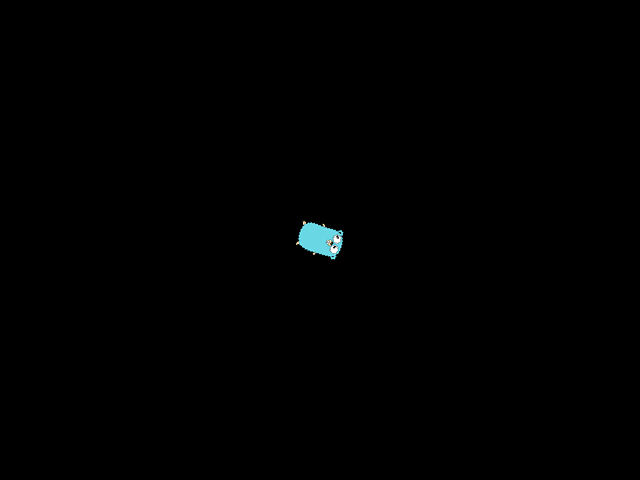
Run the example with cd ch02 && go run ./cmd. You will see the Go Gopher logo rotating in the center of the window.
Summary
| Component | Role |
|---|---|
| SceneNode | Interface for any node in the scene graph; defines parent-child operations. |
| Node | Base implementation: ID, name, parent, children. No spatial data. |
| Node2D | Extends Node; adds local/world transform, dirty flag, GetWorldTransform(). |
| Sprite | Node2D + texture; implements Drawable; draws with accumulated transform. |
| Engine | Top-level hub; owns World; delegates Update / Draw; Layout returns logical size (640×480 here, keep aligned with Settings). |
| World | Owns a "root" node; AddNodeToDefaultLayer / RemoveNode; traverses for Update and Draw; converts world transforms to ebiten.GeoM. |
Relative transforms: A node’s position is in its parent’s space. The world transform is parent_world × local. Children move with their parent. The dirty flag avoids redundant recomputation.
Running the chapter
Run the example:
1 # Run from: ch02
2 cd ch02
3 go run ./cmd
You will see the Go Gopher logo rotating in the center of the window.
In the next chapter, we will add a Resource Manager for textures and a Layer system for draw order, attaching a floor and the player sprite on separate layers. The Camera that scrolls the world in screen space arrives in Chapter 5.
Get the code: the complete, runnable project for this chapter is in the ch02 directory of the companion GitHub repository.