Create a teacher account
To create a teacher account, click the Register link below the login box. Fill the relevant fields in, making sure to select the “Create training” option (this option is important).
Read the terms and conditions and, if you agree, click the Register button (clicking this button indicates that you have read and agreed to the terms and conditions, so please don’t ignore them). Self-registration is available on this portal, so your account will automatically be enabled (unless the username you have given is already taken, in which case you will need to change it a little, e.g. by adding a numeral to it).
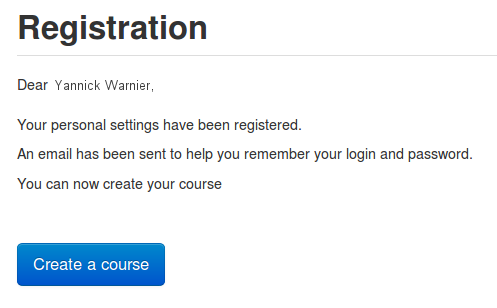
Once your account is created, a confirmation screen appears with a button suggesting you create a new course:
Before doing anything else as a teacher in Chamilo, you will need to create a course. The course is the fundamental element of Chamilo - all materials and interactions relevant to your students’ online learning experience are located within and around courses. As such, it is important for you, as a teacher, to get a good understanding of the nature and features of courses in Chamilo.
One teacher can handle many courses, and one learner can subscribe to several courses at the same time. Each course in Chamilo offers teachers and learners a wide range of tools (documents, tests, wikis, assignments, forums, assessments, etc). which, used effectively, will guarantee a rich online learning experience for your students.
Click the “Create a course” button and move to the next chapter to continue.