Module Bundlers vs Task Runners
As applications grow in complexity, we find ourselves using more and more tools that require extra steps to make everything work smoothly. For example:
- Writing unit tests to ensure any changes introduced work as intended
- Linting code to ensure consistency and catch errors early
- Bundling and minifying code to reduce loading times and the number of files our application needs to load to make things work
It’s also becoming more common to use language preprocessors like SASS and Typescript that compile to native CSS and JavaScript, as well as using transpilers such as Babel to benefit from new ES6 features whilst maintaining compatibility in older environments.
Task Runners
This leads to a significant number of repetitive tasks that need to be executed that have nothing to do with the actual logic of the application itself. This is where task runners such as Gulp and Grunt come in.
The purpose of these tools is to run a number of tasks either concurrently or in sequence that output optimized code that can be run in an environment such as a browser or mobile device efficiently. We benefit from being able to write maintainable, organized and understandable code that can still be compiled down into less readable files that enable faster execution.
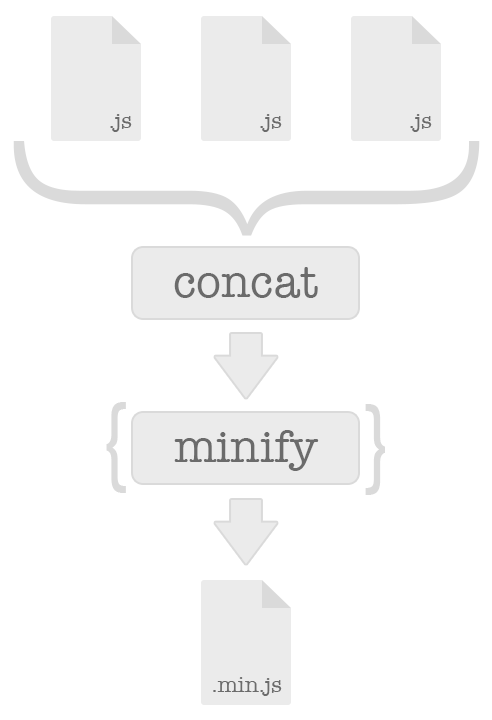
Let’s take a look at a very basic Gulp file that minifies CSS and JavaScript files in a src folder and outputs everything to a dist folder.
 1 var gulp = require('gulp'),
 2     minifyCss = require('gulp-minify-css'),
 3     uglify = require('gulp-uglify');
 4
 5 gulp.task('minify-css', function() {
 6   gulp.src('src/css/**')
 7     .pipe(minifyCss())
 8     .pipe(gulp.dest('dist/css/'));
 9 });
10
11 gulp.task('uglify-js', function() {
12   return gulp.src('src/js/**')
13     .pipe(uglify())
14     .pipe(gulp.dest('dist/js/'));
15 });
16
17 gulp.task('build', [ 'minify-css', 'uglify-js' ]);
Module Bundlers
So where does Webpack fit in? Webpack positions itself as a module bundler for modern JavaScript applications. A project consists of a number of:
- Modules
- Configuration files
- Libraries
- Stylesheets
- And resources
Webpack takes these dependencies and compiles them into static, production ready assets.
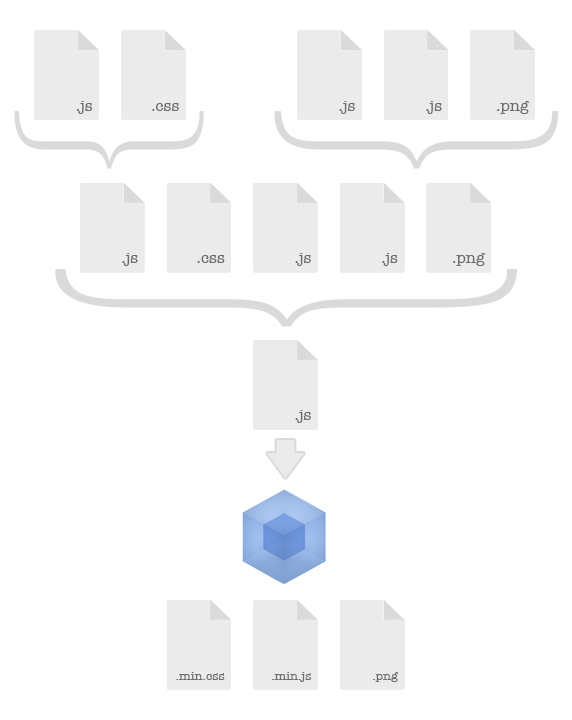
When using the CommonJS pattern of requiring or importing modules using require(), bundling isn’t as simple as just concatenating files together. Instead, we set an entry point which acts as the top of the dependency tree, and traverse down by resolving dependencies until all the necessary code has been included. To make things more complex, we may have a dependency that is required in multiple modules, but we would only want to resolve that dependency once for efficiency. This is where Webpack shines.
Webpack
Webpack is a powerful tool. Although it’s good at bundling application code, it does a lot more than that, such as:
- Providing plugins that can minify code, create service workers for offline mode, internationalization etc
- Running optimizers to do things such as eliminate dead code via tree shaking, and de-duplicate repetitive code
- Splitting code into multiple bundles that can be lazy loaded to gain performance
- Acting as a dev tool which lets us do things such as hot module swapping when files change and generate source maps
It’s not uncommon to see Webpack being used alongside Gulp or Grunt, but the reality is that it can already perform the vast majority of the tasks that a task runner would otherwise be used for. In fact, the only major tasks that Webpack can’t handle independently are testing and linting. Because of this, dev’s tend to opt to use NPM scripts directly, rather than introducing the additional overhead and maintenance of adding another tool.
The only drawback to using Webpack is the initial learning curve of understanding how to configure it, which is off putting when trying to get a project up and running quickly. However, with the aid of great documentation and dozens of boilerplate examples, this spin can easily be avoided.
We’re going to create a simple project and incorporate Webpack to see how it can be used to automate the following tasks:
- Serve our files using the webpack dev server, watch for changes and use module hot swapping to update our application without having to refresh anything that hasn’t changed
- Use Babel to transpile our code so that we can benefit from ES6 features whilst maintaining compatibility
- Create source maps so that we can view our bundled code and add breakpoints during development
- Automate generating unique filenames for our bundles using hashes so that when we deploy new versions of our code, they are reloaded before being cached
- Load resources using different schemes, for example base64 encoding small images rather than saving them as files to reduce the number of unnecessary server requests
- Creating different bundles for different environments, to suit the unique requirements of each
- Optimize our bundle size by using tree shaking to eliminate unused code