Setup For Firefox OS App Development
The Gecko Engine
Browsers use different engines for rendering web pages: Google Chrome and Opera use Blink (a fork of WebKit), Internet Explorer uses Trident, the new browser from Microsoft called Edge uses a new engine, and Safari uses WebKit. Mozilla has its own engine, called Gecko which is used in Firefox desktop, Firefox for Android, and Firefox OS. As these products use the same engine, it is possible to develop for Firefox OS using the Firefox desktop browser (but with some caveats1).
What applications do you need?
To develop and test apps made for Firefox OS you will need:
- A recent version of the Firefox Browser. We personally recommend using the new Firefox Developer Edition because it is updated more often and comes with new features for developers.
- A text editor for programming2 or you can simply use the WebIDE editor that comes bundled with Firefox.
If you’re using an old Firefox OS 1.1 device
If you need to connect an old Firefox OS 1.0 or 1.1 device refer to the Appendix 2: The Firefox OS Simulator.
WebIDE Setup
If you’re running the current version of Firefox then you have the WebIDE available to you. Having the WebIDE is not enough though. You still need to install the Firefox OS simulators on the WebIDE itself to be able to test things without hooking a device to your machine. Mozilla has extensive documentation about the WebIDE so if you want to dive a bit deeper check it out.
The WebIDE is able to manage multiple Firefox OS versions so you can install simulators for version 1.2, up to 3.0, remember that the higher the version number the earlier it is. And by earlier I mean buggy but since we can have multiple versions then we should just install them all so that we’re able to test our apps with different Firefox OS versions.
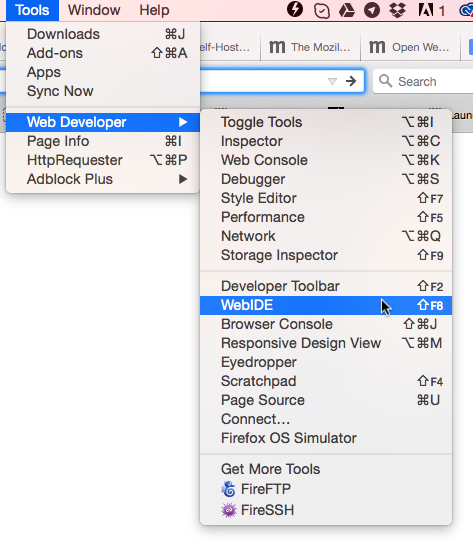
Lets take the new WebIDE for a spin and install the stuff we’ll need for later. To launch the it go to the menu Tools -> Web Developer -> WebIDE.
After you launch the WebIDE you will see a screen like this
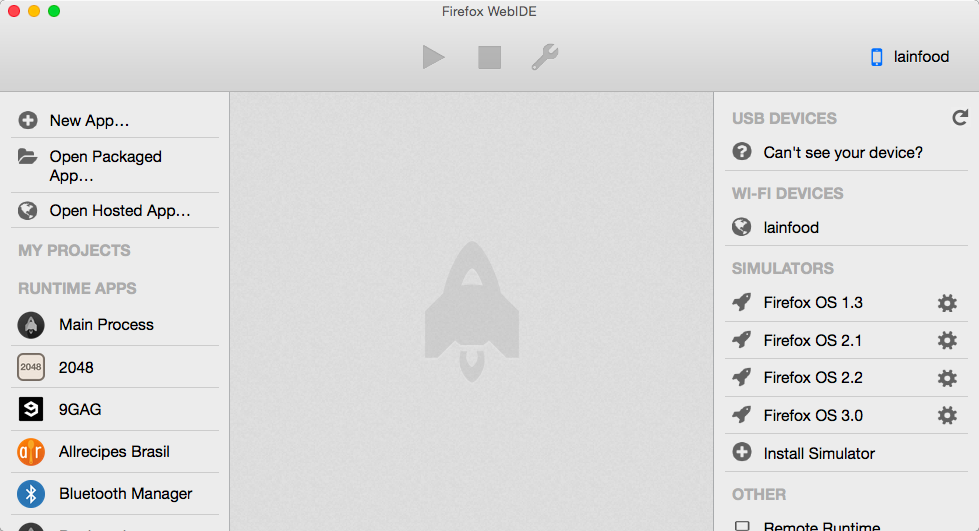
You need to click the Select Runtime button and select the Install Simulator option as seen below.
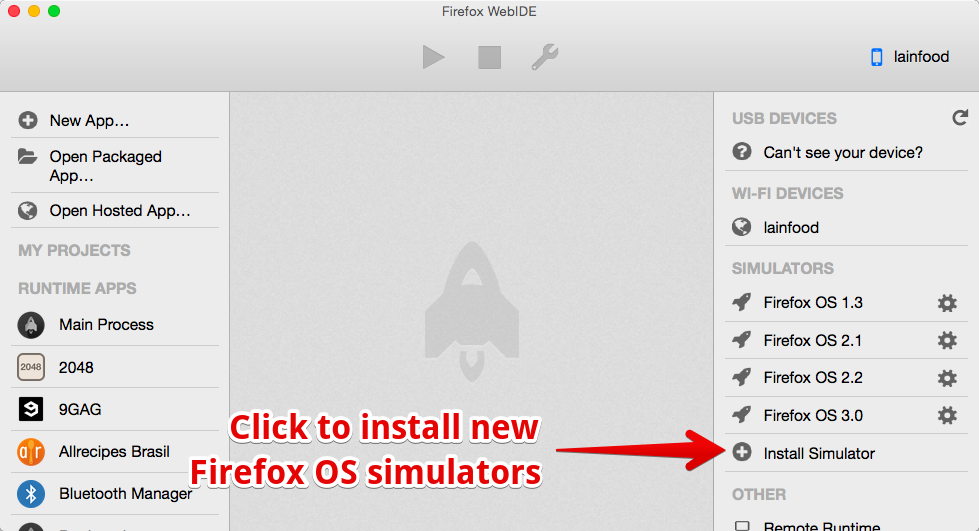 .
.
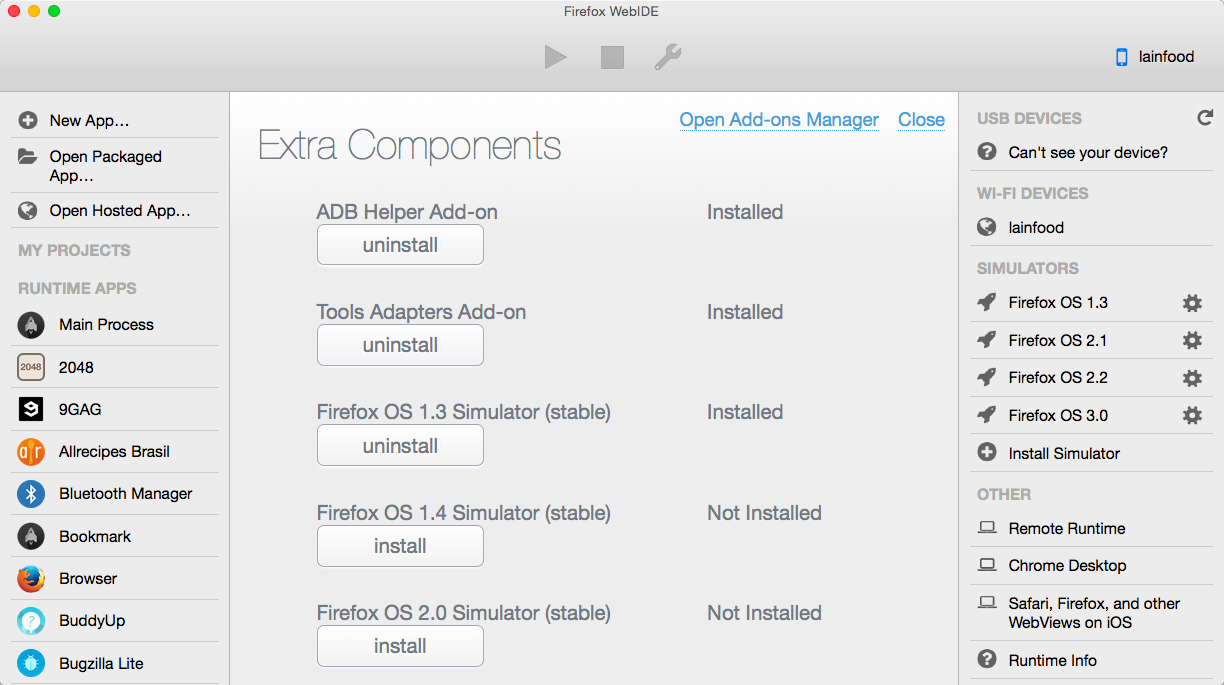
That will lead you to the Extra Components screen where you have the options of installing different simulator versions and both the ADB add-on and the tools add-on. The WebIDE uses ADB to communicate with connected devices. It is able to handle all the ADB stuff for you if you install the ADB Helper Add-on. The Tools Add-on will help you debug other connected devices such as Android devices and iOS devices.
My recommendation is to install everything.
Summary
In this chapter we learned that all we need to develop Firefox OS apps is the Firefox browser, the WebIDE and Firefox OS Simulators (and a good text editor is a plus).
Now that we have setup all the tools we need, lets learn some basic concepts before we build our first app.
- Although the same engine is used for all Mozilla products, the version of the engine in Firefox OS is generally behind that of the desktop browser. This is because the release cycle of Firefox OS is currently slower than that of the Desktop browser. In practice, this will mean that some features may not be available (or work as expected) when you try them out in Firefox OS - so always make sure you test your applications on a device that runs Firefox OS. Also, be mindful that users might also be on different versions of Firefox OS, so they might not have all the bleeding edge features. Be sure to always provide a fallback in case where some feature is unavailable. Also, did you knew that Mozilla is creating a brand new engine called servo? This new engine will provide a safer browser with lots of benefits from its parallel processing engine, it will rock! You can learn more about it on the Mozilla Servo github page.↩
- There are many good editors out there with different levels of complexity and features. A very popular one that I recommend for those that don’t have a favorite one is Atom. Personally, I use WebStorm which is a complete IDE for web app creation.↩