The Inverse Monkey Rule
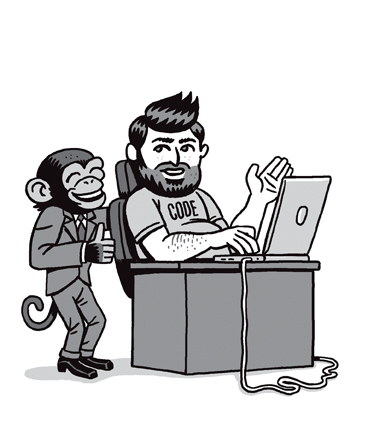
Émile Borel proposed the famous infinite monkeys theorem in 1913, suggesting that given infinite time and attempts, monkeys would come up with the works of Shakespeare. Borel’s theorem is a nice illustration of statistics and calculus, but in practice the probability is infinitely small. On the other hand, inverting the subjects and the outcome gives us something a lot more practical, in much less time: the Inverse Monkey Rule.
Smart people, hitting keys intentionally on a computer keyboard, given just a few months, will almost surely produce some kind of monkey crap.
An important consequence of the Inverse Monkey Rule is that perfect software is impossible. Without an infinite amount of time and infinite knowledge, people will always make mistakes. But we don’t have to repeat errors that are predictable.
This part will hopefully help you avoid the mistakes that other people made to deserve a mention in this book. It contains a set of ideas on how to avoid similar problems, with heuristics for analysing, developing and testing computer systems. Please note that this isn’t a comprehensive list of test cases or a full testing strategy, just a quick digest of the stories in this book. Use it as a check-list along with your other tools, and as an inspiration when looking for more ideas.
Personal names
Personal identifiers such as names are a crucial piece of our identities. Many software problems result from a fundamental conflict between the two key aspects of names. On one hand, names are personal, so they carry a lot of cultural and family heritage, tracing back to a time long before computers. Specific spellings, accents and parts of names have meaning and can’t just be simplified or changed to make processing easier. On the other hand, useful computer identifiers need to be standardised and easy to store and process. In many cases, various software systems need to agree on someone’s identity. All those systems were designed by different people, working under specific constraints, making their own assumptions. That’s why small inconsistencies and bugs in handling names in one component can easily create a mess in collaborating systems.
Here are some often-overlooked oddities of personal names, which you should remember when designing software:
Single-letter names aren’t always initials, so it’s bad practice to use length checks to prevent people from entering initials (Stephen O, A Martinez, O Rissei).

There’s no universally acceptable standard for maximum name length. The International Civil Aviation Organization (ICAO) allows up to 64 characters per name. Many governments today limit registered baby names to those that fit on a passport, which may be up to 40 letters. Of course, different governments have different standards. Also, people born before machine readable passports weren’t subject to that restriction. Some names can get very long (e.g. Christodoulopoulos, Srinivasaraghavan, StopFortnumAndMasonFoieGras, Wolfeschlegelsteinhausenbergerdorff, Rhoshandiatellyneshiaunneveshenk, Keihanaikukauakahihuliheʻekahaunaele). Double-barrelled surnames can also get quite long (e.g. Plunkett-Ernle-Erle-Drax).
Names aren’t permanent, and in most countries people can easily change their names as many times as they want.
Names don’t just consist of letters. They can contain accents and apostrophes (O’Stephen, Keihanaikukauakahihuliheʻekahaunaele), dots (GoVeg.com), dashes (Thurman-Busson), numbers (Number 16 Bus Shelter, Jon Blake Cusack 2.0) and probably some other classes of symbols. It’s best not to assume any specific character set for validity checks.
People don’t always have a given name and a surname. Some people are mononymic – they have only a single name (e.g. They, Teller, Naqibullah). It’s best not to ask for first and last name separately. When communicating with external systems, make sure you can handle cases in which one of those two fields is missing.
There’s no universally accepted standard for working with mononymic names. Many government systems require first and last names to be recorded separately, and some will set mononymic names as the given name, some as the surname. Some use the mononymic name for both fields (Neli Neli). When matching names against external sources, consider that the sources might be using different schemes for single names. Some countries use markers such as FNU, LNU or XXX for the other name when recording mononymic people. Detect those markers and consider them when matching or validating external records, so you don’t end up interpreting them as given names (No Name Given Sandhya). But don’t assume these are always markers (someone can theoretically change their name to XXX).
People don’t always have just one or two given names and surnames. Tracy Nelson has 138 middle names. A nice example is Rosalind Arusha Arkadina Altalune Florence Thurman-Busson. For a good edge case, remember James Dr No From Russia with Love Goldfinger Thunderball You Only Live Twice On Her Majesty’s Secret Service Diamonds Are Forever Live and Let Die The Man with the Golden Gun The Spy Who Loved Me Moonraker For Your Eyes Only Octopussy A View to a Kill The Living Daylights Licence to Kill Golden Eye Tomorrow Never Dies The World Is Not Enough Die Another Day Casino Royale Bond.
Null isn’t just a computer kill word, it’s also a perfectly valid name.
Test, Sample and many other common words are also valid names. Just because a user’s surname is Test doesn’t mean that it’s actually a test account. When testing, avoid using specific names to mark example data, because real users might get caught by this as well.
Fictional character names aren’t necessarily always fake (Superman Wheaton, Buzz Lightyear, Darth Vader). Names that are also those of popular brands aren’t always fake either (Facebook Jamal Ibrahim, Google Kai). Common English (or any other language) words or phrases in a name don’t necessarily make it fake (Elaine Yellow Horse, Above Znoneofthe).
Time
Time is a quite a tricky subject for software. Most people have an established intuitive perception about time, so it’s easy to oversimplify and overlook edge cases. In addition, although the concept of time is simple, there are at least three distinct versions of it, and they aren’t always synchronised.
Cosmic time is passing in the real world without any care for humans. It’s governed by the laws of physics. Although Einstein famously declared it to be relative, for most purposes it’s the same everywhere on planet Earth. It’s also continuous and, except in bad science fiction, always moves in a single direction.
Elapsed time deals with periods between two reference points in cosmic time. This is the time we can measure, and deals with periods such as seconds. Elapsed time doesn’t have any notion of midnight, summer or Tuesday next week. This type of time is a human invention, but apart from someone choosing the two reference points for measurement, it doesn’t depend on humans. Instead, it depends on the recording machinery. For computers today, this mostly means that elapsed time isn’t continuous, but discrete, in increments of milliseconds. Theoretically, it should be the same everywhere on Earth, but practically it’s not. Measuring devices use different precision and accuracy. Your computer and your mobile phone may measure the same period differently, and they both diverge slightly from NIST-F1, the atomic clock that controls the official time in the USA. Lastly, elapsed time isn’t infinite. It’s subject to the capacity of measurement equipment, which is why many older computers can’t see beyond 2038.
Clock time is the one used for calendars, to guide our daily lives, schedule meetings and keep society synchronised. Clock time deals with concepts such as 14:45pm, wake-up alarms, and beer o’clock. It’s different in different places of the world, driven by solar cycles, the Earth’s rotation, and the needs of the communities living in a particular area. It’s a uniquely human thing, subject to politics, government conventions and manipulation. It can jump ahead, move backwards, stall or stretch.
Most of the time, excuse the pun, the three types are the same for all practical purposes. But the problems start when they suddenly diverge, even if only for a moment. Here are some commonly overlooked quirks of time that cause problems:
Days aren’t always exactly 86,400 seconds long. Leap seconds can make a day one second longer. (31 December 2016 had a leap second.)
Coordinated Universal Time (UTC) and Greenwich Mean Time (GMT) time zones aren’t always the same. They can drift by up to 0.9 seconds. That’s why leap seconds exist.
Leap seconds don’t necessarily have to be positive. If the Earth’s rotation required it, it would theoretically be possible to introduce a negative leap second. This has never happened so far – but once it does, better stay home that day.
Years aren’t always 365 days long. Remember the occasional 29 February.
Leap years don’t happen every four years. Three out of four end-of-century years don’t have a leap day.
Clock time doesn’t always go forwards. Daylight saving can make it jump backwards.
Computers couldn’t care less about clock time, they only deal with elapsed time. Applying clock time arithmetic to elapsed time often leads to problems. For example, adding one month to the current time doesn’t produce a period of exactly one month in clock time. Time zones, different numbers of days in a month and other exceptions can cause wrong calculations.
Scheduling future events by using elapsed time is dangerous. For example, ‘same time tomorrow’ isn’t always 24 hours away. Daylight saving can shift the clock. People might travel into a different time zone. The longer the period, the more chance of a mess.
Clock time and elapsed time don’t always move by the same amount. Daylight saving can create big gaps.
Daylight saving time isn’t applied consistently across all countries, or even within a single country. For example, most of the USA observes daylight saving time, but Hawaii does not. In Australia, New South Wales observes daylight saving time, but Queensland does not.
The daylight saving time schedule isn’t fixed. It’s a political agreement, subject to change. For example, Israel synchronised time zone changes with the east of Europe in 2013, moving the end of summer time from early September to late October.
Elapsed time isn’t always positive. Most computers represent dates before 1970 as negative numbers.
Unlike cosmic and clock time, elapsed time isn’t infinite. Check the numeric limits of your date records, and test around those. For example, for typical 32-bit dates, test for dates before 1970 and after February 2038.
Missing or invalid time might mask itself as 1 January 1970 or 31 December 1969, especially if you’re using third-party components outside your control.
Addresses
Postal addresses are an important link between the virtual realm of the Internet and the physical world. Apart from the obvious role in shipping the stuff people buy online, knowing users’ addresses is also critical for calculating delivery prices, correctly accounting for tax, and applying territory-specific limitations.
But postal addresses often play three more roles in software, which they were never intended for. With the lack of globally unique personal identifiers, addresses are also used to distinguish between two people with the same name, especially in countries that don’t have mandatory ID cards, such as the UK. Addresses also often serve as an additional piece of personal identification to match records from different systems, for example when banks check credit ratings. And parts of addresses, such as zip or post codes, are increasingly used as semi-secret information to prevent fraud, for example when verifying online credit card transactions.
For hundreds of years, postal delivery processes evolved to deal with inconsistent and incomplete addresses, but the new digital roles for address information require exact, precise and uniform data. Similar to names, the different conflicting roles of addresses create plenty of opportunities for software bugs.
Here are some often-overlooked facts that cause problems when handling addresses in software:
ZIP codes or post codes aren’t mandatory. Some countries don’t use post codes (Fiji, UAE).
Post code formats aren’t permanent, they change over time. For example, Singapore used two digits in the ’60s, four digits in the ’80s, and now uses six digits. Older records with post codes might use different formats from the current ones.
Some countries started using post codes relatively recently. For example, post codes were introduced in Ireland in 2014. For such cases, even though current addresses might have post codes, slightly older address records might not have that information.
Post codes aren’t always consistently used, even within a single country. For example, Jamaica doesn’t use post codes (the country tried to, but the system was suspended in 2007), but there are two-digit area codes for the capital, Kingston. China uses post codes, but Hong Kong does not.
There’s no universally agreed length for post codes. For example, Austria and Switzerland use four-digit codes. The Faroe Islands use three-digit codes. Iran uses up to ten.
Post codes aren’t just numeric; many countries use alphanumeric post codes. For example, EC11AA is a valid UK post code.
Post codes can contain spaces. For example, EC1 1AA is a common way of writing a post code in the UK.
Having the same or similar post codes doesn’t necessarily imply physical proximity. For example, rural codes in New Zealand can be far apart.
Post codes aren’t always the same in a city or area. In the UK, post codes are allocated to estates, blocks, buildings or even individual houses.
There’s no universally agreed minimum or maximum length for location names, including for street names or city names. For example, Llanfairpwllgwyngyllgogerychwyrndrobwllllantysiliogogogoch is a place in Wales, Y is a place in France. There are six villages called Å in Norway.
IP addresses aren’t a reliable link to a physical location. Although many home broadband subscribers now effectively have an allocated IP address, there are too many exceptions and ways to spoof this information.
Out of all the categories of problems, real-world rules around addresses seem to change the most frequently at the moment. The examples and edge cases listed above were correct when I wrote this in 2017, but do check.
Numbers
Although modern software applications can appear to be processing text or displaying dates or emojis, in fact computers only deal with numbers. Bad assumptions about the mapping between numbers and contextual information such as shopping cart quantities often lead to trouble. Some values, such as a pack of cigarettes costing $23,148,855,308,184,500, are obviously wrong to humans, but to a computer that’s just a number like any other. Some perfectly valid numerical values, such as 0, might make no sense when used as contextual information, such as characters on screen. Some contextual information requires a particular sequence of numbers, such as Unicode combinations, but computers will happily store and transmit invalid numerical sequences.
Here are some ideas around amounts and quantities to remember when developing software:
Don’t assume you can apply trivial mathematical rounding to fractional amounts. There are specific rounding and truncation rules for financial information, and they vary by country.
Not all currencies use two decimals. For example, Japanese yen don’t use decimal fractions. Kuwaiti dinar have three decimals.
Try amounts with and without decimal places, and with varying number of decimals.
There’s no universally agreed standard for writing currency amounts (or if there is, normal people don’t obey it). Expect users to input currency amounts inconsistently. To a person, 5000, $5,000, $5 000 and $5,000.00 mean the same thing. If you want consistent information, make sure to check for a particular format.
People in different countries use different separators for thousands and decimals. The US number 1,234.56 would be 1 234,56 in France. Don’t just remove all the commas before turning a string into a number.
Try negative values where they’re not expected (–1 books).
Don’t assume quantities always need to be positive. In some business domains, it’s perfectly acceptable to have a negative quantity (for example, to mark items returned by customers).
Avoid using special values to mark missing information (such as 0 or No Plates), as this can be interpreted as the actual value by someone else.
Avoid marking test data with special values (such as having a surname Test), as this can easily create false positives. It’s best to have specially identified accounts for testing, which you can later clean up.
Explore rounding strategies, especially with things that accumulate over time. Small rounding errors can create a big mess.
With Unicode, memory length and screen length aren’t necessarily related. Some Unicode symbols are very long ( (0xFDFD), some are invisible (0x200B), and some combine with previous characters (0x0597).
Check how the contextual data gets recorded and test around the corresponding numerical boundaries. For example, test what happens when the timer reaches the end of a 32-bit number range.
The number 0 is often interpreted as false information or missing data, or is just not expected in mapping to contextual values. Test what happens when your data maps to 0. Remember the 787 Dreamliner engines that would shut down when the control timer reached zero.
Process automation
Computers excel at doing things fast, but there’s a general trend of trusting them too much to do their work well. Small errors can pass undetected for a long time, accumulate and build up a time-bomb. Perhaps even worse, pointing the computer in a wrong direction and letting it run off can cause small oversights to quickly escalate into a major blunder.
Lots of things can cause bad automation, even with the best intentions of people building the software. Third-party systems can send invalid, unexpected data. Migrating a legacy database may uncover lots of unforeseen edge cases. One part of the system can decide to go rogue and disrupt everything around it.
Apart from having a crystal ball that can see into the future, the best way to stop bad automation is to create an automated system of oversight. Build up monitoring and alerting mechanisms that can spot when something out of the ordinary is happening, and get people in to investigate before it’s too late.
Here are some ideas on keeping automation in check:
Testing with small samples often doesn’t uncover all the data-driven issues of large legacy databases. If you’re converting a legacy database, run some basic characterisation statistics on the converted data and check with the domain experts whether things look all right. Remember the Grand Rapids hospital update that declared 5% of the population dead overnight.
If your system is automatically processing financial transactions, put monitors in place to check for trends. Good candidates are the expected volume of fraud or number of purchases per hour. If things fall too far outside the expected range, alert a person – even if things look as if they’re in your favour. Remember the 610,000 Japanese yen fat-finger error and MiDAS fiasco.
If your system is automatically changing some data, such as prices, put monitors in place to check that automated changes are inside a valid range. For example, alert a person if the price goes too low or too high. This will help you avoid cases such as the 28,639.14 Uber ride, or Repricer Express selling everything at $0.01.
Put monitors in place to check whether one of your systems is behaving significantly differently from the rest. For example, if a single trading processor is running 90% of the volume, get someone to investigate why before it’s too late. Remember how one of eight Knight Capital SMARS systems ran a previous version of the software and it almost bankrupted the company.
Consider that speeding up a single part of a process might create problems downstream. For example, increasing the capacity to send out customer notifications can overload your call centre and create more problems than it solves, such as in the Centrelink robo-debt fiasco.
If you’re generating random outcomes and they need to fall within some expected business rules, make sure to check those rules before you publish the results. Random things are just that – random – and, in some cases, might be surprising. It’s potentially better to alert a person, or even to crash the system, than to directly use such unexpected values. Remember the Pepsi 349 lottery.
If you ever use sample data to validate or monitor your software, make sure that your tests are clearly identified, isolated and don’t end up matching any real-world cases. Remember Jeff Sample and the 50 police raids on Walter Martin’s house.
Biometric matching isn’t magic, and biometry isn’t necessarily unique. Unrelated people do look alike. Twins can trick smart photo algorithms or leave a similar voice signature; remember the Kennedy sisters.
Monitor whether third-party systems are sending you strange data. For example, check whether some values appear a lot more frequently than the others. This will help to identify special markers for missing or invalid records, in particular where blank values aren’t allowed (remember the NO PLATE parking tickets). Make sure to check third-party data for more than one entity where you expect only one (remember concurrent criminal sentences). Check whether data is out of the usual range (for example, a payment request for $23,148,855,308,184,500).
If you’re sending important messages through a third-party system, don’t just trust that the notifications are dispatched. Build a mechanism requiring recipients to confirm that the messages have actually been delivered. Not everyone will confirm, of course, but you will at least be able to monitor trends and see if something unexpected happens, such as 50,000 people mistakenly dropping off the system. Remember the Queensland OneSchool police e-mails.
If you’re working on a system that’s supposed to work unattended and autonomously, leave it running for a long period of time and check whether gremlins appear. And do consider shutting the whole system down if it is mission critical and loses the ability to control itself.
Whenever you’re using a slowly depleting but limited resource, make sure to build in monitoring, and send alerts when it starts getting dangerously low. For example, if you’re using a count-down timer, notify someone to restart it before it gets to zero. Don’t just rely on a published procedure for people to follow, because they might forget or have higher priorities at the time when things become critical.
If you’re using any kind of hard-coded accounts for development and testing, make sure they don’t somehow find their way into production software. Remember five blanks granting Xbox access.
As Porky Pig would say, ‘That’s all folks.’ I hope these examples tickled your imagination, and that they’ll inspire you to improve how you design, test and build software systems. If you’d like to dive into any of the stories mentioned in the book further, check out the articles and references on in following appendix.

Appendix: References and bibliography
This appendix contains a list of all the reference material, news reports, articles and papers used in the research for this book. If you’re reading this in an electronic version, just click the links to open online resources. If you’re reading this on paper, go to humansvscomputers.com to find an online, clickable version of this appendix.
Licence to VOID
- Why California Needs a Temporary License Plate Program, Metropolitan Transport Commission, 2014
- What Not to Do After Your Driver’s License Is Suspended, by Steve Harvey, LA Times, 8 September 2004
- Man with “XXXXXXX” number plate receives parking fines for every unidentified car in city, by Matthew Moore, The Telegraph, 21 October 2009
- Licensed to Bill, by David Mikkelson, Snopes, 30 October 1999
- People and Events, by Steve Harvey, LA Times, 11 October 1988
- ‘No’ Doesn’t Always Mean ‘No’ on a Personalized License Plate, by Steve Harvey, LA Times, 2 September 2004
Get out of jail free
- Failed parole policy threatens lives, neighborhoods, by Katharine Russ, LAPD City Watch, 3 August 2010
- Parolees rounded up for more supervision, by Jeff McDonald, The San Diego Union Tribune, 2 May 2010
- Justices, 5-4, Tell California to Cut Prisoner Population, by Adam Liptak, The New York Times, 23 May 2011
- Computer errors allow violent California prisoners to be released unsupervised, by Jack Dolan, Los Angeles Times, 26 May 2011
- Second homicide tied to Washington inmates released by mistake, by Lewis Kamb and Joseph O’Sullivan, The Seattle Times, 31 December 2015
- Prison Official in Washington State Resigns Over Early-Release Error, by Ashley Southall, The New York Times, 6 February 2016
- US prisoners released early by software bug, BBC News, 23 December 2015
- Why it took the state nearly 4 years to address prison-release error, by Tom James, Crosscut, 16 January 2016
- Prisoner mistakenly released early charged with killing teen, CBS News/Associated Press, 31 December 2015
- ‘Pink-Panther-Räuber’ in der Schweiz gefasst, Burgenland-News, ORF, 10 December 2014
- Prison error releases robber too early, The Local/Austrian Press Agency, 6 October 2014
- Murder suspect mistakenly released from L.A. County jail is captured, by James Queally and Cindy Chang, The Los Angeles Times, 8 February 2016
- ‘On-the-run’ inmate in cell, The Sentinel, 18 August 2008
- The human errors letting prisoners walk free, by Rohan Smith, News.com.au, 10 February 2016
-1 books
- Jeffrey Bezos, Washington Post’s next owner, aims for a new ‘golden era’ at the newspaper, By Paul Farhi, The Washington Post, 3 September 2013
- Online Experimentation at Microsoft, Tonny Kohavi, Thomas Crook and others, Microsoft ThinkWeek paper, 2009
- One Click by Richard L. Brandt, Portfolio, ISBN 9781591843757, 27 October 2011
- Birth of a Salesman, by Richard L. Brandt, The Wall Street Journal, 15 October 2011
- Amazon Hacks, by Paul Bausch, O’Reilly Media, ISBN 978-0596005429, 30 August 2003
- Entering negative value in “Add Subscriptions” changes value to all available subscriptions/entitlements, Red Hat Bugzilla – Bug 1372002, 31 August 2016
- Node reservation argument should not be negative or invalid value, Red Hat Bugzilla – Bug 1320433, 23 March 2016
- When a purchase order is created with a negative quantity…, IBM Support IZ59497, 27 August 2009
- Negative “On Order” Quantity, Intuit Accountants Community, 10 January 2008
Pepsi 349
- Updated Keno Statement, Vernon A. Kirk, Delaware Lottery, 5 February 2016
- Delaware lottery glitch leads to $2M lawsuit, by Jessica Masulli Reyes, The News Journal/USA Today, 28 November 2016
- B.C. Lotto website glitch leads to $1M in retroactive winnings, CBC News, 9 July 2015
- Va. Lottery Winners: Don’t Spend That Money Yet, By Michael Birnbaum, Washington Post, 21 October 2008
- Virginia Lottery to award partial prizes for faulty game, The Lottery Post, 31 October 2008
- Lottery glitch makes it harder to pick a winner, by Matthew Walberg, Chicago Tribune, 5 May 2012
- Washington Lottery Computer Glitch Turns Winner Into Loser, by John McKay, News Talk 870 AM KFLD, 4 January 2013
- Washington Lottery’s Veterans Raffle falls far short of its goal, by Jordan Schrader, The Seattle Times/The Olympian, 3 January 2013
- Oops, wrong numbers: Louisiana Lottery says TV show erred, Washington Times/Associated Press, 13 March 2017
- Computer glitch voids green card lottery results, CNN, 14 May 2011
- Green card lottery: US reviews ‘diversity visa’ glitch, BBC News, 6 June 2011
- Bottle Cap Flap Riles the Masses, by Bob Drogin, Los Angeles Times, 26 July 1993
- Holders of ‘349’ Pepsi-Cola crowns lose bid in Supreme Court, by Joamar Canlas, The Manila Times, 25 August 2005
- G.R. No. 146007, decision of the Philippines Supreme Court, in the case of Pepsi Cola Company vs Jaime Lacanilao
- SC decides in finality on ‘Pepsi 349’ case, The Freeman, 26 June 2006
The haunted farm in the middle of America
- How an internet mapping glitch turned a random Kansas farm into a digital hell, by Kashmir Hill, Fusion, 10 April 2016
- Why lost phones are traced to Christina Lee and Michael Saba’s Atlanta house, The Sydney Morning Herald, 8 February 2016
- Kansas family sues mapping company for years of ‘digital hell’, by Olivia Solon, The Guardian 9 August 2016
- Montgomery school bus driver arrested on child-porn charges, by Robert Samuels, The Washington Post, 25 March 2011
- US couple sues IP mapping firm over ‘digital hell’ by Kevin Rawlinson, BBC News, 11 August 2016
- Kansas couple sues IP mapping firm for turning their life into a “digital hell”, Cyrus Farivar, Ars Technica, 10 August 2016
The older younger brother
- Queensland Optus mobile phones change to daylight saving time, by Natalie Bochenski, The Sydney Morning Herald, 14 January 2015
- Mobile phone glitch: Daylight saving error wakes Queensland Optus and Virgin customers an hour early, by Emilie Gramenz and Matt Eaton, ABC Radio Brisbane, 14 January 2015
- Council chiefs left red-faced after TWO clocks are put forward instead of back by contractors, by Todd Fitzgerald, Manchester Evening News, 30 October 2016
- Device exploded in bomber’s face after he ‘forgot about clocks changing’, The Telegraph, 2 April 2014
- Meter fault gives free parking, by Chris Morris, Otago Daily Times, 1 May 2010
- Apology after some Dunedin parking meters not adjusted for daylight savings, by Hamish McNeilly, Stuff NZ, 26 September 2016
- Risks to the public in computers and related systems, by Peter G. Neurnann, ACM SIGSOFT Software Engineering Notes, vol. 17, No. 3, July 1992, ISSN:0163-5948
- Notices cancelled following glitch, New Zealand Police, 20 May 2015
- Apple iPhone 4 alarm clock bug makes scores late for work, by Claudine Beaumont, The Telegraph, 1 November 2010
- Israel does the time warp; daylight savings glitch wreaks havoc, by Niv Elis, Jerusalem Post, 8 September 2013
- Second Twin Born as Daylight Saving Time Ends Winds Up Older Than His Brother, by Caitlin Nolan, Inside Edition, 11 November 2016
The Kennedy sisters fraud
- Local Twins Denied a Learner’s Permit Because The DMV Can’t Tell Them Apart, by Margaret-Ann Carter, WJBF-TV News Channel 6, 22 October 2015
- BBC fools HSBC voice recognition security system, by Dan Simmons, BBC News, 19 May 2017
- Caught in a dragnet, by Meghan E. Irons, The Boston Globe, 17 July 2011
- State scans Mass. license photos to find matches with suspects, By Matt Rocheleau, The Boston Globe, 20 December 2016
- Assisting Pathologists in Detecting Cancer with Deep Learning, by Martin Stumpe and Lily Peng, Google Research Blog, 3 March 2017
- Are Face-Detection Cameras Racist?, by Adam Rose, Time Magazine, 22 January 2010
- Robot passport checker rejects Asian man’s photo for having his eyes closed, James Titcomb, The Telegraph, 7 December 2016
- Google Photos Tags Two African-Americans As Gorillas Through Facial Recognition Software, by Maggie Zhang, Forbes, 1 July 2015
- An Other-Race Effect for Face Recognition Algorithms, by P J. Phillips, US National Institute of Standards and Technology, 19 August 2009
- HP computers are racist, YouTube video t4DT3tQqgRM by wzamen01, 10 Dec 2009
- HP looking into claim webcams can’t see black people, by Mallory Simon, CNN, 24 December 2009
- Face Recognition Performance: Role of Demographic Information, by Brendan F. Klare, IEEE Transactions on Information Forensics and Security, December 2012
Hubert Blaine Wolfe+585, Sr
- A Third Survey of Domestic Electronic Digital Computing Systems: IBM 7070 Section., Ballistic Research Laboratories (BRL). Report No. 1961
- What’s in a name, 666 Letters, plus 26 Given Names, by Norman Goldstein, The Free-Lance Star/ Associated Press, 25 June 1964
- Hawaiian woman with 36-character last name wins ID card battle, The Guardian, 31 December 2013
- Passenger and airport data interchange standards, version 13.1, ICAO, October 2013
- Machine Readable Travel Documents, ICAO, Seventh Edition, 2015
- Name acceptability guidelines by the Australian Department of Foreign Affairs and Trade
- Form I-94 Arrival/Departure Record reference copy, U.S. Customs and Border Protection, 24 April 2014
- Government Data Standards Catalogue Volume 2 – Data Types Standards, issue 0.5, UK Cabinet Office
- What’s in a name? John and Margaret Nelson obviously feel…, United Press International, 23 January 1986
- Are there any restrictions on names and titles?, UK Deed Poll office
- The name’s Bond … times 21, The Scotscman, 17 November 2006
- Why, O Why, Doesn’t That Name Compute?, New York Times, 28 August 1991
- Emma’s 14 Bond names, The Sun, 28th October 2012.
GoVeg.com
- What’s in a name? Ask GoVeg.com, by Nara Schoenberg, Chicago Tribune, 18 July 2003
- Man changes his name to Tyrannosaurus Rex because it’s ‘cooler’ than his own, by Richard Hartley-Parkinson, Mail Online, 9 May 2012
- Woman Gets New Name On eBay, by Tatiana Morales, CBS/Associated Press, 30 March 2005
- Baby named Metallica rocks Sweden, BBC News, 4 April 2007
- Couple tries to name child ‘@’, CNN/Reuters, 16 August 2007
- Is it a bird? Is it a plane? No, it’s a baby.., Reuters, 8 August 2013
- ‘Number 16 Bus Shelter’, ‘Violence’ among kids registered names, NZ Herald, 24 July 2008
- US father names son ‘Version 2.0’, BBC News, 2 February 2004
They
- Missouri man legally changes his name to ‘They’, USA Today/Associated Press, 23 September 2004
- In Search of Achmad Sukarno, by Steven Drakeley, University of Western Sydney, Asia Reconstructed: Proceedings of the 16th Biennial Conference of the ASAA, 2006 (ISBN 9780958083737)
- U Thant, United Nations Secretary-General web site
- Flight Booking - Passenger has single name only in Passport, Trip Advisor, 2 May 2015
- How Do You Do, FNU? Some in U.S. Handle Just One Name, by Miriam Jordan, The Wall Street Journal, 21 March 2016
The four-letter N-word
- How to pass “Null” (a real surname!) to a SOAP web service in ActionScript 3?, Stack Overflow, 16 December 2010
- A few years ago I ordered a custom license plate ‘NULL’, Hacker News, 26 March 2016
- Null References: The Billion Dollar Mistake, by Tony Hoare, InfoQ, 25 August 2009
- Hello, I’m Mr. Null. My Name Makes Me Invisible to Computers, by Christopher Null, Wired Magazine, 5 November 2015
- These unlicky people have names that break computers, By Chris Baraniuk, BBC Future, 25 March 2016
- Cleverest con of all time? Man claims he gets free holidays and car rentals after changing his surname to ‘Null’, by Caroline McGuire, Daily Mail Online, 29 March 2016
Facebook Jamal Ibrahim
- Australian with ‘misleading’ Facebook name thanks supporters, BBC News, 23 November 2015
- Vietnamese name man admits hoax in Facebook battle, BBC News, 25 November 2015
- A Gay Girl in Damascus becomes a heroine of the Syrian revolt, by Katherine Marsh, The Guardian, 6 May 2011
- Will gays be ‘sacrificial lambs’ in Arab Spring?, by Catriona Davies, CNN, 13 June 2011
- After Report of Disappearance, Questions About Syrian-American Blogger, by Robert Mackey and Liam Stack, The Lede/The New York Times, 7 June 2011
- Gay girl in Damascus’ Syrian blogger allegedly kidnapped, by Elizabeth Flock, The Washington Post, 7 June 2011
- ‘A Gay Girl in Damascus’ comes clean, by Melissa Bell and Elizabeth Flock, The Washington Post, 12 June 2011
- Batman bin Suparman jailed in Singapore, BBC Trending, 12 November 2013
- ‘Buzz Lightyear’ fined £200 for speeding - in a CORSA, Sunday Express, 11 November 2016
- Baby named Metallica rocks Sweden, BBC News, 4 April 2007
- To Celebrate January 25 Revolution, Egyptian Man Names Daughter ‘Facebook’, by William Lee Adams, Time magazine, 21 February 2011
- The name’s 7, iPhone 7: Ukrainian man changes name to win gadget, RT/Associated Press, 29 October 2016
- NY man legally changes name to ‘Star Wars’ villain, Associated Press, 21 December 2015
- Hello Mr Cheeseburger: name-changing hits record high, by Zachary Spiro, The Times, February 22 2016
- Meet the people who’ve given themselves crazy names by deed poll, by Julie McCaffrey, Mirror 1 November 2011
- Man Legally Changes Name to ‘Above Znoneofthe’ to Appear Last on Ballot, Katie Reilly, Time Magazine, 30 January 2016
- Teenager changes name to Captain Fantastic, by Chris Irvine, The Telegraph, 3 November 2008
TDCU 1ZZ
- Bill paves way for introduction of new ‘Eircode’ postcodes by Michael O’Regan, The Irish Times, 11 June 2015
- Your man with glasses letter reaches Buncrana man Barry Henderson, BBC News, 18 July 2015
- Beverly Hillsin postinumero 90 210 katoaa Oulusta, by Kari Sankala, Kaleva, 7 October 2009
- First postcode for remote UK isle, BBC News, 7 August 2005
Leap year HICAPS
- Excel incorrectly assumes that the year 1900 is a leap year, Microsoft Support Article ID 214326, 17 Dec 17, 2015
- Exchange Server 2007 and leap year day Feb 29 2008…, Microsoft Exchange Team Blog, 29 February 2008
- Yes, Microsoft Azure Was Downed By Leap-Year Bug, By Dan Goodin, Ars Technica/Wired, 1 March 2012
- Summary of Windows Azure Service Disruption on Feb 29th, 2012, Bill Laing, Microsoft Azure Blog, 9 March 2012
- Airport hiccup leaves 100s of passengers pantless, The Local, 1 March 2016
- Leap year glitch fixed on Sony Playstation 3, by Kristin Kalning, NBC News, 2 March 2010
- Microsoft Says Zune players working again, NBC News, 2 January 2009
- Schalttag-Problem legt Koffersoftware lahm, Der Spiegel, 29 February 2016
- Hundreds of passengers arrive at their destinations without their luggage after airport sorting device REFUSES to work because it didn’t recognise the leap year, by Georgia Diebelius, Daily Mail, 2 March 2016
- Leap year blamed for HICAPS stumble by Chris Zappone, The Sydney Morning Herald, 29 February 2012
- TomTom sat-nav devices hit by GPS ‘leap year bug’, BBC News, 3 April 2012
- Montreal radio system also stymied by ‘leap second’ glitch that hit Ottawa, by Jon Willing, Ottawa Sun, 5 January 2017
- ‘Leap Second’ Bug Wreaks Havoc Across Web, by Cade Metz, Wired, 7 January 2012
- No, the Linux leap second bug WON’T crash the web, by Gavin Clarke, The Register, 9 January 2015
- Leap second hits Qantas air bookings, while Reddit and Mozilla stutter, by Charles Arthur, 2 July 2012
- Excel incorrectly assumes that the year 1900 is a leap year, Microsoft Knowledge Base article 214326, 17 December 2015
610,000 JPY
- UBS Warburg Stands to Lose Reputation Along With Millions After Dentsu Fiasco, by Jason Singer and Yumiko Ono, The Wall Street Journal, 3 December 2001
- Tokyo market chief quits over ‘fat finger’ trade, by Mariko Sanchanta, Financial Times, 20 December 2005
- ‘Fat finger’ trade costs Tokyo shares boss his job, by David McNeill, The Independent, 2 April 2009
- UBS Japan mistakenly places $31 bln bond trade, by Mariko Katsumura, Reuters, 25 February 2009
- $617 Billion in Japan Stock Orders Scrapped After Error, by Anna Kitanaka and Toshiro Hasegawa, Bloomberg, 1 October 2014
Keep Calm and Go Bankrupt
- ‘Keep Calm And Rape’ T-Shirt Maker Shutters After Harsh Backlash, by Catherine Taibi, Huffington Post, 25th June 2013
- Remixed Messages, by Rob Walker, 1 July 2009
- Original collection of ‘Keep Calm And Carry On’ posters could be worth £15,000, The Telegraph, 23 February 2012
- Keep Calm and Carry On: Are the parodies still funny?, Tom Heyden, BBC News Magazine, 6 March 2013
- Aussie ‘Keep Calm’ T-shirts glorify rape, murder, by Asher Moses, The Sydney Morning Herald, 6 March 2013
- Keep Calm And Rape’ T-Shirt Maker Shutters After Harsh Backlash, Catherine Taibi, The Huffington Post, 25 June 2013
- The Bad Things that happen when algorithms run online shops, Chris Baraniuk, BBC Future, 20 August 2015
- Man behind ‘Carry On’ T-shirts says company is ‘dead’, Jose Pagliery, CNN, 5 March 2013
- Microsoft is deleting its AI chatbot’s incredibly racist tweets by Rob Price, Business Insider, 24 March 2016
- Learning from Tay’s introduction, Peter Lee, Official Microsoft Blog, 25 March 2016
- IBM’s Watson gives proper diagnosis for Japanese leukemia patient after doctors were stumped for months , Alfred Ng, New York Daily News, 7 August 2016
- IBM’s Watson Memorized the Entire ‘Urban Dictionary,’ Then His Overlords Had to Delete It, Alexis C. Madrigal, The Atlantic, 10 Jan 2013
- Prank leaves Justin Bieber facing tour of North Korea, Daniel Emery, BBC News, 5 July 2010
The Making of a Fly
- Do retailers have to honour pricing mistakes? By Nicole Blackmore, The Telegraph, 29 Jan 2014
- ‘I spot and exploit pricing errors for a living’, by Ruth Caven, The Telegraph, 12 Dec 2014
- IBM customers buy $1 laptops in site snafu, CNET, 19 January 2000
- Ashford.com flaw allows ‘free’ purchases, Jeff Pelline, CNet, 2 January 2012
- Screwfix.com price glitch reduces all items to £34.99, by Nicole Blackmore, The Telegraph, 24 January 2014
- How A Book About Flies Came To Be Priced $24 Million On Amazon, Olivia Solon, Wired, 27 April 2011
- Algorithms Gone Wild: 3 Cases of Computers We Trusted Too Much, Muneeza Iqbal, AOL, 13 March 2013
- Bill Gates on giving away his fortune - and Mark Zuckerberg’s engagement? by Jemima Kiss, The Guardian, 13 June 2011
- Amazon’s $23 million book - algorithms gone wild, Andy Smith, ZDNet, 27 April 2011
- Amazon sellers hit by nightmare before Christmas as glitch cuts prices to 1p, Rupert Neate, The Guardian, 14 December 2014
- IBM customers buy $1 laptops in site snafu, Jeff Bakalar, CNet, 19 January 2000
- Derry firm Repricer Express sorry for Amazon 1p glitch, BBC News, 15 December 2014
- Error hands out $5 fares on United, by John Schmeltzer, Chicago Tribune, 15 May 2002
- United Airlines to honour tickets issued for $0 in glitch, BBC News, 14 September 2013
- Apple given until this afternoon to address pricing error, The China Post News, 27 July 2010
- Apple to deliver cut-price computers to Taiwan after error, AFP, 28 July 2010
- Website pricing mistake costs Zappos.com $1.6 million, The Las Vegas Sun, 23 May 2010
- Pricing error costs Zappos $1.6 Million, by Josh Smith, AOL.com, 24 May 2010
Panic aggregator
- What caused the pound’s flash crash?, by Rob Davies, The Guardian, 7 October 2016
- Citi trader deepened October’s pound ‘flash crash’, by Katie Martin and Caroline Binham, Financial Times, 7 December 2016
- Flash Crash of the Pound Baffles Traders With Algorithms Being Blamed, by Netty Idayu Ismail, Bloomberg 7 October 2016
- Testimony Concerning the Severe Market Disruption on May 6, 2010, by Mary L. Schapiro, U.S. Securities and Exchange Commission, 11 May 2010
- How a stray mouse click choked the NYSE & cost a bank $150K, by John Stokes, Ars Technica, 28 January 2010
- Google mistakes high NHS web traffic for cyber attack, Alice Udale-Smith, Sky News, 01 February 2017
- NHS reply-all meltdown swamped system with half a billion emails, by Gareth Corfield, The Register, 31 January 2017
- History’s biggest ‘fat-finger’ trading errors, by Ebony Bowden, The New Daily, 2 October 2014
- Navinder Singh Sarao part 1: reclusive trader or criminal mastermind?, by: Philip Stafford, Lindsay Fortado and Jane Croft, 17 August 2015
- D2MX Pty Ltd pays $120,000 infringement notice penalty, 15-376MR, Australian Securities and Investment Commission, 10 December 2015.
- D2MX Pty Ltd pays 110000 dollar infringement notice penalty, 14-095MR, Australian Securities and Investment Commission, 6 May 2014
The MiDAS Touch
- Inside Michigan’s faulty unemployment system that hit thousands with fraud, by Ryan Felton, The Guardian, 12 February 2016
- Thousands of unemployment cases reviewed; 8% affirmed as fraud, by Darren Cunningham, FOX17 News, 21 September 2015
- Criminalizing the unemployed, by Ryan Felton, Detroit Metro Times, 1 July 2015
- Suit settled over false fraud claims against Michigan’s jobless, by Paul Egan, Detroit Free Press, 2 February 2017
- Suit filed against state fraud detection vendor, by Paul Egan, Detroit Free Press, 2 March 2017
- Claimants in jobless insurance nightmare pledge: ‘Never again.’, Paul Egan, Detroit Free Press, 29 January 2017
Robo-debt
- Centrelink’s automated debt raising and recovery system, Report by the Acting Commonwealth Ombudsman, Richard Glenn, under the Ombudsman Act 1976
- Call to suspend Centrelink system after single mother receives $24,000 debt notice, by Christopher Knaus and Gareth Hutchens, The Guardian, 27 December 2016
- Centrelink criticised for claiming war widow owed $18,000 after administrative error, by Paul Farrell and Christopher Knaus, The Guardian, 20 April 2017
- Centrelink officer says only a fraction of debts in welfare crackdown are genuine, by Christopher Knaus, The Guardian, 23 December 2016
- Centrelink inquiry told ‘income averaging’ creating incorrect welfare debts, by Christopher Knaus, The Guardian, 5 April 2017
- Centrelink debt notices based on ‘idiotic’ faith in big data, IT expert says, Christopher Knaus, 29 December 2016
- Debts As Little As $20 Were Referred To External Collectors By Centrelink, by Alice Workman, Buzzfeed News, 22 May 2017
- Centrelink to expand its robo-debt program, Sky News, 17 May 2017
- Centrelink targeting $980m from data matching expansion, by Allie Coyne, IT News/Next Media, 19 May 2017
- Fears Centrelink online glitch may send welfare recipients to debt collectors, by Christopher Knaus, 19 December 2016, The Guardian
- Net to Snag Deadbeats Also Snares Innocent, by Megan Garvey, Los Angeles Times, 12 April 1998
The Grand Rapids Massacre
- Christmas and New Year as risk factors for death., by David Phillips, Social Science and Medicine, 7 October 2010
- A deadly computer glitch, Battle Creek Enquirer, 9 January 2003
- The Odd Truth, by Brian Bernbaum, CBS News, 9 January 2003
- Hospital Revives Its “Dead” Patients, by Larry Barrett, Baseline Magazine, 10 February 2003
- System failure behind latest blue cross woes, by Joel Brown, ABC11 WTVD Eyewitness News, 14 January 2016
- Blue Cross customers fume as insurer scrambles to fix ACA enrollment errors , by John Murawski, The Charlotte Observer, 15 January 2016
- Inmates mistakenly released due to software glitch, by KXAN-TV/Associated Press, 19 June 2014
- “Jailhouse rocked:” 25 suspects freed due to computer glitch, by CBS News, 20 June 2014
- Inmates Freed By DPD Computer Glitch Suspects In New Crime by Andrea Lucia, CBS DFW, 19 June 2014
Police e-mail
- Computer glitch leaves California’s neediest Medicare recipients without benefits in 18 counties, Legal Aid Society of San Mateo County, 26 February 2007
- Medicare clients sue state over computer flub, by Beth Winegarner on February 27, 2007
- Lawsuit: Glitch dropped seniors from Medicare, by Michael Manekin, East Bay Times, 27 February 2007
- Computer glitch affects 45K welfare & food stamp recipients, by Melanie Payne, News-Press, 5 November 2016
- Food stamp glitch put 27K in peril, by Melanie Payne, News-Press, 13 March 2014
- Coding error behind missing child protection reports in Qld, by Paris Cowan, ITNews Australia, 20 October 2015
- Qld Education uncovers 270 extra lost child abuse reports, by Paris Cowan, ITNews Australia, 25 August 2015
- OneSchool – Investigation into the 2015 failure of the OneSchool Student Protection Module, Queensland Department of Education and Training, 16 October 2015
- Glitch causes Florida Abuse Hotline failure to pass on alerts to law enforcement, by Valerie Boey, FOX 35 Orlando, 4 May 2017
Girls, alcohol, cocaine and whatever
- Glitch hits Visa users with more than $23 quadrillion charge, by Jason Kessler, CNN, 15 July 2009
- Uber says Philly woman’s $28,600 authorization hold was a computer glitch by Ben Hooper, UPI, 21 December 2016
- Uber customer in Philly gets surprise charge of $28,000, by Jason Laughlin, The Philadelphia Inquirer, 20 December 2016
- PayPal accidentally credits man $92 quadrillion, by Sho Wills, CNN, July 17, 2013
- Bank glitch makes businessman a billionaire — for five hours, by Keith W. Kohn, Orlando Sentinel, 27 March 2010
- If You Were Billionaire for Five Hours, by Robert Frank, The Wall Street Journal, 29 Mar 2010
- First Chicago’s Big Goof Has Customers A Bit Unbalanced, by John Schmeltzer, 18 May 1996
- $2 million Goulburn fraudster Luke Brett Moore found guilty, The Sydney Morning Herald, 25 February 2015
- The bank lent me $2m so I spent it on strippers and cars, BBC Magazine, 14 December 2016
- Bank error millionaire walks free, by Bernard Lagan, The Times, 3 December 2016
- Woman accidentally given $4.6M by bank, spends most of it on ‘luxury’ items, by Emanuela Campanella, Global News Canada, 5 May 2016
- Christine Lee allegedly moved $5000 a day into secret accounts to take advantage of a Westpac glitch, News.com.au, 7 May 2016
- Christine Jia Xin Lee’s explanation for $4.6 million Westpac overdraft, by Rachel Olding, The Sydney Morning Herald, 22 May 2016
- Australian court bails student who ‘spent bank error millions’, BBC News, 5 May 2016
The Northumbrian coffee party
- Issue Alert - Upcoming CPS Reprocessing of Records with Questionable Income Earned from Work Values, Federal Student Aid Office announcement, 18 July 2014
- Even the feds screw up FAFSA: Online glitch affects thousands, by Claudia Rowe, Seattle Times Education Lab, 22 July 2014
- Stray Decimal Points Put Thousands of Students’ Financial Aid in Jeopardy, by David Ludwig, The Atlantic, 23 July 2014
- Bankrupt cancer survivor gets shock: $300 loan balloons into $40,000 debt in 2 years, by Aimee Green, The Oregonian, 3 May 2016
- Misplaced decimal point: Woman owed $400, not $40,000, company says, by Aimee Green, The Oregonian, 6 May 2016
- Mum charged £34,000 for hiring a car for three days in firm’s IT glitch slams Santander for the error, Mirror.co.uk, 13 April 2016
- O2 phone bill ‘left couple penniless after decimal point blunder saw their account drained of cash’, by James Connell and Dave Rudge, The Mirror, 13 February 2016
- Dropped decimal plays havoc with hotel charges, by Russ Bynum, Associated Press/The Gadsden Times, 2 November 2002
- Glitch Drops Decimal From Holiday Inn Bills, Los Angeles Times, 2 November 2002
- 9000 Amsterdammers krijgen miljoenen door fout, Echt Amsterdams Nieuws, 13 December 2013
- Amsterdam council calls for return of benefits after paying 100 times too much, by Peter Cluskey, The Irish Times, 15 January 2014
- Miss Universe pageant snafu is deja vu, by Mike Stoben, Toronto Sun, 21 December 2015
- Wrong ‘Miss Universe Canada’ Crowned in Pageant, by Erica Ho, Time, 30 May 2013
- Northumbria University ‘life-threatening’ caffeine test fine, BBC News, 25 January 2017
Rounding up the parliament
- Fremont Cafe Charging Too Much Sales Tax, by Chris Chmura, Christine Roher and Joe Rojas, NBC Bay Area, 16 March 2017
- Beware lessons of history when dealing with quirky indices, by James Mackintosh, Financial Times, 24 August 2015
- New twist in water billing mess: class action lawsuit, by Alexa Talamo, Shreveport Times/USA Today, 3 April 2017
- Ofcom to examine BT over-charging claims, by Miles Brignall, The Guardian, 28 June 2013
- Millions overcharged because of ‘weak’ gas, by Jessica Winch, The Telegraph, 24 June 2013
- SEC Charges AXA Rosenberg Entities for Concealing Error in Quantitative Investment Model, Securities and Exchange Commission Press Release 2011-37, 3 February 2011
- Risks to the public in computers and related systems, by Peter G. Neurnann, ACM SIGSOFT Software Engineering Notes, vol. 17, No. 3, July 1992, ISSN:0163-5948
Unicode of Death
- Prank crashes iPhones with rainbow emoji messages, Samuel Gibbs, The Guardian, 18 January 2017
- Receiving this rainbow emoji will crash your iPhone, by Liam Tung, ZDNet, 19 January 2017
- A Simple Message Can Crash Skype So Badly You Need to Reinstall It, by Jamie Condliffe, Gizmodo, 3 June 2015
- These 8 characters crash Skype, and once they’re in your chat history, the app can’t start , by Emil Protalinski, 2 June 2015
- iOS bug lets anyone crash your iPhone with a text message, by Samuel Gibbs, The Guardian, 27 May 2015
- Rendering bug crashes OS X, iOS apps with string of Arabic characters , by Andrew Cunningham and Dan Goodin, 29 August 2013
- Anatomy of a killer bug: How just 5 characters can murder iPhone, Mac apps, by Chris Williams, The Register, 4 September 2013
That ’70s iPhone
- Changing your iPhone date to 1 Jan 1970 will not make it retro - it just breaks, by Madhumita Murgia and James Titcomb, The Telegraph, 17 February 2016
- iPhone owners receive ghost emails from January 1, 1970, by James Titcomb, The Telegraph, 7 March 2016
- December 31, 1969, Paypal Community Forum
- This Is Why Facebook Thinks You Have 46-Year Friendships, Eliana Dockterman, Time Magazine, 01 January 2016
- New Threat Can Auto-Brick Apple Devices, Brian Krebs, Krebs On Security, 12 April 2016
February 2038
- Woman, 105, invited to preschool, United Press International, 15 November 2012
- Ryan: Debt on Track to Hit 800 Percent of GDP; ‘CBO Can’t Conceive of Any Way’ Economy Can Continue Past 2037, by Nicholas Ballasy, CNS News, 6 April 2011
Have you turned your Dreamliner off and on again?
- Lost Radio Contact Leaves Pilots On Their Own, by Linda Geppert, IEEE Spectrum, 1 November 2004
- Sunk by Windows NT, Wired, 24 July 1998
- Shock: East Lancs couple receive £500m electricity bill, by Katie Mercer, Lancashire Telegraph, 23 July 2014
- Airworthiness Directives; The Boeing Company Airplanes, Federal Aviation Administration, document number 2015-10066, 1 May 2015
- US aviation authority: Boeing 787 bug could cause ‘loss of control’, by Samuel Gibbs, The Guardian, 1 May 2015
- To keep a Boeing Dreamliner flying, reboot once every 248 days, by Edgar Alvarez, Endgaget, 5 January 2015
- Software Problem Led to System Failure at Dhahran, Saudi Arabia, Report to the Chairman, Subcommittee on Investigations and Oversight, Committee on Science, Space, and Technology, House of Representatives, Patriot missile defense, by the United States General Accounting Office, February 1992
Free Money Saturday
- Computer Glitch Leads To Brawl At Wauwatosa Kmart, WISN Channel 12 Milwaukee, 27 November 2007
- Administrative Proceeding File No. 3-15570 In the Matter of Knight Capital Americas LLC, U.S. Securities and Exchange Commission, 16 October 2013
- Everything You Need to Know About the Knight Capital Meltdown, by Matt Koppenheffer, The Motley Fool, 14 September 2012
- Joyce Leaving Knight After Steering Firm From Meltdown to Merger, by Sam Mamudi, Bloomberg, 3 July 2013
Mr Test
- Administrative Proceeding File No. 3-15570, US Securities and Exchange Commission, 16 October 2013
- TSA: Computer glitch led to Atlanta airport scare, CNN, 21 April 2006
- Administrative Proceeding File No. 3-17338, US Securities and Exchange Commission, 12 July 2016
- SEC: Citigroup Provided Incomplete Blue Sheet Data for 15 Years, press release 2016-138, US Securities and Exchange Commission, 12 July 2016
- The Role of Software in Recent Catastrophic Accidents, W. Eric Wong, Vidroha Debroy, and Andrew Restrepo, Department of Computer Science University of Texas at Dallas, 2009
- When Does a Test End?, by James Bach, 5 January 2011
- Top Cop Offers “Mea Culpa” to Elderly Couple for 50 Raids, by Jennifer Millman, NBC Channel 4 New York, 19 March 2010
- Computer glitch prompts 50 raids on elderly couple’s home, by Dan Goodin, The Register, 19 March 2010
- It’s Really Hard to Fill in a Web Form When Your Name Is Mr. Sample, by Patrick McGroarty, The Wall Street Journal, 14 February 2017
Five blanks hit the target
- That “zombie apocalypse” warning in Montana? It was fake, by Laura Zuckerman, Reuters, 12 February 2013
- Police say Mont. TV zombie hoax likely linked to others, by Michael Beall, USA Today, 13 February 2013
- ‘Dead bodies are rising from their graves’: Hackers use emergency alert system to warn of zombie apocalypse, National Post/Associated Press, 11 February 2013
- Man’s car warns of air raid over London, by Lester Haines, The Register, 25 May 2012
- Digital Alert Systems DASDEC and Monroe Electronics R189 One-Net firmware exposes private root SSH key, CERT, 26 Jun 2013
- Radio stations that ignored major vulnerability start playing anti-Trump song, by Sam Machkovech, Ars Technica, 2 February 2017
- DDoS attack that disrupted internet was largest of its kind in history, experts say, by Nicky Woolf, The Guardian, 26 October 2016
- These 60 dumb passwords can hijack over 500,000 IoT devices into the Mirai botnet, by Graham Cluley, 10 October 2016
- Hard-coded password exposes up to 46,000 video surveillance DVRs to hacking, By Lucian Constantin, CSO/IDG News, 17 February 2016
- Lenovo blunder means ‘12345678’ used as password for default file sharing app, by Jason Murdock, V3, 27 January 2016
- 5-year-old boy hacks dad’s Xbox account, Doug Gross, CNN, 4 April 2014
- Security Researcher Acknowledgments for Microsoft Online Services, Microsoft, March 2014
About the author
Gojko Adzic is a partner at Neuri Consulting LLP, winner of the 2016 European Software Testing Outstanding Achievement Award, and the 2011 Most Influential Agile Testing Professional Award. Gojko’s book Specification by Example won the Jolt Award for the best book of 2012, and his blog won the UK Agile Award for the best online publication in 2010.
Gojko is a frequent keynote speaker at leading software development conferences and one of the authors of MindMup and Claudia.js. As a consultant, Gojko has helped companies around the world improve their software delivery, from some of the largest financial institutions to small innovative startups.
To get in touch, write to gojko@neuri.co.uk or visit http://gojko.net.
Legal Stuff
Title: Humans vs Computers
Hardcover ISBN: 978-0-9930881-3-1
Paperback ISBN: 978-0-9930881-4-8
Published On: 1 September 2017
Copyright (c) Neuri Consulting LLP
Author: Gojko Adzic
Copy-editor: Mary White (www.writeclick.co.uk)
Illustrator: Nikola Korac
Published by:
Neuri Consulting LLP
25 Southampton Buildings
London WC2A 1AL
United Kingdom
The author has taken care in the preparation of this book, but makes no expressed or implied warranty of any kind and assumes no responsibility for errors or omissions. No liability is assumed for incidental or consequential damages in connection with or arising out of the use of the information or programs contained herein.
Many of the designations used by manufacturers and sellers to distinguish their products are claimed as trademarks. Where these designations appear in this book, and the publisher was aware of a trademark claim, the designations have been printed with initial capital letters or in all capitals.
All rights reserved. This publication is protected by copyright, and permission must be obtained from the publisher prior to any prohibited reproduction, storage in a retrieval system, or transmission in any form or by any means, electronic, mechanical, photocopying, recording, or likewise.
For information on bulk purchases and translation rights, please write to contact@neuri.co.uk.