Requirements
This is a book which gives you hands on instructions and examples of how to build a microservice repository. We will be using a modern stack of software that will be required in order to complete all the exercises.
Linux and Docker
The examples of the book rely on a recent docker-engine installation on a Linux host. Linux, while a soft requirement, is referenced many times in the book with examples on how to download software, or how we are building our services. You could do this on a Mac, but you might have to adjust some things as you move through the chapters.
- Docker (a recent version, I’d suspect anything after 18.09 is fine),
- Docker Compose (a recent version from their GitHub page),
- Drone CI (instructions to install later in the book),
- Various shell utilities and programs (awk, bash, sed, find, ls, make,…)
Please refer to the official docker installation instructions on how to install a recent docker version, or install it from your package manager.
We will use Docker Compose to pull in images for databases and whatever we need. As we have a Docker-first workflow, this means we don’t need to deal with pre-installing software.
Own hardware
The recommended configuration if you have your own hardware is:
- 2 CPU core,
- 2GB ram,
- 128GB disk (SSD)
The minimal configuration known to mostly work is about half that, but you might find yourself in a tight place as soon as your usage goes up. If you’re just tying out docker, a simple virtual machine might be good enough for you, if you’re not running Linux on your laptop already.
Cloud quick-start
If having your own hardware is a bit of a buzzkill, welcome to the world of the cloud. You can literally set up your own virtual server on Digital Ocean within minutes. You can use this DigitalOcean referral link to get a $10 credit, while also helping me take some zeros of my hosting bills.
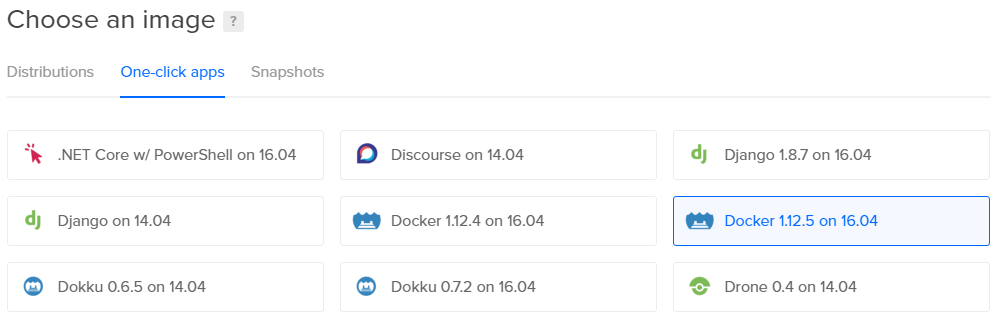
After signing up, creating a Linux instance with a running Docker engine is simple, and only takes a few clicks. There’s this nice green button on the top header of the page, where it says “Create Droplet”. Click it, and on the page it opens, navigate to “One-click apps” where you choose a “Docker” from the list.
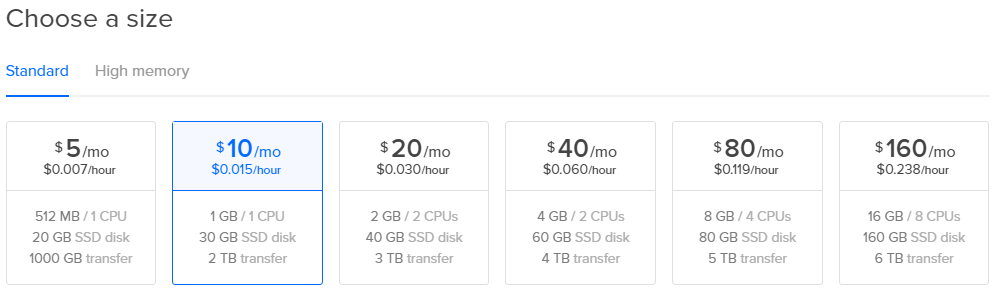
Running docker can be disk-usage intensive. Some docker images may “weigh” up to or more than 1 GB. I would definitely advise choosing an instance with at least 30GB of disk space, which is a bargain for $10 a month, but you will have to keep an eye out for disk usage. It’s been known to fill up.
Aside for some additional options on the page, like chosing a region where your droplet will be running in, there’s only a big green “Create” button on the bottom of the page, which will set up everything you need.