2 User Interface
2.1 Fixed misalignment of settings page boxes
Due to some padding on the right of the metabox container within the Genesis Theme and SEO settings, the right side of each metabox was out of line with the right side of the notifications that appear at the top when the settings are saved or reset. The padding was removed and now everything lines up.
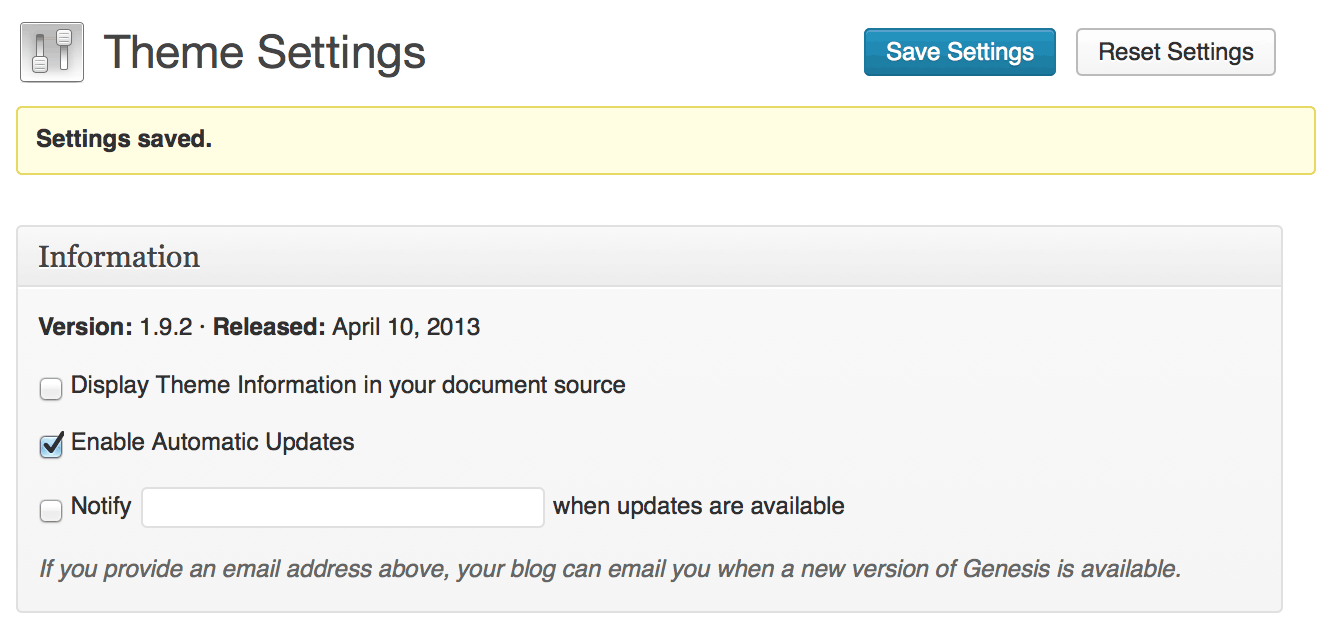
Before: Misaligned metaboxes and notifications
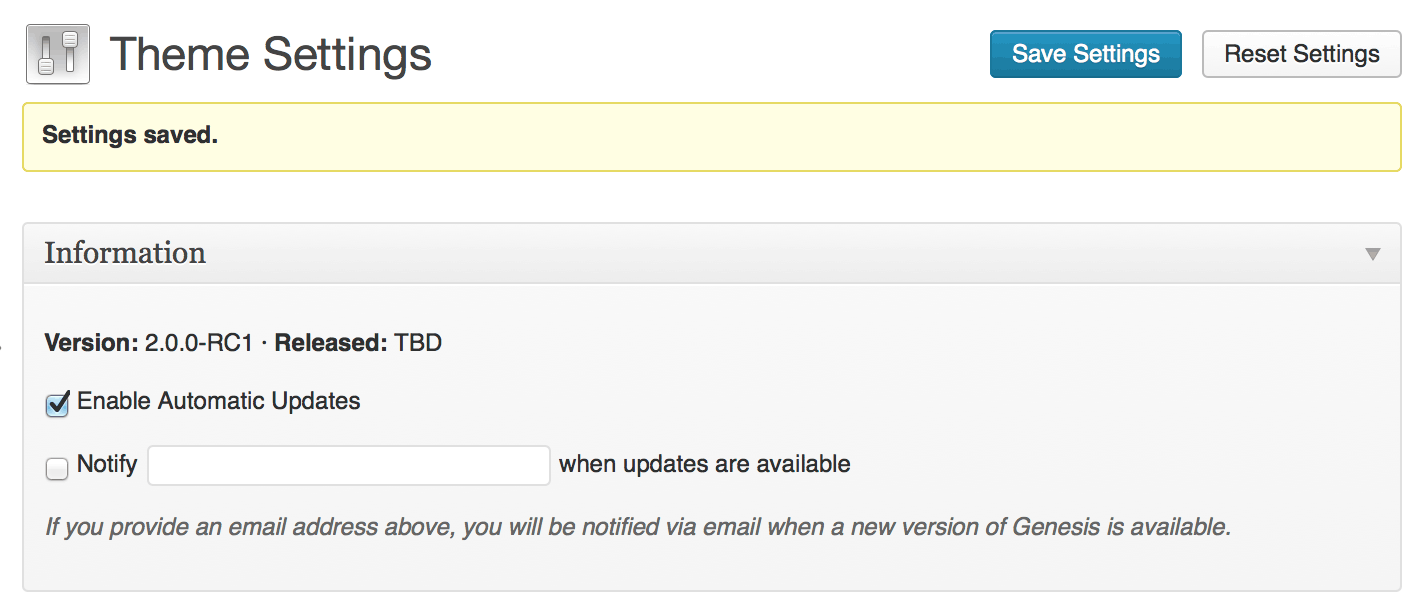
After: Metaboxes and notices now align
2.2 Fixed inconsistent term meta UI
The user interface for the meta fields on the Edit Term page was inconsistent - input fields and textareas were different sizes. This was due to a missing class on the tr element and an incorrect class on one of the textareas. The correct classes have now been added.
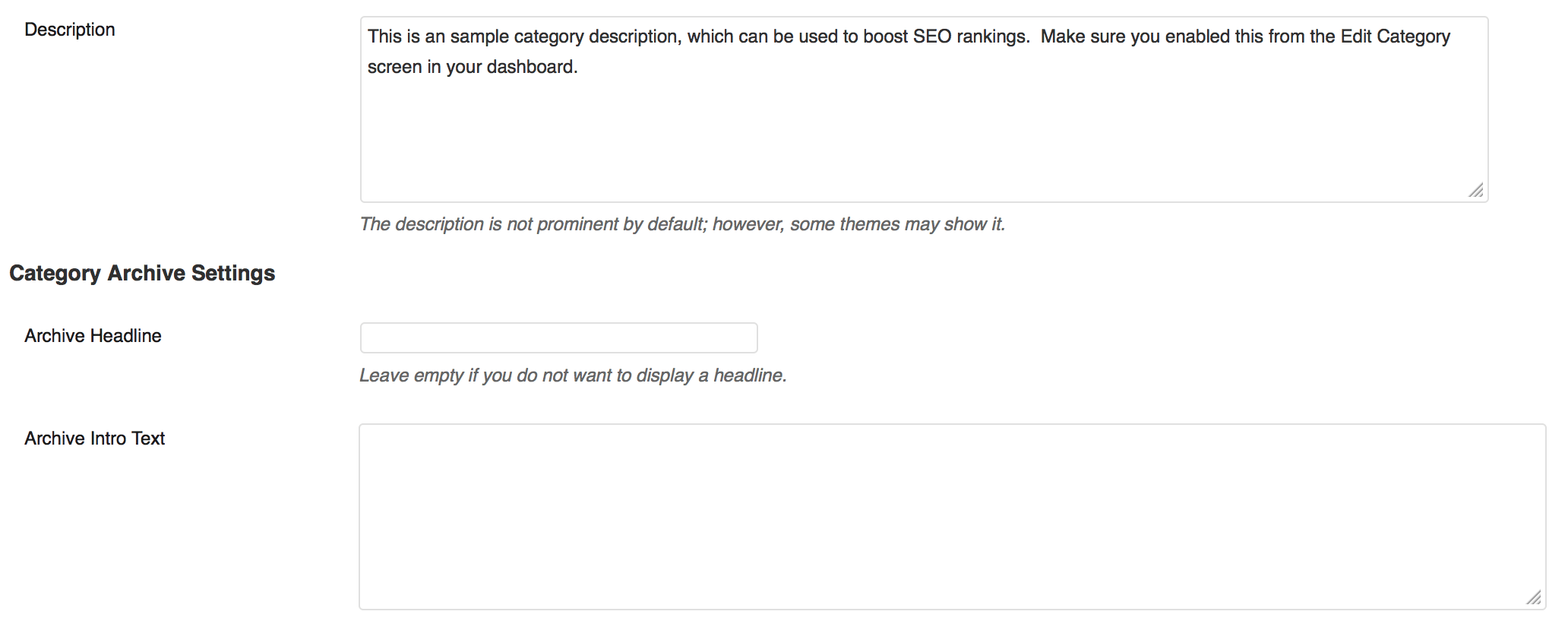
Before: Term meta input and textareas fields are inconsistent width
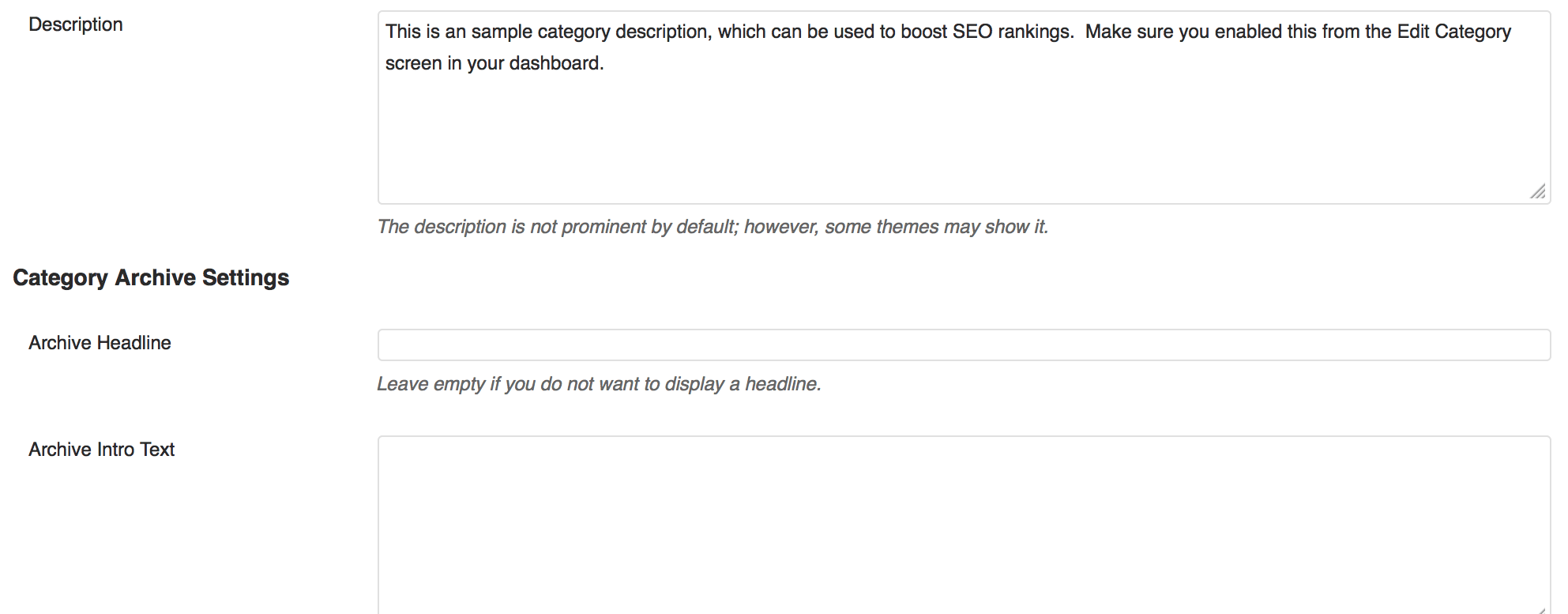
After: Term meta field widths are now consistent
2.3 Improved in-post scripts box by moving it to its own box
The choice to include script references on a per-entry basis has nothing to do with SEO, so having this field disappear when the SEO Settings box was hidden due to a supported SEO plugin being active was both confusing and reduced useful functionality.
The scripts field has now been moved to its own metabox, which doesn’t get hidden when an SEO plugin is active.
2.4 Improved feedback for Navigation settings
Previously, the Theme Settings -> Navigation box would always display a notice about building a custom menu and assigning it to the right location, even if the user had already done this.
This was changed so that instead of a single message for the whole box, it was done for Primary and Secondary menus individually, and only if the respective location didn’t have a menu assigned. Later, the Secondary Navigation section was removed leaving just the single notice specifically for the Primary Navigation.
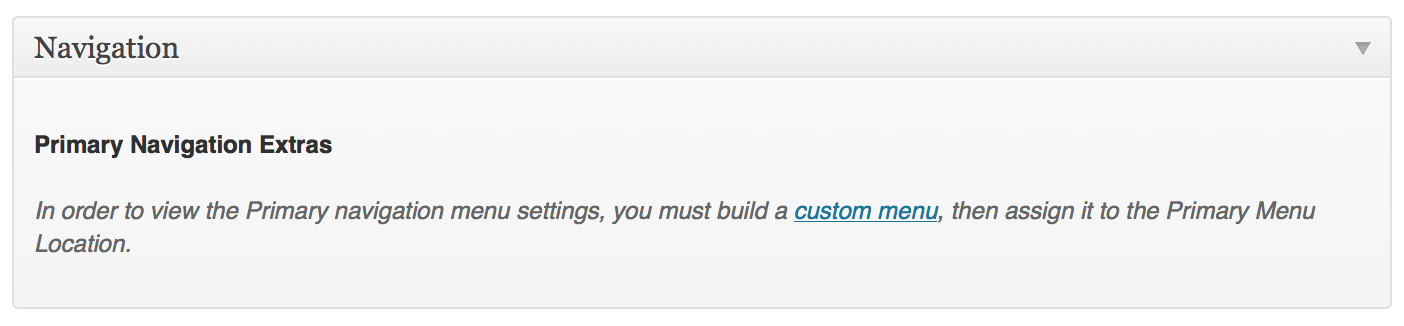
Simplified Navigation settings feedback
2.5 Improved What’s New page with new content, and random order of contributors
As you might expect, the What’s New page that you see when you update Genesis has been updated with content relevant for Genesis 2.0. The list of contributors has been pulled out into a genesis_contributors() function, and this is used to then display the contributors in a random order.
The list of contributors included the addition of Remkus de Vries, Mark Jaquith, Brandon Kraft, Travis Northcutt and Greg Rickaby.
The Gravatar images that accompany the list of people on this page are now retrieved at a size of 120x120 pixels, but still shown at 60px square for the benefit of retina displays.

|
View What’s NewWhile the What’s New page is usually only seen after an update, you can use the Genesis What’s New Info plugin to add it as an admin menu link. |
2.6 Improved admin styles to work better with MP6 plugin
The MP6 plugin is expected to be the basis for a new admin design in WordPress 3.7. By default however, the Genesis admin styles conflicted with the styles added by the plugin. Although not strictly supported (a conflicting change in MP6 after Genesis 2.0 launches is unlikely to result in a new release of Genesis), the admin menu icon and some metabox bottom padding have been fixed so that it should display better for those using MP6 during WordPress 3.6.
2.7 Improved wording for email notification setting
The previous wording on the Theme Settings page was:
If you provide an email address above, your blog can email you when a new version of Genesis is available.
Since WordPress is used as more than just a blog by many users, this was changed to
If you provide an email address above, you will be notified via email when a new version of Genesis is available.

Updated wording for Theme Settings page
2.8 Improved labels containing URI to use URL instead
There’s a subtle technical difference between a uniform resource identifier (URI) and a uniform resource location (URL). A URL is one type of URI. In the case of typical users though, the URL is generally better understood even when URI would be the correct term to use. Four input labels regarding redirection of feeds and entries have been changed from URI to URL to make them friendlier.
2.9 Improved widget areas by only showing default content to those who can edit widgets
The default widget area content gives instructions on the front-end of the site on how to change that widget area. This is redundant for everyone who might visit since only those who can change the widgets can do anything with this information. Genesis 2.0 now checks for that capability (edit_theme_options) before showing it. This saves having to employ the empty text widget trick, where someone might have wanted the empty widget area or sidebar to display, but without any contents showing.
2.10 Added archive settings for custom post types
Custom post types can have an archive page, but until Genesis 2.0, you couldn’t easily set what the SEO details were for it, without getting into some heavy custom coding.
To enable the archive settings, the registration of the custom post type must ensure that public, show_ui, show_in_menu are true, has_archive is true or a non-empty string, and _builtin is false. These conditions are filterable via the the genesis_cpt_archives_args filter.
The custom post type must also specify support for genesis-cpt-archives-settings during or after registration. This means that displaying of the archive settings is opt-in.
add_action( 'init', 'prefix_register_book' );
/**
 * Register a book custom post type.
 */
function prefix_register_book() {
    $args = array(
    	'label'        => __( 'Books', 'text-domain' ),
    	'public'       => true,
    	'show_ui'      => true, // Not needed as public is true
    	'show_in_menu' => true, // Not needed as show_ui is true
    	'has_archive'  => 'books',
    	// _builtin should not be used, and is false by default anyway
    	'supports'     => array(
    		'title',  // Just an example
    		'editor', // Just an example
    		'genesis-cpt-archive-settings', // Opt-in
    	),
    );
    register_post_type( 'prefix-book', $args );
}

// If the post type has already been registered elsewhere and meets the
// properties criteria, then the following is sufficient
add_post_type_support( 'prefix-movie', 'genesis-cpt-archive-settings' );
Once enabled, you’ll have a new link on the admin menu for archive settings, either underneath the post type top-level menu, or underneath the post type list link. When selected, you’ll be presented with options to set an archive headline and intro text, as well as a custom title, meta description and meta keywords, robots meta and layout settings, similar to what is found in per-post settings.
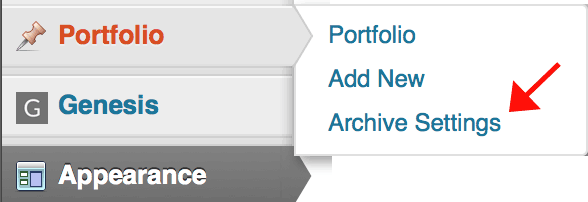
The custom post type archive settings link on the admin menu
2.11 Added contextual help to settings pages
Contextual help is a feature of WordPress that adds a Help tab to the top right of admin screens. It’s here that developers can give a little more guidance to that screen, without having to add it to the page itself (visually distracting from the intended task), or provide a link that takes the user out of the context of what they were trying to do.
Genesis 2.0 provides a first pass at contextual help. These might be revised in later releases, especially as settings change. Go to a Genesis admin screen, then click on the Help tab in the top right to see it.

Location of the Contextual Help tab
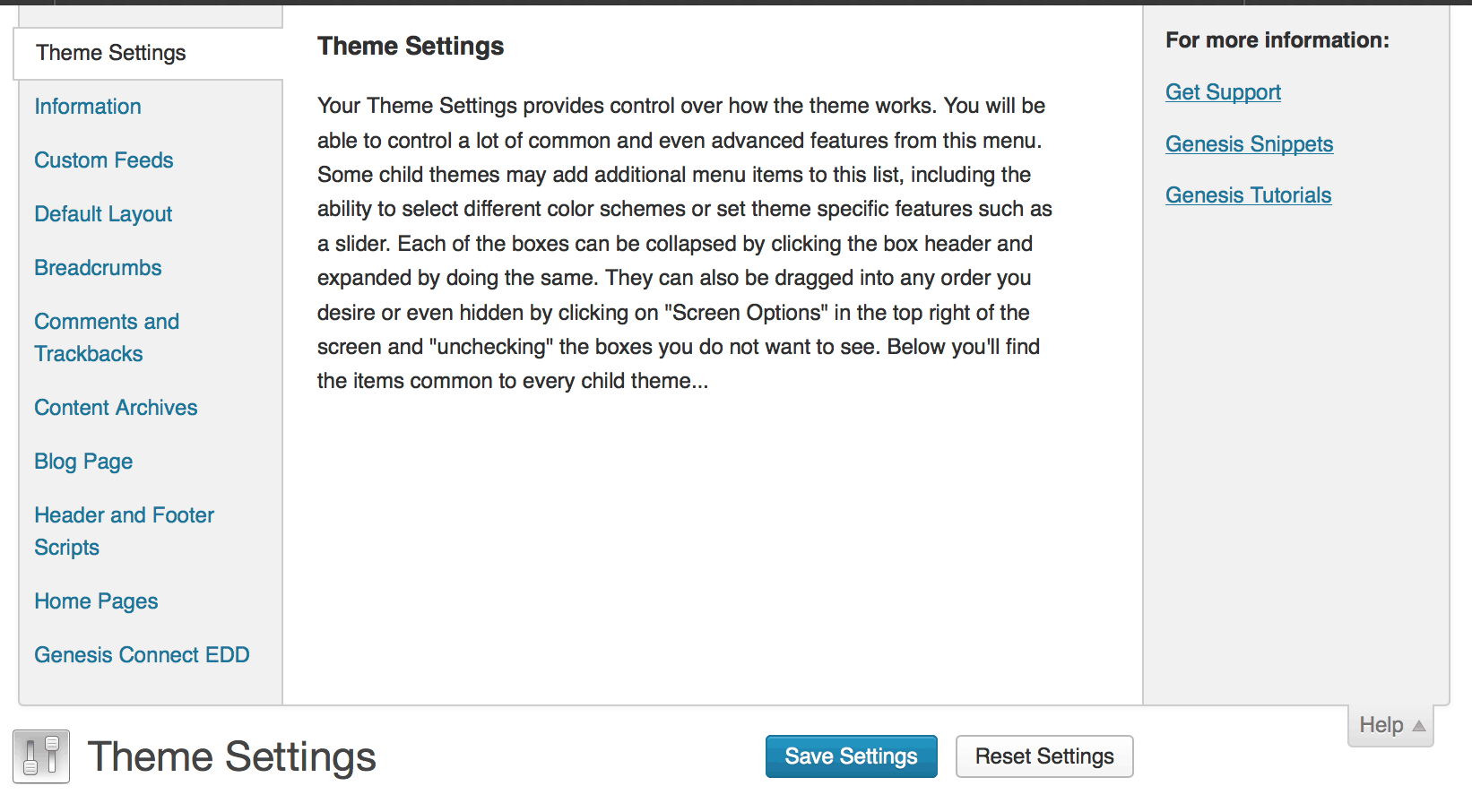
Contextual help open
2.12 Added distinct admin menu icon
Previous versions of Genesis re-used the favicon as the icon for the top-level admin menu. This has now changed so that it has its own specific admin menu icon. This allows the favicon to stay as a .ico file, while maintaining the menu icon as a .png.

Admin menu icon
2.13 Added an unsaved settings alert
If you start a new post, enter a title or some content, but then try to navigate away from that page without saving, WordPress will helpfully give you a warning that doing so would lose what you had written.
Previously, if you made a change in a Genesis settings page and tried to navigate away, you would do so and lose whatever changes you’d not yet saved.
If JavaScript is enabled, Genesis 2.0 now gives a warning instead. It does this by looping through each form control (input, textarea, select and button), and then setting a flag if any of them has changed. When the user is about to leave the page (window unloaded), it checks for this flag and gives the user a confirmation box to confirm that it is what they really wanted to do. If the Save button is selected, the flag is reset so that the submission can happen without the confirmation getting in the way.

JavaScript alert when trying to navigate away from unsaved settings
2.14 Added semantic heading setting for using multiple h1 elements on a page
Although HTML5 supports sectioned or outlined content, and therefore multiple levels of headers on a page, there’s still some debate within the SEO community about whether the search engines still actually prefer a single h1 element, for instance, on a page.
If HTML5 support is activated, this new setting makes the site title into a level one heading and the site description into a level two heading, regardless of whether the page might have its own level one heading such as a single entry title or archive title. Furthermore, on an archive page with lots of titles of single entries, having this setting enabled will mark them all up as level one headings, instead of the usual level two.
2.15 Added permalink on posts with no title
One of the theme requirements is that posts with no title displayed in an archive should still have a link allowing access to the single entry. This isn’t just for certain post formats which traditionally may not have a post title, even if one was added in, for standard posts where no title was entered.
Genesis 2.0 now adds a permalink to the end of the content (full content or excerpt) that is linked through to the single post, which means that authors can choose not to have a title for their entry, if they so wish, without affecting the usability of their site. The permalink does not show up on single entries, within feed content, or if the entry has a title.
|
|
Amending and Removing the PermalinkThe permalink can be amended by filtering |
2.16 Added recognition of SEO Ultimate plugin
Genesis already supported several prominent SEO plugins. If it found a class or constant known to be defined by them, it would disable the Genesis SEO settings page and in-post SEO metabox.
Genesis 2.0 now adds SEO Ultimate to the supported list of plugins.
2.17 Removed Fancy Dropdown settings
The individual Fancy Dropdown settings for Primary and Secondary menus has been removed in favour of a single Load Superfish Script setting, though this setting is only available if the child theme does not have HTML5 support. This new setting also detects if you had the old settings turned on too, so you don’t lose your old setup.
Having one menu with Superfish being applied and one menu without was an edge case. Usually users wanted both or neither, and the same number of scripts were being loaded whether one or both menus were supported, so there was no performance impact.
2.18 Removed empty Secondary Navigation section
When the Fancy Dropdowns settings got removed from individual Primary and Secondary Navigation sections, this left no settings under the Secondary Navigation subtitle, so the section was removed completely. Since there was now no need to distinguish between the Primary and Secondary Navigation sections, the Primary Navigation heading was also removed, to just leave the Primary Navigation Extras heading.
2.19 Removed Theme Information setting
The purpose of the Theme Information setting was to add a meta tag into the head that displayed the version of the child theme and the Genesis version being used. This was primarily for support purposes. However, this information is already publicly disclosed by looking at the referenced style sheet (child theme), and knowing the typical location of the Genesis style sheet for finding out the Genesis version in use.
2.20 Removed the Older / Newer archive pagination format
The Older Posts / Newer Posts archive pagination format was mostly the same as the Previous Page / Next Page, except that it had different wording. The wording was limited though:
- It only applied to posts, and not other custom post types.
- The terms older and newer only made sense when the query returned entries is descending date order.
Any sites set to use Older Posts / Newer Posts will fallback to the new default of the Next Page / Previous Page.
2.21 Removed child theme README admin menu item
For such a simple task, this was probably the single-most discussed point for Genesis 2.0, and it all started back in 2011 before Genesis 1.8 was released.
The ticket started off due to the readme.txt (what should be a plain text file) getting more and more markup in it, since child theme readme files were being included and displayed on the Readme admin page. The initial suggestion was to consider including a readme.html (HTML) for that purpose, and leave the readme.txt as plain text, with the HTML version preferred if it existed. A readme.md (Markdown) version was another alternative.
The rejection for the Markdown file was that it would need a parser included within Genesis, and that wasn’t something wanted in core.
The HTML file was also rejected as it would have to be incomplete (just content, not head or body tags for instance) which seemed even less ideal. An iframe was briefly considered but this would then leave the content unstyled.
The questions were then asked - what were other themes frameworks doing with their readme files (if anything)?, and what does it actually add to the theme? In short, no other frameworks were doing anything special with it, but several Genesis developers said they were using it to provide clients with theme-specific information. When it was later suggested (and indeed committed but later reversed due to it being only a short time before the releases of 1.8) to remove the link to the readme file from the admin menu, those developers said that their clients would lose access to this information.
The counter-arguments to this were that the purpose of a readme file was to serve developers not end-users, and the typical content historically included from all software was listed. The typical use of most child themes from StudioPress and the community was to display install instructions, which by the time the theme is already installed and the readme file available to see in the admin menu, were redundant. Other bits sometimes included were already available elsewhere:
- Theme description - see Appearance -> Themes
- Extra widget areas - see Appearance -> Widgets
- Extra image sizes - see the image size dropdowns
- URL for support - see Contextual Help
- Other information for clients - see Contextual Help or build a basic admin page.
An argument was also put forward that for users new to Genesis, potentially having a link through to a child theme readme, and looking at the often woeful, but nearly always technical content there is the best way of scaring them off. Dashboard widgets and the whole sub-industry of WordPress-related training were given as other alternatives to using the readme file to give information to end-users.
A parallel was drawn between the incorrect utilisation of the readme files and that of Genesis adding post custom title, taxonomy term custom title and description and the Import/Export feature. These all exist in WordPress in some form already, yet the use by Genesis is different from the task they were added to WordPress for; Readme files were added to help developers or users get the child theme installed, not to communicate information after the theme was installed.
The suggestion was then made that having the admin menu link to a readme could be done via a plugin instead, so that developers who had been using the readme for end-user information could quickly install the plugin instead of re-coding to move the information to contextual help or an admin page. Alternatively, a non-backwards compatible suggestion was made for changing the name of the file looked for to INSTRUCTIONS.txt, so that README.txt was freed up for its traditional role.
Having got through to the end of March 2013, the vote was made to remove the admin link completely, since at least one of the main developers who objected previously had indeed moved on to other methods of providing end clients with info.