Hitting the Ground Running
Prerequisites
There are a few tools we’re going to need up and running before we can build and launch a new Ruby on Rails site, so let’s get those out of the way. This book is written with the assumption that the reader is using OS X, the platform on which I primarily develop Rails. Most instructions should also work for Linux – I’ve developed Rails applications primarily on Linux in the past, and they’re virtually identical. Windows has not been tested, but apart from Prerequisites, the rest of the book should be fine.
Ruby
The language that Rails is built upon ships with many operating systems (like OS X and Linux), but is probably an outdated version. For example:
1 $ ruby -v
2 ruby 1.8.7 (2012-02-08 patchlevel 358) [universal-darwin12.0]
is too old. There are two popular systems to help you manage ruby versions, rvm and rbenv. Their philosophies differ a little, but for our purposes either is fine. I’ve been using rvm lately. To install rvm and the latest stable version of ruby, run:
1 $ curl -sSL https://get.rvm.io | bash -s stable --ruby
This will fetch dependencies and compile ruby, which could take upwards of 20 minutes to an hour (and you might want to plug your laptop in). After you’re done, check that ruby is the rvm-managed one:
1 $ ruby -v
2 ruby 2.0.0p247 (2013-06-27 revision 41674) [x86_64-darwin12.3.0]
Consult rvm’s web site if you run into any issues. Rails Once Ruby 2.0.x has been installed, we can use the gem system to download all of the code required for Rails.
1 gem install rails
bundler
Once you start having more than a project or two it’s very easy to get into dependency hell, where project A requires version X of lib, but project B requires X.Y. It’s enough to drive you mad, so we use Gemfiles and bundler. A Gemfile is a list of gems (and potentially versions) that a project depends upon. For example, a basic Rails project might have:
1 source 'https://rubygems.org'
2
3 gem 'rails', '4.0.2'
4 gem 'sass-rails', '~>4.0.0'
5 gem 'uglifier', '>=1.3.0'
6 gem 'jquery-rails'
The first line tells us that this Gemfile can be fulfilled by the gems hosted on RubyGems. The additional lines specify gems, with optional version predicates. To be able to use bundler, we need to install the gem:
1 $ gem install bundler
2 $ bundle -v
3 Bundler version 1.3.5
Now you’ll be able to simply run bundle from any project with a Gemfile to create a Gemfile.lock, which keeps all library versions locked to a known state (instead of, for example, updating each library as soon as new versions become available).
git
git is a version control system that’s gained popularity in the last decade, and made “famous” by GitHub
Installation
If you’re on OS X, Brew and MacPorts have installation formulas for git, but Google Code also hosts pre-compiled binaries. If you’re on Linux, apt-get, yum and most other package managers will have an installation candidate.
Introduction
git and the topic of version control systems (VCS, you may also hear Source Code Management) not only deserve but have multitudes of books written about them. I fully encourage you to read a basic git tutorial online if you’ve got no exposure to it, but in the mean time, let’s get on with it.
git lets you save checkpoints of your files and folders. You save a checkpoint every time you do something “important”, like fixing a bug, implementing a feature, writing a test, or changing a line of configuration. You can turn any folder into a git repository by running:
1 $ git init
2 Initialized empty Git repository in /Users/adam/myfolder/.git/
Now you have an empty repository in myfolder. But wait, what about all the files that were in the folder? They’re still in the folder, but they’re not being tracked by git. You need to explicitly tell git which files and changes we care about, and you can do that with git add:
 1 $ git add README.md
 2 $ git status
 3 # On branch master
 4 #
 5 # Initial commit
 6 #
 7 # Changes to be committed:
 8 # (use "git rm --cached <file>..." to unstage)
 9 #
10 #       new file:   README.md
git-add adds a file to the staging area of git. You can run git-add multiple times to pull in more files to the staging area. Once you have everything you want staged, you can save a checkpoint by committing:
1 $ git commit -m "Add README.md"
2 [master(root-commit) e78e83e] Add README.md
3  0 files changed
4  create mode 100644 README.md
And finally, to view a list of checkpoints (which I’ll now call commits), you can use git log or git log –oneline to view a summarized version:
1 $ git log
2 commit e78e83e81825acdf473c9edfeeca9041b855f35c (HEAD, master)
3 Author: Adam Derewecki <derewecki@gmail.com>
4 Date: Sat Jan 11 14:56:21 2014 -0800
5
6 Add README.md
7 Adams-MacBook-Pro:~/temprepo[master]
8 $ git log --oneline
9 e78e83e(HEAD,master) Add README.md
The long string of random letters and numbers is the SHA1 that identified the commit. The full SHA1 (e78e83e81825acdf473c9edfeeca9041b855f35c) is generally more information than you need to identify a commit, so you often see a shorter (e78e83e) version that has enough information to be unique in a repository. If you need to go back to a check point, you can:
1 $ git reset --hard e78e83e
2 HEAD is now at e78e83e Add README.md
and HEAD (a pointer that always points at the most recent commit in a branch) will be reset to the commit you specify.
This hardly scratches the surface of git, but should be enough to get you through Chapter 1.
Heroku Toolbelt
Last tool, I promise. Heroku is the web site hosting service this book will be using. While deploy- ments to Heroku are handled over the git pushing mechanism, many other Heroku maintenance tasks are done via the heroku command line interface. Heroku has detailed instructions9 for how to install the command line tool on all major platforms. This would also be a good time to sign up for a free account with Heroku and then logging in to the command line tool via:
1 $ heroku login
2 Enter your Heroku credentials.
3 Email: derewecki@gmail.com
4 Password:
5 Could not find an existing public key.
6 Would you like to generate one? [Yn]
7 Generating new SSH public key.
8 Uploading ssh public key /Users/adam/.ssh/id_rsa.pub
Creating a new Rails application
1 $ rails new MySiteName
This command does few things:
- create a new folder called
MySiteName - set up a skeleton Rails app
- runs bundle to read dependencies from the
Gemfileand createGemfile.lock
Let’s take a quick look at the lay of the land:
 1 ├── Gemfile
 2 ├── Gemfile.lock
 3 ├── README.rdoc
 4 ├── Rakefile
 5 ├── app
 6 │   ├── assets
 7 │   │   ├── images
 8 │   │   ├── javascripts
 9 │   │   │   ├── application.js
10 │   │   └── stylesheets
11 │   │       ├── application.css
12 │   ├── controllers
13 │   │   ├── application_controller.rb
14 │   │   ├── concerns
15 │   ├── helpers
16 │   │   ├── application_helper.rb
17 │   ├── mailers
18 │   ├── models
19 │   │   ├── concerns
20 │   └── views
21 │       ├── layouts
22 │           └── application.html.erb
23 ├── bin
24 │   ├── bundle
25 │   ├── rails
26 │   └── rake
27 ├── config
28 │   ├── application.rb
29 │   ├── boot.rb
30 │   ├── database.yml
31 │   ├── environment.rb
32 │   ├── environments
33 │   │   ├── development.rb
34 │   │   ├── production.rb
35 │   │   └── test.rb
36 │   ├── initializers
37 │   │   ├── backtrace_silencers.rb
38 │   │   ├── filter_parameter_logging.rb
39 │   │   ├── inflections.rb
40 │   │   ├── mime_types.rb
41 │   │   ├── secret_token.rb
42 │   │   ├── session_store.rb
43 │   │   └── wrap_parameters.rb
44 │   ├── locales
45 │   │   └── en.yml
46 │   └── routes.rb
47 ├── config.ru
48 ├── db
49 ├── lib
50 │   ├── assets
51 │   └── tasks
52 ├── log
53 │   └── development.log
54 ├── public
55 │   ├── 404.html
56 │   ├── 422.html
57 │   ├── 500.html
58 │   ├── favicon.ico
59 │   └── robots.txt
60 ├── tmp
61 └── vendor
62     └── assets
63         ├── javascripts
64         └── stylesheets
You know about Gemfile already, and README.rdoc is easy enough to figure out, but let’s look at the other top level entries:
-
app: this is where models, controllers, views, JavaScript, stylesheets, and images all go. Most of the Rails code you edit on a day-to-day basis will be in app. -
bin: contains command line tools, like bundle and rails. -
config: various configuration files for different systems and environments (e.g., development and production) -
config/routes.rb: important enough to deserve it’s own call out, this is how your application will know what code to run when different URLs are requested from it. -
db: doesn’t contain much now, but will soon contain a schema.rb representation of your database as well as a db/migrate folder which contains all of SQL commands used to generate your database. -
lib: Rake tasks live here (“batch” jobs in other programming environments). It’s also a convenient place to add libraries that don’t have Rails as a dependency. -
public: files in this folder will just be served straight through without modification.
app deserves a little more discussion, if you’re new to Rails:
-
models: ActiveRecord objects live here and store information from the application to a database. -
controllers: Picks up a new request from the router, handles the request, and then renders a view back to the user. -
views: all the HTML (well, erb or HAML) to generate your pages -
assets: JavaScript, stylesheets, and images are stored here. This directory is special because the Rails Asset Pipeline will automagically perform a few best practices, like concatenating all JS into one file and minifying CSS.
I know you haven’t done much, but your project is almost ready to be launched on Heroku already. Before doing that though, we need to edit the Gemfile to get it ready for Heroku. Open up Gemfile and change:
1 gem 'sqlite3'
to
1 group :production do
2   gem 'pg'
3   gem 'rails_12factor'
4 end
5 group :development do
6   gem 'sqlite3'
7 end
If you’re into brevity, you could also write this as:
1 gem 'sqlite3', group: :development
But usually you end up with more than one gem in each group
This changes the Gemfile to tell Rails to use sqlite3 for the local development environment, but to use pg (Postgres, a popular database) when it’s in a production environment (like Heroku). If you don’t make this change, Heroku will give you a misleading error during deployment that native extensions couldn’t be installed. In this case, you don’t want native extensions because it’s just using the wrong gem. This took me at least an hour to figure out the first time I played with Heroku.
The rails_12factor Gem is supplied by Heroku for static asset and logging integration.
After changing the Gemfile, we need to run bundle to update Gemfile.lock. This will ensure that the application’s dependencies stay locked to known and compatible versions:
 1 $ bundle
 2 Resolving dependencies...
 3 Using rake (10.1.1)
 4 Using i18n (0.6.9)
 5 Using minitest (4.7.5)
 6 Using multi_json (1.8.4)
 7 Using atomic (1.1.14)
 8 Using thread_safe (0.1.3)
 9 Using tzinfo (0.3.38)
10 Using activesupport (4.0.2)
11 Using builder (3.1.4)
12 Using erubis (2.7.0)
13 Using rack (1.5.2)
14 Using rack-test (0.6.2)
15 Using actionpack (4.0.2)
16 Using mime-types (1.25.1)
17 Using polyglot (0.3.3)
18 Using treetop (1.4.15)
19 Using mail (2.5.4)
20 Using actionmailer (4.0.2)
21 Using activemodel (4.0.2)
22 Using activerecord-deprecated_finders (1.0.3)
23 Using arel (4.0.1)
24 Using activerecord (4.0.2)
25 Using bundler (1.3.5)
26 Using coffee-script-source (1.6.3)
27 Using execjs (2.0.2)
28 Using coffee-script (2.2.0)
29 Using thor (0.18.1)
30 Using railties (4.0.2)
31 Using coffee-rails (4.0.1)
32 Using hike (1.2.3)
33 Using jbuilder (1.5.3)
34 Using jquery-rails (3.0.4)
35 Using json (1.8.1)
36 Using pg (0.17.1)
37 Using tilt (1.4.1)
38 Using sprockets (2.10.1)
39 Using sprockets-rails (2.0.1)
40 Using rails (4.0.2)
41 Using rdoc (4.1.1)
42 Using sass (3.2.13)
43 Using sass-rails (4.0.1)
44 Using sdoc (0.4.0)
45 Using sqlite3 (1.3.8)
46 Using turbolinks (2.2.0)
47 Using uglifier (2.4.0)
48 Your bundle is complete!
49 Use `bundle show [gemname]` to see where a bundled gem is installed.
Now we need to create a git repository in this sample project directory and add the current working directory:
 1 $ git init
 2 Initialized empty Git repository in /Users/adam/src/MySiteName/.git/
 3 Adams-MacBook-Pro:~/src/MySiteName[master #%]
 4 $ git add .
 5 Adams-MacBook-Pro:~/src/MySiteName[master #]
 6 $ git status --short
 7 A  .gitignore
 8 A  Gemfile
 9 A  Gemfile.lock
10 A  README.rdoc
11 A  Rakefile
12 A  app/assets/images/.keep
13 A  app/assets/javascripts/application.js
14 A  app/assets/stylesheets/application.css
15 [ full listing omitted for brevity ]
16 A  vendor/assets/javascripts/.keep
17 A  vendor/assets/stylesheets/.keep
18 $ git commit -m "Initial commit"
19 50 [output omitted]
Each A indicates a file that’s about to be added in the upcoming commit. It’s important that all changes you make to your Rails application get committed to git, because git is the local subsystem that communicates with Heroku. For example, if you add an image to app/assets/images/sample.png, it will work on your local server. However, if you don’t add it to git and commit it, it will fail in production. git status is a helpful command (that I run obsessive compulsively) to keep tabs on the current status of your working tree.
Adding a home view
We’re going to take advantage of a built-in code generation utility, the rails generate command. It’s full of options, for everything from models to database migrations. For the home view, we’re going to use a scaffold generator, which creates: a migration, model, controller, RESTful views, a routes entry, view helper, stylesheet, and empty Coffeescript file.
 1 $ bundle exec rails generate scaffold Page
 2       invoke  active_record
 3       create    db/migrate/20140113205312_create_pages.rb
 4       create    app/models/page.rb
 5       invoke    test_unit
 6       create      test/models/page_test.rb
 7       create      test/fixtures/pages.yml
 8       invoke  resource_route
 9        route    resources :pages
10       invoke  scaffold_controller
11       create    app/controllers/pages_controller.rb
12       invoke    erb
13       create      app/views/pages
14       create      app/views/pages/index.html.erb
15       create      app/views/pages/edit.html.erb
16       create      app/views/pages/show.html.erb
17       create      app/views/pages/new.html.erb
18       create      app/views/pages/_form.html.erb
19       invoke    test_unit
20       create      test/controllers/pages_controller_test.rb
21       invoke    helper
22       create      app/helpers/pages_helper.rb
23       invoke      test_unit
24       create        test/helpers/pages_helper_test.rb
25       invoke    jbuilder
26       create      app/views/pages/index.json.jbuilder
27       create      app/views/pages/show.json.jbuilder
28       invoke  assets
29       invoke    coffee
30       create      app/assets/javascripts/pages.js.coffee
31       invoke    scss
32       create      app/assets/stylesheets/pages.css.scss
33       invoke  scss
34       create    app/assets/stylesheets/scaffolds.css.scss
And opening app/views/pages/index.html.erb:
 1 <h1>Listingpages</h1>
 2 <table>
 3   <thead>
 4     <tr>
 5       <th></th>
 6       <th></th>
 7       <th></th>
 8     </tr>
 9   </thead>
10   <tbody>
11   <% @pages.each do |page| %>
12     <tr>
13       <td><%= link_to 'Show', page %></td>
14       <td><%= link_to 'Edit', edit_page_path(page) %></td>
15       <td><%= link_to 'Destroy', page, method: :delete, data: { confirm: 'Are you\
16  sure?' } %></td>
17     </tr>
18     <% end %>
19   </tbody>
20 </table>
21 <br> <%=link_to'NewPage',new_page_path%>
This generator creates a database migration for Pages, even though we didn’t explicitly tell the generator what columns to add in the migration. It’s unlikely that we’ll ever add columns to this table (I generally make Pages for privacy policy, terms of service, about, etc), but for the sake of simplicity, we’ll run the migration and pretend it makes a difference:
1 $ bundle exec rake db:migrate
2 ==  CreatePages: migrating ====================================================
3 -- create_table(:pages)
4    -> 0.0011s
5 ==  CreatePages: migrated (0.0012s) ===========================================
Let’s spice it up a little. Open app/views/pages/index.html.erb in your editor and change the contents of the h1 tag to a headline of your choosing. I suggest “Hi Mom!”, because she’s always proud of your accomplishments.
One last code change is to open config/routes.rb and add a root entry, to tell Rails which controller action is to handle the / root URL:
1 MySiteName::Application.routes.draw do
2   root 'pages#index'
3   resources :pages
These new pages and changes need to be committed, but let’s take a peek at the git status first:
 1 $ git status
 2 # On branch master
 3 # Changes not staged for commit:
 4 #   (use "git add <file>..." to update what will be committed)
 5 #   (use "git checkout -- <file>..." to discard changes in working directory)
 6 #
 7 #       modified:   config/routes.rb
 8 #
 9 # Untracked files:
10 #   (use "git add <file>..." to include in what will be committed)
11 #
12 #       app/assets/javascripts/pages.js.coffee
13 #       app/assets/stylesheets/pages.css.scss
14 #       app/assets/stylesheets/scaffolds.css.scss
15 #       app/controllers/pages_controller.rb
16 #       app/helpers/pages_helper.rb
17 #       app/models/page.rb
18 #       app/views/pages/
19 #       db/migrate/
20 #       test/controllers/pages_controller_test.rb
21 #       test/fixtures/pages.yml
22 #       test/helpers/pages_helper_test.rb
23 #       test/models/page_test.rb
24 no changes added to commit (use "git add" and/or "git commit -a")
Now that we know what’s what, let’s add what we need (everything but test/):
 1 $ git add app config db
 2 $ git commit -m "Add Pages scaffold and modify index"
 3 [master 551c945] Add Pages scaffold and modify index
 4  15 files changed, 225 insertions(+)
 5  create mode 100644 app/assets/javascripts/pages.js.coffee
 6  create mode 100644 app/assets/stylesheets/pages.css.scss
 7  create mode 100644 app/assets/stylesheets/scaffolds.css.scss
 8  create mode 100644 app/controllers/pages_controller.rb
 9  create mode 100644 app/helpers/pages_helper.rb
10  create mode 100644 app/models/page.rb
11  create mode 100644 app/views/pages/_form.html.erb
12  create mode 100644 app/views/pages/edit.html.erb
13  create mode 100644 app/views/pages/index.html.erb
14  create mode 100644 app/views/pages/index.json.jbuilder
15  create mode 100644 app/views/pages/new.html.erb
16  create mode 100644 app/views/pages/show.html.erb
17  create mode 100644 app/views/pages/show.json.jbuilder
18  create mode 100644 db/migrate/20140113205312_create_pages.rb
At this point, you can try firing up a local development server:
1 $ bundle exec rails server
2 => Booting WEBrick
3 => Rails 4.0.2 application starting in development on http://0.0.0.0:3000
4 => Run `rails server -h` for more startup options
5 => Ctrl-C to shutdown server
6 [2014-01-13 13:18:29] INFO  WEBrick 1.3.1
7 [2014-01-13 13:18:29] INFO  ruby 2.0.0 (2013-06-27) [x86_64-darwin12.3.0]
8 [2014-01-13 13:18:29] INFO  WEBrick::HTTPServer#start: pid=58003 port=3000
You should be able to see your beautiful new landing page in your web browser at http://localhost:3000. Control-C will kill the web server.
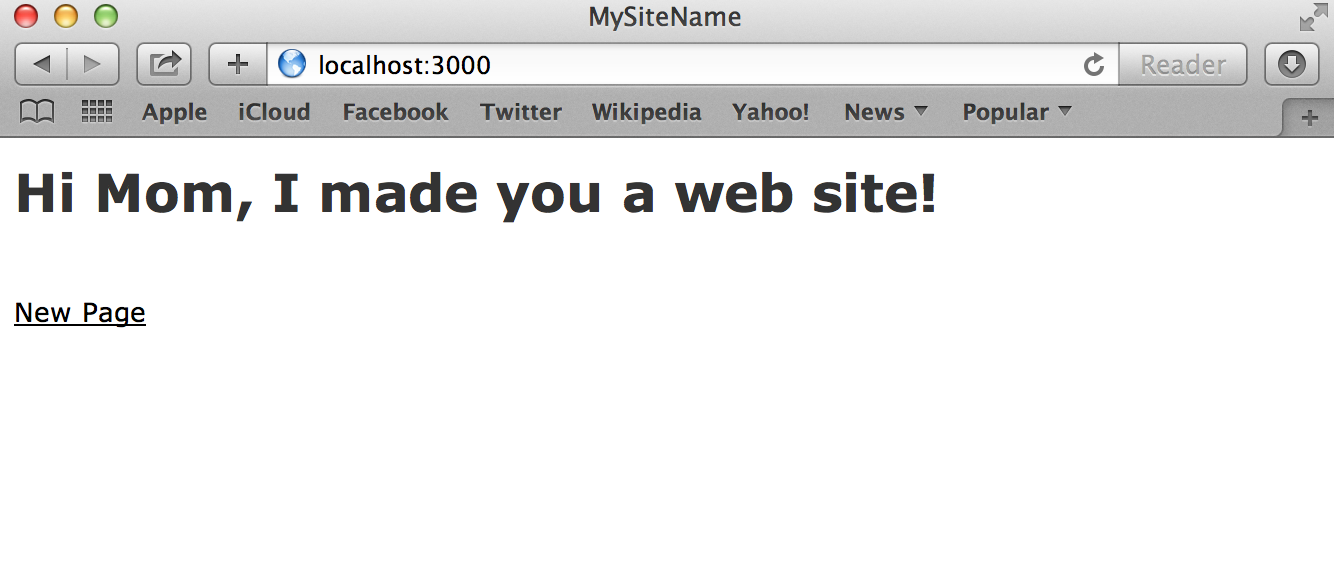
Hi Mom, served locally
Deploying to Heroku
You’re almost there! You have a working Rails app locally, but it’s only available to you. We need to get a copy of your code working on a remote server to be able to serve webpages to anyone on the internet – e.g. to brag to your friends that you just launched a Ruby on Rails application.
For the purposes of this book, we’re going to use Heroku to host our Rails apps. Heroku originally started as a Rails only hosting company, but with the introduction of custom buildpacks, they can run pretty much anything (even NES games!). Hosting your application on Heroku means they’ll take care of:
- running the server of your choice on a virtual computer called a dyno
- routing incoming requests to the appropriate dynos
- managing a Postgres database (including restoring automatically in the case of a data failure)
- quick and simple addon process for email, scheduled jobs, and more
The basic tier of Heroku is free and provides you with one dyno – suitable for low traffic web sites, and certainly for landing page email collectors, proving out minimum viable products, staging/test environments, or other low-use prototyping. I’d certainly recommend any Rails project started today be started on Heroku, and graduate to your own servers only when the price point makes sense (you’ve got more time than you probably think).
To communicate with Heroku, we use a combination of git and the heroku command line tool we installed in Prerequisites. The first thing we need to do is inform Heroku that we’d like to register a new application:
1 $ heroku create mysitename
2 Creating mysitename... done, stack is cedar
3 http://mysitename.herokuapp.com/ | git@heroku.com:mysitename.git
4 Git remote heroku added
5 $ git remote -v
6 heroku  git@heroku.com:mysitename.git (fetch)
7 heroku  git@heroku.com:mysitename.git (push)
Sometimes the name is taken (you can check in your browser first) and this step will error. Upon successfully registering a name, it also sets up a git remote for Heroku.
- git remote
- another git repository hosted on a remote server from this one (in this case, Heroku) that you can push code to or pull code from.
To get our code onto Heroku’s servers, we can use git push:
  1 $ git push heroku master
  2 Initializing repository, done.
  3 Counting objects: 89, done.
  4 Delta compression using up to 4 threads.
  5 Compressing objects: 100% (76/76), done.
  6 Writing objects: 100% (89/89), 18.08 KiB, done.
  7 Total 89 (delta 7), reused 0 (delta 0)
  8
  9 -----> Ruby app detected
 10 -----> Compiling Ruby/Rails
 11 -----> Using Ruby version: ruby-2.0.0
 12 -----> Installing dependencies using Bundler version 1.3.2
 13        New app detected loading default bundler cache
 14        Running: bundle install --without development:test --path vendor/bundle --\
 15 binstubs vendor/bundle/bin --deployment
 16        Fetching gem metadata from https://rubygems.org/..........
 17        Fetching gem metadata from https://rubygems.org/..
 18        Installing rake (10.1.1)
 19        Installing i18n (0.6.9)
 20        Using minitest (4.7.5)
 21        Installing multi_json (1.8.4)
 22        Using atomic (1.1.14)
 23        Using thread_safe (0.1.3)
 24        Using tzinfo (0.3.38)
 25        Installing activesupport (4.0.2)
 26        Using builder (3.1.4)
 27        Using erubis (2.7.0)
 28        Using rack (1.5.2)
 29        Using rack-test (0.6.2)
 30        Installing actionpack (4.0.2)
 31        Installing mime-types (1.25.1)
 32        Using polyglot (0.3.3)
 33        Using treetop (1.4.15)
 34        Using mail (2.5.4)
 35        Installing actionmailer (4.0.2)
 36        Installing activemodel (4.0.2)
 37        Using activerecord-deprecated_finders (1.0.3)
 38        Using arel (4.0.1)
 39        Installing activerecord (4.0.2)
 40        Using coffee-script-source (1.6.3)
 41        Using execjs (2.0.2)
 42        Using coffee-script (2.2.0)
 43        Using thor (0.18.1)
 44        Installing railties (4.0.2)
 45        Using coffee-rails (4.0.1)
 46        Using hike (1.2.3)
 47        Installing jbuilder (1.5.3)
 48        Using jquery-rails (3.0.4)
 49        Using json (1.8.1)
 50        Installing pg (0.17.1)
 51        Using bundler (1.3.2)
 52        Using tilt (1.4.1)
 53        Installing sprockets (2.10.1)
 54        Using sprockets-rails (2.0.1)
 55        Installing rails (4.0.2)
 56        Installing rdoc (4.1.1)
 57        Installing sass (3.2.13)
 58        Using sass-rails (4.0.1)
 59        Installing sdoc (0.4.0)
 60        Installing turbolinks (2.2.0)
 61        Installing uglifier (2.4.0)
 62        Your bundle is complete! It was installed into ./vendor/bundle
 63        Post-install message from rdoc:
 64        Depending on your version of ruby, you may need to install ruby rdoc/ri da\
 65 ta:
 66        <= 1.8.6 : unsupported
 67        = 1.8.7 : gem install rdoc-data; rdoc-data --install
 68        = 1.9.1 : gem install rdoc-data; rdoc-data --install
 69        >= 1.9.2 : nothing to do! Yay!
 70        Bundle completed (57.82s)
 71        Cleaning up the bundler cache.
 72        Removing uglifier (2.3.1)
 73        Removing actionmailer (4.0.1)
 74        Removing activerecord (4.0.1)
 75        Removing actionpack (4.0.1)
 76        Removing i18n (0.6.5)
 77        Removing rack-cache (1.2)
 78        Removing activemodel (3.2.14)
 79        Removing unicorn (4.6.3)
 80        Removing sass-rails (3.2.6)
 81        Removing mime-types (1.25)
 82        Removing railties (3.2.14)
 83        Removing railties (4.0.1)
 84        Removing arel (3.0.2)
 85        Removing raindrops (0.12.0)
 86        Removing rails_serve_static_assets (0.0.1)
 87        Removing activerecord (3.2.14)
 88        Removing activemodel (4.0.1)
 89        Removing rails (4.0.1)
 90        Removing bcrypt-ruby (3.0.1)
 91        Removing rack-ssl (1.3.3)
 92        Removing rdoc (3.12.2)
 93        Removing nokogiri (1.6.0)
 94        Removing kgio (2.8.1)
 95        Removing actionmailer (3.2.14)
 96        Removing json (1.8.0)
 97        Removing actionpack (3.2.14)
 98        Removing uglifier (2.2.1)
 99        Removing puma (2.6.0)
100        Removing sprockets (2.2.2)
101        Removing execjs (2.0.1)
102        Removing builder (3.0.4)
103        Removing bcrypt-ruby (3.1.2)
104        Removing activesupport (3.2.14)
105        Removing sdoc (0.3.20)
106        Removing multi_json (1.8.2)
107        Removing jbuilder (1.5.2)
108        Removing jbuilder (1.5.1)
109        Removing activeresource (3.2.14)
110        Removing journey (1.0.4)
111        Removing sass (3.2.10)
112        Removing multi_json (1.8.0)
113        Removing turbolinks (1.3.1)
114        Removing rake (10.1.0)
115        Removing pg (0.17.0)
116        Removing rails (3.2.14)
117        Removing rails_12factor (0.0.2)
118        Removing sprockets (2.10.0)
119        Removing activesupport (4.0.1)
120        Removing tzinfo (0.3.37)
121        Removing mini_portile (0.5.1)
122        Removing coffee-rails (3.2.2)
123        Removing rails_stdout_logging (0.0.3)
124        Removing rails_stdout_logging (0.0.2)
125        Removing sass (3.2.12)
126        Removing rack (1.4.5)
127 -----> Writing config/database.yml to read from DATABASE_URL
128 -----> Preparing app for Rails asset pipeline
129        Running: rake assets:precompile
130        I, [2014-01-13T21:29:50.417851 #1376]  INFO -- : Writing /tmp/build_c51116\
131 d6-9d73-4e06-8605-e54208e1ecab/public/assets/application-da84809d3920281006b6051f\
132 e9b6e925.js
133        I, [2014-01-13T21:29:50.466251 #1376]  INFO -- : Writing /tmp/build_c51116\
134 d6-9d73-4e06-8605-e54208e1ecab/public/assets/application-27fc57308d4ce798da2b90e9\
135 a09dad4f.css
136        Asset precompilation completed (8.92s)
137        Cleaning assets
138 -----> WARNINGS:
139        Include 'rails_12factor' gem to enable all platform features
140        See https://devcenter.heroku.com/articles/rails-integration-gems for more \
141 information.
142
143        You have not declared a Ruby version in your Gemfile.
144        To set your Ruby version add this line to your Gemfile:
145        ruby '2.0.0'
146        # See https://devcenter.heroku.com/articles/ruby-versions for more informa\
147 tion.
148 -----> Discovering process types
149        Procfile declares types -> (none)
150        Default types for Ruby  -> console, rake, web, worker
151
152 -----> Compressing... done, 21.7MB
153 -----> Launching... done, v5
154        http://mysitename.herokuapp.com deployed to Heroku
155
156 To git@heroku.com:mysitename.git
157  * [new branch]      master -> master
There’s just two more additional steps, setting up the database and restarting again:
1 $ heroku run rake db:migrate && heroku restart
2 Running `rake db:migrate` attached to terminal... up, run.7742
3 ==  CreatePages: migrating ====================================================
4 -- create_table(:pages)
5    -> 0.0246s
6 ==  CreatePages: migrated (0.0249s) ===========================================
7
8 Restarting dynos... done
9 Adams-MacBook-Pro:~/src/MySiteName[master %]
Now email your beautiful new web page to your mom!
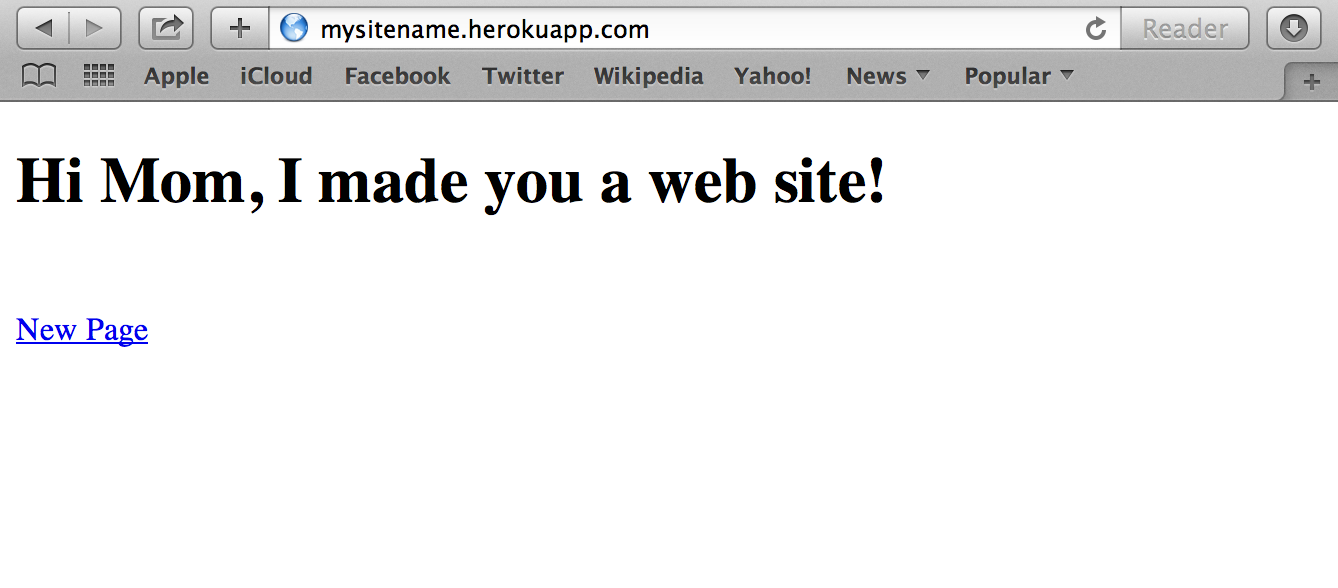
Hi Mom, served by Heroku